-
-
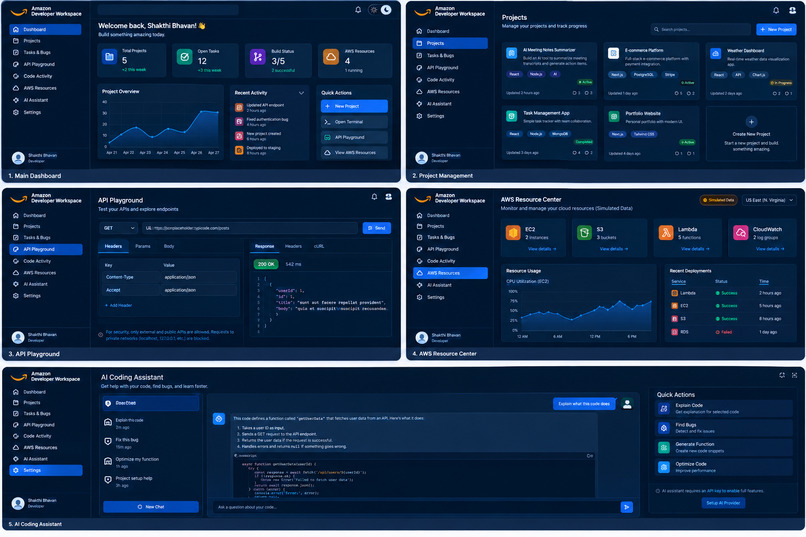
Amazon Developer Workspace — An all-in-one platform for coding, project management, API testing, AI-powered assistance, and AWS cloud.
Inspiration
What it does
About the Project — Amazon Developer Workspace
💡 Inspiration
Software developers often need to switch between multiple tools to manage code, track projects, test APIs, debug errors, and monitor cloud resources. This can waste time and make development more complicated, especially for students and beginner developers. We were inspired to bring these essential activities together in one simple, organized workspace.
Our vision is to create a unified developer platform that makes software development easier, faster, and more productive.
🚀 What We Built
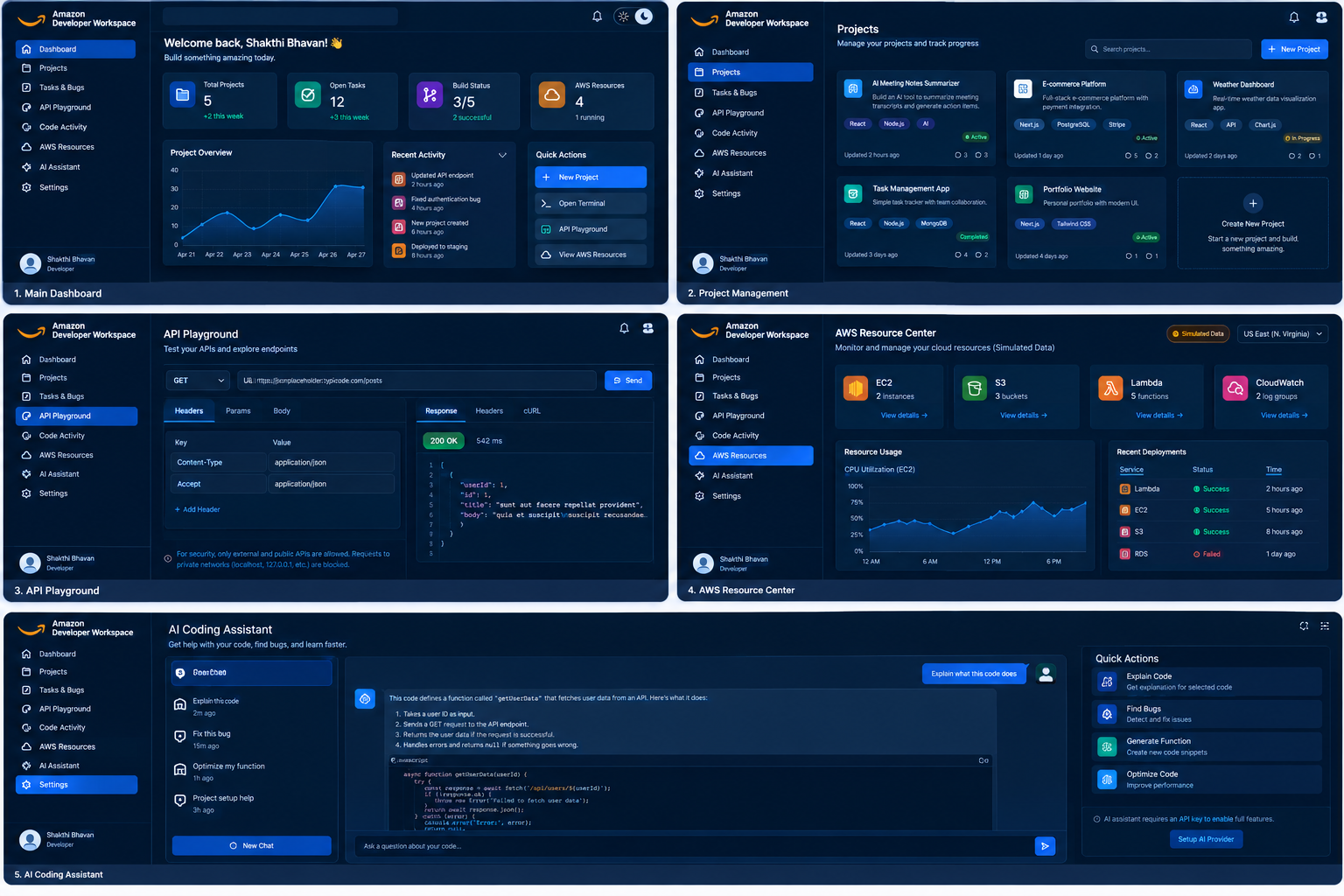
Amazon Developer Workspace is a full-stack web application designed to bring essential developer tools into a single dashboard. It combines project management, task tracking, API testing, code activity, AI coding assistance, and AWS cloud resource monitoring.
Key features include:
- Developer Dashboard: View projects, tasks, build status, and recent activity.
- Project Management: Create projects, organize tasks, and track progress.
- API Playground: Send HTTP requests and inspect API responses.
- Code Activity: View repository activity, commits, and pull requests.
- AI Coding Assistant: An interface designed to help developers understand code, identify bugs, and improve their solutions.
- AWS Resource Center: View simulated EC2, S3, Lambda, and CloudWatch information, with the ability to add secure live integrations later.
The application is an independent developer tool inspired by cloud development workflows, not an official Amazon product.
🛠️ How We Built It
We designed the application as a full-stack project using modern web technologies.
- Frontend: React, TypeScript, Vite, and Tailwind CSS.
- Backend: Node.js and Express for REST API development.
- Database: PostgreSQL and Prisma ORM for storing project and task information.
- Visualization: Recharts for displaying dashboard statistics and activity.
- Development Environment: Visual Studio Code.
The architecture separates the frontend, backend, and database so that each component can be developed, tested, and improved independently. We also planned environment-based configuration and secure credential handling for future AWS and GitHub integrations.
The initial version uses sample data where external integrations are not configured. This allows the core application to be developed and tested locally before connecting real services.
📚 What We Learned
Building this project helped us explore full-stack application architecture, frontend and backend communication, REST APIs, database design, and environment configuration. We also learned the importance of creating intuitive interfaces, organizing code into reusable modules, validating user input, and protecting sensitive credentials.
Another important lesson was that integrating external services requires more than a user interface: it also requires authentication, permissions, error handling, and security controls.
⚡ Challenges We Faced
One of our main challenges was bringing multiple developer tools into a single, easy-to-understand interface. We addressed this by organizing the application into separate modules with consistent navigation.
Designing the connection between the frontend, backend, and database was another challenge. A modular architecture and structured API endpoints help keep the application maintainable.
We also considered the security risks associated with cloud credentials and API testing. Our approach is to use backend-only secrets, least-privilege permissions, input validation, and safe defaults instead of exposing credentials or enabling unrestricted operations.
🔮 What's Next?
Our future plans include secure GitHub integration, live AWS resource monitoring, authentication, team collaboration, automated testing and deployment workflows, and a working AI assistant connected to an authorized AI provider.
Ultimately, our goal is to make Amazon Developer Workspace a practical, secure, and beginner-friendly platform where developers can manage more of their development lifecycle from one place.
🎯 Our Vision
Code. Collaborate. Build. Deploy.
We believe that a well-organized development environment can help developers spend less time switching between tools and more time building meaningful software.
How we built it
Challenges we ran into
Accomplishments that we're proud of
What we learned
What's next for Amazon Developer workspace
Built With
- ai-coding-assistant
- aws-lambda
- cloudwatch
- prisma-orm
- react
- recharts
- vite
- web-development

