-
-

AMANAH Logo
-
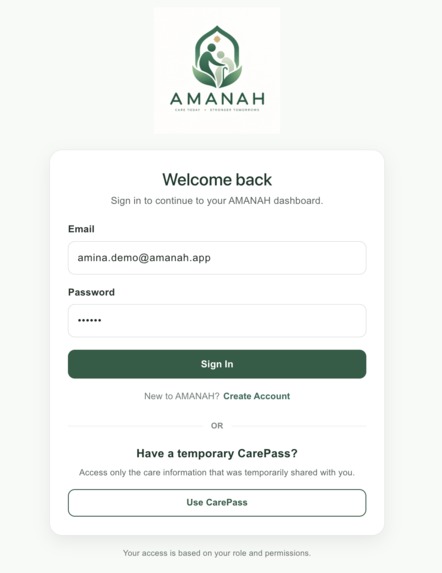
AMANAH APP
-
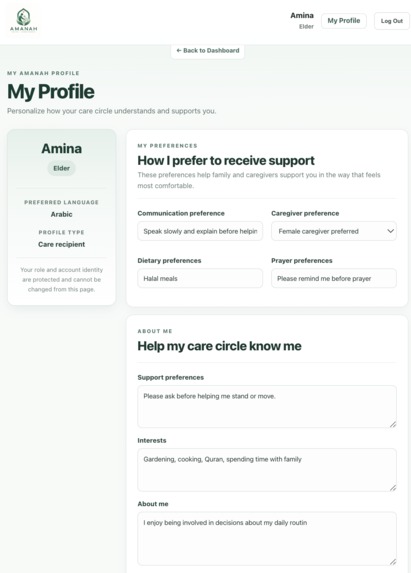
Elder Profile
-
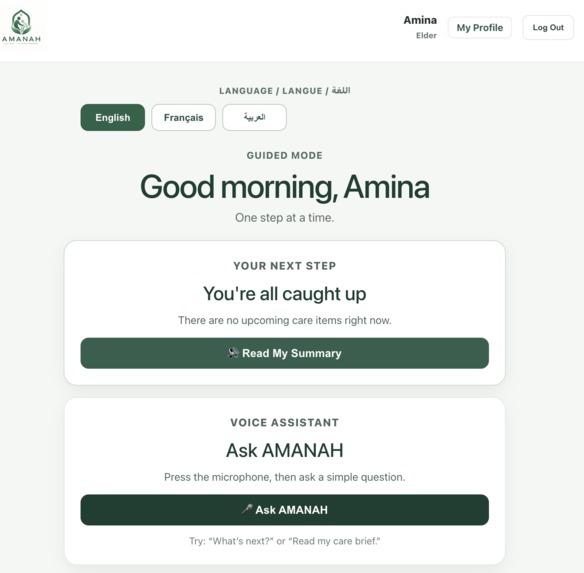
Open Guided Mode
-
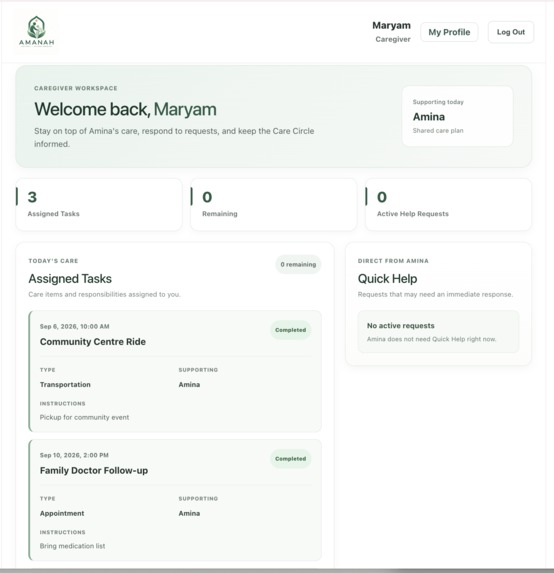
Caregiver Workspace
-
Family Workspace

Inspiration
Caring for an aging parent or loved one often involves several people: the elder, family members, caregivers, and sometimes temporary helpers or community organizations. But care can quickly become fragmented across messages, reminders, schedules, and individual memory.
The scale of the problem is significant. In Canada, 19% of the population is age 65 or older, and about 20% of Canadians aged 15 and older provide unpaid care to care-dependent adults. Around 16% of Canadian seniors experience social isolation, with even more considered at risk. Language and communication barriers can create additional challenges for older adults from immigrant and culturally diverse communities.
These problems often overlap. An elder may have family support, professional caregivers, appointments, community activities, personal preferences, and temporary helpers, yet the people involved may not have one clear and trusted place to coordinate that care.
We wanted to build something that keeps everyone connected while still putting the elder’s choices, independence, privacy, and preferences at the center.
That became AMANAH — an elder-centered care platform designed to help families care with elders, not simply care for them.
We were also inspired by the fact that personal and cultural needs can play an important role in care. Preferences such as language, prayer routines, dietary needs, communication style, and caregiver preferences should be part of the care experience rather than treated as an afterthought.
What it does
AMANAH connects the main people involved in an elder’s care through a shared, role-based Care Circle, while giving the elder an accessible and personalized experience.
Its dedicated Voice & Guided Support mode offers a simpler, more focused way to view care information, hear summaries, ask questions, and request help.
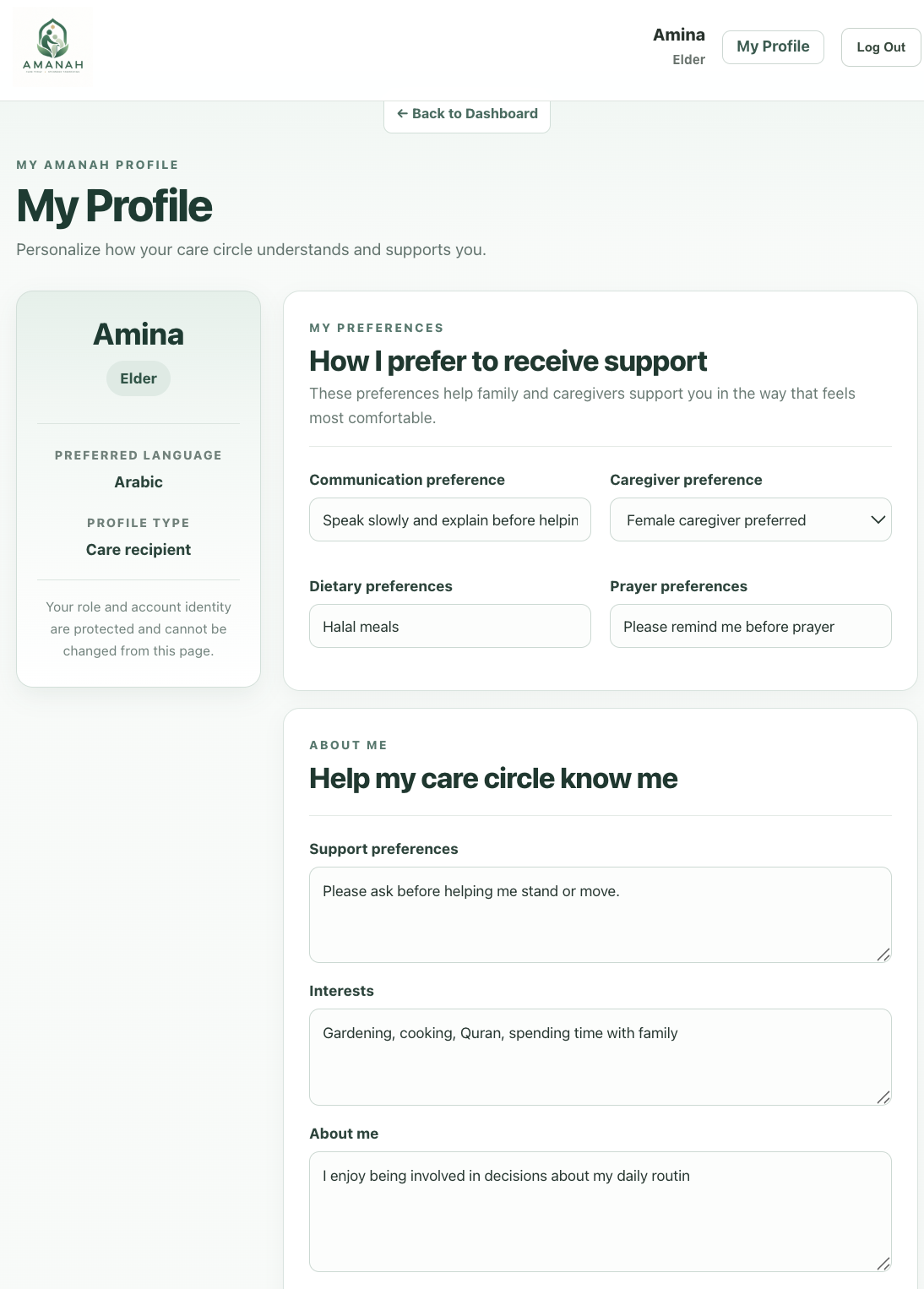
- Elders can view their day, manage personal preferences, request help, choose who joins their trusted Care Circle, and switch into Guided Mode.
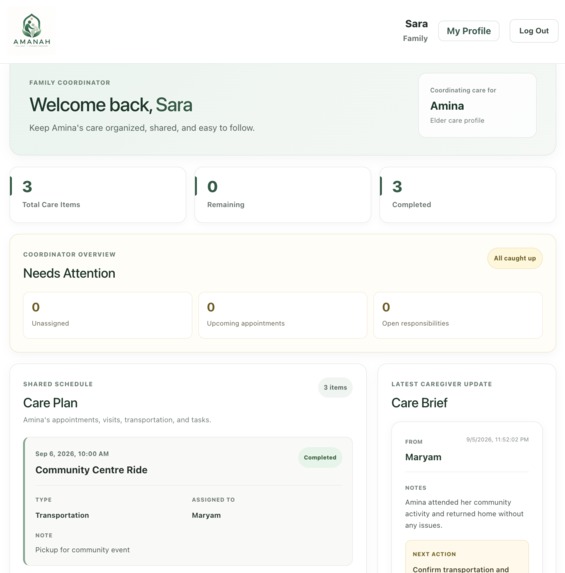
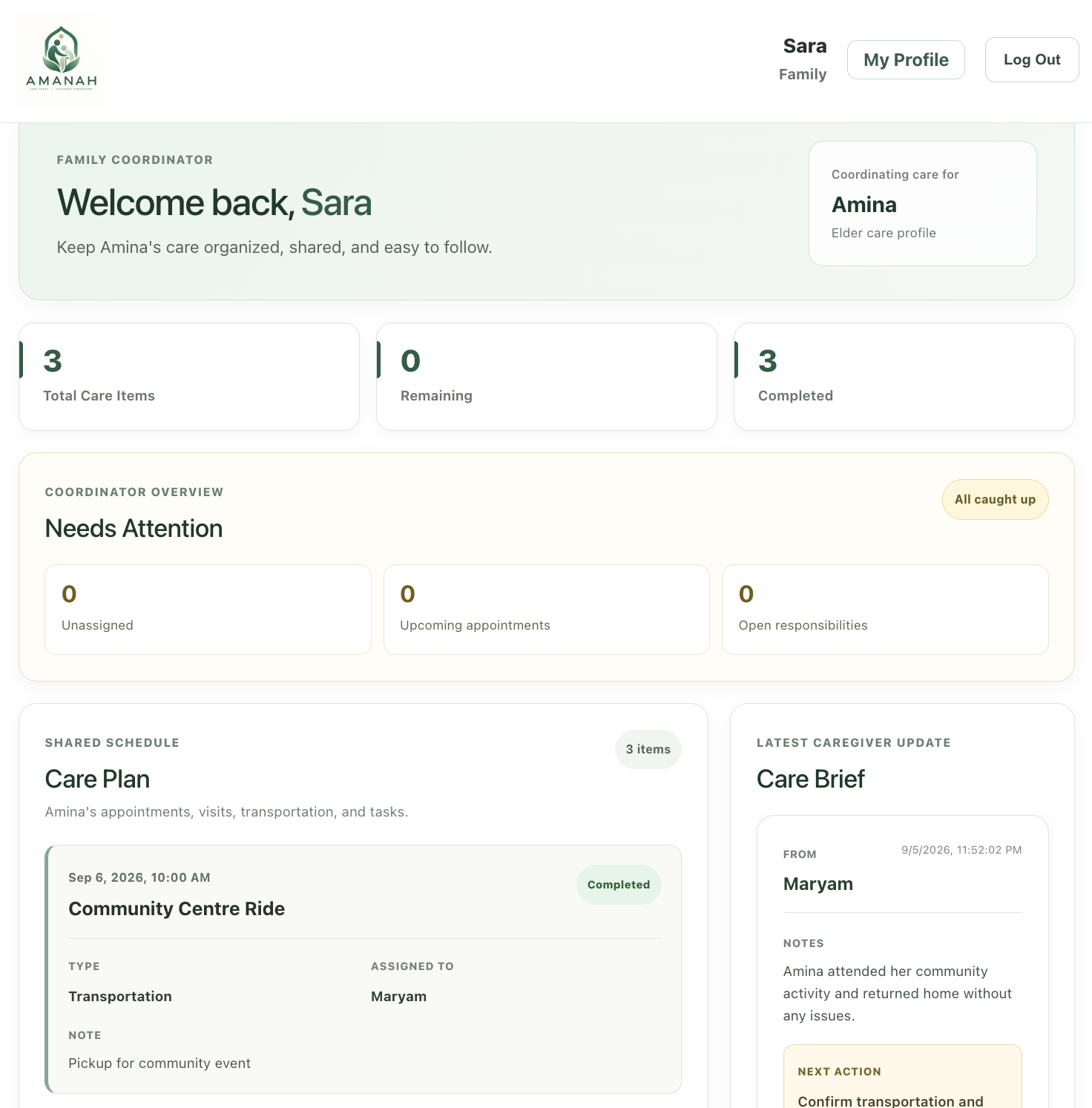
- Family members can coordinate appointments, tasks, responsibilities, and caregiver assignments.
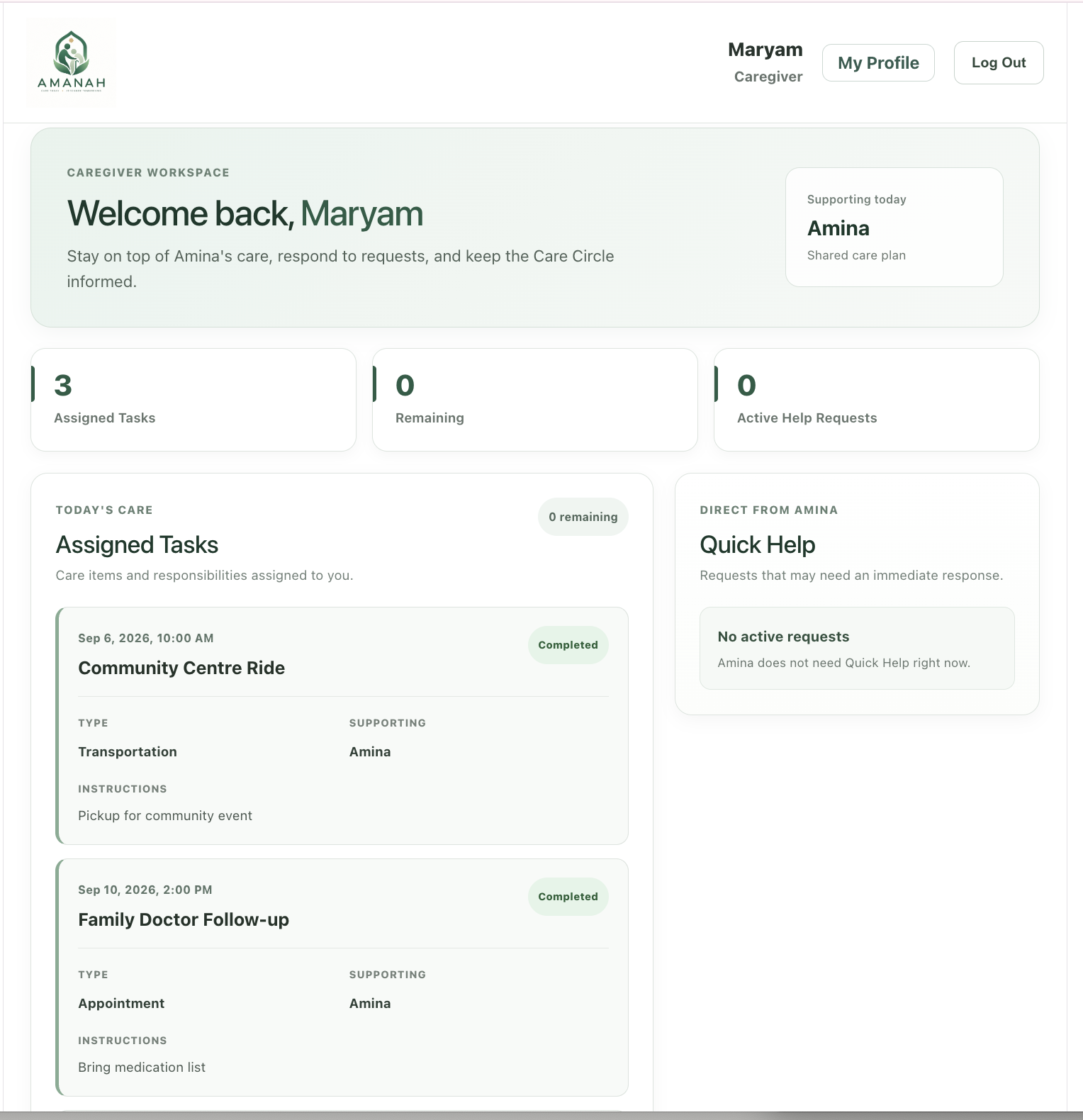
- Caregivers can view assigned tasks, respond to Quick Help requests, complete care responsibilities, and leave handoff notes for the family.
Some of AMANAH’s main features include:
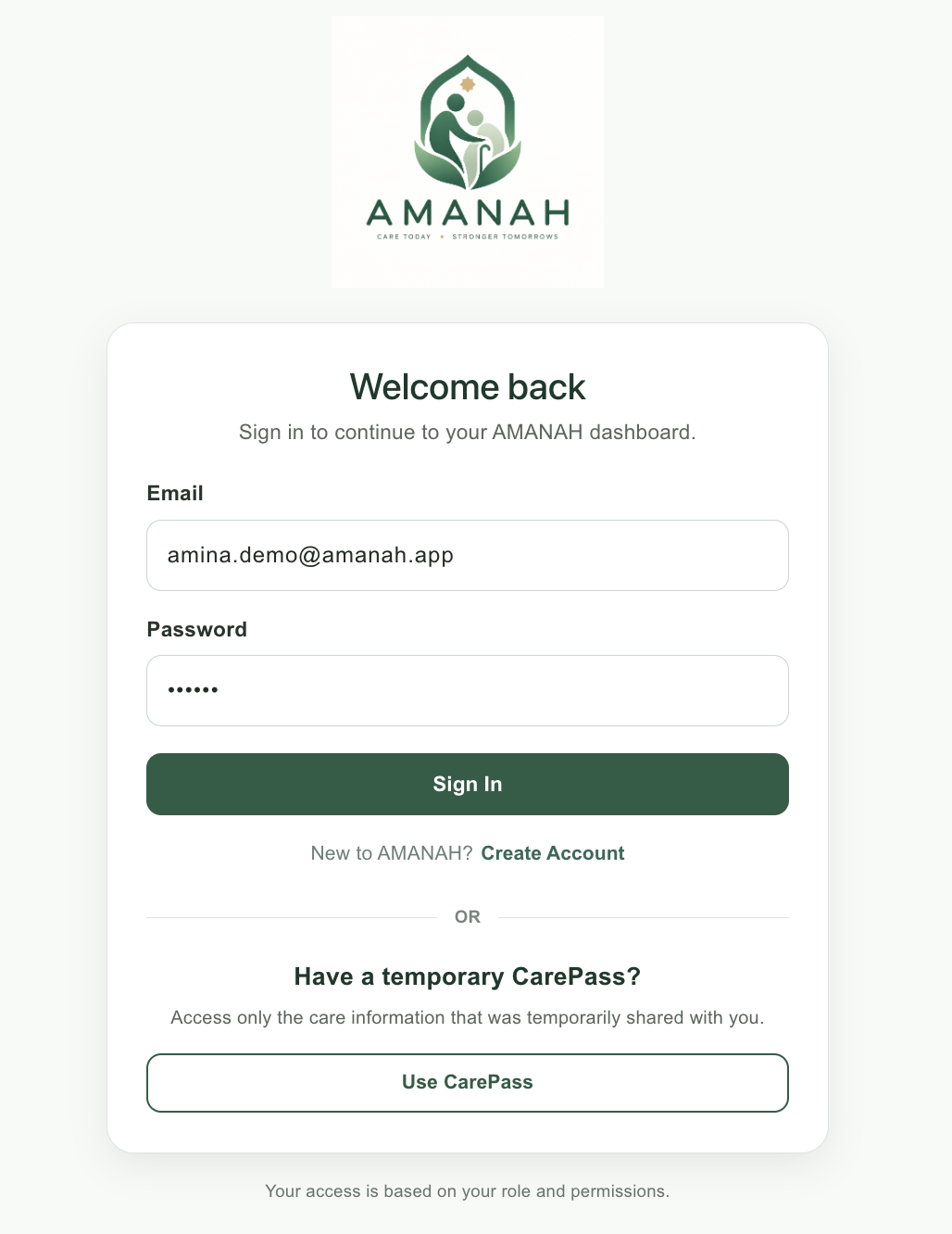
- Secure Care Circle invitations for trusted family members and caregivers
- Personalized elder profiles
- Shared care planning and task assignment
- Real-time Quick Help requests between elders and caregivers
- Caregiver acknowledgement and completion updates
- Care handoffs for continuity between caregivers and family
- Temporary, privacy-controlled CarePass access
- Voice & Guided Support with a simplified elder interface
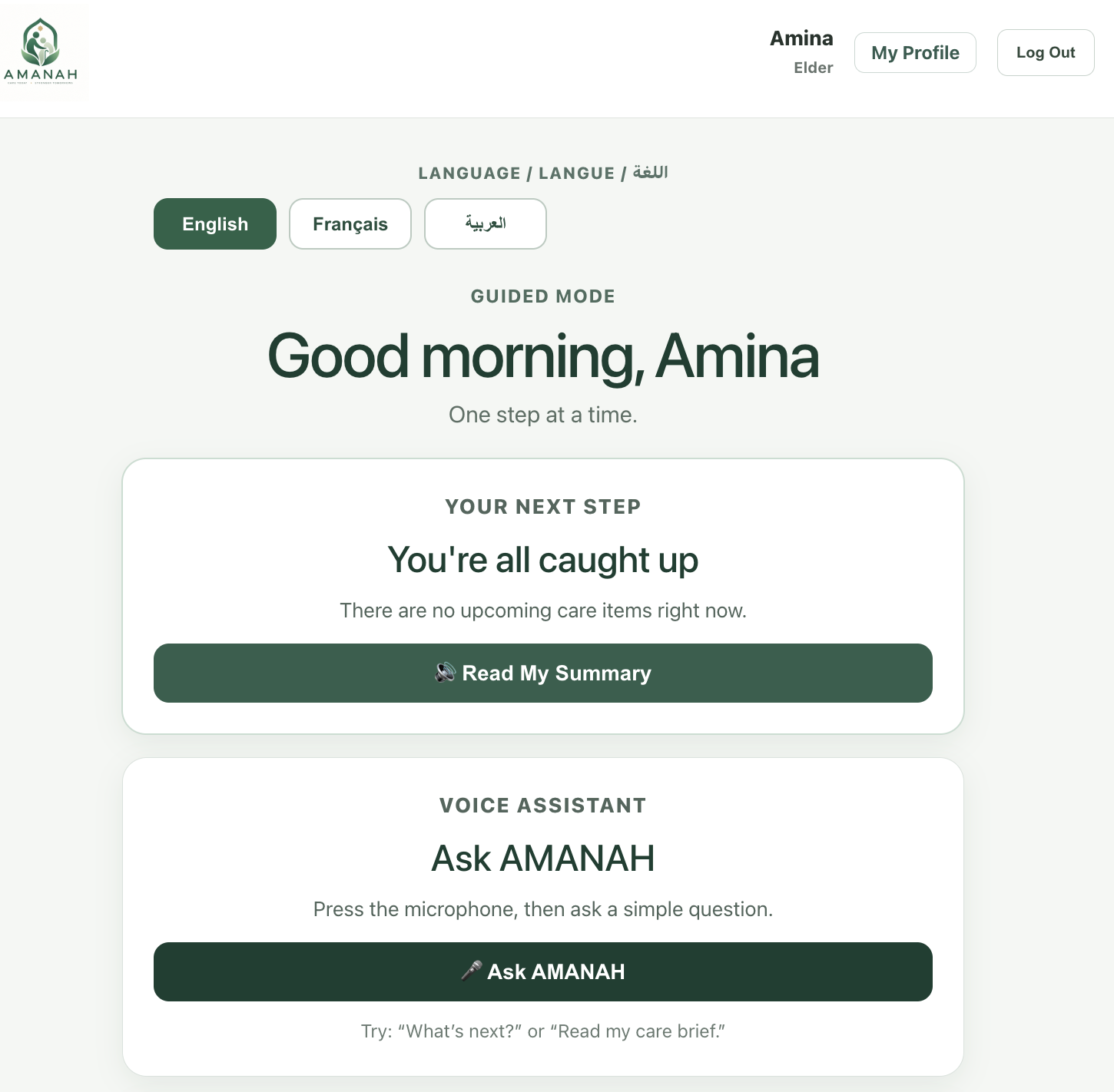
- Multilingual Guided Mode with English, French, and Arabic options
- Spoken care summaries through Read My Summary
- Ask AMANAH voice interaction for simple questions such as “What’s next?” or “Read my care brief.”
- Direct I Need Help access to contact a support person
- Cultural and personal preferences including language, dietary needs, prayer routines, communication style, and caregiver preferences
Guided Mode is designed around the idea of one step at a time. Instead of requiring an elder to navigate several menus, it reduces the interface to a few large, focused actions. The elder can see their next care step, listen to a summary, speak to AMANAH, or request help directly.
How we built it
We built AMANAH as a full-stack web application using React and Vite for the frontend and Supabase for authentication, database storage, and backend logic.
We used Supabase Auth to support real Elder, Family, and Caregiver accounts. Each authenticated user is connected to an AMANAH profile in PostgreSQL, with additional role-specific profile information.
The Care Circle system is handled through secure database functions. Elders can generate temporary invitation codes for family members or caregivers, and the database verifies the user’s role, invitation status, and expiration before creating the relationship.
We also used PostgreSQL Row Level Security (RLS) so users can only access care information they are authorized to see. Sensitive actions are enforced at the database level instead of relying only on the frontend.
We designed separate role-specific dashboards rather than giving every user the same interface. The Elder dashboard prioritizes simplicity, Quick Help, personal preferences, and access to Guided Mode. The Family dashboard focuses on coordination, scheduling, and shared responsibility. The Caregiver dashboard focuses on assigned tasks, urgent requests, and care handoffs.
For the elder experience, we also built a separate Voice & Guided Support interface. Guided Mode provides multilingual options, a focused next-step view, spoken care summaries, voice interaction through Ask AMANAH, and a direct help button.
Our stack includes:
- React
- JavaScript
- Vite
- Supabase
- PostgreSQL
- SQL
- Supabase Auth
- React Router
- HTML/CSS
- Git and GitHub
- Vercel
Challenges we ran into
One of our biggest challenges was moving from a simple hackathon prototype with fixed demo users to a system that actually worked with real authenticated accounts.
Parts of the early application were tied to demo personas. Once we added registration, we had to refactor the dashboards so each page dynamically loaded the signed-in Elder, Family member, or Caregiver instead of relying on hard-coded IDs.
Another major challenge was access control. Care information is sensitive, so we did not want someone to be able to change an ID in the browser and access another elder’s information. This pushed us to implement database-level authorization with RLS policies and controlled SQL functions.
We also had to design onboarding for users who had created an account but were not yet connected to an elder. Instead of treating that as an error, we created a Care Circle invitation system that turns it into a natural onboarding flow.
We ran into integration issues while connecting Care Circle invitations, caregiver context, Quick Help, task assignment, handoffs, and role-specific dashboards. Testing the application with multiple real accounts helped us uncover and fix those issues.
Accessibility was another challenge. We did not want the elder experience to simply be the same dashboard with larger buttons. That led us to create a separate Guided Mode focused on fewer choices, voice interaction, multilingual access, and one clear next step at a time.
Accomplishments that we're proud of
We are especially proud that AMANAH became a real multi-user system, not just a static hackathon demo.
We successfully built and tested an end-to-end flow where:
- An elder creates an account and personalizes their profile.
- The elder invites a family member into their Care Circle.
- The family member joins and begins coordinating care.
- The elder invites a caregiver.
- The caregiver joins the same Care Circle.
- The family assigns a care task to the caregiver.
- The caregiver receives and completes the task.
- The family sees the updated status.
- The elder can send a Quick Help request directly to the caregiver.
- The caregiver can acknowledge and complete that request.
- Caregiver updates can be shared back with the family through care handoffs.
We are also proud that privacy and role-based access were considered throughout the project rather than being added only at the end.
Another feature we are proud of is Voice & Guided Support. Rather than assuming every elder will be comfortable navigating a traditional dashboard, AMANAH lets them switch into a simplified Guided Mode with multilingual options, spoken summaries, voice interaction, large focused actions, and direct access to help.
What we learned
This project taught us a lot about building applications where several users interact with the same shared data.
We learned more about:
- Authentication and role-based users
- PostgreSQL relationships
- Supabase Row Level Security
- Secure database functions
- React state management
- Multi-user onboarding flows
- End-to-end debugging
- Accessibility-focused interface design
- Privacy-aware software design
- Connecting different user experiences through shared data
Most importantly, we learned that building care technology is not only about helping caregivers organize tasks. It is also about designing around the person receiving the care.
That changed the question from:
“How can we manage an elder’s care?”
to:
“How can technology help everyone coordinate care while preserving the elder’s voice, independence, privacy, and trust?”
What's next for AMANAH
Our next goal is to expand AMANAH from a hackathon prototype into a more complete care coordination platform.
Future improvements could include:
- More conversational and intelligent voice interaction
- Expanded Guided Mode capabilities
- Better multilingual support beyond English, French, and Arabic
- Multiple elders and multiple caregivers per account
- More advanced Care Circle roles and permissions
- Appointment and medication reminders
- Real-time notifications for urgent requests and schedule changes
- Calendar integrations
- Mobile-first accessibility improvements
- Stronger caregiver handoff and care-history tools
- Community and organization support for families who need additional assistance
- More granular CarePass permissions for temporary helpers
- Further security testing and production-ready authentication flows
Long term, we want AMANAH to become a platform that helps families coordinate care without losing sight of the person at the center of it.
Sources
- Statistics Canada — 2021 Census of Population
- Statistics Canada — Providing Care in Canada, 2022
- Public Health Agency of Canada — Aging and Social Isolation Among Canadian Seniors
- Government of Canada — Consultations on Ageism and Barriers Affecting Older Adults
Built With
- css3
- git
- github
- html5
- javascript
- postgresql
- react
- react-router
- speech-api
- sql
- supabase
- supabase-auth
- vercel
- vite

Log in or sign up for Devpost to join the conversation.