-
-
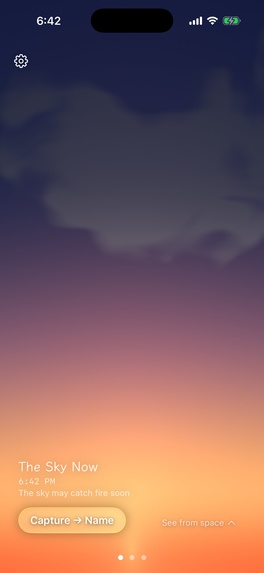
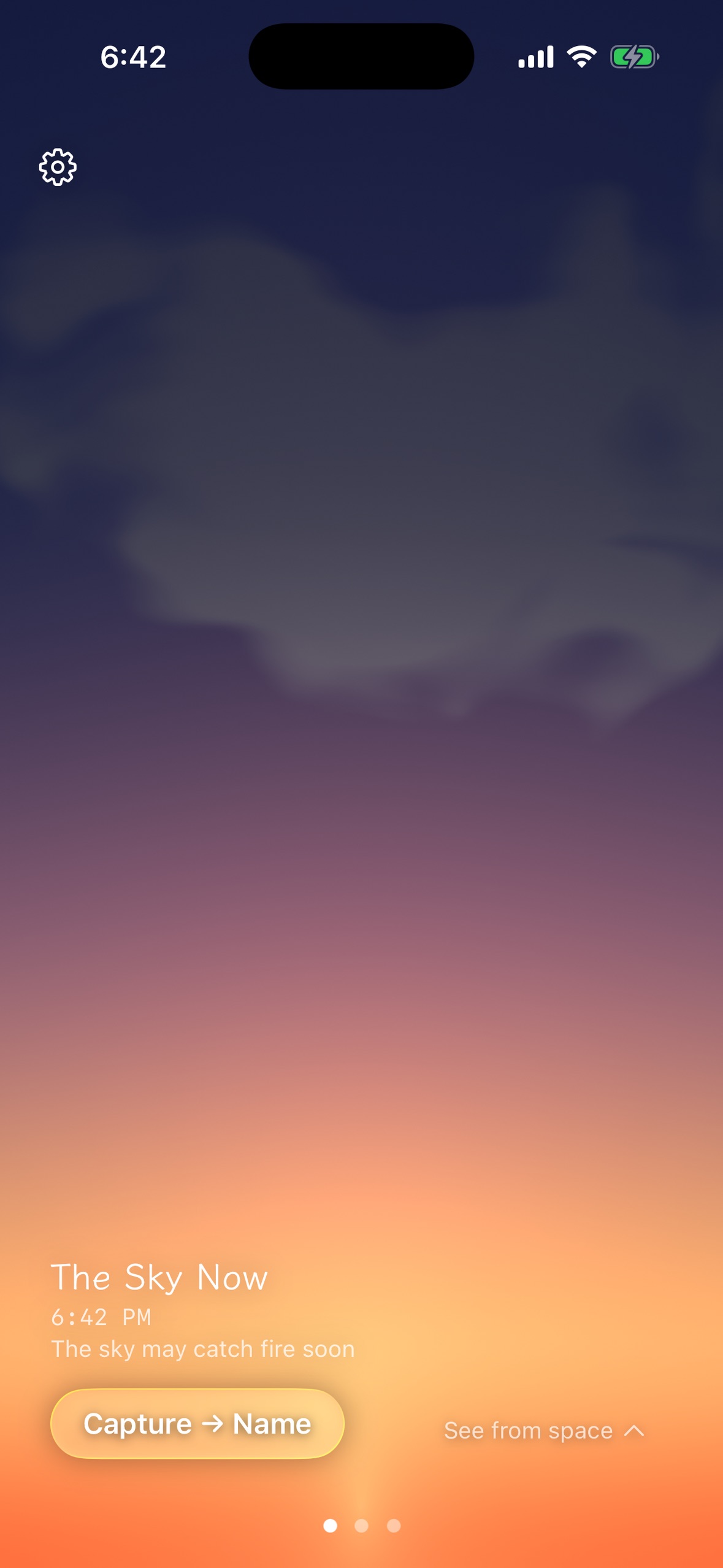
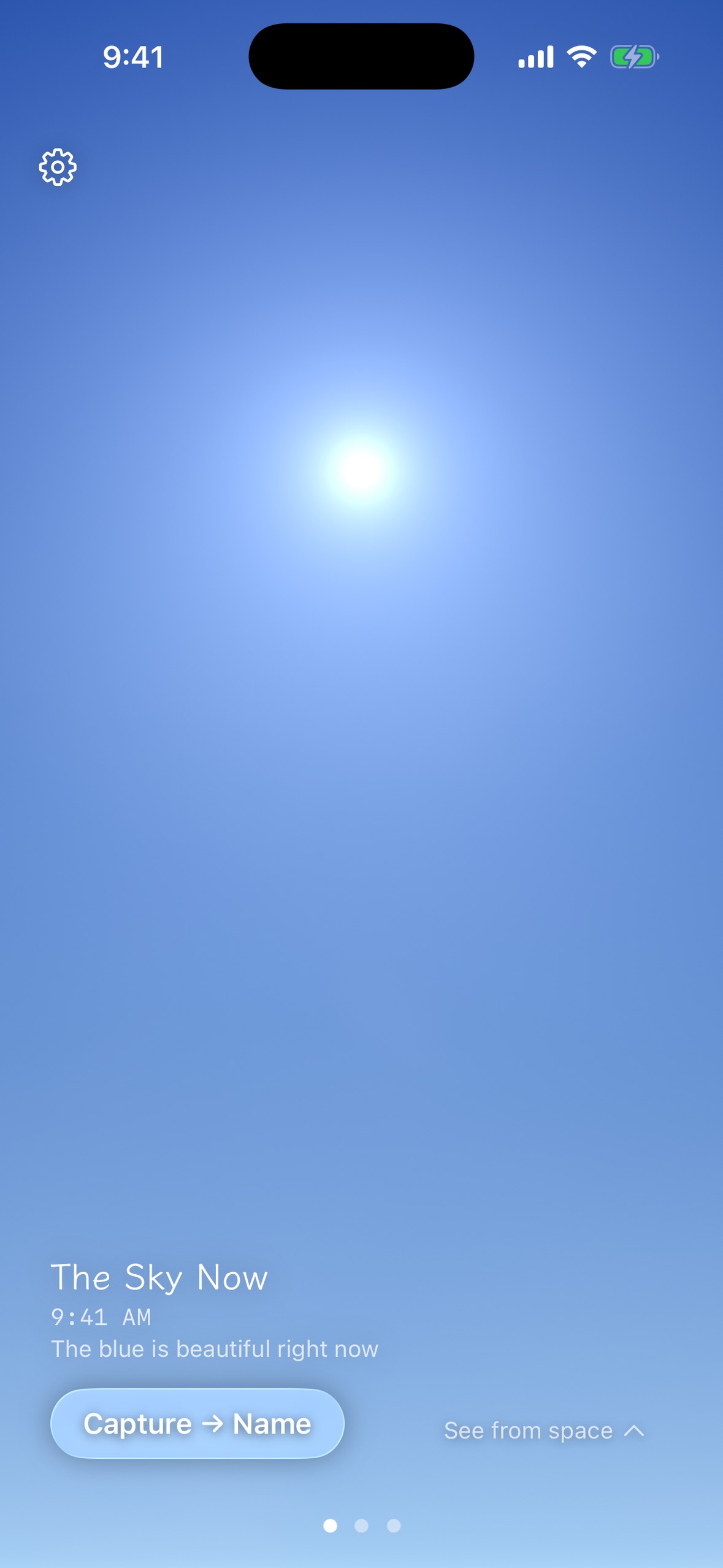
The sky above you, right now — rendered on-device from your time, location and sun angle, with today's real cloud cover on top.
-
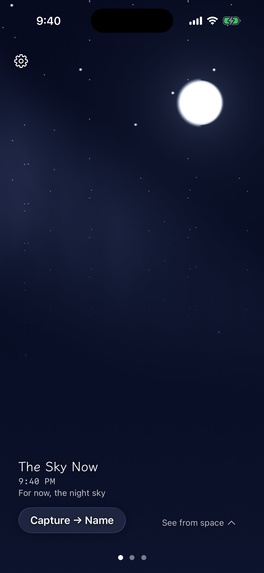
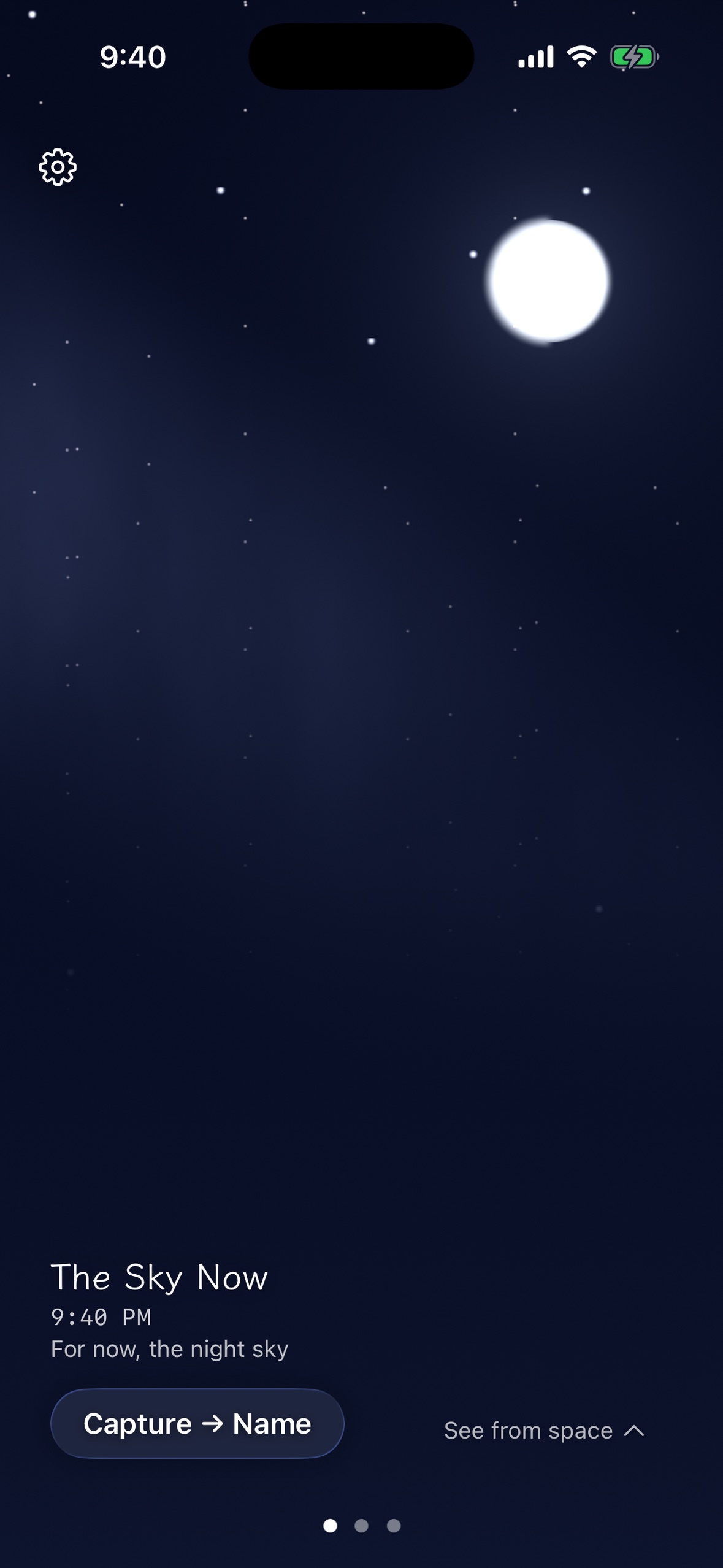
Night is the same engine: real moon phase, real weather. Nothing here is a stock image.
-
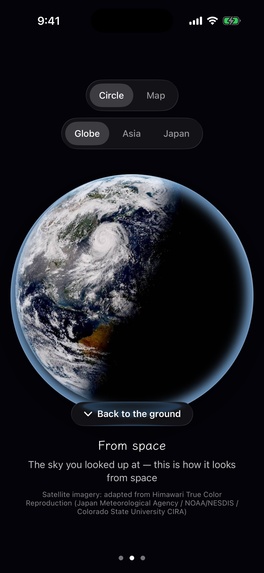
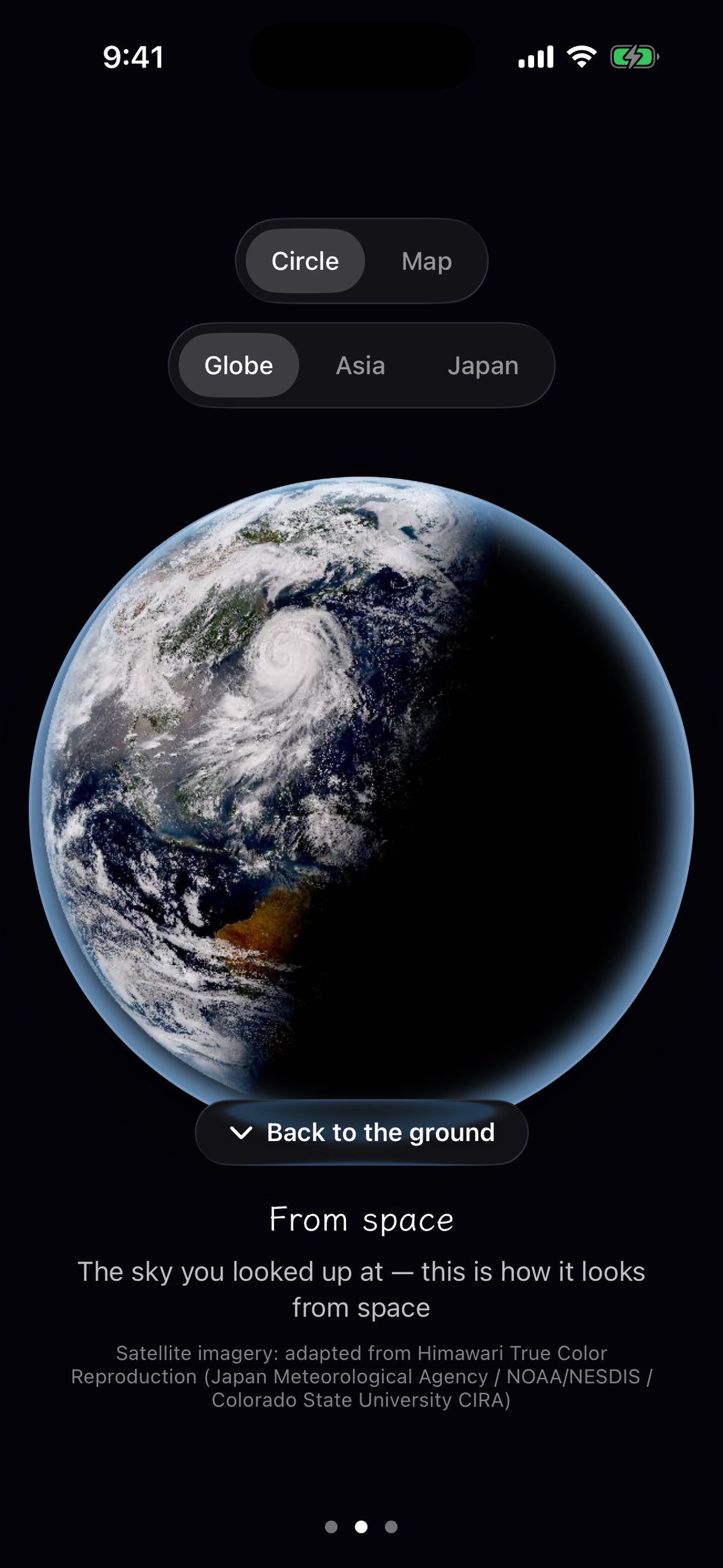
Pull the porthole up and your sky becomes the planet — Himawari true-colour Earth, credited to JMA / NOAA-NESDIS / CIRA on screen.
-
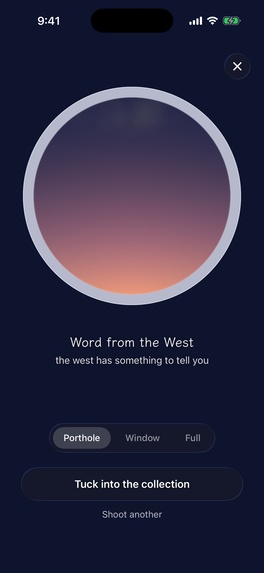
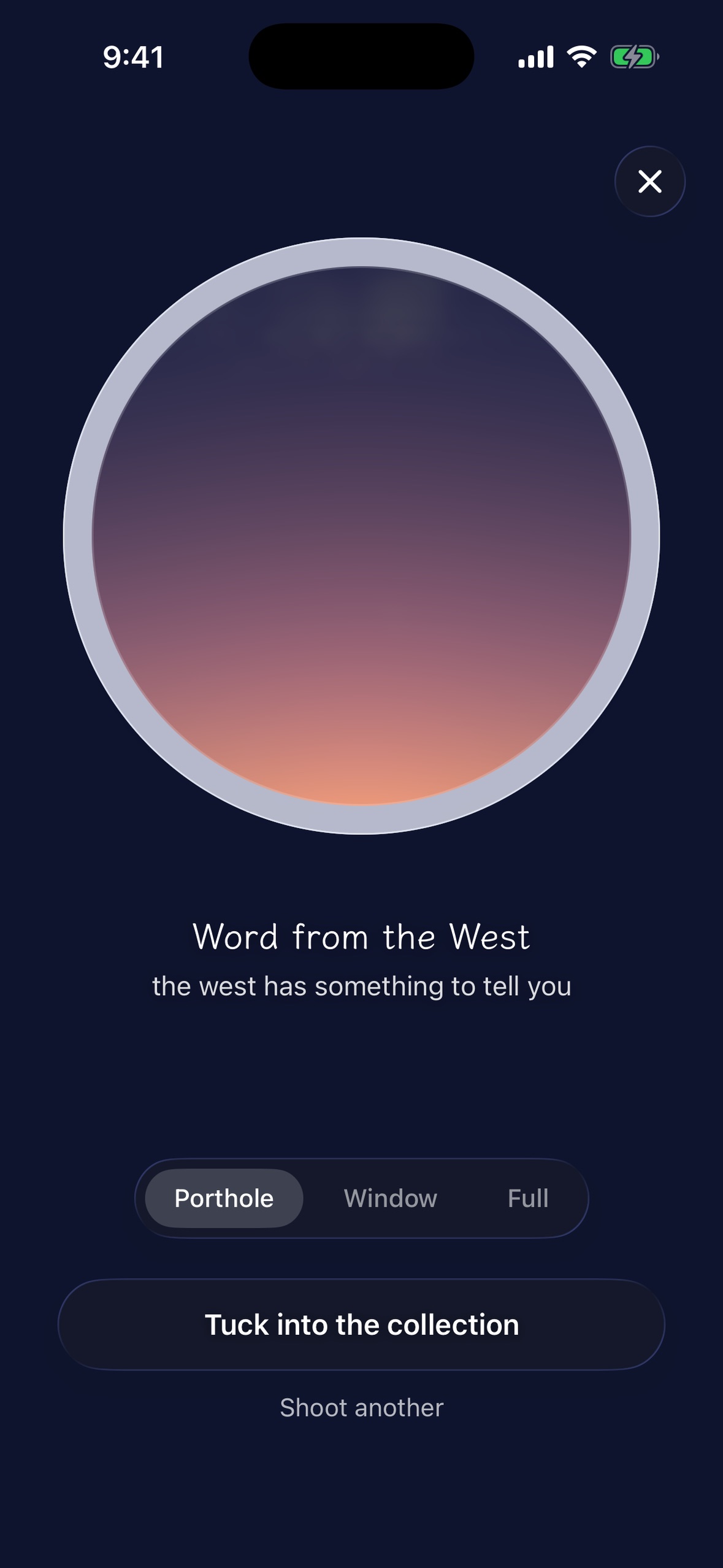
The sky you photographed receives a colour, a name and one line — generated on-device, never by sending your photo to an LLM.
-
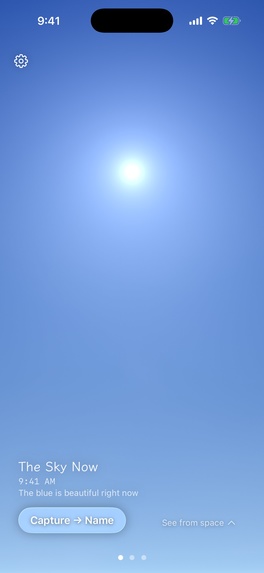
"The blue is beautiful right now." Amana only speaks up when the sky is genuinely worth getting up for.
-
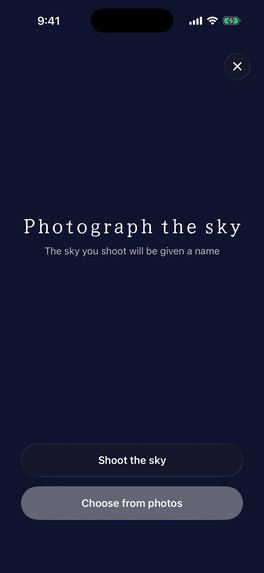
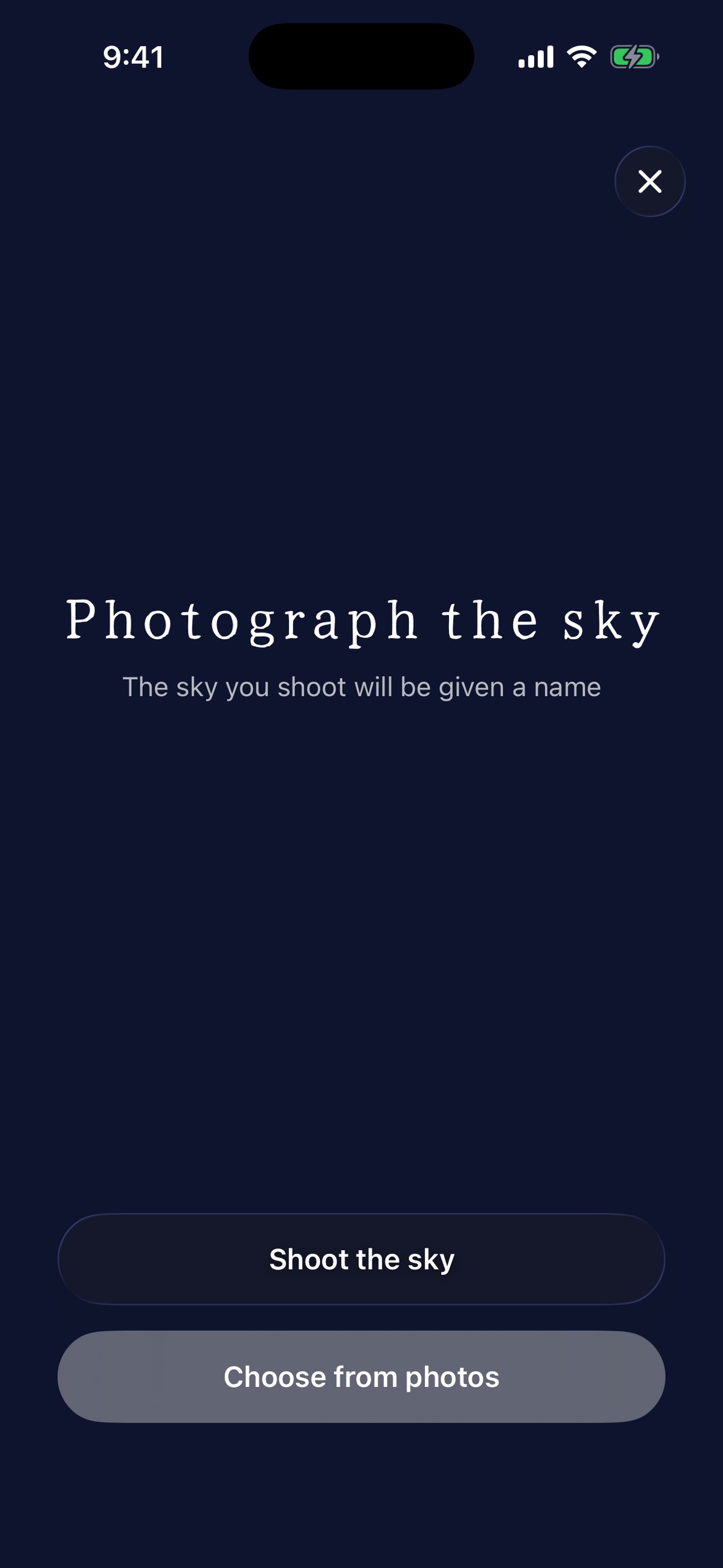
One button, one job: go outside and photograph the real sky. No editing tools, no filters.
-
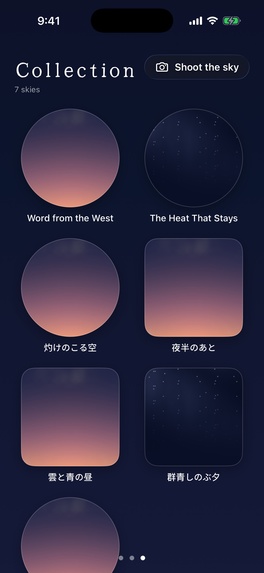
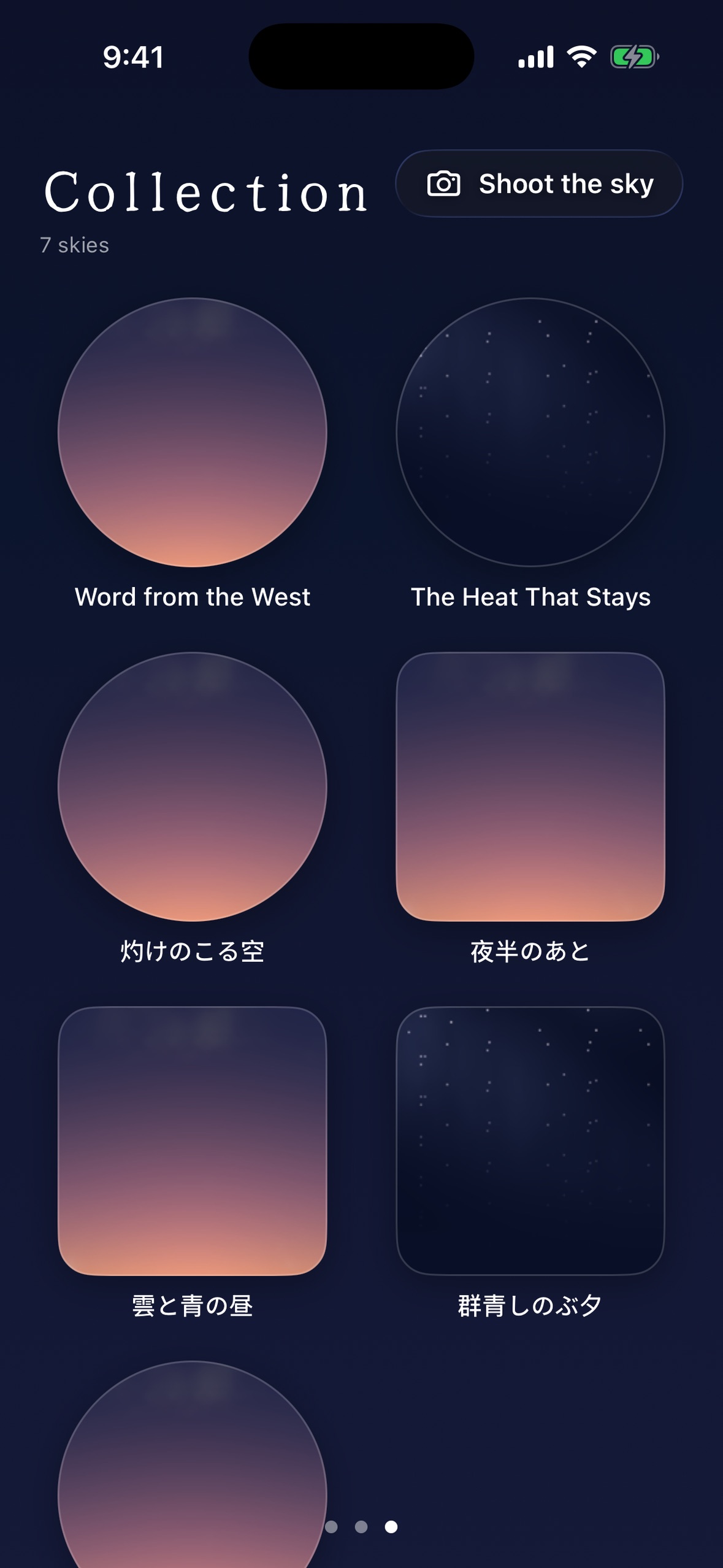
Every sky you catch is kept with the name you gave it. A collection, not a camera roll.
-
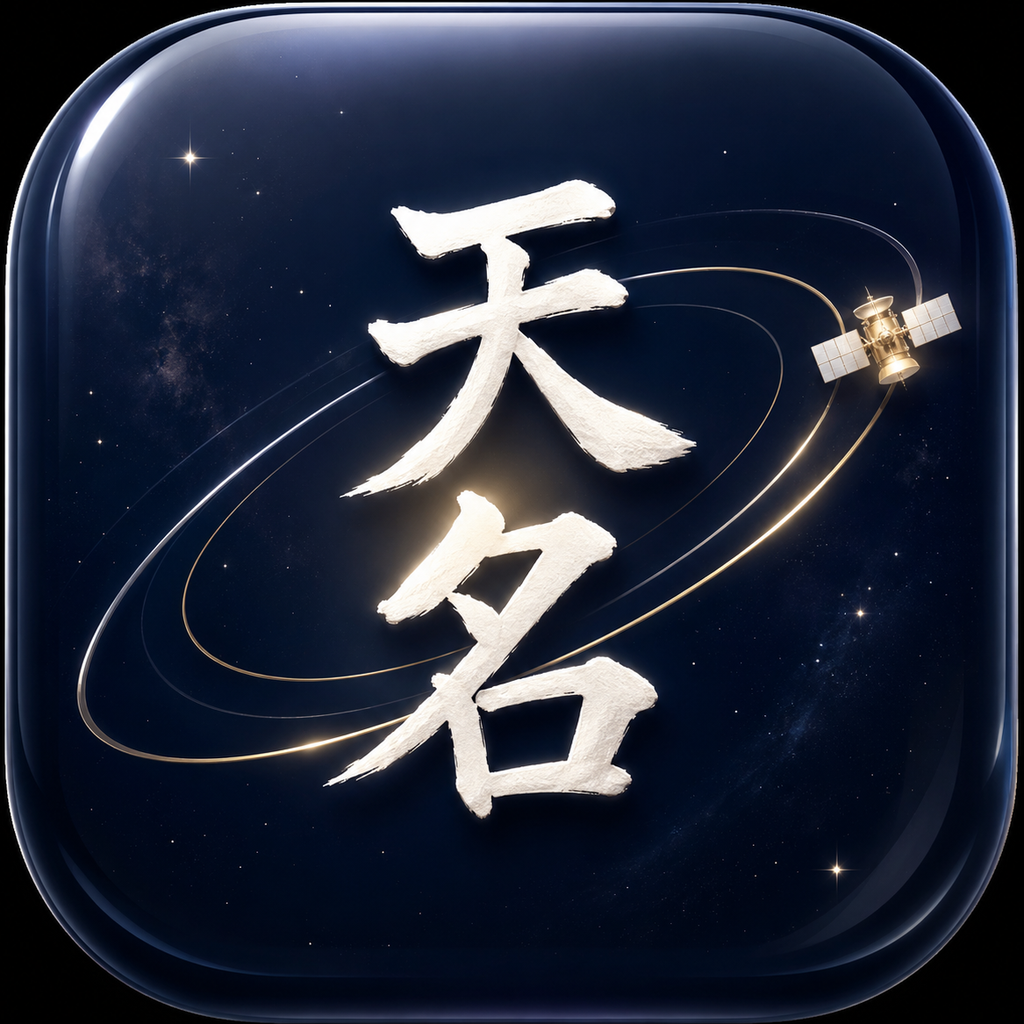
App icon (1024×1024, uncropped) — the brush characters 天名 / Amana over a navy cosmos, with a gold orbit arc and a satellite.
-

-



Inspiration
I love skies and clouds. I always have — the kind of person who stops mid-walk because the light just changed. But like everyone else, most of my day is spent looking at a screen, not up.
So I asked myself: what if the screen could be the thing that pulls your eyes back outside? Not another weather app, but the opposite — an app that uses the phone to un-glue you from the phone. If the sky rendered on your screen is beautiful enough, you'll want to see the real one. And once you're outside, you'll want to give that sky a name.
The name says it: 天名 / Amana = "to call the name of the sky." Look up, and name what you see.
What it does
Amana is a behavior-change app disguised as a beautiful sky.
- It arrives. Open the app (or glance at the widget) and a procedurally rendered sky for your exact time, place, and sun angle is already there — a real blue noon, a real burning sunset, with today's clouds layered on top.
- It invites. That beauty makes you want to see the real thing. A rare, high-precision "best moment" notification nudges you only when it's truly worth getting up: "The sky is about to burn."
- It takes you outside. You stand up. You go out. (That is the app's actual success metric.)
- You capture & name it. Photograph the real sky and give it a color + name + one line — generated on-device from extracted features (dominant hue / time of day / weather condition / cloud cover), never by dumping your photo into an LLM. Works offline.
- The contrast (the closing note). Your single frame ↕ the whole Earth from space. Pull the porthole up and the same disc becomes the planet — Himawari's true-color Earth (global → Asia → Japan), as a circle or a map. "The sky you looked up at — from space, it looks like this."
The core viewing experience is free. Pro unlocks the always-on surfaces (Home Screen, Lock Screen and StandBy widgets) where the sky greets you without opening the app — the strongest trigger to step outside.
How we built it
- Procedural sky engine (on-device, the core): physically-based atmospheric scattering driven by time / location / sun elevation, rendered with Metal / SwiftUI (no SceneKit — soft-deprecated at WWDC25). A clear-sky model with WeatherKit cloud cover layered on top (Not Boring Weather style) so it matches the real sky. Graceful degradation: offline → last cached clouds, the clear procedural sky keeps rendering.
- Contrast / "Earth from space": Himawari true-color reproduction sourced from the JMA Meteorological Satellite Center (MSC) public imagery (commercial-OK, no application required) for daytime; NASA EPIC (public domain) for night/failure; an SwiftUI gradient as the final fallback. Region zoom (global / Asia / Japan) and a circle⇄map shape toggle, unified under one
RoundedRectangleclip so the morph never breaks. - iOS 26 + Liquid Glass: real
glassEffectporthole framing — no fake translucency. Minimum target is iOS 26 (where judges and users already are). - Persistence & widgets: SwiftData powers a "図鑑 (collection)" of named skies; WidgetKit renders the same procedural sky from the clock (no continuous animation — battery-safe, on-brand).
- Accessibility as a quality floor, not an afterthought: Dynamic Type, VoiceOver actions for every gesture, and a full
reduceMotiondegradation path on every signature animation (the launch reveal, the naming bestowal, the ground↔space morph). - Privacy by design: location is rounded to a coarse grid on-device before it's ever used for weather or regional-imagery lookups — I don't run a server that receives your precise coordinate (Amana has no backend of its own today; weather goes to Apple's WeatherKit, imagery comes from public tiles). Photos never leave the device; no photo is ever handed to a third-party LLM.
RevenueCat: Amana's single subscription, Amana Pro, is wired through the RevenueCat SDK end to end — Purchases.configure, offerings(), purchase(package:), restorePurchases(), and a live customerInfoStream that keeps the Pro entitlement in sync across the app (no manual StoreKit-transaction bookkeeping). Pricing is ¥300/month or ¥1,500/year with a 7-day free trial (yearly is the anchor), unlocking the always-on surfaces — Home Screen, Lock Screen and StandBy widgets. On the Lock Screen, where the system renders everything in a single tint, the sky is conveyed in words rather than colour (“いまの空 / 青が、きれい”) — the same one-line phrasing the app itself uses. RevenueCat is the single source of truth for "is this user Pro" — the paywall, entitlement checks, and analytics events stay identical whether I'm testing on local StoreKit or running against the live RevenueCat backend. Judges can try Pro via the 7-day free trial.
Challenges we ran into
- Satellites can't paint the ground sky. My Phase-0 testing proved satellites shoot down — a "clear" true-color image over my location is a dark navy ocean, not a blue sky. So I flipped the whole design: the procedural sky became the star, and the satellite view became the contrast, not the core.
- Making the ground↔space morph never break. A circle and a wide map are different shapes; naively swapping clip shapes gave me "circle + black bars." I unified everything under one interpolated
RoundedRectangle(withcornerRadius = side/2for the circle case) so circle⇄map⇄zoom all morph cleanly off a single continuous value. - Honest licensing, on a solo budget. I deliberately chose the JMA MSC public true-color source (commercial-OK, three-organization attribution) over research-only channels that would have been easier to reach but are commercially restricted — and put the attribution on every surface that actually shows the imagery, not buried in a settings page nobody opens.
Accomplishments that we're proud of
- Shipped a physically-based procedural sky renderer in Metal/SwiftUI — not a static image or a lookup table — that reacts continuously to real time, real location, and real WeatherKit cloud cover.
- Wired a genuine end-to-end RevenueCat purchase flow (Offerings → entitlements → restore → live entitlement stream), not a StoreKit-only mock that would break the moment I flipped a dashboard switch.
- Caught the "satellites can't paint a blue sky" problem in Phase 0 testing and pivoted the entire core experience within days instead of shipping something that quietly didn't work.
- Built the satellite contrast layer on a licensing-clean source with correct three-way attribution, instead of reaching for an easier but commercially-restricted research feed.
- Treated accessibility as a floor: every signature animation (launch reveal, naming bestowal, ground↔space morph) has a real
reduceMotiondegradation path, not a retrofit. - Built the whole thing — sky engine, on-device naming, satellite pipeline, widgets, paywall — solo, with Claude Code as a pairing partner (#BuildInPublic material in itself).
What we learned
Three things, and all of them cost me something.
A pretty demo is not a working app. I submitted to App Review, then spent an hour actually using the build on my own phone — and found six defects that green tests and a clean build had not caught. Naming a photo from the library used now instead of the photo's capture time, so an old sunset got a midday name. The paywall kept showing purchase buttons to someone who had already subscribed. "Restore purchases" did nothing visible when tapped. None of these are crashes; none would ever fail a unit test. The only thing that finds them is using the thing.
Building in public is not marketing — it is how you find out what you were wrong about. App Review sat untouched for two days because I had replied in Resolution Center and assumed that resumed the review. The status said UNRESOLVED_ISSUES, which I read as "Apple is looking at it." It actually means "it's your turn." I only went back and checked because I was posting progress publicly and someone asked whether it was really fine. That one question was worth two days. The same thing happened again the next night: I had already found that my subscriptions were not attached to the review submission, judged it "probably fine," and shipped anyway — and it came back as Guideline 2.1(b), exactly as predicted. A risk you can close cheaply, you close.
Design that degrades honestly beats design that pretends. Himawari's true-colour imagery only exists on the daylight side of the planet, so after sunset the contrast view falls back to NASA EPIC — which has no regional frames. Rather than leave a zoom control that would do nothing, the app hides it and the attribution line under the image quietly changes to name the source that is actually on screen. Users never see a dead button, and the credit is always true. That principle — say what is actually happening, remove what cannot work — ended up shaping the notification logic, the offline behaviour, and the permission-denied paths too.
What's next for 天名 -Amana-
- "Living Sky" depth via Metal 4, a "year of skies" poster export, stronger optional AI-assisted naming, and Lifetime / credit pricing options.
- A hand-off to my other app, Soramoyou, for full photo editing on a captured sky (designed so the door stays open, not built yet).
Where to look (for Design Award judges)
If you only have a minute, these are the three moments the craft lives in — in this order:
- 0:00 — the sky arrives. Launch the app. There is no splash and no menu: the sky for your exact time, place and sun angle is already rendering, framed in a real iOS 26
glassEffectporthole. Watch the horizon glow — it is computed atmospheric scattering reacting to the sun's true elevation, not a gradient asset or a stock image. - The bestowal. Photograph a sky and watch the name settle onto it — colour, name and a single line, set in a brush typeface, arriving with deliberate restraint rather than a celebration animation. This is the emotional payload of the whole app: the moment a sky becomes yours.
- The ground↔space morph. Swipe up from the sky to "from space" and back. One continuous value drives the porthole's circle, the wide map, and the global→Asia→Japan zoom, so the shape never pops or letterboxes. The same disc you were just looking up through becomes the planet.
Everything is deliberately restrained: a palette drawn from real skies, generous negative space, Japanese ma in the pacing, one primary action per screen. Every signature animation above has a real reduceMotion path — the craft has to survive accessibility, not bypass it.
Testing instructions for judges
Amana's Home Screen, Lock Screen, and StandBy widgets are the only Pro features. Everything else — the procedurally rendered sky, capturing and naming a sky, and the ground↔space contrast — is free and works without a purchase.
- Install the app from the App Store link above.
- Open Settings → Amana Pro and start the 7-day free trial on the yearly plan — no charge, cancellable from the App Store at any time. That unlocks every Pro feature for the whole judging period.
- To see the Pro widgets: long-press the Home Screen → Add Widget → search "Amana" → add the small or medium widget (the same widget appears automatically in StandBy while charging in landscape). For the Lock Screen widget, long-press the Lock Screen → Customize → add one of the three Amana widget styles.
- The sky (Home tab) and the capture-and-name flow work fully offline. The ground↔space contrast screen needs network access to fetch Himawari/NASA imagery and falls back to a plain gradient if it's unavailable.
RevenueCat drives the entire purchase flow (Purchases.configure /
offerings() / purchase(package:) / restorePurchases()), so the trial exercises the same code path as a paying customer.
The world around the app
This month the world of Amana grew past the screen.
Theme song — 空に名前をつけよう / "Let's Give the Sky a Name" (4:05)
The lyrics are the app's north star, almost line for line: "I open the window at dusk and watch the red clouds… Let's give the sky a name, beyond the burning clouds. Let's leave here, let's go and meet it — the real sky." The song breaks into one full second of silence exactly where the words say "I draw a small breath", and then the chorus lands. The four cover paintings change with the song's own structure, and the chorus always returns to the same image.
The two sisters who front the app. 天名 茜 (Akane) belongs to dusk; her name is 茜色, the color of a sunset sky. 天名 彼誰 (Kahatare) belongs to the hour before dawn — 彼は誰, "who is that?", when faces are not yet legible. Neither has a name of her own; they are the ones who give names to skies.
Disclosure: the song, the cover art and the sisters' animation are made with generative AI. The app itself — the sky engine, the naming system, every screen — is hand-written Swift.
Building in public
Development has been posted as it happened, not written up afterwards. The posts that carry the most are the ones about failures that raise no error at all — a weather fetch that succeeds and paints rain over a sunrise, satellite servers that answer HTTP 200 with a fully transparent PNG, a background task that crashes only at runtime because a closure inherited main-actor isolation.
- X: https://x.com/amanarevenucat/status/2093704056716038294
- Instagram: https://www.instagram.com/p/DcoHyqXz8k-/
- TikTok: https://vt.tiktok.com/ZSVn3CYAM/
- YouTube: https://www.youtube.com/@amana_sky
- Shorts on bugs that log nothing: https://youtube.com/shorts/djYEdaZHEok , https://youtube.com/shorts/2RbUe0x4_Gk , https://youtube.com/shorts/QvpbZDuUhEE
The habit that changed how I work: after auditing my own analytics I stopped guessing and started measuring. The theme song's video is cut the same way — every image change sits on a boundary measured from the audio, including one second of real silence the song takes exactly where the lyric says "I draw a small breath".
Attribution
衛星画像: ひまわり トゥルーカラー再現(気象庁 / NOAA・NESDIS / コロラド州立大学 CIRA)をもとに加工 ・ 地球画像: NASA EPIC / DSCOVR ・ 天気: Apple Weather (WeatherKit)。

Log in or sign up for Devpost to join the conversation.