-
-
3d-orbit-hero
-
traced-over-the-drawing
-
plan-2d
-
tool-runner
-
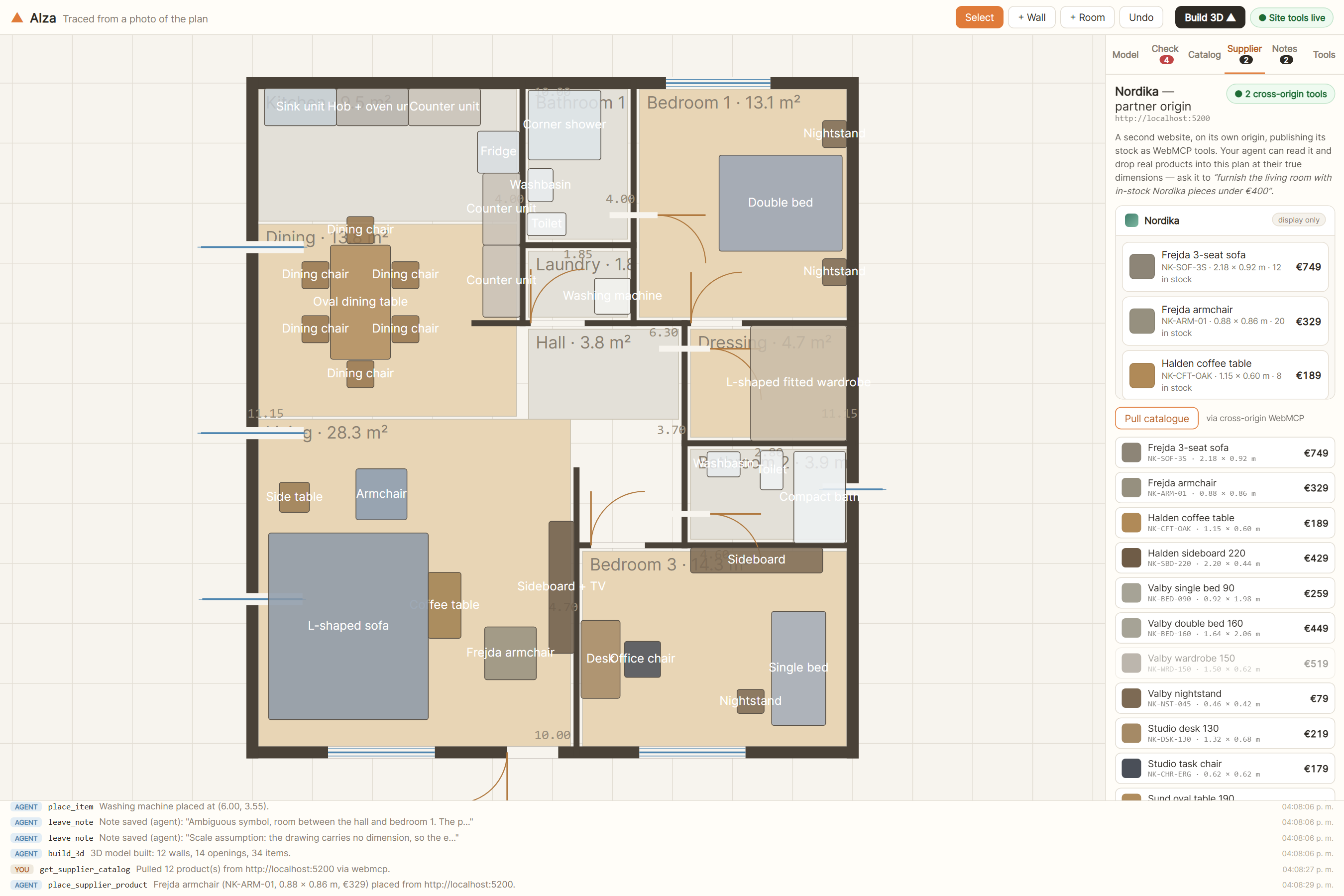
cross-origin-supplier
-
supplier-product-placed
-
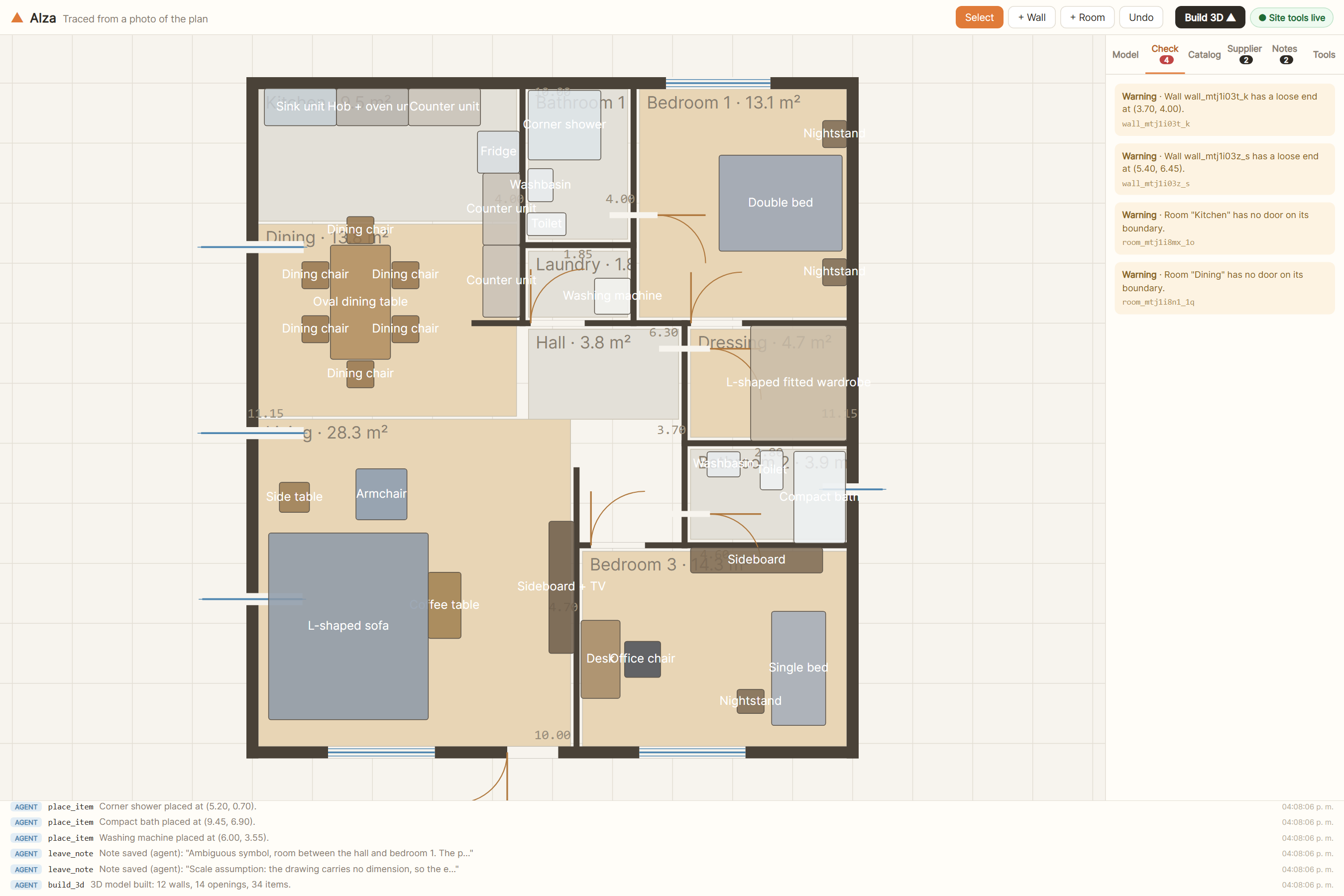
constraint-engine
-
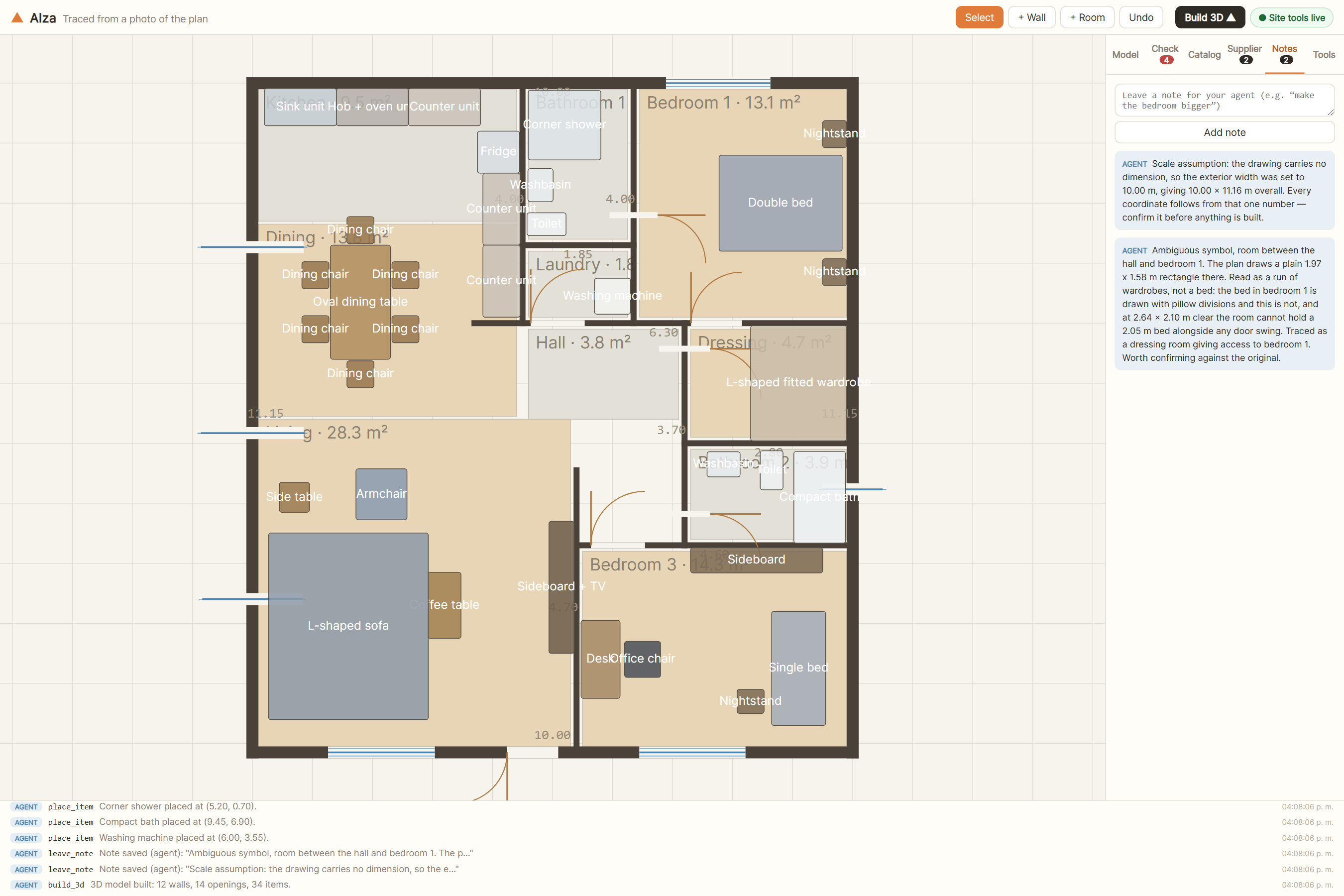
agent-notes-on-ambiguity
-
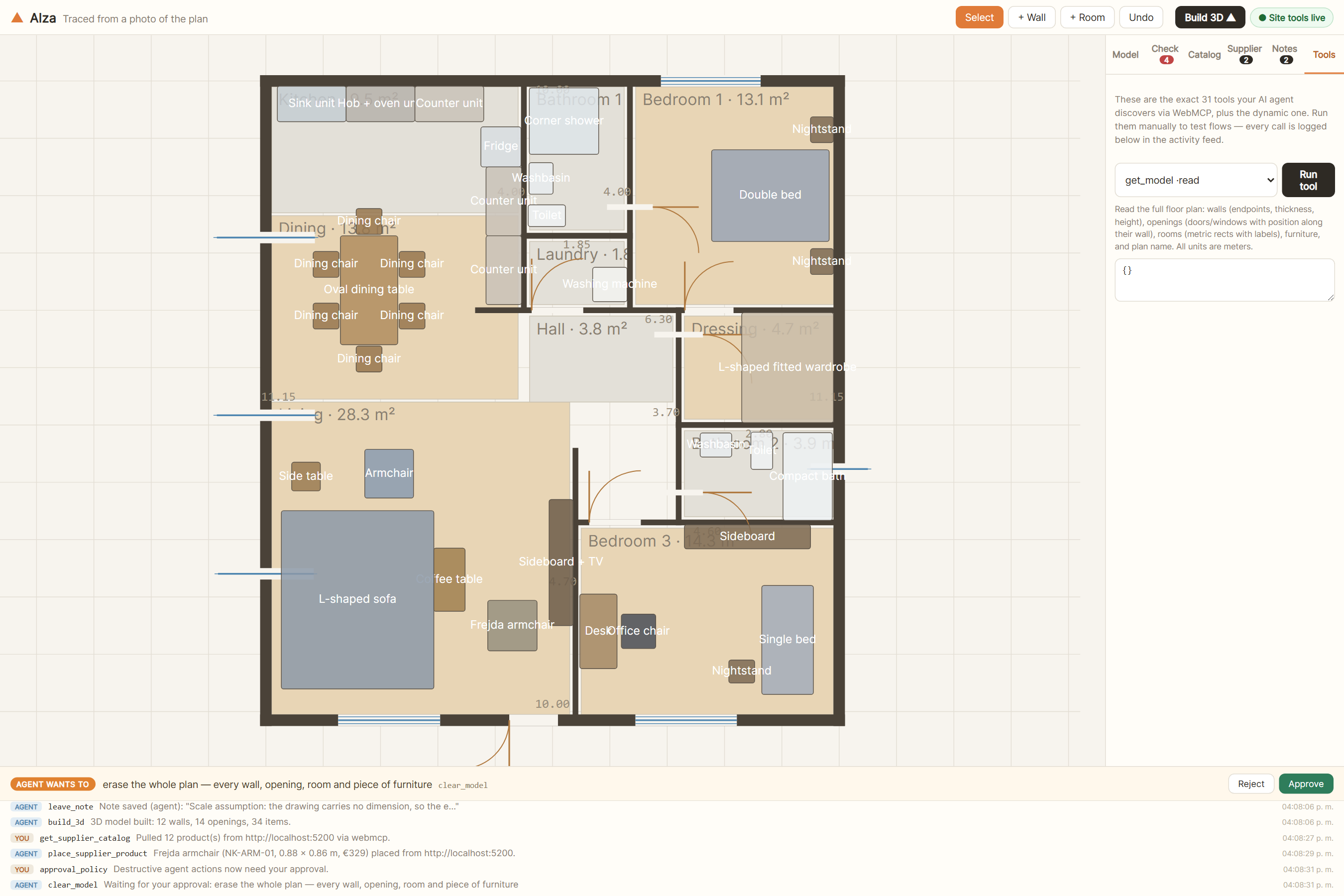
approval-gate
-
approval-rejected-feed
-
agent-authored-pieces
-
catalogue-3d-previews
-
3d-top
-
3d-doors-open
-
3d-walk-eye-level
Inspiration
I had a floor plan as a photo and wanted to see it in 3D. That should be a solved problem, but every tool I found wanted me to redraw it by hand, wall by wall, in an editor built for a mouse.
So I tried handing it to an AI agent instead. That was worse. An agent can read a screenshot and it can talk about a floor plan, but it cannot use one. There is no button that means "make this wall four point six metres". There is no DOM worth scraping. A drawing is coordinates, joints and constraints, and none of that is reachable from the outside.
WebMCP looked like the missing half. Not a way to describe the page to an agent — a way to hand it the actual geometry.
What it does
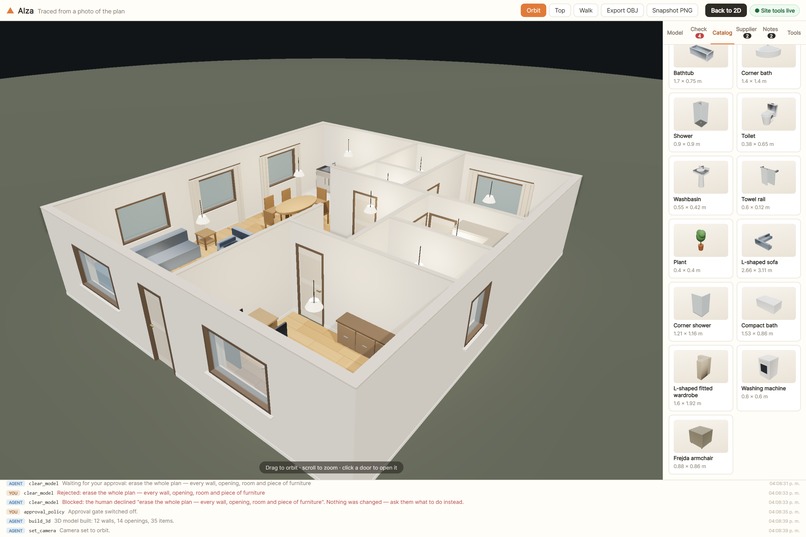
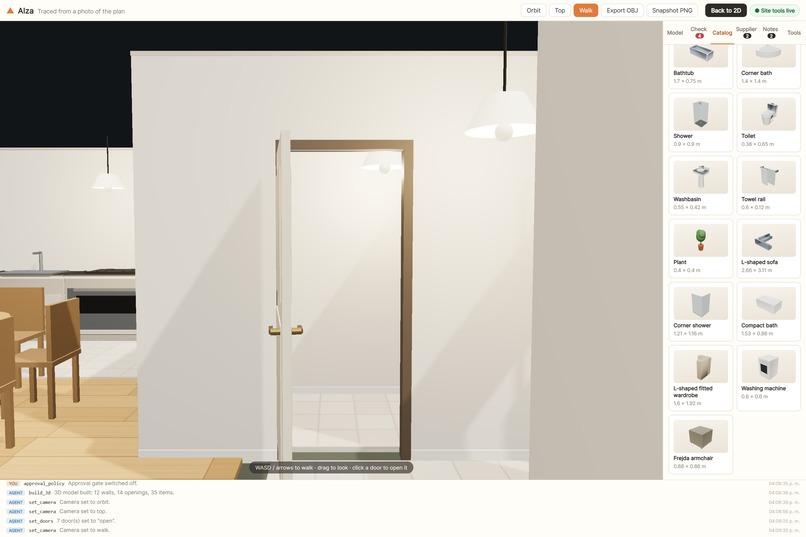
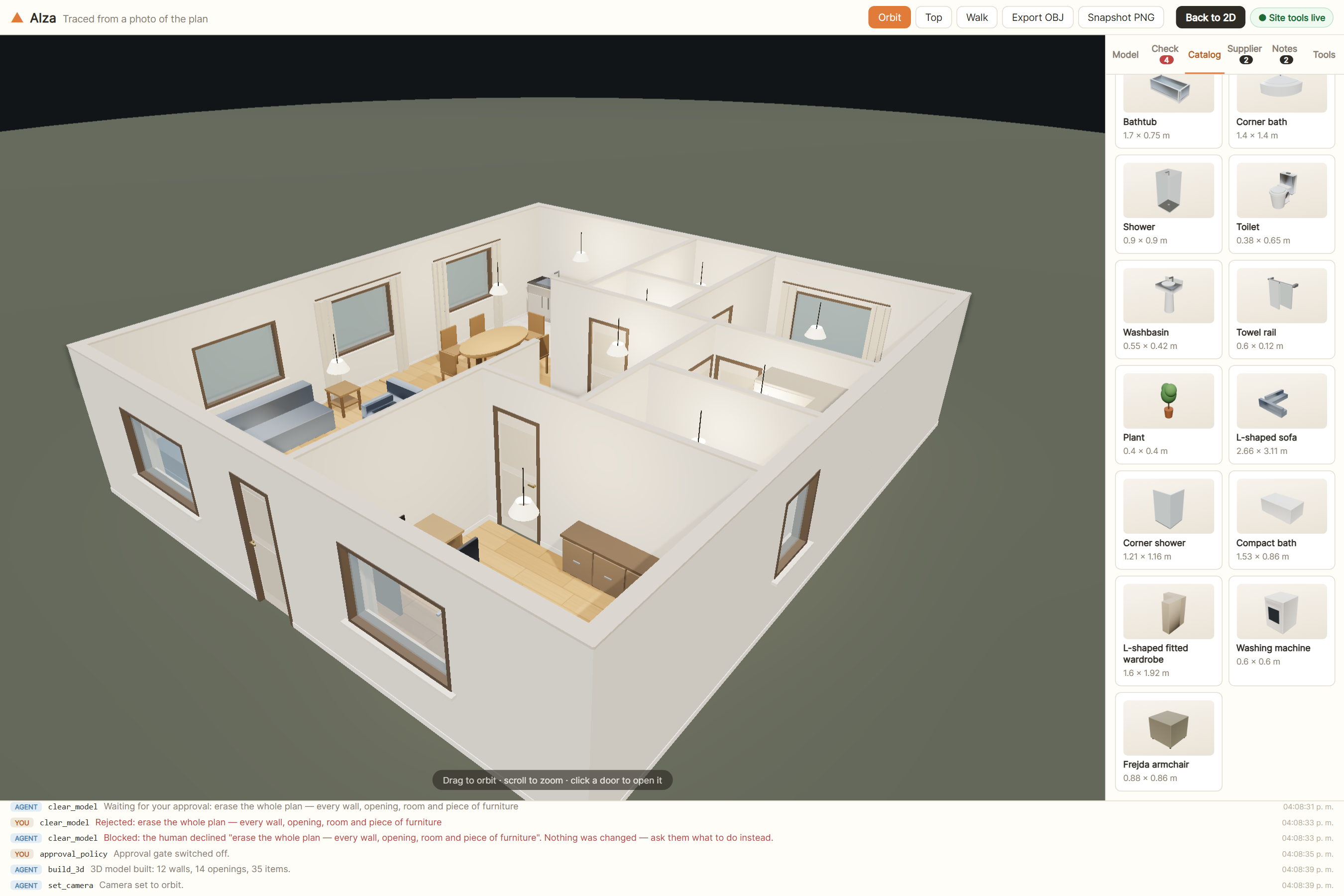
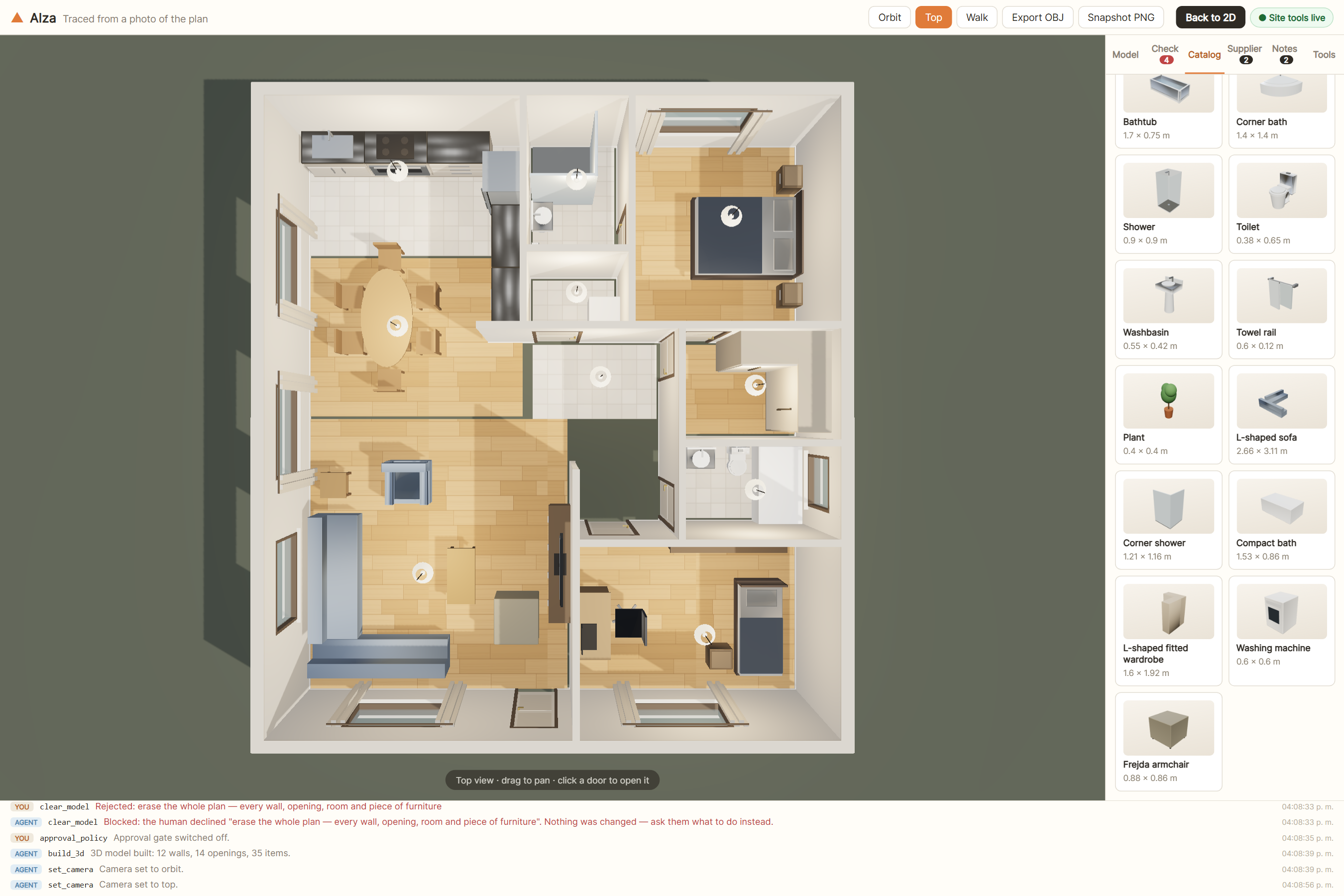
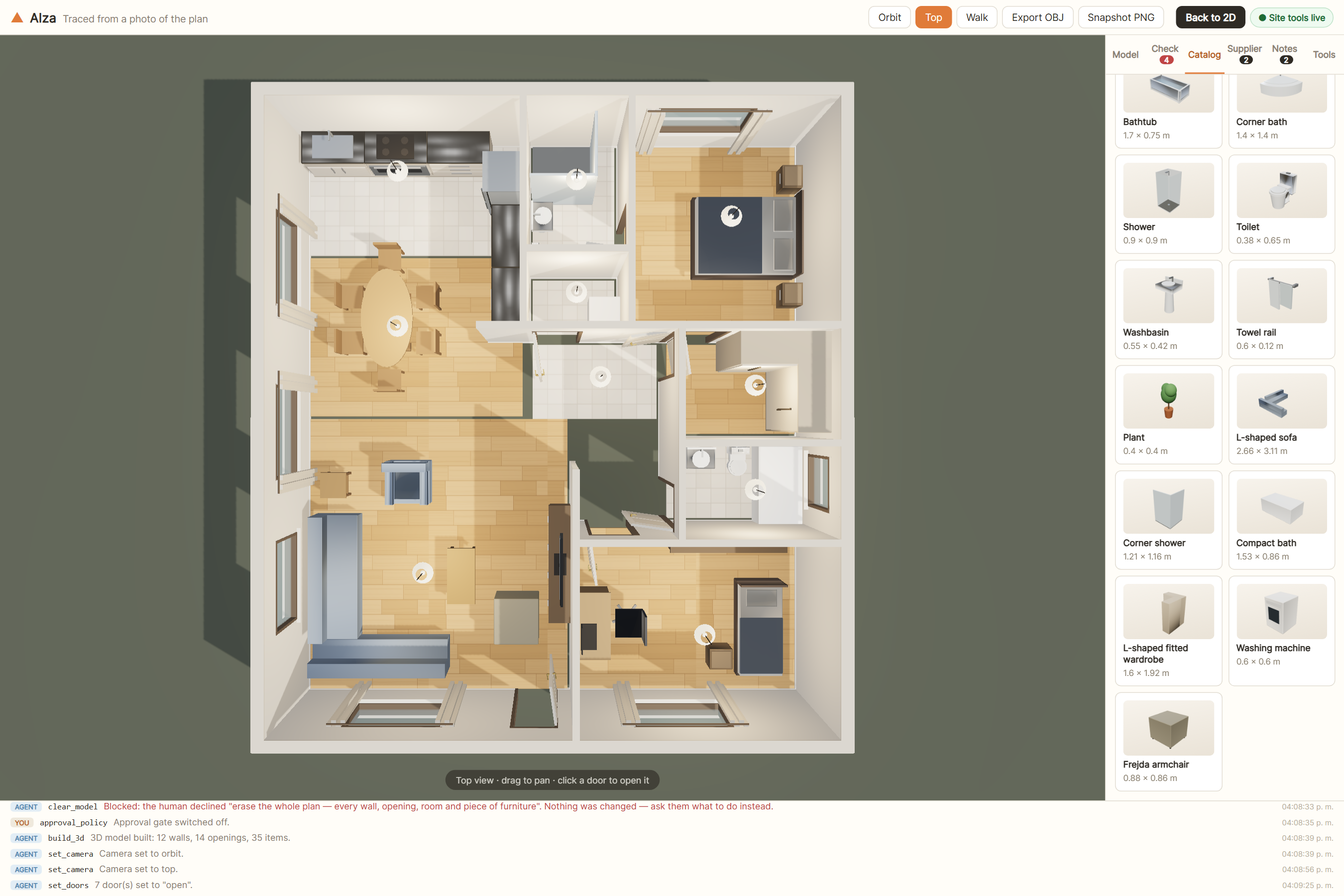
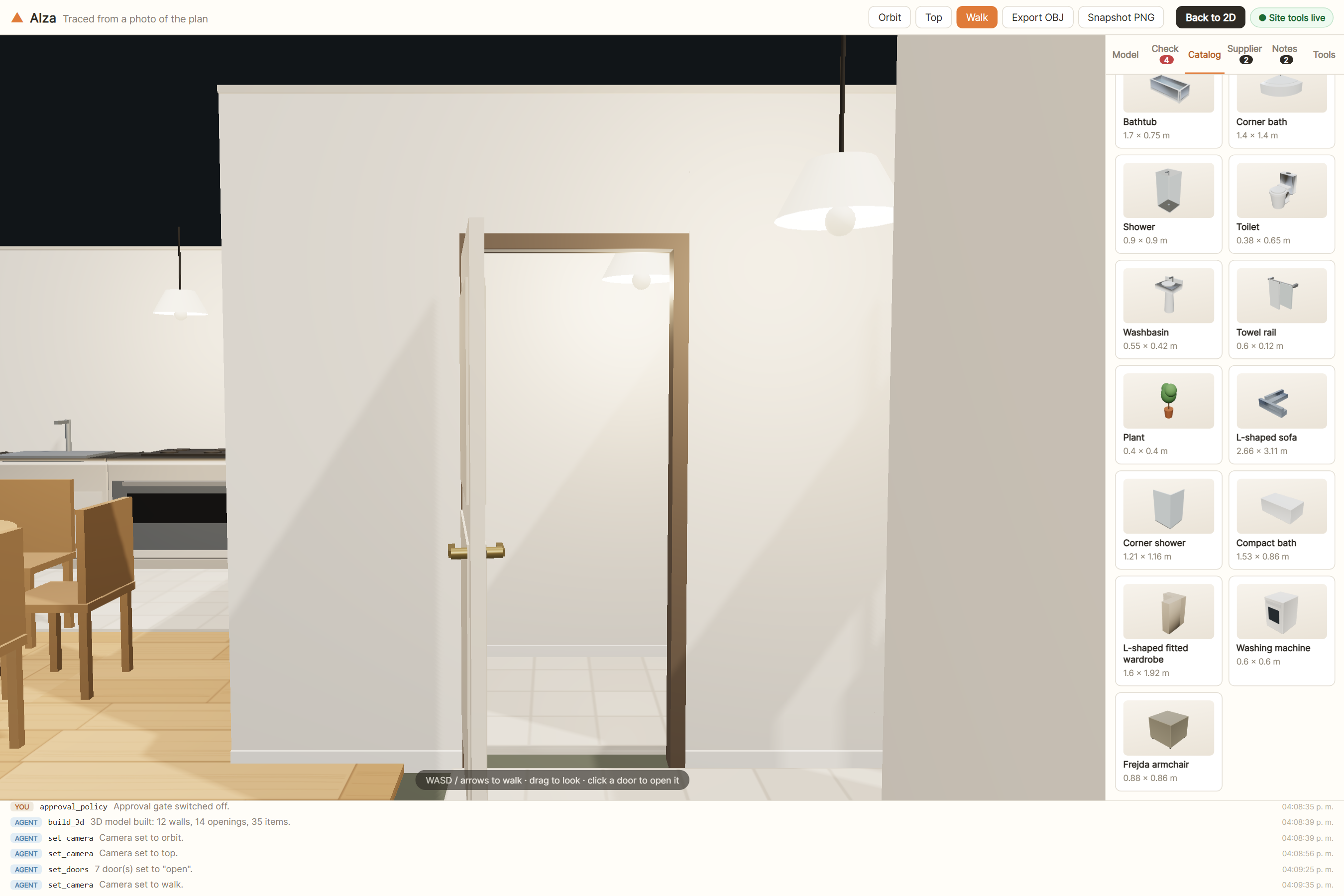
Alza is a floor-plan editor that publishes its own tools. You draw walls, rooms, doors, windows and furniture in a metric 2D canvas, then raise it to a 3D model you can walk through. An agent joins the same live page and works with the same tools you do.
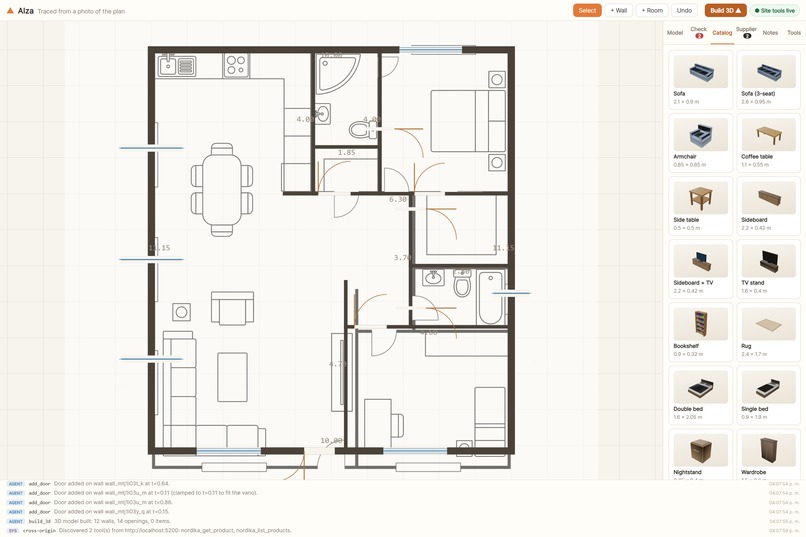
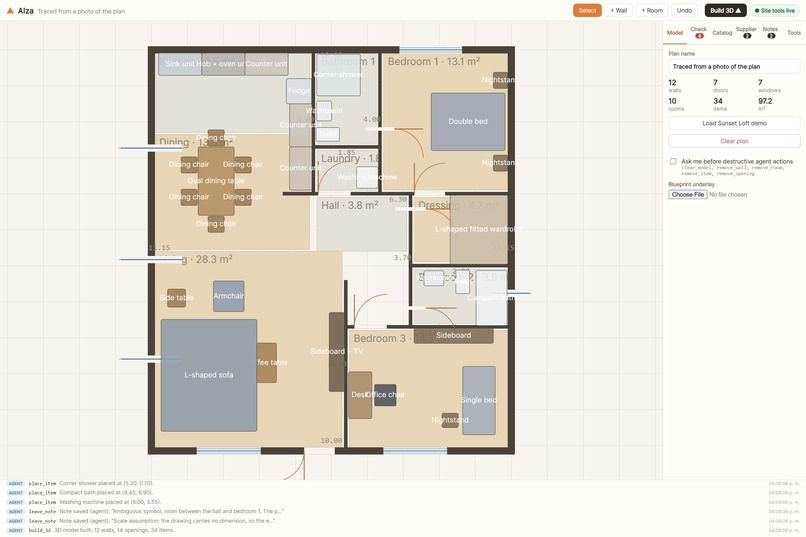
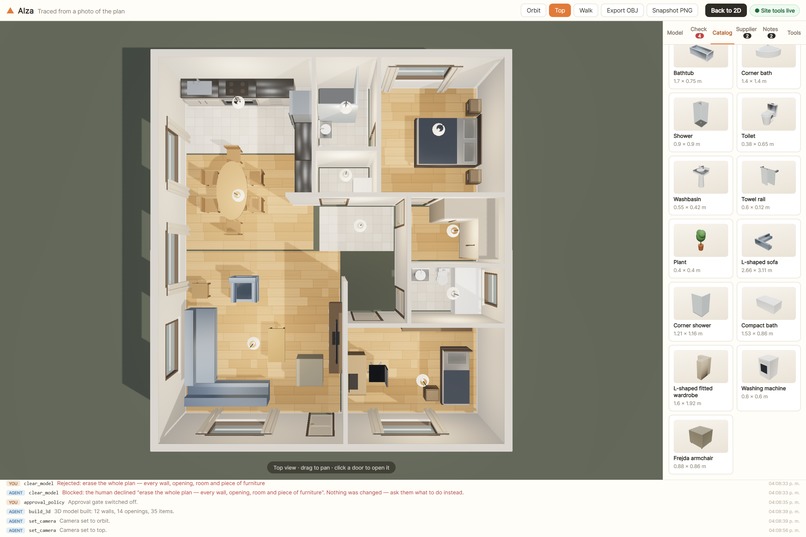
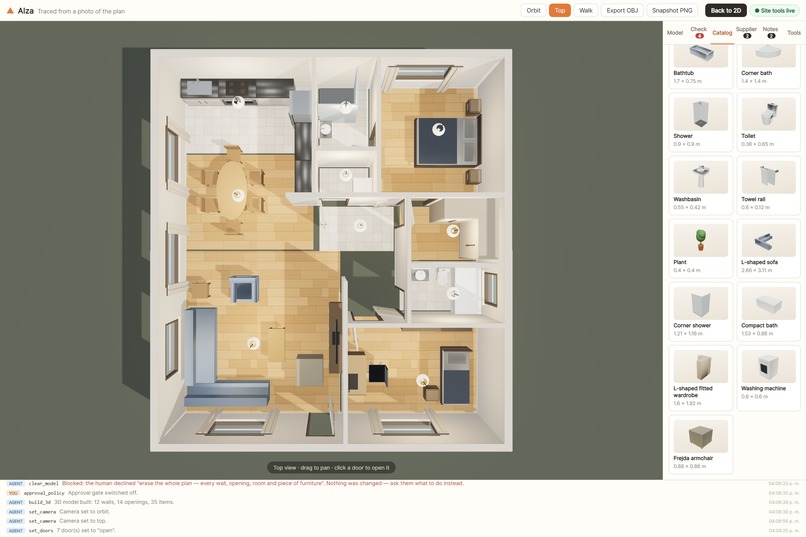
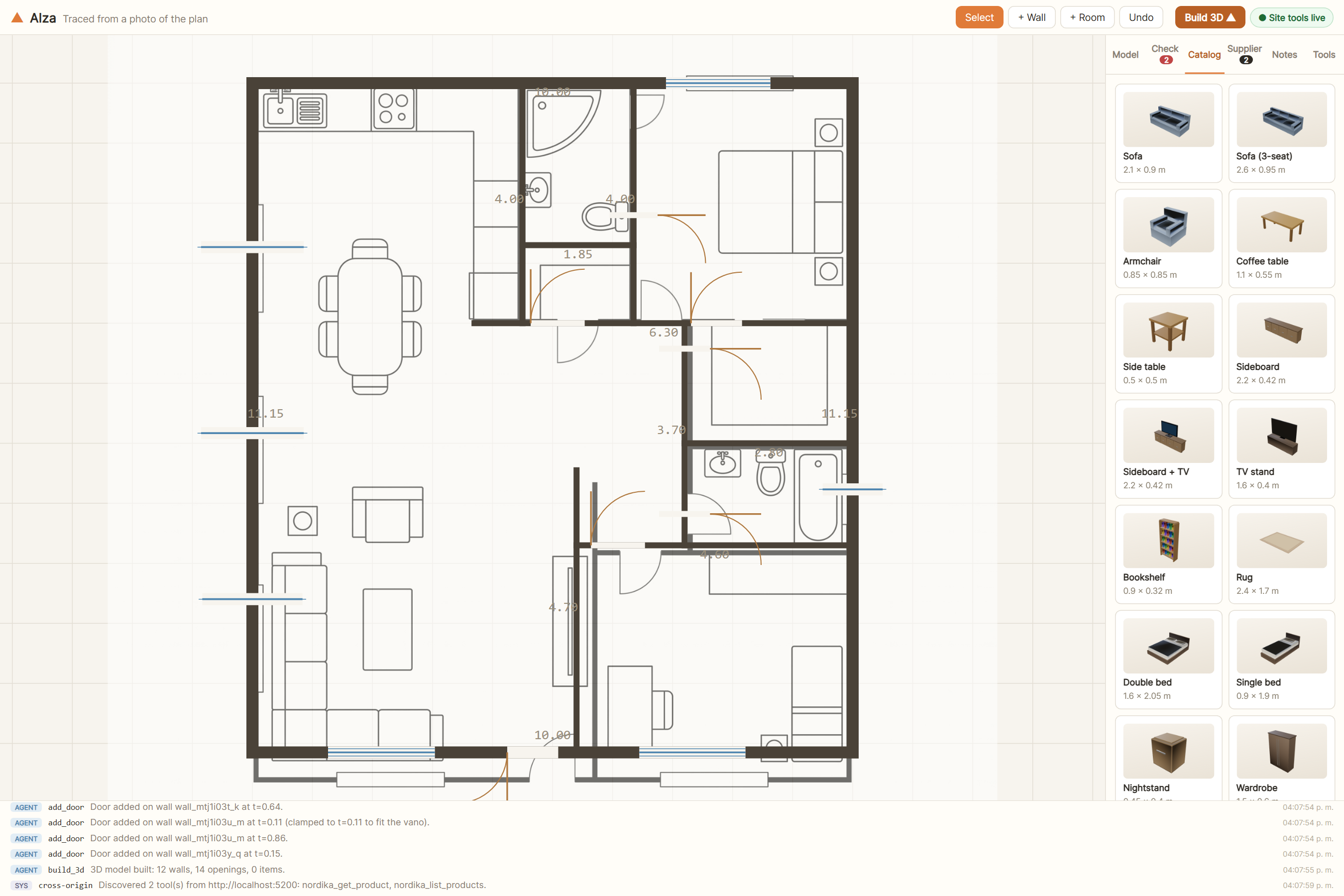
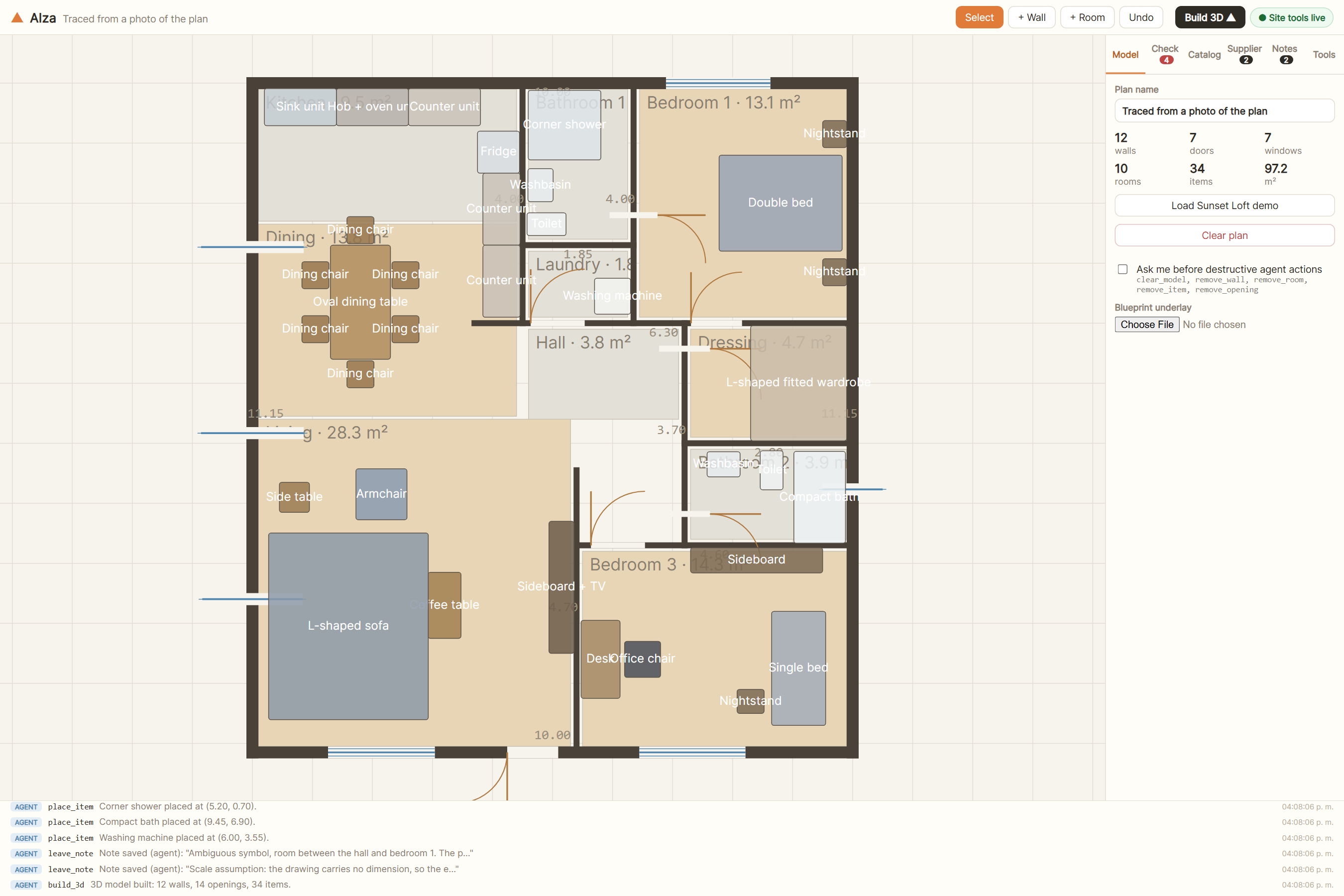
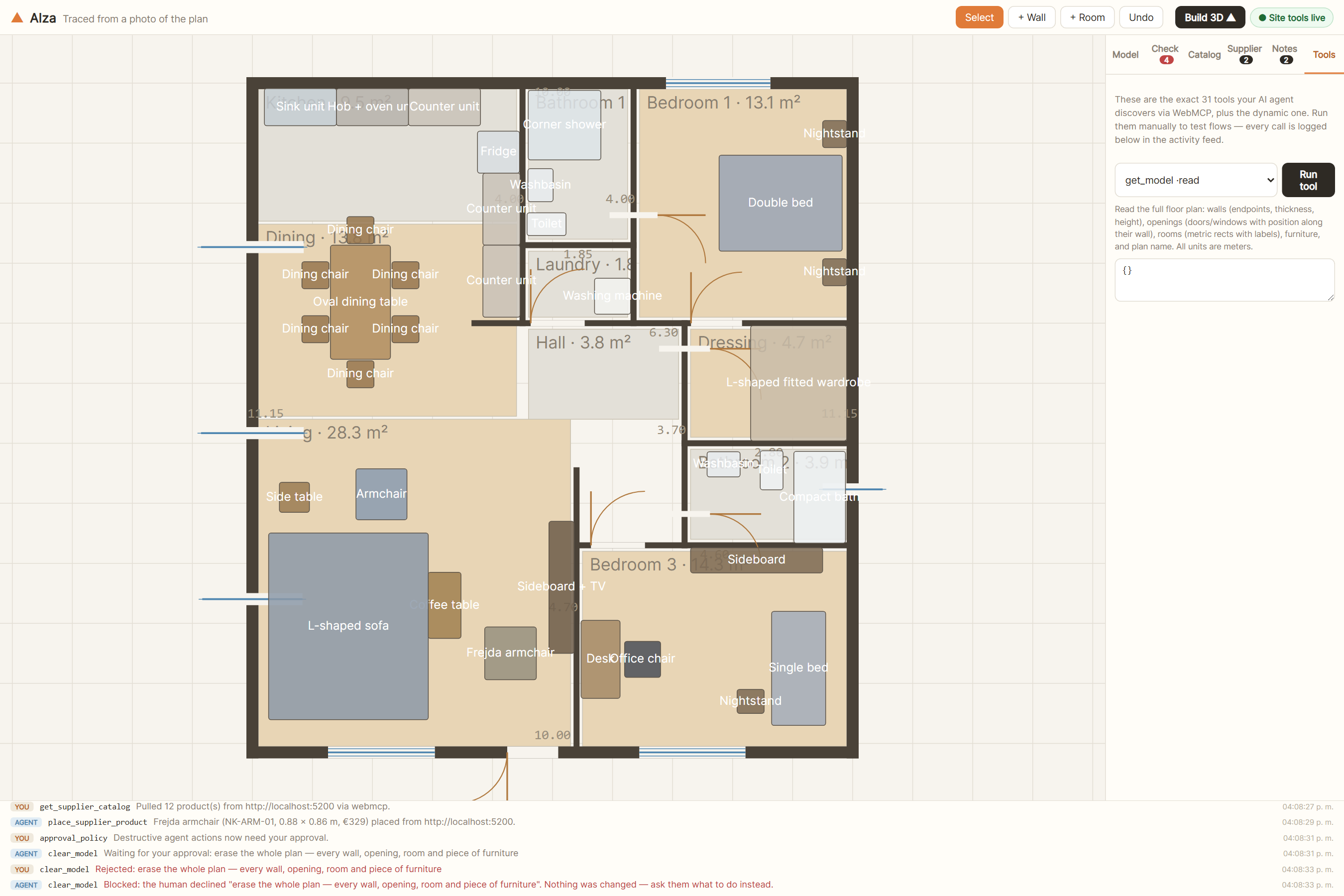
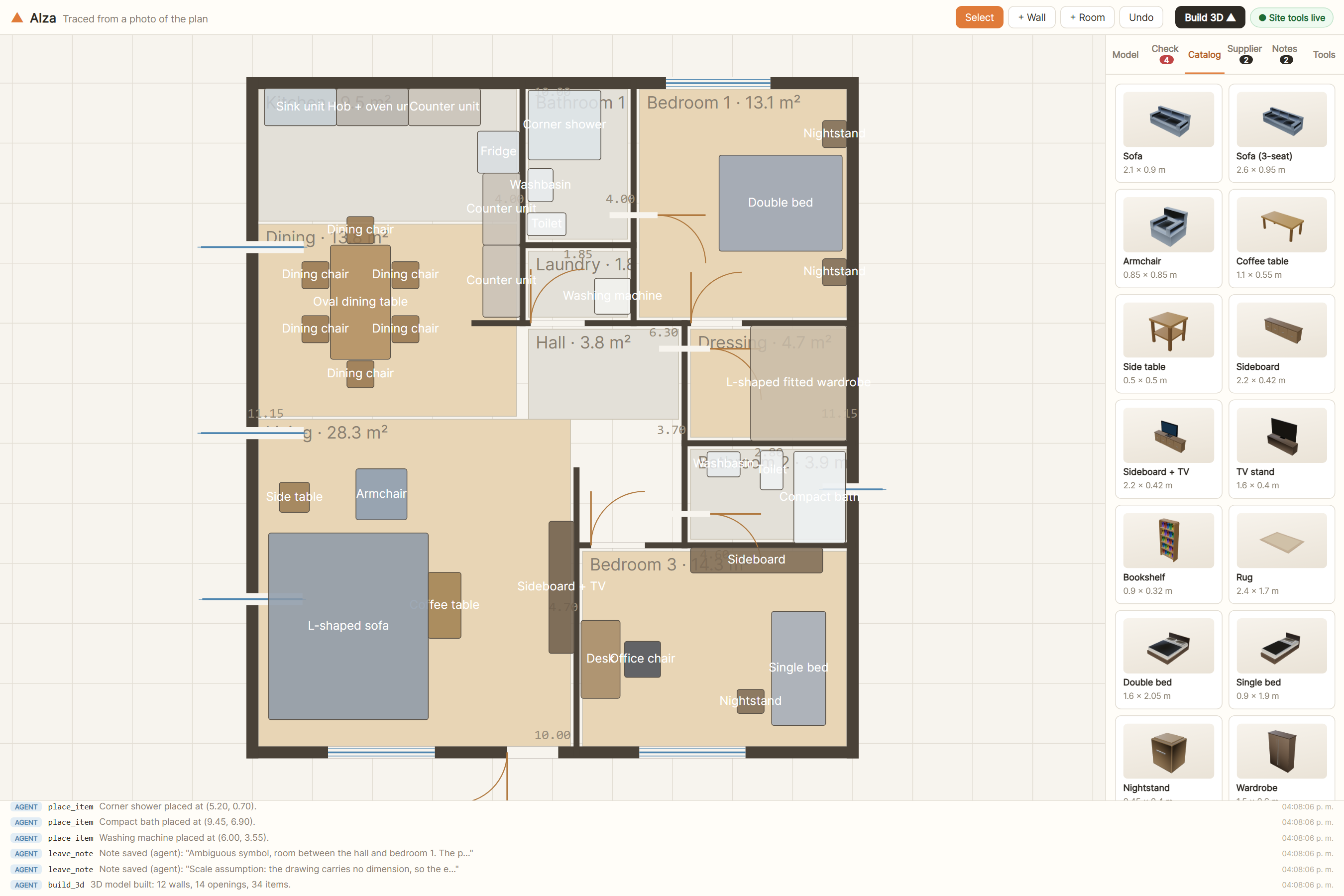
The demo is the honest test: I gave the agent a photo of a plan it had never seen. The drawing carries no scale, so it asked for one real dimension, set everything from that, and traced it — 12 walls, 14 openings, 10 rooms, 34 pieces of furniture.
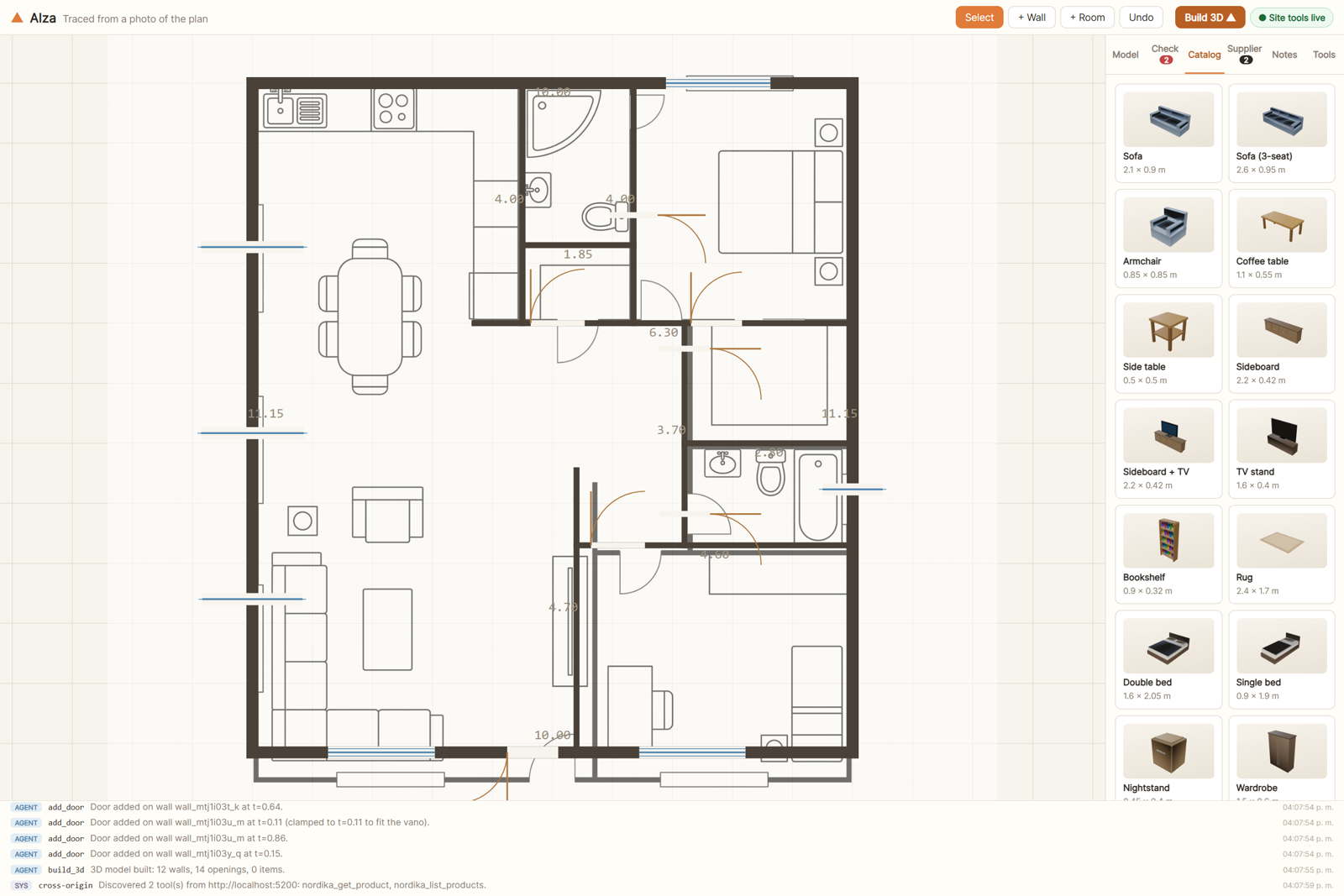
The drawing underneath is the source photo. The dark geometry on top is what the agent built from it.
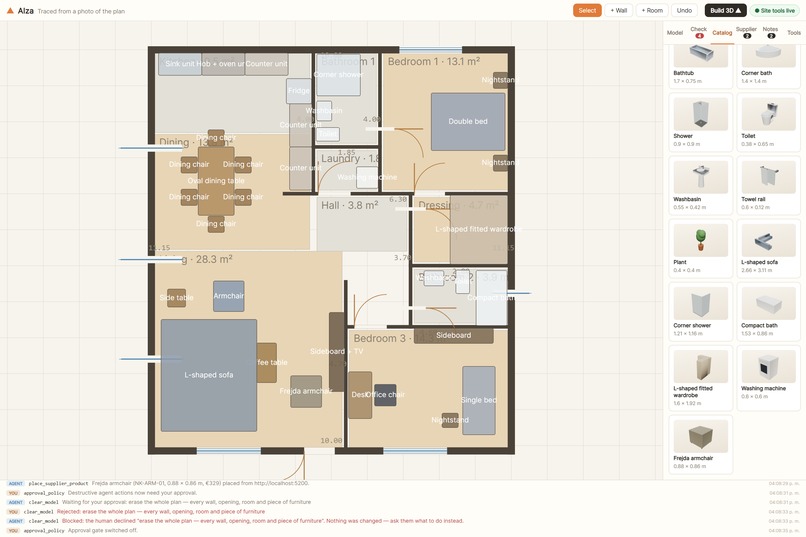
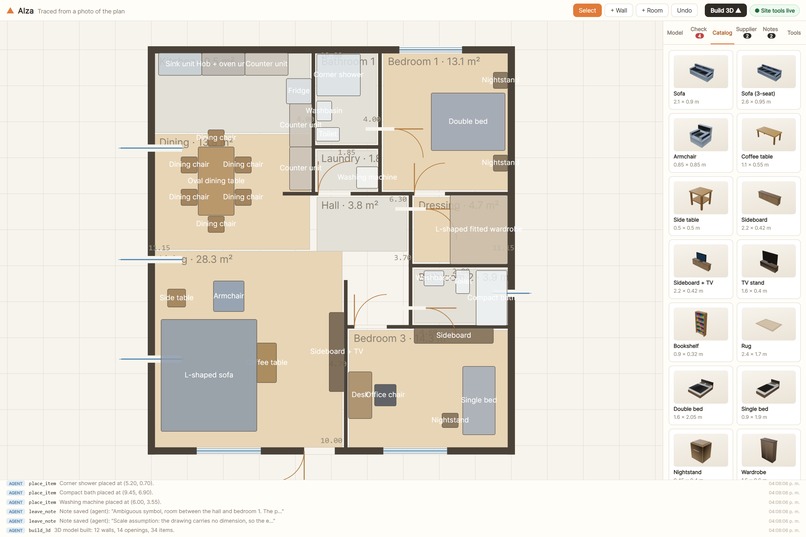
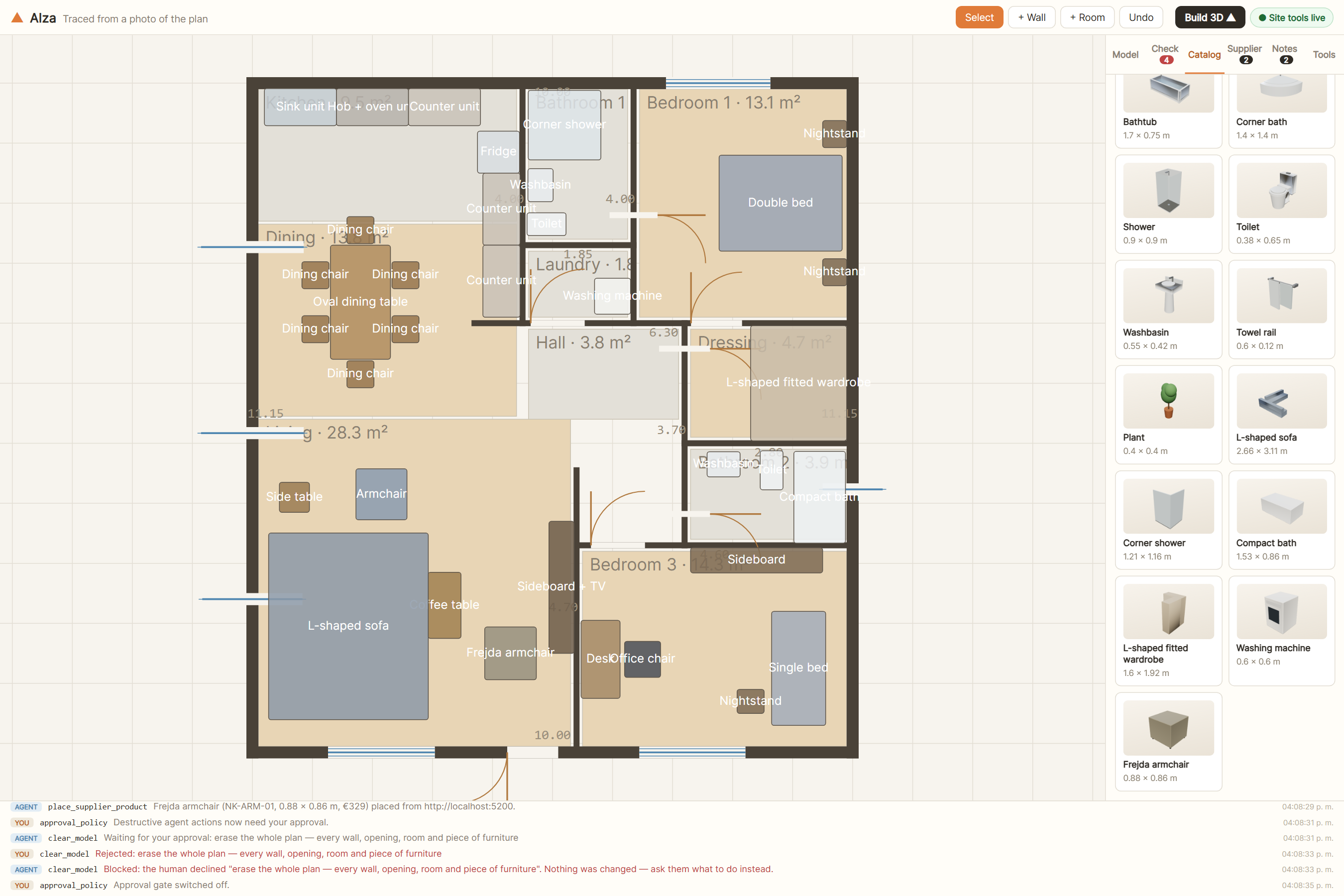
When the catalogue had no honest match for a symbol, it modelled the piece itself: an L-shaped sofa, a corner shower, a compact bath, a fitted L wardrobe, a washing machine
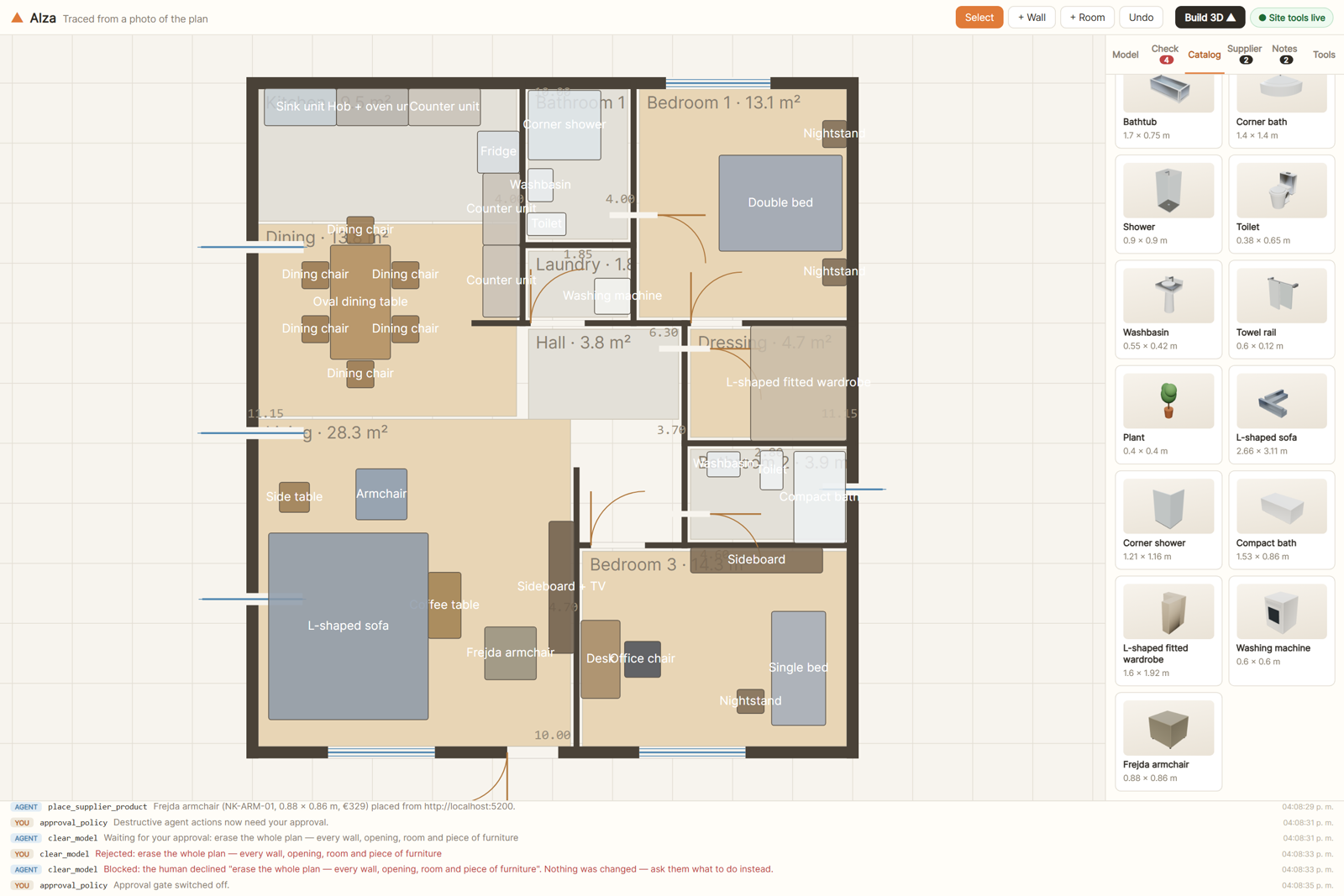
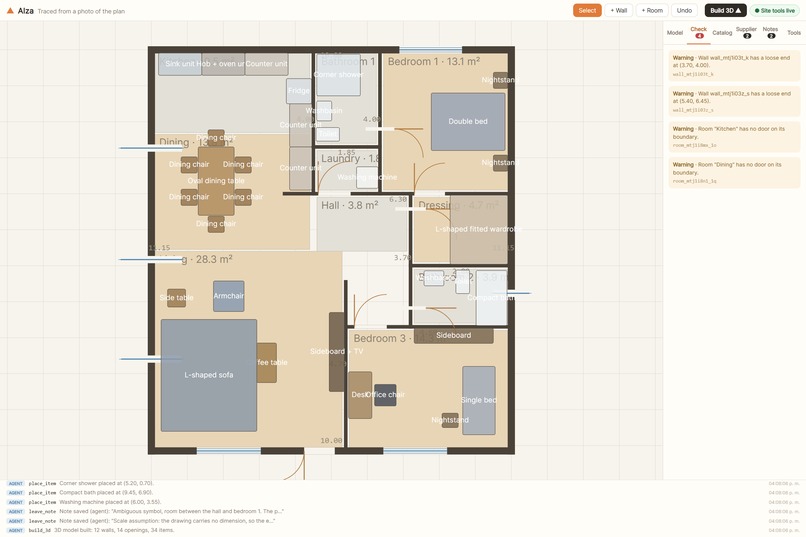
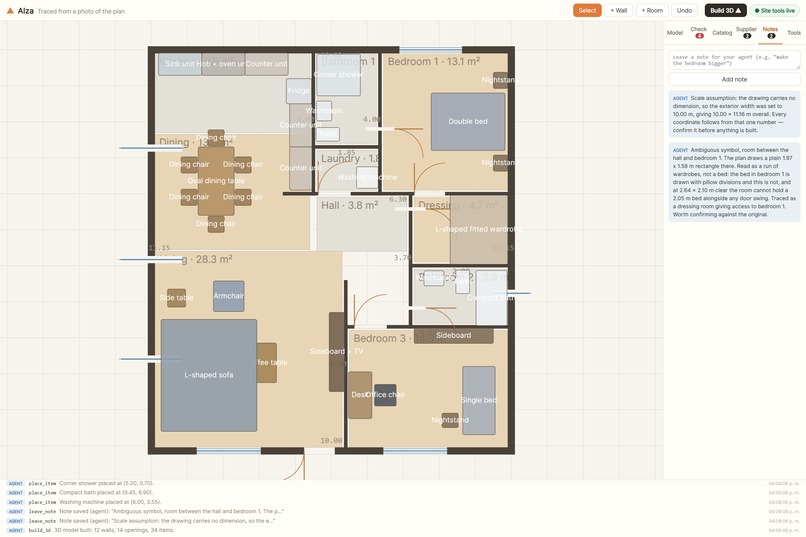
Then it checked itself. The constraint engine reports in metres — this wardrobe crosses that wall, this basin blocks that door's swing — and the agent reads the complaint and fixes it. And where it could not be sure, it said so instead of guessing: it left a note that one symbol was ambiguous and explained how it had read it.
How I built it
Vite, React, TypeScript, Three.js. No backend at all — it is a static site, and plans never leave the browser.
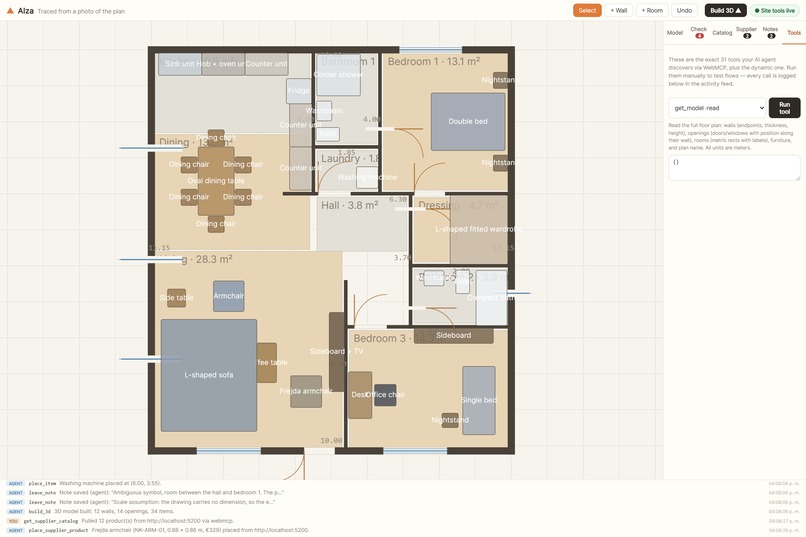
The 31 tools are typed and registered on document.modelContext at load:
document.modelContext.registerTool(descriptor, { signal, exposedTo })
There is a 32nd that only exists when it is relevant: select a wall in the UI and extend_selected_wall appears; deselect and it is gone, unregistered by aborting the AbortSignal its descriptor was registered with.
The constraint engine is oriented-rectangle SAT: furniture against walls, door swing paths, whether an opening fits the wall it sits on, whether a room has a door at all.
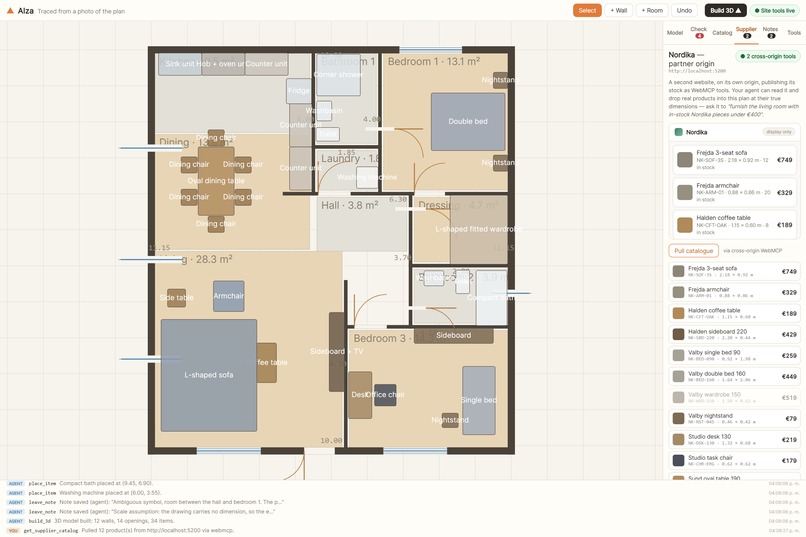
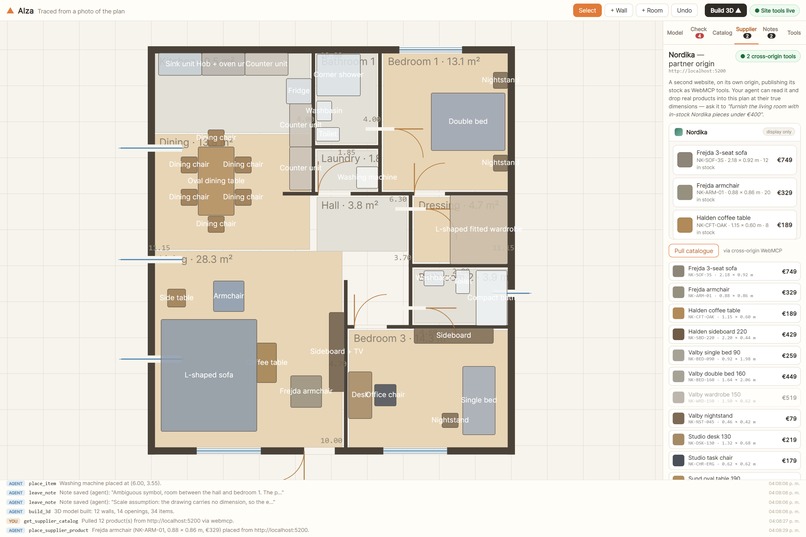
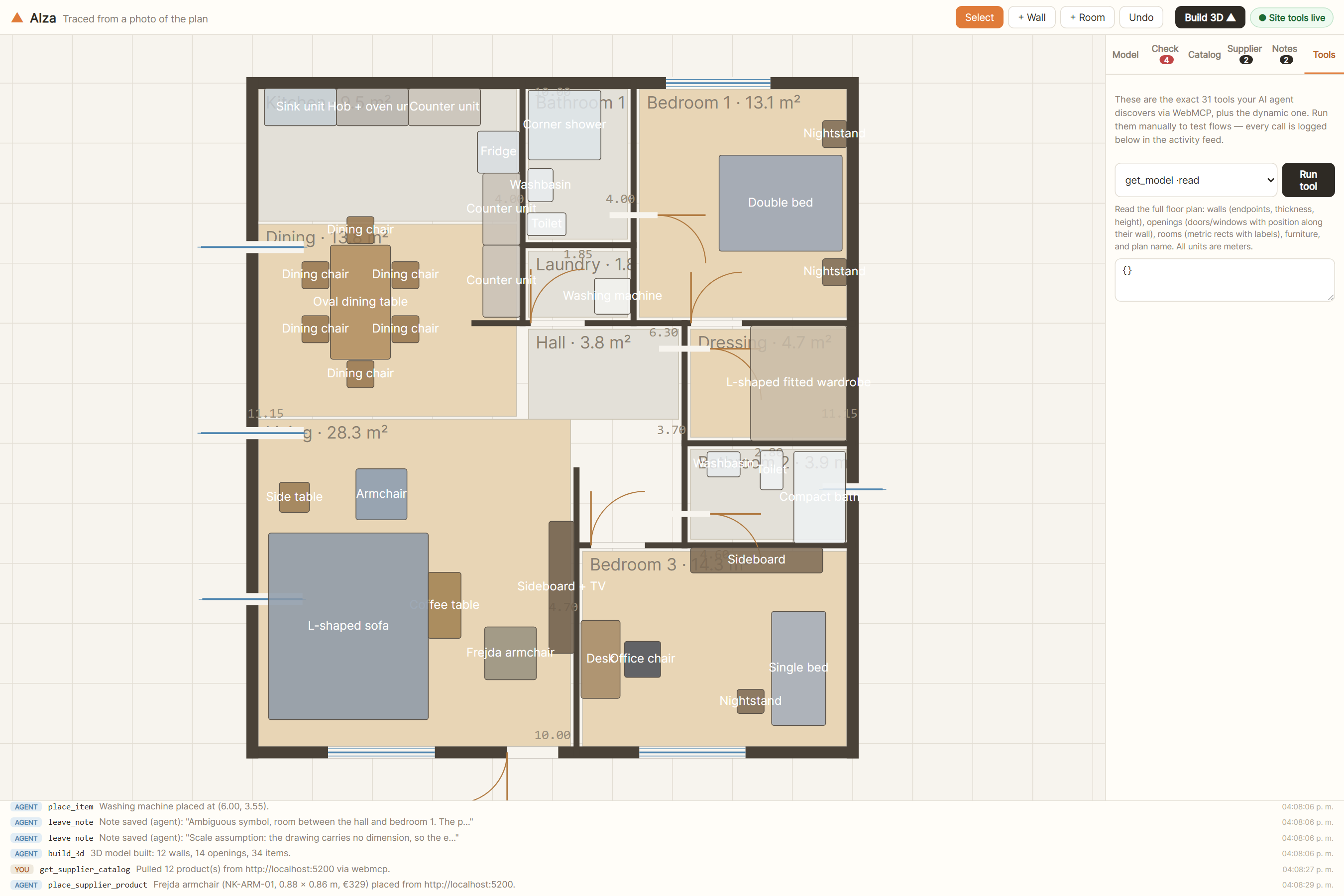
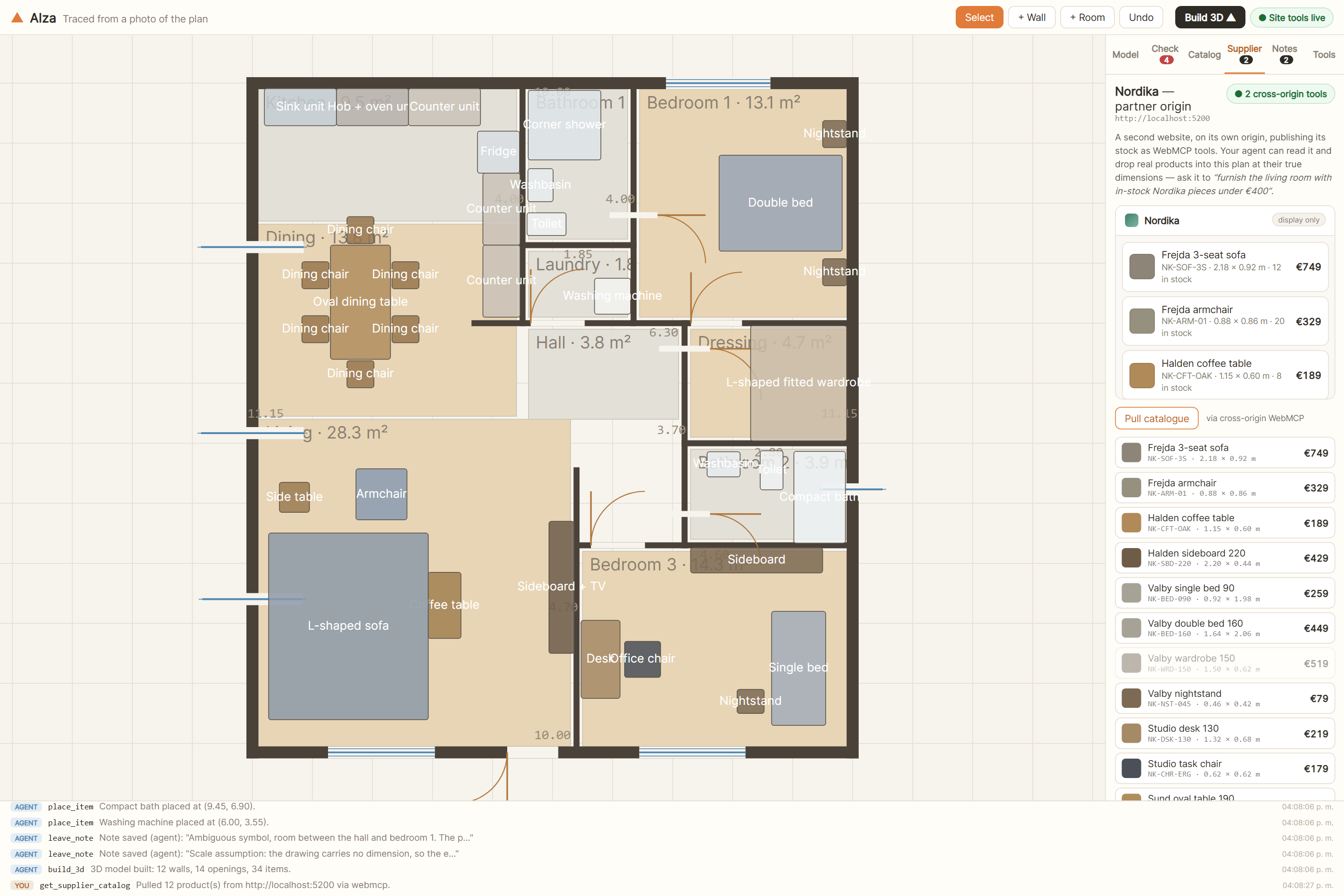
The part I am most pleased with is the partner. Nordika is a genuinely separate website on its own origin, deployed to a different host. It registers its own tools with exposedTo, and the studio discovers them with getTools({ fromOrigins }) and calls them with executeTool(). One instruction crosses that boundary and a real product lands in the plan at its real size — with no server anywhere in the path.
Challenges I ran into
The plan I first traced turned out to be copyrighted. I had pulled it off Google without thinking, and by the time I noticed, it was committed to a public repo — and the whole demo model was traced from it, so the layout was derived too, not just the image. Deleting the file did nothing: git keeps history. I deleted the repo, generated my own plan, and re-traced everything from scratch. That cost a full rebuild of the model, the film and the screenshots.
The video fought me for a long time. The 3D looked juddery no matter what I did, and it took a while to find out why: the tool I was recording with caps at 25 fps and renders in software. Continuous camera motion at 25 fps with no motion blur reads as stepping, and no amount of conforming fixes it. I switched to real GPU screen capture at 60 fps and it went away.
The worst bug was silent. The production build was shipping without its cross-origin headers, so the partner iframe was never allowed to publish its tools — the flagship feature, quietly dead on the live URL. The cause: Vite loads .env into import.meta.env but not into process.env, and the plugin that writes the headers was reading process.env. It failed by emitting a header that looked plausible.
And building the demo found real bugs in my own app: the walk camera passed straight through walls and furniture, looking around orbited instead of turning your head, and the 2D auto-fit anchored the plan to a corner instead of centring it.
Accomplishments that I'm proud of
The agent recovered from its own mistake without help. Running in Codex, it invented a wall id, the tool answered Wall "wall_10" not found, and its next call used the real one — then get_issues came back "0 issues — the plan is clean". I did not script that. It is what happens when tool errors are sentences instead of failure codes.
The constraint engine caught something about the drawing itself. It rejected the catalogue's standard 1.70 m bath — "Bathtub crosses wall" — because that alcove is 1.68 m wall to wall, 1.58 m clear. The drawing sizes its own bath shorter, at 1.53 m, so that is what got modelled instead. A geometry checker noticing that a drawing is tight is exactly the point.
And the second origin is real. A different site on a different host, not a folder pretending to be one.
What I learned
That "the agent can see the page" and "the agent can use the page" are completely different problems, and only the second one matters.
That an error message is an interface. Half of what makes the agent look competent is that when it gets something wrong, the tool tells it what is wrong in words it can act on.
That degrading matters more than I expected. Cross-origin discovery is not in every runtime yet — ChatGPT and Codex register the page's own tools fine but fall back to postMessage for the partner. Because the same protocol runs over both, the feature gets quieter instead of disappearing.
And that a build can fail silently and look fine. I now check the artefact, not the exit code.
What's next for Alza
- Multi-floor plans, and stairs between them
- Export to IFC, so the model can leave for real CAD
- Cost and materials as tools, so an agent can answer "what does this room cost to finish" from the same geometry
- A shared session, so a person and an agent can work the same plan at the same time and see each other move
Why this generalizes
None of this is really about architecture. The pattern underneath is that a page already holds a rigorous model — geometry, a cart, a spreadsheet, a timeline, an audio track — and right now the only way an agent can reach it is by pretending to be a mouse. WebMCP lets the page hand over the model itself, with its validation still attached, so the agent works on meaning instead of pixels.
I picked the hardest case I could think of to make that argument. A canvas has no DOM to scrape, and 5 cm of error is a wall through a sofa — which is exactly why the app can prove whether the agent got it right. If the pattern holds here, it holds for the easier ones.
What building this taught me about the spec
I ran into four of the explainer's open questions as actual problems, not as reading material. Here is what I did about each, in case any of it is useful to the people writing the standard.
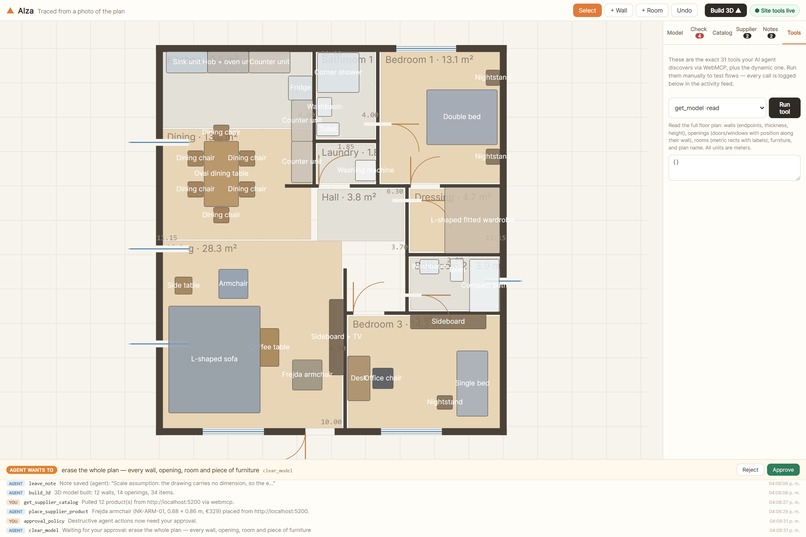
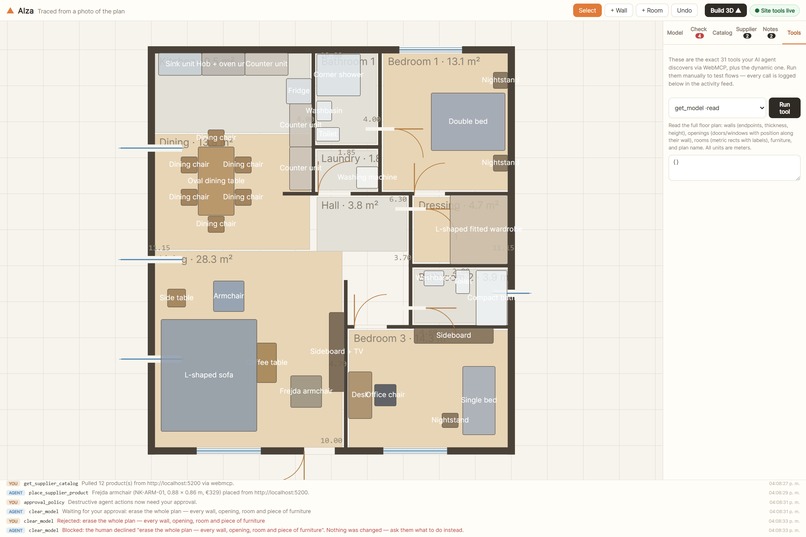
User prompting and elicitation (#165, #50). I needed this on day one. A tool that wipes someone's floor plan cannot just run because a model decided to call it. My answer lives entirely in the page: a tool marked destructive does not execute when it is called — it parks as a request bar in the UI, and the promise stays pending until a person presses Approve or Reject. Reject hands the agent an actionable failure ("the human declined; ask them what to do instead") rather than an error, so it recovers instead of retrying. The registration AbortSignal releases the request if the agent gives up first. It works, but every site has to build its own, and the confirmation UI is only as trustworthy as the page drawing it — which is the argument for the browser mediating it instead.
One thing I hit there and want to flag: destructiveHint is in MCP's ToolAnnotations but not in WebMCP's, which right now defines only readOnlyHint and untrustedContentHint. I keep it on my own descriptors and enforce it page-side, so nothing depends on the browser passing it through. But if the browser is ever going to mediate confirmation itself, it needs some way to know which tools are destructive — so aligning the two sets looks worth doing.
Multimodal input and output (#41, #86, #81). This is the gap I felt hardest. Tracing a plan means the agent has to see a drawing, and a tool result is text — so a page holding an image has no way to hand it over. It is worse than that: the copy the page holds is not the copy the agent has, because my uploader re-encodes to 1600 px or less. So get_underlay returns no pixels at all. It tells the agent the image has to arrive through both channels — uploaded on the page so the app knows the scale, pasted into the conversation so the model can actually read it — and it returns a mapping that only works in fractions: u = x_px / image_width, then world_x = rect.x + u * rect.w. Fractions survive a resize. Pixel coordinates do not. It is a workable protocol, but it is a workaround for a channel that is not there, and it only holds together because I could explain it inside the tool description.
Skills integration (#161). I wrote one of these before I knew the issue existed. Tracing a plan is a procedure, not a tool call: establish the scale, read the drawing, lay the walls, cut the openings, check the result, write down whatever was ambiguous. It ships as TRACING_PROTOCOL, embedded in the tool descriptions, because that is the only place a page can put it today. It works, but it spends description budget on every tool that references it, and there is no way to say "this is a procedure" instead of "this is a tool".
Testing. navigator.modelContextTesting was the difference between guessing and knowing — my end-to-end battery drives real tool execution through it. But it only exists in Chrome dev and canary, so 2 of my 56 checks skip on a stable build. Anything that makes registration and execution testable in CI would help a lot.
One thing that just worked. Unregistering by aborting the registration signal. extend_selected_wall shows up when a human selects a wall and disappears when they deselect it, and every runtime I tested tracked the change with no special handling on my side. No notes — it is the right primitive.
One runtime gap, not a spec gap. Cross-origin discovery is what the partner-shop feature is built on, and exposedTo plus getTools({ fromOrigins }) is correct per the spec — but neither ChatGPT's in-app browser nor Codex resolves fromOrigins today. They register the page's own tools and stop there. I ship a postMessage transport behind the same interface, so the feature degrades to "works, over a different wire" rather than "missing". In those clients the activity feed reads via postmessage; in a browser with the flag on it reads via webmcp.
Built With
- 3d
- ai-agents
- architecture
- cloudflare-pages
- css
- javascript
- model-context-protocol
- netlify
- playwright
- react
- svg
- three.js
- typescript
- vite
- vitest
- webgl
- webmcp
- zustand


Log in or sign up for Devpost to join the conversation.