-
-
Logo
-
Feed
-
Profile
-
Edit Profile
-
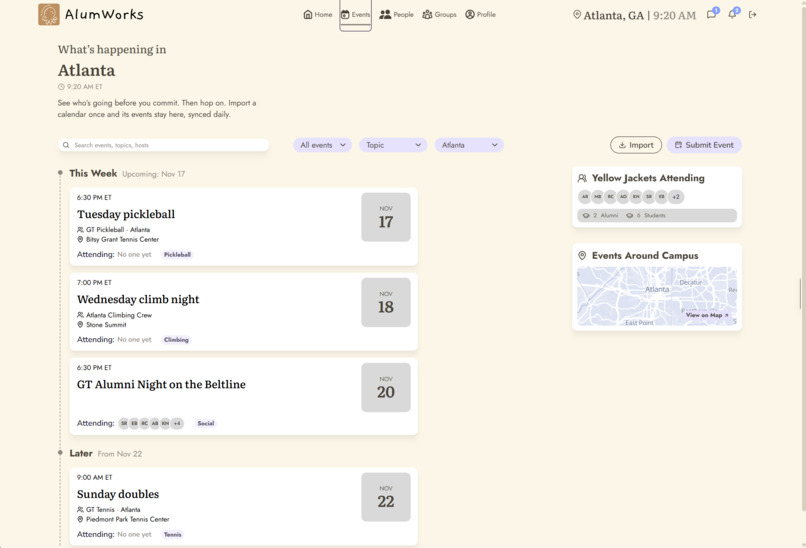
Events
-
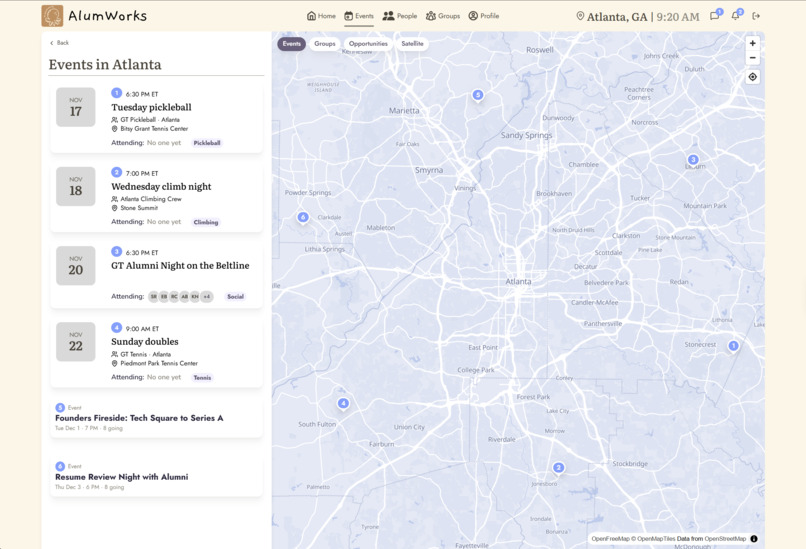
Events Map
-
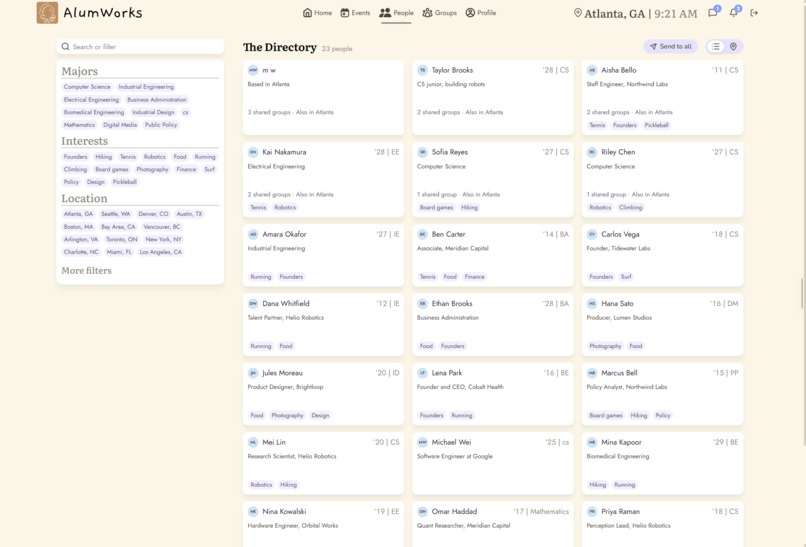
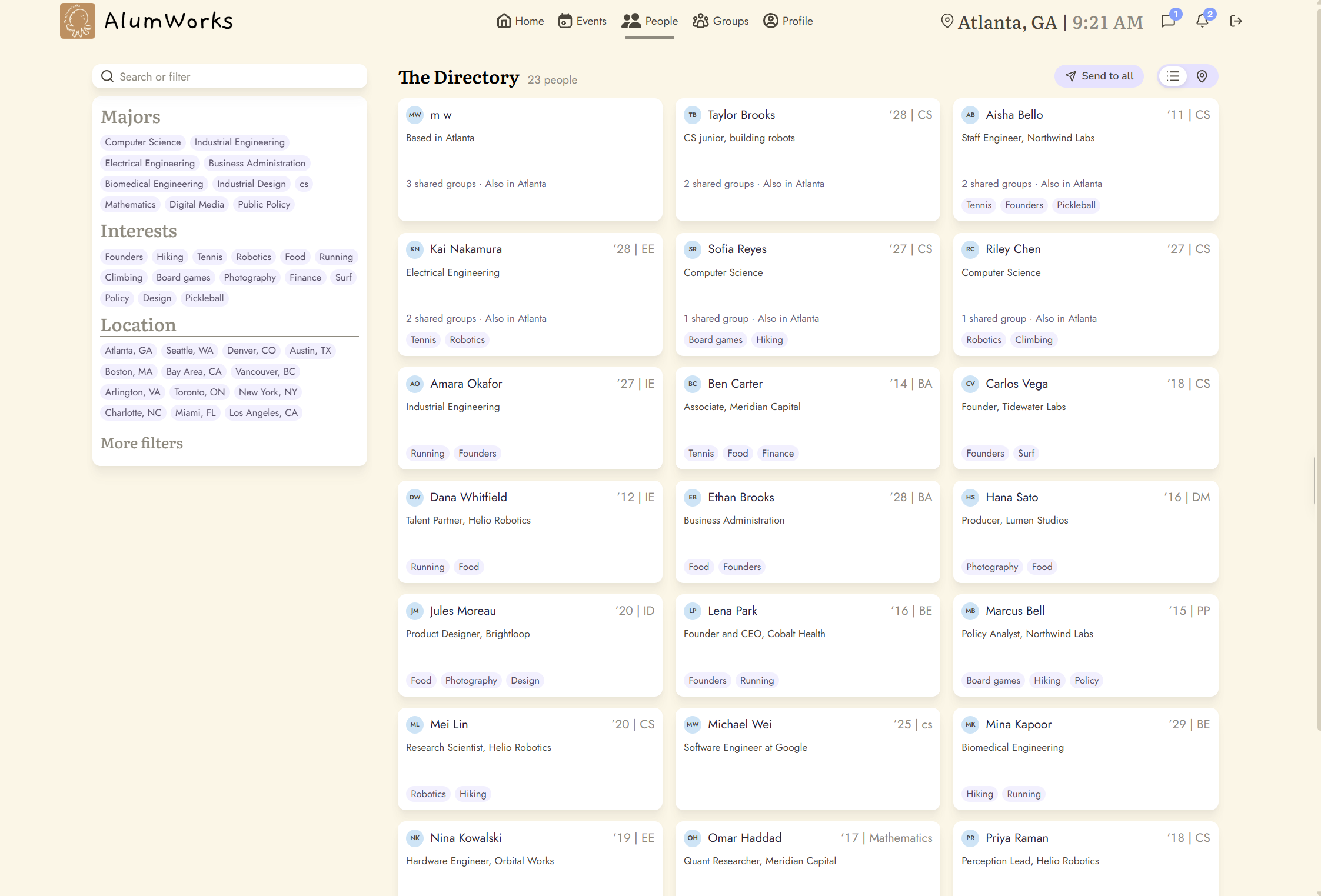
Directory
-
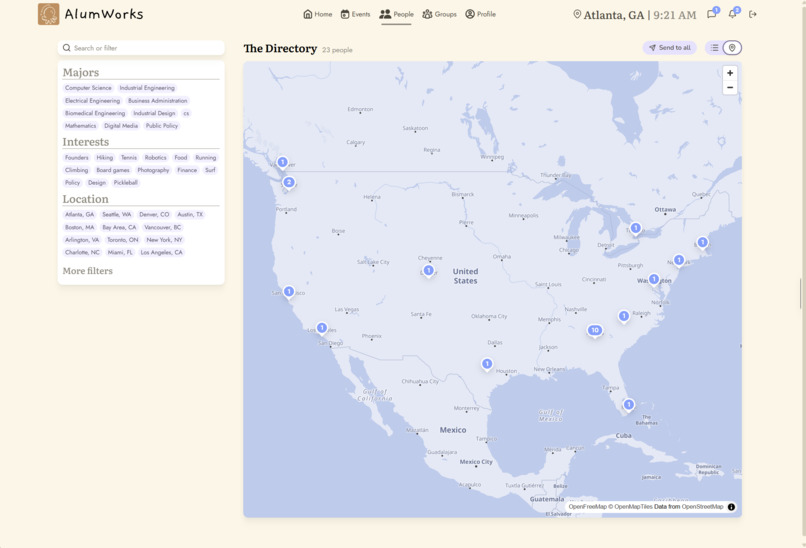
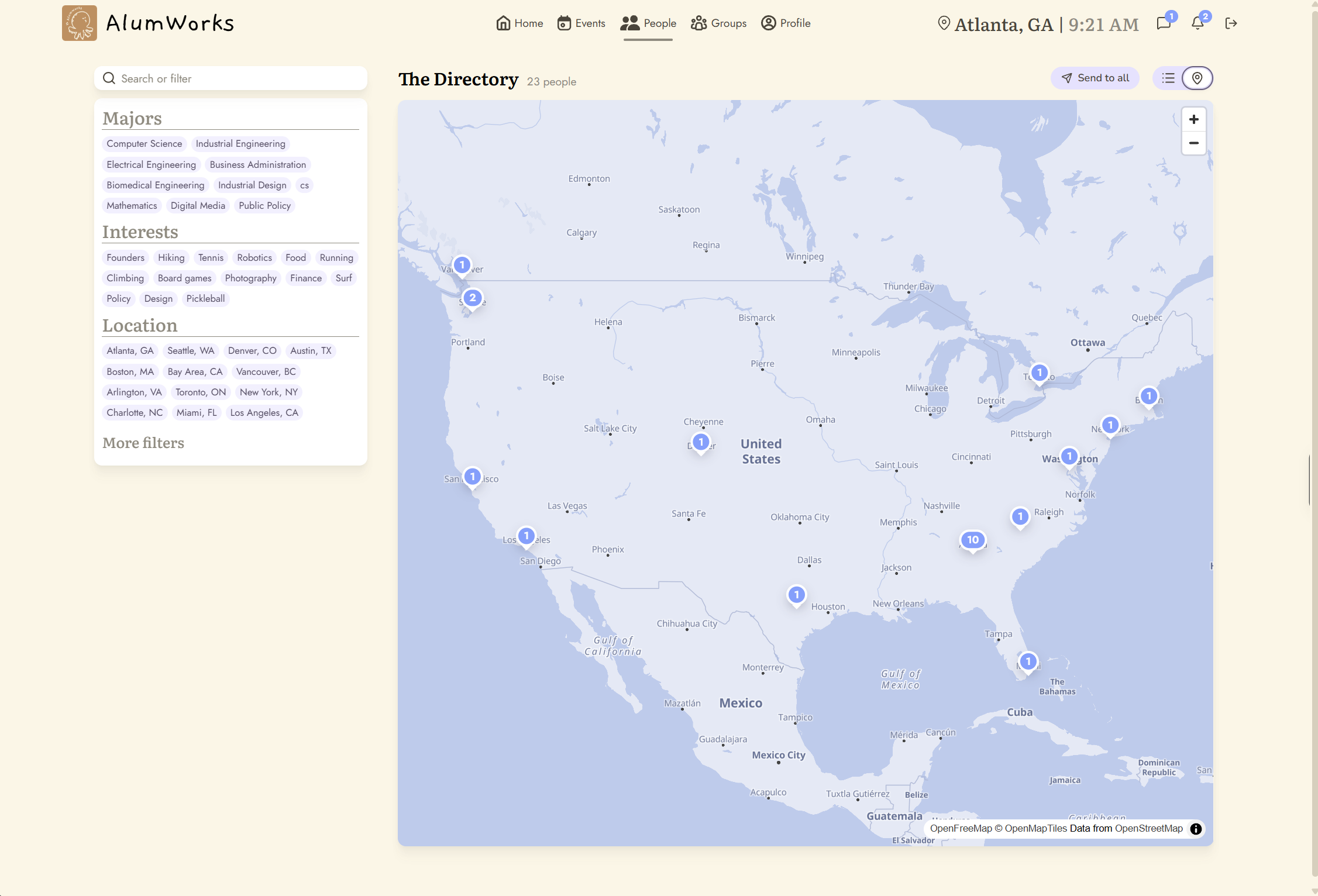
Directory Map
-
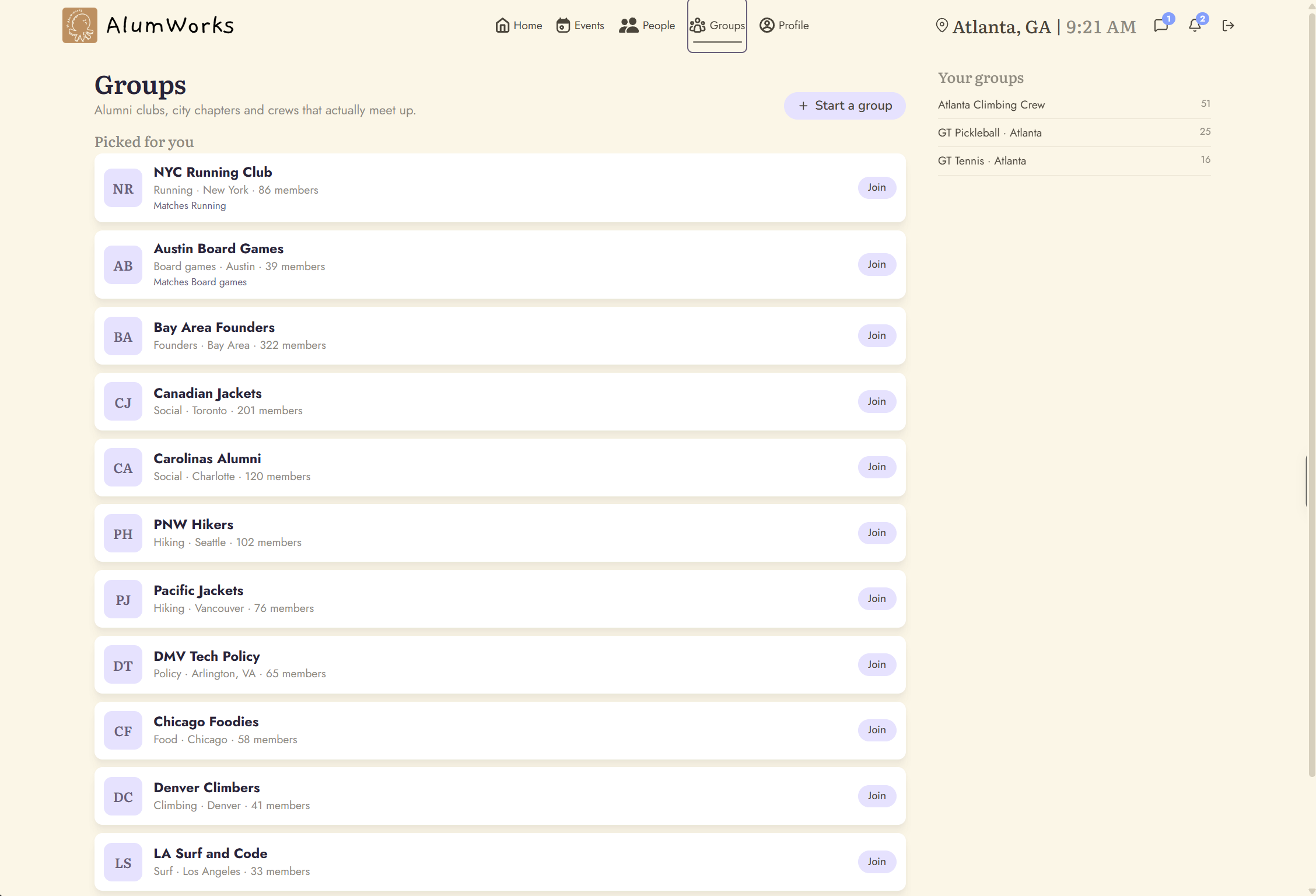
Groups
-
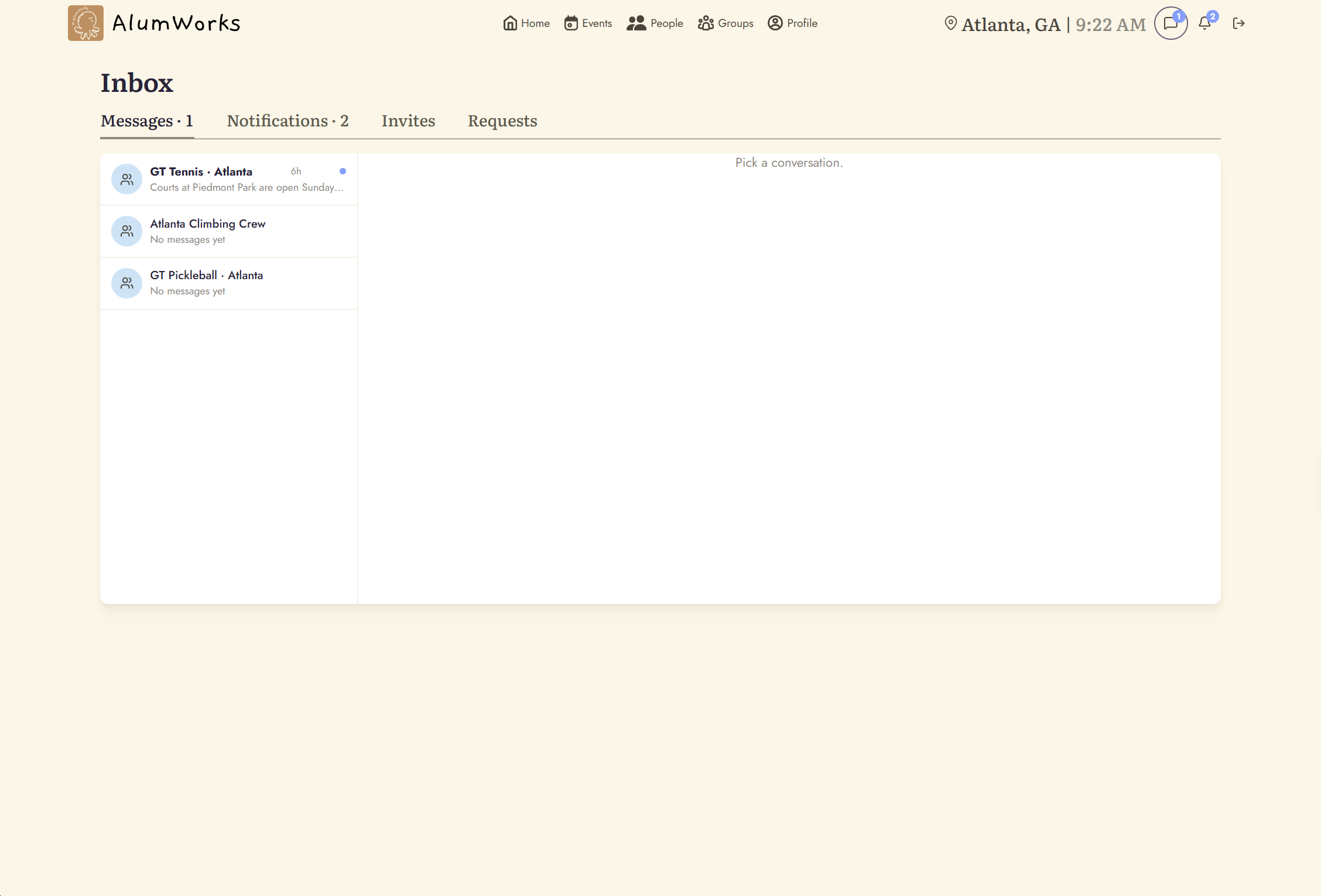
Messaging
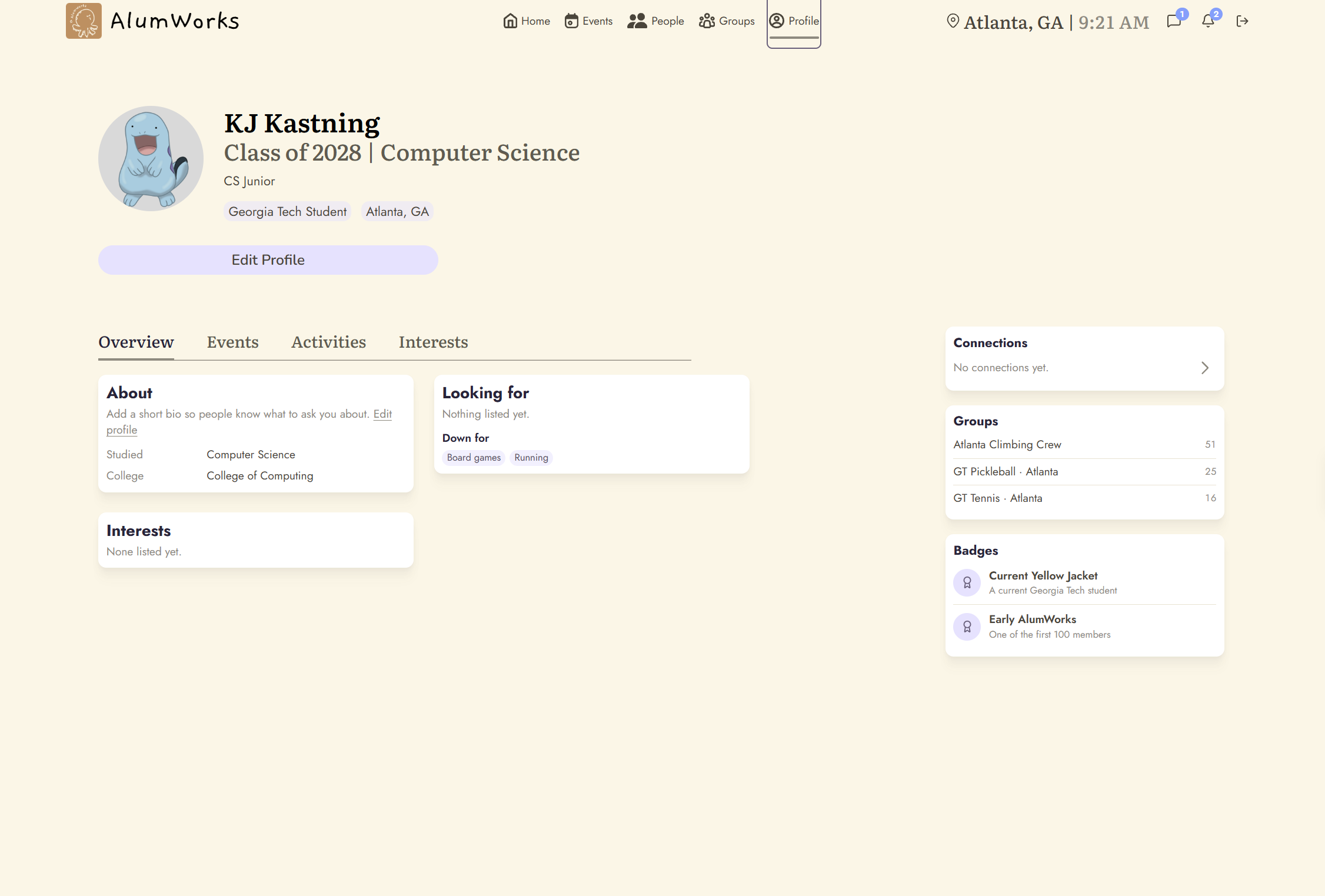
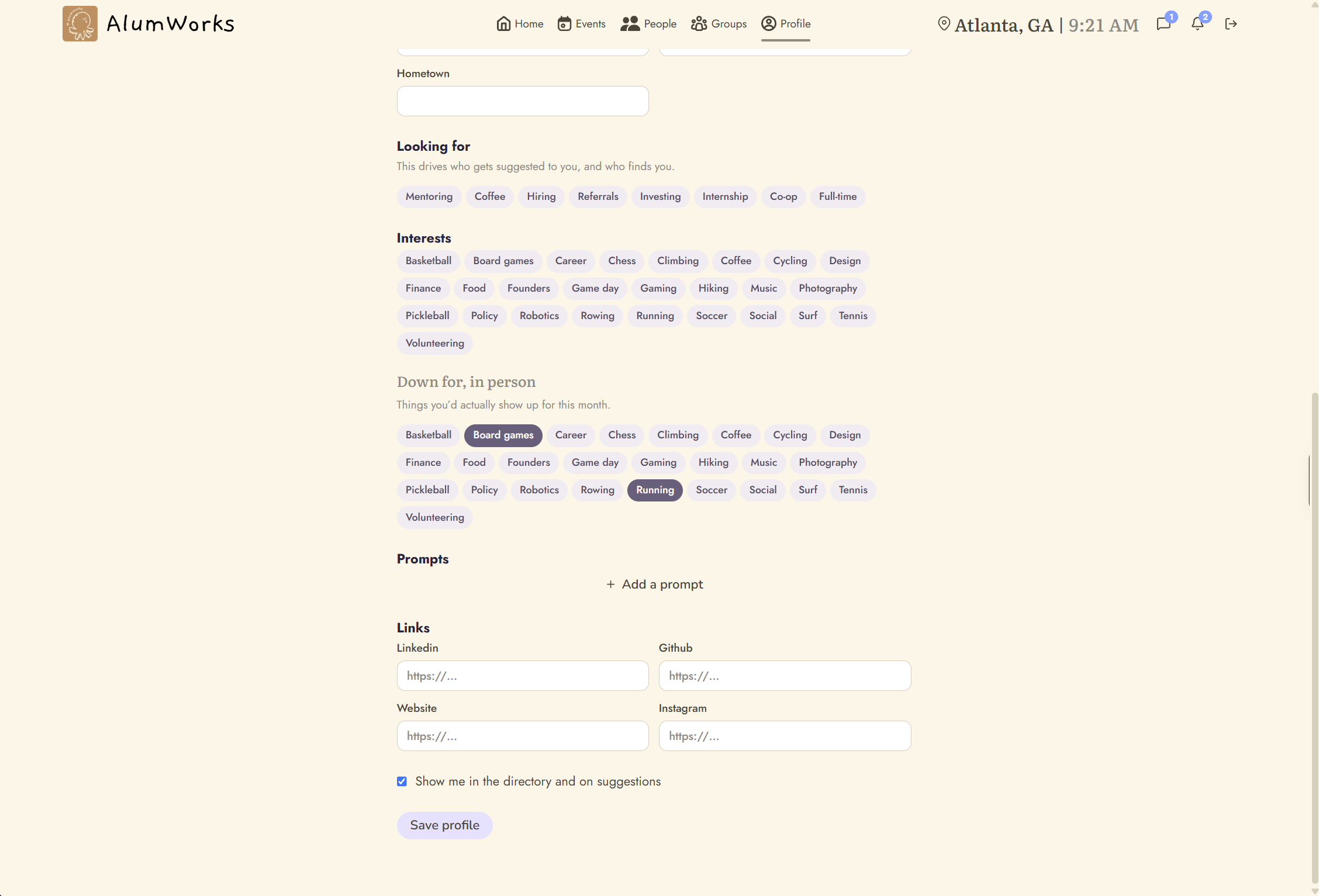
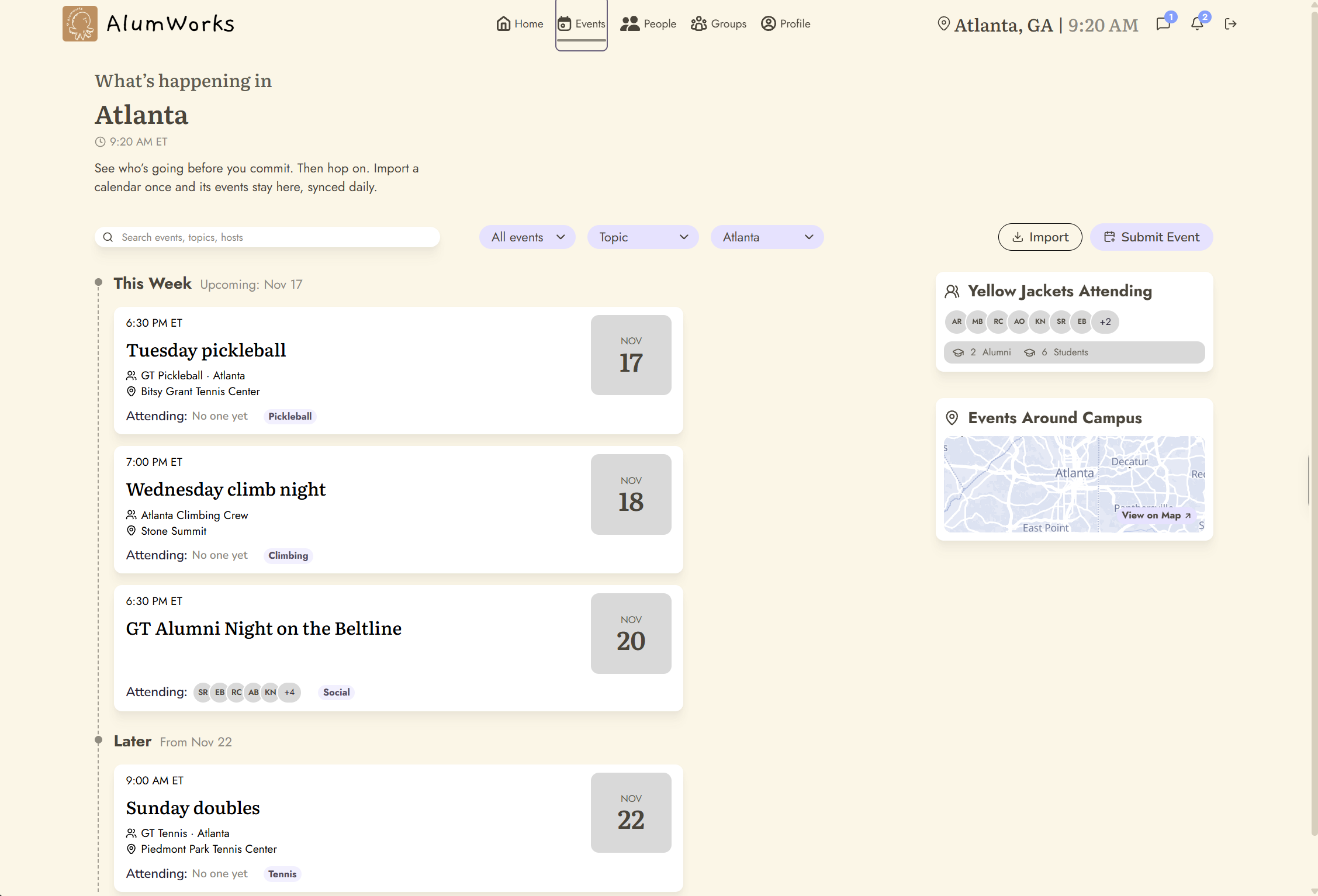
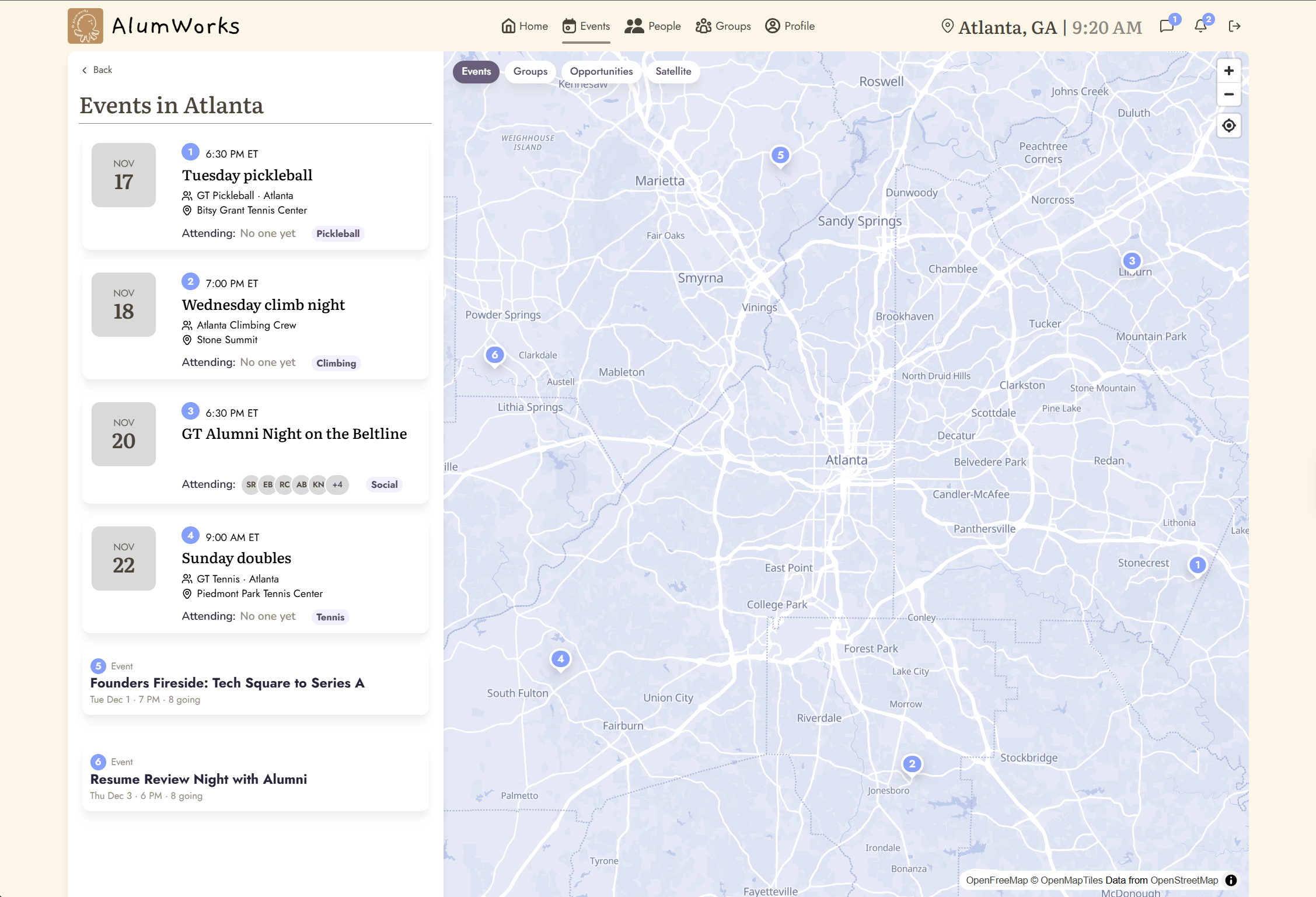
Inspiration
University alumni networks are large on paper and hard to use in practice. Students and graduates already share a school identity, but day-to-day connection is scattered across LinkedIn, email, group chats, and third-party event tools. Discovery depends on who you already know; opportunities and local communities are easy to miss.
Christopher Klaus’s University Network prompt asks how that shared connection can become real opportunity: students and alumni discovering the right people, accessing resources inside the network, and turning those relationships into impact outside the app.
We built AlumWorks as a concrete answer for Georgia Tech, with an eye toward other campuses. The hypothesis is that a closed, school-scoped network—combined with structured identity (student vs. alumni vs. official), location-aware discovery, and lightweight paths to meet in person—can move people from directory browsing to messaging, RSVPs, and recurring meetups more reliably than a generic professional graph.
Georgia Tech is our first deployment; the patterns (verification rules, audience targeting, map-based discovery, alumni-posted opportunities) are meant to transfer to any institution that already has a strong alumni base but weak tooling for local, intentional connection.
The problem
| Angle (prompt) | Gap in the status quo |
|---|---|
| Discover the right people | Search is global and noisy; “fellow alumni in my city” is a manual LinkedIn exercise. |
| Access resources | Jobs, mentorship, and introductions live in DMs and informal channels, not in a trust-bounded feed. |
| Real-world impact | Online connection rarely ships with time, place, and a low-friction RSVP. |
AlumWorks treats networking and showing up together as one product: find people and opportunities first; use groups, events, recurring meetups, and notifications to close the loop.
What AlumWorks does
Judges can walk through the app in demo mode (sample data when env vars are unset) or sign up against a live Supabase backend. The primary nav is Home · Events · People · Groups · Profile, with messages and notifications in the header next to the live city clock.
Discover people
- The Directory (People): search plus chip filters for major, interests, city, company, college, job, class year, “open to,” and student vs. alumni—list or map view.
- Send to all: invite everyone matching the current Directory filters to an event or group (alumni can also message the set), with a confirm step and caps.
- Recommendations with explicit reasons (shared interests, groups, mutual context—not opaque “you may know”).
- Map pins for people, events, and groups (PostGIS-backed location queries); Maps are tinted to a cool blue monochrome so pins stay the focus.
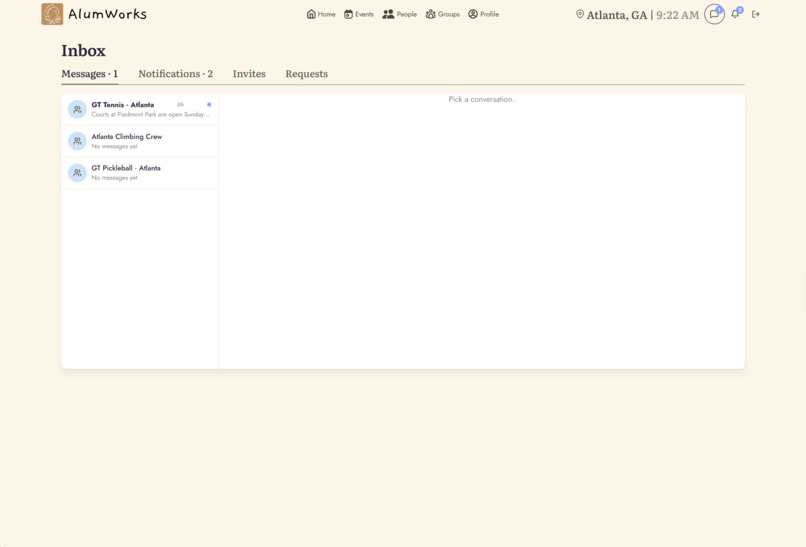
- Connections and messaging with an inbox for threads, pending invites, and activity notifications.
Access resources and opportunities
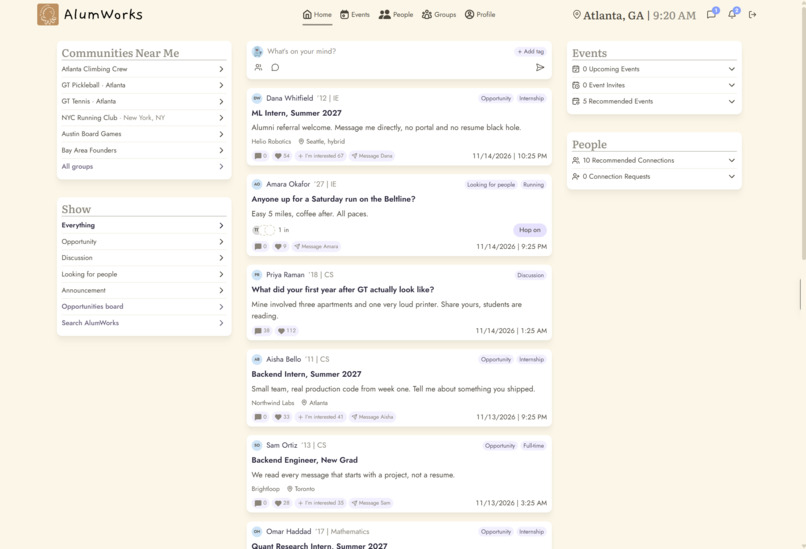
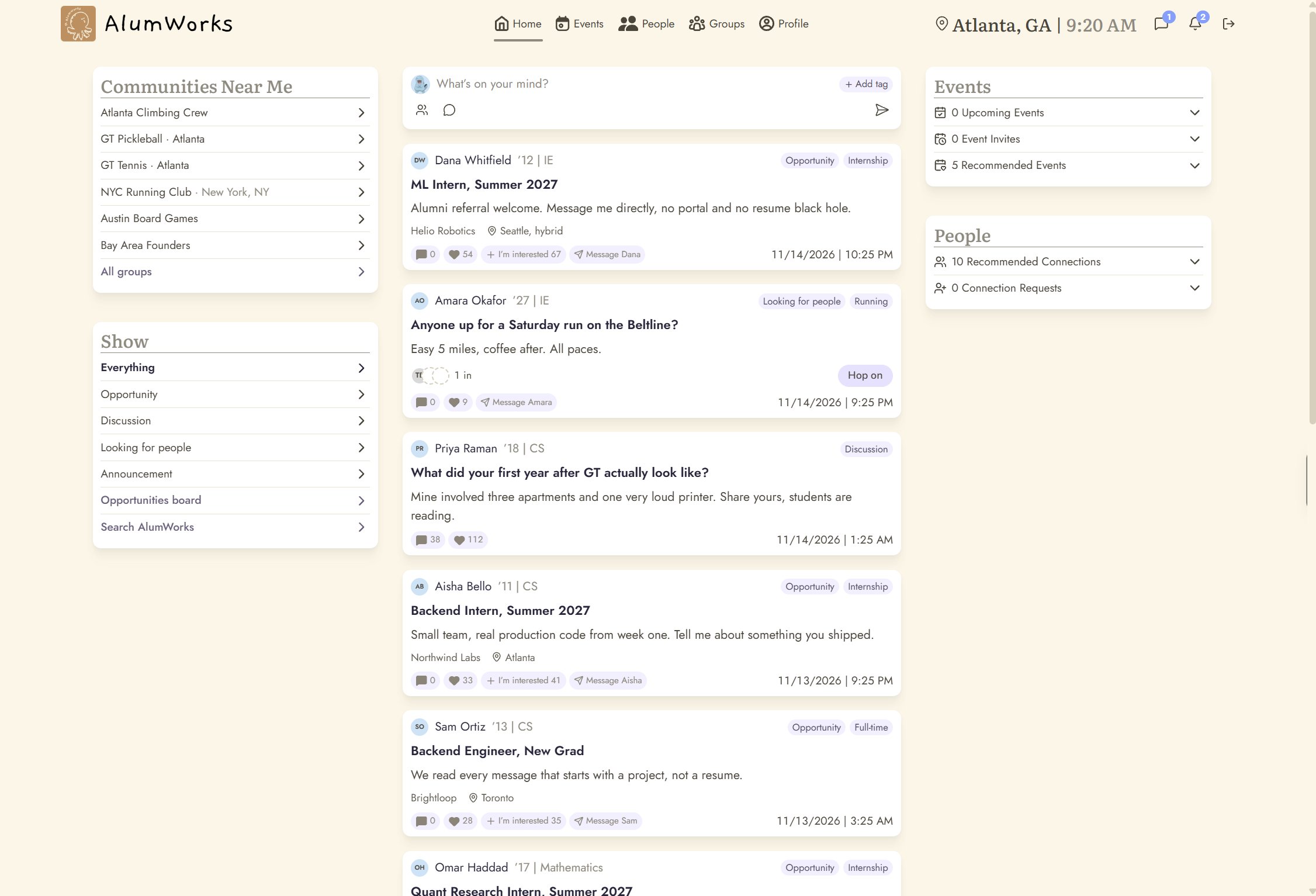
- Home feed: three-column layout—communities and post-kind filters, composer + posts, then events and people to meet.
- Posts: discussions and “looking for people to do ___ with” (everyone); opportunities and announcements (alumni and official accounts only).
- Audience controls: broadcast to everyone, alumni-only, or student-only—so an internship can target students without leaking to the open web.
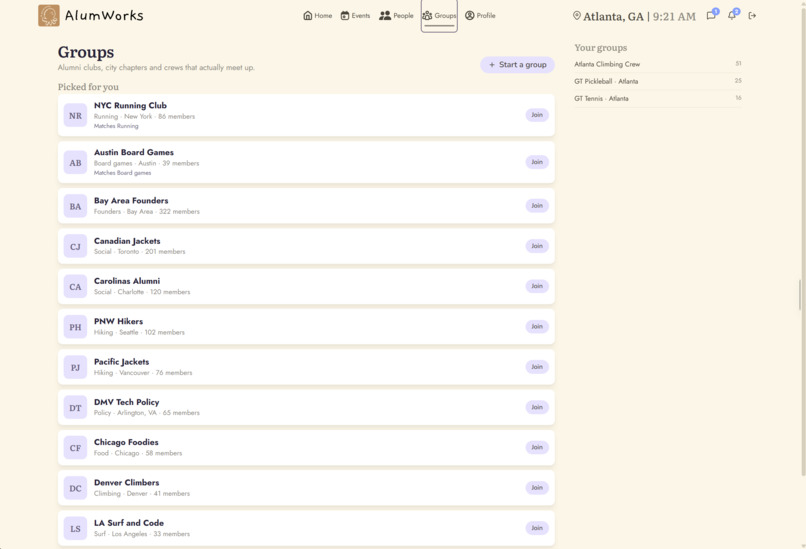
- Groups as a first-class tab (owners/admins); Events city-scoped (“What’s happening in …”) with day buckets, RSVPs, invite links, and who’s going—not just headcount.
- Calendar import: subscribed Luma/Google ICS feeds and single event links, synced on a schedule so external meetups appear inside the network.
Turn relationships into plans
- Recurring meetup series (weekly slots) with automatic roll-forward and reschedule handling for existing RSVPs.
- Invites to groups and events; “happening soon” nudges for events users care about.
- Social proof on events: face stacks and attendance labels so “find the right person at the right time” is visible before you RSVP.
Example paths for a demo walkthrough
- Student: open The Directory → filter by company/city → open profile → connect → message about a referral.
- Alumni: post a student-only opportunity from Home → student sees it in the feed → replies or applies off-platform.
- Any user: Events → RSVP to something nearby, or Map → join a group → receive a soon notification. Directory “Send to all” invites a filtered set in one pass.
How we built it
Architecture. Next.js 16 (App Router) UI with server actions for mutations and src/lib/queries/* for reads. Supabase provides auth, Postgres, Row Level Security, and security-definer RPCs for sensitive operations. Realtime supports messages and notifications. Deployed on Vercel; background work split between pg_cron (database) and Vercel Cron (calendar sync). Maps use MapLibre (OpenFreeMap Positron base, recolored in-app).
| Layer | Role |
|---|---|
| Next.js 16 | App Router, server actions, demo mode when env is unset |
| PostgreSQL + PostGIS | Profiles, graph, posts, events; geo queries for map discovery |
| Supabase Auth + RLS | Per-role access; students cannot elevate to alumni in the database |
| pg_cron | Daily recurring-meetup generation; hourly “happening soon” notifications |
Vercel Cron (/api/cron) |
Daily calendar sync with a time budget so jobs finish within platform limits |
Design (Buzz → AlumWorks). The UI was rebuilt from Figma mockups into a calm, campus-network look—not a generic SaaS dashboard and not a stiff institutional directory:
- Brand: cream canvas (
#FDF6E6), soft white cards, lavender chips and washes, plum for selected/active states, blue for unread badges. The octopus mark sits beside a handwritten AlumWorks wordmark (Gaegu). - Type: Literata for display titles and section labels, Jost for body, Nunito for buttons—so hierarchy reads before you parse the words.
- Chrome: sticky top bar with city + local time; Figma-derived nav icons; mobile bottom tab bar. Soft shadows and 10px radii instead of dense hairline grids.
- Surfaces that matter: Home’s three columns, The Directory’s filter rail + person cards, Events’ timeline + mini-map, and the full map split pane—all wired to the same product verbs (connect, RSVP, join, message).
Trust and identity (transferable to other schools)
- Students: sign-in restricted to institutional email (e.g.
@gatech.edu) via database enforcement. - Alumni: any email plus self-reported student ID, last name, and graduation year; schema reserves
verified_atfor future verification. - Official accounts (e.g. Alumni Relations): provisioned by admins; can target all audiences for announcements.
Data model (high level). Migrations cover reference data, profiles and connections, groups/events/recurring series, posts and reactions, inbox and notification side effects, then search/map/recommendations—documented in the repository README for reviewers who want implementation depth.
Challenges
Privacy vs. discoverability. Meaningful local discovery requires location and profile visibility; we use discoverability flags and audience-scoped posts so users can participate without exposing everything to everyone.
Recurring events. Series that reschedule must move RSVPs coherently; rolling meetups forward on a schedule required coordinated SQL, cron jobs, and clear failure reporting when joins fail.
Multiple roles, one product. Students and alumni are peers in the UI; permissions differ by kind and by post type. Official accounts needed a separate onboarding path without forking the whole app.
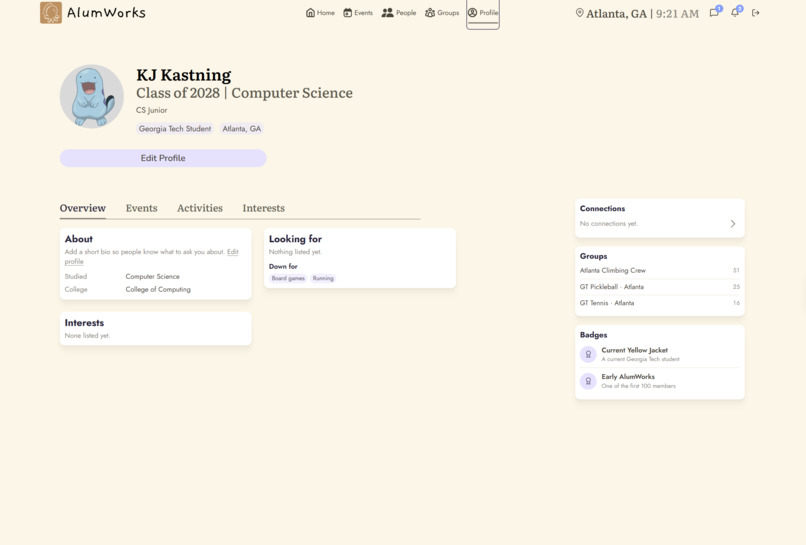
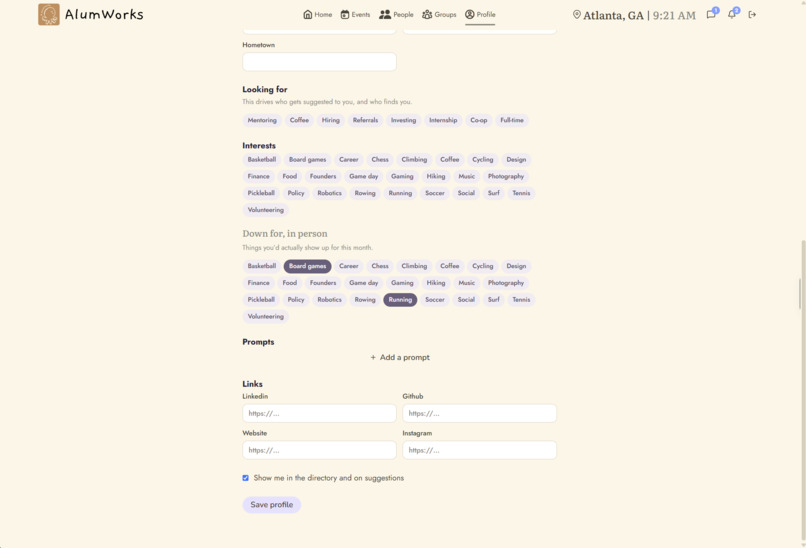
Design without LinkedIn drag. Turning Figma into a working App Router UI meant locking a token set (cream / lav / plum / type stack) early, then rebuilding Home, Events, Directory, map, and profiles so the mockup layouts stayed honest under real data, empty states, and mobile nav.
Calendar sync at cron scale. Importing many ICS feeds in one run hit Vercel’s execution window; we prioritize least-recently-synced feeds and defer the rest to the next day—a practical constraint judges can relate to when shipping on hobby-tier infra.
What we learned
- A closed network plus visible school identity is a simpler trust model than trying to replicate LinkedIn at campus scale.
- Location and time (map + events + nudges) matter as much as profiles for converting weak ties into meetups.
- Inbox and notifications are core product surface, not polish: invites, RSVP changes, and “soon” reminders are what make the graph feel alive.
- Audience targeting on opportunities is a small schema/product choice with outsized impact for student/alumni asymmetry—the heart of the University Network prompt.
- Brand and IA are product. Renaming the people surface The Directory, elevating Groups in the nav, and shipping a real mark (the octopus) made the network feel like a place people belong to—not another grey feed.
What's next
- Verified alumni beyond self-report, integrated with institutional records where available.
- Richer recommendation explanations and organizer tooling for official accounts (insights without exposing private DMs).
- Deeper calendar and event partnerships so the map reflects what alumni associations already run.
- Second-campus pilot: same RLS patterns and role model, swapped institutional email domain and branding—validating “model for other universities” without rebuilding the stack.
Why it matters (Georgia Tech and beyond)
The bottleneck for many university networks is not lack of members but friction: finding the right peer, accessing opportunities inside the trust boundary, and agreeing on a time and place to act. AlumWorks encodes that pipeline in software—Directory → opportunity → message → RSVP → recurring meetup—so the relationship can become impact.
Georgia Tech is the reference implementation; the design goal is a reusable campus network layer other schools can adopt with their own domains, verification, and alumni relations workflows.
Try it
| Resource | Notes |
|---|---|
| Live demo | Vercel |
| Repository | GitHub |
| Video | YouTube |
Demo mode: With no environment variables, npm run dev runs against sample data so judges can browse Home, The Directory, Events, Groups, and the map without creating accounts.
Live signup: Students need an @gatech.edu email; alumni complete self-reported identity fields; see README for Supabase setup, pg_cron, and seed data.
Built With
- next


