Inspiration
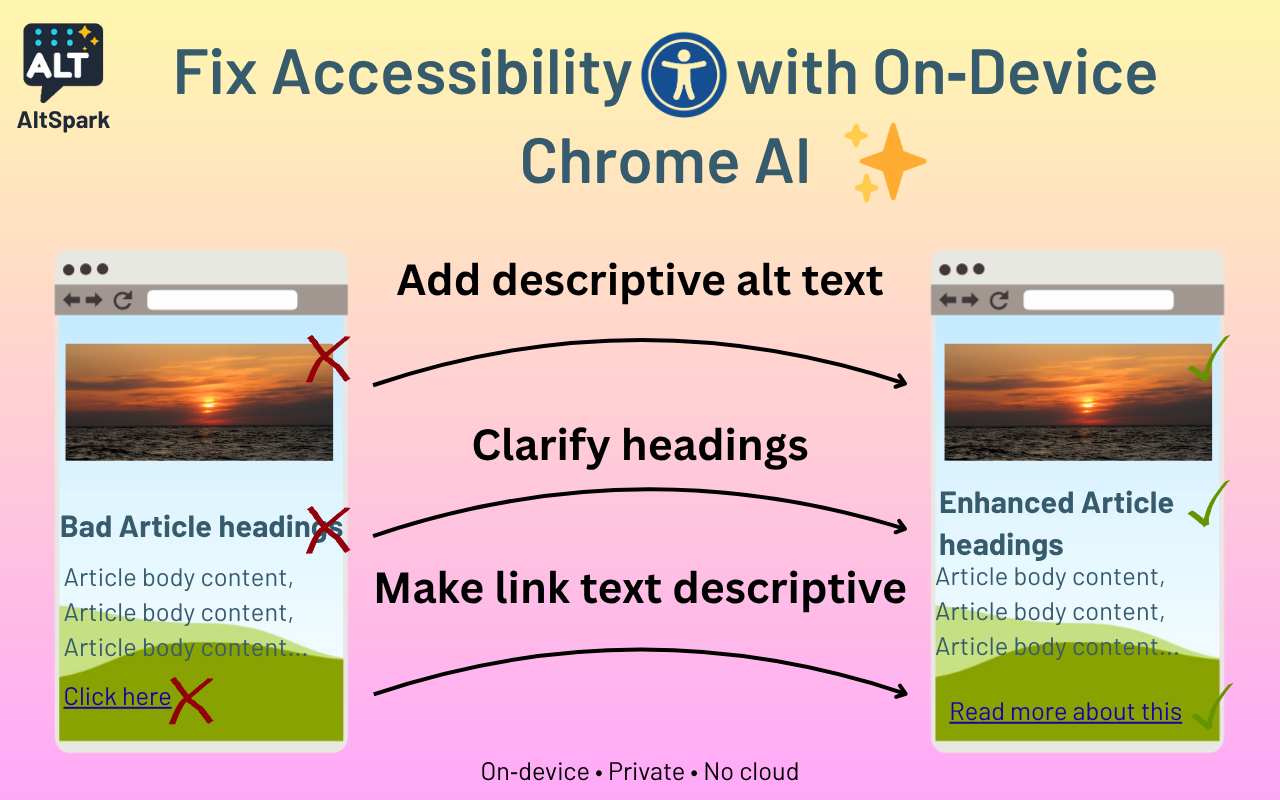
A huge share of pages ship with missing image alt text, “click here” links, and generic headings, hurting readers, screen-reader users, and SEO. Fixing them is tedious and usually requires site access. I wanted a zero-setup, privacy-first way to improve any page I’m viewing.
What it does
AltSpark is a Chrome extension that:
- Audits the current page for missing/unclear alts, links, and headings.
- Generates fixes with Chrome’s on-device AI (via built-in APIs).
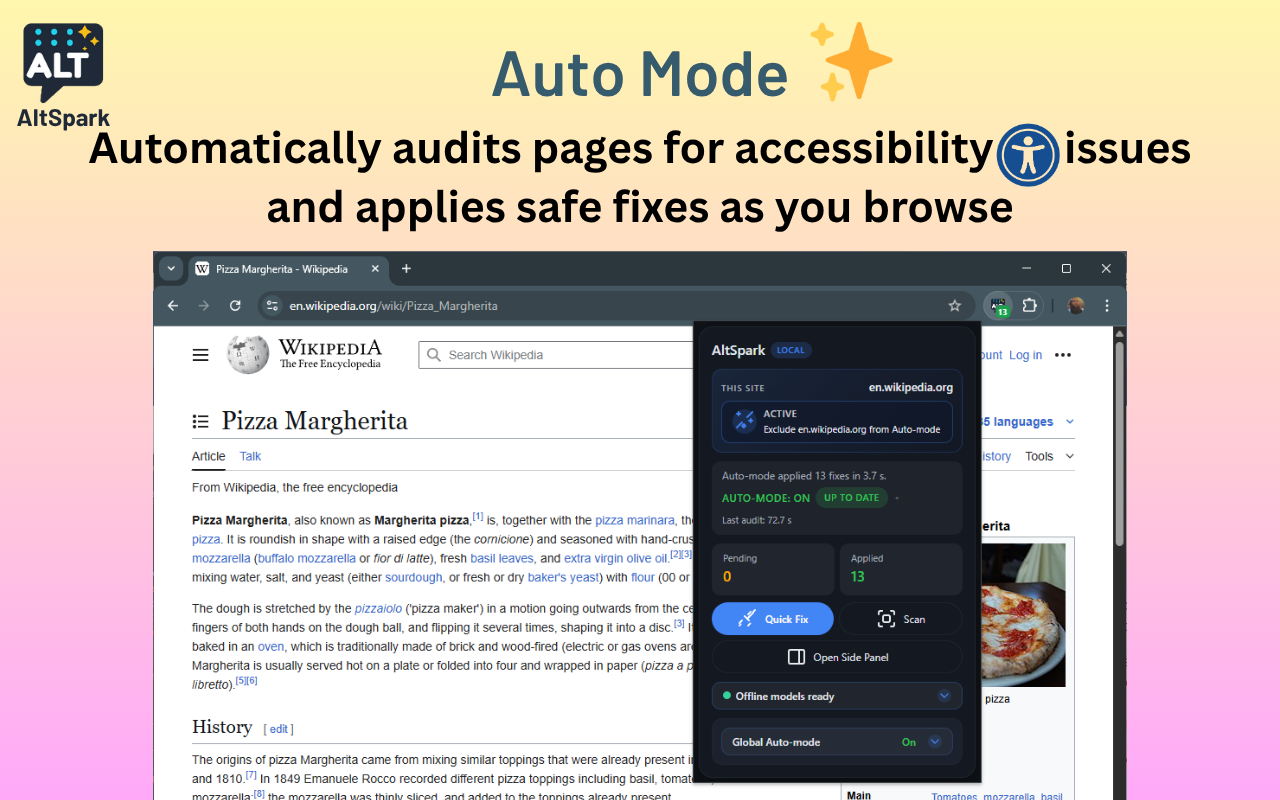
- Lets you Apply Safe Fixes in one click or Autopilot to apply as you browse.
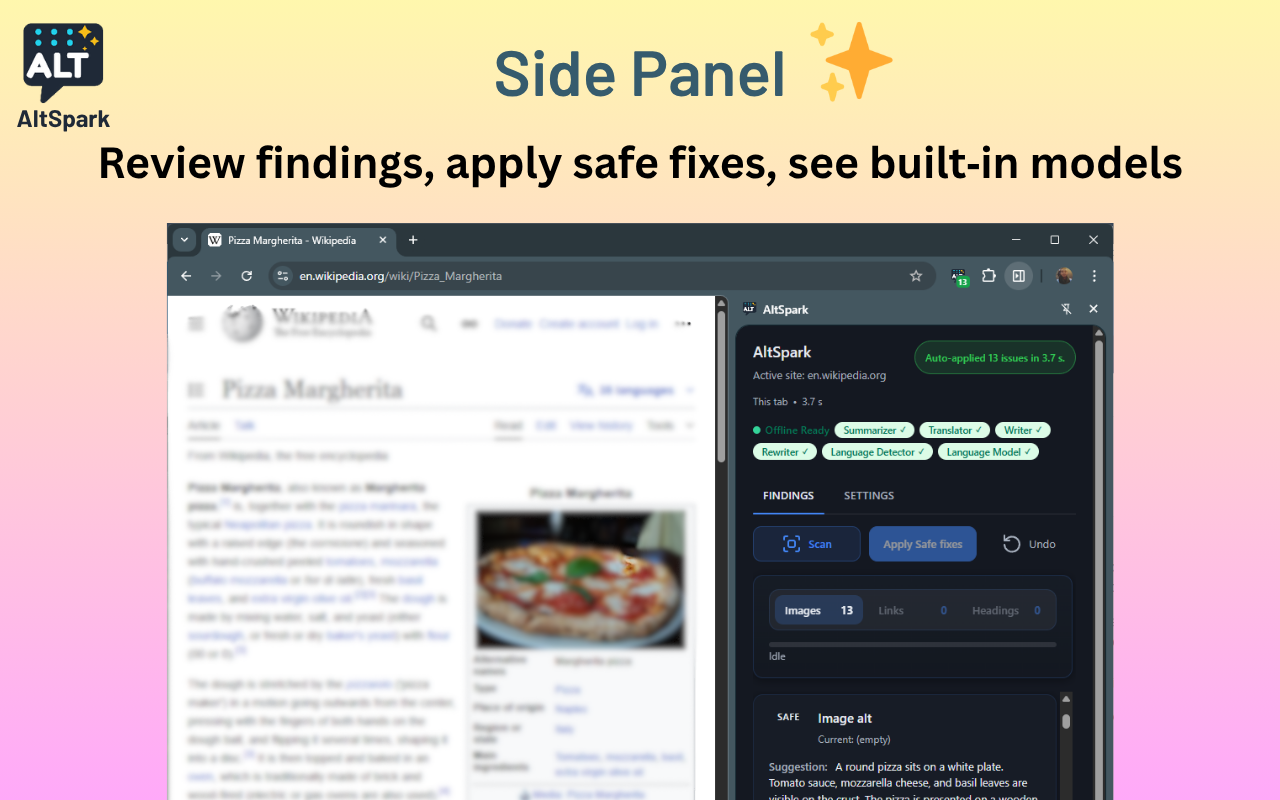
- Works in the side panel or popup, and supports multi-language pages.
Everything runs locally. No page content is sent to external services.
How we built it
Chrome AI Prompt API / on-device model (Gemini Nano) for:
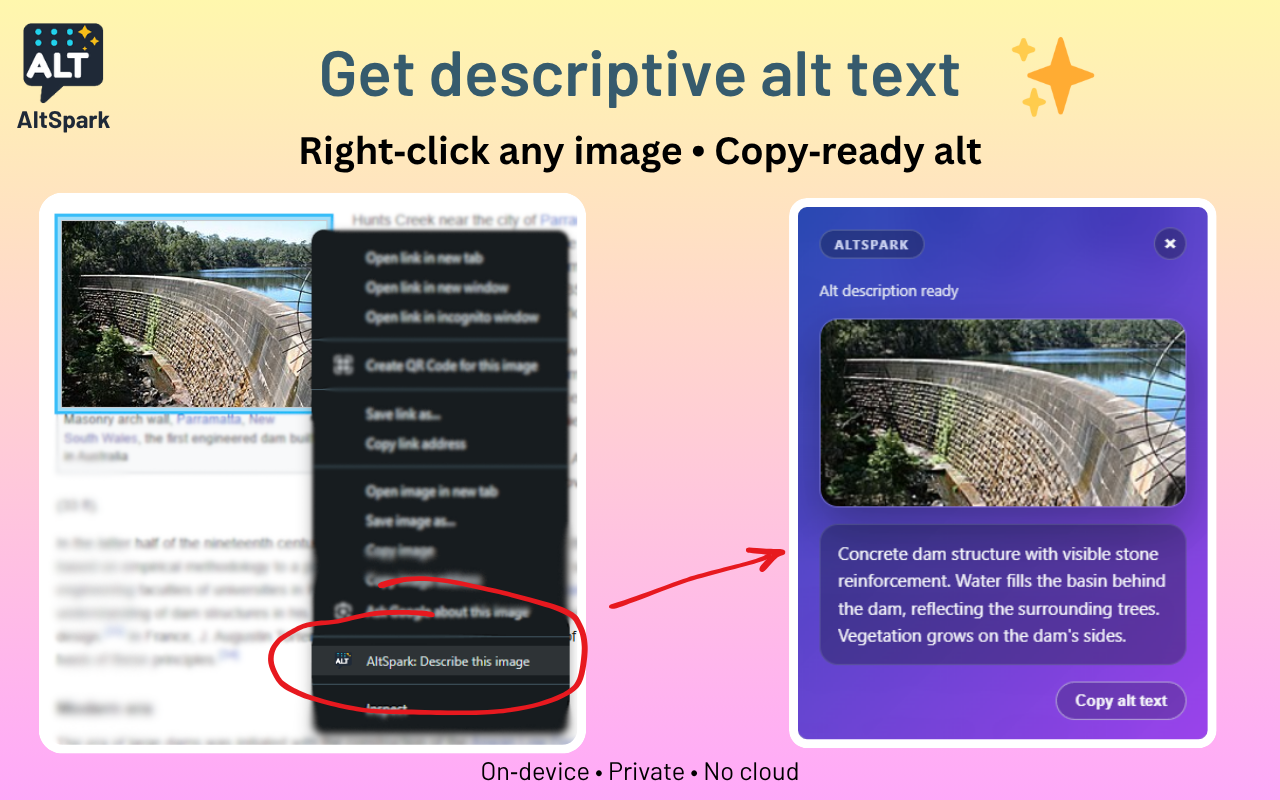
- Image→Text alt suggestions (multimodal).
- Text rewrite for clearer links/headings.
- Summaries of surrounding context to keep fixes relevant.
Language Detection to adapt suggestions to the page language.
Translator to offer localized phrasing when helpful.
Chrome MV3, side panel + content scripts, overlay UI, options, and context menu.
Why it’s different
- Truly local AI (privacy + speed).
- Actionable: not just linting, it applies fixes in-page.
- Multimodal: understands images and surrounding text.
- Frictionless: no account, no site access, works anywhere.
Demo instructions
- Install from source (Load Unpacked) or from Chrome Web Store .
- Open any page with images and links.
- Click Scan → see Findings → Apply Safe fixes (or enable Autopilot).
- Hover items to preview; Undo reverts instantly.
Privacy
All processing runs on your device using Chrome’s built-in AI. Zero network calls with page content.
Challenges
- Balancing accuracy vs. speed on long pages.
- Designing safe, reversible DOM edits.
- Handling activation requirements for AI calls and model availability.
- Some Chromium internal APIs are not accessible outside (like ml/performance_class.cc)
Accomplishments
- End-to-end autopilot that fixes common issues in a single click.
- Multimodal alt generation with context-aware wording.
- Clean UX: popup metrics, side-panel details, Apply/Undo/Export.
- Highly Optimized
What’s next
- Hybrid mode (using Firestore/Google AI Studio) to cover users with limited machine performance.
- Batch rules (e.g., “only add alts above N px”).
References:
Built With
- chrome
- gemini
- javascript
- npm
- playwright
- vscode


Log in or sign up for Devpost to join the conversation.