Inspiration
What it does
How we built it
Challenges we ran into
Accomplishments that we're proud of
What we learned
What's next for AltPass
What it does
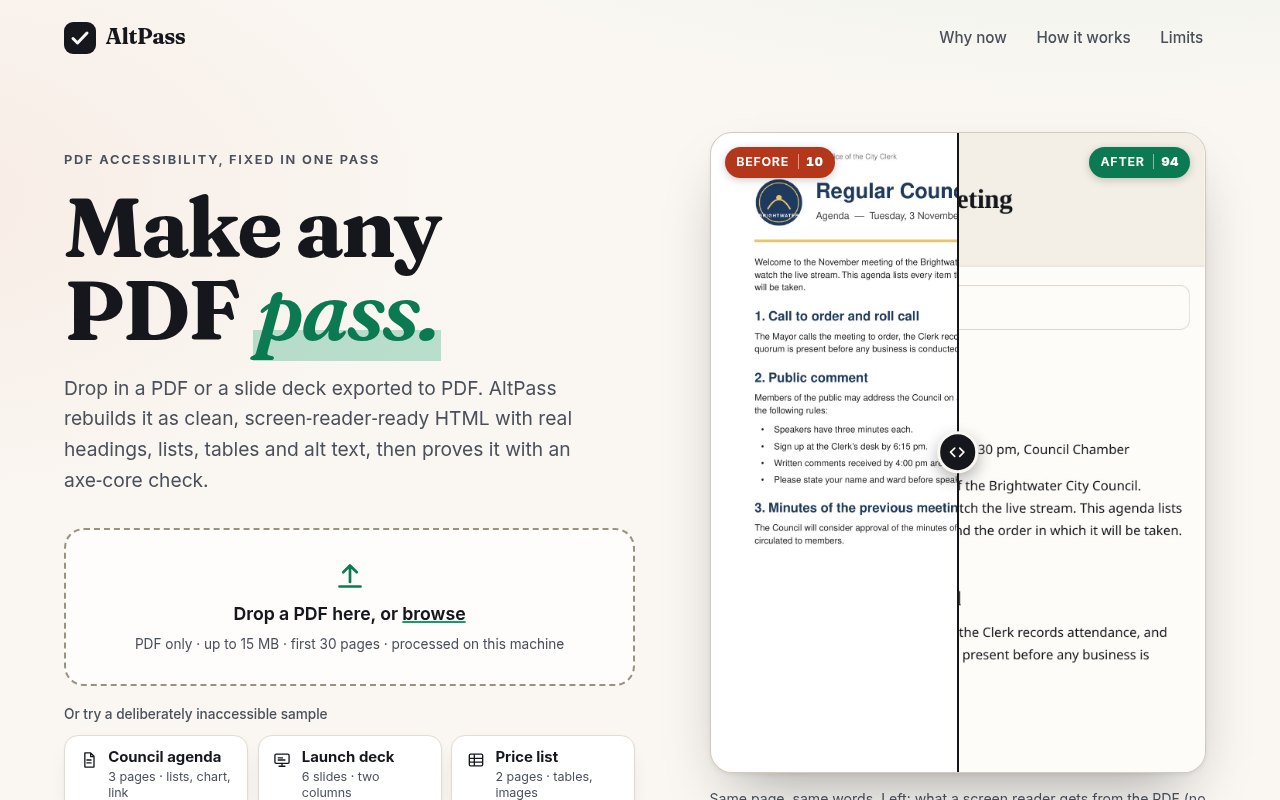
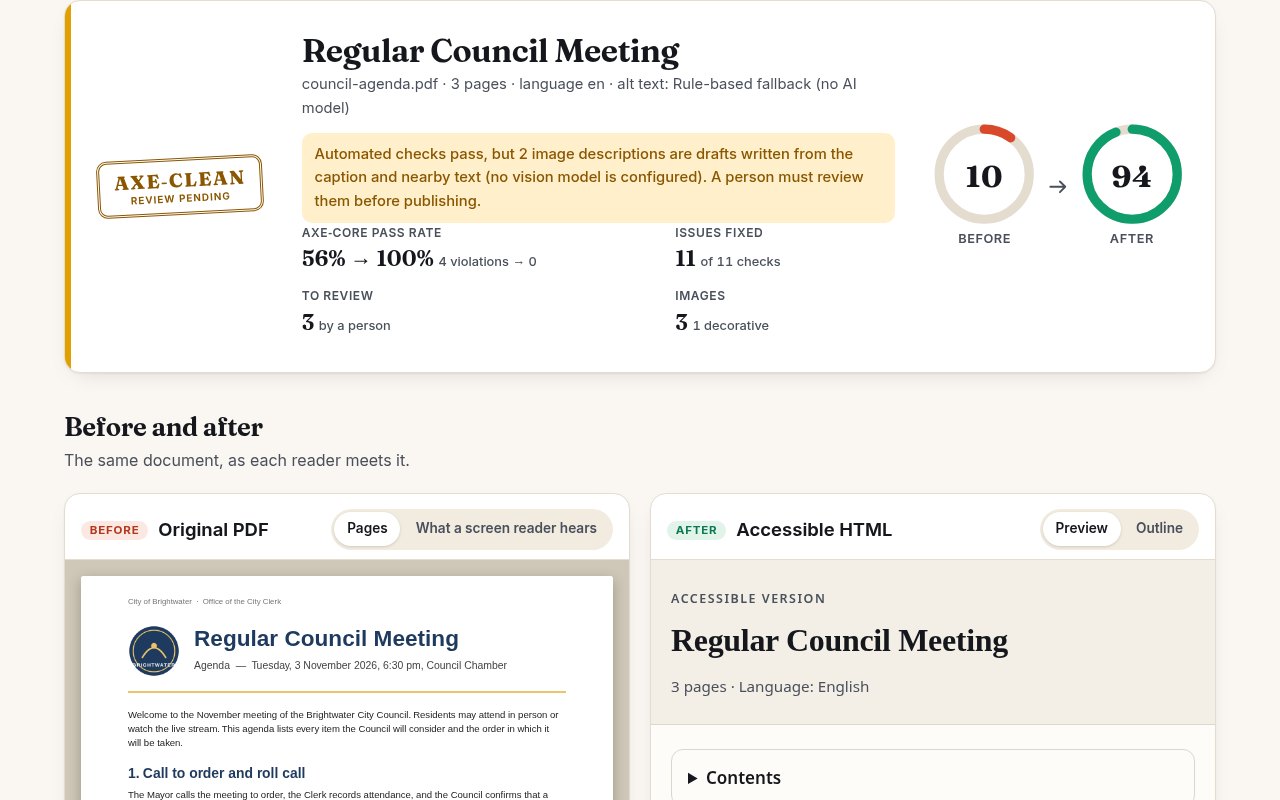
AltPass takes a PDF (or a slide deck exported to PDF) and does two things in one pass. It audits it, and it fixes it. It reads the text, images and links with pdf.js, rebuilds the structure a sighted reader sees (language, title, headings, reading order across columns, lists, tables, links, image alt text), and writes it out as clean, accessible HTML. A 12-check, WCAG-mapped audit scores the PDF before and the HTML after (for the sample council agenda: 10 to 94; the price list: 3 to 94). Then axe-core runs on the result, live in the browser including colour contrast: the naive PDF-to-HTML export fails, the AltPass output has 0 violations. You get a side-by-side view (original pages next to the accessible preview), a simulated "what a screen reader hears" transcript of the original, a checklist of what was fixed and what still needs a person, an alt-text review list where editing a description updates the preview and the score, and downloads of the HTML and a JSON audit report. The demo video (about 2 minutes) has a voice-over walking through the full flow.
Who it's for
Someone like a communications officer at a city government, a university or an online shop who has hundreds of PDFs (agendas, slide decks, price lists) and a compliance deadline. The EU Accessibility Act has applied since 28 June 2025, and the US ADA Title II web rule applies from 26 April 2027 (populations of 50,000 or more) and 26 April 2028 (smaller entities). Today she ignores the problem, pays for manual remediation, or runs a checker that lists 37 errors she cannot fix. And behind her are the people who are locked out of these documents: screen reader users, people who zoom, people with dyslexia, anyone reading an agenda on a phone.
How it's honest
Alt text comes from a pluggable adapter. In this build no vision-model key was available, so the default is a rule-based fallback that writes a draft from the caption and nearby text; it does not look at the picture, and every draft is flagged for human review (the score is capped until a person reviews it). OpenAI-compatible and Anthropic vision adapters are implemented and tested against a local mock server, but have not been run against a live provider. Structure is inferred by heuristics, scans need OCR (not included), and a clean axe-core run is necessary but not sufficient: AltPass is not a compliance certificate.
What I learned
- Planning first paid off: the scope, PRD and spec forced decisions (HTML output instead of tagged PDF, an honest fallback instead of pretending to have AI vision, three self-made samples) before any code existed, so the build stayed small and each slice had a visible check.
- Turn promises into checks. "Provably accessible" became tests: axe-core on every output, and on the app's own pages in a real browser. The browser run found a colour-contrast failure in my own UI that the server-side run could not see, because jsdom has no layout or contrast.
- PDFs have no semantic structure: it has to be inferred from font sizes, gutters and alignment. The samples I generated myself were too friendly; PDFs written by LibreOffice and Chrome broke my table detection (centred headers, padded rows, narrow gutters), which I only found by testing them. They are now fixtures in the test suite.
- Small environment details matter: a newer jsdom needs a JavaScript feature Node 20 lacks, so it is pinned.
Built With
- axe-core
- css
- express.js
- ffmpeg
- html
- javascript
- jsdom
- node.js
- pdf.js
- playwright

Log in or sign up for Devpost to join the conversation.