-
-
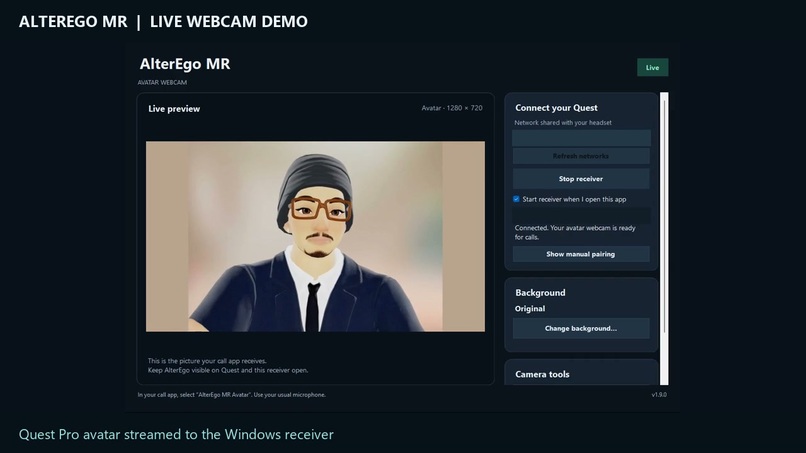
demo
-
-
-
-
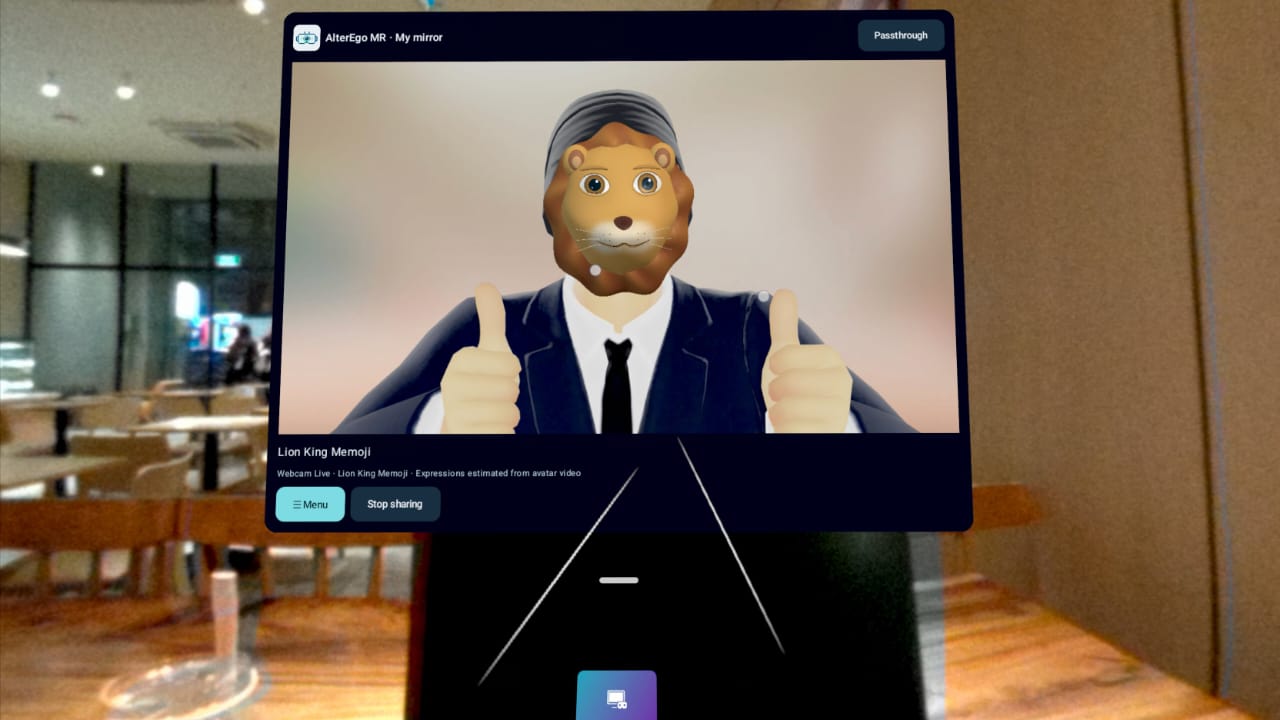
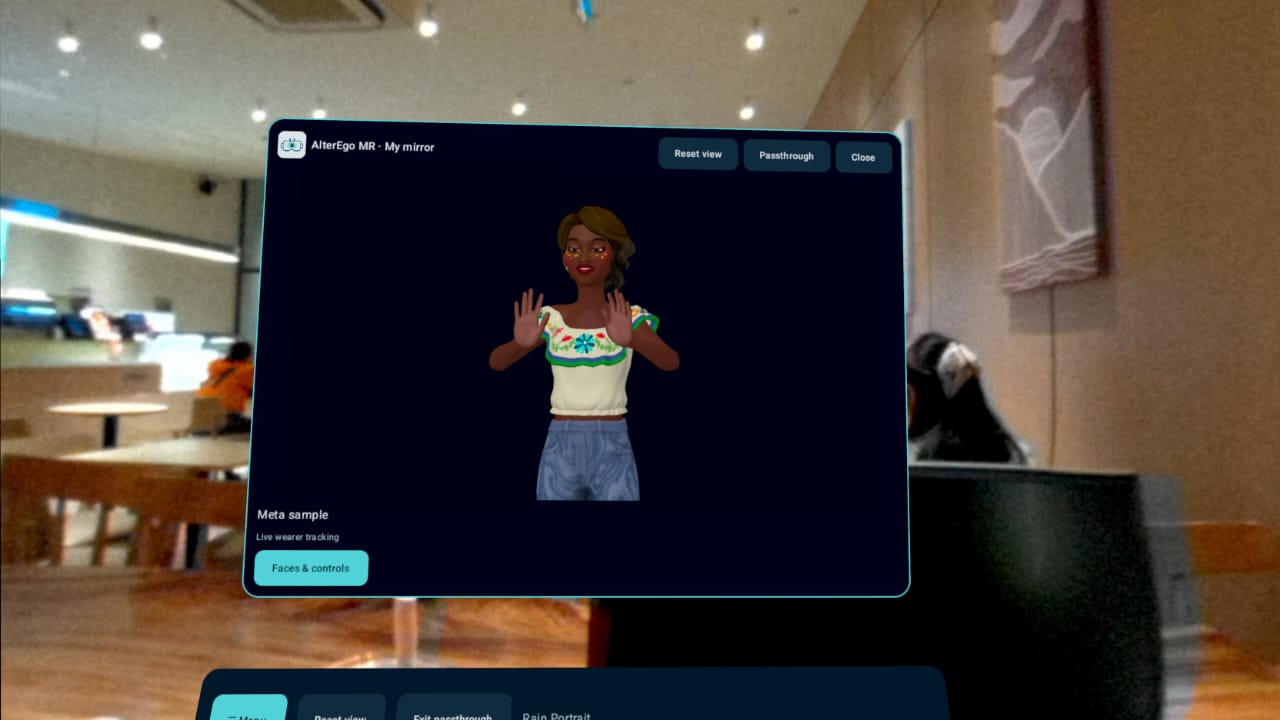
AlterEgo MR — Bring Your Avatar Beyond VR
Inspiration
AlterEgo MR started with a simple idea: your digital identity should be useful beyond the headset.
VR avatars give people a creative way to express themselves, but bringing that identity into everyday video calls and content creation can be complicated. Wearing a headset also hides much of the person’s face from a conventional webcam.
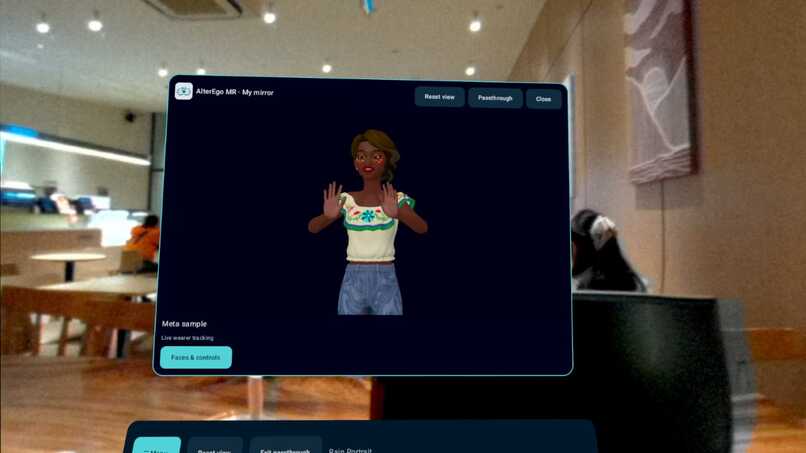
I wanted to connect these experiences: a mixed reality mirror where users can see their avatar, experiment with different looks, and share their avatar with a PC as a webcam.
What it does
AlterEgo MR combines a Meta Quest application with a Windows virtual webcam companion.
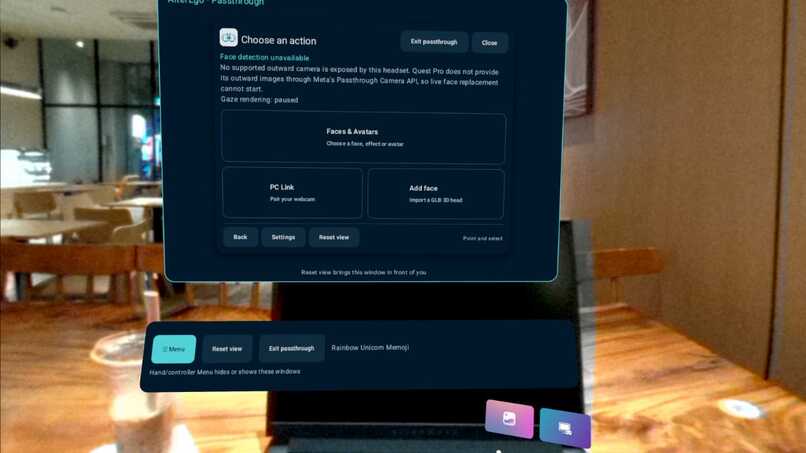
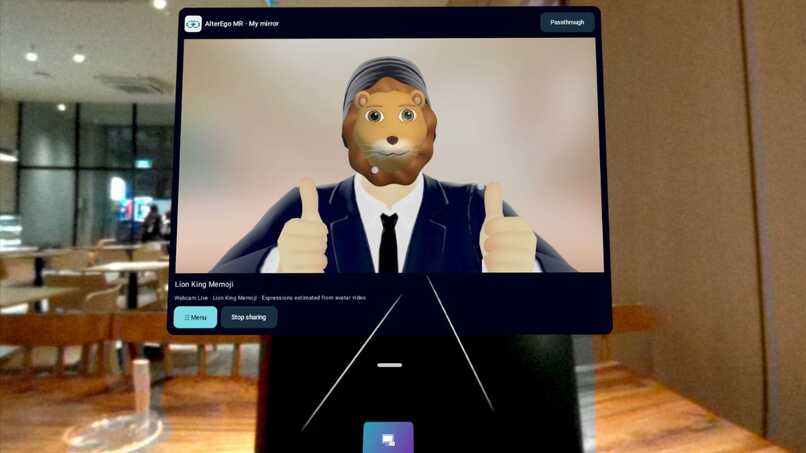
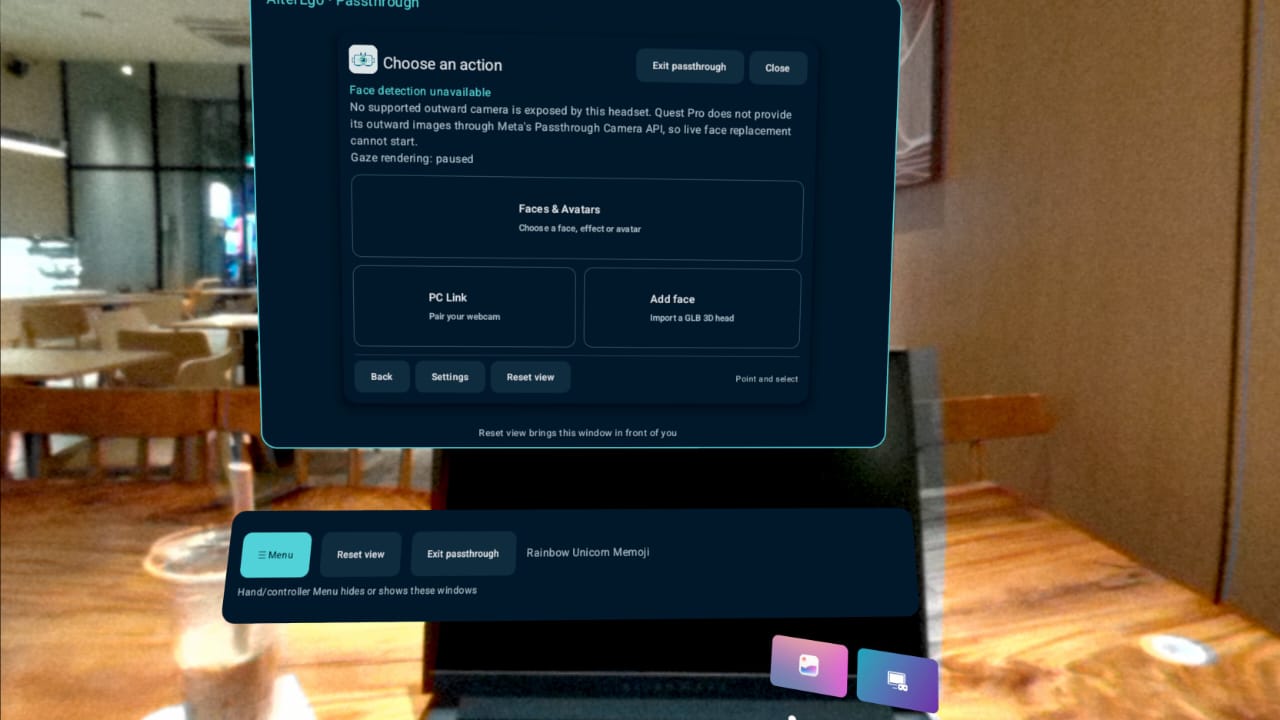
On Quest, users can view their Horizon avatar in an upper-body mirror, explore different character looks, and import actual static GLB 3D head models. Passthrough mode places the virtual mirror within the user’s surroundings, with controls for repositioning it, showing or hiding the interface, and returning from passthrough.
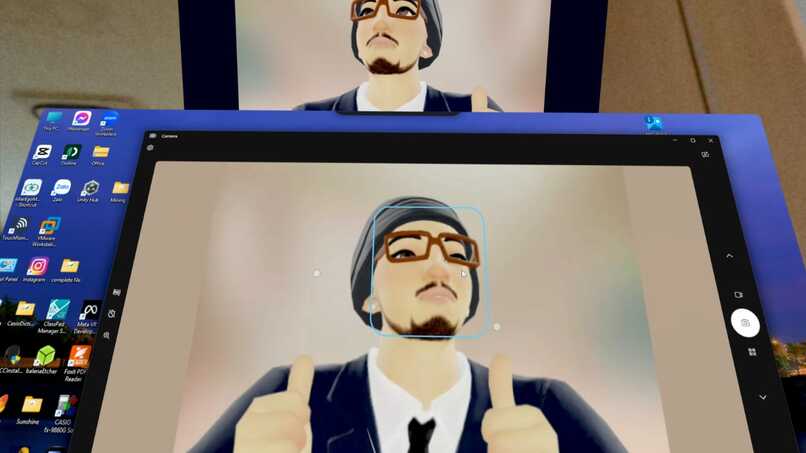
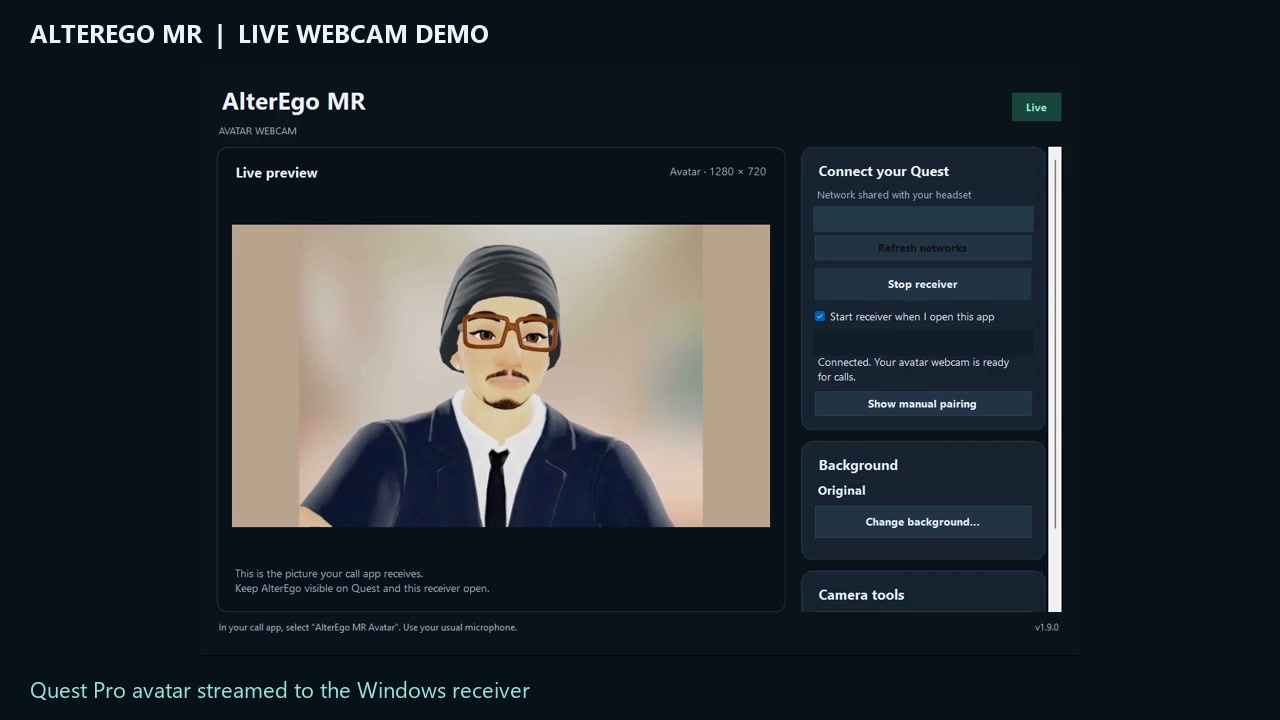
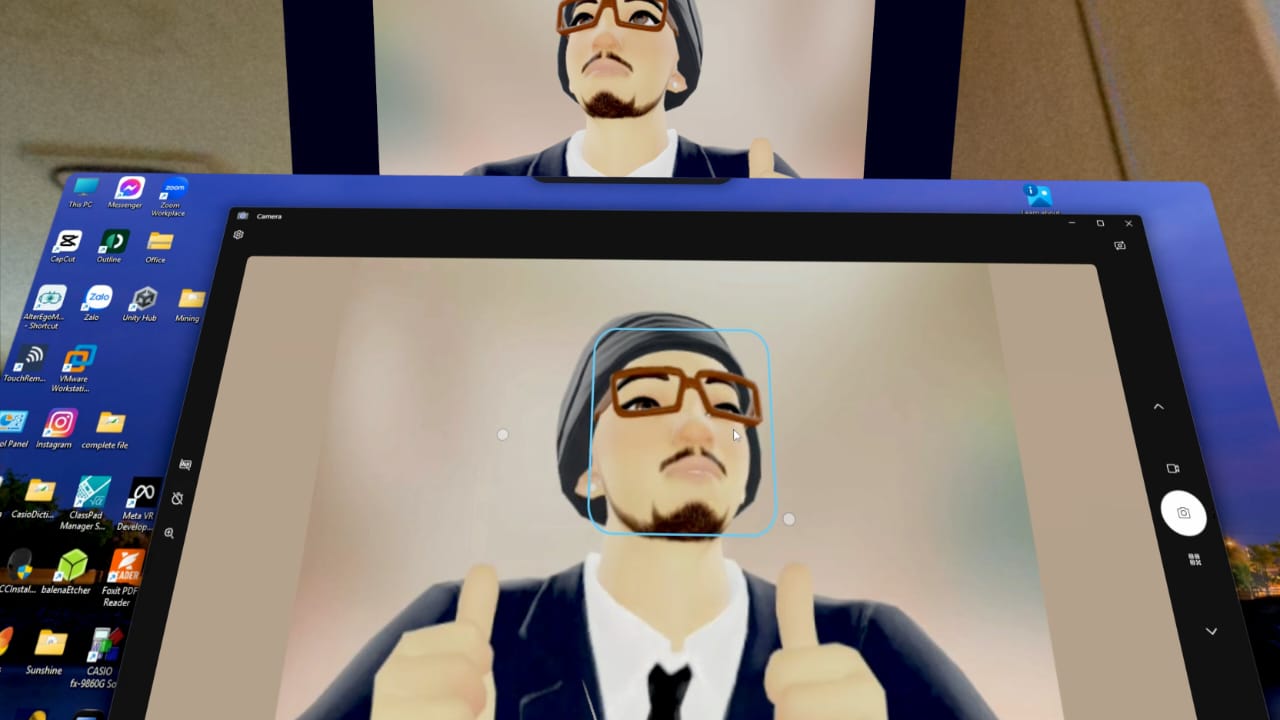
The Windows companion receives avatar video over an encrypted local-network connection and makes it available as a virtual webcam for compatible video and streaming applications. Users can choose studio backgrounds, custom colours, or background images.
With background sharing enabled and the headset awake, the Horizon avatar webcam can continue while the Quest mirror is normally minimized. The Windows receiver can also minimize to the system tray while keeping the connection and webcam running.
How I built it
I built the Quest application in Android Studio using Kotlin and C++, starting from Meta’s Passthrough Camera API sample and extending it with avatar viewing, 3D content, mixed reality controls, and PC connectivity.
The Windows companion uses C# and C++, with a native virtual camera built around Windows Media Foundation. Pairing uses certificate-pinned TLS to protect the connection between the headset and PC without requiring a cloud video relay.
I used OpenAI Codex as a development assistant for implementation, debugging, and test development. Progress came through repeated cycles of building, testing on Quest Pro, measuring the Windows webcam output, and improving the experience based on direct user feedback.
Third-party character assets are included with their required attribution and licence notices.
Challenges I faced
The hardest challenge was keeping the avatar visible through everyday actions such as opening system menus, changing focus, minimizing the mirror, and restoring it.
Early versions sometimes showed a black image or “Waiting for your avatar camera…” even though the user expected sharing to continue. Fixing this required separating camera capture from interface focus, simplifying the minimized capture path, and improving recovery when frames stopped arriving.
Another challenge was moving video between two platforms while preserving the avatar’s upper-body framing and handling connection interruptions. Frame freshness mattered: the application needed to distinguish a live image from an old frame rather than silently presenting frozen video as live.
The visual experience also required considerable iteration. Head proportions, character shapes, mirror distance, and control placement all affected whether the application felt comfortable and convincing.
What I learned
I learned that application lifecycle handling is central to a reliable mixed reality experience. Losing input focus does not necessarily mean a window is hidden, and minimizing an interface should not automatically end a sharing session.
I also learned how much physical-device testing matters. Automated tests helped check logic and recovery behaviour, while headset testing revealed performance limits and interaction problems that were difficult to reproduce elsewhere.
Repeated feedback shaped both the technical architecture and the design—from clearer passthrough controls to real 3D imports and background webcam operation.
Accomplishments I’m proud of
AlterEgo MR now connects a working Quest avatar mirror to a native Windows virtual webcam. In a measured 45-second test with the Quest mirror normally minimized, the webcam stayed live without recorded black intervals. The user also confirmed that the moving avatar remained visible.
I’m especially proud of turning those difficult lifecycle and streaming problems into practical improvements that make the application easier to use.
What’s next
I want to improve character quality and motion smoothness, expand testing across supported Quest devices, and complete native validation and signing for the Apple silicon Mac companion.
The goal remains simple: make using an avatar for everyday communication feel natural.
