Aloud - Assistive Communication for Individuals with ALS, Cerebral Palsy, or Severe Paralysis
Inspiration
My grandfather has ALS. Watching him lose the ability to speak — someone who used to argue about cricket and talk through every meal — made the problem feel very real to me.
The technical starting point came from TreeHacks 2025, where Dontrell Stephens, Dwight Thompson, Alexis Ayala-Ochoa, and Gabriel Anokye built BlinkAI — a system that translates blinks into Morse code. It won Best Beginner Hack and the concept was genuinely clever. But Morse code requires learning a new encoding system and executing it precisely, which isn't realistic for someone with degenerating motor control or cognitive fatigue. I wanted to take the same input — a blink — and remove everything that made it require skill.
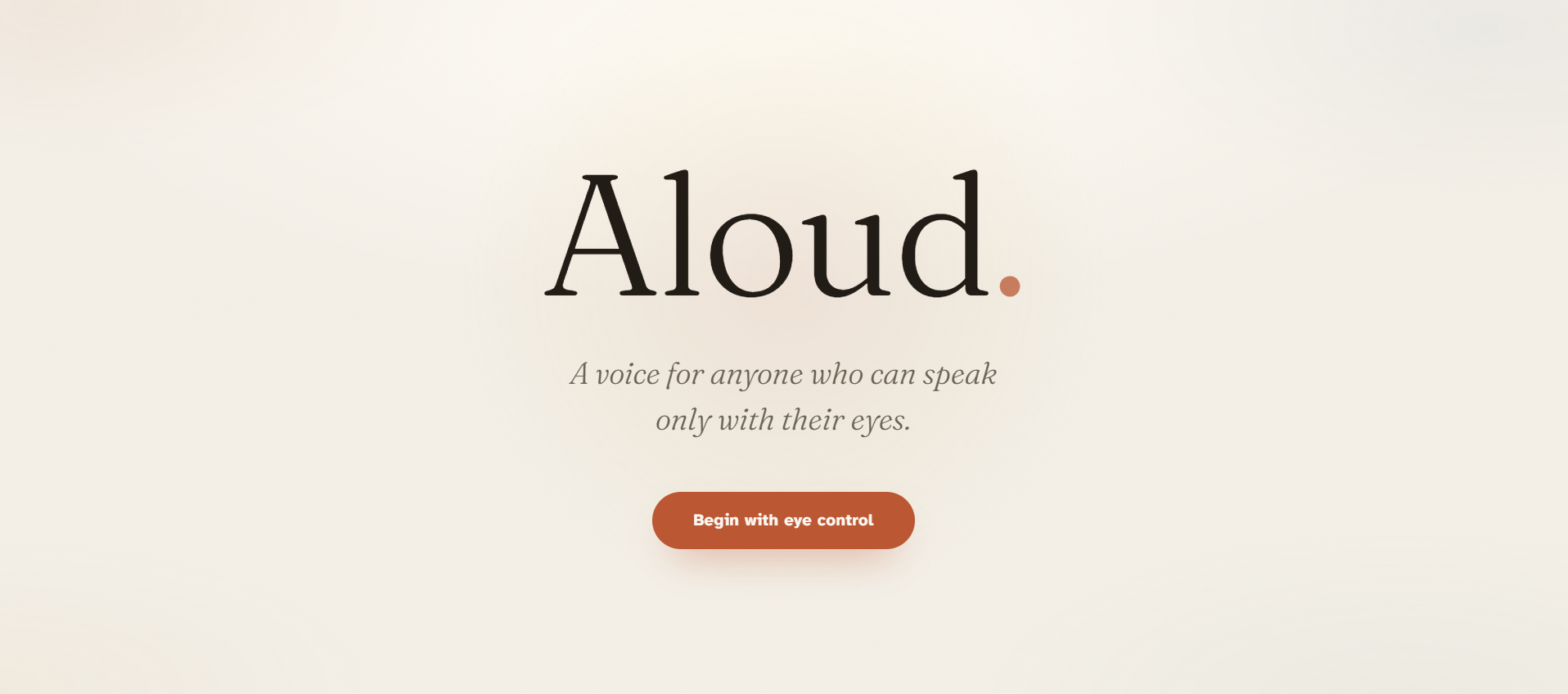
Auto-scanning does that. The interface moves on its own. The user just stops it. No encoding, no memorization, one signal. Commercial AAC devices exist for this, but they cost thousands and need a specialist to set up. Aloud is a browser tab.
What it does
A caregiver opens the app and points the camera. After that they don't touch anything.
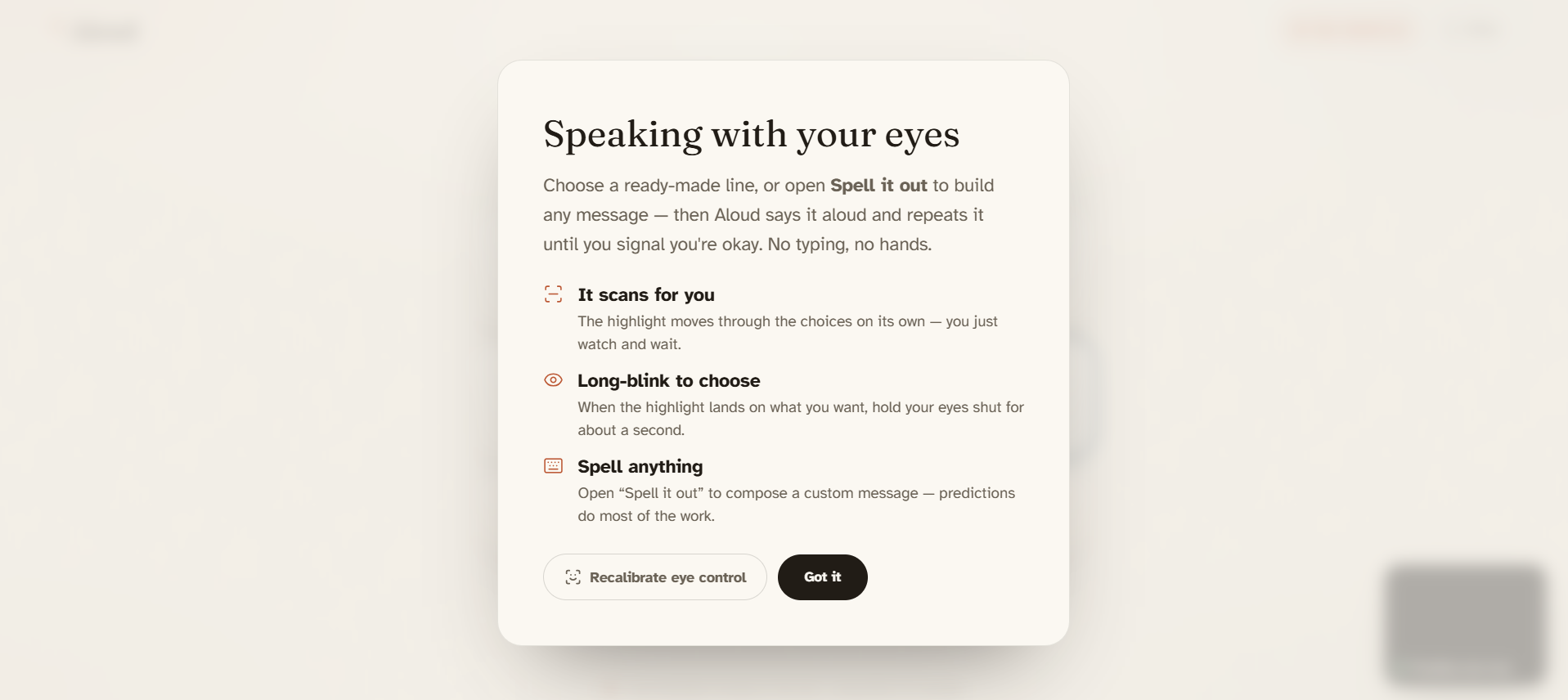
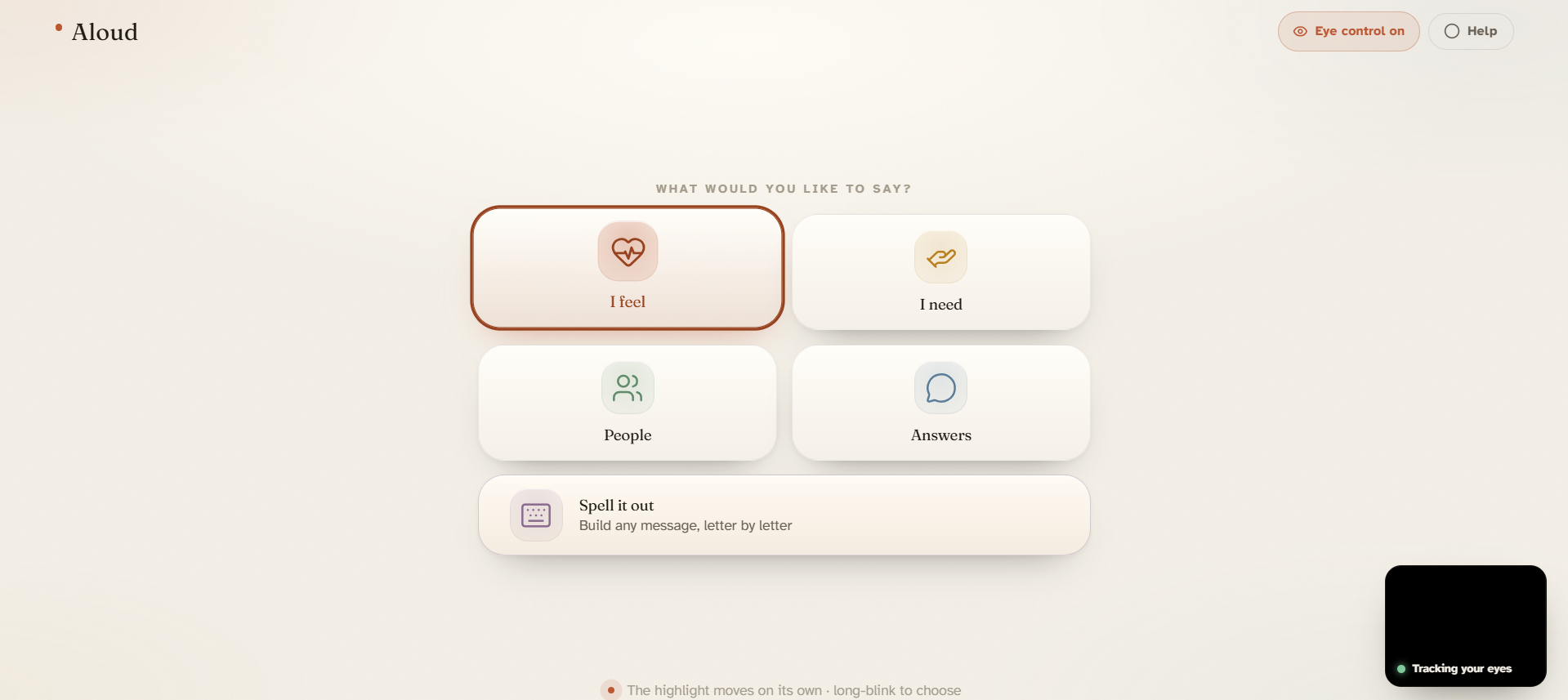
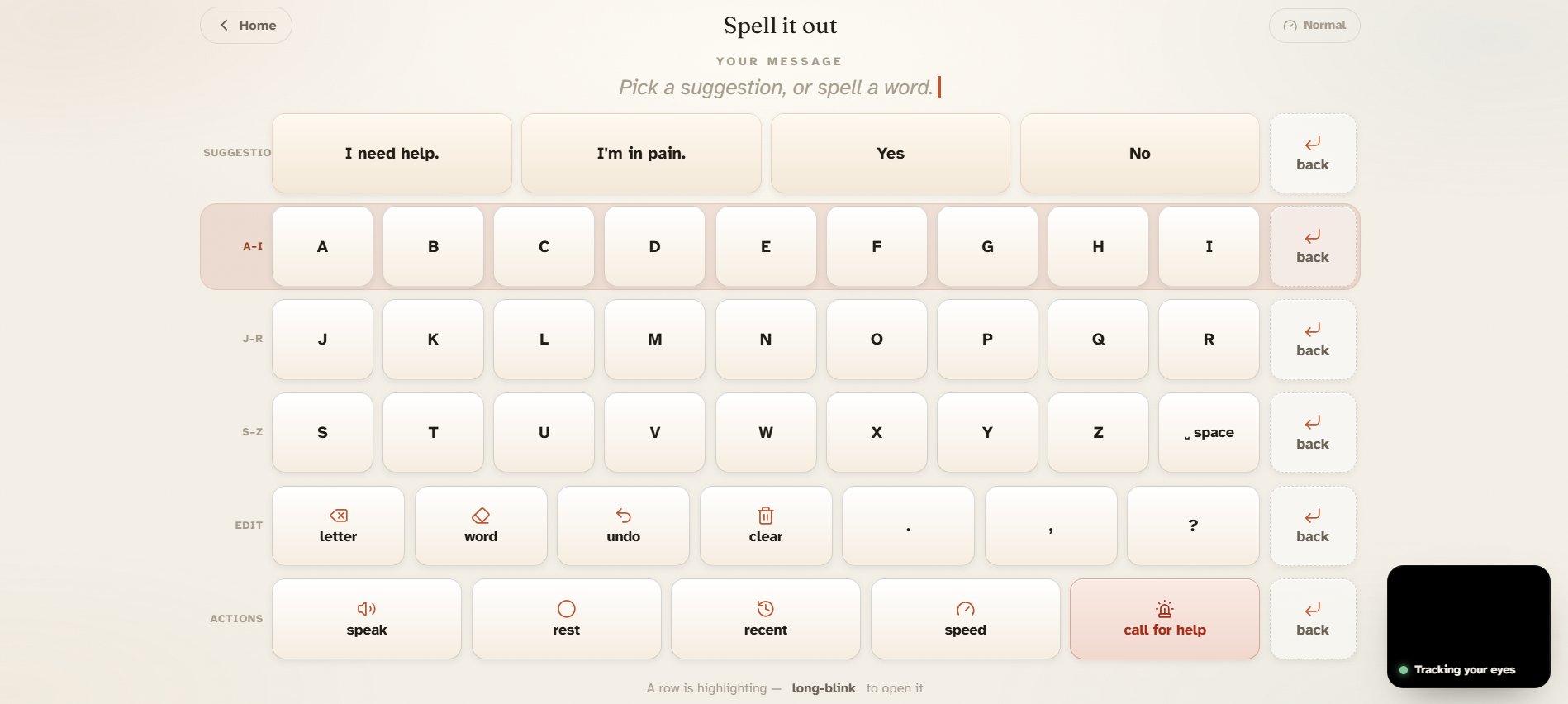
A highlight moves across the screen on its own. When it lands on what the person wants, they hold their eyes shut for about a second and it selects. Normal blinks, glances, looking away — none of that triggers it. Just the deliberate hold.
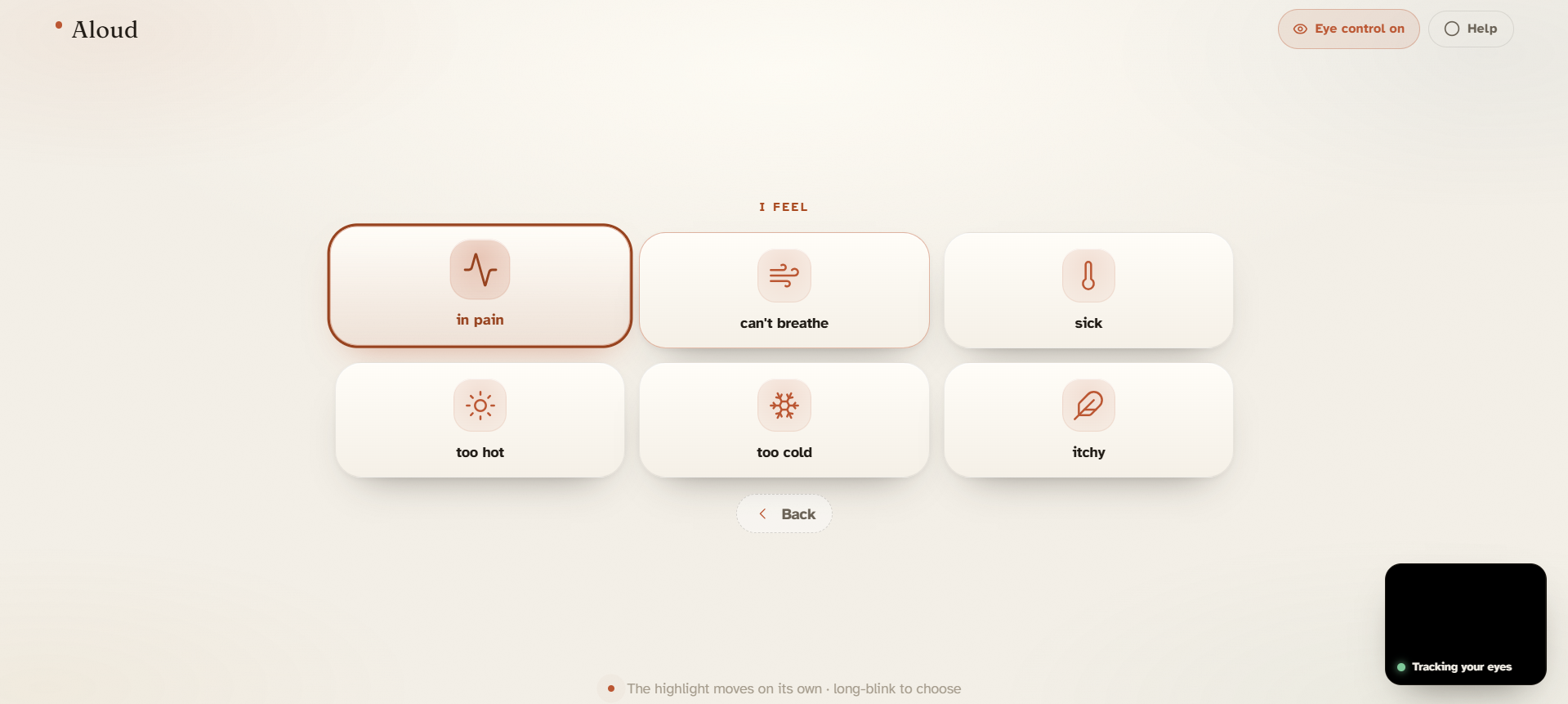
There are two ways to say something. Quick phrases cover the things that come up most: pain levels, basic needs, "call my family," "I love you." For anything else, there's spelling — the alphabet in three rows, scan to the row, then the letter. After a few characters the AI suggests the full sentence, so you rarely have to finish it yourself. When the sentence is ready, the app reads it aloud.
How I built it
The blink detection uses MediaPipe FaceLandmarker, which gives per-frame blendshape scores for each eye. I built a state machine on top to separate deliberate long blinks (850ms to 2800ms of closure) from normal ones. Getting the thresholds right was most of the work — too sensitive and it fires on slow blinks, too strict and it punishes users with weak muscle control.
One thing that helped a lot: while the eyes are closed but haven't hit the selection threshold yet, the scan pauses. The highlight just freezes. So if someone needs more time on a particular item, they can hold their eyes half-shut and the whole thing waits for them. That came out of testing, not planning.
The phrase categories were chosen based on what actually comes up — pain, breathing, water, bathroom, medicine, connection ("hold my hand," "I love you"), yes/no. I cut a lot of things that seemed useful in theory. The goal was a board a caregiver could explain in two minutes.
Sentence suggestions go through a server-side route to Gemini Flash so the API key stays off the client. The completions show up as the first row of the spelling board, which means they're the first thing the scan reaches — if the suggestion is right, it's faster than spelling anything at all.
I used Claude throughout development for code generation and iteration — particularly useful for working through the MediaPipe integration and the scanning state logic.
Challenges I ran into
Blink detection took way longer than expected. Early on it was firing without any blink at all, and then after fixing that, actual blinks weren't registering. It was bad enough that I ended up building a proper detection system around MediaPipe blendshapes — which wasn't the original plan. I'd assumed I could use something simpler. The false positives and missed detections are what pushed me toward building something more considered. Even after that it wasn't great at first, but the more I worked on the thresholds the more reliable it got.
Accomplishments that I'm proud of
Getting the detection to work across different people without any calibration step was the part I wasn't sure was doable. It is. The AI suggestions also turned out faster and more accurate than I expected — usually correct by the second or third letter.
What I learned
I thought the ML would be the hard part. It wasn't. Deciding what to cut was. Every feature I added made it slightly harder to use, and the people using this don't have the luxury of figuring things out as they go. I learned that keeping your primary audience in mind at all times in crucial while building any project
What's next for Aloud
- Personalized prediction — learning which phrases and words a specific user reaches for most and surfacing those first.
- A caregiver view that shows what the person is composing in real time, so the caregiver can prepare before the app speaks.
- Offline AI using a small on-device model, so nothing needs a network connection at all.
Built With
- atkinson-hyperlegible
- css3
- google-gemini-flash-(gemini-api)
- javascript
- mediapipe-facelandmarker
- next.js-16
- react-19
- vercel
- web-speech-api


Log in or sign up for Devpost to join the conversation.