-
-

alongside
-
architecture
Inspiration
When I get stuck in a technical lecture or a pull request, the work starts before I can even ask a useful question: find the relevant passage, copy context into a chat, explain where I am, then turn the answer into a picture in my head.
I wanted the experience of a teacher drawing beside me. Not a finished diagram that appears all at once, and not another long answer to read. A shared board where I can interrupt, move something, ask a follow-up, and keep the explanation.
What it does
Alongside is a Chrome learning partner for developers and technical learners. Click its icon on a YouTube lecture or GitHub pull request. It reads the available page context, including the video's current time and transcript, or loaded PR diffs, and builds an editable visual explanation on a whiteboard.
The agent draws progressively. You can pause it by touching the board, change an object, add a note, and continue. Follow-ups stay in the same lesson. Earlier pages, exact board objects, conversation history, and agent activity are saved. The full-page app also supports questions without a browser source.
It takes on the repetitive work of gathering context and constructing an explanation. The learner spends that attention asking better questions.
How I built it
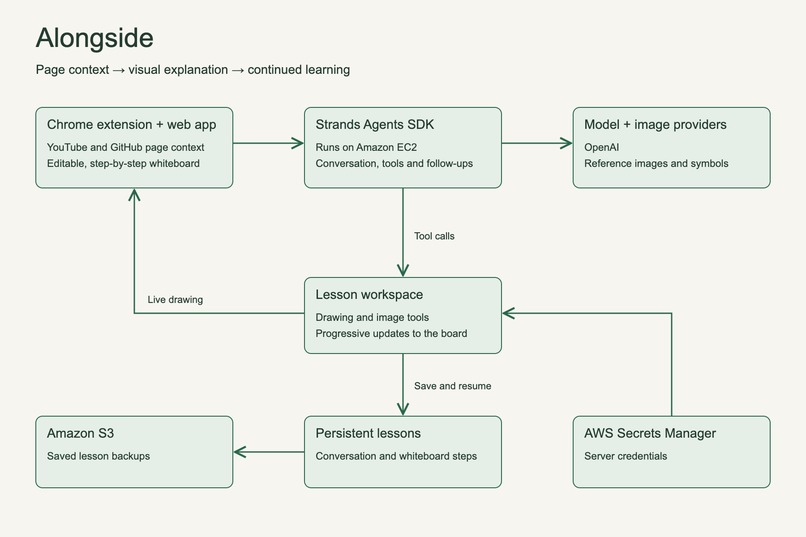
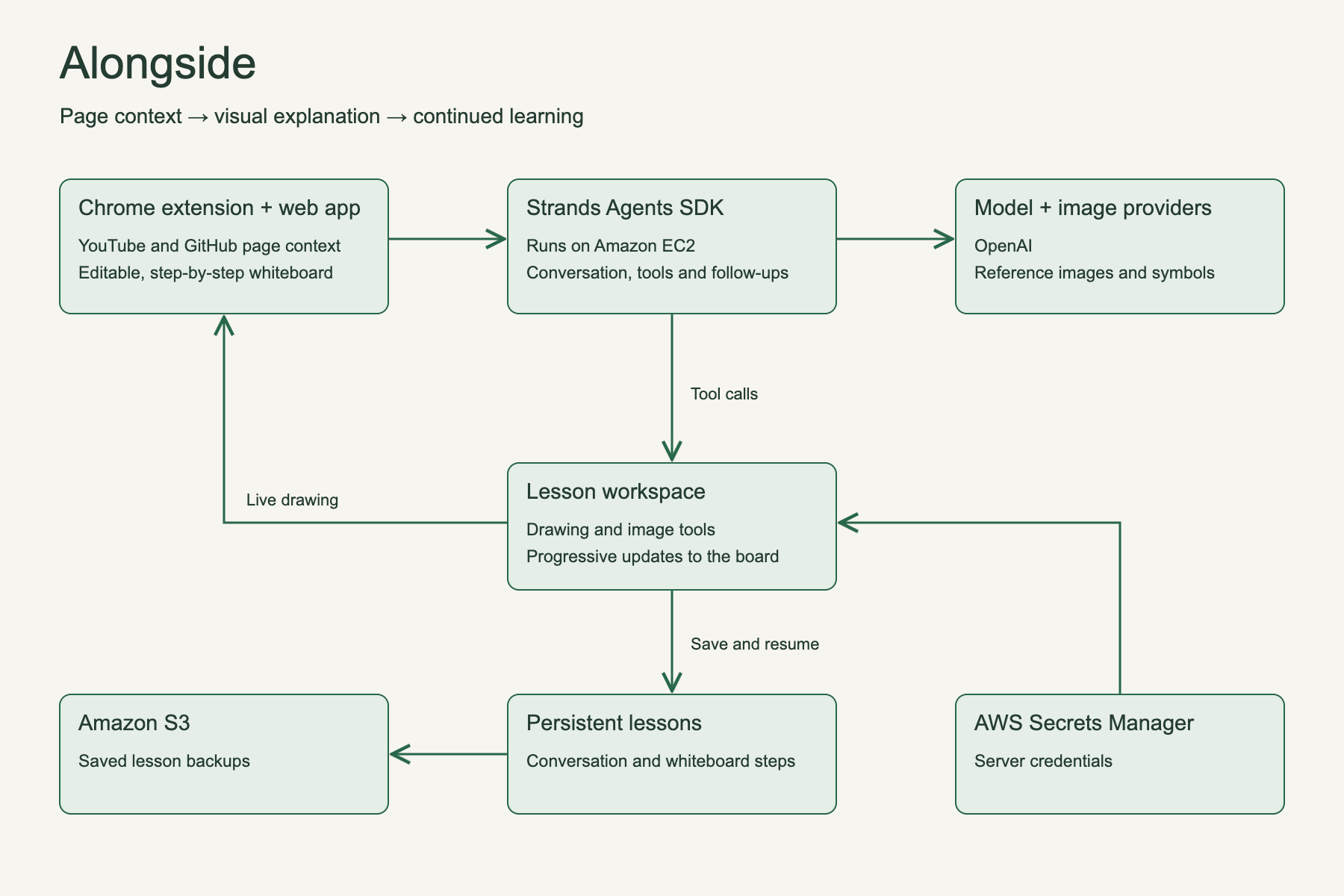
Alongside uses the Strands Agents SDK to carry a lesson from the first question through follow-ups. React and Excalidraw provide the shared whiteboard, while a Chrome extension brings in context from the page the learner is reading.
The agent can draw diagrams, use symbols, find reference images, and build an explanation in steps. The live app runs on Amazon EC2, with lesson backups in Amazon S3 and server credentials in AWS Secrets Manager. Lessons are saved so learners can return to their work.
Challenges
The hardest part was making a correct answer feel like a useful explanation. Early versions crowded the board with text and erased context during follow-ups. I worked on progressive drawing, editable objects, and separate teaching steps so learners could interrupt and revisit the explanation.
What I learned
A learning partner needs to respond to how someone is learning. Being able to pause, move a shape, and ask about one connection changes the experience from reading an answer to working through a problem together.
What's next
I want to improve pacing and readability for complex topics, and extend the experience to more kinds of pages. The aim is to help people stay with a difficult idea long enough to understand it.

Log in or sign up for Devpost to join the conversation.