-
-
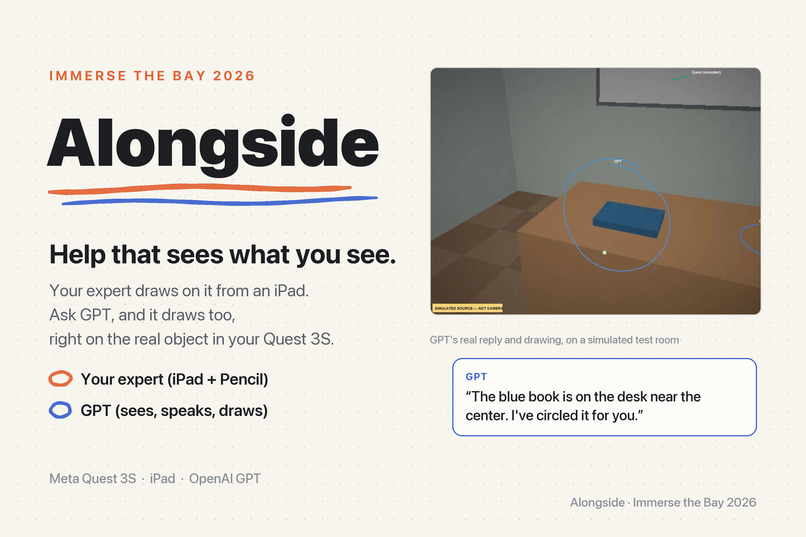
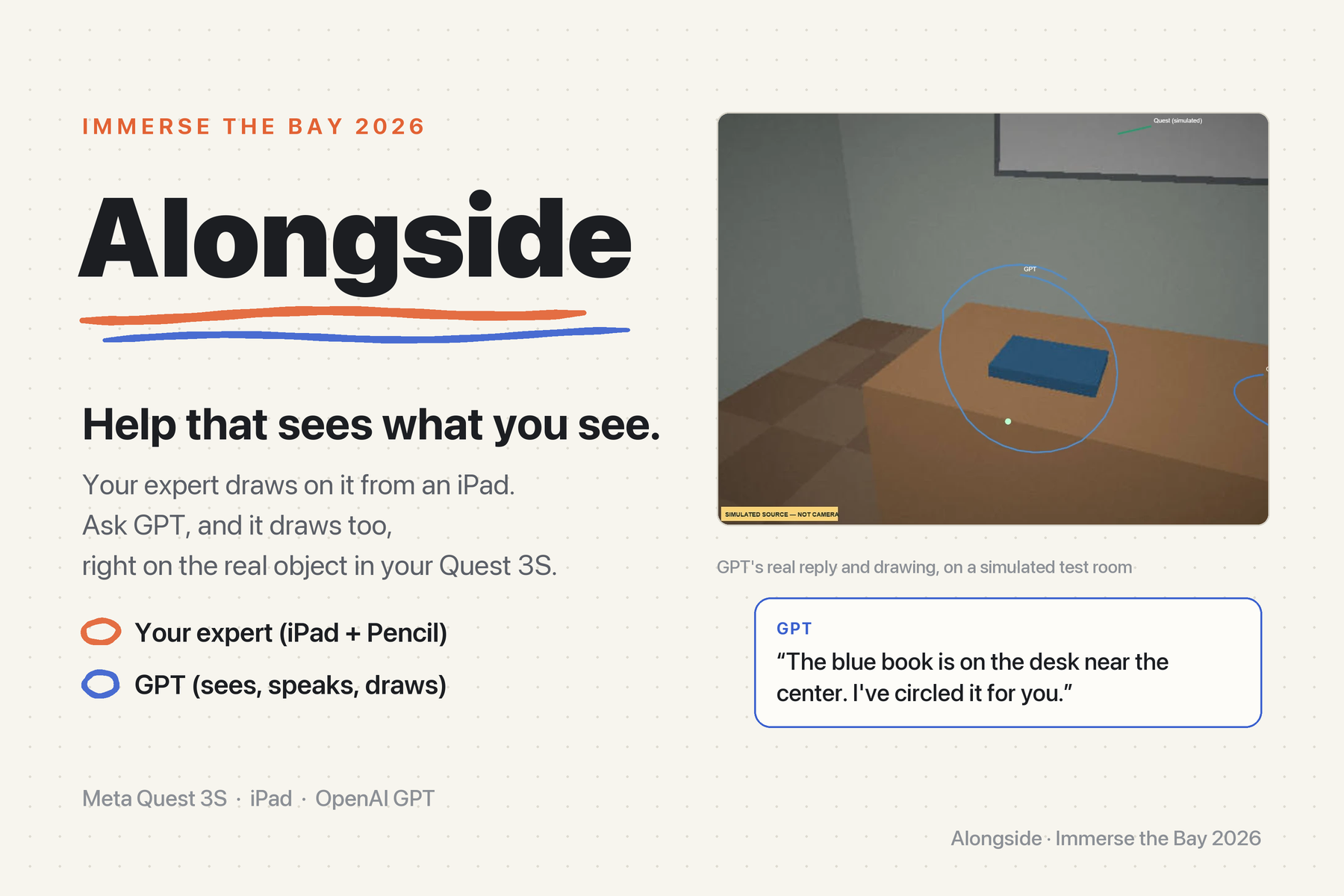
Alongside: your expert or GPT draws right on the real world in your Quest 3S. Orange is your expert, blue is GPT.
-
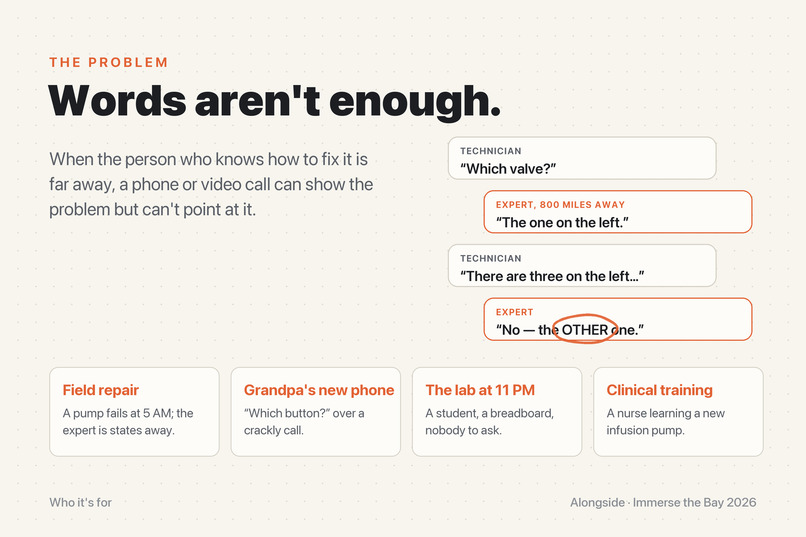
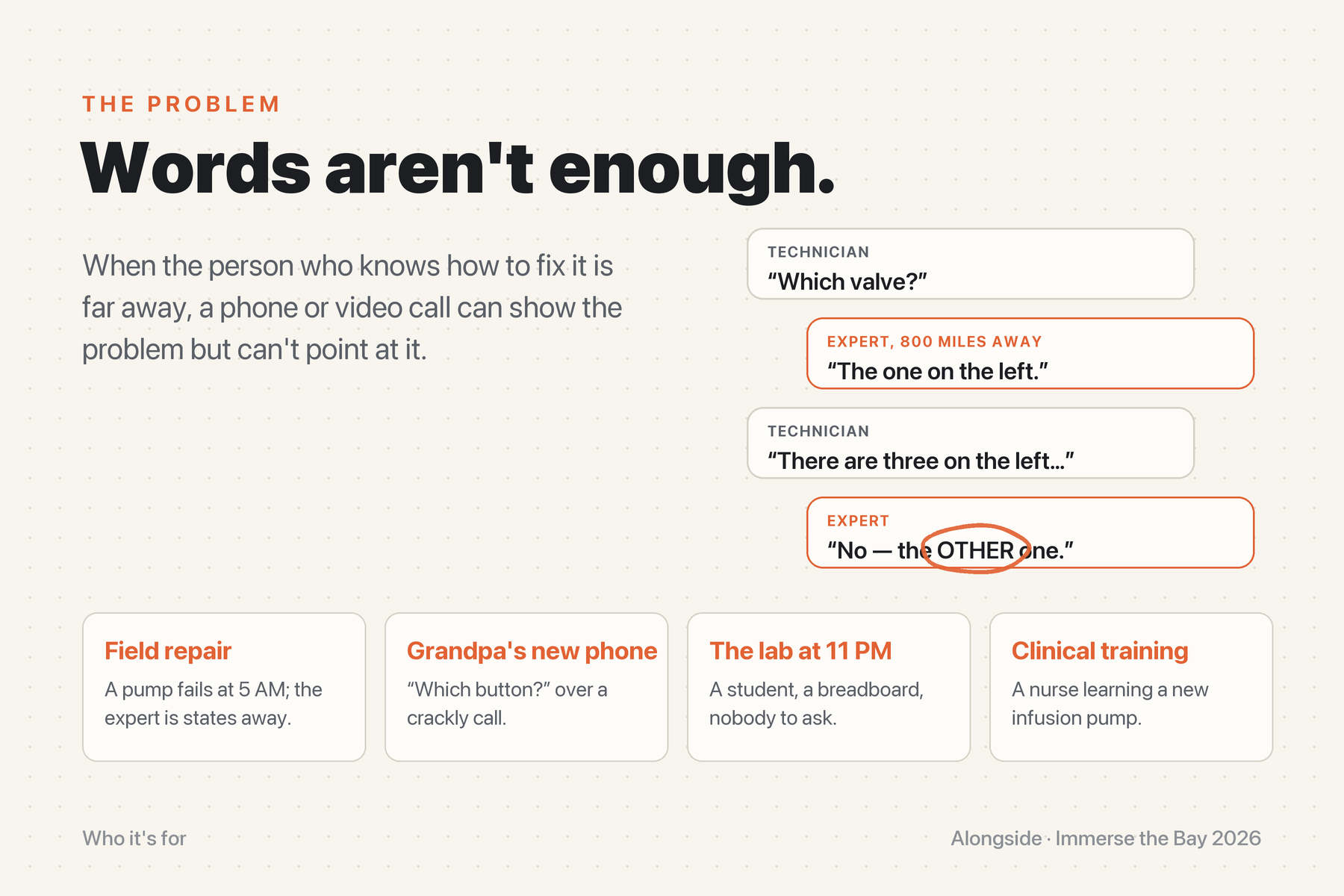
“No, the OTHER one.” A phone or video call can show the problem but can’t point at it.
-
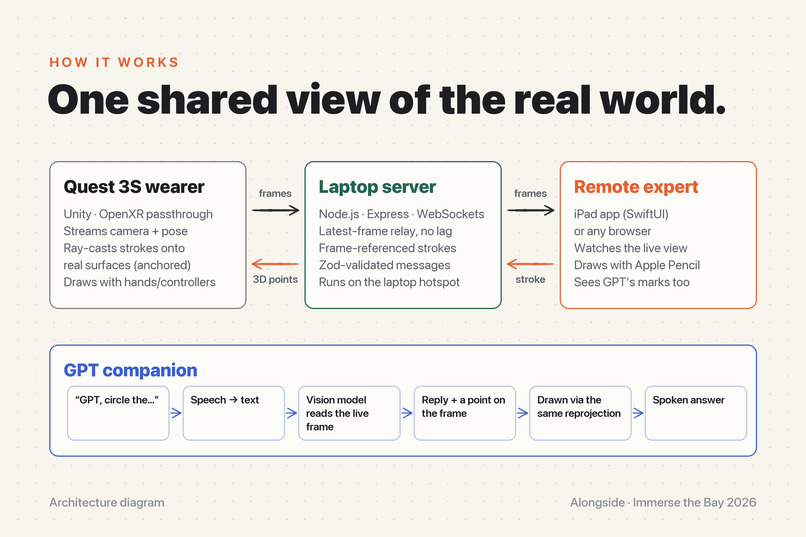
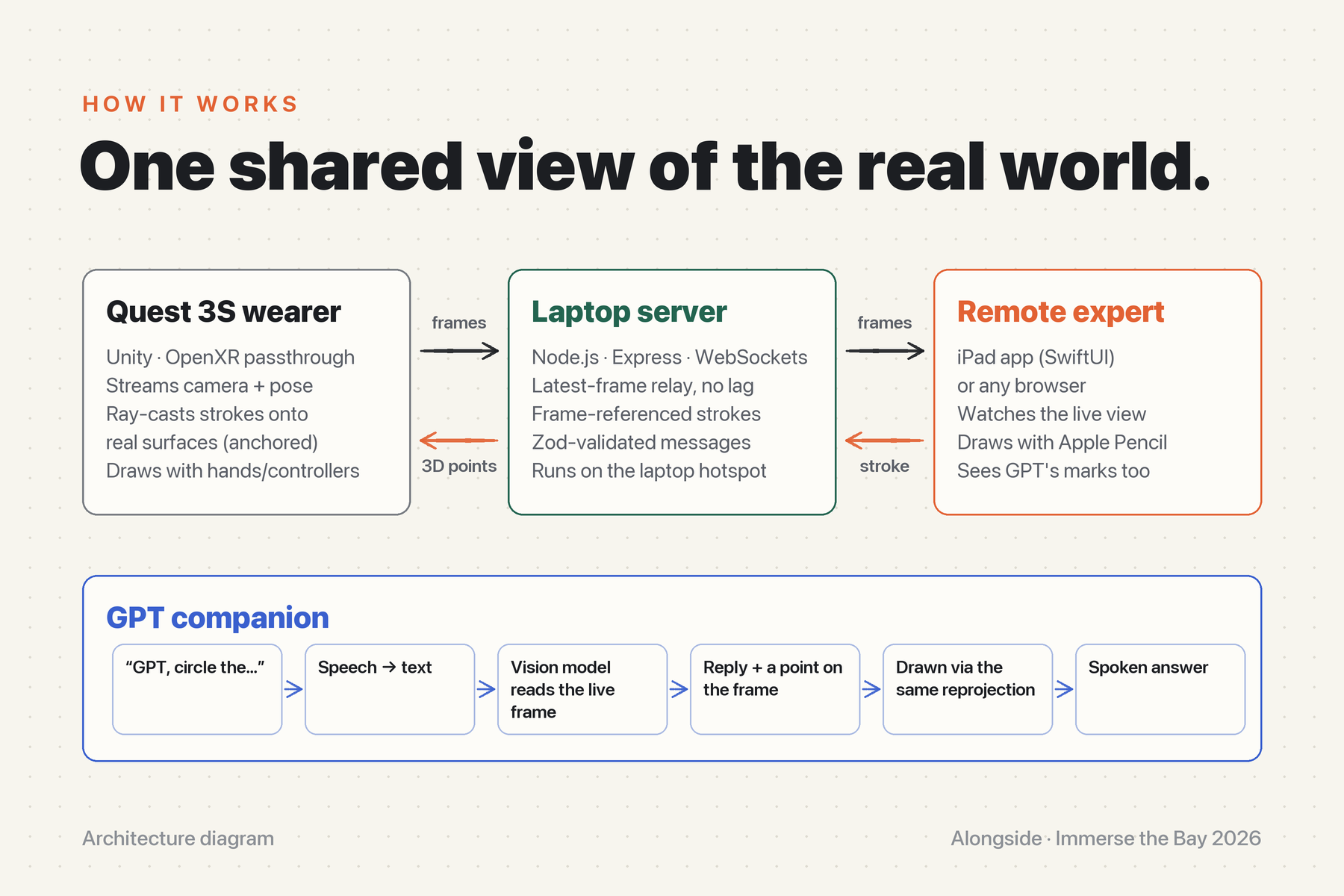
One shared view: the Quest streams what you see, the expert draws on an iPad, and every stroke lands anchored on real surfaces.
-
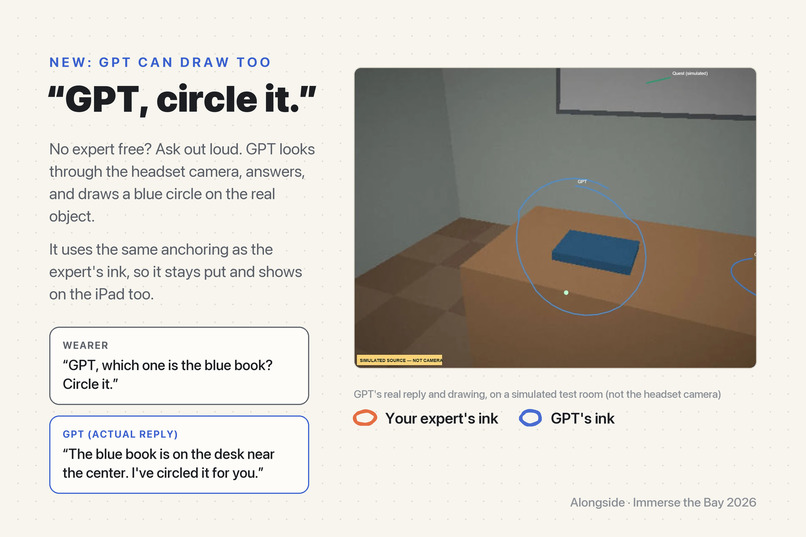
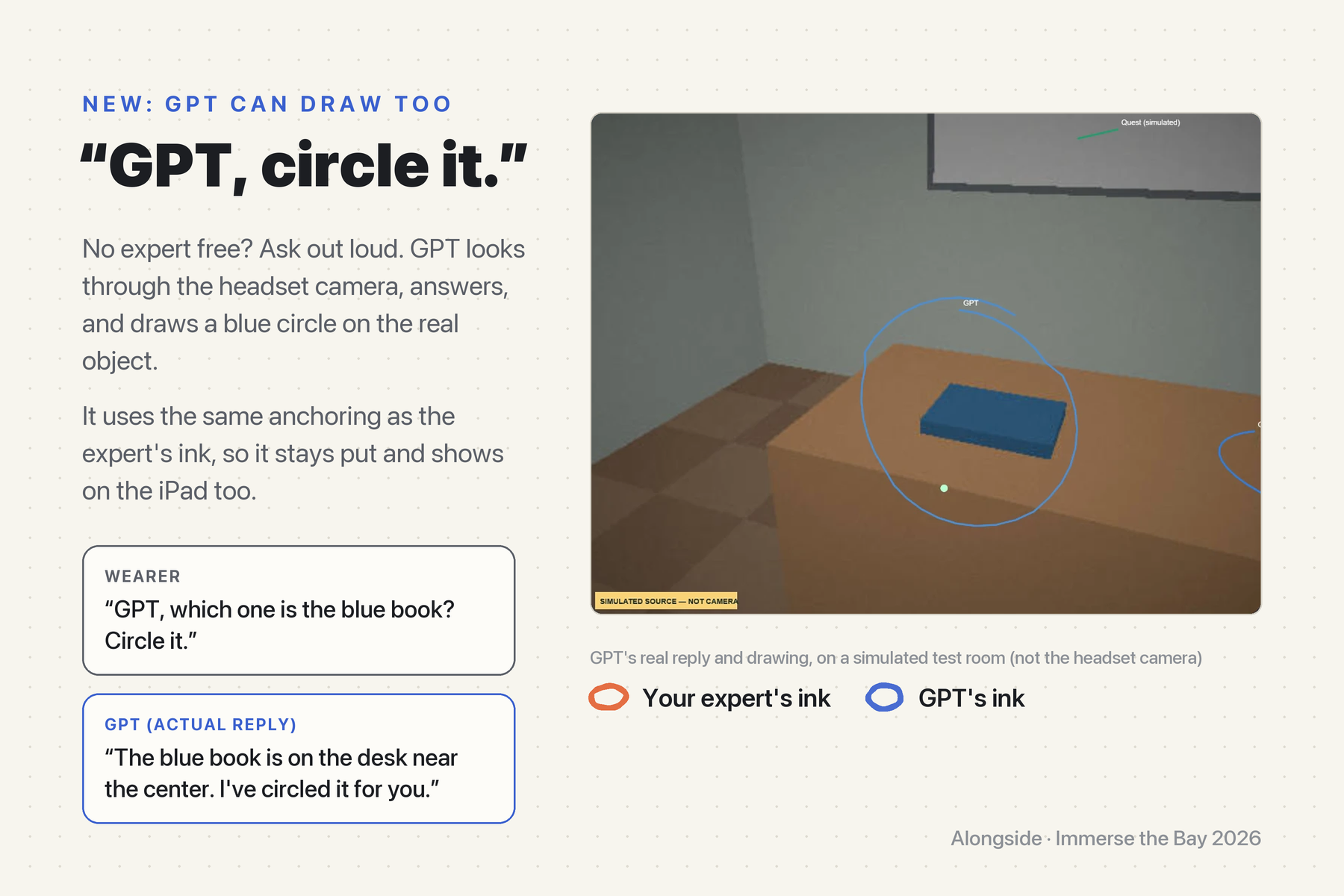
Ask out loud and GPT looks, answers, and draws on the object itself. That’s its real reply and its own drawing.
-
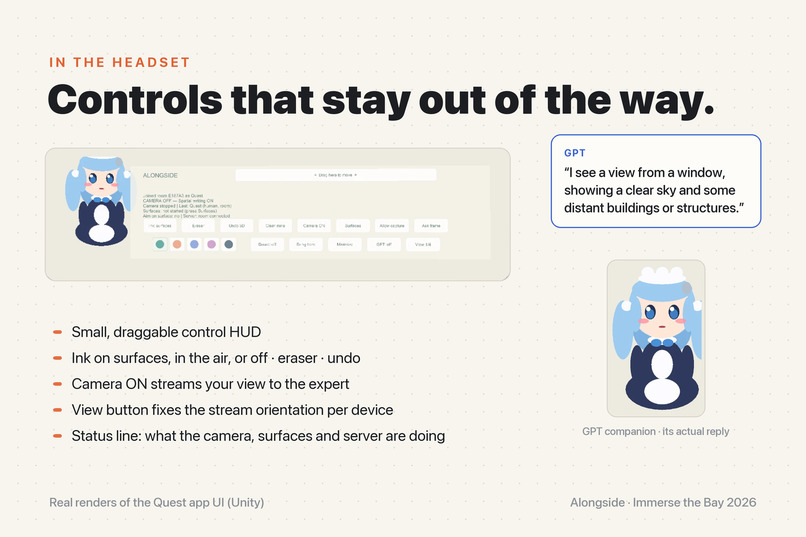
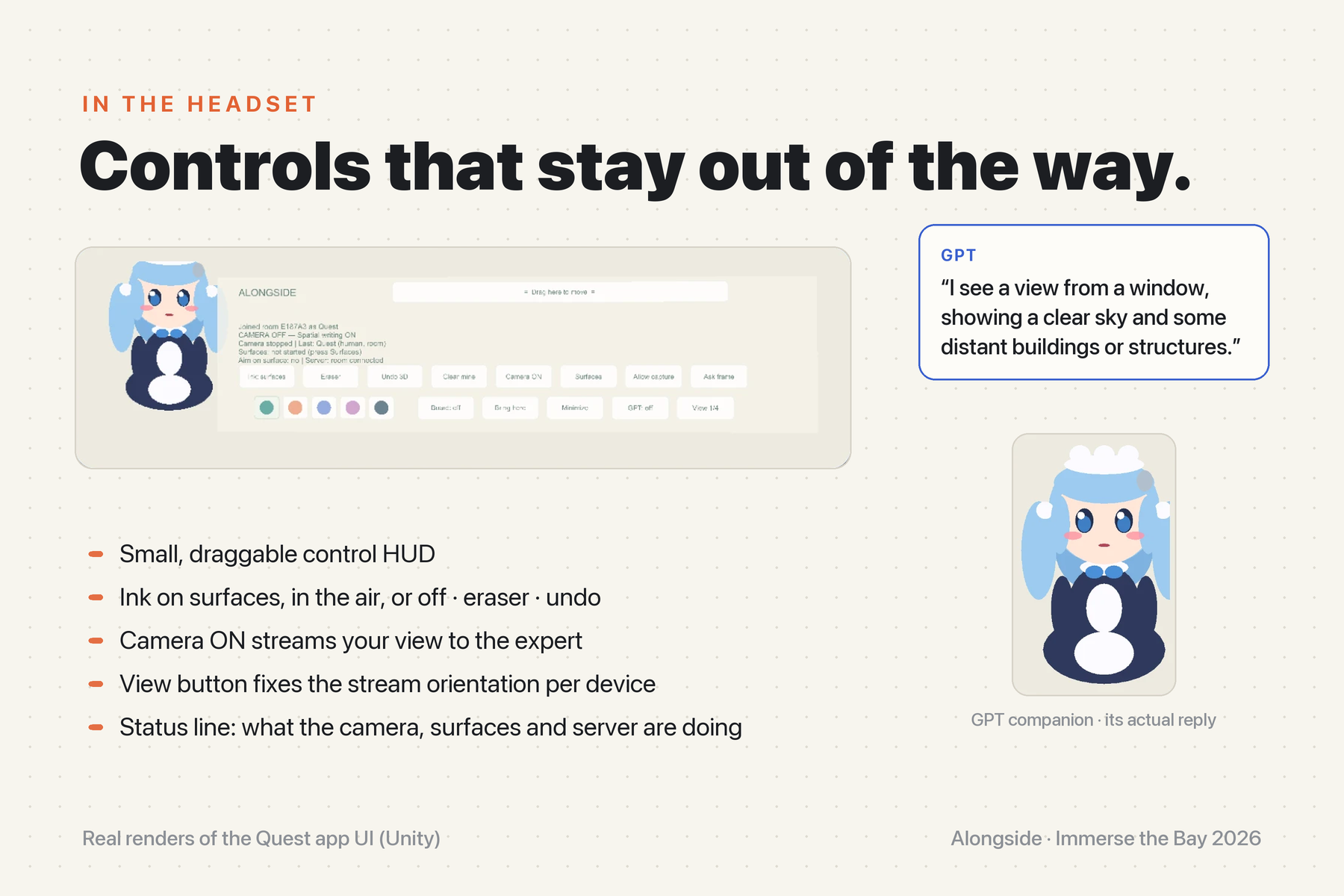
A small, draggable HUD for ink, eraser, camera and GPT, plus a companion that tells you what it sees.
-
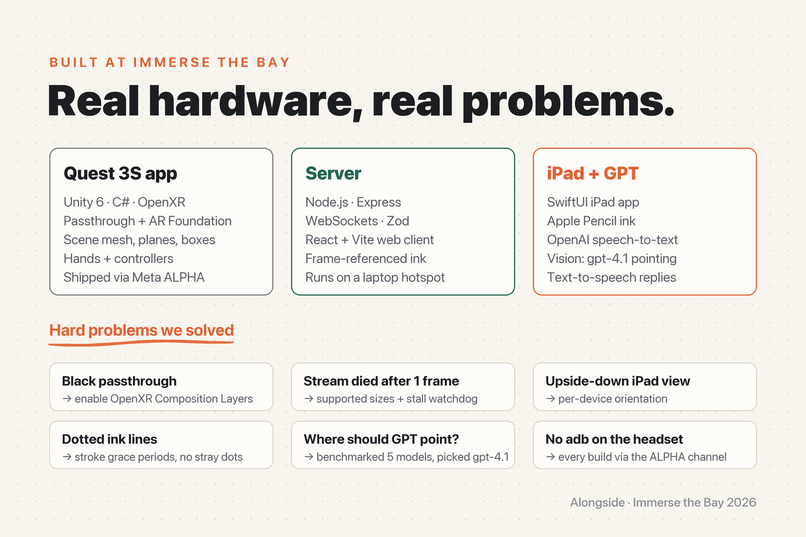
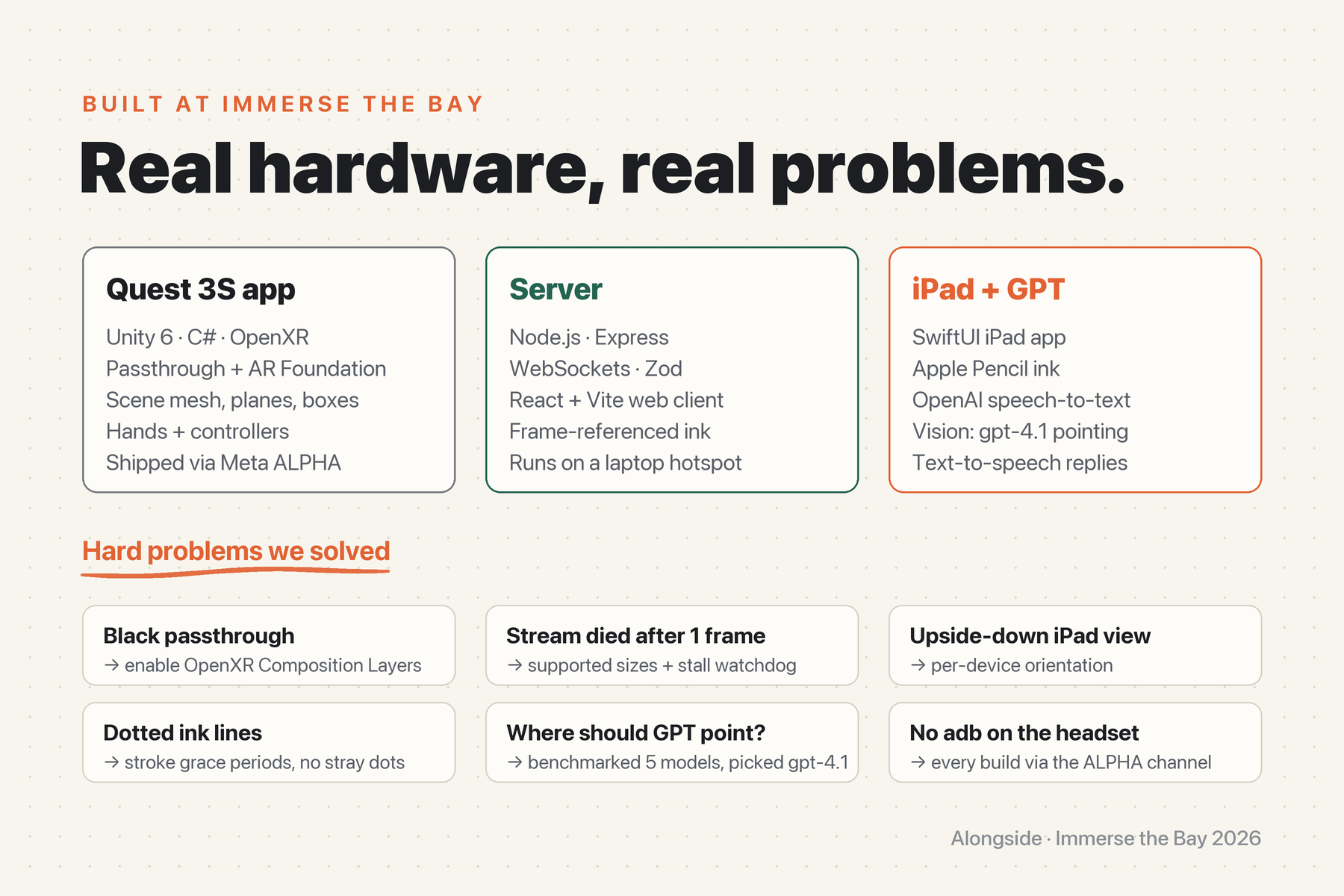
Built at Immerse the Bay on Unity 6, Node.js, SwiftUI and gpt-4.1, with six hard problems solved along the way.
About the project
Inspiration
Everyone has been on the phone saying "no, the other one." A field technician stands in front of a failing pump while the engineer who knows that system is 800 miles away. A grandparent holds a new phone while their grandkid tries to describe which button to press. A student at a breadboard at 11 PM has no one to ask. Video calls let the helper see the problem, but not point at it. We wanted help that sees what you see and can put a mark on the real thing.
What it does
Alongside links a Meta Quest 3S wearer, a remote helper on an iPad, and an AI companion in one shared view of the real world.
- The helper sees your view live. The Quest streams its passthrough camera to the iPad app.
- The helper circles the exact spot with an Apple Pencil. That stroke is reprojected onto real surfaces in your room (desks, walls, equipment), so it stays anchored as you move your head.
- You can draw too, on real surfaces or in the air, with controllers or hand-tracking pinches. Your strokes show up on the helper's iPad.
- GPT sees, speaks, and now draws. Say "GPT, what am I looking at?" and a small companion beside your HUD looks through the headset camera and answers out loud. Say "GPT, which one is the blue book? Circle it." and it draws its own blue circle on the real object. The human helper's ink is orange, so you always know who drew what. "GPT, clear your drawings" removes its circles.
How we built it
- Quest 3S app: Unity 6 with OpenXR on Meta Quest, passthrough via Composition Layers, and AR Foundation planes, scene mesh and bounding boxes as invisible colliders for surface ink. It has a draggable control HUD and hand- and controller-based ink. The camera stream is JPEG frames sent with the camera's intrinsics and pose. Builds ship to the headset through the Meta Horizon ALPHA release channel.
- Server: Node.js with Express and WebSockets on the laptop's hotspot. It relays camera frames to viewers (latest-frame-only, so slow viewers never lag), validates every message with Zod, and keeps the room's strokes. When the iPad draws on a frame, the server sends that frame's pose back to the headset. The headset ray-casts each point onto real surfaces and returns 3D points, so marks land where they were drawn even if the wearer has since moved.
- iPad app: a native SwiftUI app (Alongside Live) with pairing, a live stage, and colour and size tools. There's also a React + Vite browser client for any tablet.
- GPT: OpenAI speech-to-text (
gpt-4o-mini-transcribe), a vision model, and text-to-speech (gpt-4o-mini-tts). For drawing, the model returns JSON{reply, mark: {u, v, radius}}on the latest frame. The server turns that into a hand-drawn loop and sends it through the same reprojection path as the iPad ink, so GPT's circle also sticks to the real world. The API key lives only on the server.
Challenges we ran into
- Black passthrough: everything rendered black until we found the OpenXR Composition Layers feature has to be enabled.
- No adb: the headset never authorized USB debugging, so every build went out through Meta's ALPHA channel. That meant a version bump, a signed release APK, and a Store install per test, more than 19 times.
- The stream died after one frame. Camera ON sent a single black frame. The server then timed the stream out, and that closed the camera. We added sizes the Quest camera supports, a stall watchdog, and on-HUD diagnostics, since there are no device logs.
- Upside-down and misaligned iPad view: fixed by rotating the frame correctly and fitting the stroke overlays in a budget.
- Dotted lines: the surface detector "bobbed" between a near object and the wall behind it, and each jump split the stroke. We now take the ink depth from the median of recent hits, ride through brief dropouts, and smooth the hand aim ray.
- Where should GPT point? We compared five vision models on frames with a known answer and picked the most accurate (
gpt-4.1). Its aim is still approximate, so circles are sized to cover small errors.
Accomplishments that we're proud of
- End-to-end with real hardware: a Quest 3S, an iPad and a laptop on a hotspot. Marks drawn on a 2D video frame land on real 3D surfaces and stay there.
- An AI that can point, not just talk, sharing the same anchored ink system as the human expert.
- Honest UX: the HUD tells you when ink is only placed at a fixed distance and not anchored, and simulated sources are labelled as simulated.
What we learned
- Spatial UX lives or dies on jitter. Filtering, hysteresis and good defaults matter more than features.
- Stamping every stroke with the camera pose of its frame is what makes remote drawing land in the right place.
- When you can't read logs, build diagnostics into the UI.
What's next for Alongside
- Persistent spatial anchors, so marks survive a restart.
- Multi-expert rooms, plus a recording for after-action review.
- GPT step-by-step guidance that draws each step in sequence.
- Field trials with a technician, a nursing program and a senior center.
Built With
- apple-pencil
- ar-foundation
- c#
- computer-vision
- express.js
- gpt-4.1
- ipados
- javascript
- meta-quest
- mixed-reality
- node.js
- openai
- openxr
- passthrough
- quest-3s
- react
- speech-to-text
- swift
- swiftui
- text-to-speech
- unity
- vite
- websockets
- zod
