-
-
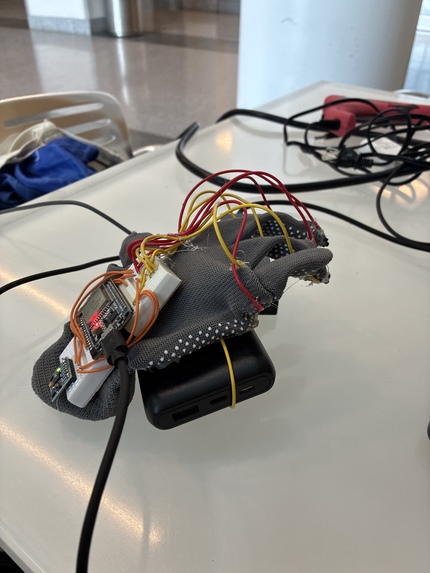
angle 1
-
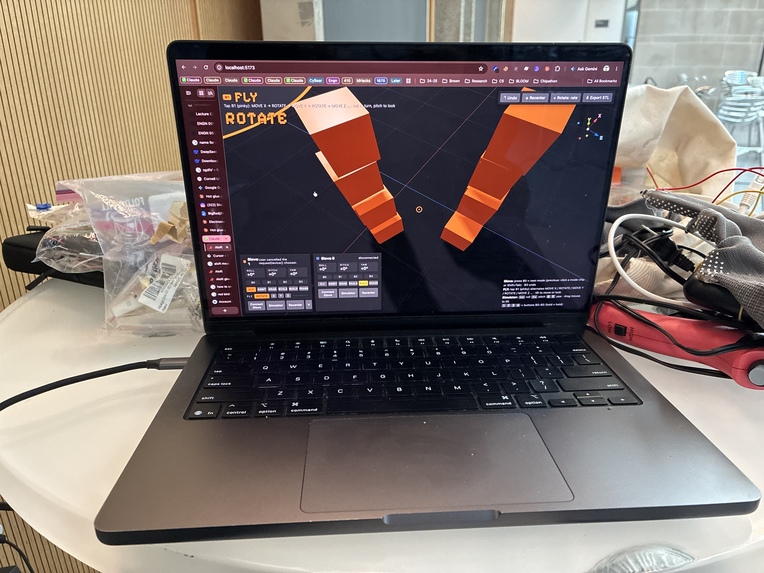
inward legs
-
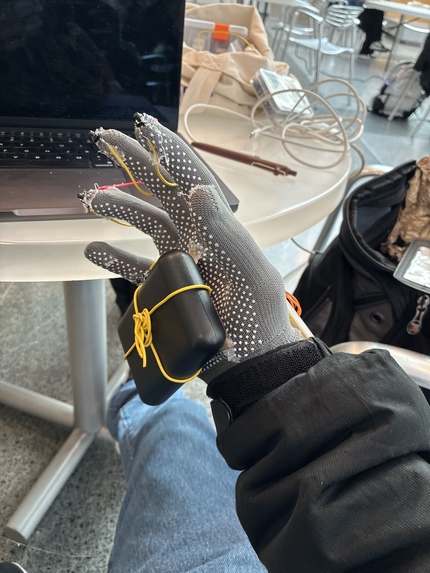
angle 2
-
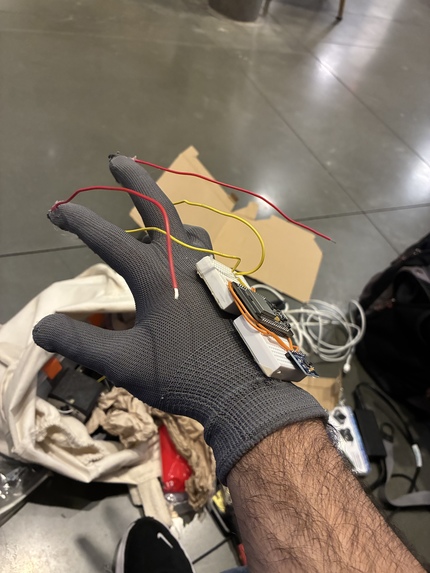
angle 3
-
two
-
settings
Inspiration
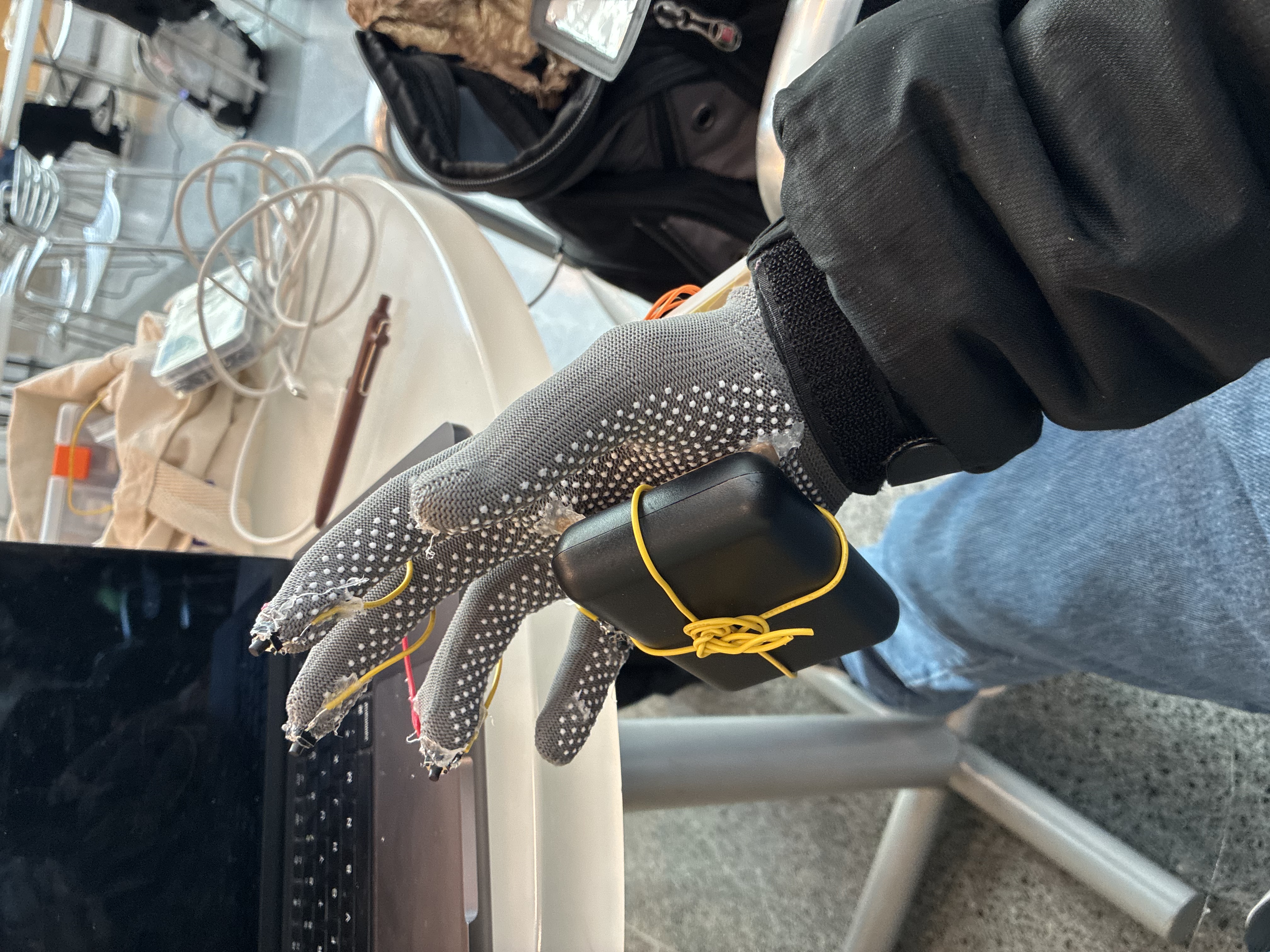
I build robots and do CAD for my friends, and I'm always busy. My laptop isn't always open, but my phone is always on me. I wanted to be able to design on the go, with one hand, without sitting down at a desk with a mouse. So I built a glove that turns the way your hand tilts and taps into flying through a 3D world and building in it.
This year's theme is Navigation, and Aloft is my take on navigating the digital world: moving through 3D space with your body instead of a mouse.
What it does
Aloft is a glove plus a 3D building app that runs in the browser and on iPhone.
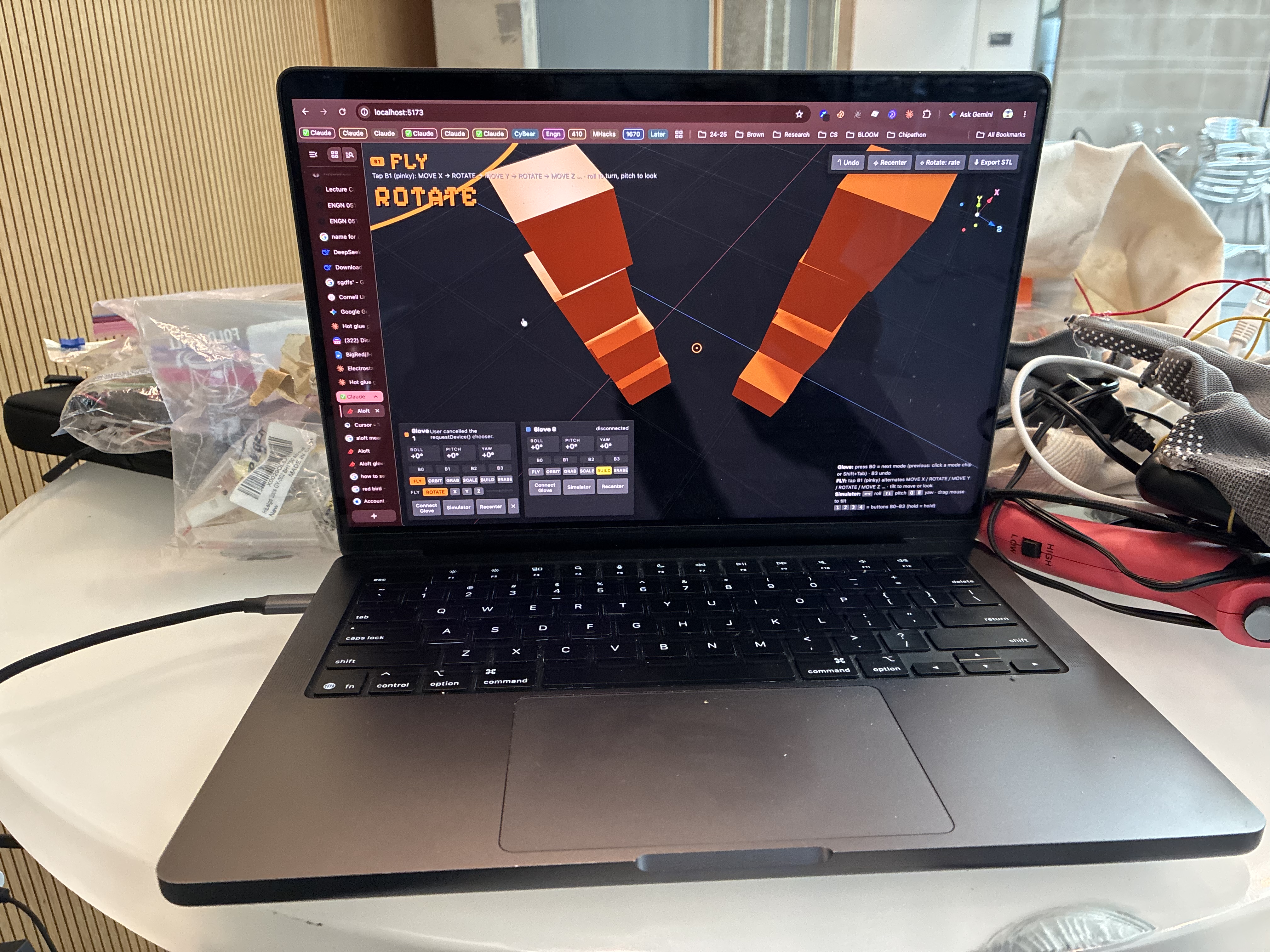
- FLY: tilt your hand to look around and glide along one direction at a time (X, Y or Z). No joystick, no mouse.
- BUILD: aim with your hand and tap to drop a piece exactly where the crosshair points. Pieces stack or stick to the side you aim at, so you can build outwards.
- ERASE that carves: a see-through eraser follows your hand and cuts its own shape out of whatever it touches, so a small sphere bites a round hole out of a big cube (and one Undo puts it back). Pieces it fully covers disappear.
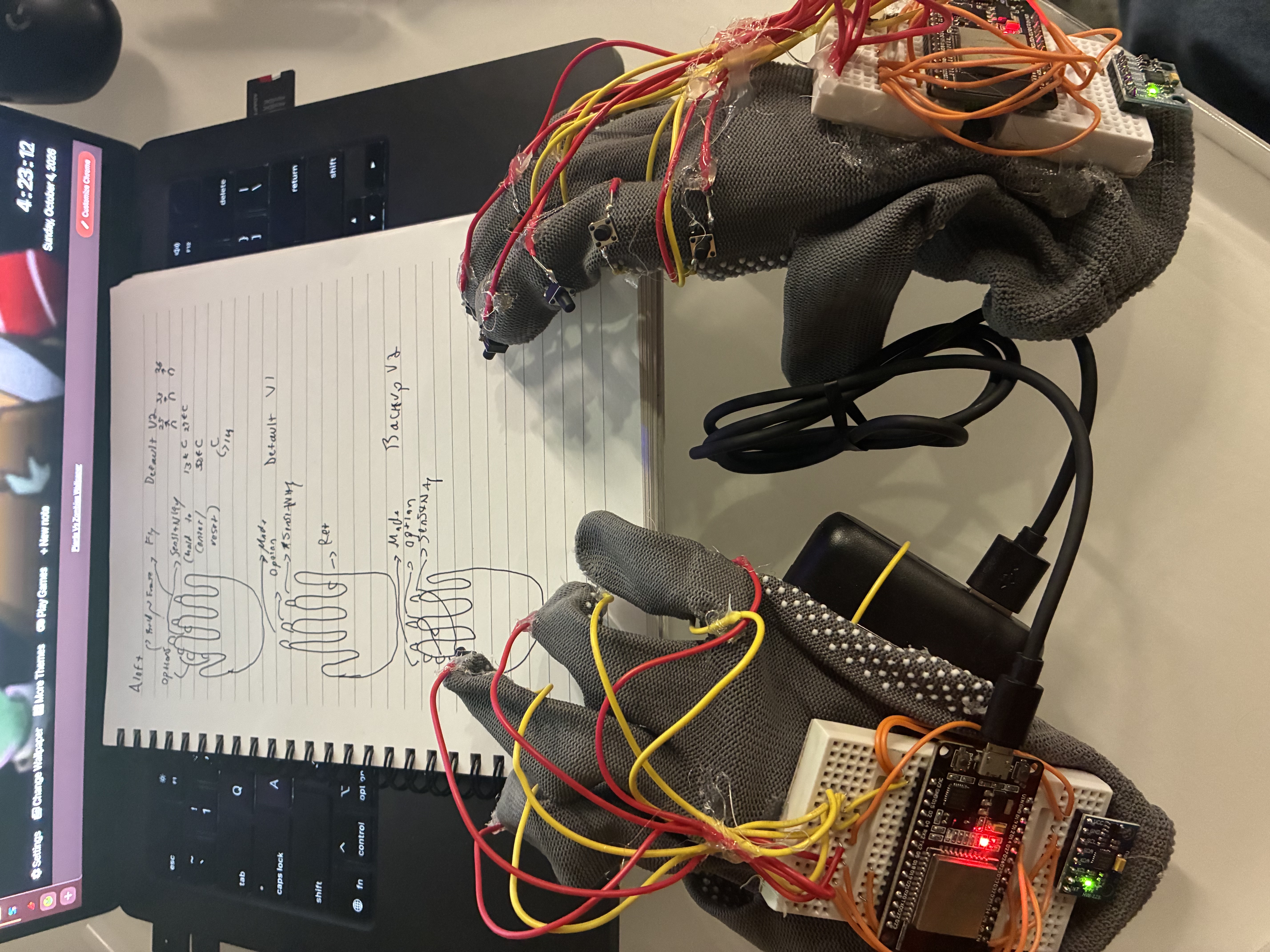
- Two gloves, split screen: a 4-button glove (V1) and a 7-button glove (V2), each with its own Bluetooth name. Connect both and the screen splits in half: each glove gets its own camera, crosshair and settings, building in the same world, on the web and on the iPhone app.
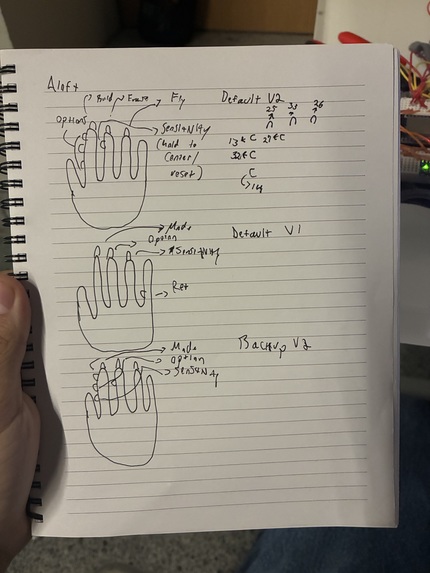
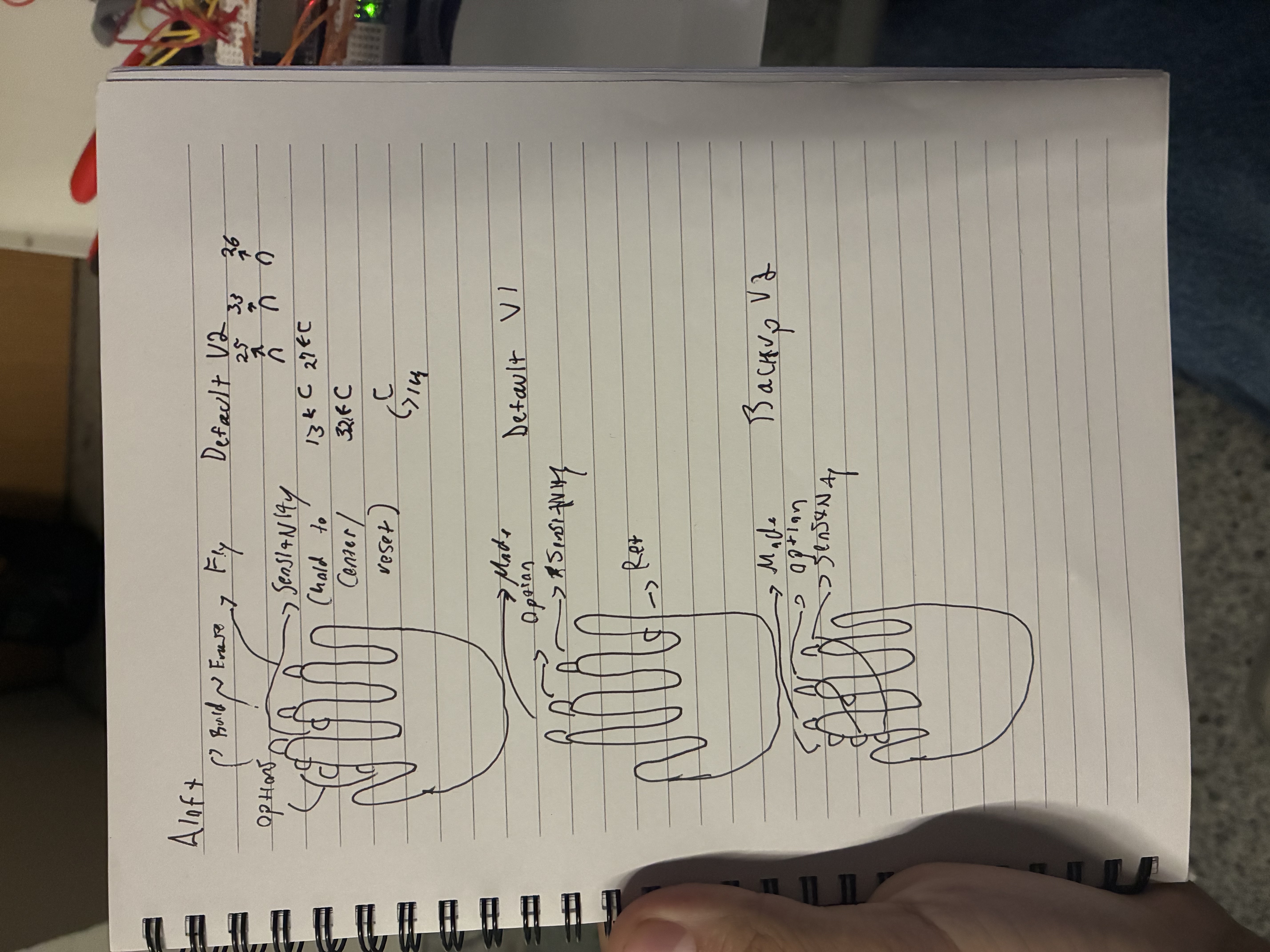
- Button layouts: Default V1, Default V2 and Backup V2 (if a button fails mid-demo, say "X2D, backup V2"). On V2 the fingertips pick BUILD, ERASE and FLY, the side of the index finger picks cube, sphere or cylinder, and holding the sensitivity button resets the view and the glove. Every button can also be reassigned live from the panel.
- 17 real-size Arduino-kit parts: Arduino Nano and Uno, Raspberry Pi 4, ESP32, LED, push button, servo, breadboard, potentiometer, buzzer, ultrasonic sensor, 9 V battery, resistor, jumper wire, DC motor, photoresistor and 16x2 LCD, in a device list at the side of the screen.
- X2D, the voice assistant: say "X2D" and talk. "Give me an Arduino Nano" picks the part so you place it with the glove; "make me a stickman" or "turn the cube into a Raspberry Pi" goes to Gemini, which designs the pieces and Aloft rebuilds the scene in one undoable step; "show me the devices", "backup V2" and "sensitivity 0.4" change settings.
- Projects: builds (carvings included) autosave to a dashboard with thumbnails, and you can export an STL to 3D print them.
- Guides: /controls.html animates what each finger does, and /layouts.html shows every glove layout on a pixel-art hand.
- No glove? No problem: the web app has a keyboard simulator, so anyone can try it at aloft-aloft-aloft.us.
How Aloft fits the tracks
- BigRed Track (theme: Navigation): Aloft is a new way to navigate digital space. Instead of steering a camera with a mouse, scroll wheel and shortcuts, you fly through a 3D world by tilting your hand, one axis at a time, and build where you point. It also works one-handed, with no desk and no mouse, which makes 3D design reachable from anywhere.
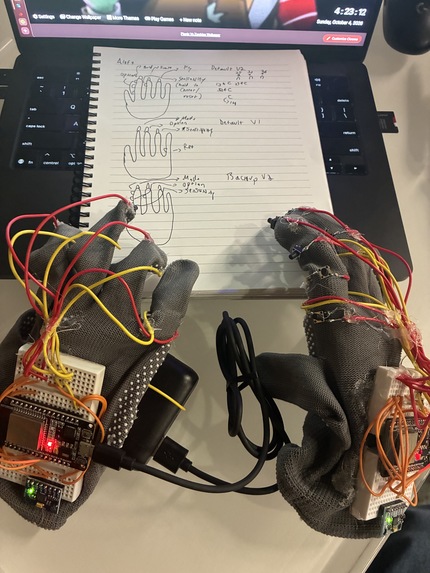
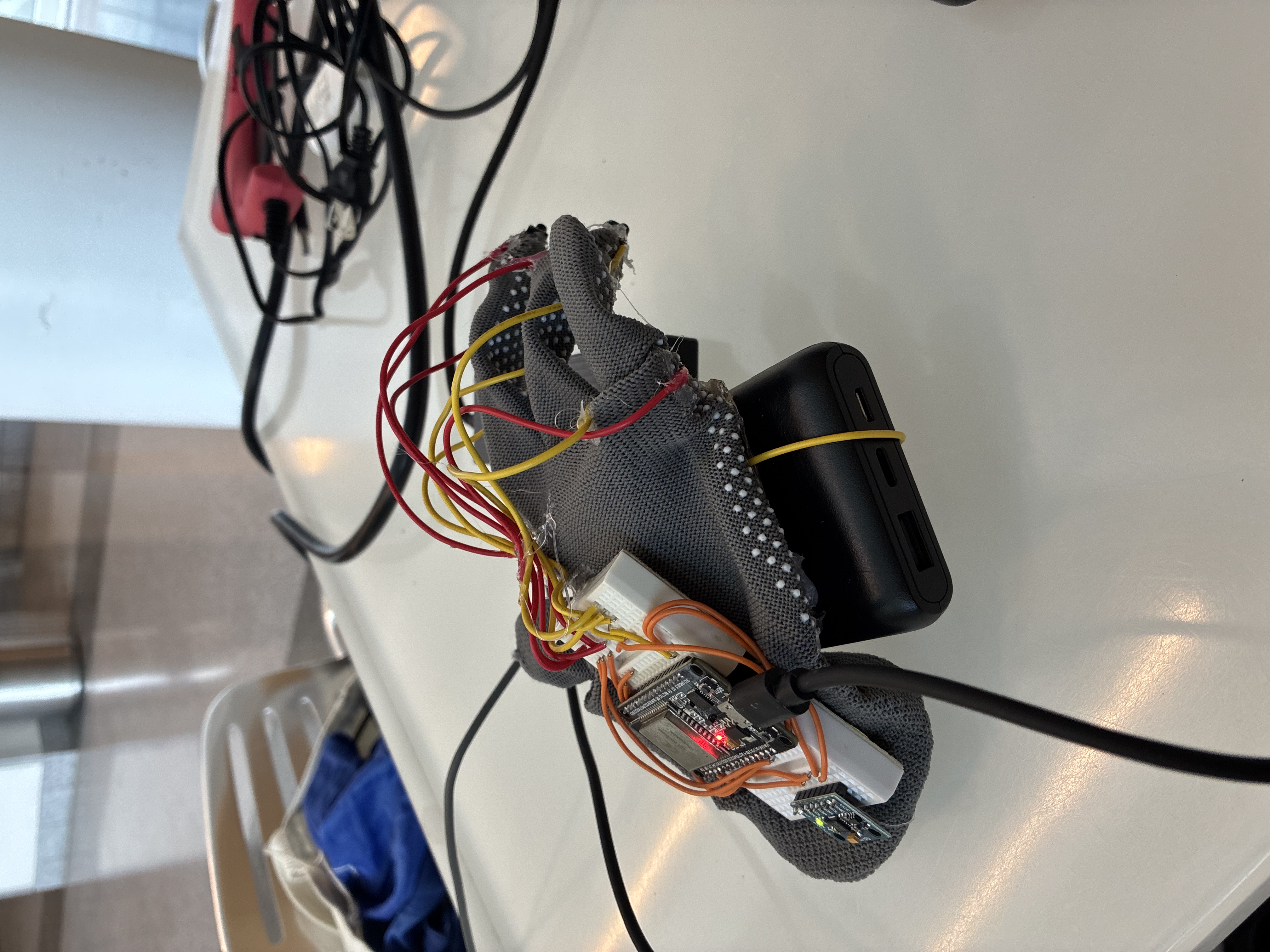
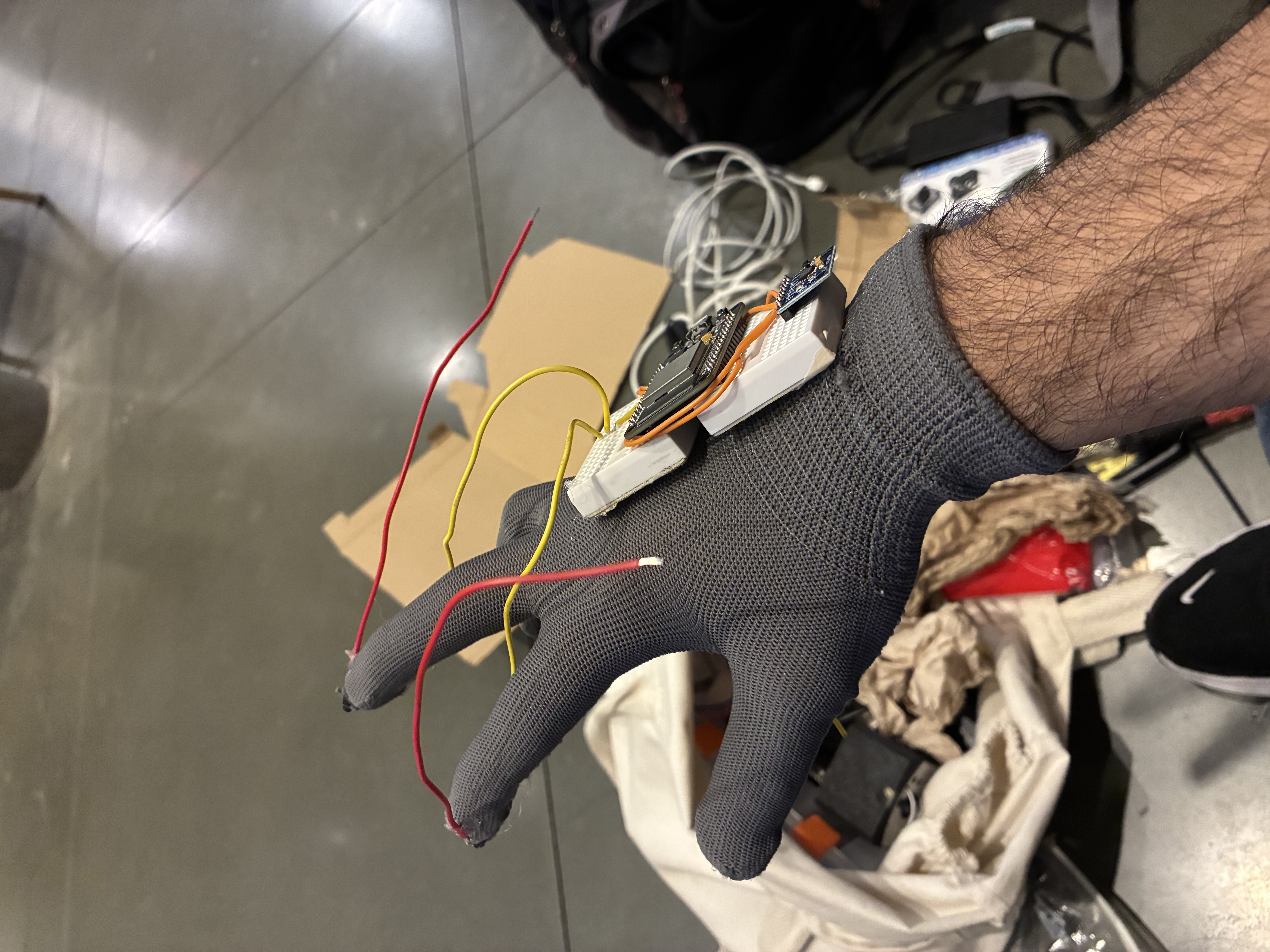
- Hardware: the glove is the controller. Two gloves (4 and 7 buttons): an ESP32 in each reads an MPU-6050 and the finger buttons, fuses the sensor data on the chip with a complementary filter, and streams orientation, buttons and its glove version over Bluetooth Low Energy to both the website and a native iPhone app, which connect to both gloves at once.
- MLH: Best Use of Gemini API: Gemini is the builder behind the voice assistant. It turns requests like "make me a stickman" or "turn the sphere into an Arduino Nano" into structured JSON (shape, size, position, rotation, colour for every piece), and Aloft rebuilds the scene from it in one undoable step. It can also refine what you already built instead of starting over.
- MLH: Best Domain Name from GoDaddy Registry: Aloft is live at aloft-aloft-aloft.us, a .us domain (the .us registry is run by GoDaddy Registry), so judges can try it with the keyboard simulator straight from the link.
How I built it
- Hardware: two gloves, each an ESP32 with an MPU-6050 accelerometer/gyro and push buttons (4 on V1, 7 on V2). The firmware runs a complementary filter (gyro short-term, accelerometer long-term), finds the sensor whichever way its I2C wires are connected, and streams
roll,pitch,yaw,buttons,versionover Bluetooth Low Energy (Nordic UART service) or USB serial. Each glove has its own Bluetooth name (Aloft-V1, Aloft-V2) and pinout, and the apps map every pin to a job through switchable layouts. - Web app: TypeScript, Three.js and Vite with a Blender-style dark theme. It connects to the glove with Web Bluetooth or Web Serial. Deployed on Vercel at aloft-aloft-aloft.us (a .us domain, a registry run by GoDaddy Registry), with a small serverless proxy so the Gemini key never ships to the browser.
- iPhone app: Expo / React Native with react-three-fiber on expo-gl and react-native-ble-plx, connecting to the glove over Bluetooth on a real iPhone and sharing the same mode logic as the web app.
- Voice: an ElevenLabs agent with client tools (
build_scene,describe_scene,undo_last,set_control) so it can actually change the app, plus a local wake-word listener for "X2D". Gemini returns structured JSON scene specs (shape, size, position, rotation, colour), with a model fallback chain for when one model is rate limited. - Arduino parts are modelled in code at real size (the Nano is 43 × 18 mm with its 2 × 15 header pins), merged into one mesh with per-vertex colours so they place, erase, save and export like any other piece.
- Carving: ERASE uses constructive solid geometry (three-bvh-csg) to subtract the eraser from each piece it touches; every cut is stored relative to the piece, so saved projects replay them.
Challenges I ran into
- Drift and jitter: raw IMU angles wander, so I added smoothing, a deadzone, and a reset (a tap on glove 1's pinky, or holding the sensitivity button) that zeroes both the camera and the glove.
- One axis at a time: my first version moved in all three axes at once and it was impossible to control. Splitting FLY into ROTATE / MOVE X / MOVE Y / MOVE Z made it click.
- Getting voice to actually build: at first the agent just said it "can't create images". I had to give it real client tools, route building through Gemini with strict JSON output, and teach it to refine what's already there instead of starting over.
- Glove 2 hardware surprises: its sensor's data and clock wires were swapped and one button sat on an input-only pin with no pull-up, so the firmware now finds the sensor either way round and that button moved to a pin that works.
- Carving, not deleting: ERASE first deleted whole pieces; switching to CSG let a small eraser bite into a big piece, with a guard so a failed cut can never delete a piece by mistake.
- 3D + Bluetooth on a phone: getting Three.js to render correctly on expo-gl and Bluetooth working on a physical iPhone took a lot of late-night debugging.
Accomplishments that I'm proud of
- You can put on the glove, fly across a world and build a stickman, or an Arduino circuit, without touching a mouse or keyboard.
- Two gloves at once, each with its own half of the screen, on both a website and a native iPhone app, and I built all of it solo in one weekend.
- A small eraser carving a round bite out of a big cube, with one Undo to put it back.
- Saying "X2D, make it an actual stickman" and watching it rebuild rough blocks into a proper figure.
What I learned
- Filtering and feel matter more than raw sensor accuracy for something you hold in your hand.
- Voice agents are only useful when they can call real tools. A structured JSON contract between the agent, Gemini and the app made it reliable.
- Small UX choices (one axis at a time, a big on-screen mode label, a reset on the pinky) are the difference between a demo and something people can actually use.
What's next for Aloft
- Wiring between the Arduino parts, so you can sketch a real circuit in 3D and export a parts list.
- Multiplayer over the network, so two gloves in different places can build in the same world.
- Gesture shortcuts (pinch to grab, flick to undo) and haptic feedback in the glove.
Built With
- arduino
- bluetooth
- c++
- elevenlabs
- esp32
- expo.io
- gemini
- mpu-6050
- react-native
- react-three-fiber
- three-bvh-csg
- three.js
- typescript
- vercel
- vite
- web-bluetooth


Log in or sign up for Devpost to join the conversation.