-
-
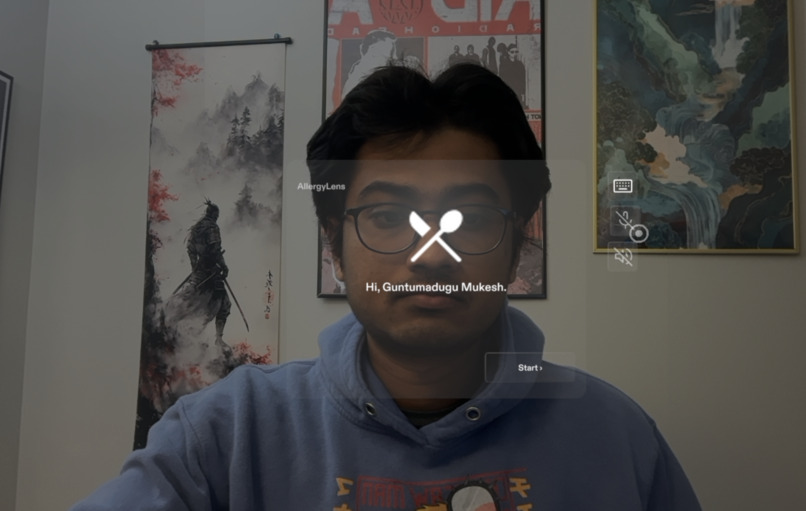
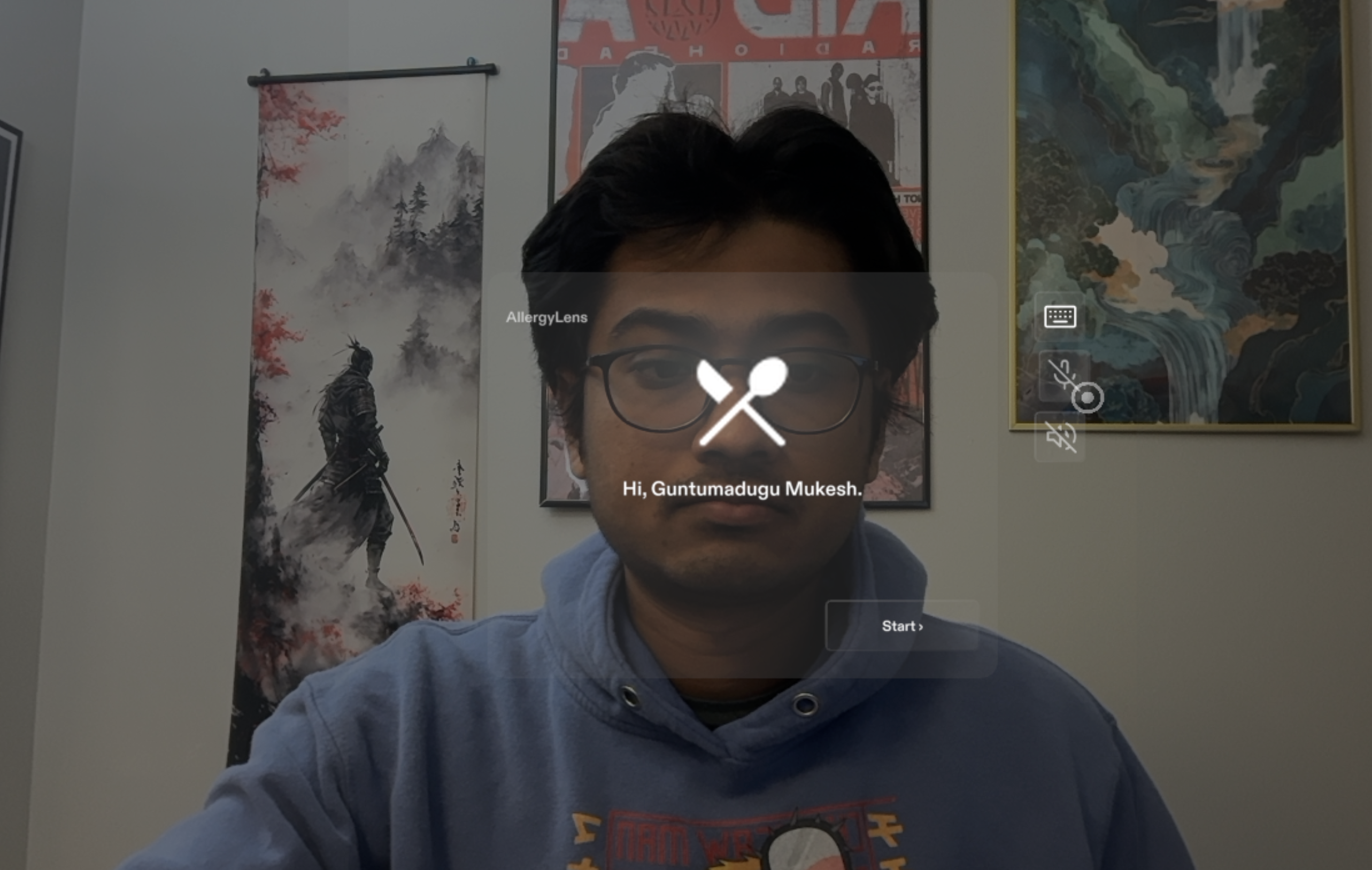
Profile set-up: the welcome screen. One spoken line, then the Lens stays quiet.
-
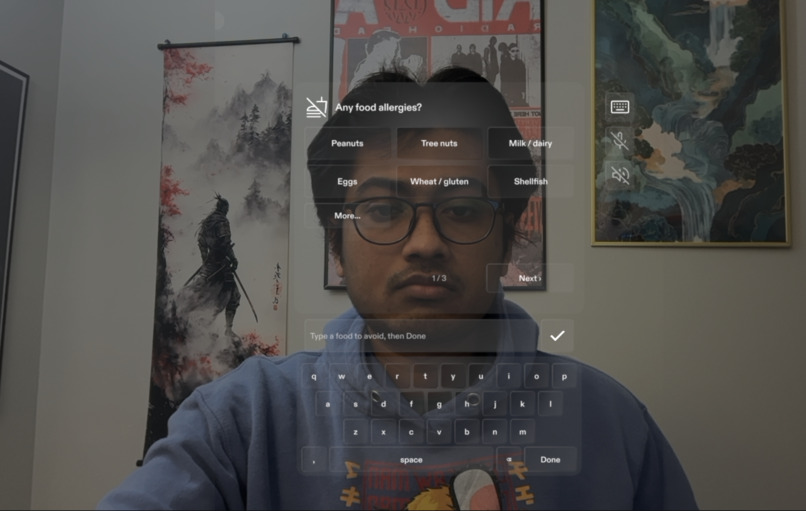
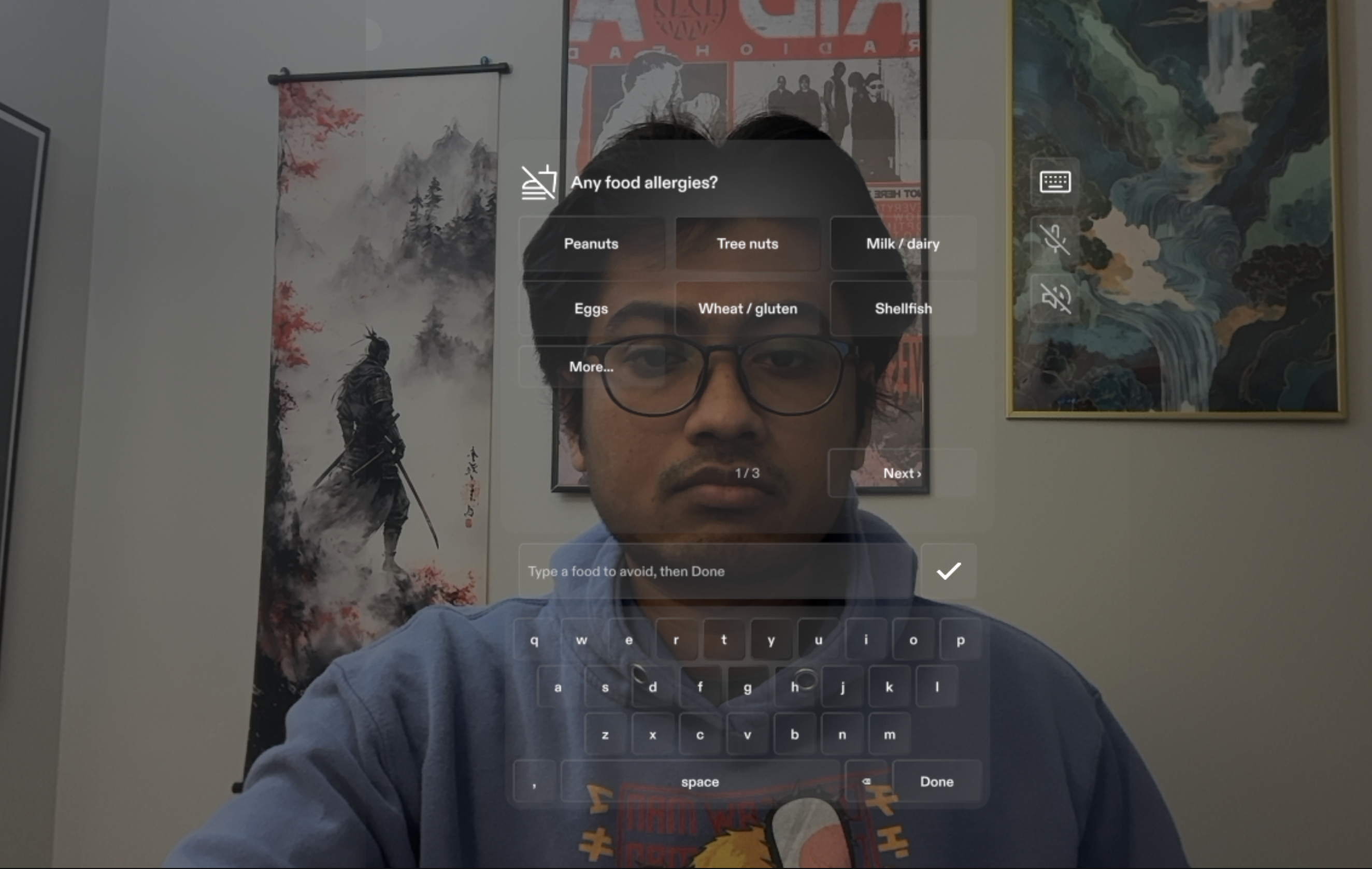
Profile set-up: allergies, religious rules and diet, by pinch or by voice.
-
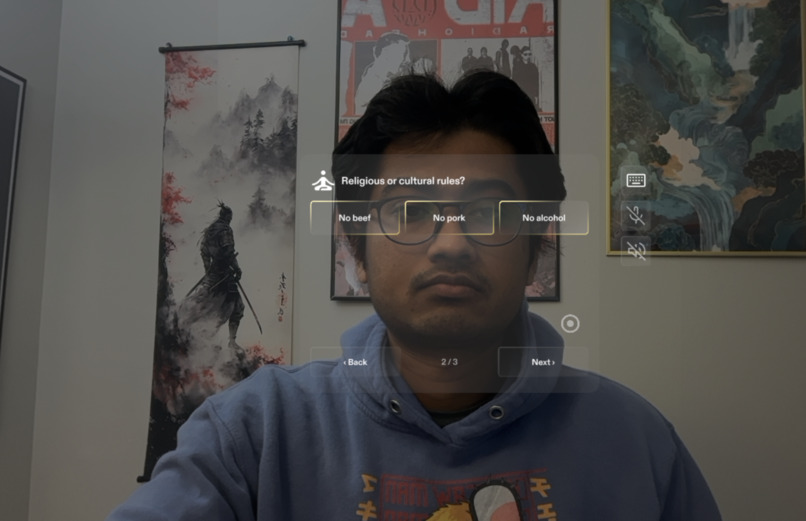
Profile set up
-
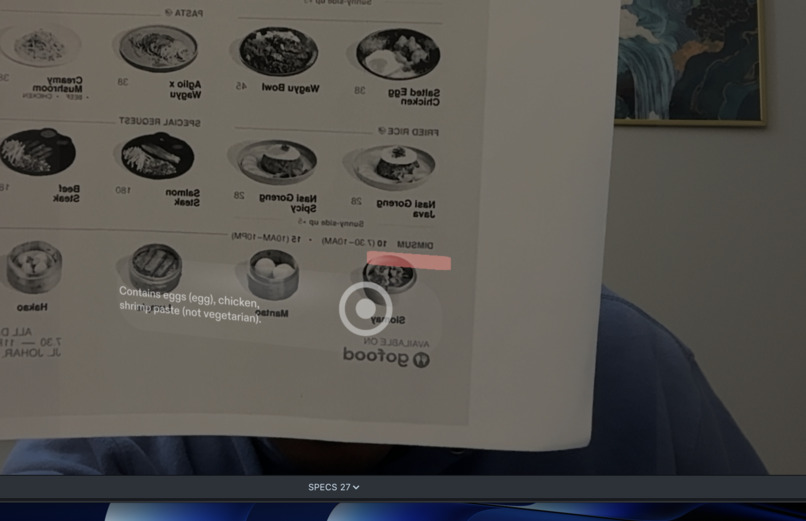
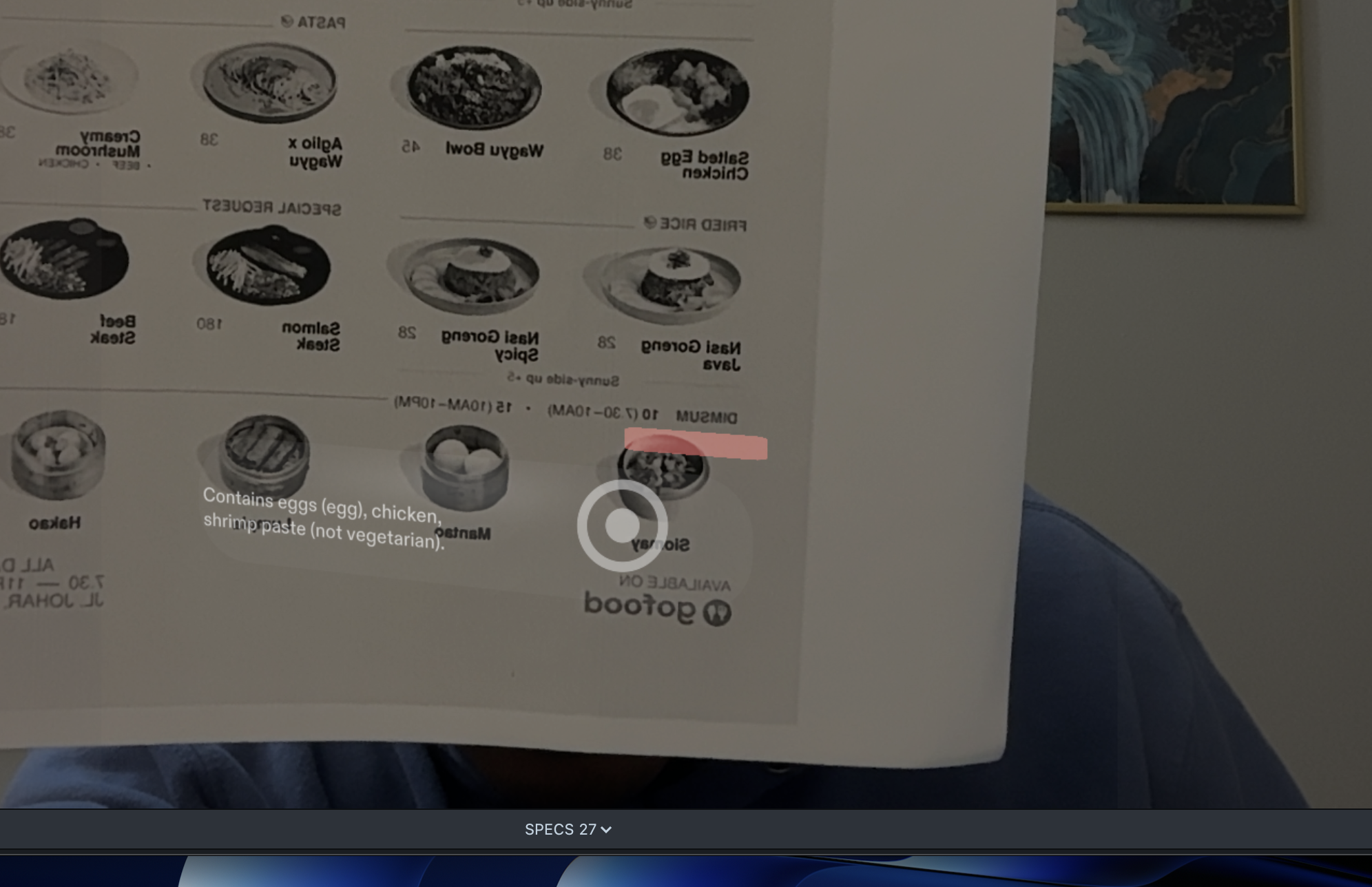
Live menu: point at a dish and only that dish answers, red with the reason, grey to ask, green when clear.

Inspiration
About one in ten adults in the United States lives with a food allergy, roughly 33 million people according to FARE, and the numbers worldwide are rising. Many more people follow food rules that are not medical but just as binding: most Hindus do not eat beef, Muslims and Jews do not eat pork, Jains avoid root vegetables, and millions of people are vegetarian, vegan, or on a diet that rules out sugar or trans fat.
In a grocery store this problem is largely solved. You can scan a barcode with your phone or slowly but reliably read the ingredient list on the packet. A restaurant is different. A menu has dozens of dishes, most menus never print what a dish contains, and the only way to find out is to ask the waiter about each dish you are interested in. That conversation takes five to ten minutes per table, it interrupts the waiter's work, and you still end up guessing. Choosing what to order can take fifteen or twenty minutes of reading, asking, and worrying.
We wanted to put that answer on the menu itself. You set your profile once in your SPECS, then you point at a dish on the real printed menu, and the answer appears on the page: red when the dish contains something you cannot eat, grey when it might and you should ask, green when it is clear. If you are still not sure, you now ask the waiter one precise question instead of ten vague ones. Twenty minutes of deciding becomes less than one minute.
What it does
- Profile, once. On first start the Lens asks three questions: food allergies, religious or cultural rules, and diet. You answer by pinching the toggles, by saying them, or by typing a food on a keyboard the Lens draws for you (the system keyboard does not appear in the Lens Studio preview, so we built our own). Specific foods you name, such as "olive oil" or "octopus", become their own chips; saying "octopus" never flips the whole shellfish group. The Lens speaks exactly one line, "Welcome to Allergy Specs", and is quiet after that unless you turn its voice on.
- Look at a real menu. The printed page is recognised by image-marker tracking. Every dish on it is checked against your profile at once, but nothing is drawn, because a page covered in marks is noise.
- Point at a dish. Rest your finger on a dish for half a second and it answers. Red: the restaurant's own ingredient list contains something from your profile, and the reason is written under the dish in plain words, for example "Contains chicken (not vegetarian), wheat (wheat flour, gochujang)." Grey: the dish may contain something, judged from a typical recipe rather than the restaurant's list, so it says what and tells you to check with the restaurant. Green: safe to order, a bare line, nothing to read. Only one dish is lit at a time; the previous one fades the moment the next one lights.
- Pinch for the card. The card tells you whether the kitchen can leave the ingredient out, roughly how much of the dish it is, and the closest safe dish on the same menu. A small chip on the page gives the count, for example "3 of 24 safe".
- Same profile in the shop. A packaged product's label is the marker and its ingredient list is the verdict, including "packed in a facility with milk, wheat and soy" warnings.
- Add a menu from a phone clip. Film the page, and a small pipeline flattens it into a tracking marker, reads every dish line with its position, and fills in the ingredients.
How we built it
- The project was planned with the Learn AR with SPECS skill pack. The design brief and the demo script it produced are in the
devpostfolder of the repository, and the brief's "one spatial moment" is still the product: the answer painted on the menu you are reading. - Every part of the Lens was built by an AI coding agent through CLAD in Lens Studio 5.23.2, over the Lens Studio MCP: the TypeScript scripts, the scene, the image markers, the LEAF test scenarios, and the data pipeline.
- Spectacles Interaction Kit provides pinch, hover and drag; the profile icon uses SIK's own manipulation component, so it can be moved and stays where it is put. UI Kit provides the panels, buttons and keyboard. LEAF runs eleven integration scenarios that drive the Lens in the preview: profile flows, voice phrases, the keyboard, the marks, and the detail card.
- Menu data comes from a pipeline of small tools: a phone clip or photo of the page is flattened into the marker image, OCR produces every dish line with its position on the page, a knowledge base of allergens, aliases and typical recipes fills the ingredients, and a small model on our server answers dishes nobody has seen before, cached so each dish is paid for once. Packaged products come from Open Food Facts by barcode.
- Everything runs in the Lens Studio preview, either with the Mac camera as a live feed or with a recorded video as the camera.
Challenges we ran into, and what we did about them
- The glasses show about 32° across, phone footage in the preview about 66°. Interface elements sized in centimetres for the glasses became an unreadable stamp on footage. The head-locked interface now measures the real camera projection every frame and scales itself to keep the same share of the view.
- A see-through display cannot draw black. The dark backdrop we wanted behind the profile panel can only dim the world, never hide it. We kept it as a dim and designed for light, not dark.
- Marks drifted off the text. Tracking a printed page from its design file put the marks up to a centimetre off, and a page full of floating marks read as a child's scribble. We rebuilt the markers from flat photos of the actual prints, which align far better, replaced dots with thin underlines, and finally replaced "mark everything" with point-to-check.
- The webcam preview is mirrored, like a selfie, whatever the camera setting says. A marker never matches a mirrored page. Every page received a mirrored twin marker, and the overlay mirrors its line positions when the twin is the one tracking.
- Twelve trackers on one camera feed made the page flicker and the frame rate crawl. Once a page is found, only its own trackers keep running until it has been out of view for a second.
- The Lens heard itself. Its spoken prompts came back through the microphone as commands and chips, such as "Lab" from "Allergy Lens". We strip the Lens's own words from transcripts while it is speaking, and in the end we cut the speech to a single line.
- Voice parsing. Repeated words ("olive oil olive oil olive oil") had to collapse to one item, "banana, apple" to two chips, and command words such as "next" must never become a food. Each case now has a test.
- No keyboard in the preview. The SPECS system keyboard does not render in Lens Studio, so we built a pinchable keyboard in the same style, used in the preview and as a fallback on device.
- The server's menu catalogue overwrote the built-in menus two seconds after start, so a page recognised after the download had no data to draw. Built-in menus now always survive the download.
- Two Lens Studio builds on one machine. Version 5.24.1 migrated the project on every open, reported a wrong camera field of view, and crashed. Everything is built and verified in 5.23.2.
- The preview never plays a video's soundtrack. For recorded demos the original audio is added in the edit; for live demos the Mac camera and microphone are used instead.
- Low-resolution phone clips. A 576-pixel WhatsApp export is enough to track a page but too little for OCR of small print, so one menu's layout had to be laid out by hand on its grid.
What we learned
- Draw less and say less. One spoken line, one lit dish, and the reason in a sentence a person would actually say. Red and grey must explain themselves; green needs no explanation at all.
- The interaction that works on glasses is pointing, not reading. Users want to indicate one dish and get one answer, after a deliberate pause, not a page of highlights.
- Look at the result the way the user sees it: on real footage or the live camera, not in the 3D test room. Most of the problems we fixed were invisible in the room.
- A recording the user sends is the camera, not a backdrop. Never crop it, pad it, or strip its sound.
- Data sources have to be ranked honestly. A restaurant's own ingredient list is a fact, a typical recipe is a guess, and the interface must show the difference.
- An AI coding agent is fast at building and slow at seeing. Every real improvement today started with a screenshot from the person using the Lens.
What's next for AllergyLens
- Live barcode reading for products, so any packet in the shop is judged from Open Food Facts without a prepared marker.
- Menus added straight from a phone clip inside the Lens, with the server doing the flattening, the OCR, and the ingredient lookup.
- The pointing answer spoken aloud on request, for people who cannot read small print.
- Allergy profiles shared with the table, so one pair of SPECS can check a menu for everyone eating together.
- A hand-off to the waiter: the Lens composes the one exact question to ask about a grey dish.
