-
-
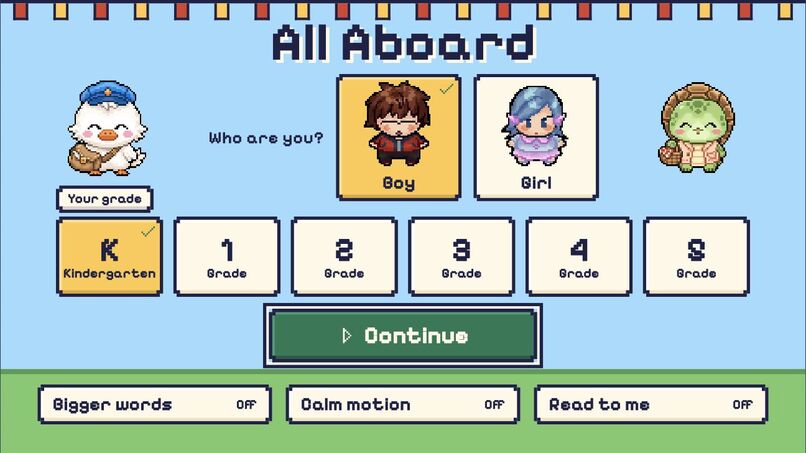
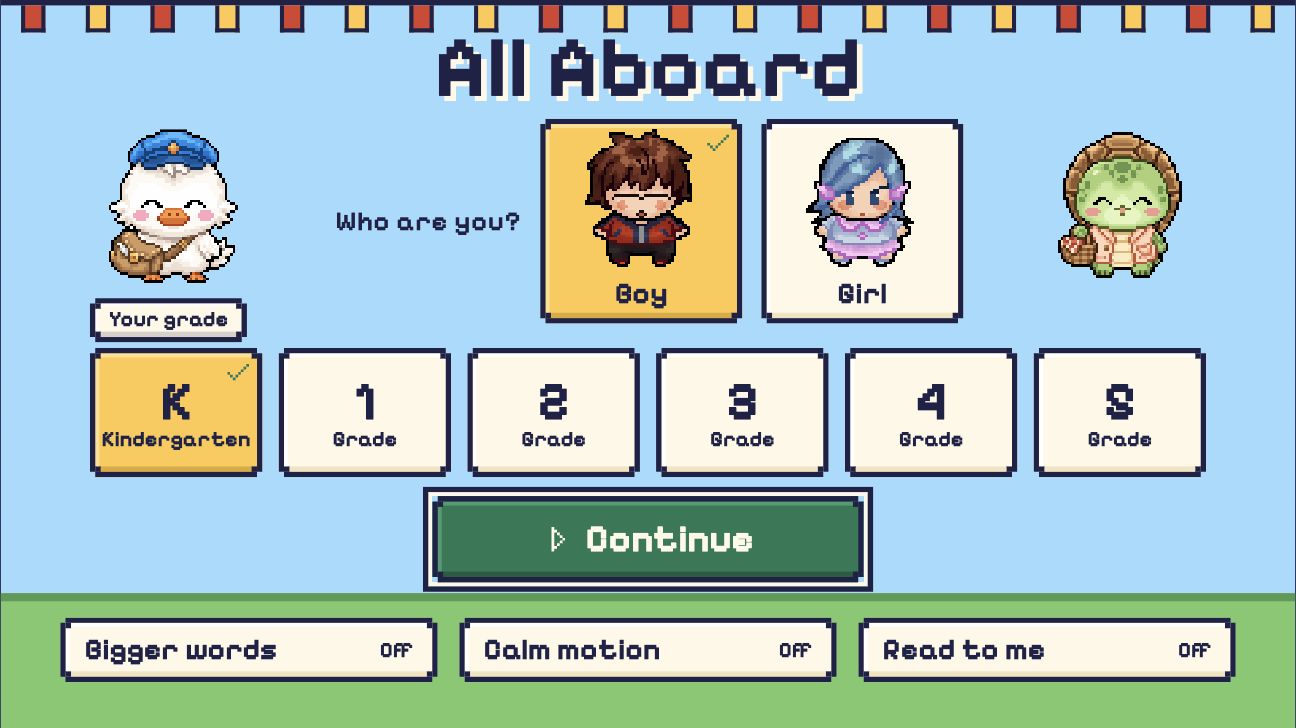
Choose your character, grade, and comfort settings.
-
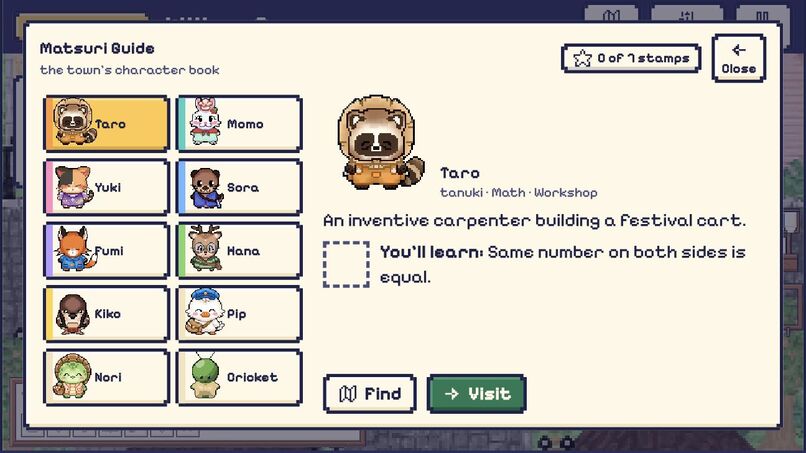
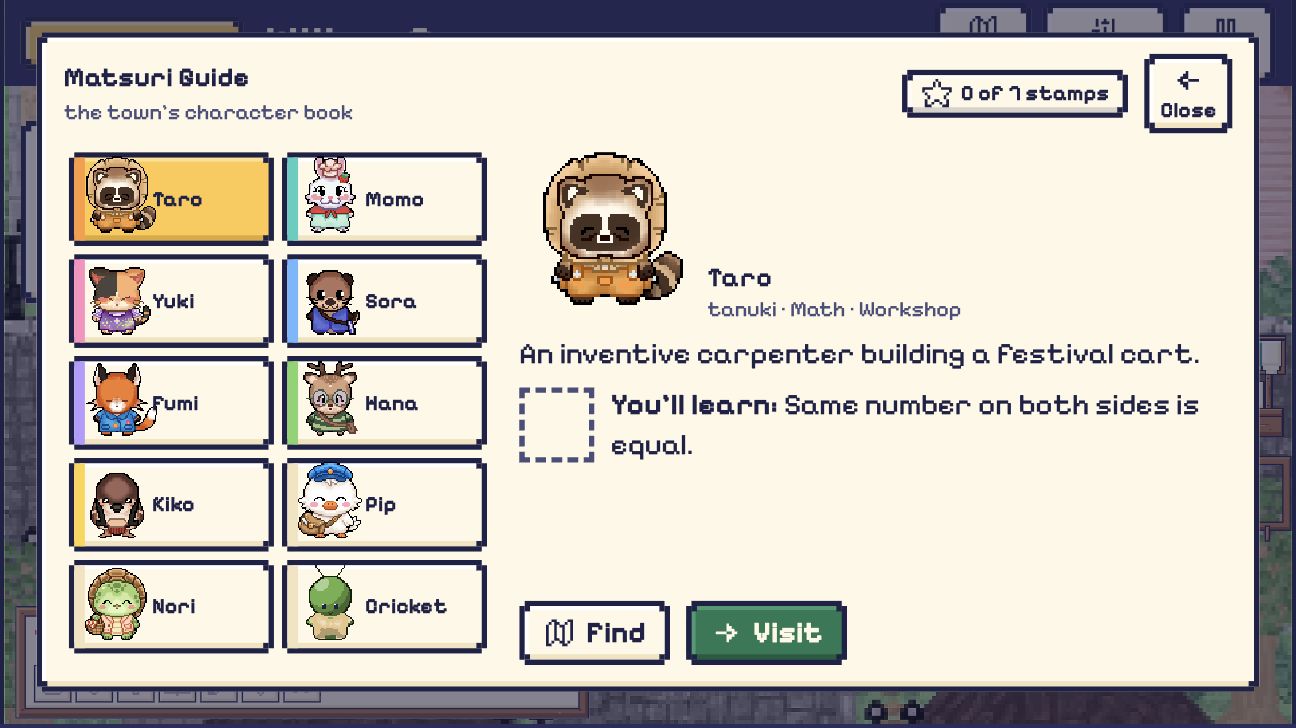
The Matsuri Guide introduces each neighbor and what you can learn with them.
-
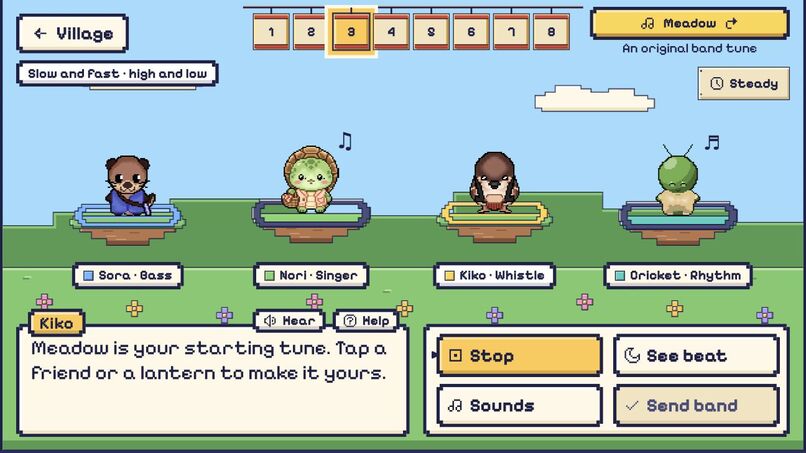
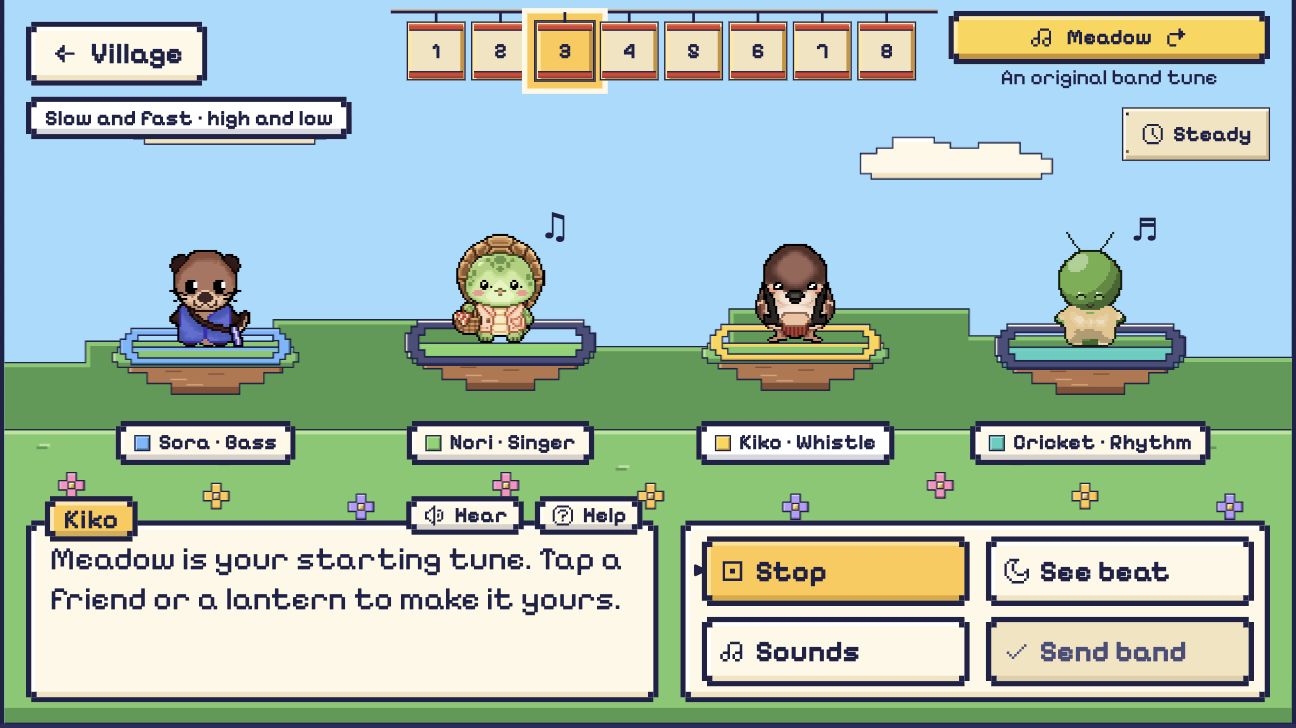
Build your own band in Kiko’s Sound Garden.
-
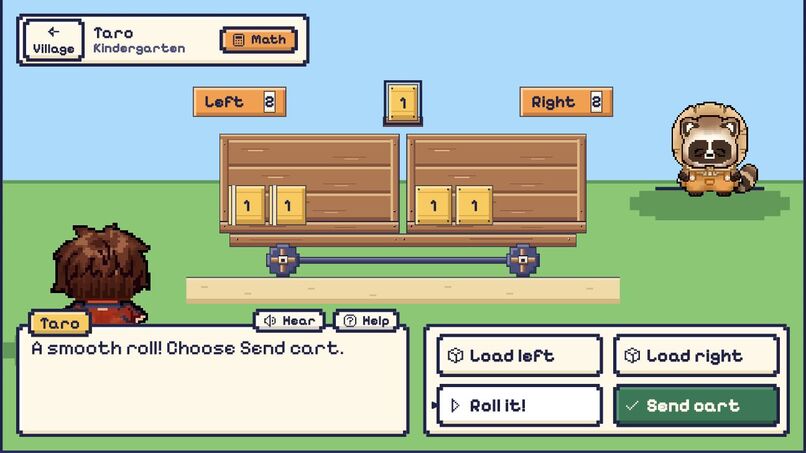
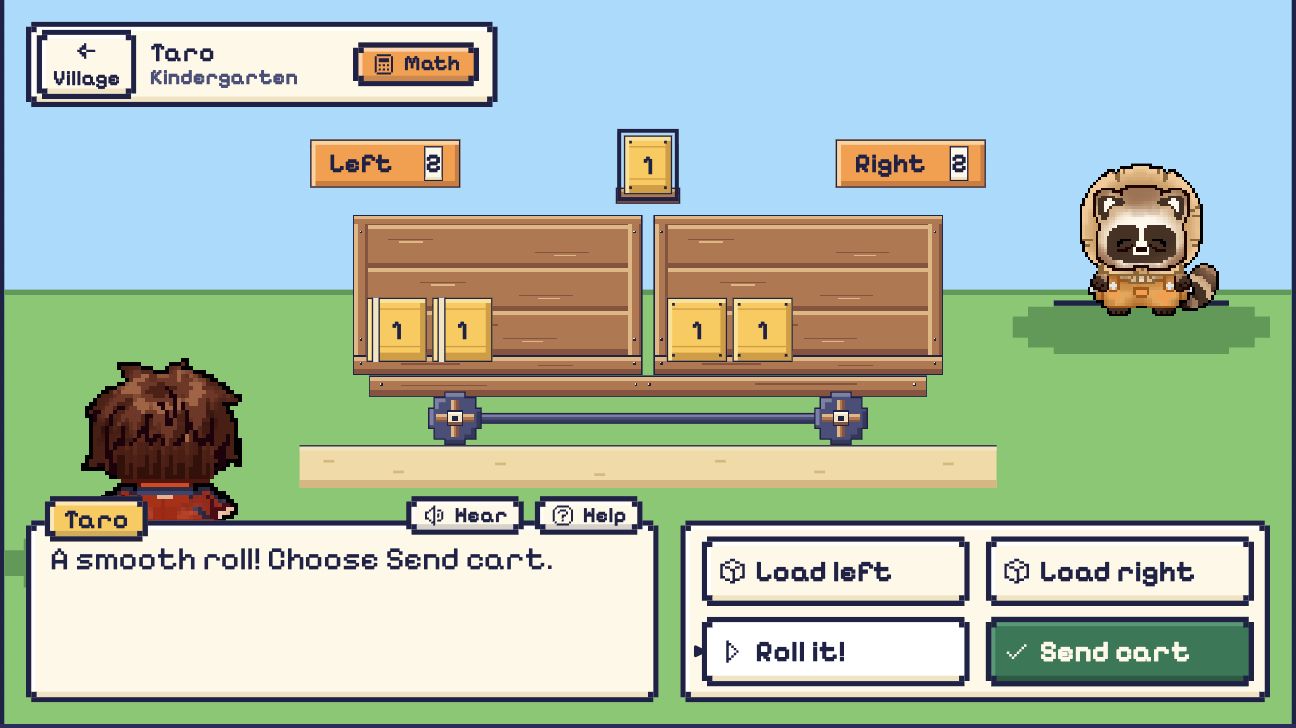
Balance Taro’s festival cart by making both sides equal.
-
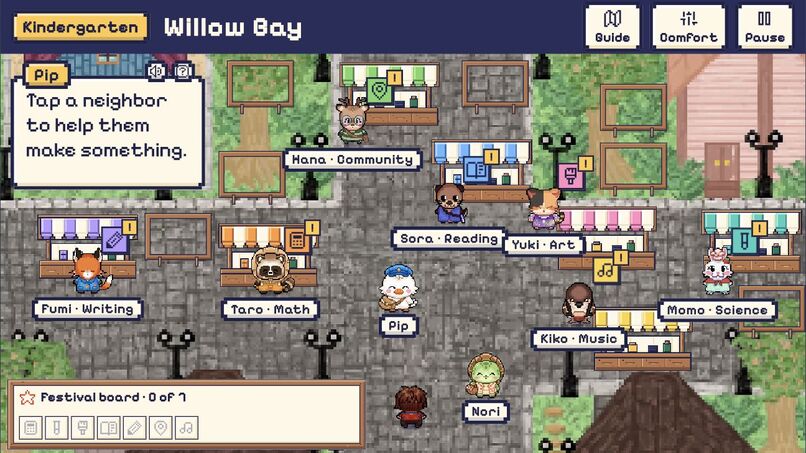
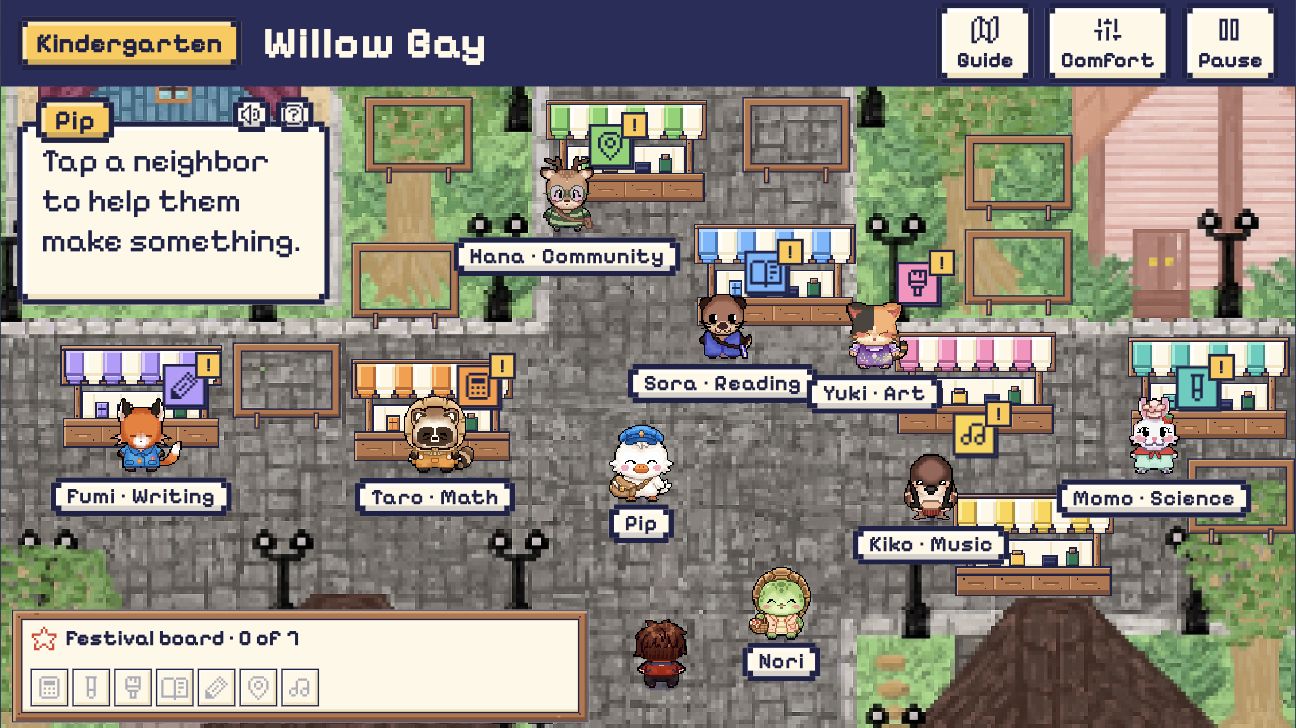
Explore Willow Bay and choose which of seven neighbors to help.
Inspiration
We think the school system leaves a lot of kids behind, especially neurodivergent kids, kids with disabilities and kids still learning English. So instead of starting from a lesson plan, we started from the games kids already love.
Animal Crossing gave us a cozy village full of animal neighbors. Prodigy showed that kids will do math if there's a game around it, and we wanted to push that further: in our game you learn by making things, like a cart, a banner or a band. Genshin Impact made us want characters kids actually care about, and the old 2D Pokémon games gave us the pixel art, the handheld look and the 2x2 battle menu. For music we borrowed from My Singing Monsters, where every creature adds its own part to one song.
What it does
All Aboard is a pixel-art game for kids from kindergarten to grade 5. Willow Bay is getting ready for a Japanese summer festival, and seven animal neighbors each need help making something for it. Each one teaches a subject:
- Taro the tanuki (math): balance his festival cart with crates, or in grades 3-5, share pizza fairly among four friends (grade 5 cuts the leftovers into halves)
- Momo the rabbit (science): shade a tray of ice and compare how it melts, or in grades 3-5, build a food chain and watch the energy shrink at each step
- Sora the otter (reading): pack the things a story names, or in grades 3-5, figure out whose tale it is and tap the line that proves it
- Fumi the fox (writing): make a welcome sign from word tiles, then type your own from grade 1
- Yuki the cat (art): stamp colors and shapes onto a festival banner
- Hana the deer (community): plan a square with room for every neighbor, or in grades 3-5, match helpers to the jobs that fit them
- Kiko the sparrow (music): make a band where every friend adds a part. The lesson grows with the grade: fast, slow, loud and soft in kindergarten, rhythm and rests in grade 1, copying a rhythm in grade 2, a Do-Re-Mi-Sol-La melody in grade 3, a steady part under two phrases in grade 4, and A B A song form in grade 5. You can save your song as a WAV.
Kids pick the order. The Matsuri Guide, the town's character book, shows what each neighbor teaches and stamps it when you finish, and Find draws an arrow to them. Everything you make shows up at that neighbor's stall, then marches in the festival parade. Make all seven and the festival is complete.
We built it with neurodivergent kids in mind, like autistic kids and kids with ADHD:
- Hear reads the current line aloud, and Read to me reads every new line
- Bigger words, and Calm motion, which stops walking, bobbing, marching and screen wipes (it also follows your device's reduce-motion setting)
- At most four choices on screen, each with its own color, icon and word
- The finish button stays gray until your work is ready, and Help lists the steps
- A wrong try explains why and keeps your work. No lives and no fail screens
- Keyboard, mouse or touch
- No accounts, and nothing leaves the browser. Progress saves on the device, separately for each grade
How we built it
All Aboard is plain JavaScript, HTML and CSS with zero dependencies: no frameworks and no packages. Clone it, run npm run dev, and it's up.
- The whole game runs on one 960×540 stage that scales to fit the screen, with pixel windows, a paged dialogue box and a 2x2 command menu like the old Pokémon battles.
- The band is synthesized live with the Web Audio API (oscillators, envelopes and a compressor). Notes get scheduled a little ahead so the lanterns light up right on the beat. Saving a song renders it offline and writes the WAV file by hand.
- Read-aloud uses the browser's built-in speech synthesis.
- Saves live in localStorage, separate for each grade, with checks so an old save or a second tab can't wipe your progress.
- We drew the two player kids and four of the neighbors (Taro, Momo, Yuki and Fumi) as layered pixel art. Python scripts turned the drawings into 64×64 walking sprite sheets with front, side and back views, and a test rebuilds those four neighbors' frames from our drawings and fails if a pixel drifts.
- 668 automated tests on Node's built-in test runner cover the activity rules, music, saves, keyboard controls, layout and art.
We used AI coding agents (OpenAI Codex and Claude Code) to write a lot of the code and tests. The game design, the direction for every activity, our character drawings and the playtesting were ours, and every batch of agent changes got reviewed before it went in.
Challenges we ran into
- Our first build was a quiz in a costume. It worked, but it felt like a lesson dashboard. We scrapped it and rebuilt every subject around making something.
- Too much on screen. The next version was way too busy for the kids we're designing for, and buttons in the same color were hard to tell apart. We cut every screen down to one main action and at most four choices, each with its own color, icon and word.
- Every grade felt the same. So grades 3-5 got their own activities (pizza sharing, food chains, Help Day, finding evidence in stories), and music now teaches something new at every grade.
- Keeping our art ours. One AI cleanup pass "fixed" Taro and Momo by redrawing them to match the rest of the cast, and our drawings were gone from the game. We restored them and locked it in: the drawings are pinned by hash, sprite sheets can only be derived from them, and a test fails if anything changes.
- "Everyone disappeared." After the music stage, Pip, Nori and Sora seemed to vanish. We hunted for code that removed characters and found none. The welcome box was just sitting on top of them, so now it closes by itself.
Accomplishments that we're proud of
- A complete loop: any of seven subjects, any grade from K to 5, a creation for every neighbor, and a parade at the end with everything you made.
- The music stage. It goes from tempo and dynamics all the way to song form, synthesizes every note live, and lets you keep your song.
- Accessibility on every screen: read-aloud, Bigger words, Calm motion, four choices max, and wrong tries that never erase your work.
- Zero dependencies and 668 passing tests.
- Our own characters walk around the village looking exactly like our drawings.
What we learned
- Designing for neurodivergent kids is mostly about taking things away: fewer choices, the same layout every time, labels that don't rely on color, and no punishment for a wrong try. W3C's cognitive accessibility guidance and Xbox's accessibility guidelines helped a lot.
- Putting a quiz inside a game is easy. Designing an activity where the action is the lesson, like balancing a cart or sharing a pizza fairly, took a lot more tries.
- Web Audio timing: schedule notes slightly ahead, or the sound and the lights drift apart.
- Sprite sheets: frame grids, walk cycles, and keeping every character's feet on the same pixel row so nobody floats.
- Working with AI agents: give them a clear goal, check what they make in the real game, and write tests for anything you never want changed.
- Cutting scope. We dropped multiplayer, a backend and speech input to finish one path that works from the title screen to the parade.
What's next for All Aboard
- Testing with kids, parents and teachers. We haven't done that yet, so we're not claiming it improves learning. We want to see if kids can find the next step, use Help, and carry an idea from one activity to another.
- Making every grade feel different, especially grades 1 and 2 and the art activity.
- "Show me" demos and one-step-at-a-time Help in every activity.
- A second language, which takes us back to our first idea: kids who are still learning English.
- Optional speech input that runs on the device and is never required.
- Your own festival stall that fills up as you play, and a lantern night finale.
- A hosted version that works offline, so a classroom can play in the browser without installing anything.


Log in or sign up for Devpost to join the conversation.