-
-
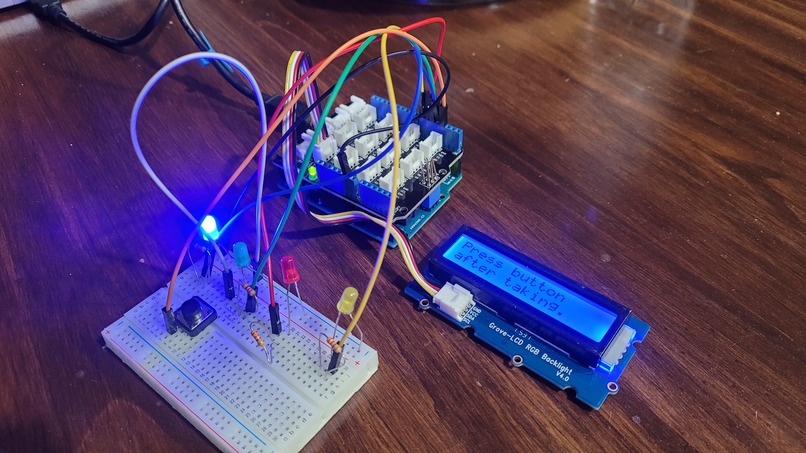
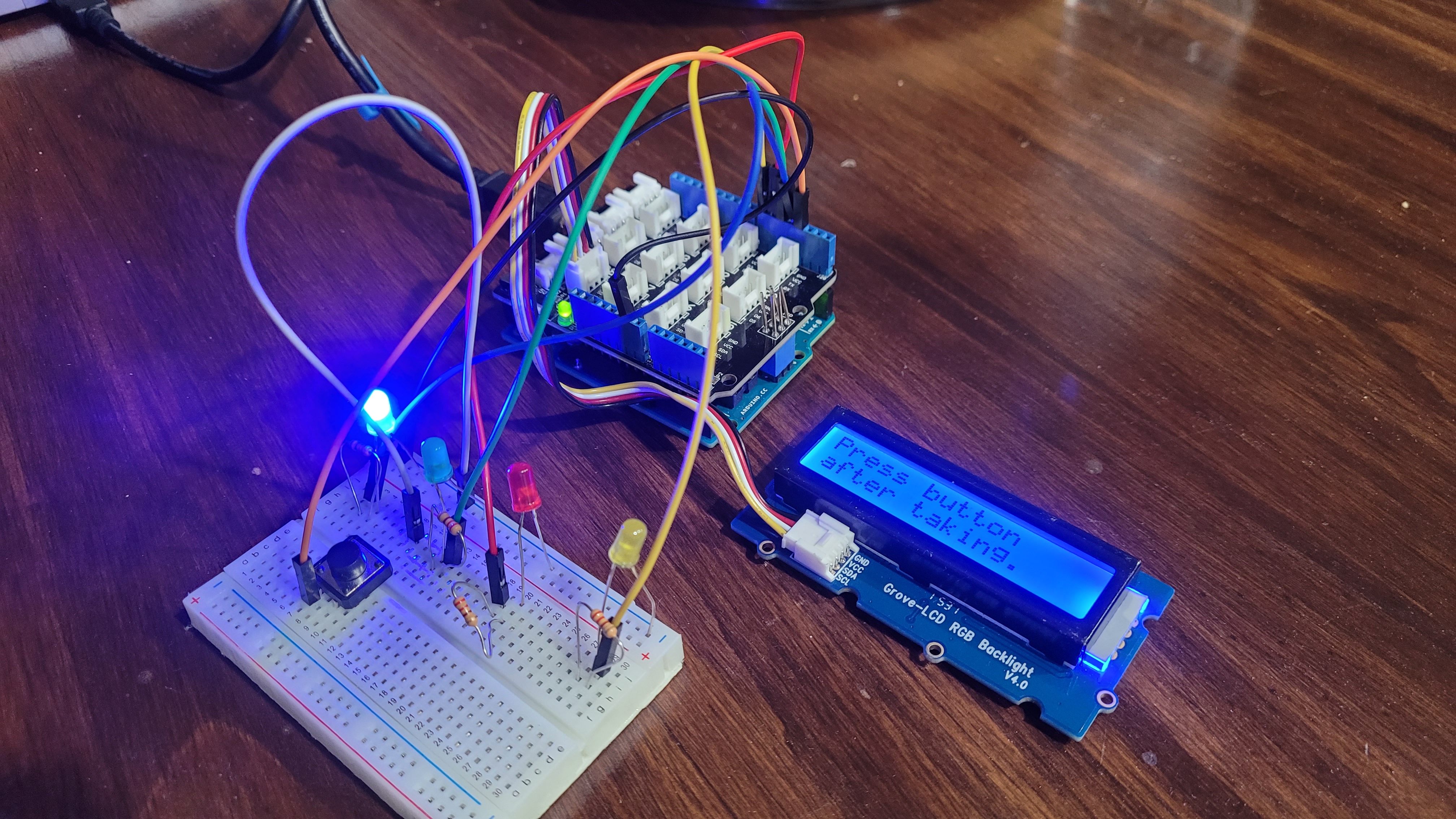
The hardware setup
-
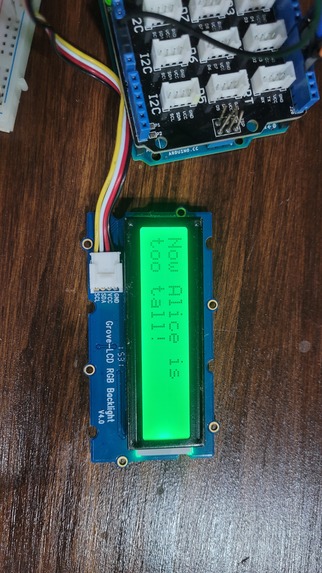
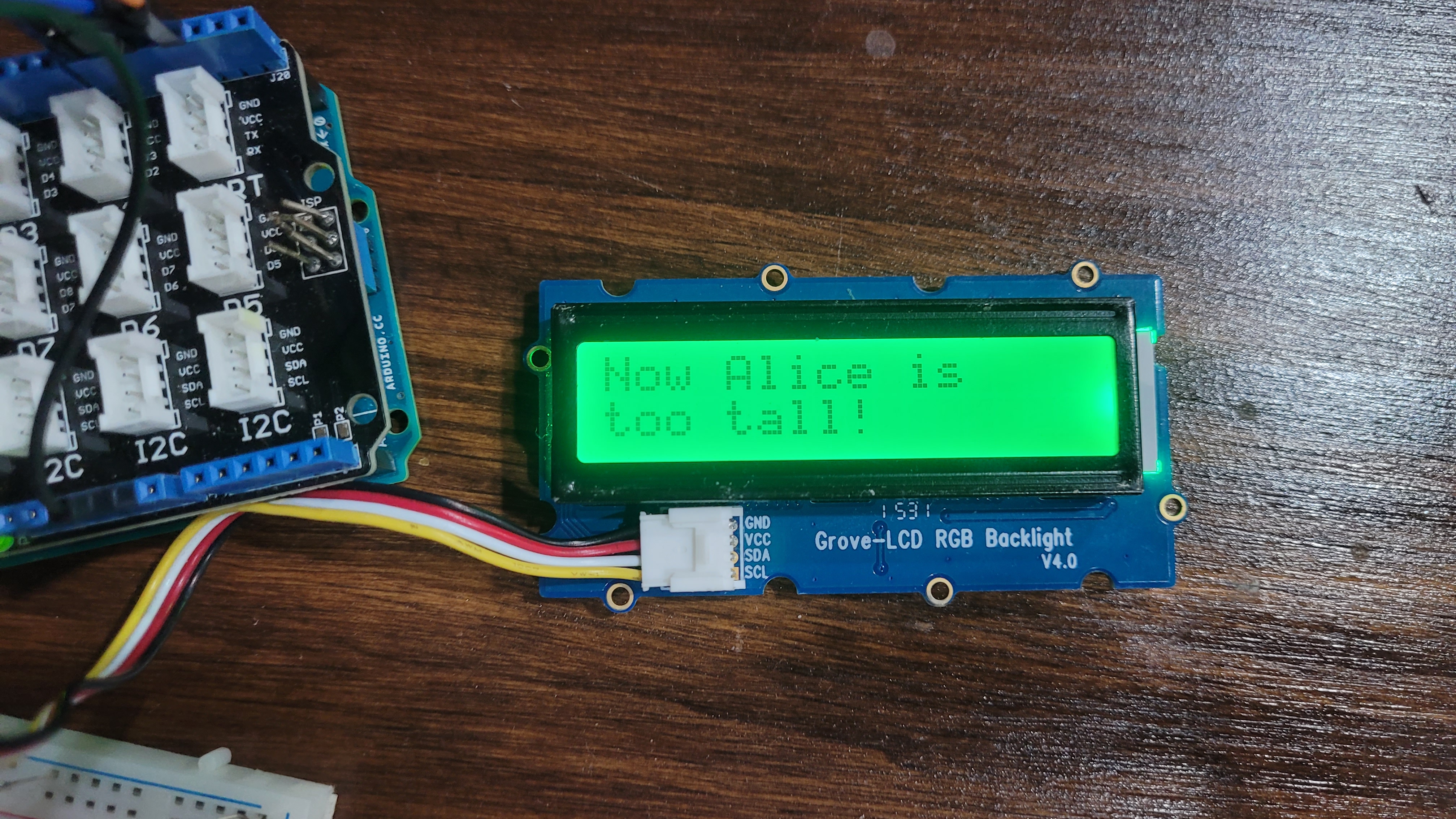
Alice story displayed
-
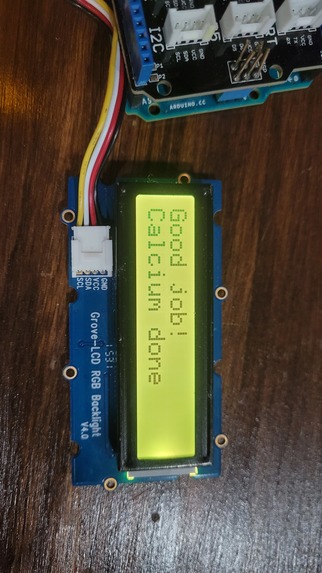
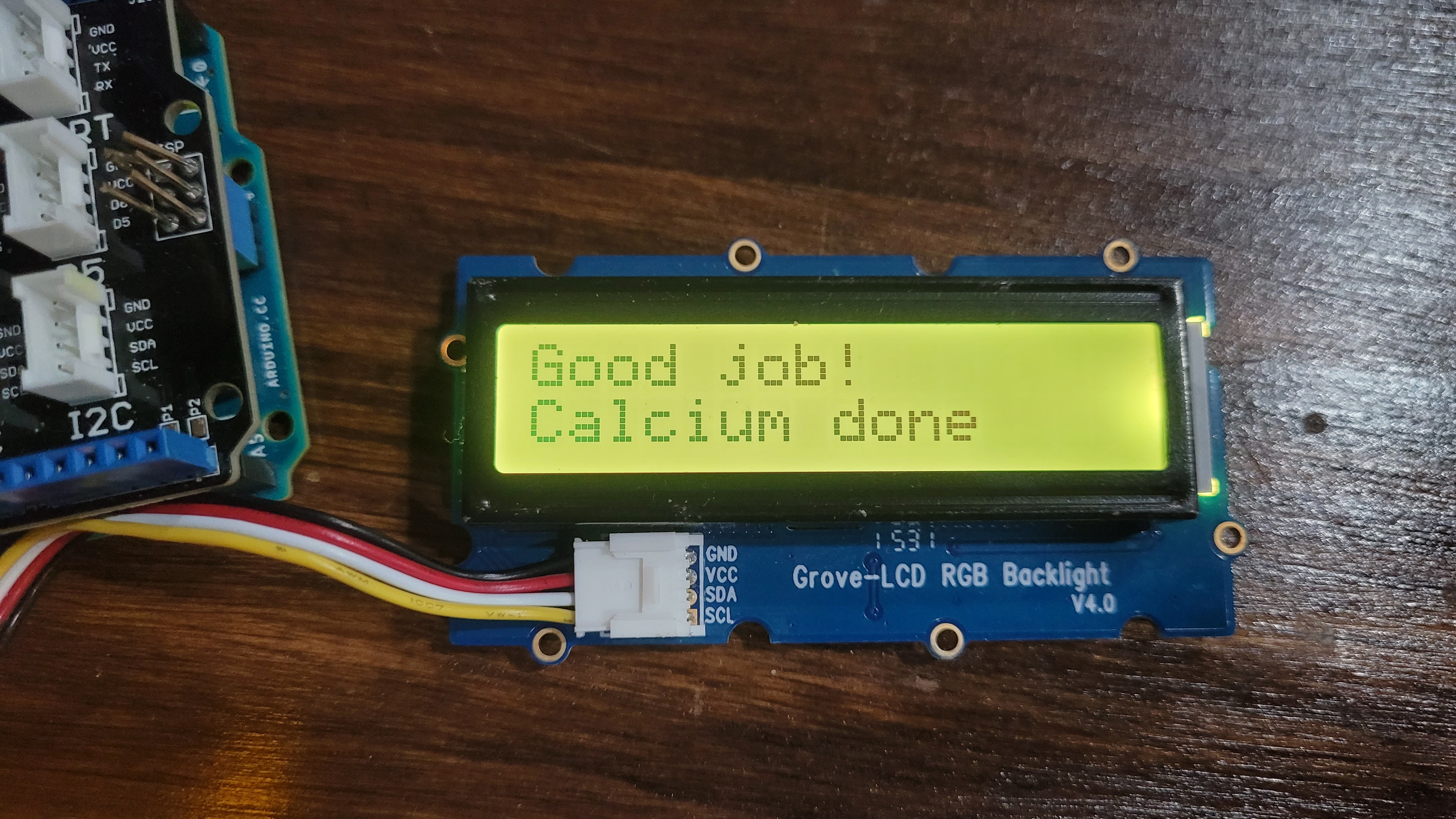
Affirmation after taking medication
-
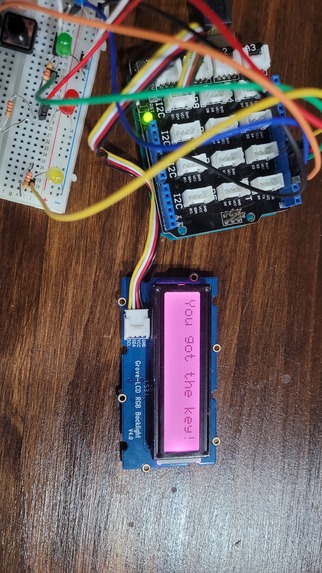
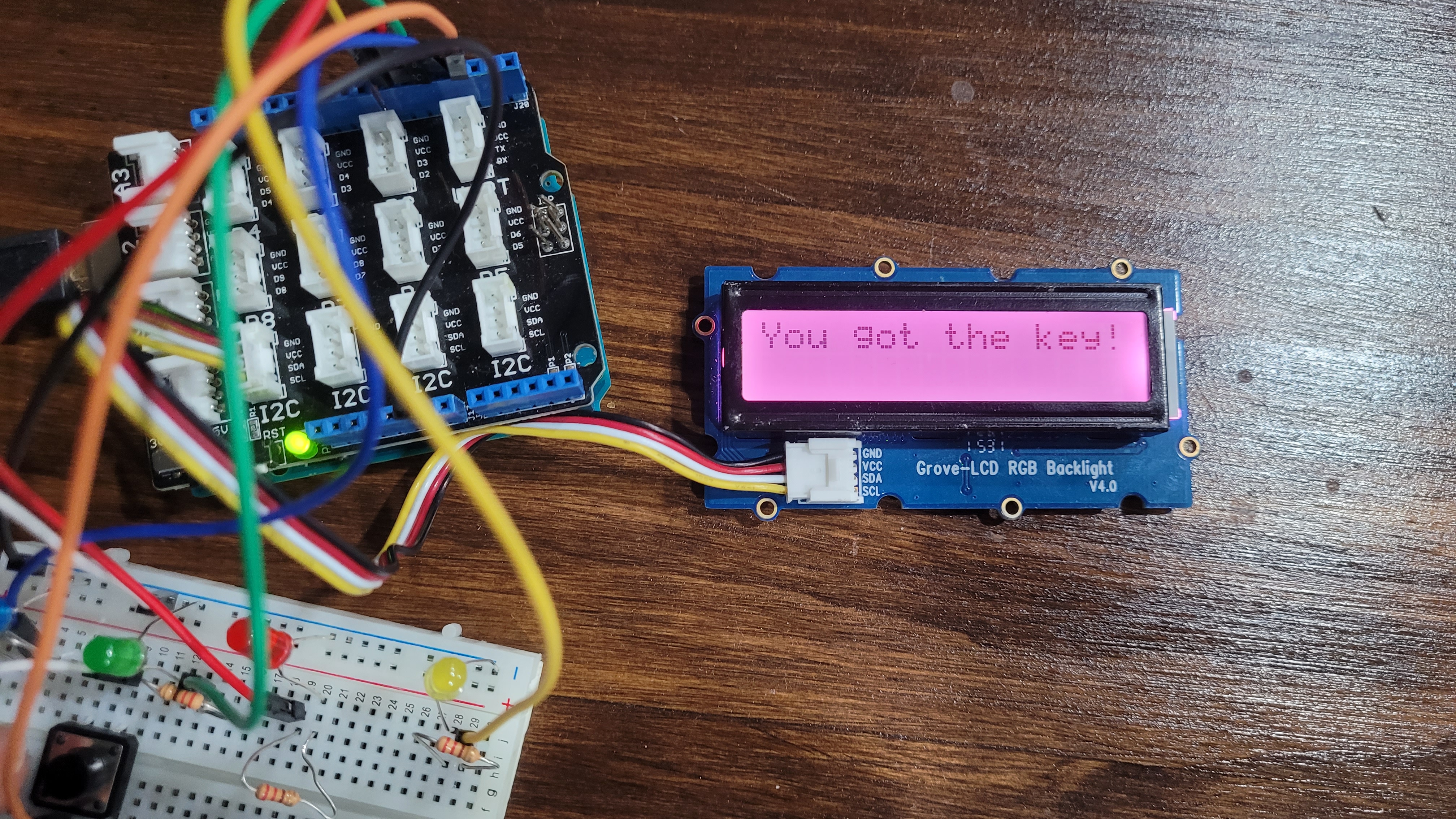
Plot development after taking medication
Inspiration
My niece and I wanted to build something for kids out of hardware. We wanted to enter the Patient Safety Technology Challenge. And we wanted to incorporate the hackathon theme of "retro gaming."
One patient safety issue is medication management. It can be difficult to remember to take medications at the right time in the right dosage. It is more difficult if a patient has several medications and may have to take different ones at different times of day or more than once a day. Missing doses, taking the wrong dosage, or taking extra doses can all be dangerous. Pill boxes can be used to sort the correct dosage into each day or twice a day, but can become unwieldy when medication is needed more than twice a day. The MediSafe phone app can be programmed to remind a patient to take medication on a more complicated schedule, but many kids don't have smartphones.
We decided to develop a solution targeting kids. The device makes it more fun to take meds. It is intended to be used with health professional or parent supervision.
What it does
The prototype has four LEDs and a button, plus an RGB LCD display. The display outputs a story about Alice in Wonderland. She has to accomplish four tasks to successfully unlock the door to the garden. Each task is described and associated with one of the meds the user should take. The user is directed to take the medication or vitamin with the dosage specified. The user responds to LCD display text prompts confirming that each med has been taken by pressing a pushbutton switch. The user is rewarded after each med with an affirming message, a blinking LED, and the next step of the Alice story.
Each med is also associated with a different color. The color of the display background matches the color of the LED for the med when the display text is providing the story and instructions for that med. This keeps the user from forgetting which med they are currently taking.
In the current iteration, the device would best be paired with color-coded markings or stickers on pill bottles or color-coded compartments of a pill organizer. Keeping the pills in their original bottles tends to work better than pill organizers when the medication regimen is complex and involves more than two administration times per day.
How we built it
The hardware runs on an Arduino Uno with a breakout shield. We also used a Grove LCD with RGB backlight version 4.0. The LCD connects to the Arduino using the I2C protocol. Each LED is protected with a 220-ohm resistor. Red-red-brown-gold. One push-button switch was used. We wanted to use a separate button for each color, but we were not supplied with enough wire to connect them. Each LED and the switch is connected to one of the digital output pins. The Arduino has 3V and 5V options. We used 5V because the LCD needs the higher voltage.
The Arduino is powered through a USB-A cable connected to a Framework laptop running Windows. The Arduino was tested and programmed in the Arduino IDE. The Grove - LCD RGB Backlight library was used.
Most of the code was generated by giving plain language instructions to ChatGPT and asking for Arduino code as output.
Challenges we ran into
We were very limited in our choice of hardware and access to electronics components, which constrained the functionality of the device. The original plan was to use the Python Pyxel retro game engine taught the night before the hackathon, but we didn't end up having a display that would allow us to use images. We were limited to text.
Accomplishments that we're proud of
We got our hardware working, produced code, debugged it, and still got to leave at 9 pm to go home and get some sleep.
What we learned
We were able to test multiple hardware components and narrow the problem to underpowered displays due to a lack of power cables. We were able to produce Python code that actually worked using ChatGPT, with extensive prompting to debug.
My niece learned about how to connect LEDs, resistors, switches, and wires using a breadboard and breakout shield. She helped think of ways to express the story in two 16-character lines for the limited display size. She also helped extensively with testing and troubleshooting.
What's next for Alice, Take Your Meds
We could add functionality to input each medication or use an API to get prescription information directly from health systems and drug interaction data to add warnings about conflicts. We could implement many of the features of the MediSafe phone app into a hardware device context, including adding medication names, dosages, delivery (pills, liquid, etc.), and days and times for each medication. We could come up with a more elaborate story that would accommodate a variety of medication regimens, including fewer than and more than four meds. And a storyline that could extend over the course of a day through multiple administrations of medication. We considered adding silly sounds to go along with the lights, but our concern was that kids would have fun pushing the button to produce the sounds and push the button without taking the meds. The device could also be connected directly to pill bottles or dispensing devices.
This device was designed for kids, but it could be useful for adults as well. Some adults prefer not to input their medical information into their phone, which puts it at risk of surveillance or loss. Others may find it difficult to use phone technology. Elders, in particular, can have difficulty with reading and inputting data into a phone through a touchscreen. Our device would be helpful to anyone who might make an error in taking multiple medications on a complex schedule. It could also be connected to outputs that are appealing to adults, such as inspirational quotes, more complex stories, or even jokes.

Log in or sign up for Devpost to join the conversation.