-
-
Alice's Mushrooms
Inspiration
In the natural world, there is more than meets the eye…only if you dare to change your perspective. Interact with the different mushrooms to experience the sensation of growing, shrinking and possibly poisoning. The project is inspired by the complex world of mushrooms, which dramatically ranging in sizes (gigantic to microscopic cellular) and outcomes (nutrition to poison).
Functions and Features
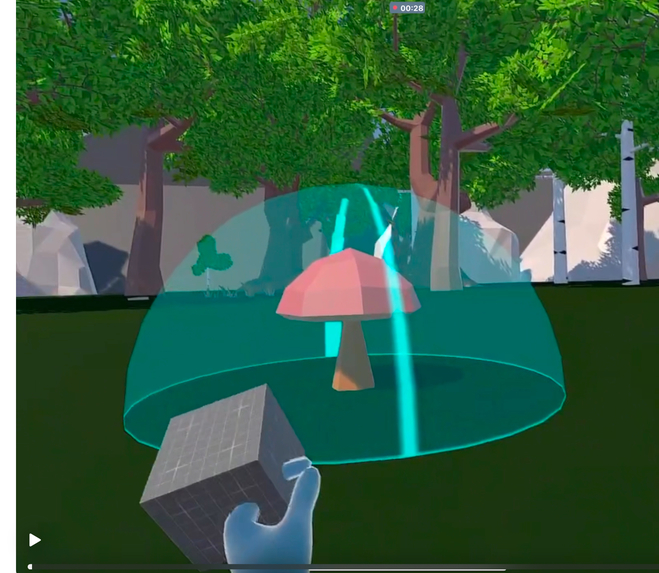
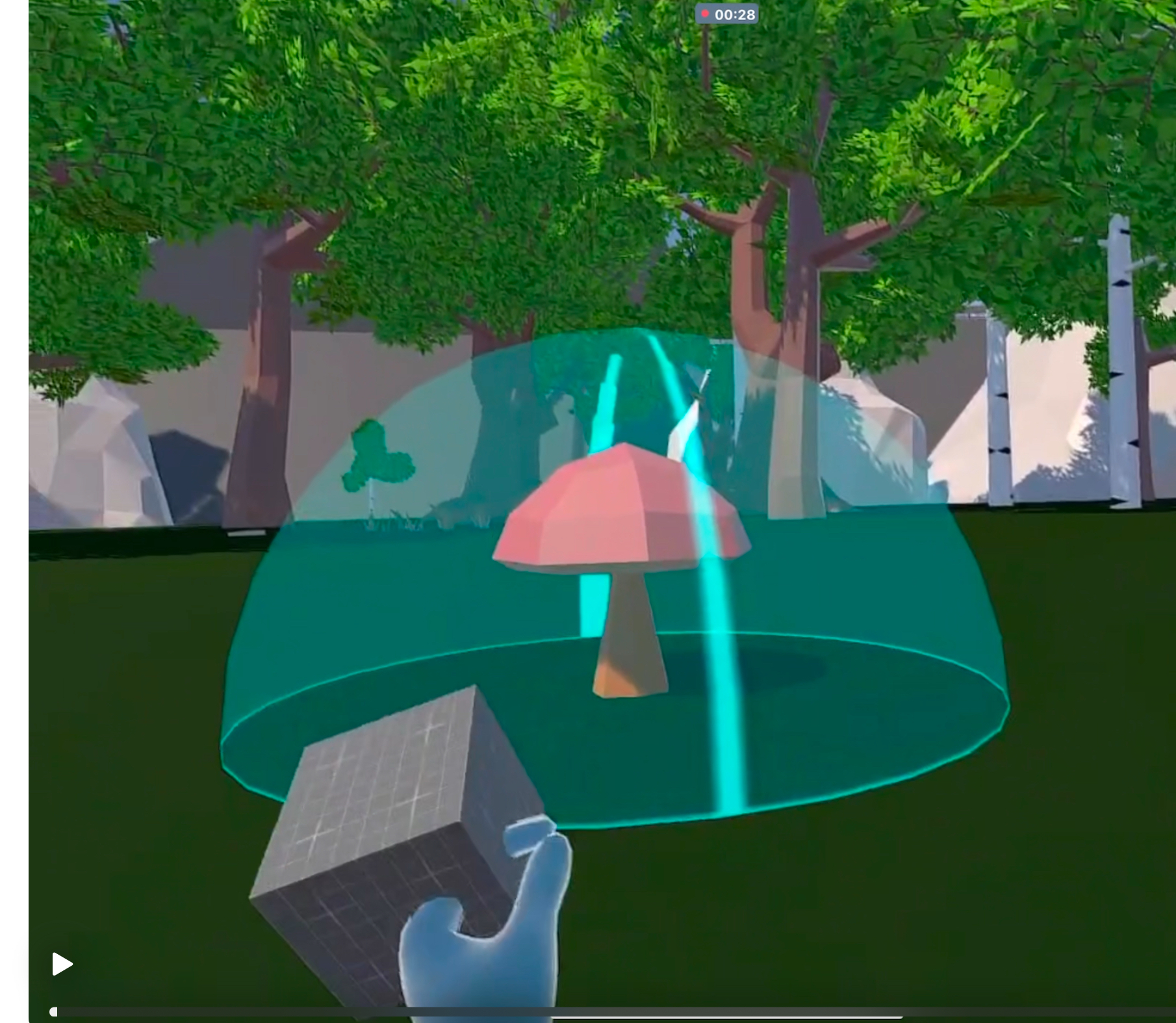
The user lands in a harmonious natural wooded environment with 5 mushrooms. Each mushroom changes the user's perspective to big (size of trees) to smallest (size of mycelium in the earth). Beware as one of the mushrooms is poisonous!
NOTE: Game play is hand-tracking only (both hands, can be right or left handed), no controllers To move: Pinch thumb and middle finger together (can be either hand) for appearance of movement dot. Keep fingers pinched and move hand in different directions to guide the slider from the movement dot. To trigger mushrooms: Use opposite hand to grab "control" box by pinching thumb and index finger and carry into the trigger zone around the mushroom.
Methodology
Natural low-poly assets of trees and mushrooms were imported from Unity store. GroKit features including hand movement, trigger box, resizing features, red sphere to indicate poisoning. The inward activators were used to set up the lights, particle effects, and special effect for each mushroom. The pink, green, and brown mushrooms each changed the scale of the environment in order to give the impression that the player was changing size. The red mushroom is toxic, so it spawned a transparent red sphere around the player's camera to give a "poisoned" visual effect. the outward activators were used to trigger each mushroom and the corresponding effects.
Lessons Learned
The effects of the mushrooms requires the user to place the trigger box in the mushroom's sphere but it's better if the user doesn't enter the trigger sphere. The change of sizing is best appreciated by looking around at the relative size of the trees.
Next Steps
We will be using the bigger-smaller features in our MedMicroMaps game play, shrinking the user down by 10-fold to finally be the size of a red blood cell at 10^-6M (microns). Step wise shrinking is best to be done by increments instead of 1000-fold so the user can get used to the changed sizes.
Built With
- grokit
- unity


Log in or sign up for Devpost to join the conversation.