Inspiration
While learning Data Structures and Algorithms, we often realised that getting the correct answer wasn’t the real problem; it was understanding the approach. Many solutions show the final code but skip the thinking that leads to confusion, making it hard to learn how to solve similar problems on our own.
This always made me ask:
How do we approach a problem step by step?
Why does one approach work better than another?
And how can we learn to think like a problem solver?
AlgoSolver was inspired by these questions, to help students focus on approach, reasoning, and true understanding rather than just final answers
What it does
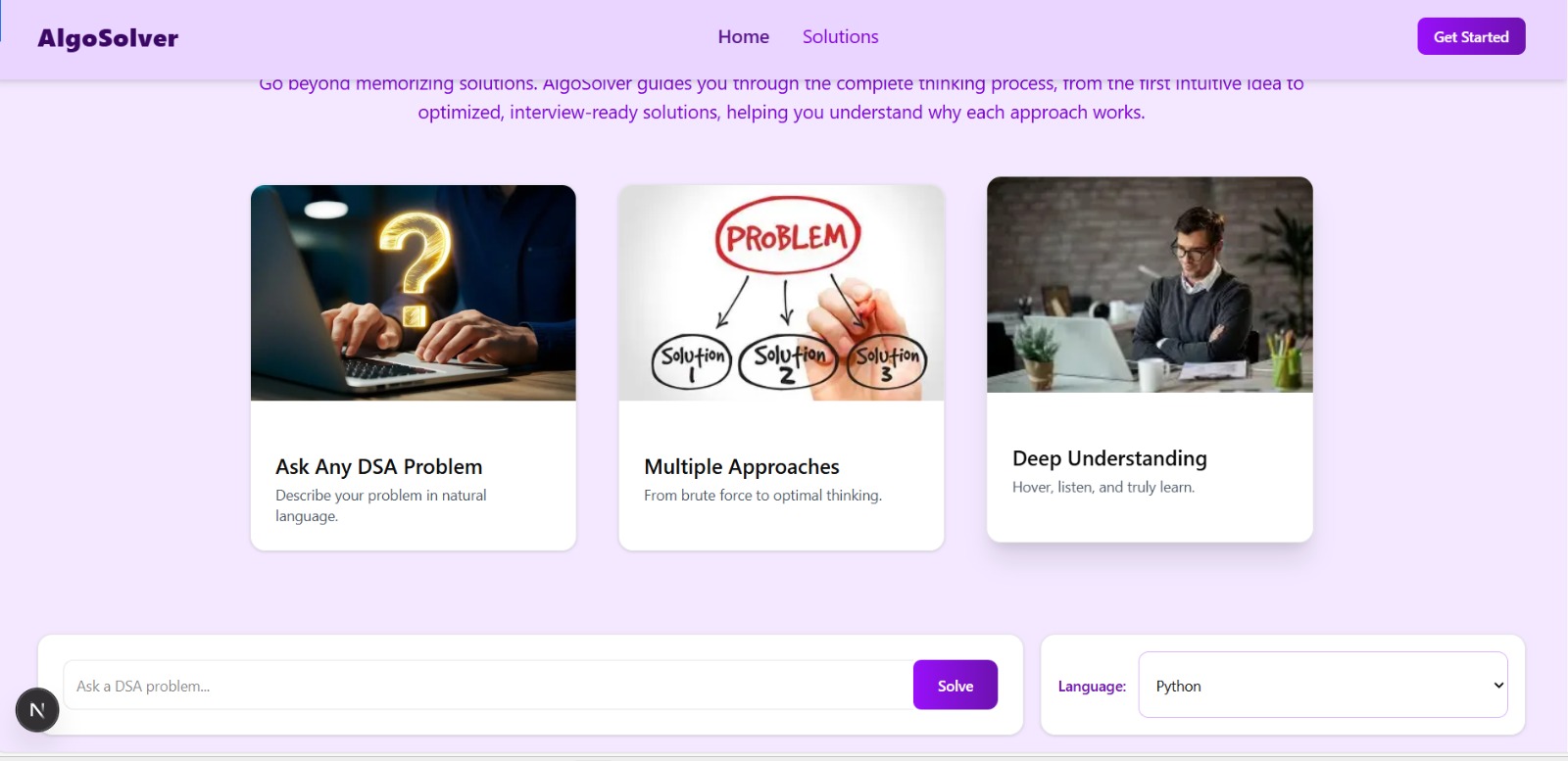
1. Problem Input Users enter a Data Structures or Algorithms question into AlgoSolver. The platform understands the input and prepares it for analysis.
2. Language Selection
Users choose their preferred programming language for the solution, such as Python, C++, or Java.
This ensures the generated code matches their learning or project needs.
3. Problem Processing
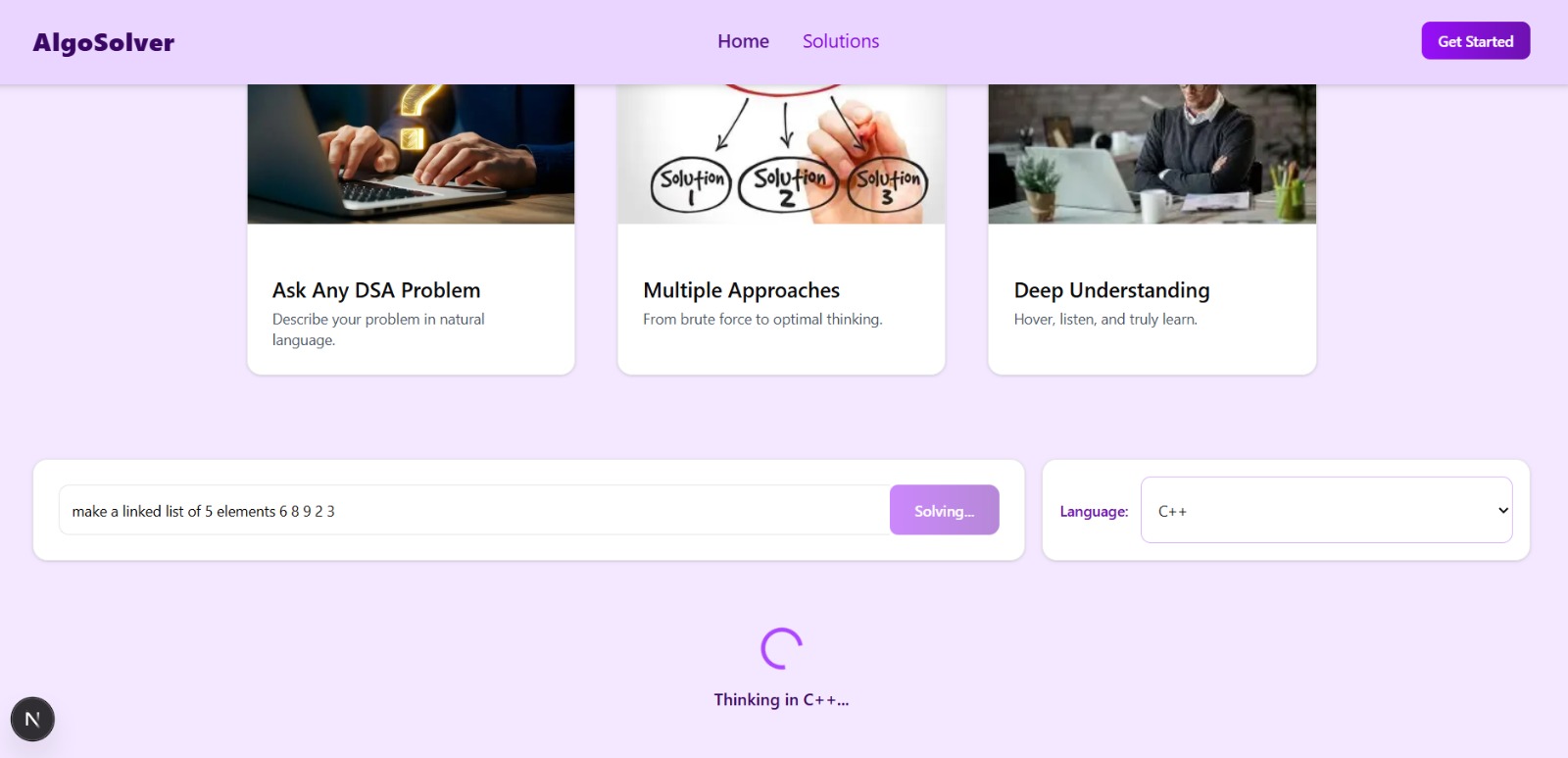
AlgoSolver analyses the problem to identify the type of algorithm required.
It examines constraints, input patterns, and expected outputs to select suitable solution strategies.
4. Approach Generation
Multiple solution approaches are generated for each problem, ranging from basic brute-force to optimised methods.
This helps learners see different ways of thinking and understand trade-offs between solutions.
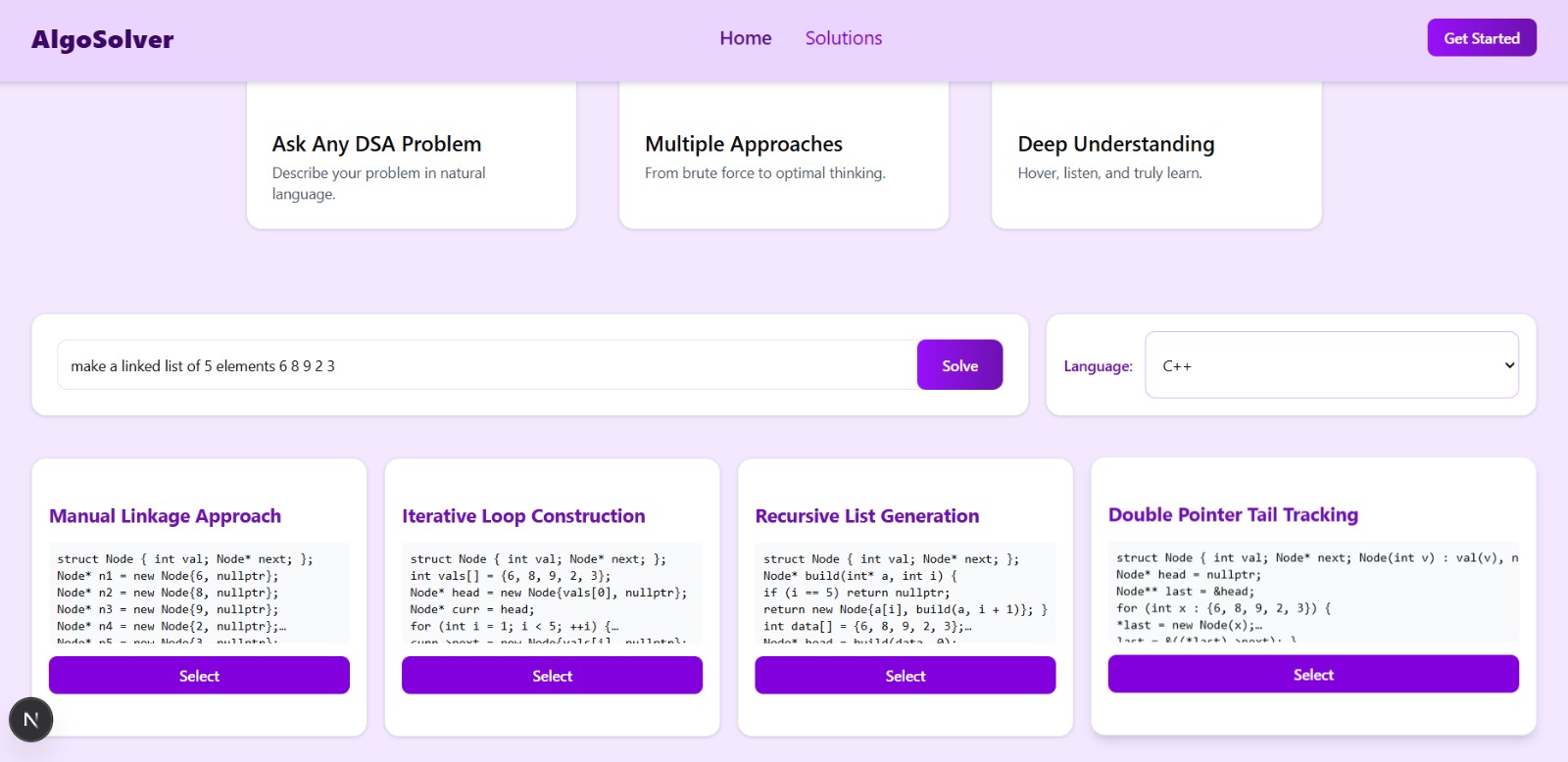
5. Code Generation Clean, well-structured code is produced for each approach in the selected language. The code is readable, executable, and designed to teach implementation best practices.
6. Step-by-Step Explanation Generation Each solution is broken down into logical, sequential steps for easy comprehension. AlgoSolver explains what is happening, why it happens, and how the algorithm progresses at each stage.
7. Audio Explanation Generation
Step-by-step explanations are converted into verbal audio for guided learning.
Students can listen to the reasoning like a tutor walking them through the solution.
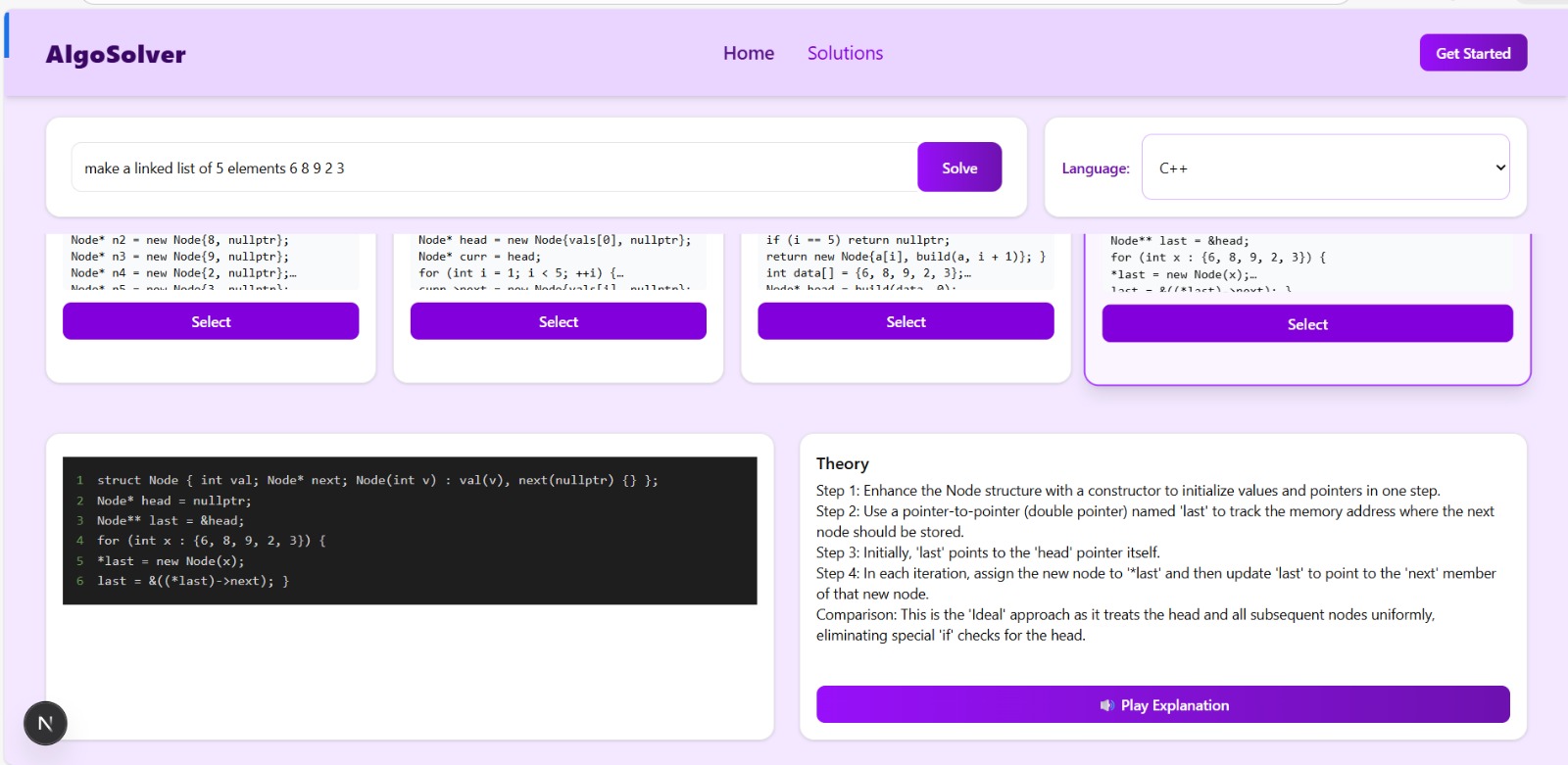
8. Syntax Explanation
The generated code is further explained, highlighting programming syntax and language-specific nuances.
This helps learners understand how the code works in practice, not just in theory.
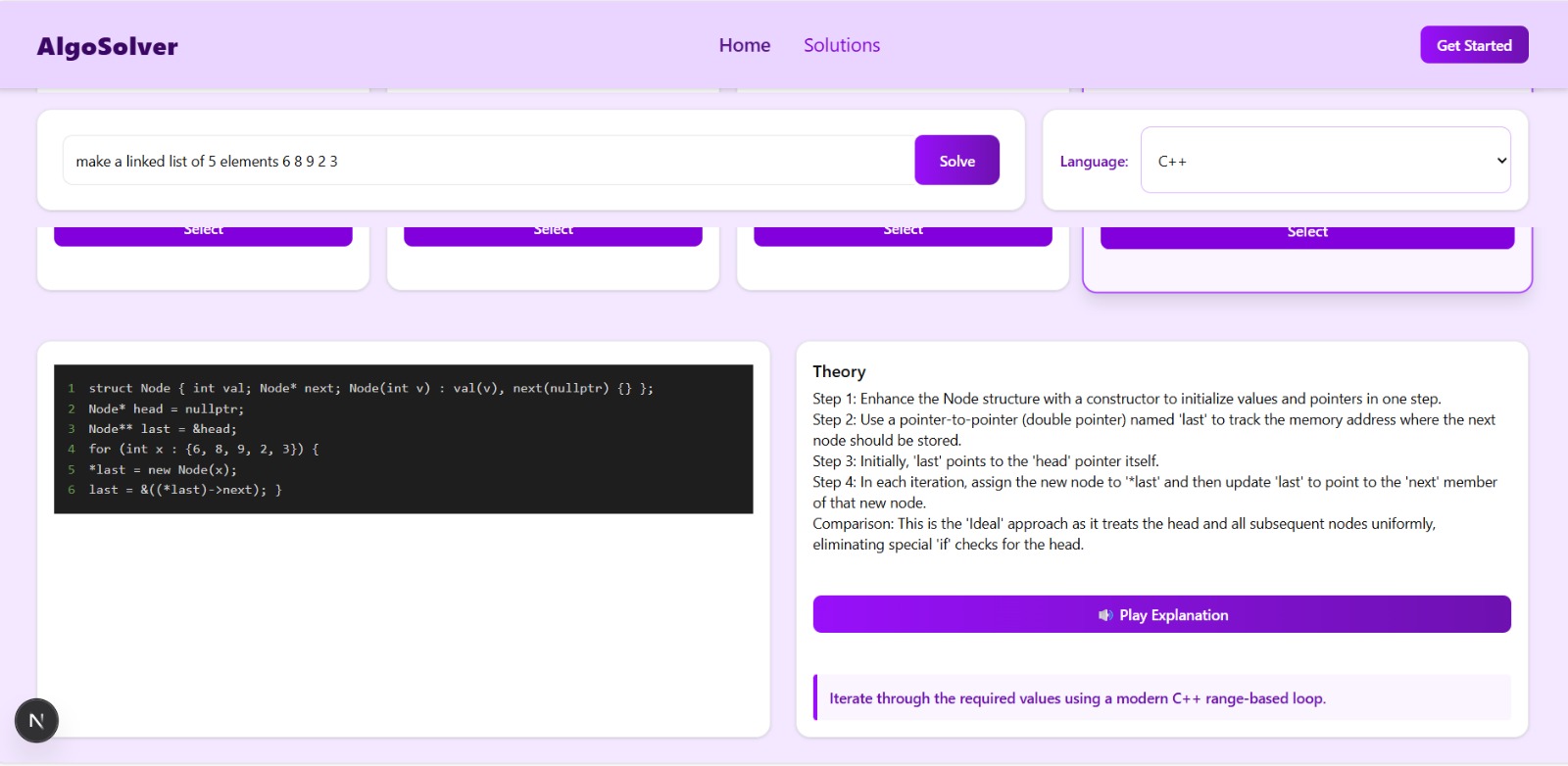
9. Approach Comparison Different approaches are compared side by side, highlighting time complexity, space usage, and trade-offs. This teaches students which approach is more efficient and why, reinforcing problem-solving skills.
How we built it
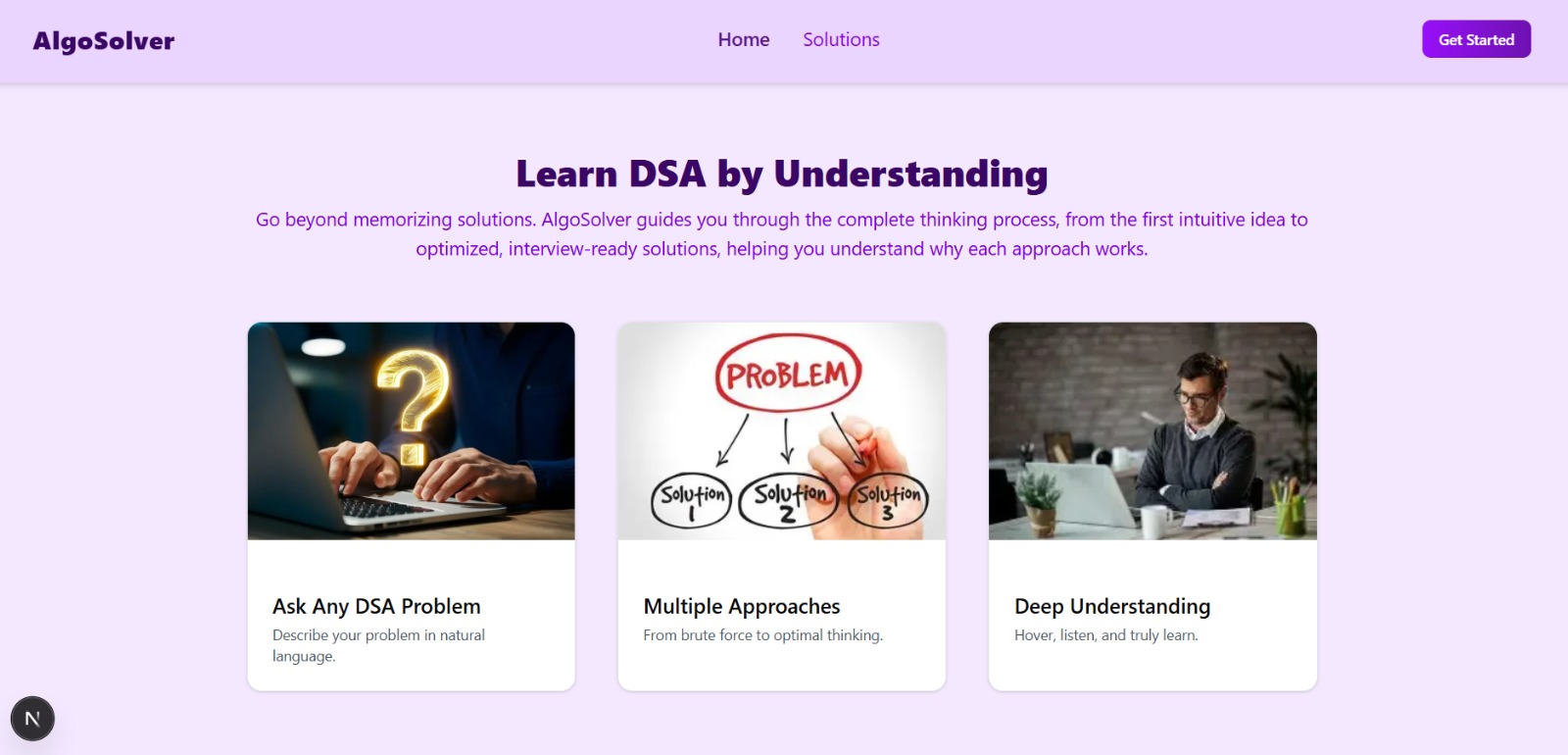
🎨 UI Vibes (User Interface Design) We built a simple and intuitive UI using React to allow users to input problems and select their preferred programming language. The design focuses on clarity and easy navigation for a smooth learning experience.
🧩 BrainScan (Problem Processing Module) The platform analyzes the input problem to determine the type of algorithm needed. It examines constraints, input patterns, and expected outputs to select suitable solution strategies.
⚡ ThinkPaths (Multi-Approach Solution Engine) For every problem, AlgoSolver generates multiple solution strategies, from brute-force to optimized methods. This allows learners to understand different ways to solve the same problem.
💻 CodeDrop (Code Generation Module) Clean, readable, and executable code is automatically generated in the user’s selected programming language. The code is structured to teach implementation best practices, not just provide the answer.
🪜 StepFlow (Step-by-Step Explanation Generator) Each solution is broken down into logical, sequential steps for easy understanding. The system explains what happens, why it happens, and how the algorithm progresses at each stage.
🔤 SyntaxBreak (Syntax Explanation Module) Code lines or blocks are explained in detail to help students understand programming syntax and logic. This ensures learners don’t just see working code but know why it works.
🎧 ExplainIt (Audio Explanation Feature) Step-by-step explanations are converted into audio, so users can listen to the solution like a personal tutor. This makes learning more engaging and accessible, especially for auditory learners.
⚖️ CompareMode (Approach Comparison ) Different approaches are compared side by side, highlighting time complexity, space complexity, and trade-offs. Students can see why one method may be better than another in certain scenarios.
🛠 Tech Stack
Frontend: React
Backend: Node.js / Python
Audio: Text-to-Speach API
Model: Gemini API
Version Control: GitHub
This combination allows real-time problem processing, code generation, and audio explanation.
Challenges we ran into
Generating Multiple Approaches Creating a system that could suggest multiple valid solution strategies for the same problem was challenging. We had to ensure that the approaches were correct, meaningful, and progressively optimised.
Step-by-Step Explanation Breaking down algorithms into clear, sequential steps that make sense for beginners required careful logic. It was not enough for the system to produce code; it had to explain why each step works.
Code Readability Across Languages Supporting multiple programming languages while keeping the code readable and educational was difficult. Syntax differences and language-specific nuances had to be handled carefully.
Audio Explanation Integration Converting explanations into natural, understandable audio was tricky. We needed to make sure the audio matched the step-by-step logic and sounded like a tutor, not a robotic voice.
Time and Resource Constraints As a hackathon project, we had limited time to implement complex features while keeping the platform functional and polished. Prioritising core functionalities without sacrificing quality was a constant challenge.
Approach Comparison Implementing side-by-side comparisons of multiple solutions, including time and space complexity, required careful calculation and a clear visual representation to make it understandable for learners.
Accomplishments that we're proud of
1.Empowering Students to Think AlgoSolver doesn’t just give answers, it helps learners understand the reasoning behind each solution. Seeing multiple approaches side by side encourages creative problem-solving.
2.Generating Text, and Audio Learning By combining step-by-step explanations, code breakdowns, and audio guidance, we created a learning experience that adapts to different learning styles.
3.Simplifying Complex Algorithms Even advanced concepts like dynamic programming or graph traversal are explained in simple, digestible steps, making difficult problems more approachable.
4.Encouraging Analytical Thinking The comparison of approaches and discussion of efficiency helps students think critically about algorithm design, not just implementation.
5.Polished, Intuitive Interface We built an interactive and visually clean UI that makes exploring solutions easy and enjoyable, keeping users engaged from input to explanation.
6.Completed a Full Prototype in a Limited Time Despite the hackathon time constraints, we delivered a working prototype that combines multiple learning tools into one cohesive platform, ready for real students to use.
What we learned
1. Importance of Clear Learning Paths We realized that students don’t just need solutions, they need to understand why and how a solution works. Designing a system that teaches step-by-step thinking was a major learning experience.
2. Balancing Complexity and Simplicity Explaining advanced algorithms in a way that is simple enough for beginners taught us the value of clarity and careful design.
3. Handling Multi-Approach Problem Solving Implementing multiple solution strategies for a single problem taught us how to structure logic efficiently and think critically about different approaches.
4. Integration of Multiple Modalities Combining code generation, visual step explanations, and audio output showed us the power of multi-modal learning and how technology can enhance understanding.
5. Collaboration and Time Management Working under hackathon constraints strengthened our teamwork, task prioritization, and decision-making skills, helping us deliver a functional and polished prototype.
6. User-Focused Development Constantly thinking about the end-user experience helped us realize that usability and accessibility are just as important as functionality.
What's next for AlgoSolver :
Interactive Algorithm Visualizations We plan to add animated visualizations for data structures and algorithms, helping students see how their code executes step by step.
Personalised Learning Paths Future versions will adapt to each learner’s progress, suggesting problems and approaches tailored to their strengths and weaknesses.
Mobile App Support We aim to make AlgoSolver available on mobile devices so learners can access explanations and practice anywhere, anytime.
Community and Collaboration Features We envision adding forums, peer discussion boards, and collaborative problem-solving spaces to encourage learning from each other.
Advanced Problem Sets and Challenges The platform will include curated challenges, contests, and leaderboard features to gamify learning and motivate users.
AI-Enhanced Explanations We plan to improve our explanation engine to provide smarter, more intuitive guidance, including hints, alternative approaches, and common mistakes.
Multi-Language Expansion Expanding programming language support beyond the initial set, allowing learners from different backgrounds to practice in their preferred language.


Log in or sign up for Devpost to join the conversation.