-
-
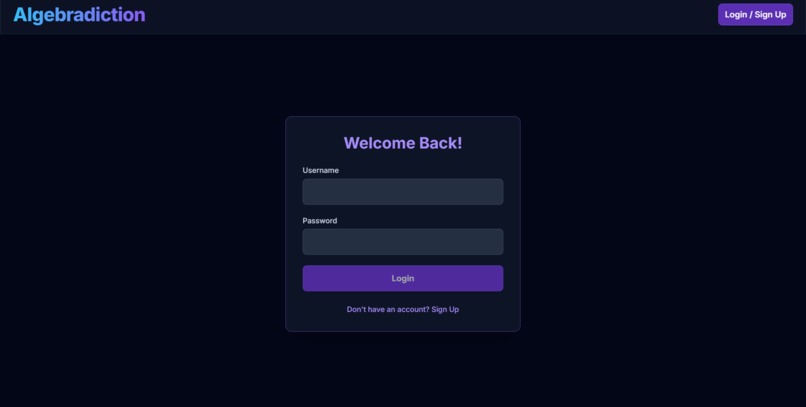
Login Page
-
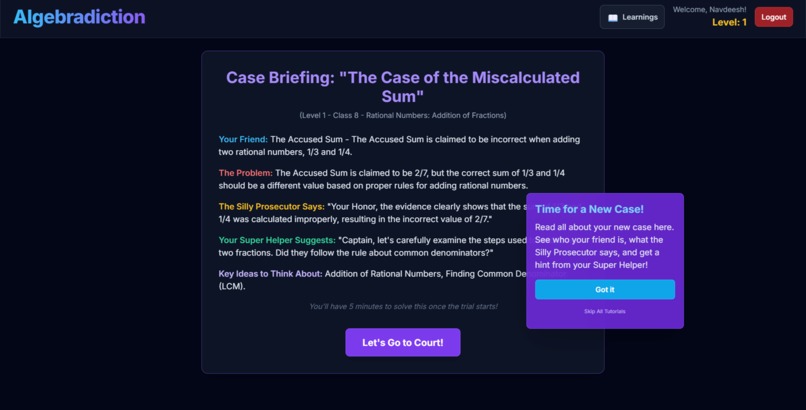
Interactive Tutorials
-
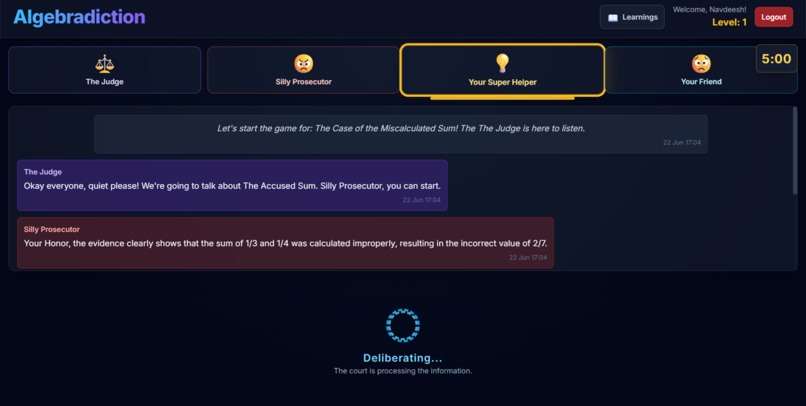
Gamified Learning
Inspiration
The inspiration behind Algebradiction stems from the desire to make learning mathematics, particularly algebra and related concepts, more engaging and interactive for students. Traditional math learning can sometimes feel dry, so Algebradiction aims to gamify the experience by placing students in a thrilling courtroom setting. The idea is to transform abstract mathematical problems into compelling "cases" where logic, problem-solving, and mathematical prowess are the keys to "winning" and defending a client. The project draws inspiration from popular courtroom drama games, adapting the narrative tension and character interactions to an educational context.
What it does
Algebradiction is an interactive educational game where players take on the role of a defense attorney. Their mission is to defend "clients" (who are often personified mathematical concepts or entities) accused of mathematical "crimes" (i.e., incorrect calculations or flawed logic).
Here's how it works:
- User Authentication: Players can sign up or log in to save their progress, including their current level, completed tutorials, and learned mathematical concepts.
- Dynamic Case Generation: The game uses the Google Gemini API (
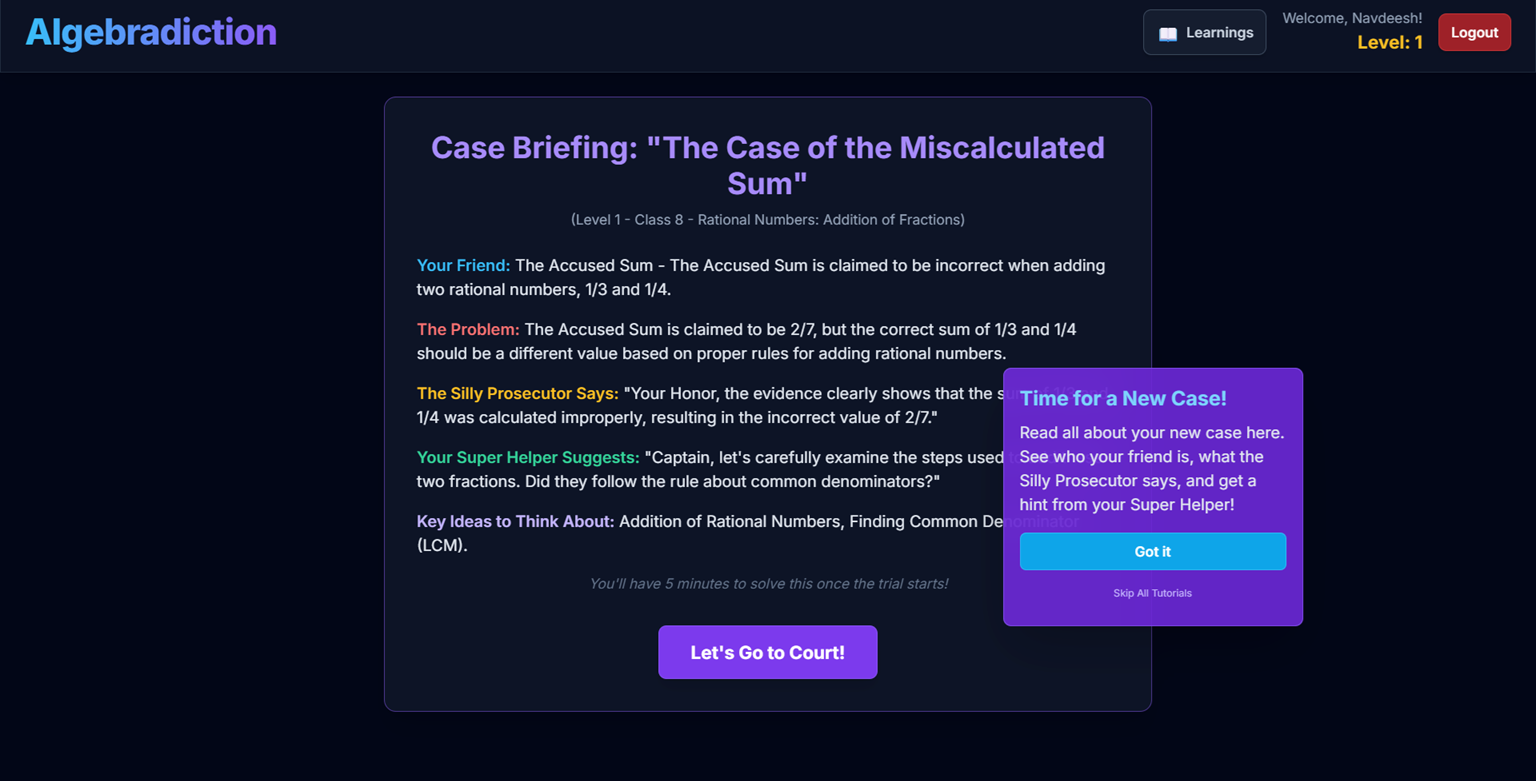
gemini-2.5-flash-preview-04-17) to dynamically generate unique math "cases" tailored to the player's current level and a specific Indian CBSE/NCERT curriculum topic for Classes 8, 9, or 10. Cases include a title, client details, an accusation (the math problem), evidence (some of which may be flawed), key mathematical concepts, and verdicts. Evidence visuals (SVGs) are also described in the generation prompt for dark themes. - Case Briefing: Before a trial, players review the case details, including the accusation, initial arguments, and hints from their AI co-counsel.
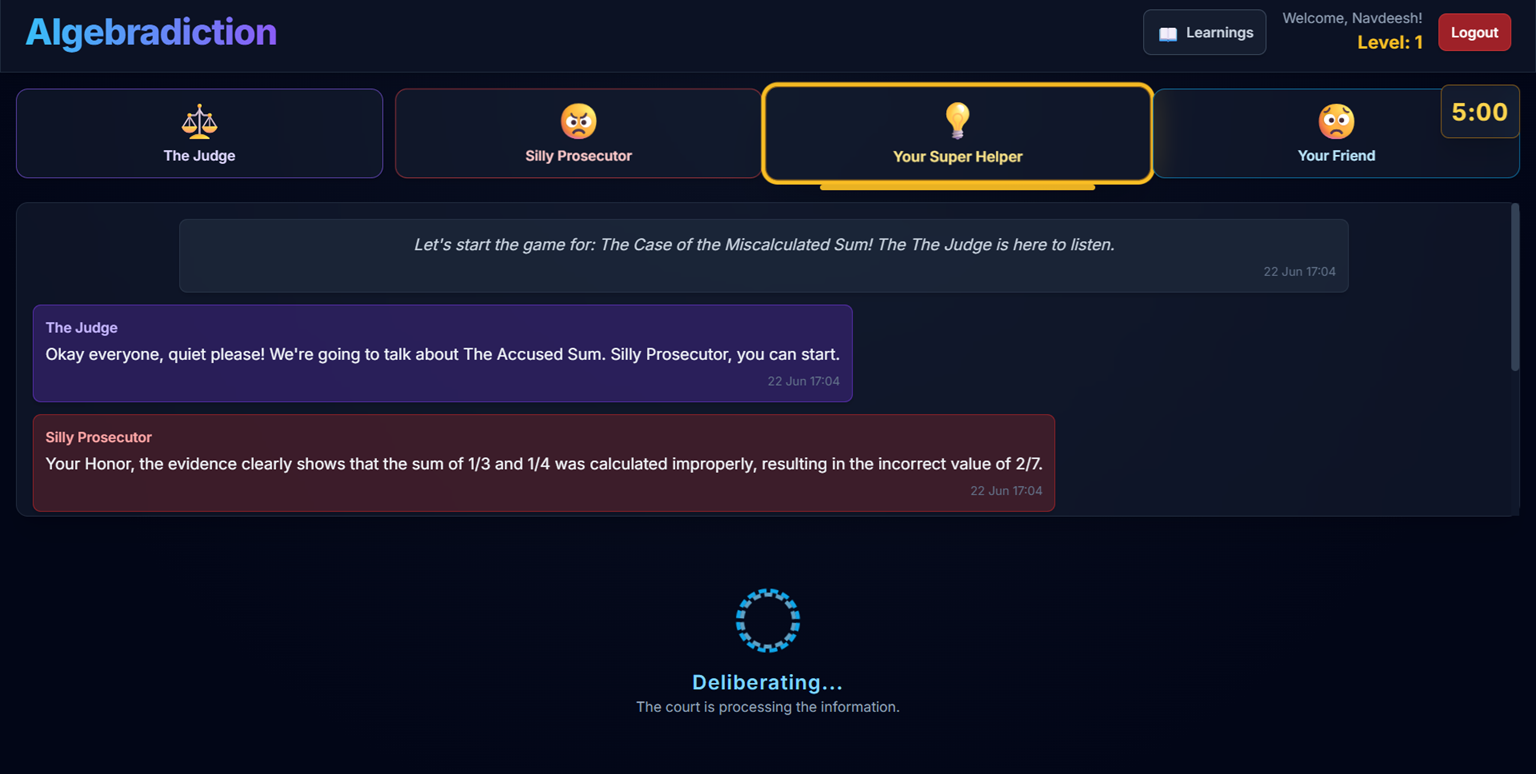
- Courtroom Interaction:
- Players interact with AI-powered characters: The Judge, a "Silly Prosecutor," and a helpful "Super Helper" (Co-Counsel).
- The Prosecutor presents arguments based on the alleged mathematical error.
- The Co-Counsel offers advice and hints to the player.
- Dialogues are generated by the Gemini API, with characters having distinct personalities and roles.
- Player Actions:
- Clue Checker (Evidence Terminal): Players examine available evidence, some of which may contain mathematical flaws.
- My Story Board (Proof Board): Players construct their defense arguments, explaining the mathematical reasoning to prove their client innocent.
- Wait a Minute! (Objection System): Players can object to the Prosecutor's statements, providing their mathematical counter-arguments.
- AI Judge's Ruling: The player's arguments and objections are sent to the Gemini API (acting as The Judge) for analysis. The Judge evaluates the mathematical validity and relevance of the player's input.
- Verdict: Based on the player's success in identifying and explaining mathematical concepts or flaws, The Judge delivers a verdict. Winning a case allows the player to level up and records key learnings. Losing a case (or running out of time) means the player stays at the current level.
- Learning Reinforcement: "My Learnings" section allows players to review mathematical concepts and flaw explanations from cases they've successfully won.
- Tutorial System: An interactive tutorial guides new players (Level 1) through the game's features.
The game aims to improve students' understanding of algebraic concepts, problem-solving skills, and logical reasoning in a fun, narrative-driven environment.
How we built it
Algebradiction is a web-based application built with a modern frontend stack and powered by AI:
- Frontend Framework: React with TypeScript for a robust and type-safe user interface.
- Styling: Tailwind CSS for rapid and responsive UI development, with custom global styles for theming (dark mode, glassmorphism, scrollbars) and specific component aesthetics.
- AI Integration:
- Google Gemini API:
-
gemini-2.5-flash-preview-04-17model is used for:- Generating complex case data in JSON format, including mathematical problems, evidence descriptions (and SVG content for visuals), character dialogues, and flaw explanations.
- Powering the in-game character (Prosecutor, Co-Counsel) responses through a chat-like interaction.
- Analyzing player arguments and objections as The Judge, determining their mathematical validity and relevance.
-
- Image generation with
imagen-3.0-generate-002is mentioned in constants and a service function, suggesting an intent for visual evidence generation, though its direct use ingenerateCaseDataforcontentis primarily through SVG descriptions.
- Google Gemini API:
- State Management: Primarily using React's built-in hooks (
useState,useEffect,useCallback,useRef) to manage application state, game flow, and UI updates. - Routing/Screen Management: A custom state-based system (
currentScreeninApp.tsx) manages navigation between different parts of the game (Auth, Case Generation, Briefing, Courtroom, Verdict). - Persistence:
- LocalStorage: Used extensively to store:
- User accounts (username and a simple password hash for this version).
- The last logged-in user.
- User-specific progress: current level, completed tutorial steps, status of "all tutorials skipped."
- Learnings acquired by the user.
- Current topic index for each class (8, 9, 10) to ensure progressive learning through curriculum topics.
- LocalStorage: Used extensively to store:
- Component Structure: The application is broken down into reusable React components for different UI elements and game screens (e.g.,
Header,Courtroom,DialogueBox,EvidenceModal,AuthScreen,InteractiveTutorialHint). - Services: API interactions with Gemini are encapsulated in
services/geminiService.ts. - Modularity: Code is organized into components, services, types, and constants for better maintainability.
Challenges we ran into
- Complex Prompt Engineering: Crafting precise and robust prompts for the Gemini API was crucial and likely challenging. This includes:
- Ensuring consistent JSON output for dynamic case generation, especially with nested structures and specific requirements like SVG content for dark themes.
- Guiding the AI to maintain character personalities (e.g., "Silly Prosecutor," "Super Helper," "The Judge") and provide contextually relevant dialogue.
- Getting accurate mathematical analysis from the AI Judge for player arguments.
- Managing Asynchronous AI Calls: Integrating AI responses smoothly into the UI, handling loading states, and preventing race conditions or stale data would have been a focus.
- State Management Complexity: Orchestrating game state across various components (dialogue history, current speaker, modal visibility, timer, tutorial progression) with React hooks requires careful planning.
- Tutorial System Implementation: Creating a non-intrusive yet effective interactive tutorial system that tracks completion per user and handles various game states.
- Dynamic SVG Generation/Handling: The requirement for Gemini to generate valid, dark-theme-compatible SVGs within JSON is ambitious and error-prone. The fallback SVG indicates this was anticipated.
- Curriculum Progression Logic: Implementing the system to cycle through specific topics for Classes 8, 9, and 10 for each user correctly.
- Error Handling: Gracefully handling potential API errors from Gemini, API key issues, or unexpected AI responses.
- UI/UX for Engagement: Designing an interface that is both intuitive for a game and effective for learning mathematical concepts, especially within the courtroom metaphor.
- Balancing Difficulty: Ensuring the AI-generated cases and the Judge's evaluation provide a fair challenge that scales with player level without being overly frustrating or too easy.
- Timer and Tutorial Interaction: Pausing the game timer effectively when tutorials are active and resuming it correctly.
Accomplishments that we're proud of
- Innovative Educational Game Concept: Successfully merging a courtroom drama theme with mathematical problem-solving to create a unique learning experience.
- Deep Gemini API Integration: Leveraging Gemini for multiple core functionalities: dynamic content generation, character AI, and argument analysis.
- Personalized Learning Path: Implementing user accounts with persistent progress, including level progression and a "My Learnings" feature that tracks concepts from won cases.
- Structured Curriculum Delivery: The system for cycling through predefined math topics for Classes 8, 9, and 10 ensures a structured learning experience aligned with a curriculum.
- Interactive Tutorial System: Providing contextual hints and guidance for new players to ease them into the game mechanics.
- Dynamic and Engaging Dialogue: Creating a system where AI characters can respond dynamically to the game's situation and player inputs.
- Sophisticated Case Generation: The ability to generate varied and complex math cases on the fly, complete with flawed evidence and hints, tailored to player level and specific educational topics.
- Responsive and Thematic UI: Developing a visually appealing dark-themed interface with glassmorphic elements that fits the courtroom aesthetic.
- Robust (Client-Side) User Management: Implementing a functional login/signup system using LocalStorage for this iteration.
What we learned
- Power of LLMs in Education: How Large Language Models like Gemini can be used to create highly dynamic, interactive, and personalized educational content.
- Advanced Prompt Engineering: The nuances of designing effective prompts to elicit specific, structured (JSON), and role-consistent responses from an LLM.
- Managing Client-Side State: Techniques for managing complex application state in React, especially when dealing with asynchronous operations and multiple interconnected components.
- Importance of UI/UX in EdTech: How crucial intuitive design and engaging interactions are for educational games to be effective.
- Iterative Development with AI: The need for iterative testing and refinement when working with AI, as responses can be unpredictable initially.
- Client-Side Data Persistence Trade-offs: Understanding the capabilities and limitations of LocalStorage for user data and game state.
- Designing for Specific User Needs: Tailoring content (math problems, language) to specific educational levels (CBSE Classes 8-10).
- Component-Based Architecture: The benefits of a well-structured component hierarchy in React for building and maintaining a complex application.
What's next for Algebradiction
- Expanded Curriculum & Case Variety:
- Add more mathematical topics and sub-topics for each class.
- Introduce more diverse types of mathematical problems and case scenarios.
- Incorporate more complex multi-step problems as player levels increase.
- Enhanced AI Interactions:
- More nuanced AI personalities and responses from characters.
- Allow players to cross-examine the Prosecutor or call witnesses (AI-driven).
- More sophisticated feedback from the Judge on mathematical errors.
- Improved Evidence System:
- Truly interactive evidence (e.g., manipulable graphs, sortable data tables).
- Integrate the
generateImageForEvidenceservice more directly to produce unique visual evidence beyond SVGs if feasible. - Allow players to combine or link pieces of evidence.
- Visual Proof Board: Instead of just text, allow players to visually organize their arguments, perhaps by dragging/dropping evidence snippets or drawing connections.
- Gamification & Engagement Features:
- Achievements, badges, or a leaderboard system.
- Unlockable character customizations or courtroom themes.
- "Daily Challenge" cases.
- Teacher/Educator Dashboard: A separate interface for educators to track student progress, assign specific types of cases, or even create case templates.
- Backend Integration:
- Move user authentication and data persistence to a secure backend database for better data integrity and scalability.
- Potentially offload some complex AI interaction logic or case generation parameters to a backend.
- Accessibility Improvements: Further review and enhance accessibility features (ARIA attributes, keyboard navigation) to ensure the game is usable by a wider audience.
- User Feedback & Analytics: Implement mechanisms for collecting user feedback and basic analytics to understand how players interact with the game and identify areas for improvement.
- Multimedia Enhancements: Add sound effects, background music, and potentially simple character animations to increase immersion.
Built With
- css3
- google-gemini-api
- html5
- javascript
- react
- tailwind
- typescript


Log in or sign up for Devpost to join the conversation.