-
-
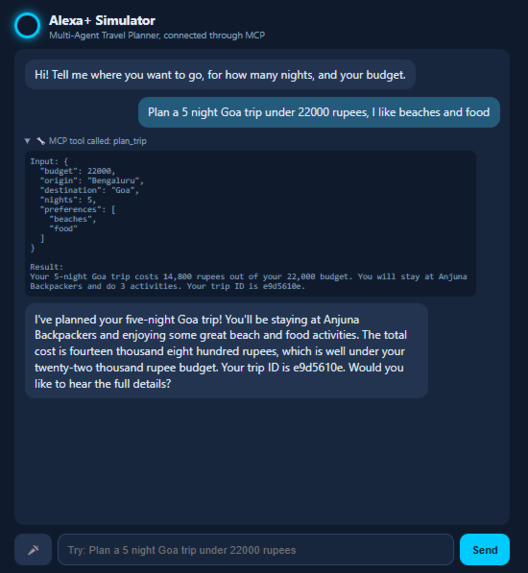
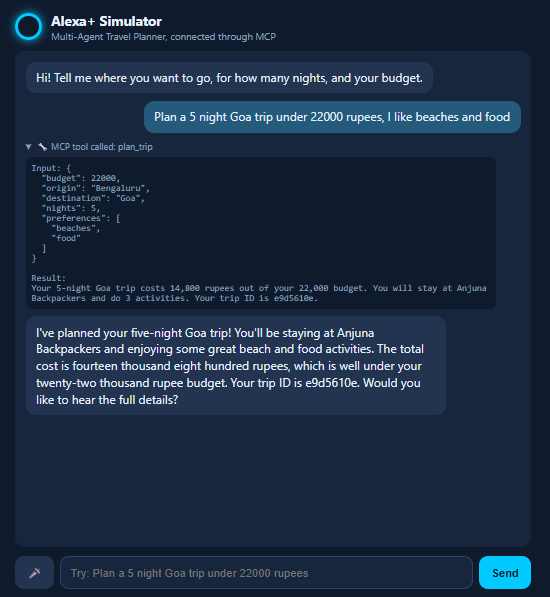
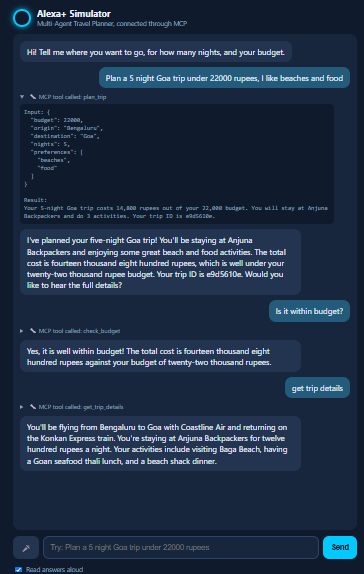
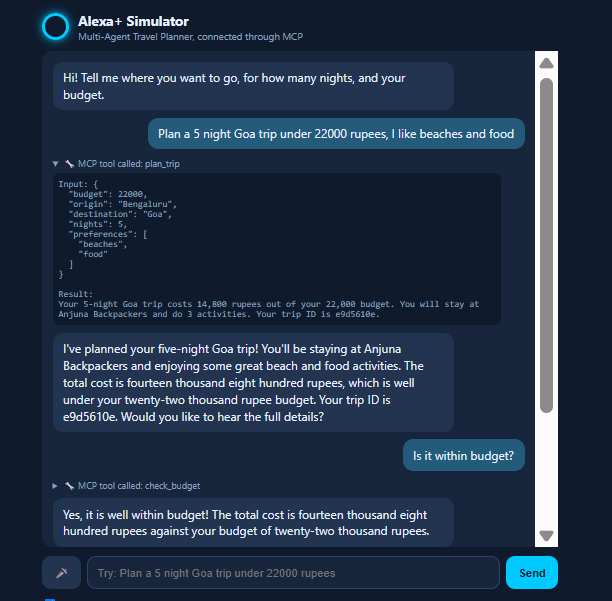
Asking the Alexa+ style assistant to plan a 5 night Goa trip. It calls my MCP server's plan_trip tool
-
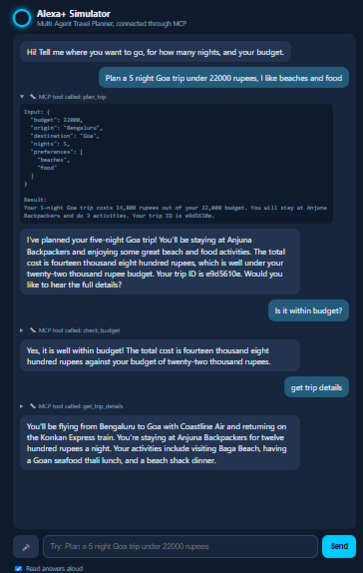
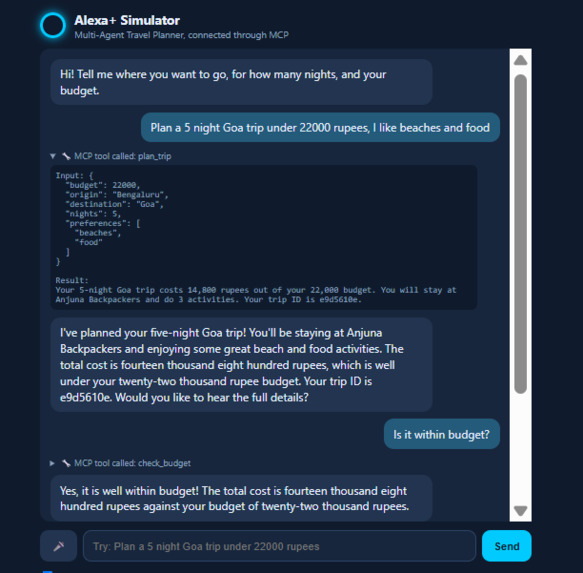
Checking the plan against the budget. The check_budget tool compares the cost with the budget and lists anything the validator couldn't fix.
-
A follow-up question about the same trip. The assistant calls get_trip_details
Inspiration
I'd just finished building a multi-agent travel planner, and it only worked through a Streamlit page. Then I read that Alexa+ integrations run on MCP, and I wondered: what if I could just tell the planner what I want instead of filling in a form? That's what this project is.
What it does
You say something like "Plan a 5 night Goa trip under 22000 rupees, I like beaches and food." A simulated Alexa+ assistant works out which tool to call on my MCP server, the planner builds the trip, and the assistant reads back a short answer.
The server has four tools:
plan_tripmakes a plan and gives you a short summary and a trip IDget_trip_detailstells you the transport, hotel and activitiescheck_budgetchecks the plan against your budget and lists anything that's still wrongadjust_tripchanges the budget or preferences and plans again
Trips are saved in SQLite, so the trip ID still works after I restart the server.
How I built it
The planner was already done before the hackathon. It has transport, hotel and activity agents running in parallel with LangGraph, and a validator written in plain Python that checks the budget and sends only the broken part back to be fixed.
During the hackathon I built:
- an MCP server in Python over Streamable HTTP (it reports protocol version 2025-11-25)
- short, speakable replies, with the full details kept in a separate tool
- a simulated Alexa+ web app: a FastAPI backend that acts as the MCP client and uses Gemini to pick the tool, plus a web page where you can talk or type and hear the answer. You can see every tool call in the chat
- SQLite storage for trips
- an MIT licence and a README that says what was there before and what I added
Challenges we ran into
- The MCP quickstart code used
FastMCP, but the newestmcpversion renamed it, so my server wouldn't even start. I fixed it by pinningmcp<2. - I didn't have Node.js, so I couldn't use the MCP Inspector. I wrote a small Python client to test with instead.
- My first test trip failed with "Max turns (10) exceeded". The planner worked fine with a different trip, so I used that one to check that the MCP part was working.
- The async errors were hidden behind a vague "unhandled errors in a TaskGroup" message. I had to unwrap them before I could see what was really going wrong.
Accomplishments that we're proud of
- My planner now sits behind a standard MCP server and you can control it by voice.
- The whole flow works end to end: speak, tool call, plan, spoken answer, then follow-up questions about the same trip.
- Trips survive a restart.
- You can see the tool calls in the demo, so it's clear what the assistant is actually doing.
What we learned
- How MCP works in practice: how tools are described, how Streamable HTTP works, and how an LLM picks a tool.
- Voice answers need to be short. A long itinerary is fine on a screen but awful to listen to.
- How to read async errors without panicking.
- How to keep track of what I built before a hackathon versus during it.
What's next for Alexa+ Travel Planner
- Try it with a real Alexa+ setup instead of a simulation
- Swap the mock data for live places, weather and hotels
- Make
adjust_tripre-run only the agent that needs changing - Add Amazon Bedrock and deploy the server on AWS
- Show an itinerary card in the chat with MCP Apps


Log in or sign up for Devpost to join the conversation.