-
-
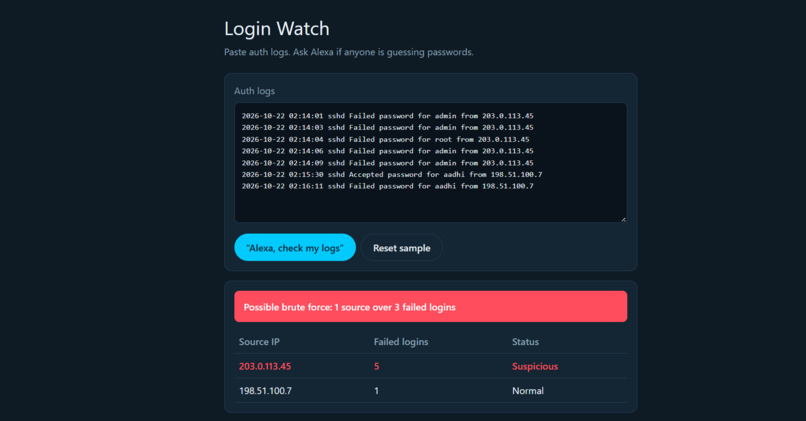
The red alert banner, the IP table, and the Alexa message, all in one screenshot.
Inspiration
Brute force login attacks are one of the most common ways accounts get compromised, yet the signs are buried in thousands of lines of authentication logs. I wanted to see what it would feel like to ask a voice assistant, "Alexa, check my logs," and hear straight away whether someone is guessing passwords.
What it does
Login Watch is a simulated Alexa+ experience for spotting brute force attempts.
- You paste authentication logs into the app.
- You click "Alexa, check my logs".
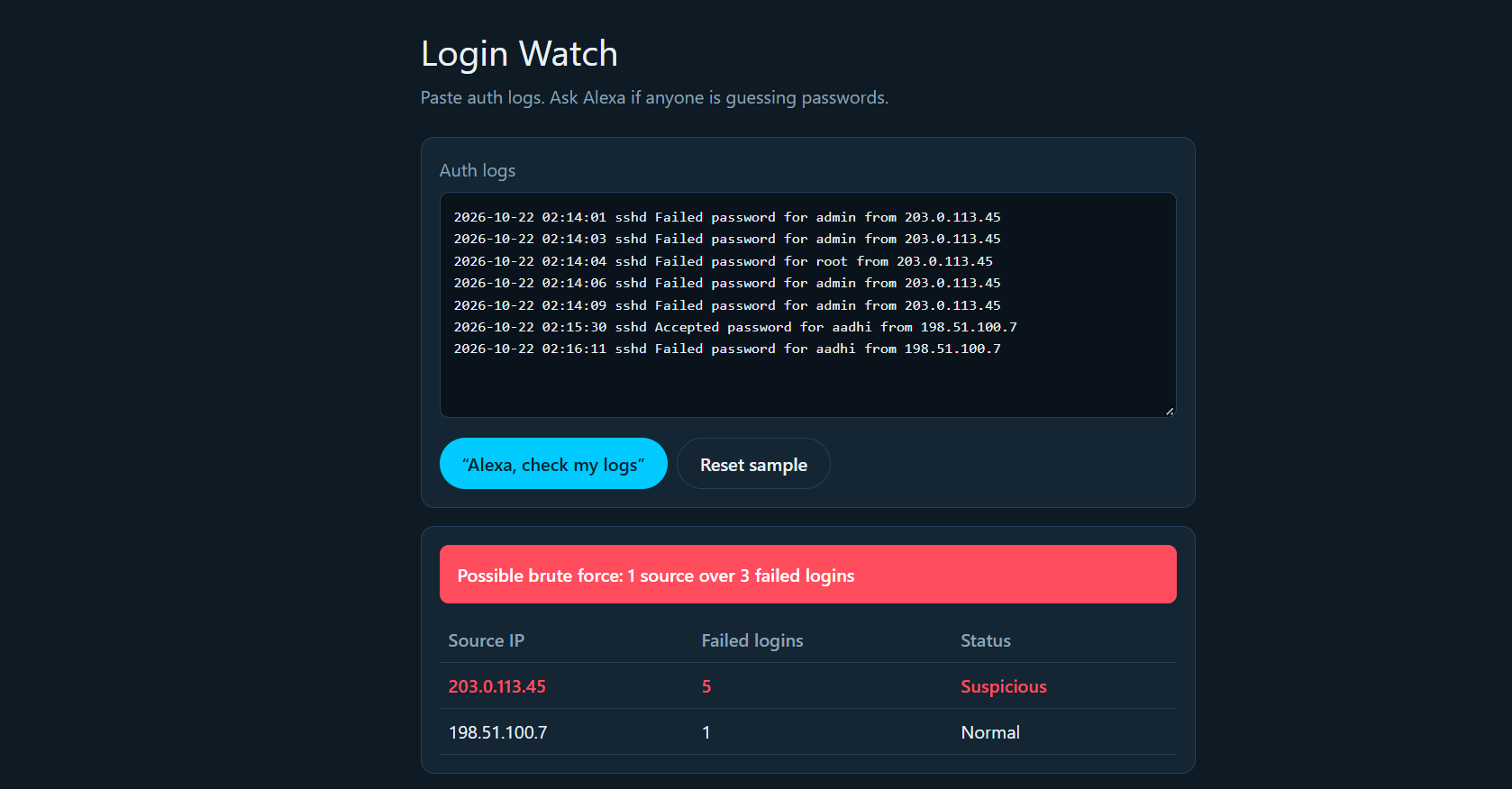
- It counts failed logins per source IP and flags any source with more than 3 failures.
- It shows a red alert banner and a table of source IPs marked Suspicious or Normal.
- It speaks the warning aloud, for example: "Security alert. 5 failed logins from 203.0.113.45. This looks like a brute force attempt. Do you want me to block it?"
- If nothing is suspicious, it shows a green all-clear and says so out loud.
How I built it
- A single-page Next.js app, written in Cursor.
- Log parsing runs entirely in the browser: a regex finds failed-login lines and extracts the source IP, and a threshold rule flags any IP over 3 failures.
- The browser's Web Speech API (speech synthesis) simulates Alexa's voice.
- The code is on GitHub and deployed on Vercel.
Challenges I ran into
- Cleaning up TypeScript errors that came from mixing a JavaScript page into the default Next.js TypeScript template.
- Resolving a Git merge conflict between my local project and the GitHub repo.
- Connecting Vercel to GitHub and getting a working deploy under a tight deadline.
What I learned
- How to take a project from idea to a live deployment quickly with Cursor, GitHub, and Vercel.
- How a simple detection rule combined with voice output can turn raw logs into something that is easy to act on.
- That a simulated Alexa+ experience in a web app is a practical way to prototype a voice workflow without any hardware.
What's next
- Build it as a real Alexa+ Agent Skill or MCP server.
- Ingest live logs from a real source instead of pasted text.
- Add a working "block this IP" action.
- Make the thresholds configurable.
Note: this is a simulated Alexa+ experience built as a web app. It is not a published Alexa skill.
Built With
- cursor
- github
- html
- javascript
- next.js
- react
- vercel
- web-speech-api

Log in or sign up for Devpost to join the conversation.