-
-
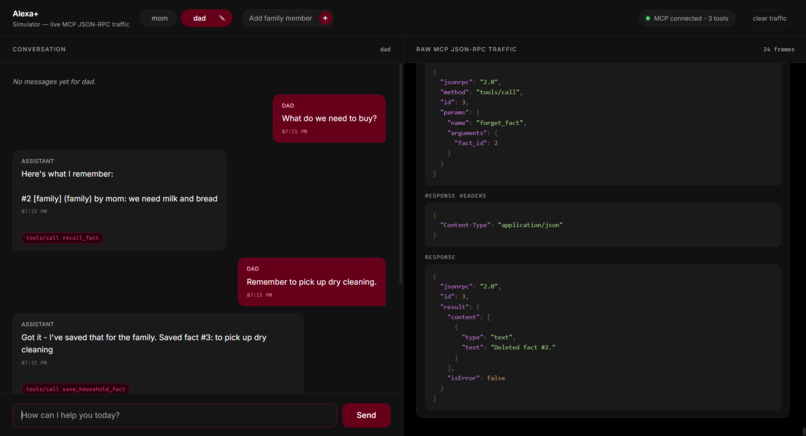
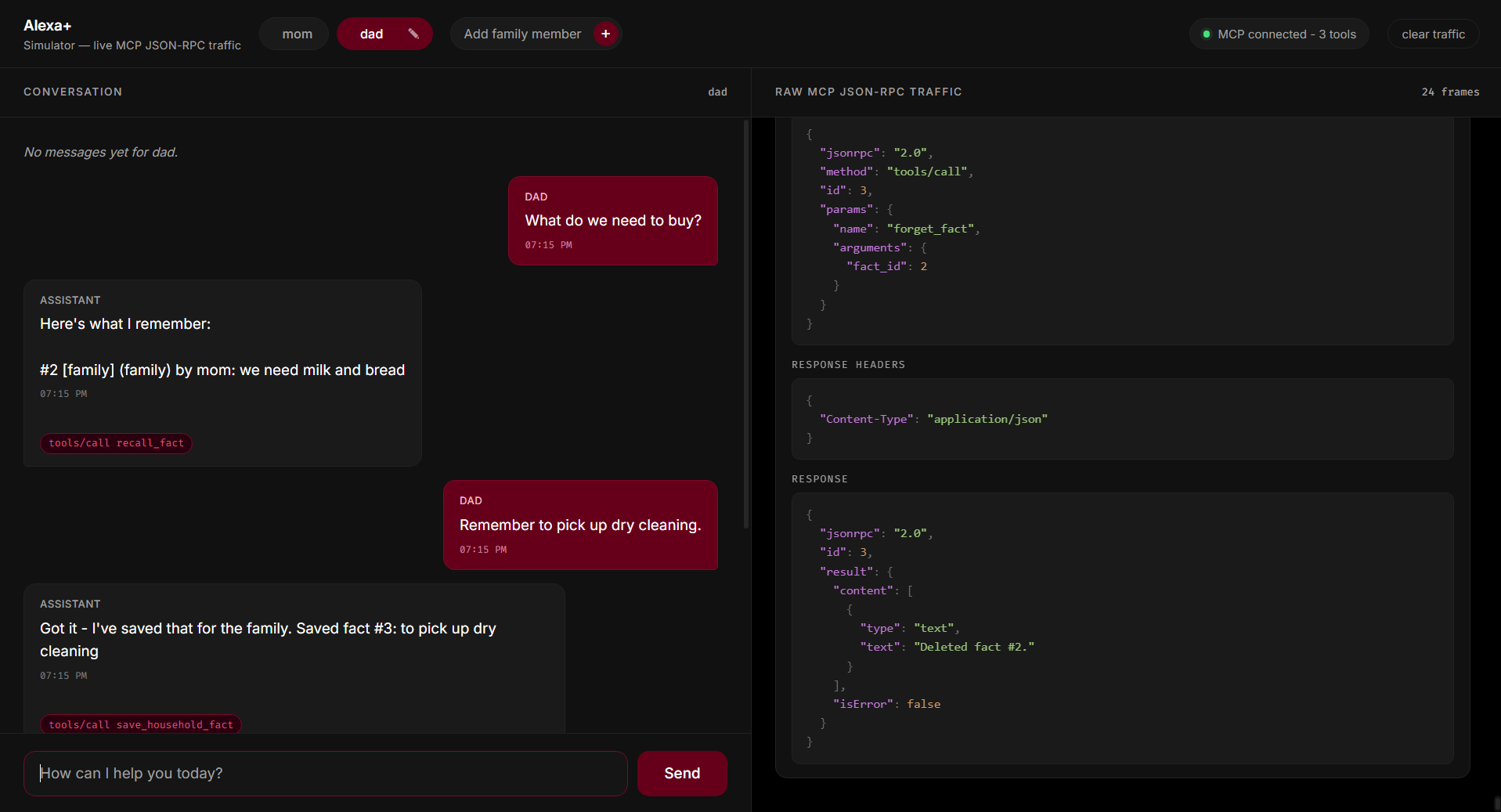
The Alexa Recall web simulator showing a family chat on the left and live MCP traffic on the right.
-
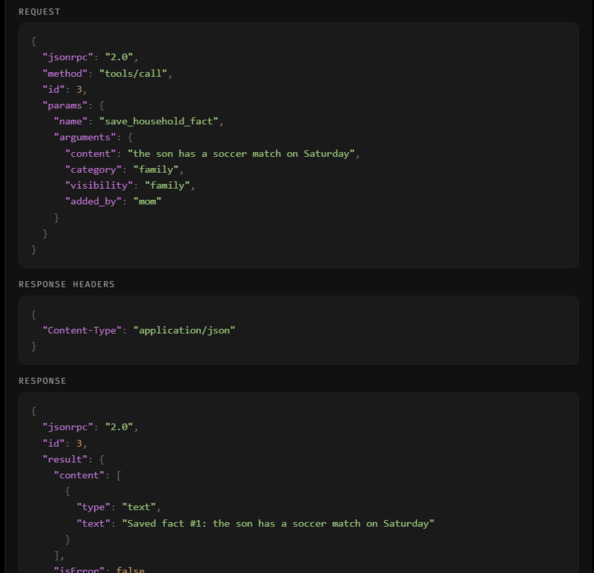
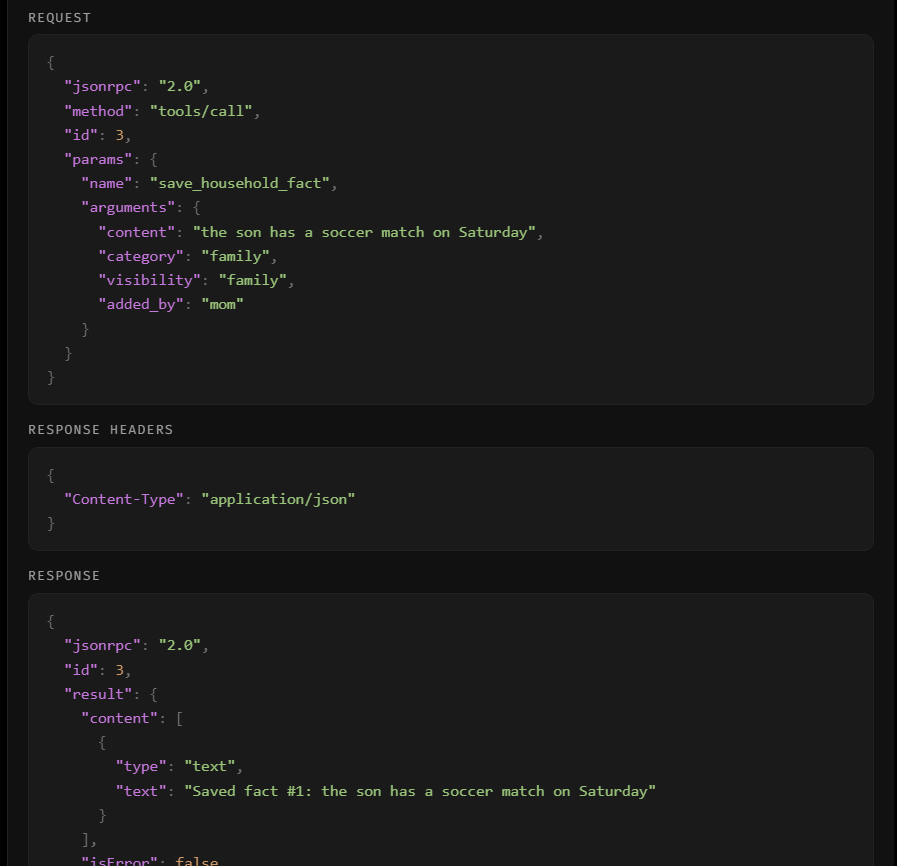
The JSON-RPC panel showing the save_household_fact request and response.
-
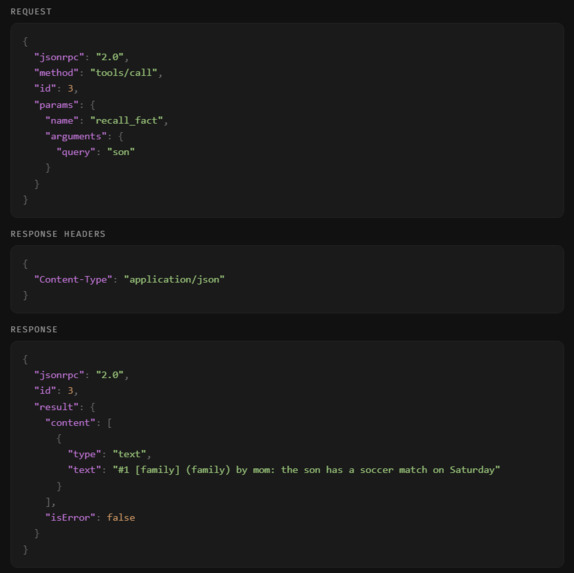
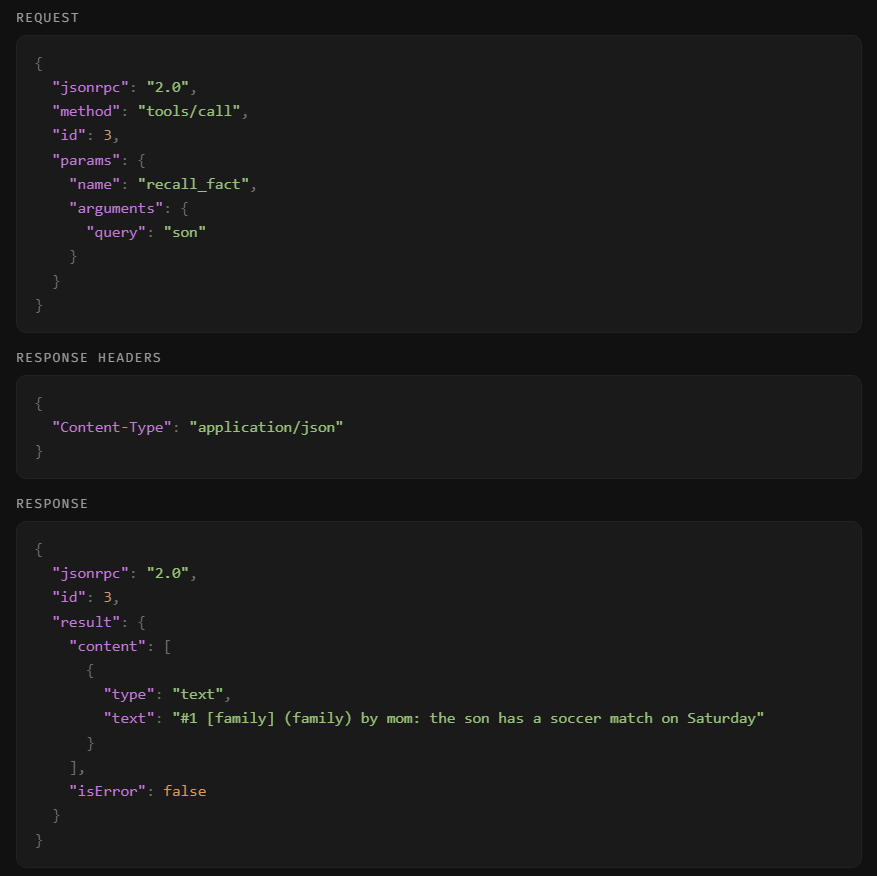
The JSON-RPC panel showing the recall_fact request and response.
-
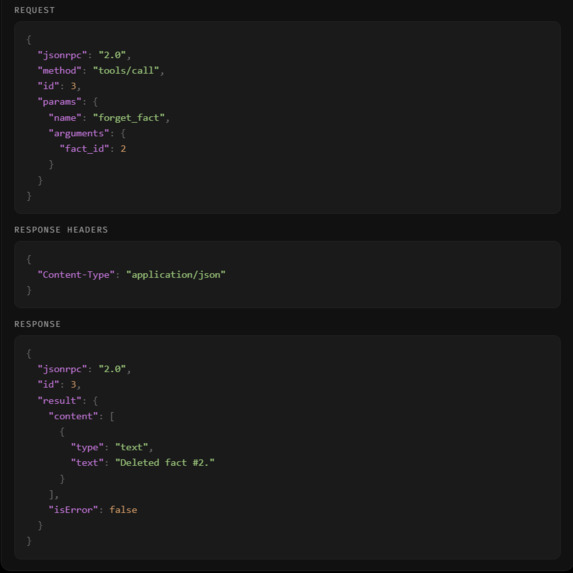
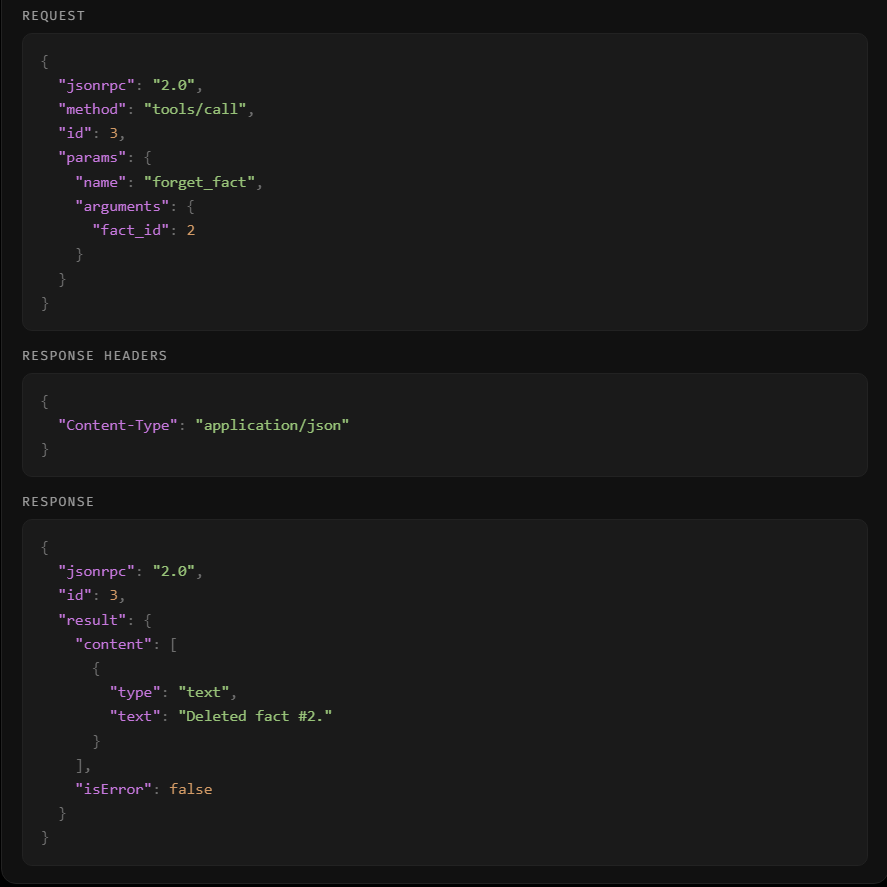
The JSON-RPC panel showing the forget_fact request and response.
-
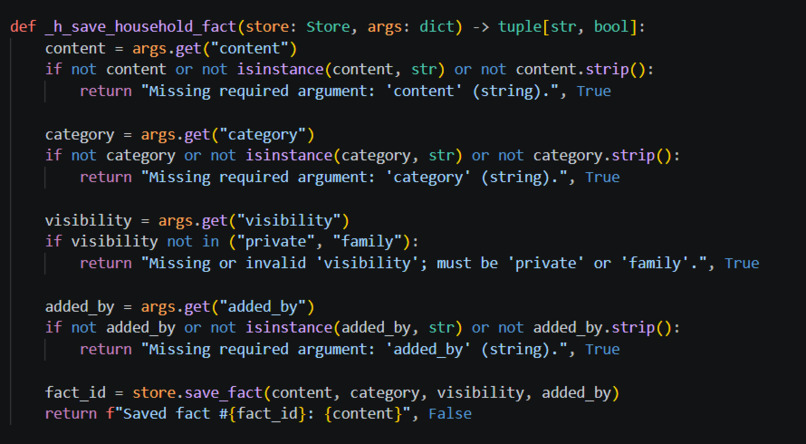
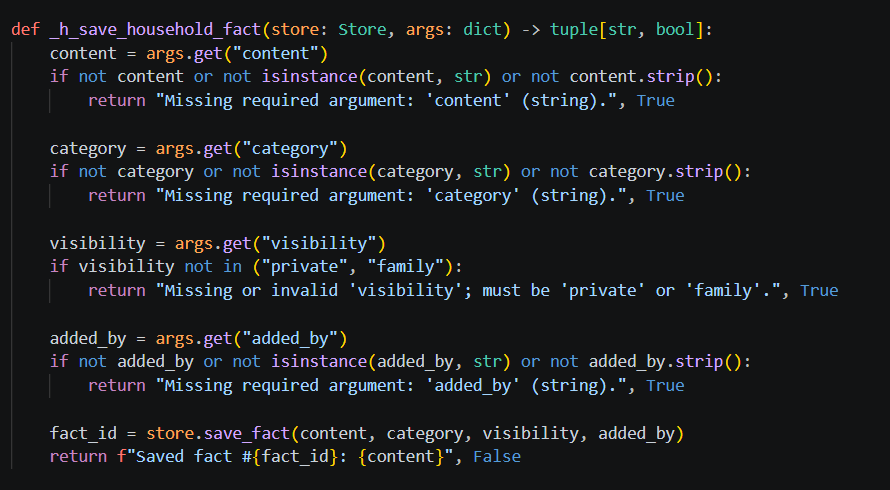
The Python code defining the save_household_fact tool.
-
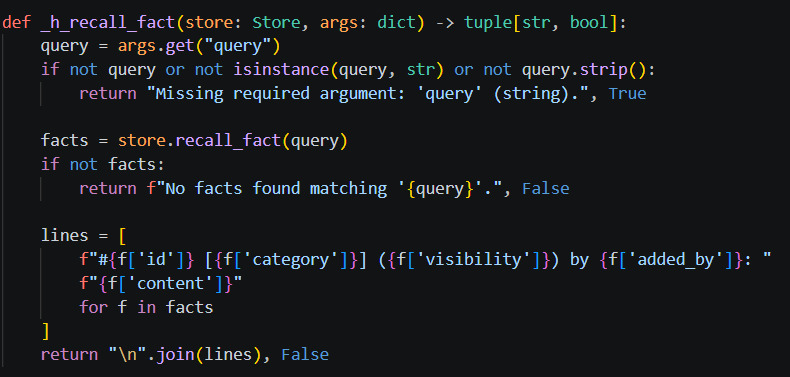
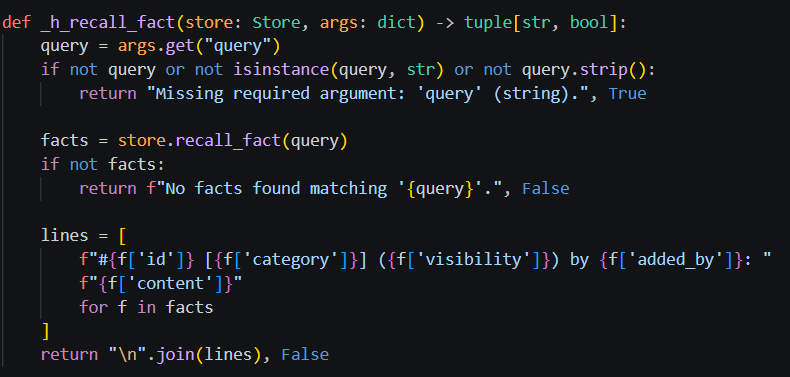
The Python code defining the recall_fact tool.
-
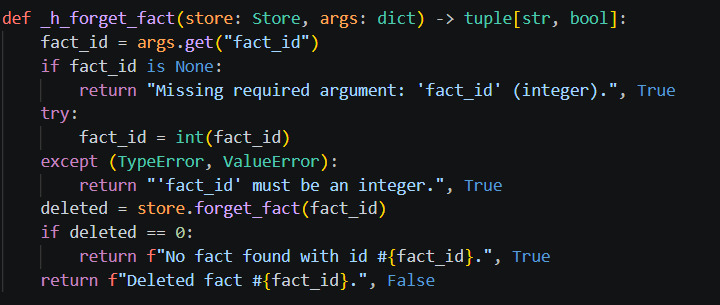
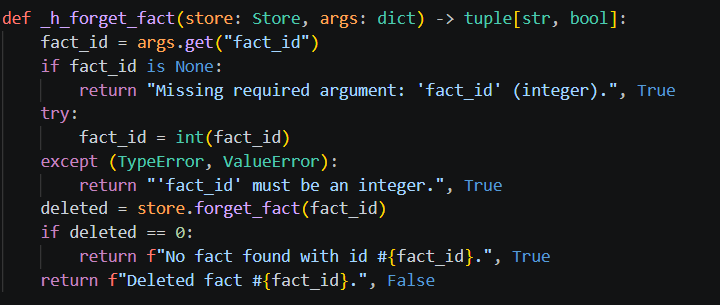
The Python code defining the forget_fact tool.
-
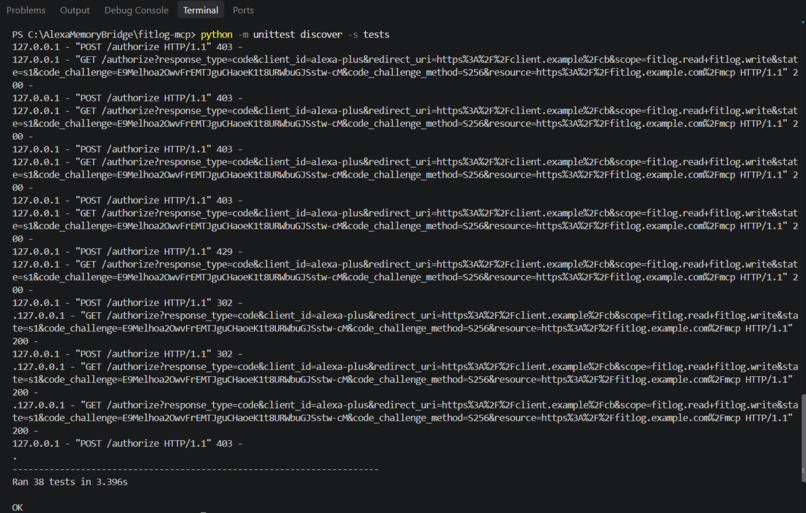
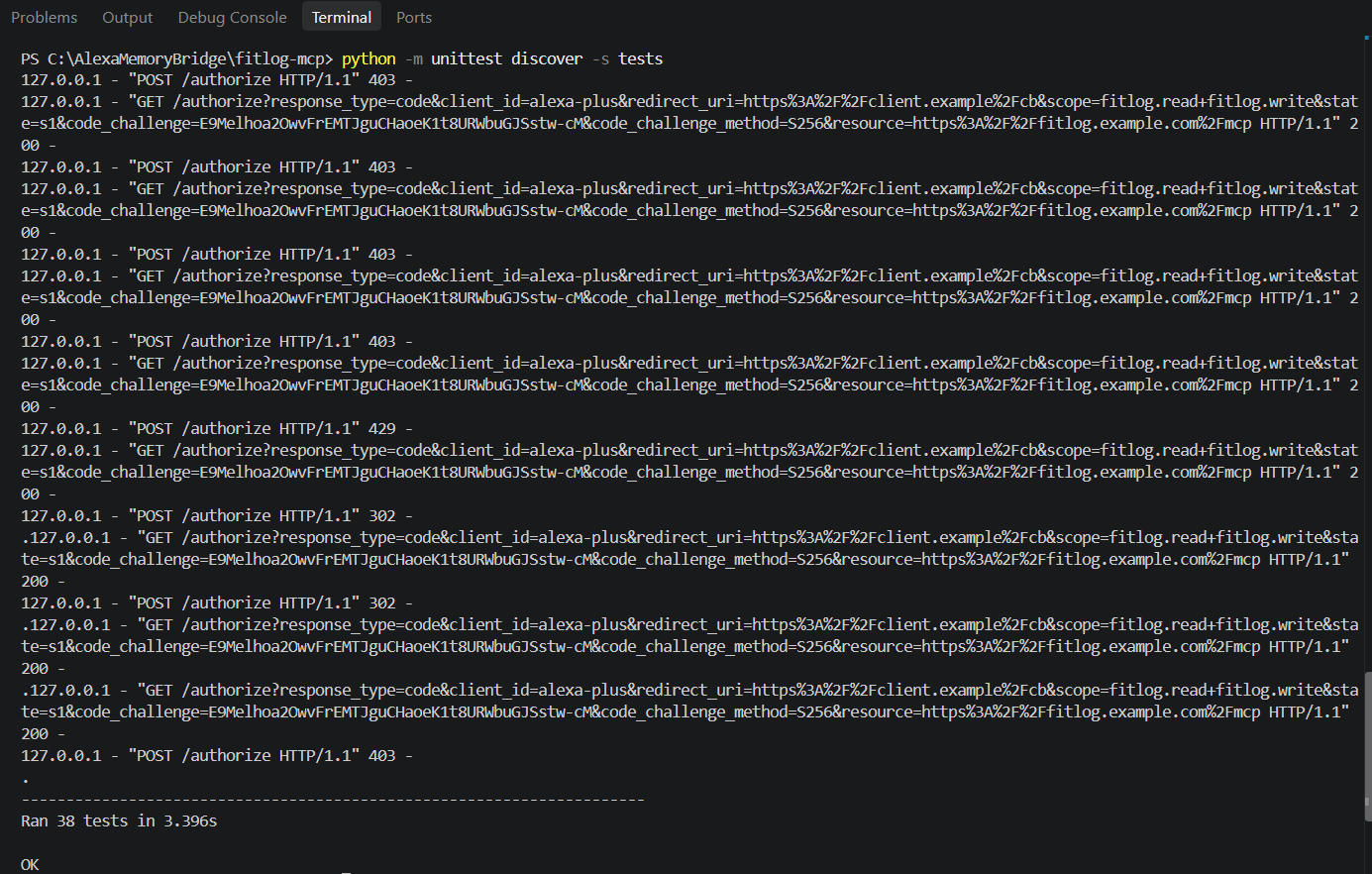
Running the backend test suite to confirm all 38 tests pass.
Inspiration
Alexa+ is really helpful, but it usually forgets things between conversations. If I tell it something today, it doesn't know it tomorrow. Also, in a family, everyone uses the same assistant. I wanted to build a way for the whole family to share a memory with Alexa, so we don't have to repeat ourselves.
What it does
I built an MCP server that gives Alexa+ a memory. The server has three tools: save_household_fact: Saves a new memory. recall_fact: Searches for a saved memory. forget_fact: Deletes a memory by its ID.
I also built a web app that simulates the Alexa+ interface. In the web app, you can add different family members (like "Sarah" or "Dad"), type messages, and see the assistant reply. On the right side of the screen, there is a panel that shows the actual MCP JSON-RPC requests and responses in real-time.
How we built it
The backend is a Python server using SQLite for the database. It uses only the Python standard library, so there are no external dependencies to install. It implements the MCP spec 2025-11-25 over Streamable HTTP, with the required OAuth 2.1 bearer token authentication for local testing.
The frontend simulator is built with plain HTML, CSS, and JavaScript. It has a dark theme, and it uses regular expressions to figure out if the user wants to save, recall, or delete a fact, and then calls the right MCP tool.
I started this project using the fitlog-mcp reference project provided in the hackathon resources. During the hackathon, I completely changed the codebase. I rewrote store.py to replace the workout tables with a SQLite facts database. I rewrote all the tools in mcp/tools.py to be save_household_fact, recall_fact, and forget_fact. I redesigned the entire simulator/ folder, adding dynamic user management, a new dark UI, and a real-time JSON-RPC traffic viewer. I also updated the test suite to pass with the new memory tools. MCP tool.
Challenges we ran into
Windows Permissions: Getting Windows to allow Python and SQLite to create and delete database files during testing was a big hurdle. We had to move the project out of the protected Documents folder to a standard directory.
AI Rate Limits: Using free AI coding agents (like Cline) helped speed up development, but we kept hitting daily API rate limits, which interrupted the workflow.
Cleaning up the Backend: The original reference project had a lot of workout-specific logic and tests. Removing all of that and ensuring the remaining 38 unit tests passed without errors took careful debugging.
Accomplishments that we're proud of
Zero Dependencies: The MCP server runs purely on the Python standard library. This means anyone can just clone the repo and run it without dealing with pip install or virtual environments.
The UI: Building a dynamic, sleek dark-mode simulator from scratch. It looks premium, and allowing the user to add or edit family members makes the shared memory concept feel real.
The JSON Viewer: We are really proud of the live traffic inspector on the right side of the screen. It perfectly shows the initialize, tools/list, and tools/call frames, making the MCP protocol easy for anyone to understand.
What we learned
We learned a lot about the Model Context Protocol (MCP), especially how session IDs (Mcp-Session-Id) work with Streamable HTTP. We also learned how to build a basic natural language router to map user messages to specific tool calls, and how to debug JSON-RPC requests across two different servers.
What's next for Alexa Recall
In the future, we would like to:
Replace the simple keyword search with real vector embeddings so the assistant can understand broader context (e.g., matching "allergies" with "peanuts"). Connect the simulator to a real speech-to-text engine so users can actually talk to it. Add user authentication so that "private" facts are truly hidden from other family members.


Log in or sign up for Devpost to join the conversation.