-
-
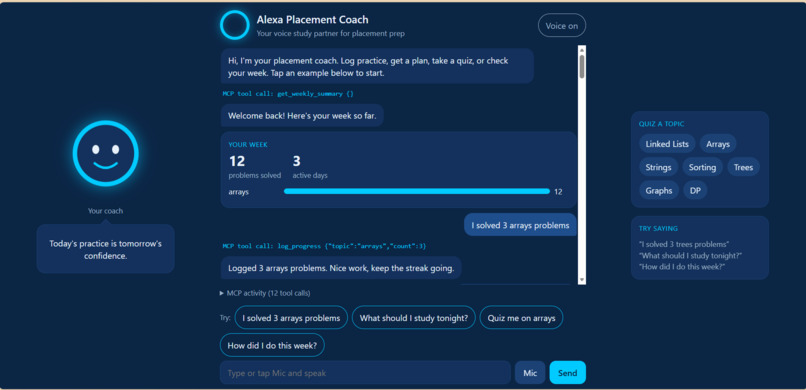
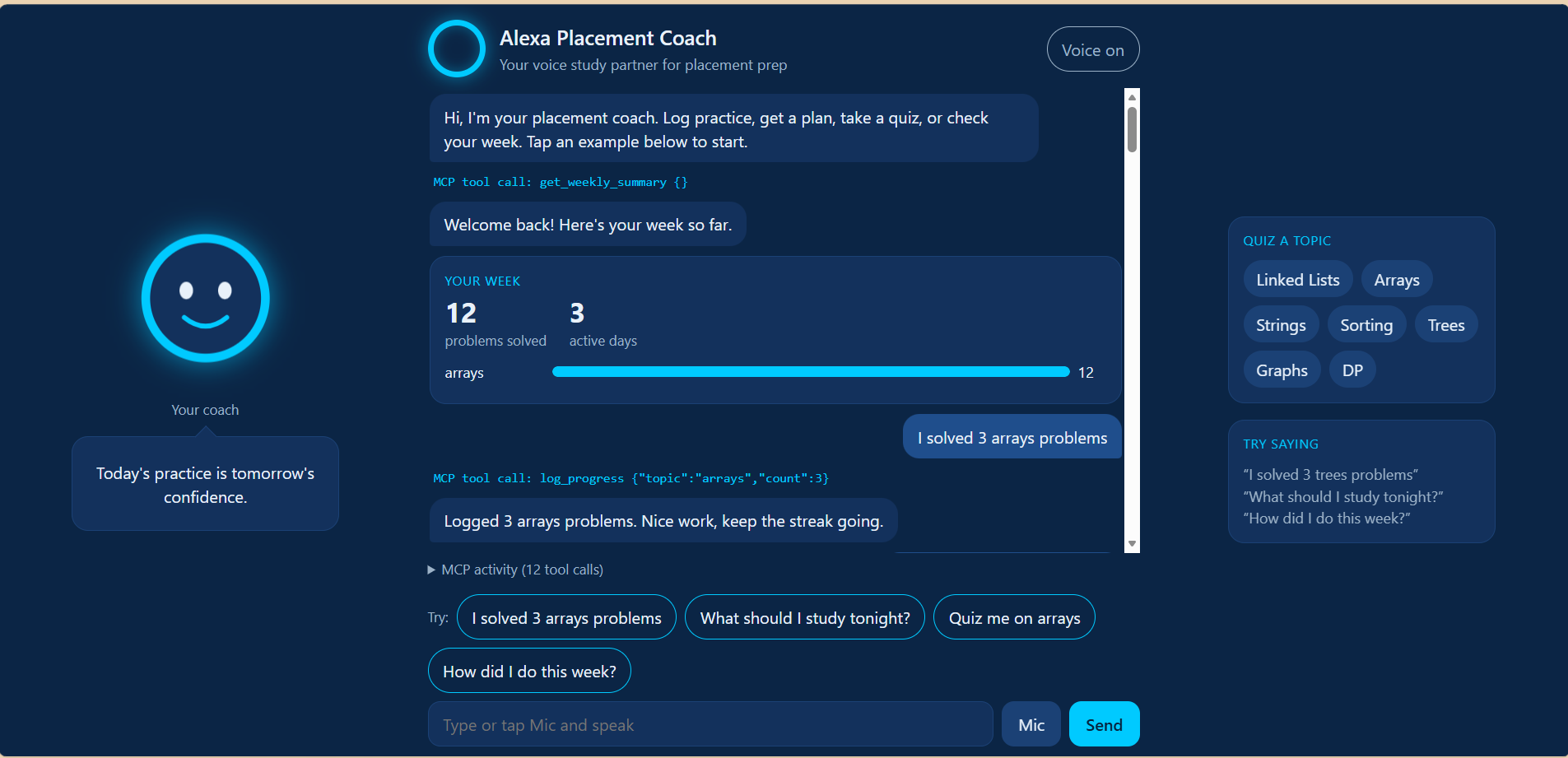
Welcome back: the coach reads your week through an MCP tool and shows a progress card.
-
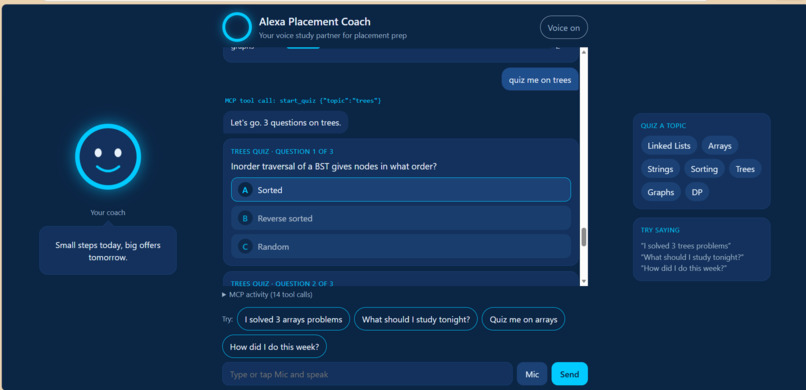
Welcome back: the coach reads your week through an MCP tool and shows a progress card.
-
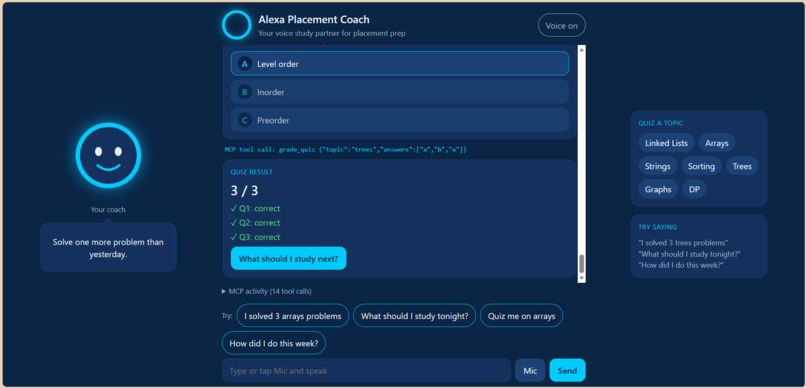
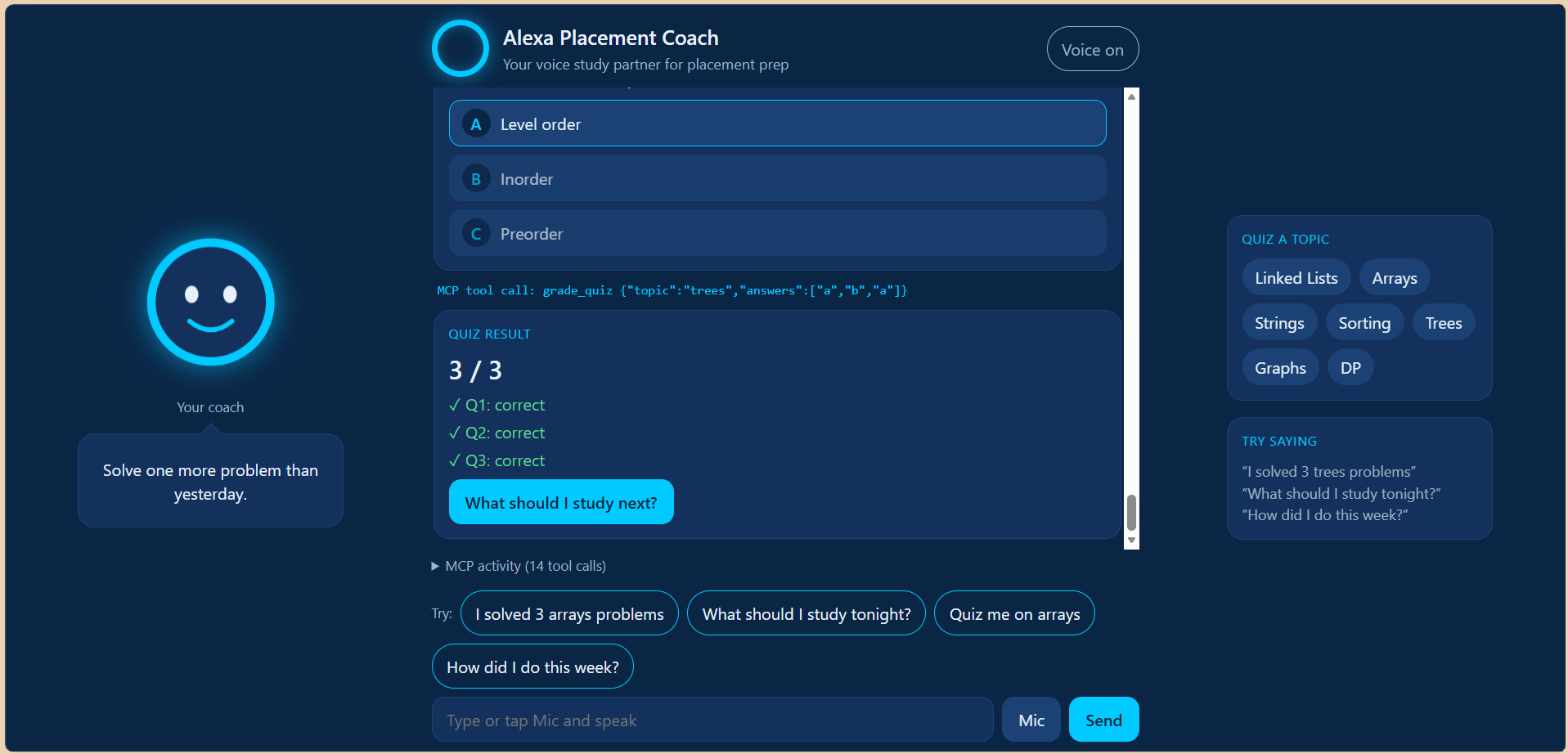
Graded by the grade_quiz MCP tool, with per-question feedback and a next-step button.
-
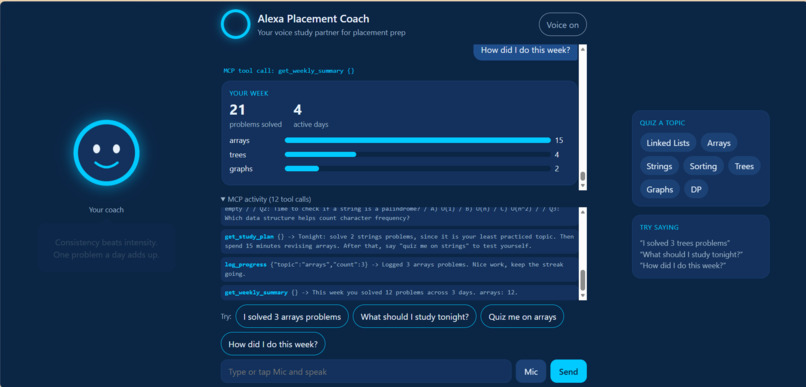
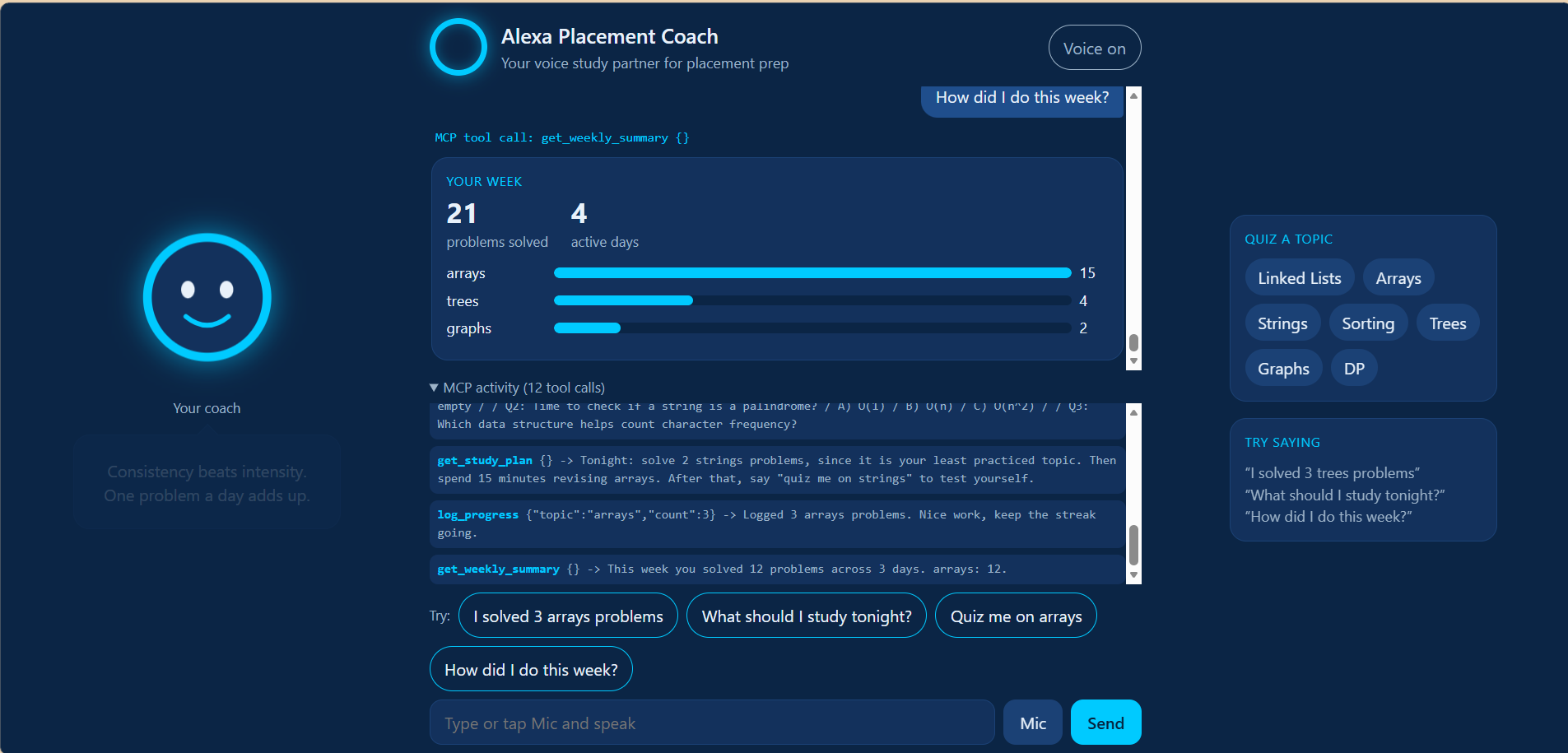
Every tool call is visible: the request and response for each of the five MCP tools.
Inspiration
I'm a first-year CSE student, and placement preparation is a long game that rewards consistency. I wanted a study partner I could simply talk to: one that remembers what I've practiced, tells me what to do next, and quizzes me when I'm ready.
What it does
Alexa Placement Coach is a simulated Alexa+ experience for CS students preparing for placements. You type or speak to it to:
- Log practice: "I solved 3 arrays problems"
- Get tonight's plan: it picks your least-practiced topic and suggests a quiz on it
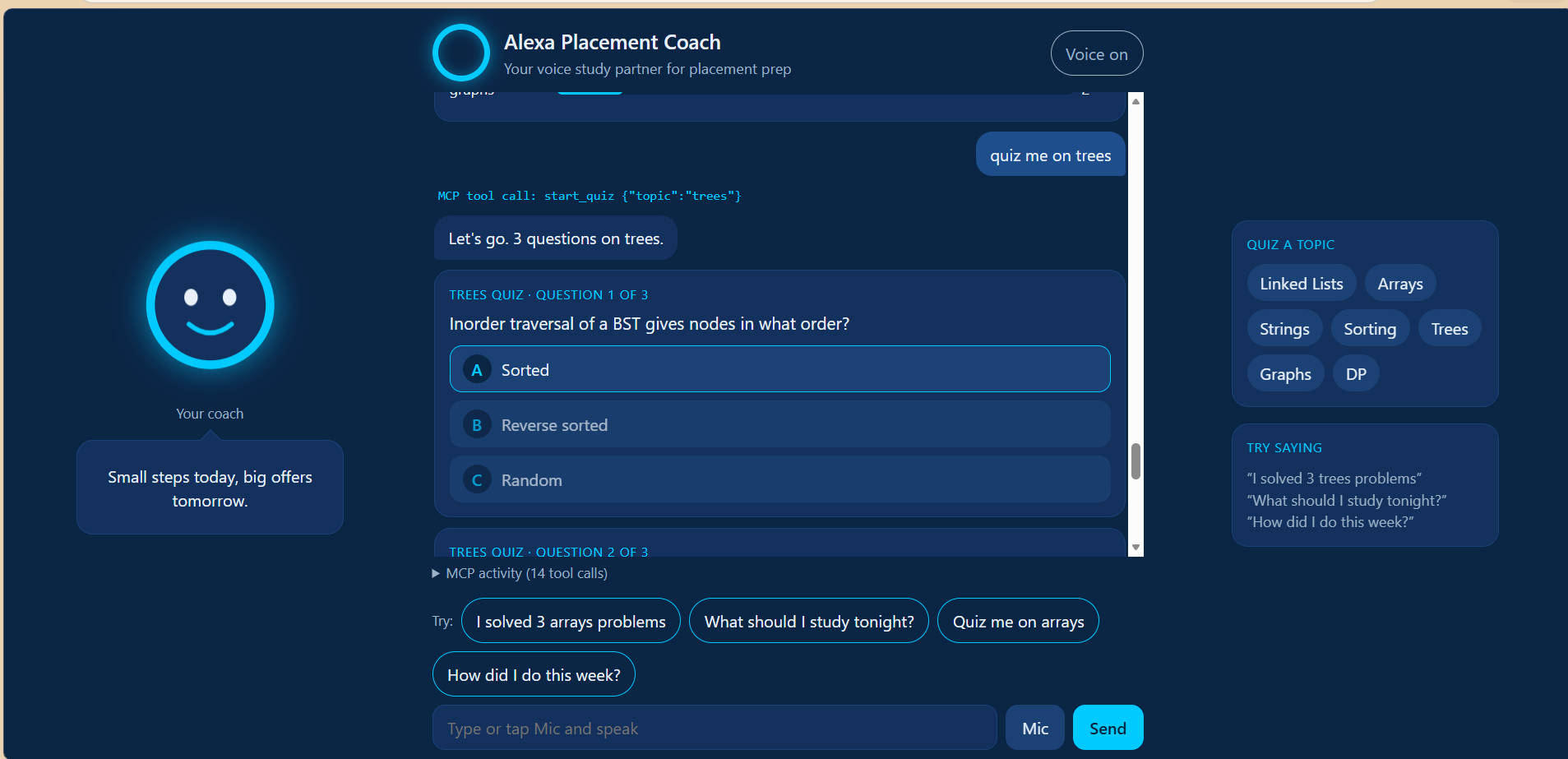
- Take quizzes: short multiple-choice quizzes on arrays, strings, sorting, linked lists, trees, graphs, and DP, shown as question cards with a graded result
- Review your week: a card with problems solved, active days, and a progress bar for each topic
Your progress is saved, so the coach welcomes you back with your week so far the next time you open it. The chat shows every MCP tool call, and an MCP activity panel lists each request and response.
How I built it
- The coach's abilities are exposed as five MCP tools (
log_progress,get_study_plan,get_weekly_summary,start_quiz,grade_quiz) over Streamable HTTP, using the official TypeScript SDK (v1.x), which implements MCP protocol version 2025-11-25. - The web page is a simulated Alexa+ front end. It turns a typed or spoken sentence into a tool call and shows the result as cards.
- Stack: Node.js, Express, plain HTML/CSS/JavaScript, the browser's Web Speech API for voice, and a local JSON file for storage.
- I tested the MCP server with the MCP Inspector before connecting the web page to it.
Challenges
This was my first hackathon and my first MCP project. I ran into environment problems (PowerShell script policy, Node setup), a command-ordering bug that logged a question as progress, and differences between the newer MCP Inspector and the guides I followed. I recorded each of these in a friction log.
Accomplishments I'm proud of
A working end-to-end app with a real MCP server, built and shipped solo as a first-year student.
What I learned
How a web page, a server, and the MCP standard fit together, and how to debug step by step.
What's next
Letting a language model choose the tools from natural speech, per-user accounts, more topics and questions, and spaced-repetition reminders.
Run it
The repo's README has setup steps: npm install, then npm start, then open http://localhost:3000 in Chrome or Edge.## Inspiration
Built With
- css3
- express.js
- github
- html5
- javascript
- json
- mcp
- model-context-protocol
- node.js
- streamable-http
- web-speech-api

Log in or sign up for Devpost to join the conversation.