-
-
-
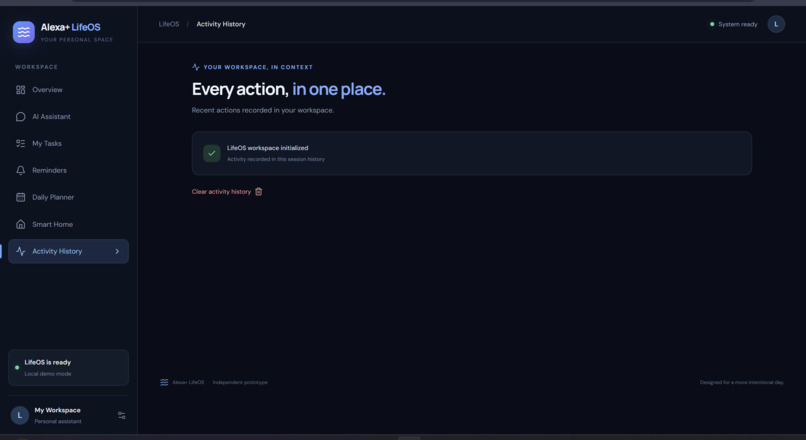
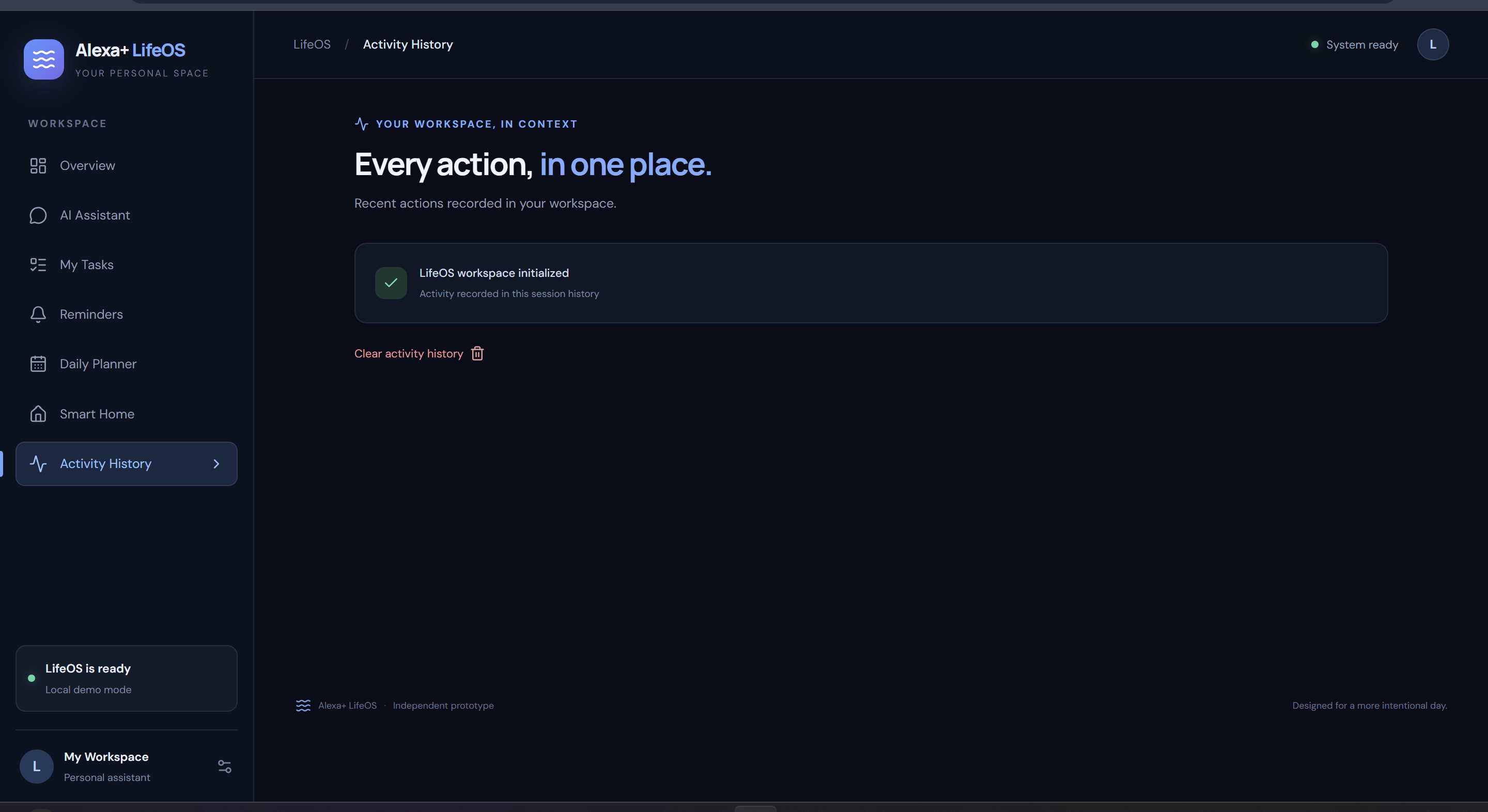
8. Activity History: Review recent workspace activity and monitor recorded actions in one place.
-
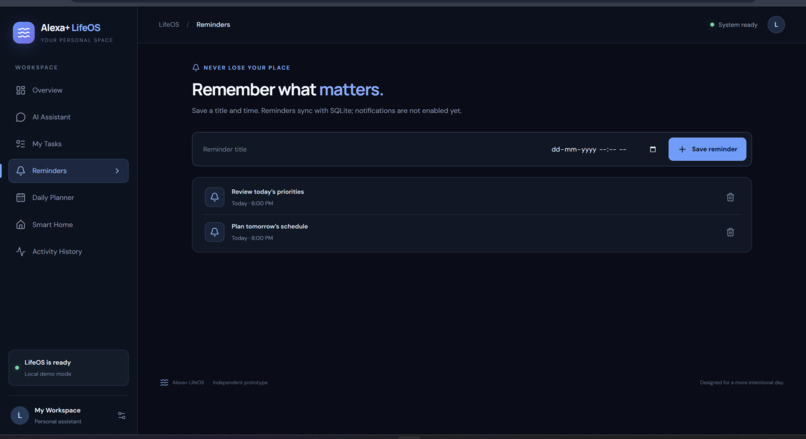
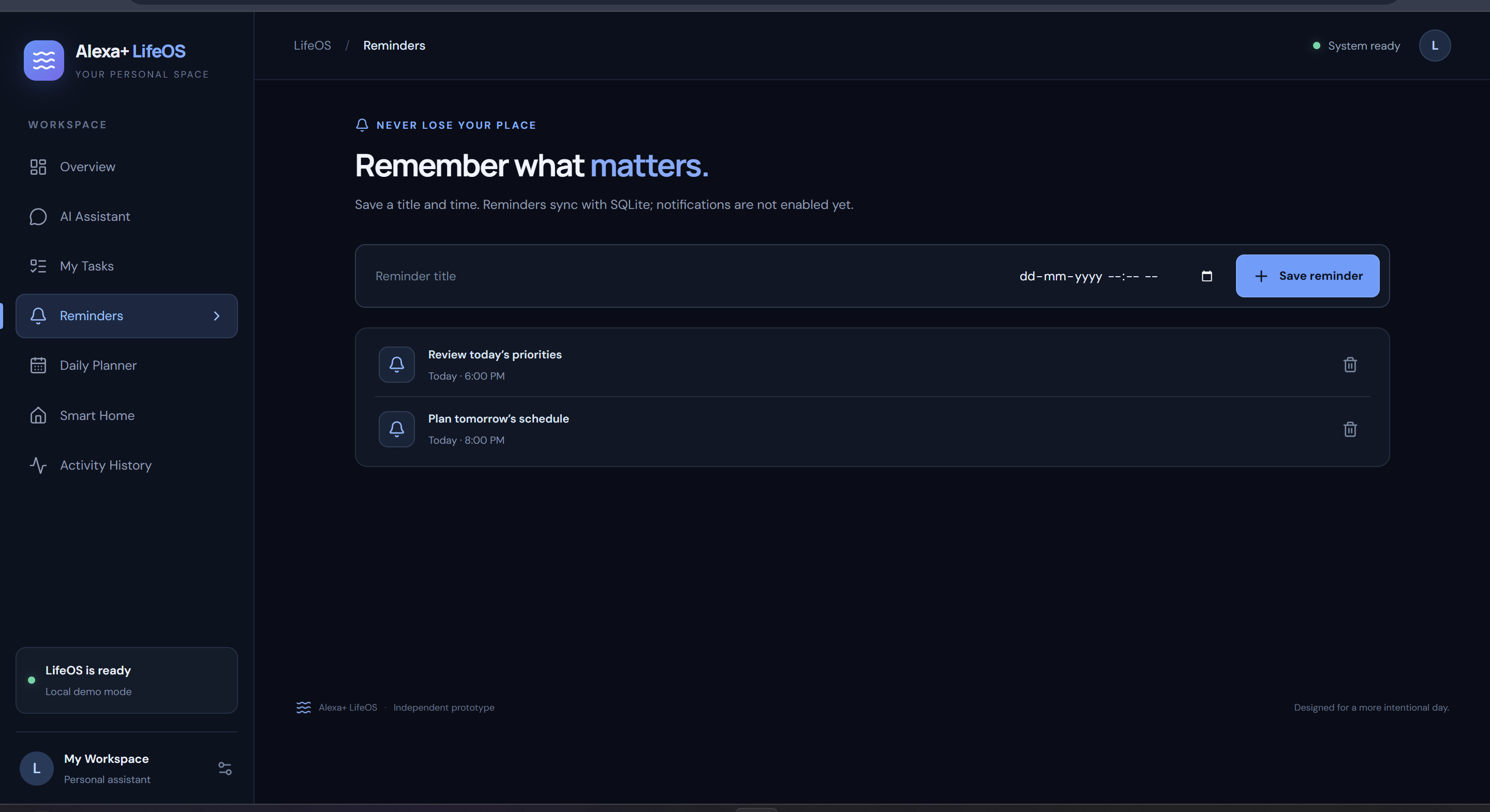
5. Reminders: Create and manage reminders with date and time selection to stay organized.
-
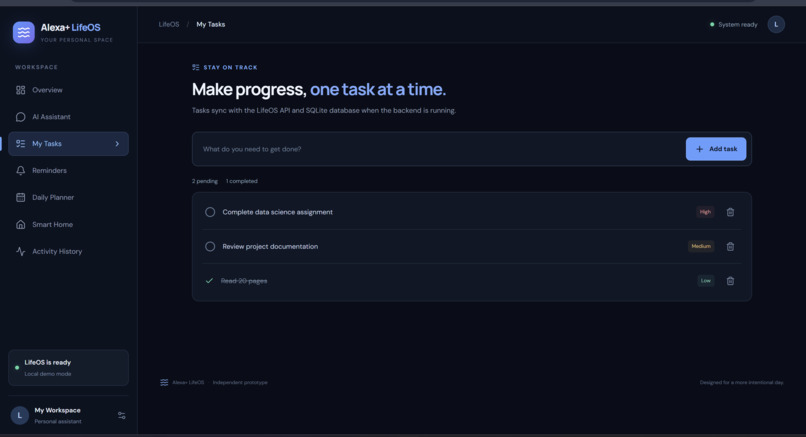
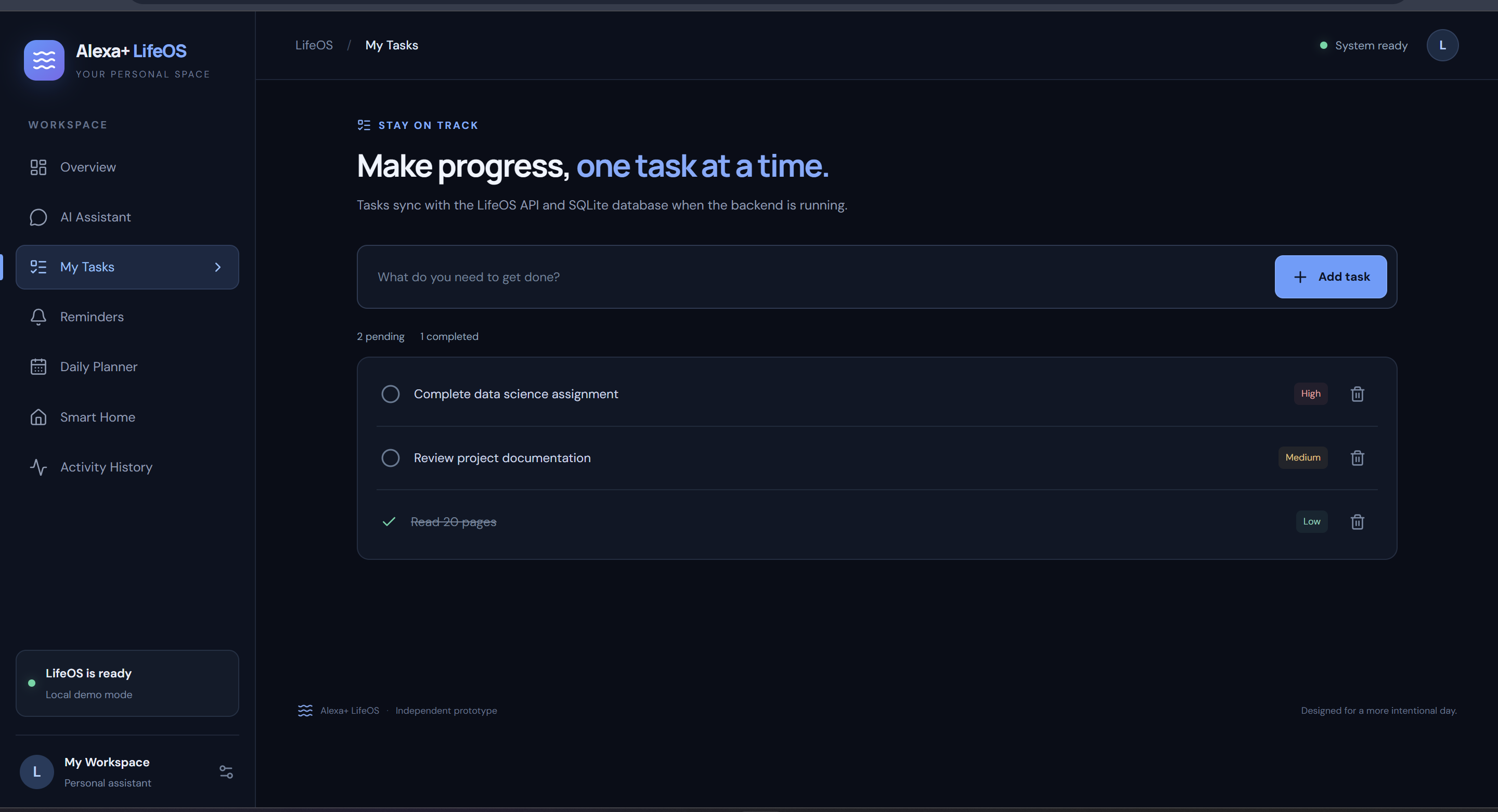
4. My Tasks: Add, complete, and delete tasks while tracking their priority and completion status.
-
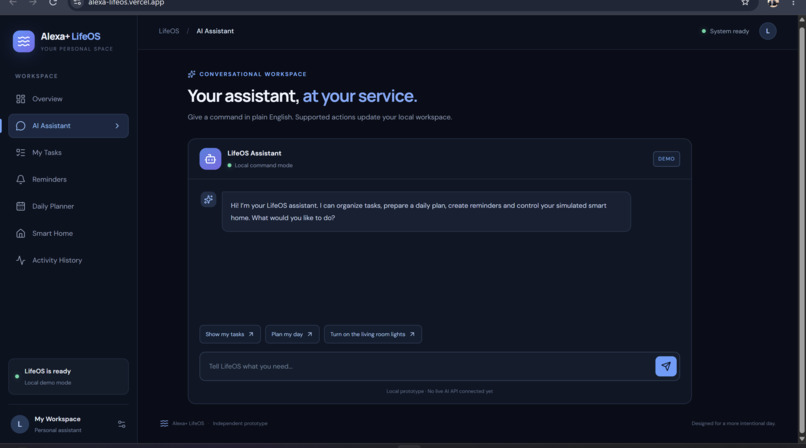
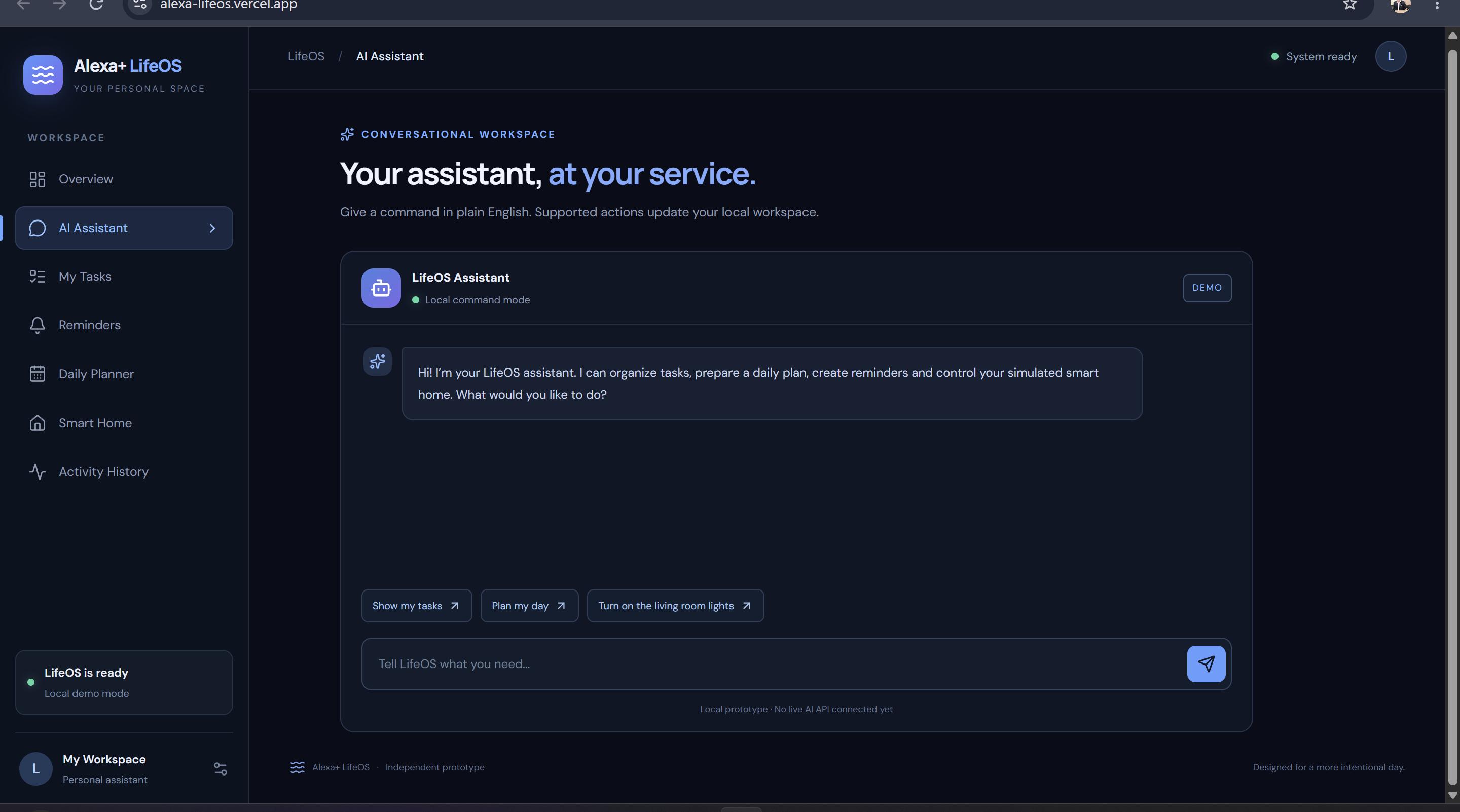
3. AI Assistant: A conversational workspace for managing tasks, creating reminders, and controlling simulated smart-home devices.
-
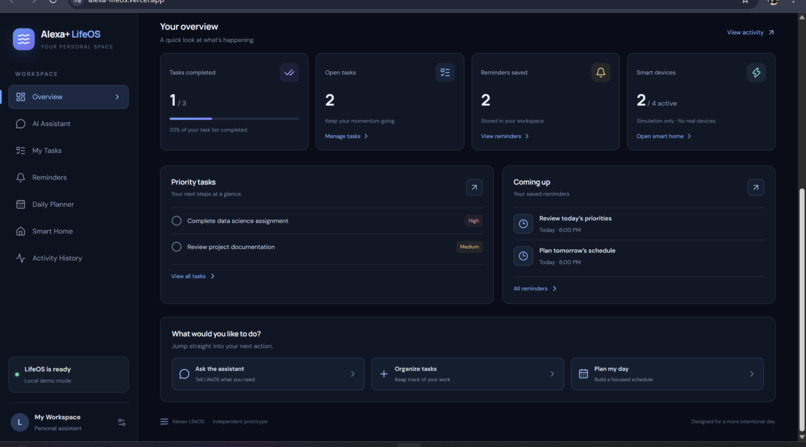
2. Task Management: Organize tasks, track priorities, and monitor completed and pending work.
-
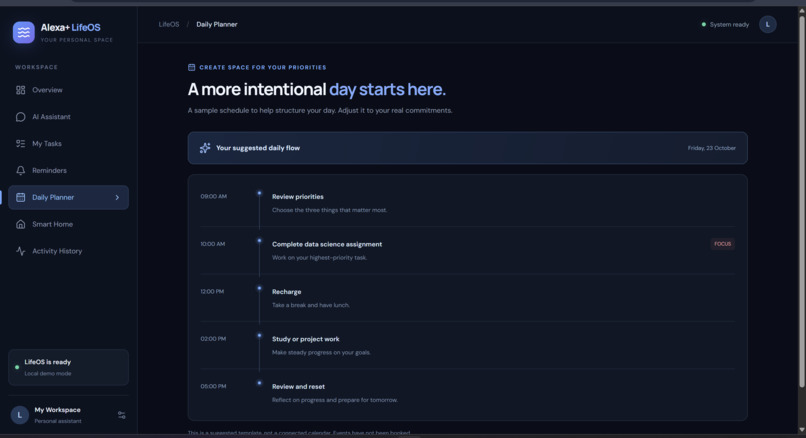
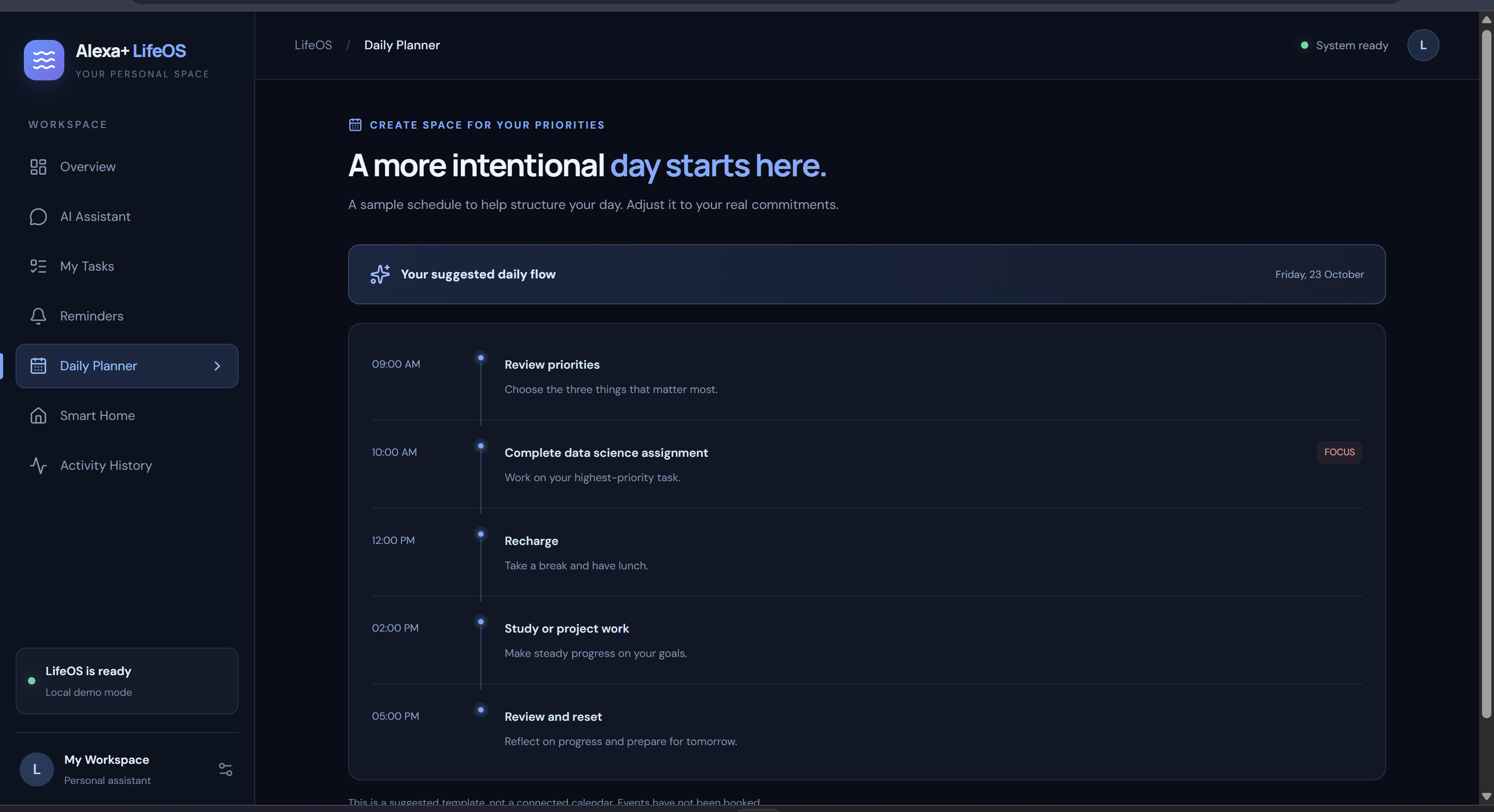
6. Daily Planner: A structured daily schedule with dedicated time slots for priorities, focused work, breaks, and reviews.
-
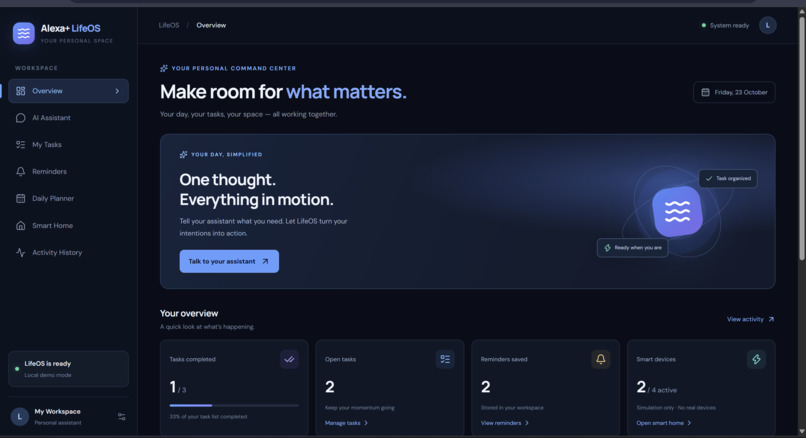
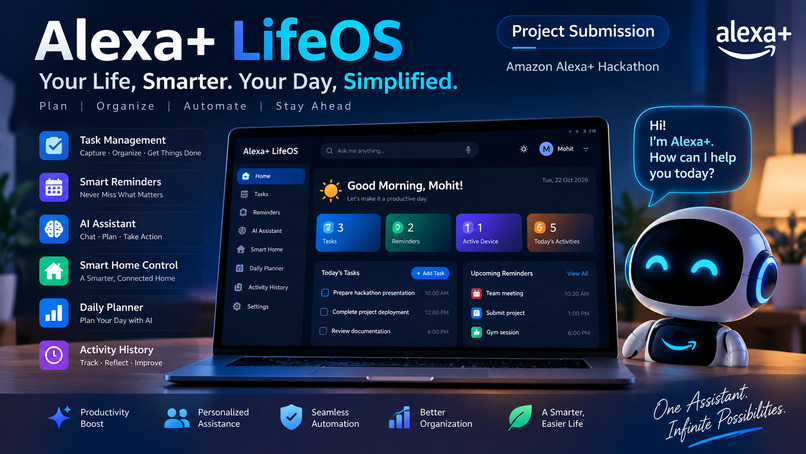
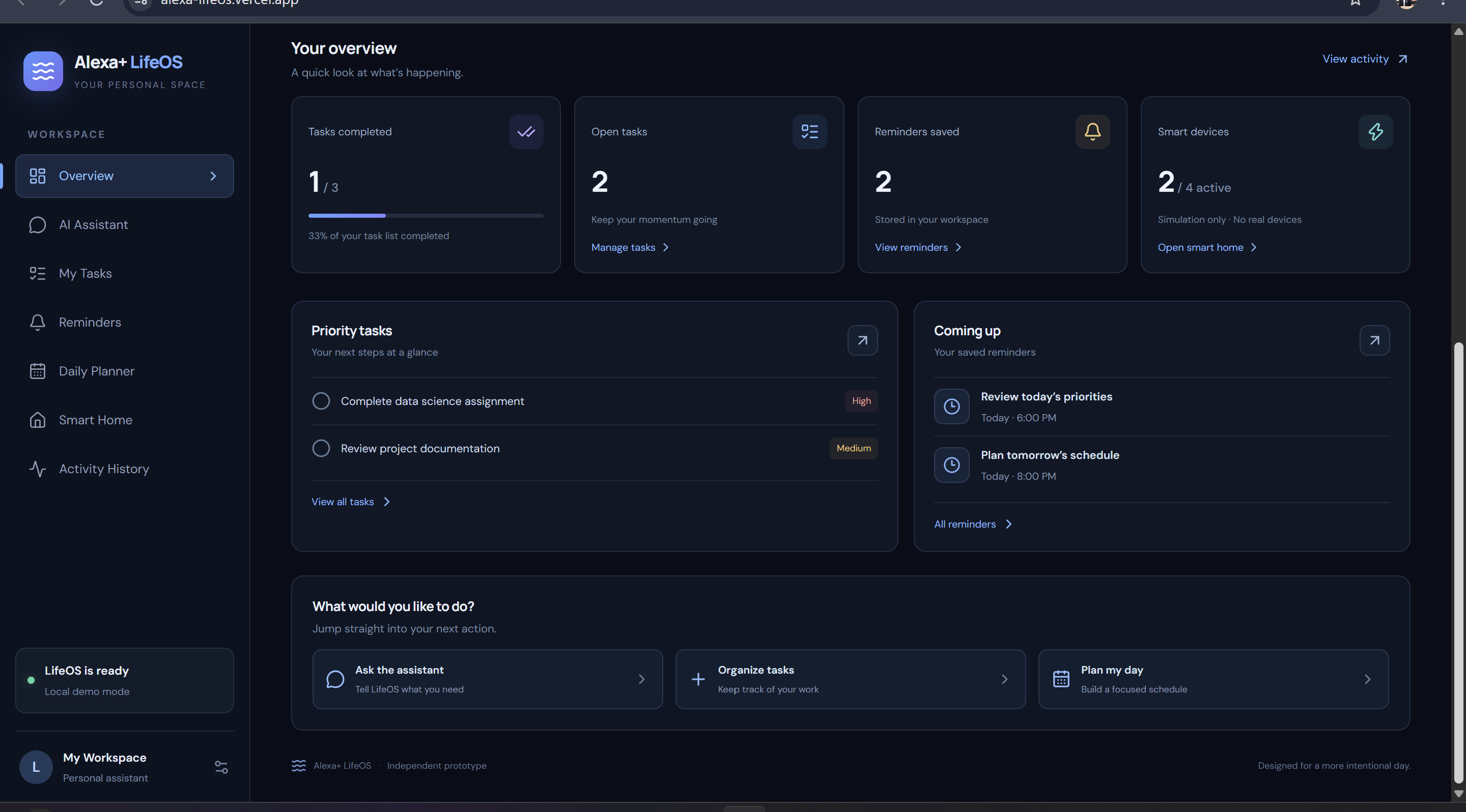
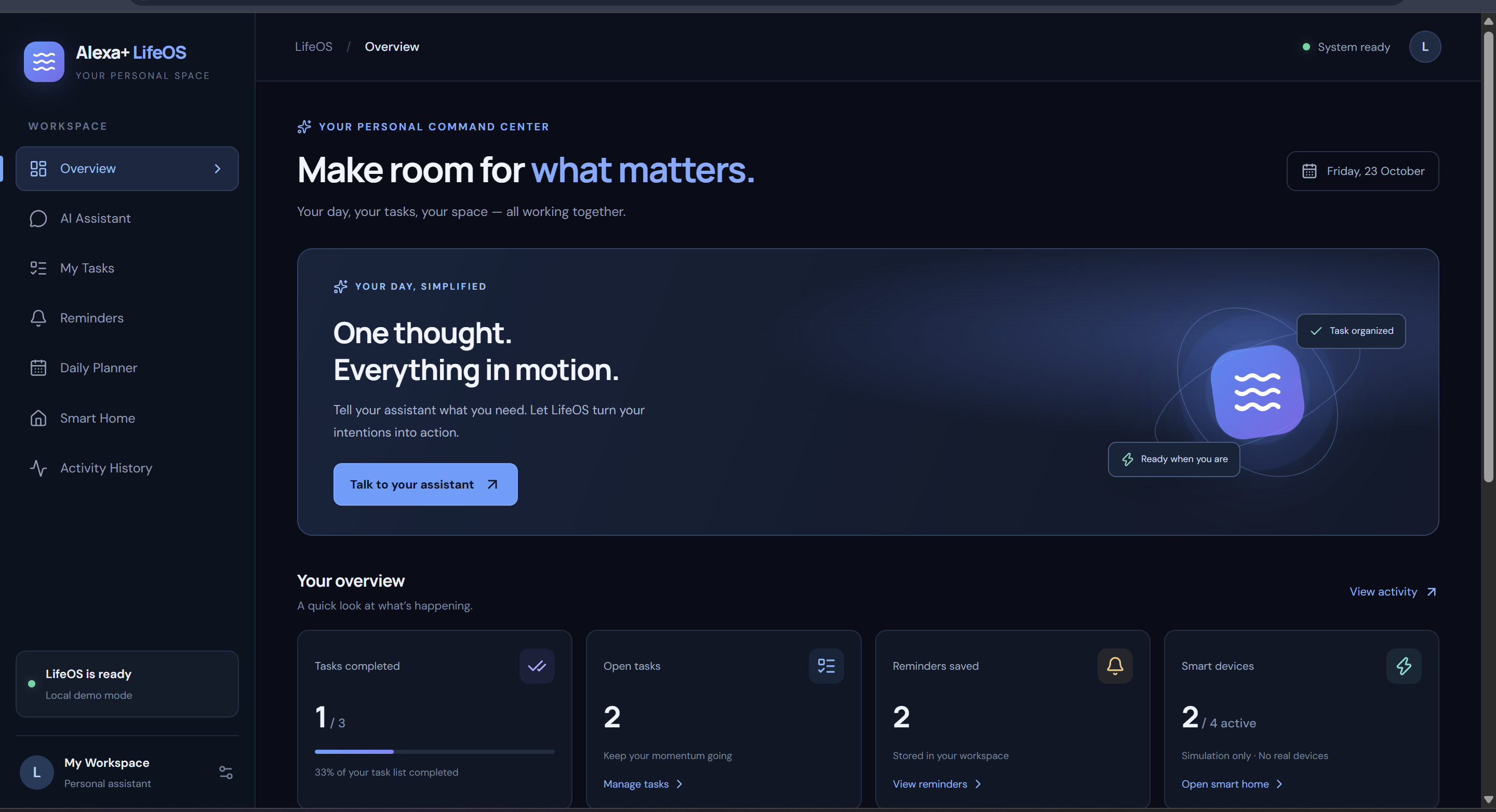
1. Overview Dashboard: A centralized dashboard displaying task progress, reminders, smart devices, and daily activities.
-
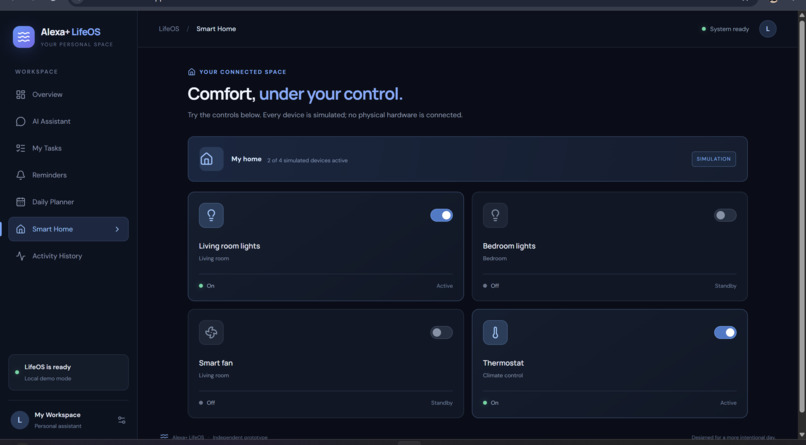
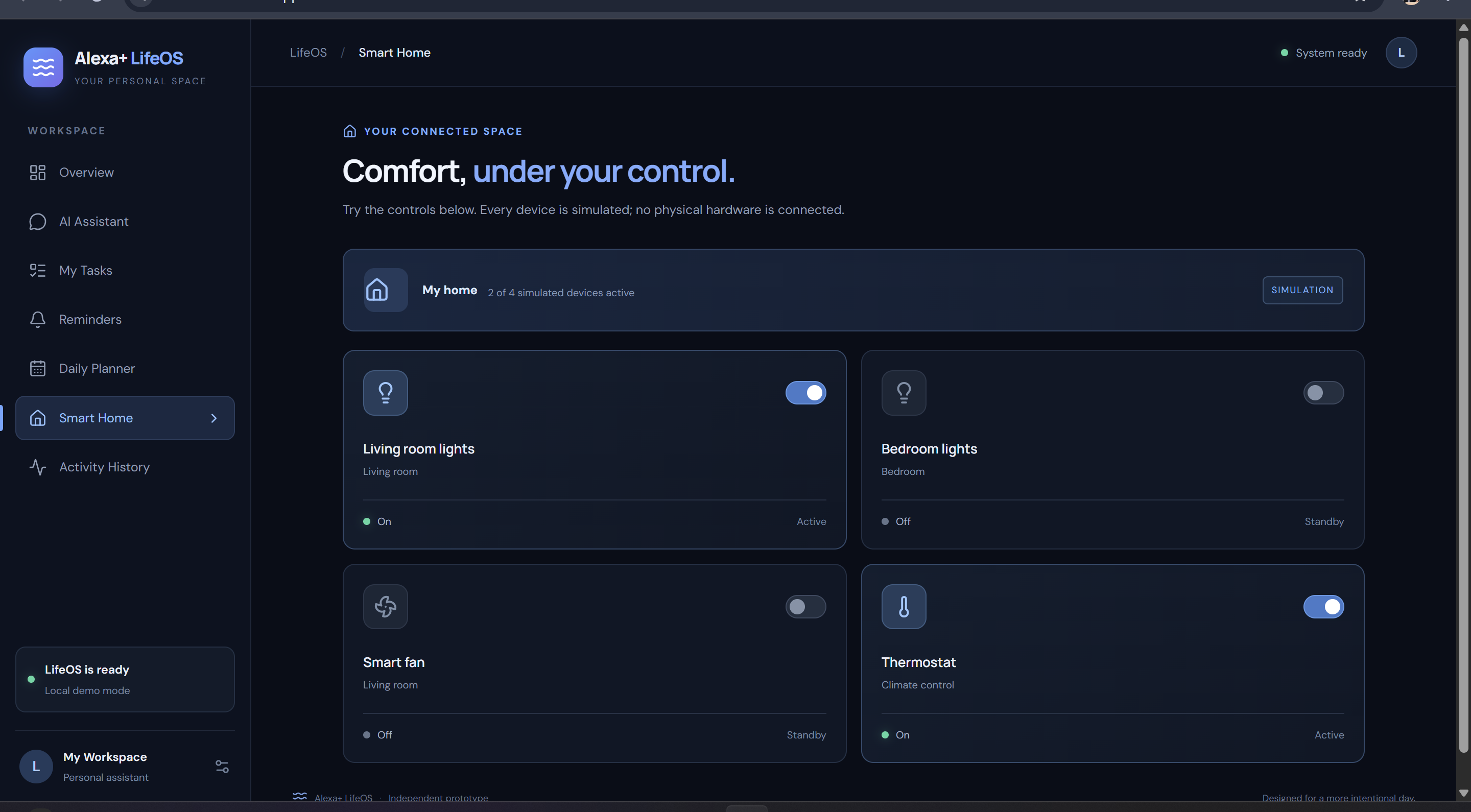
7. Smart Home: An interactive smart-home dashboard with simulated controls for lights, fans, and thermostat settings.
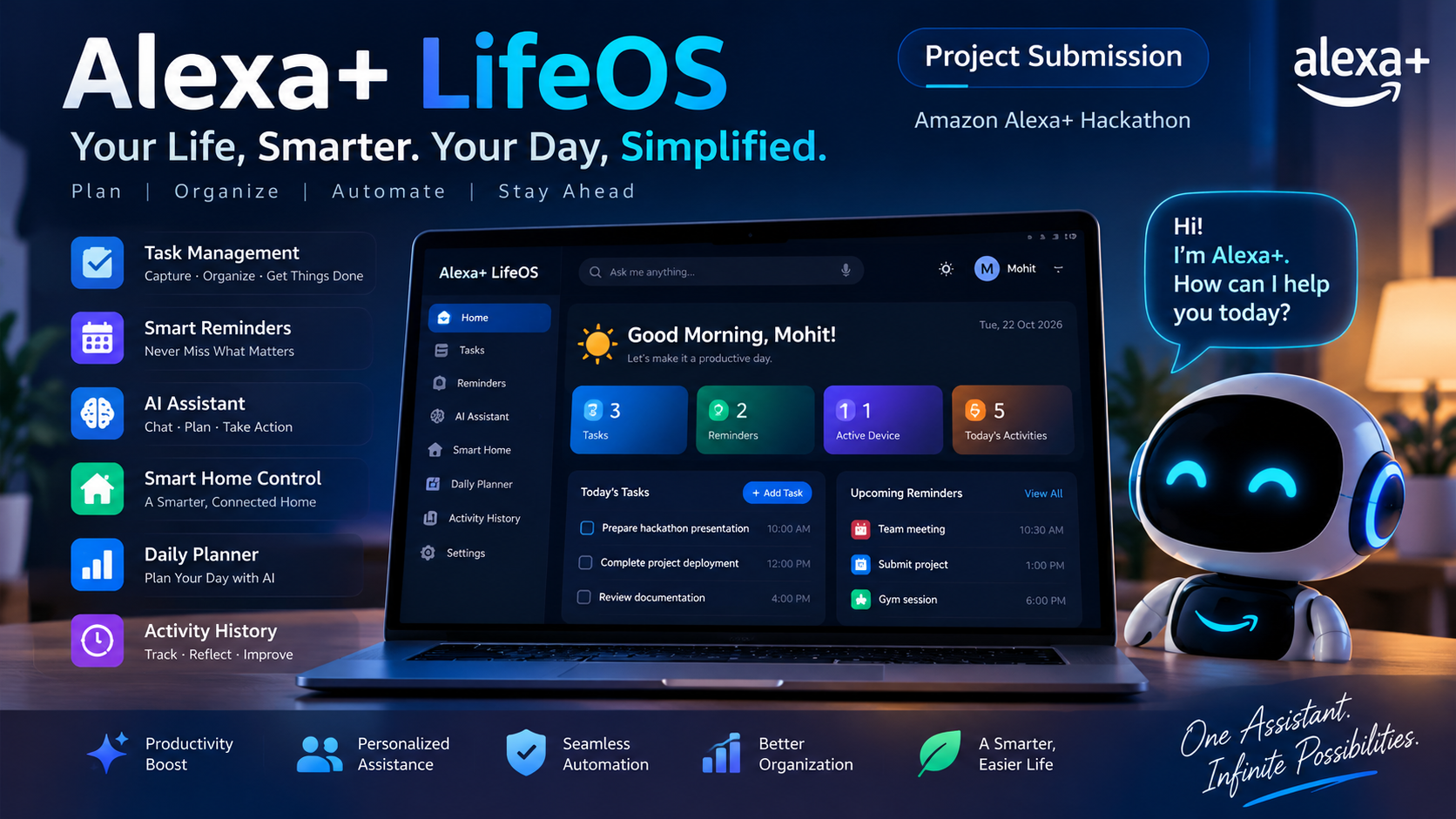
Alexa+ LifeOS — Your Life, Smarter. Your Day, Simplified.
Inspiration
Modern life involves managing multiple responsibilities, from tasks and reminders to daily schedules and smart-home activities. Switching between different applications can make staying organized difficult. This inspired us to build Alexa+ LifeOS, a personal productivity dashboard that brings essential daily activities together in one place.
Our vision is to create a smarter, more organized digital workspace where users can manage their day efficiently with the help of an AI assistant and automation-focused features.
What We Built
Alexa+ LifeOS is a web-based personal assistant dashboard featuring:
- AI Assistant: An interface for interacting with the assistant and managing tasks through natural-language commands.
- Task Management: Create, complete, and delete tasks while tracking pending and completed work.
- Smart Reminders: Save reminders with dates and times.
- Daily Planner: Organize daily activities and priorities.
- Smart Home: Explore simulated smart-device controls and device status.
- Activity History: Review recorded activities and actions.
- Unified Dashboard: View tasks, reminders, device information, and productivity summaries in one place.
The application uses a dark, modern interface designed to provide a clear overview of a user's personal workspace.
How We Built It
We developed the frontend using React, TypeScript, and Vite, with Lucide icons and custom CSS for the interface. The backend uses Node.js and Express to provide API endpoints for application data, while SQLite stores tasks, reminders, and related records locally.
The application follows a frontend–backend architecture:
[ \text{User Interface} \rightarrow \text{REST API} \rightarrow \text{SQLite Database} ]
The frontend communicates with the backend through API requests, allowing users to interact with stored data. We tested the production build locally, verified API responses, uploaded the source code to GitHub, and deployed the frontend to Vercel.
Challenges We Faced
One of the main challenges was integrating the frontend with the backend API. During development, API requests initially failed because the backend server was not running on the expected port. We resolved this by starting the Express server separately and verifying that the Vite proxy could access the API.
We also encountered a reminder validation issue involving incomplete date and time input. This highlighted the importance of validating user input and testing real interactions rather than relying only on a successful build.
Another important challenge is deployment architecture: the frontend can be hosted on Vercel, but the backend and persistent database require appropriate production hosting and configuration to support the complete application online.
What We Learned
Building Alexa+ LifeOS strengthened our understanding of frontend–backend integration, REST APIs, database persistence, TypeScript-based development, and production builds. We also learned how to use Git and GitHub for version control and Vercel for frontend deployment.
Most importantly, we learned that a successful build is only one part of completing a software project. Reliable behavior requires testing individual features, handling errors, validating data, and verifying the deployed application.
Future Scope
Future improvements include integrating a real AI model for more capable conversational assistance, enabling actual smart-home device integrations, adding notification support, improving accessibility, and deploying the backend with persistent production database storage.
Our long-term goal is to evolve LifeOS into a more intelligent personal workspace that helps users organize everyday life through a unified interface.
Conclusion
Alexa+ LifeOS represents our effort to make everyday productivity simpler through a unified, automation-oriented digital workspace. By combining task management, reminders, planning, activity tracking, and simulated smart-home controls, we have established a foundation that can be expanded into a more intelligent personal assistant.
«One Assistant. Infinite Possibilities.»
Built With
- ai-assistant
- automation
- css3
- express.js
- git
- github
- html5
- javascript
- lucide-react
- node.js
- productivity
- react
- responsive
- rest-api
- smart-home
- sqlite
- task-management
- typescript
- vercel
- vite

Log in or sign up for Devpost to join the conversation.