-
-
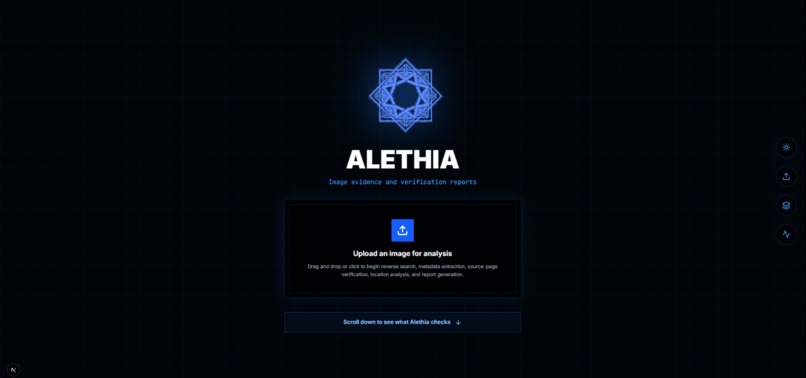
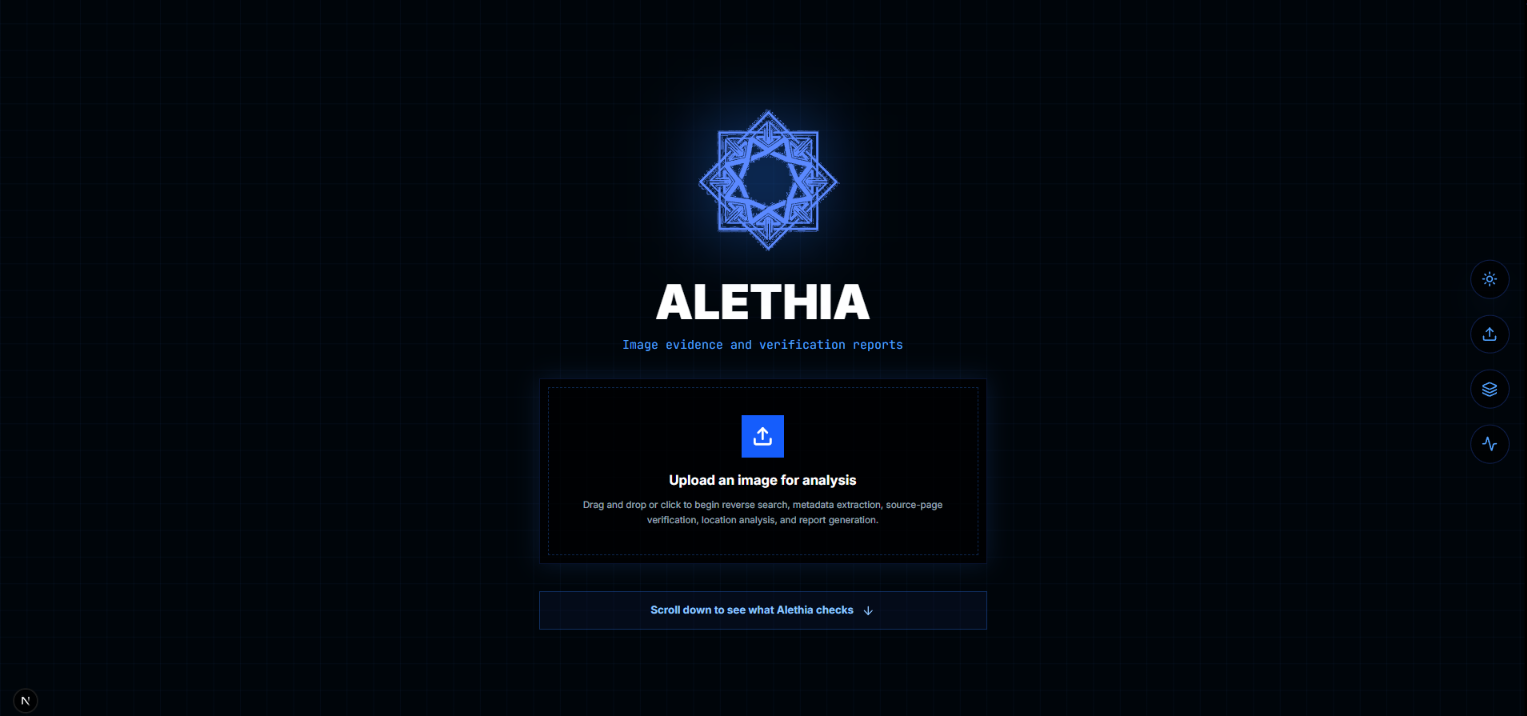
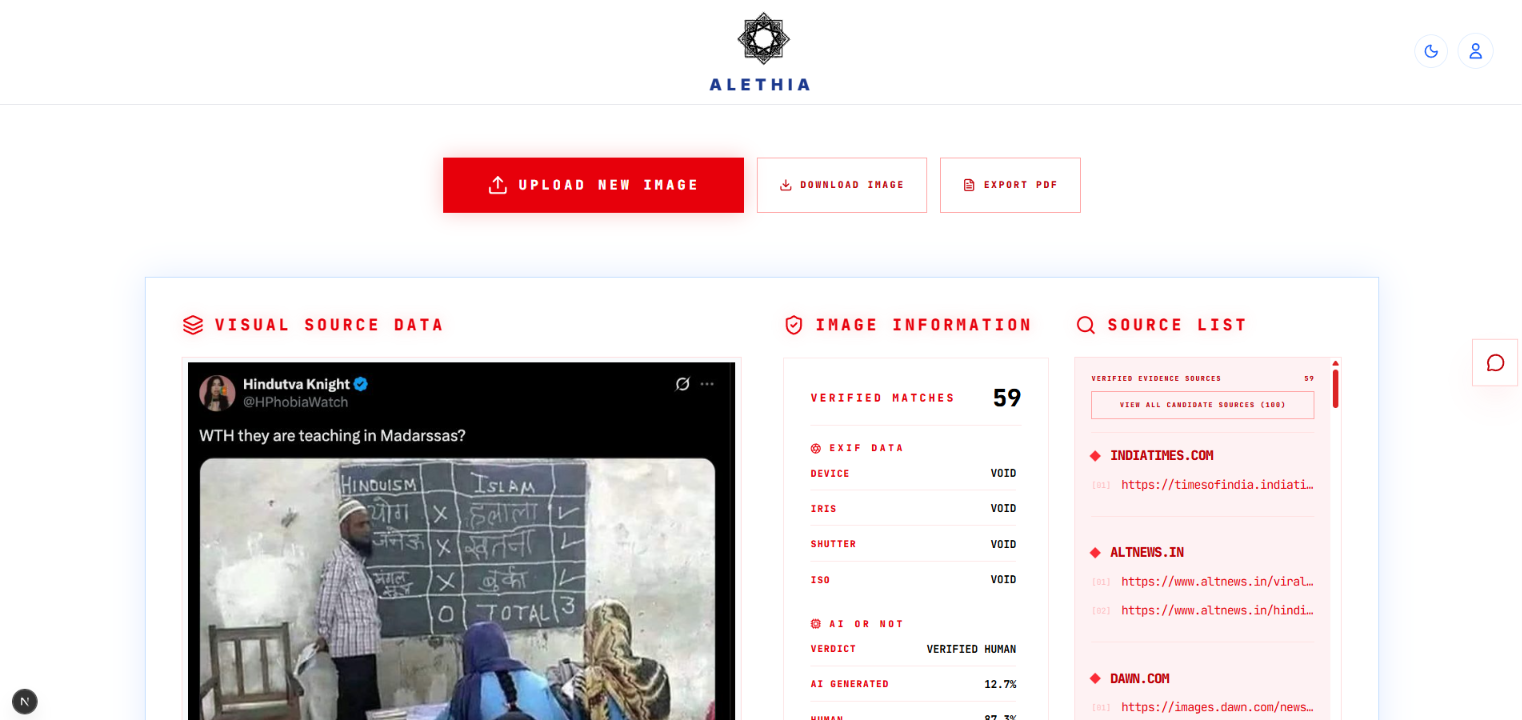
The landing page
-
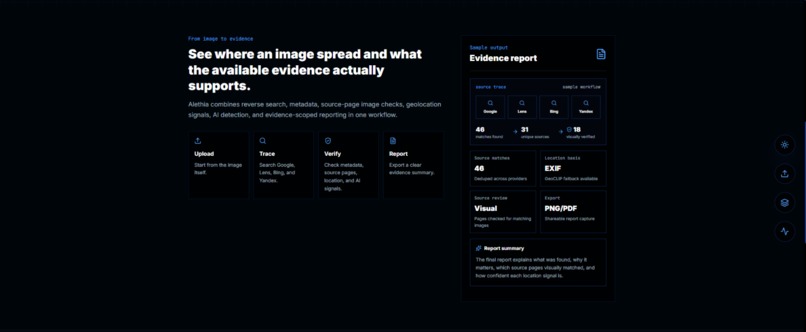
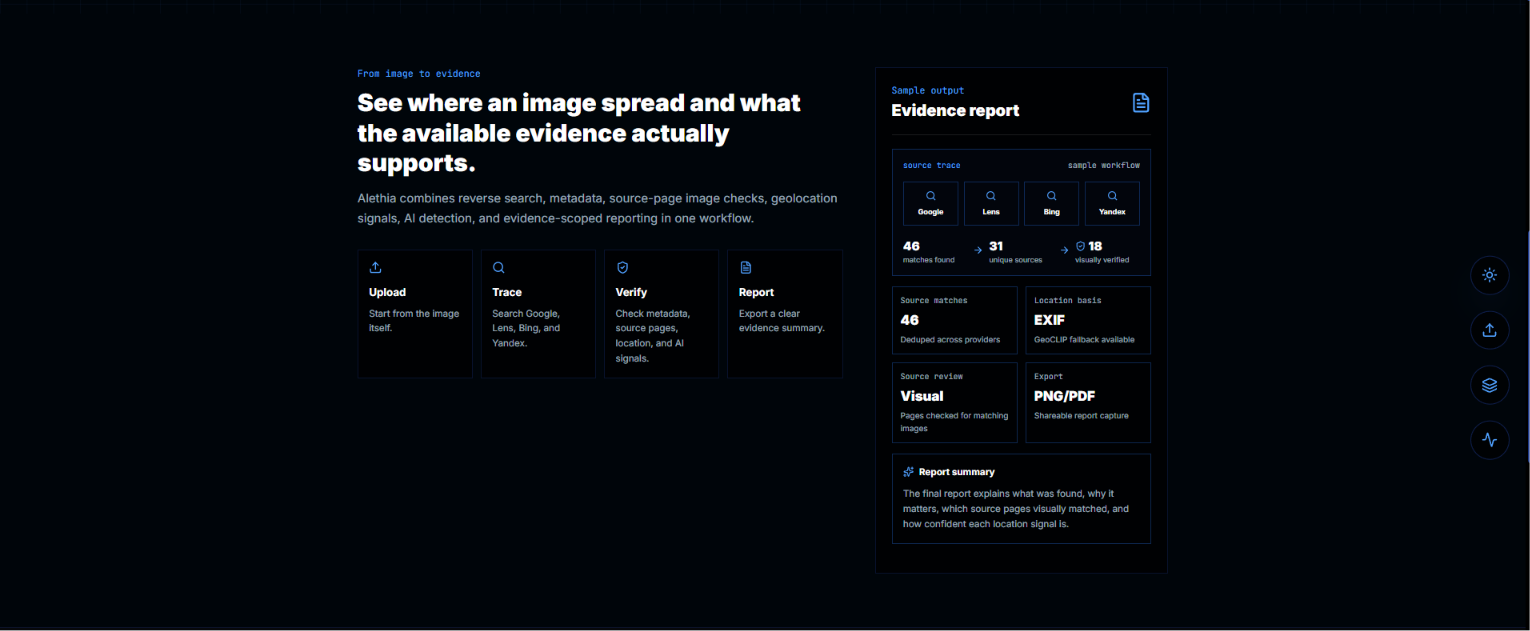
#2 landing page
-
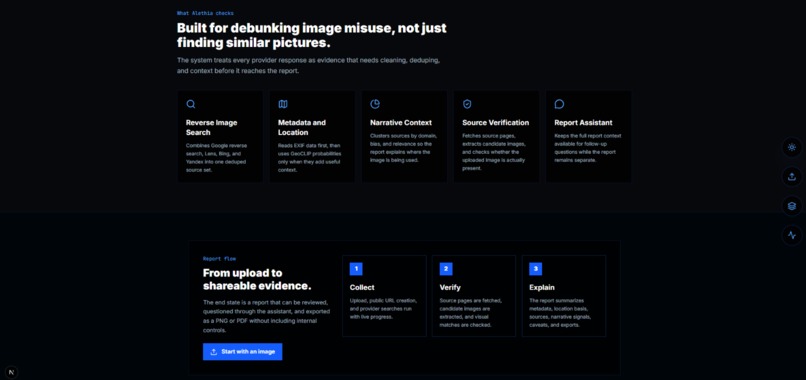
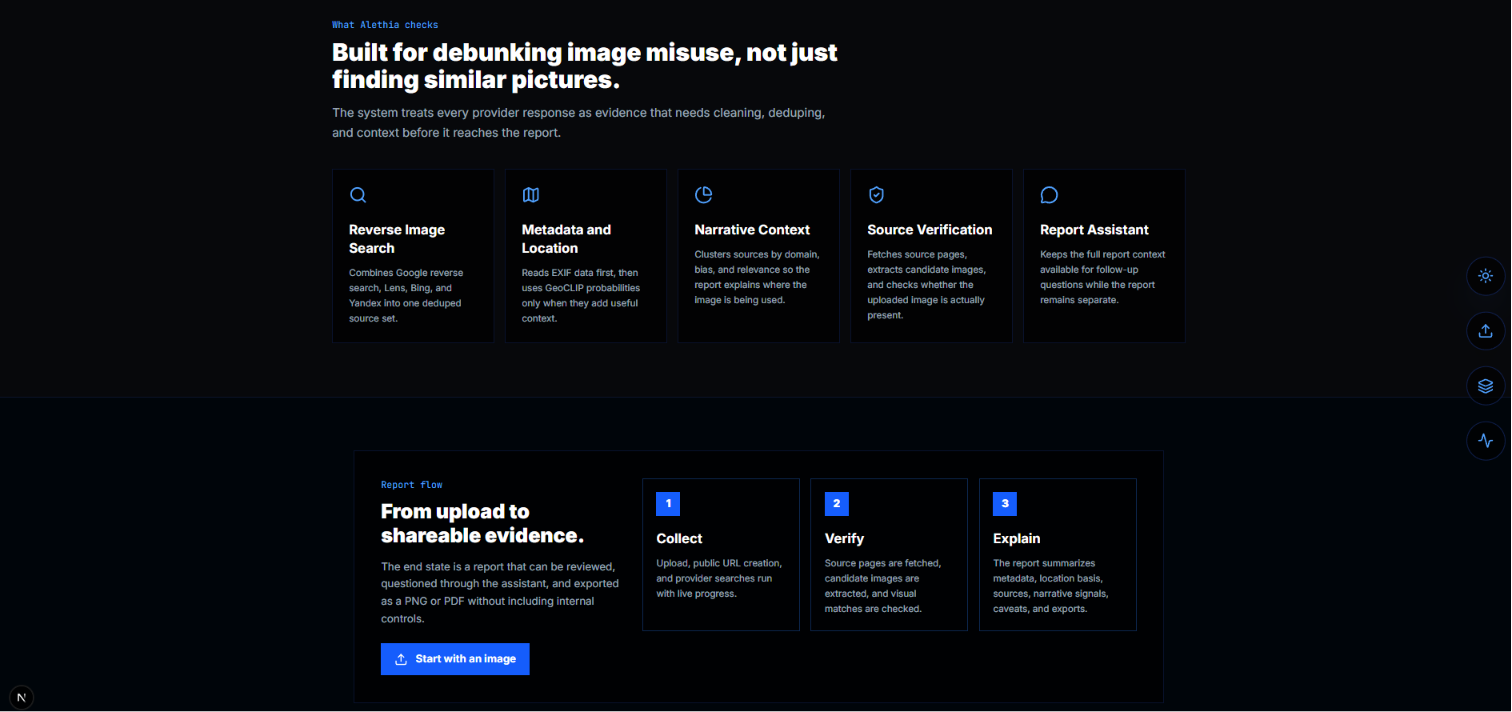
#3 landing page
-
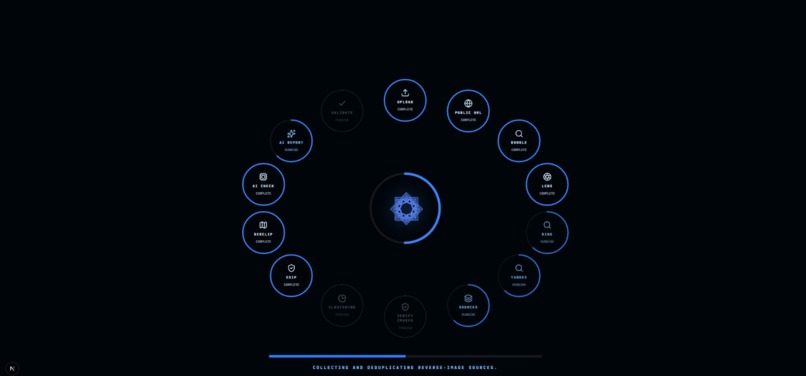
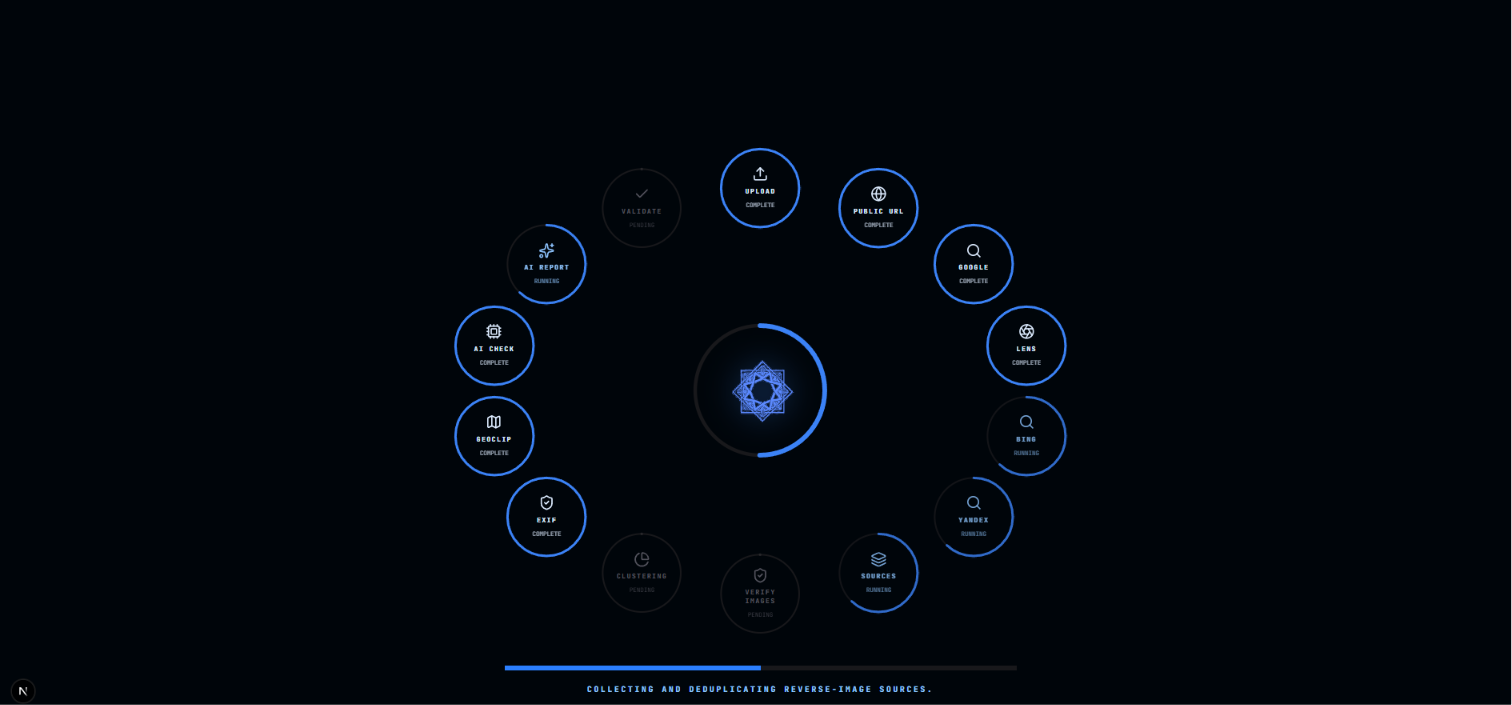
Loading page after image upload
-
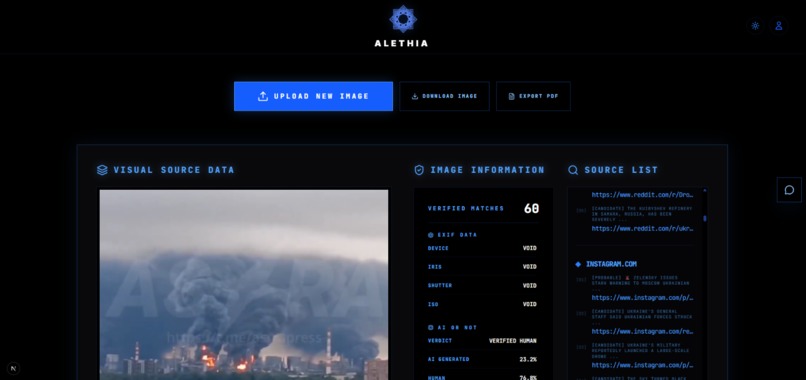
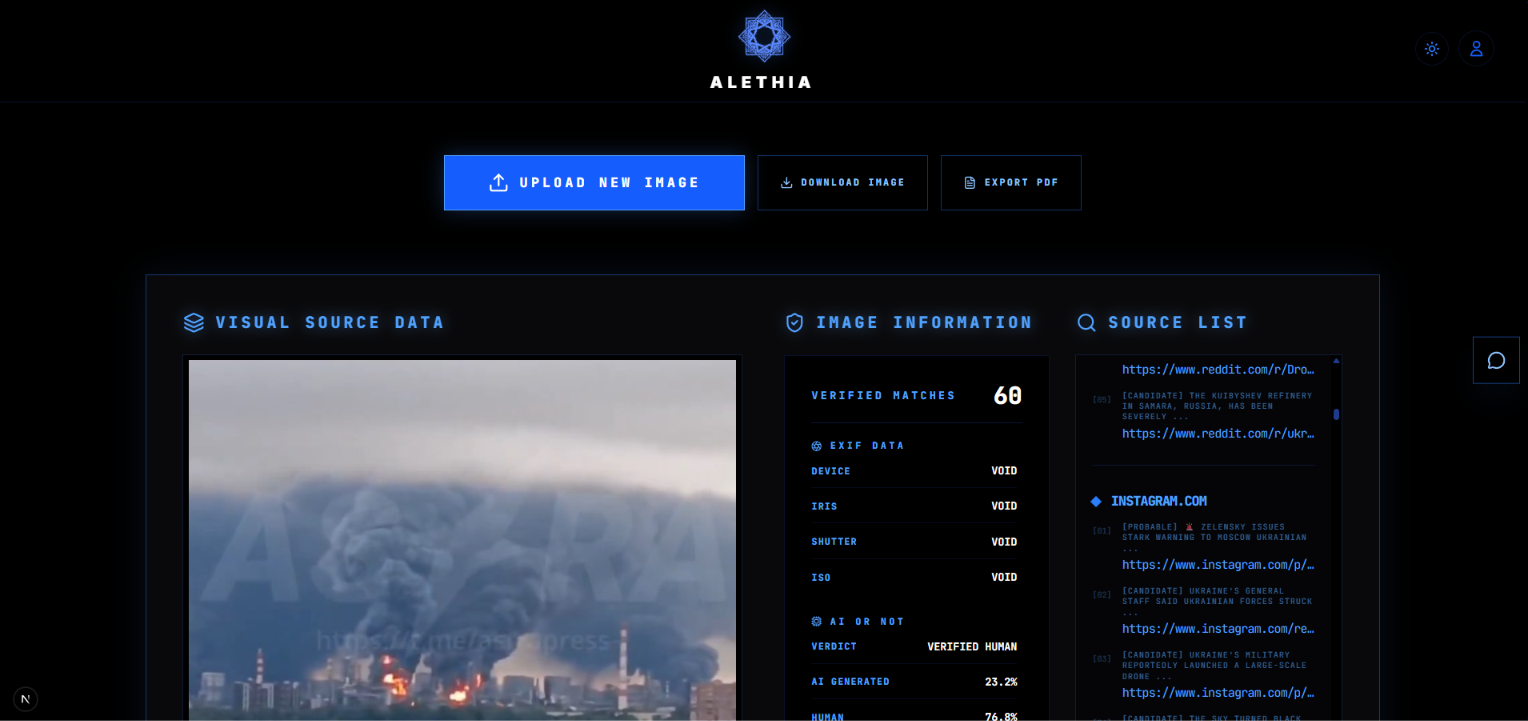
Sample image, AI or not verification, exif metadata and Source list(Verified & unverified)
-
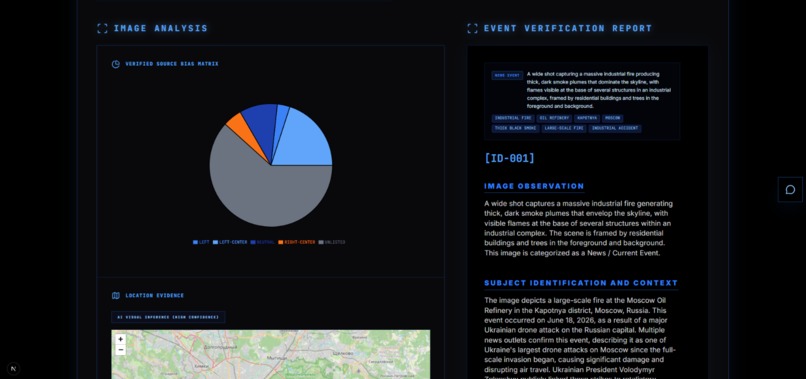
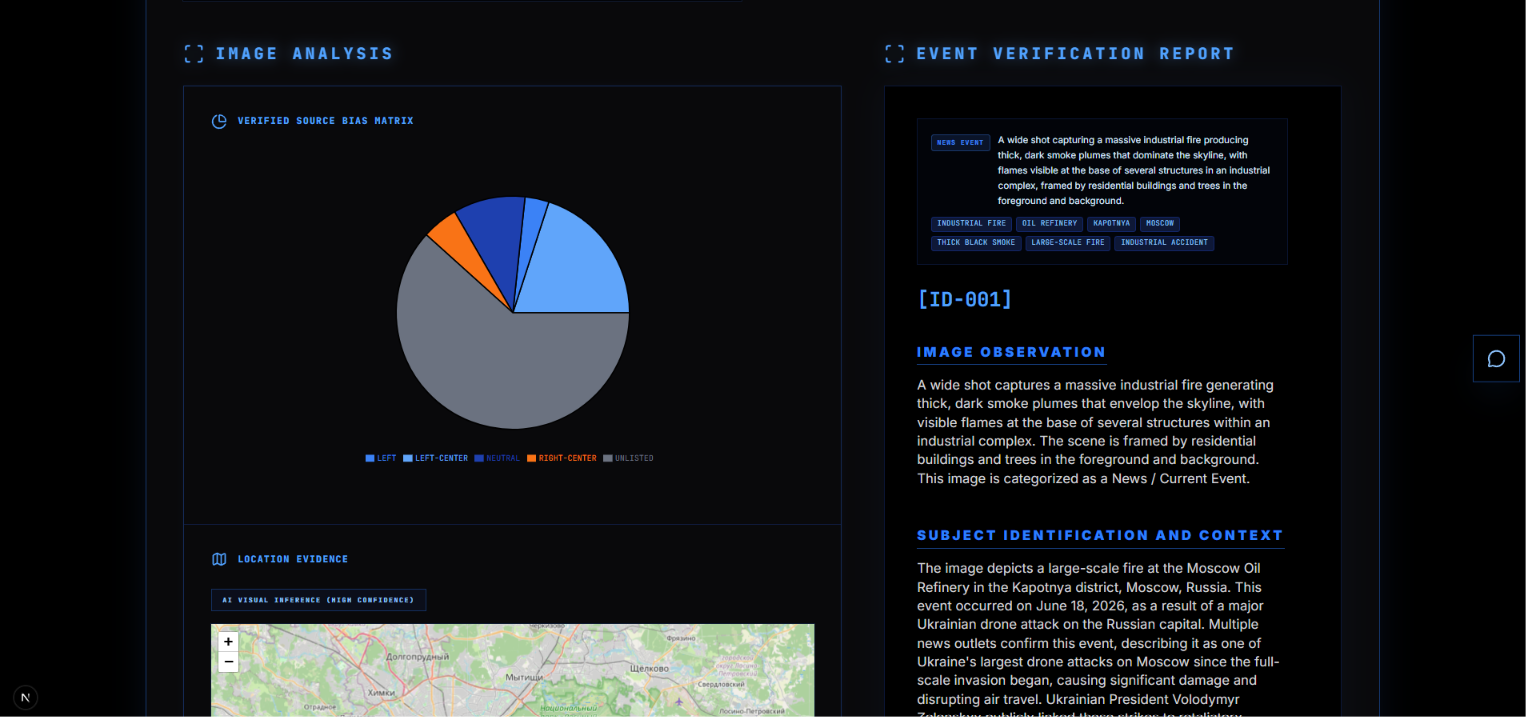
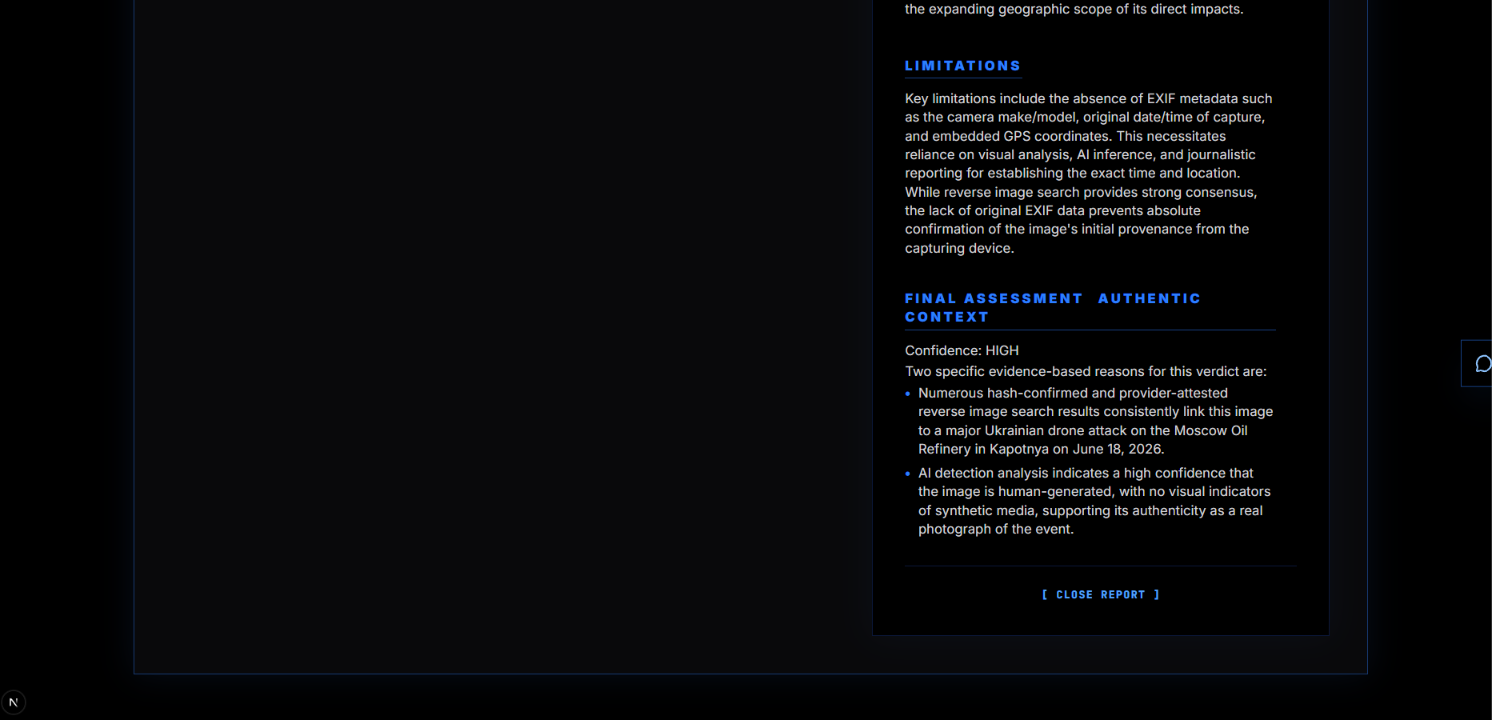
The bias split of the sources using the image, unlisted are sources not part of the dataset, and the start of the verification report
-
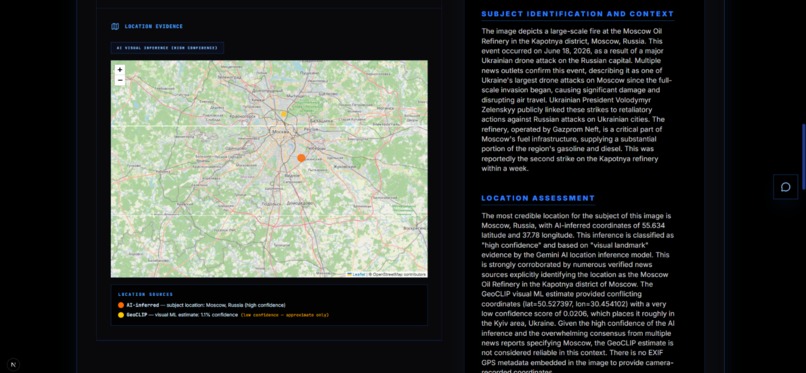
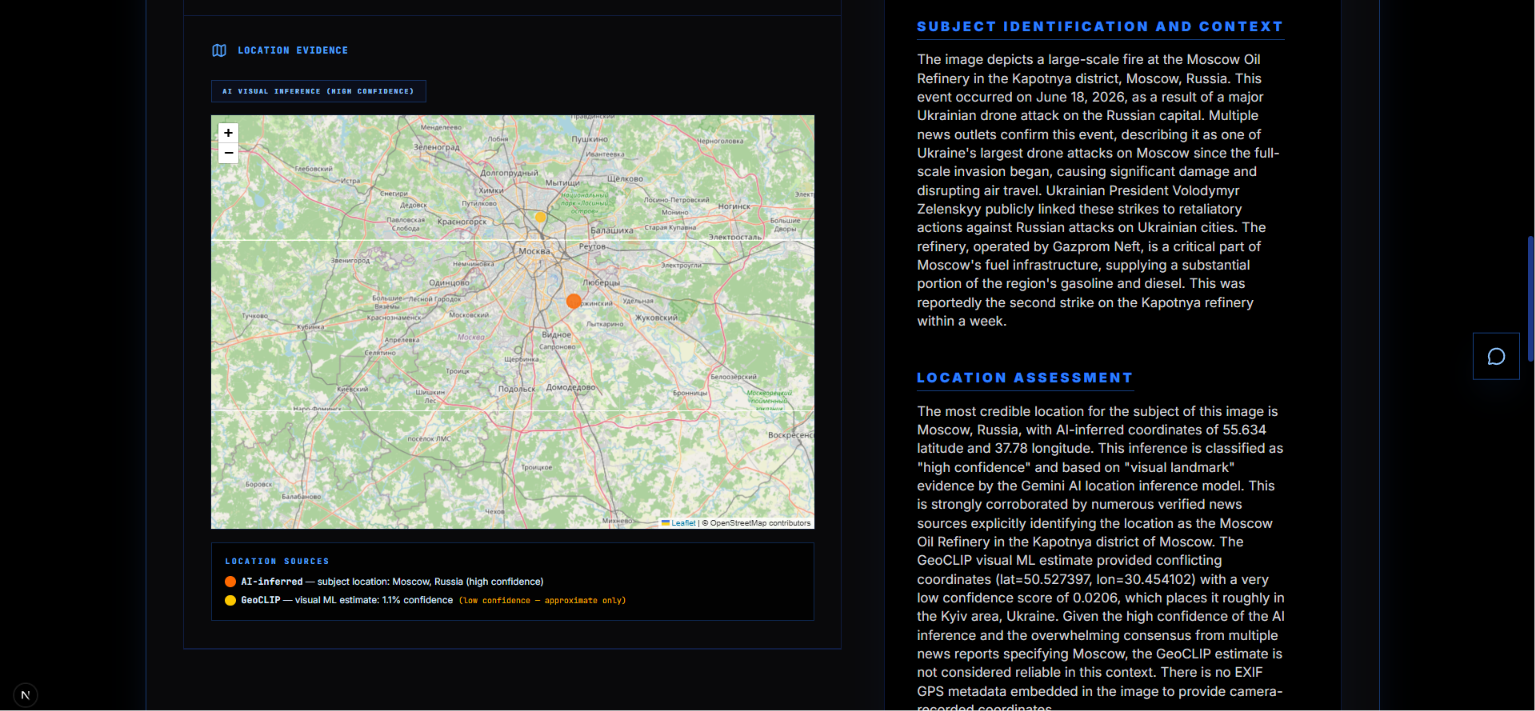
The geolocation estimates of the image, displayed as a map
-

Report#2
-

Report#3
-
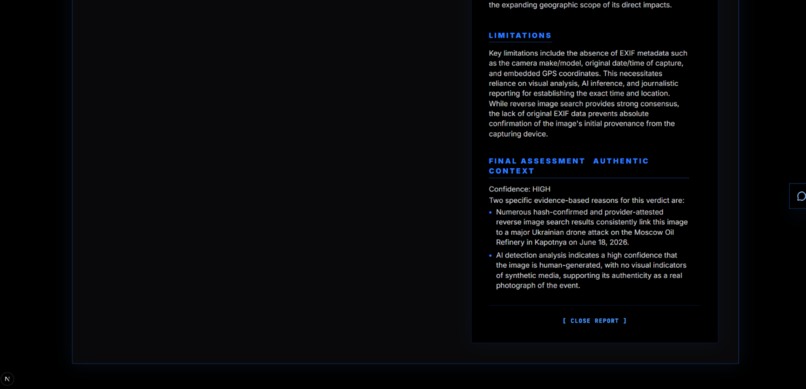
Report#4
-

AI chat bot that answers any further questions the user has
-
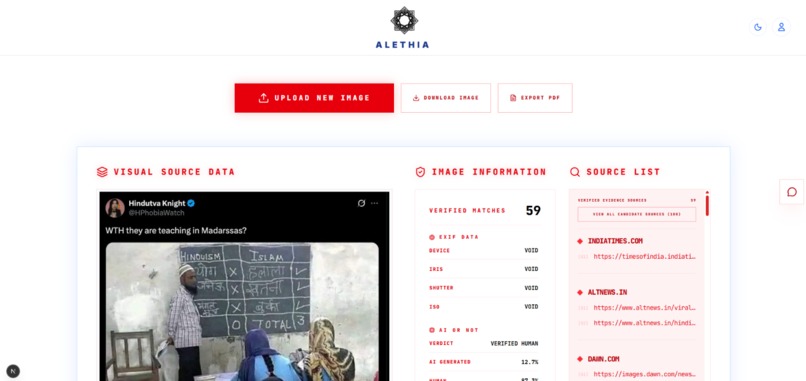
The light mode version of the application



Alethia From the Greek goddess of truth and sincerity.
The Problem A photo of a downed fighter jet appears on Twitter. Within forty minutes it has been shared sixty thousand times. News anchors reference it. Politicians quote it. By the time anyone checks, the narrative has already been written.
The image was three years old, taken in a different country, in a different conflict entirely.
This is not a rare failure. It is the default. Misinformation spreads because verification is slow, fragmented, and inaccessible. A journalist wanting to check a single image must open five separate tools: one for reverse image search, one for metadata, one for AI detection, one for source credibility, one for geolocation. None of them share results. None of them synthesise a verdict. Most require technical knowledge that most people do not have.
We built Alethia to change that. One upload. One report. The truth.
What Alethia Does Drop in an image and Alethia runs fourteen parallel verification checks in under thirty seconds.
Reverse Image Search Cross-references the image against Google Reverse Image Search, Google Lens visual matching, Bing Reverse Image, and Yandex Images simultaneously. Every prior appearance on the web is surfaced, deduplicated, and ranked by credibility. The earliest known appearance date is extracted per provider so you can see when the image first appeared and whether it predates the event it is being used to illustrate.
EXIF Metadata Extraction Reads the binary metadata embedded in the image file by the camera or device that created it. Camera model, lens, exposure settings, timestamp, software used for editing, and GPS coordinates if present. This data alone can confirm or contradict the claimed origin of an image.
GeoCLIP Visual Geolocation A machine learning model that estimates where a photo was physically taken purely from pixel patterns in the image. It recognises terrain, vegetation types, architectural styles, road markings, and environmental features to produce a latitude and longitude estimate with a confidence score. It works even when GPS data has been stripped from the file.
Location Synthesis Three independent signals are combined into one honest answer. EXIF GPS, GeoCLIP visual ML, and Gemini AI visual inference all feed into a cross-validation step. Gemini sees all three signals and determines which it can visually confirm from the image content, flags conflicts, and returns a single best-estimate location with a confidence label and full reasoning.
AI Generation Detection Sends the image to the AI or Not API which scores the probability of synthetic generation. Paired with Gemini's own visual artifact analysis, this gives two independent signals on whether the image was created by a human or a generative model.
Source Credibility and Bias Scoring Every domain that has published the image is scored against the Media Bias Fact Check database. Political lean, factual reporting history, and credibility tier are surfaced for each source. You can see at a glance whether the image is circulating in reliable outlets or in known misinformation networks.
Gemini AI Report A comprehensive natural-language report generated by Gemini 2.5 Flash synthesises every signal into a structured verdict. It includes a subject classification, confidence assessment, location reasoning, and a plain-English summary of whether the image can be trusted and why.
Architecture
                    USER UPLOADS IMAGE
                           |
                +----------v----------+
                |   Next.js Frontend  |
                |  (TypeScript / TSX) |
                +----------+----------+
                           |  POST multipart/form-data
                           |  SSE progress stream
                +----------v----------+
                |   FastAPI Backend   |
                |     (Python)        |
                +----+----------+-----+
                     |          |
        +------------+          +------------+
        |                                    |
+---------v---------+ +-----------v----------+ | Early Executor | | SERP Executor | | (ThreadPool x4) | | (ThreadPool x3) | | | | | | 1. EXIF + GeoCLIP | | 4. Google Reverse | | 2. AI or Not | | 5. Google Lens | | 3. Gemini First | | 6. Google Reverse p2 | | Pass (waits | | | | for EXIF first)| | Bing + Yandex via | +-------------------+ | collector | | +----------------------+ | | +----------------+-------------------+ | +--------------v---------------+ | Result Synthesis Layer | | | | location_decision() | | Cross-validates EXIF + | | GeoCLIP + Gemini | | | | Source deduplication | | Bias scoring | | Date extraction | | Source verification | +--------------+---------------+ | +--------------v---------------+ | Comprehensive Gemini | | Report Generation | | (all signals as context) | +--------------+---------------+ | +--------------v---------------+ | JSON Response to | | Frontend | | | | Multi-pin Leaflet map | | Pipeline progress UI | | Source cards | | AI verdict panel | | Export (PNG / PDF) | +------------------------------+ Problems We Ran Into Building Alethia in a compressed timeline meant hitting every class of problem simultaneously. Here are the ones that cost us the most time.
The GPS Misattribution Bug One of our test images had no EXIF GPS data. GeoCLIP estimated coordinates in Balochistan, Pakistan with 5.9% confidence. The Gemini report came back saying "EXIF metadata shows coordinates 30.44, 69.35". It was confidently wrong about the source of its own data. The fix required restructuring the prompt so that EXIF and GeoCLIP data are presented in clearly labelled separate sections, with an explicit rule: never attribute coordinates to EXIF unless EXIF GPS is explicitly present. A subtle prompt engineering problem that produced very convincing misinformation in our own misinformation detector.
Windows Encoding Crash The pipeline crashed silently on Windows whenever a source title contained an emoji. Python's default Windows stdout encoding is cp1252 which cannot represent Unicode characters outside the Latin-1 range. Every print statement in our logging layer became a potential crash point. Fixed by reconfiguring stdout and stderr to UTF-8 at startup, but only after losing an hour to silent failures.
System Python vs Virtual Environment Conflict The Google Cloud SDK installs a google namespace package system-wide. Our virtual environment also needed google-generativeai. When running with the system Python, importing genai from the google namespace would fail because the system package shadowed ours. The fix was ensuring all runs use the project venv exclusively, but this caused its own confusion since uvicorn needed to be launched from the right Python interpreter every time.
The PDF Export Our first approach to generating reports as PDFs involved a server-side render using PIL. The output looked like a text file had been run over by a lorry. We scrapped the entire approach and replaced it with html2canvas, which screenshots the rendered React report directly in the browser and converts it to PDF using jsPDF. The final quality matches exactly what the user sees on screen.
The Map Tile Problem Leaflet initialises tile loading based on the visible size of its container at mount time. Our map container lives inside a section of the UI that animates in after results load. If Leaflet mounted before the animation completed, it measured a smaller container and only requested tiles for that viewport. Scrolling revealed a grey void where tiles should be. Fixed by calling invalidateSize at intervals across the first second after mount, plus a ResizeObserver for any subsequent layout changes.
Location Hierarchy Too Simplistic The original location logic used a strict waterfall: Gemini first, then GeoCLIP if above 15% confidence, then EXIF as a last resort. This meant a low-confidence GeoCLIP estimate would be discarded entirely even when it was the only geographic signal available. It also meant Gemini never saw the EXIF or GeoCLIP data before producing its own estimate, so there was no cross-validation happening at all. We redesigned the pipeline so EXIF and GeoCLIP results are collected first, passed into the Gemini structured analysis prompt, and Gemini explicitly validates or overrides them before a synthesis function selects the best combined estimate.
Server Port Confusion The frontend expected the backend on port 8001. The backend defaulted to port 8000. This is a one-flag fix but cost disproportionate debugging time because the error was a silent connection failure with no useful message about which address was actually being targeted.
Limitations GeoCLIP Memory Requirements The GeoCLIP model requires approximately 1.5GB of RAM to load and run. This makes free-tier hosting impractical. Any cloud deployment needs a paid instance with sufficient memory.
GeoCLIP Confidence on Urban Images GeoCLIP performs better on natural landscapes than on urban environments. City images often return low confidence scores because architectural styles and street layouts are less geographically distinctive than terrain and vegetation.
SERP API Cost Every image search costs SerpAPI credits. At scale, the cost of running four parallel reverse image searches per upload becomes significant. The free tier runs out quickly under real usage.
Dependent on Third-Party APIs The pipeline depends on SerpAPI, Cloudinary, Google Gemini, and AI or Not all being available simultaneously. If any one of them is down or rate-limiting, that stage of the verification fails silently.
Built With
- ai-or-not-api-|-|-search-|-serpapi-(google
- bias
- bing
- check
- data
- fact
- fastapi
- geoclip
- jspdf
- leaflet-|-|-backend-|-python
- media
- source
- tailwind-css
- typescript
- uvicorn-|-|-ai-/-ml-|-google-gemini-2.5-flash
- yandex-reverse-image)-|-|-image-storage-|-cloudinary-|-|-export-|-html2canvas

Log in or sign up for Devpost to join the conversation.