-
-
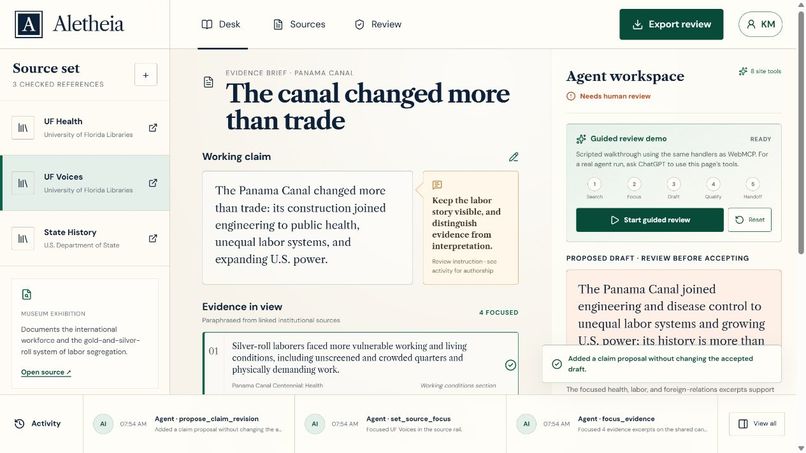
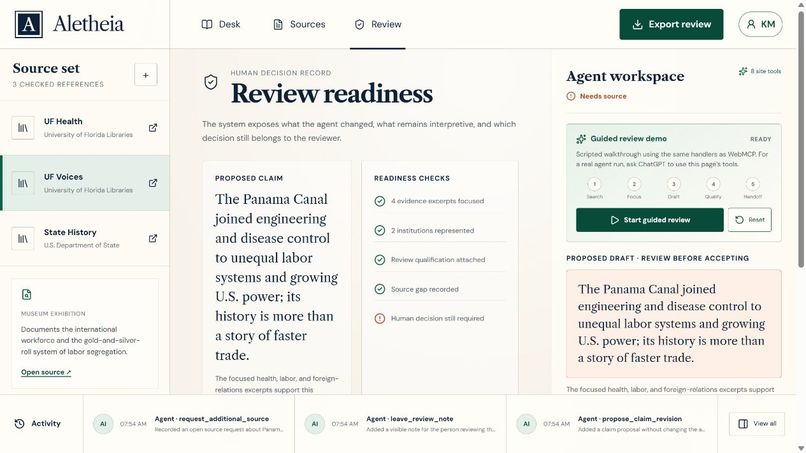
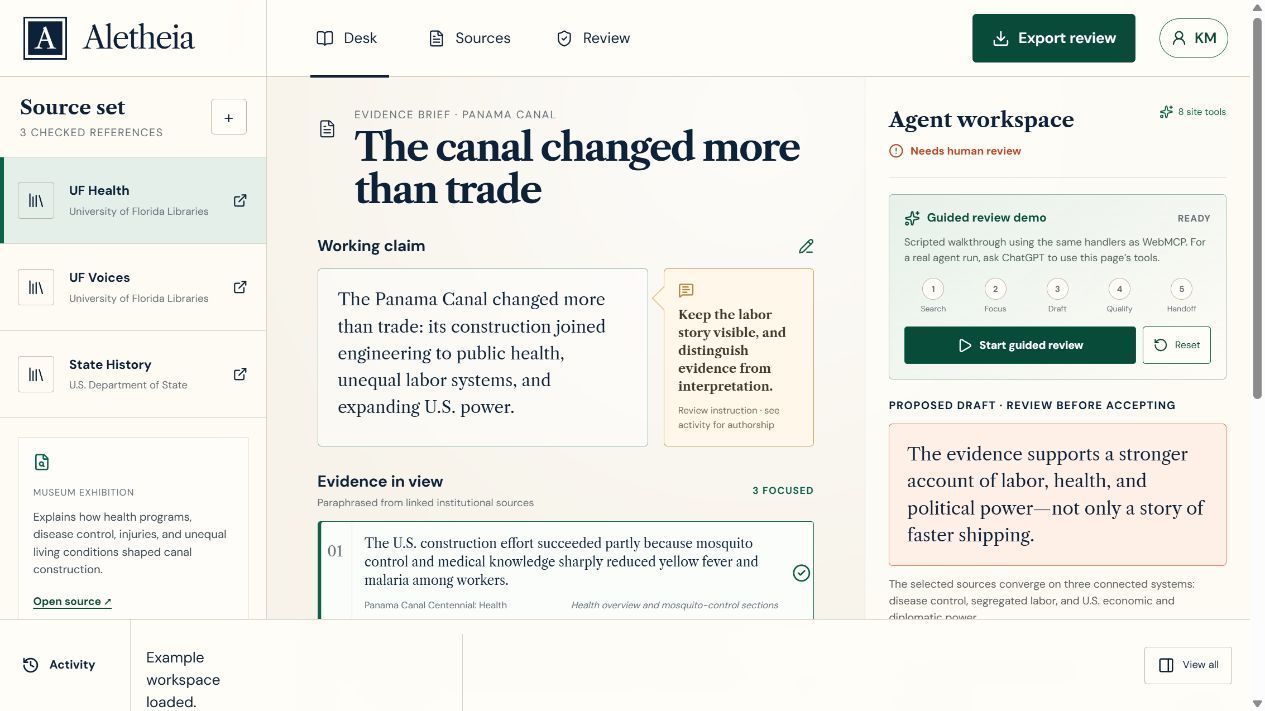
Shared evidence desk with linked sources, focused excerpts, and a separate agent-review workspace.
-
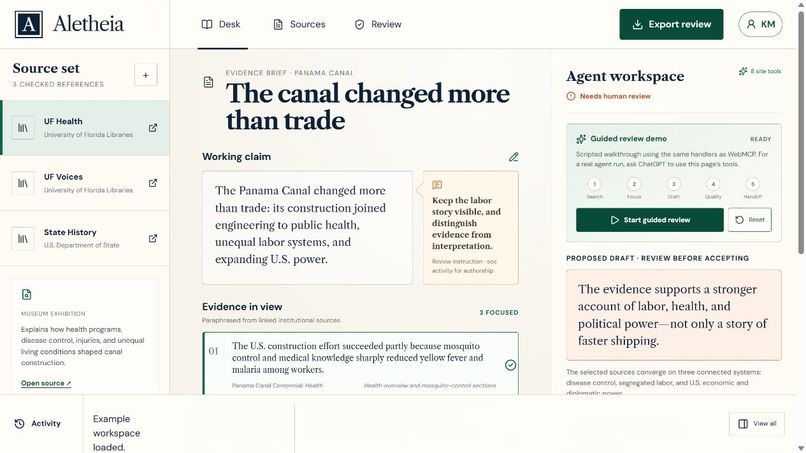
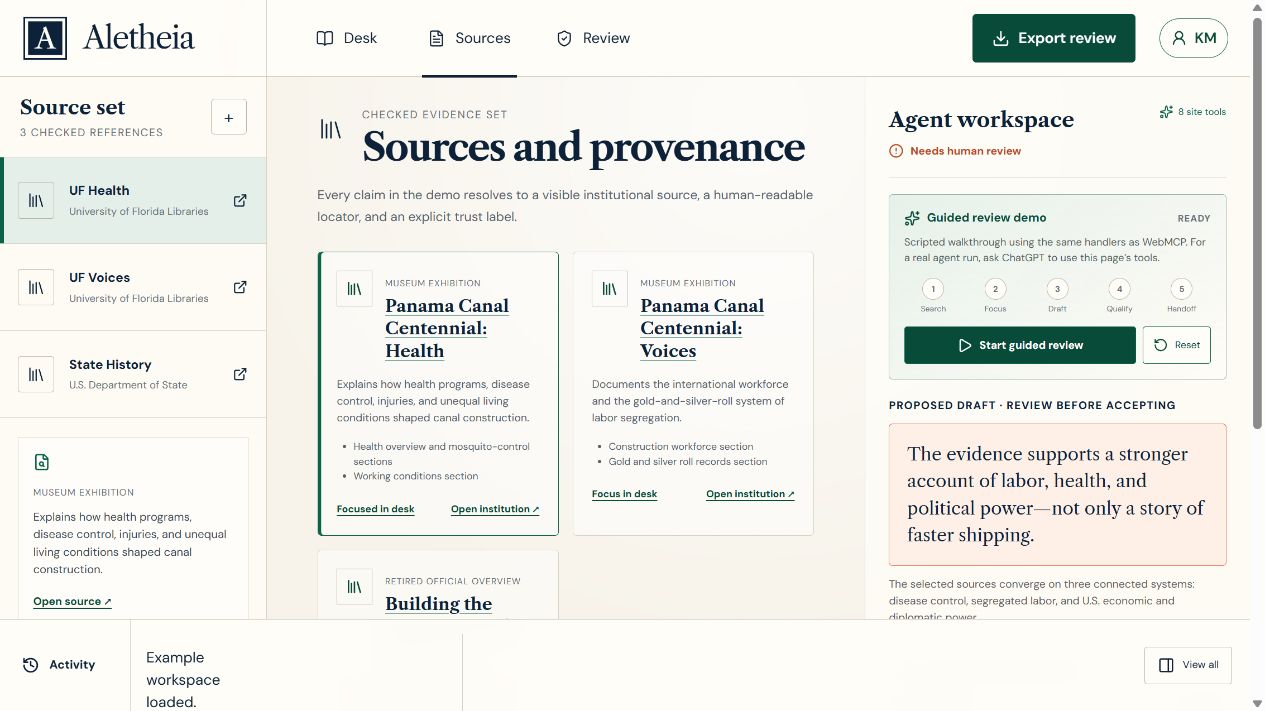
Sources view: five curated excerpts from three linked pages at two institutions.
-
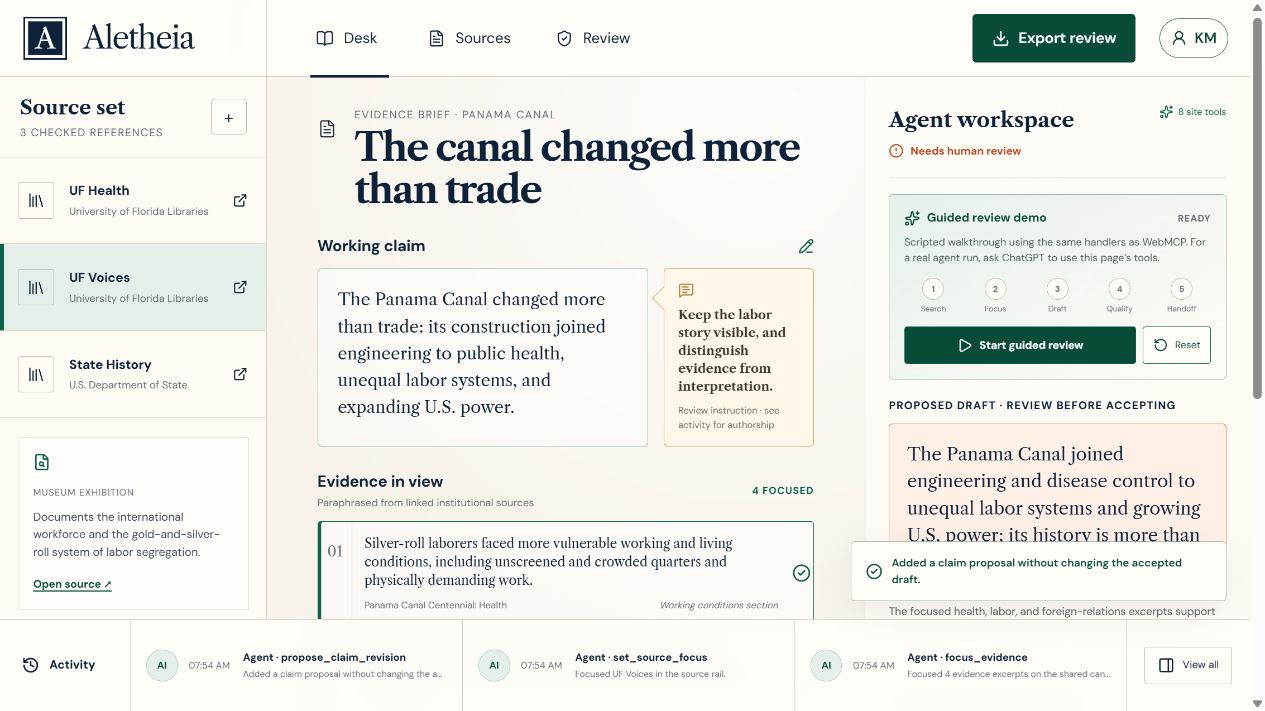
Actual WebMCP calls placed an evidence-backed proposal in visible shared state without accepting it.
-
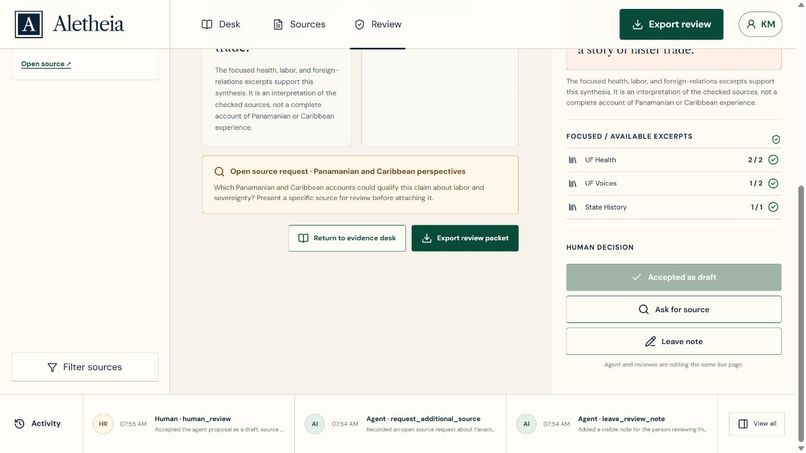
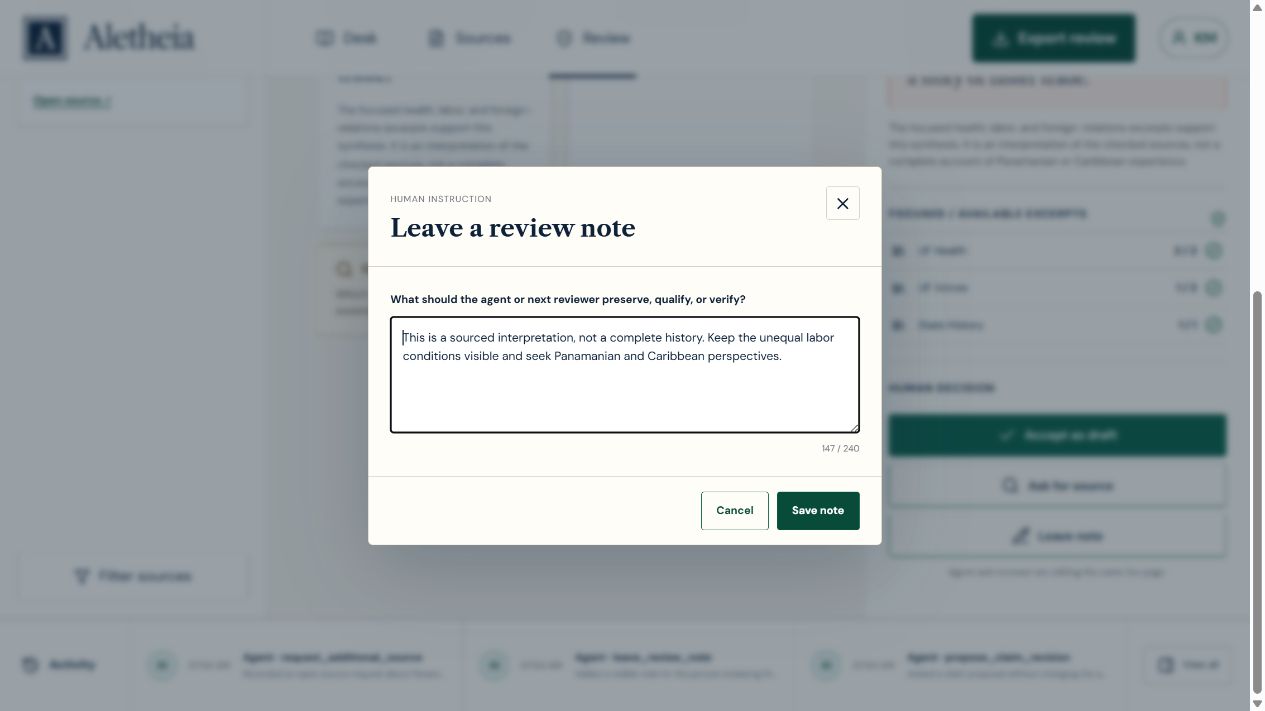
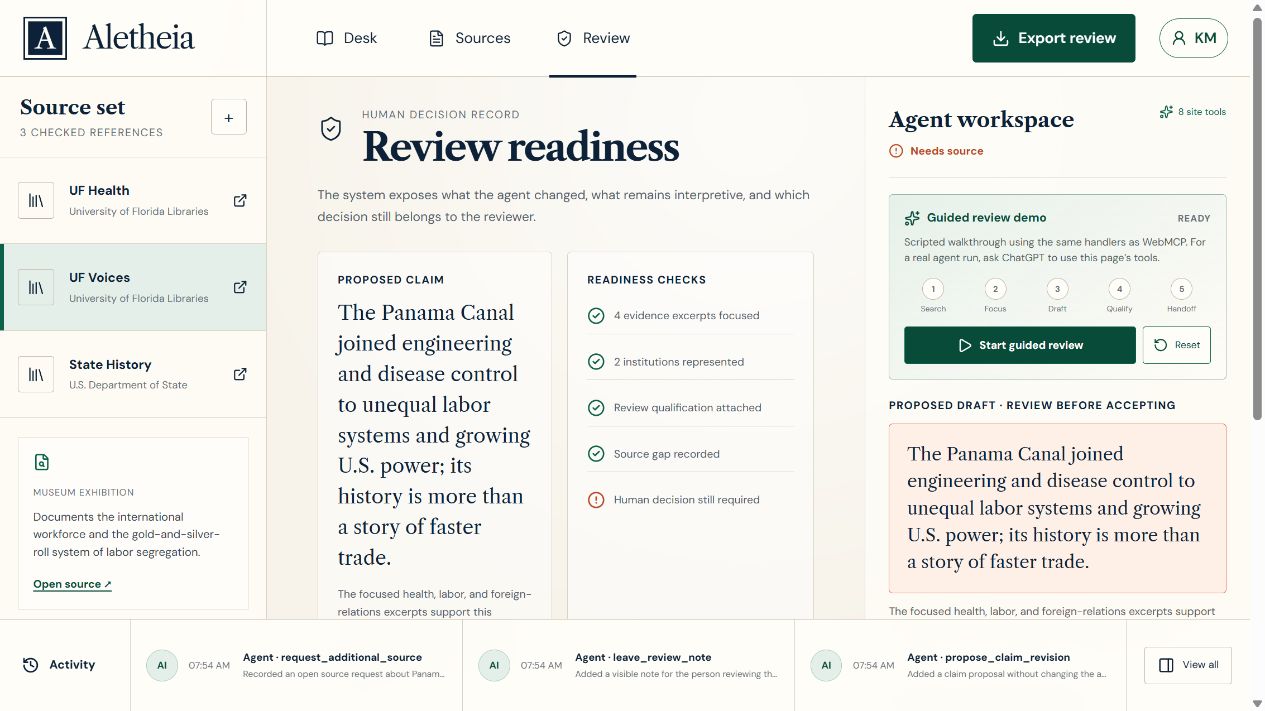
A bounded request records missing Panamanian and Caribbean perspectives without inventing a citation.
-
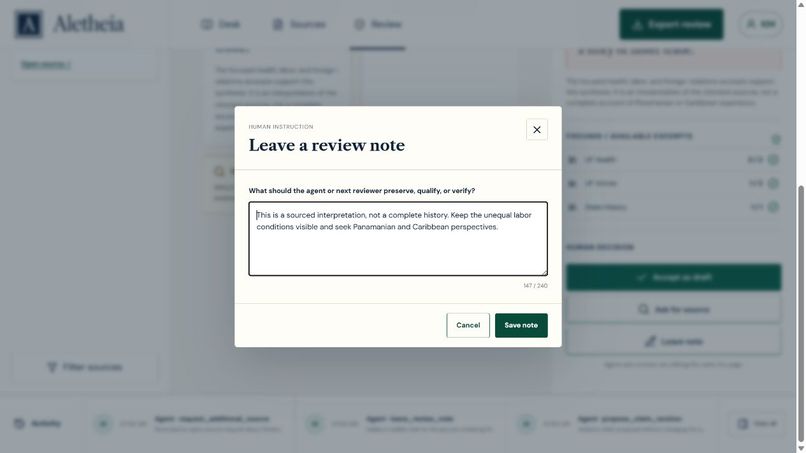
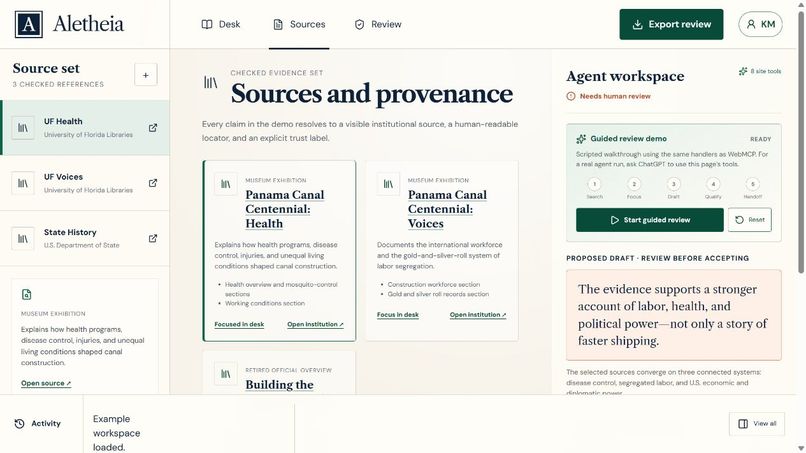
Reviewer controls keep evidence inspection, qualifications, source requests, and acceptance visible.
-
Automated QA test of the acceptance control—not presented as a historical human approval.
-
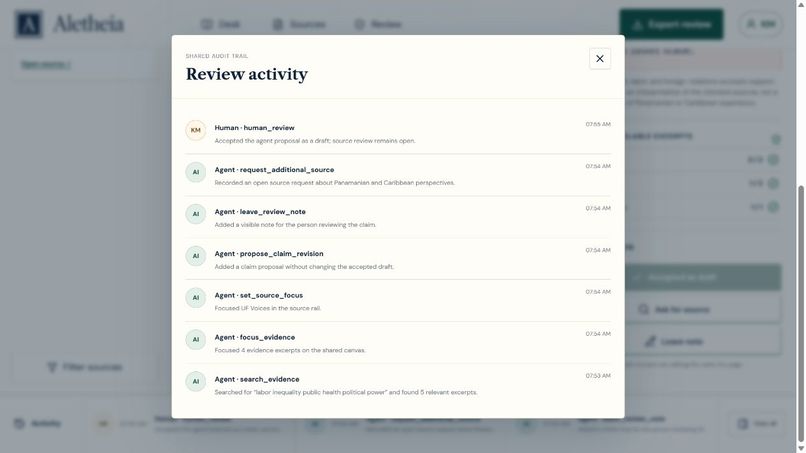
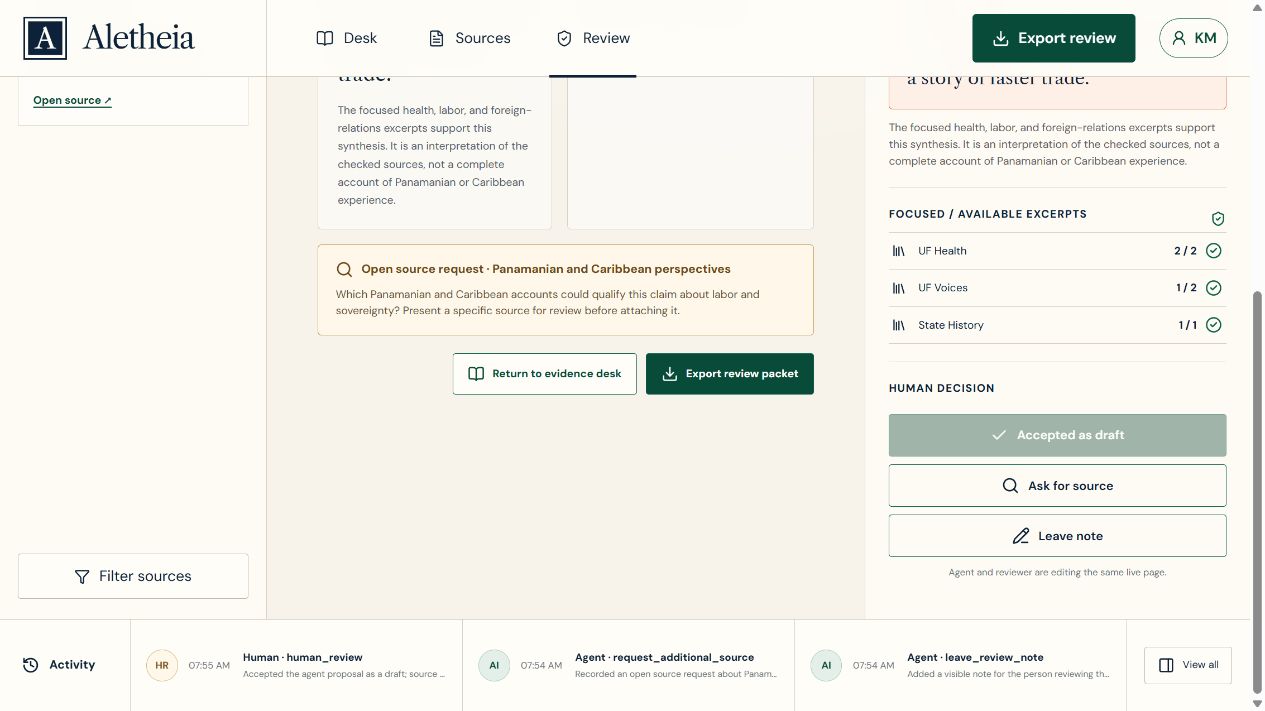
The activity trail distinguishes agent calls, the scripted guided demo, and reviewer actions.
Inspiration
My inspiration is wanting to teach proper information. For months, I have been gathering information about history and other subjects and turning it into a teaching structure. I wanted a way to work with AI without hiding the sources, intermediate steps, or places where human judgment is still necessary.
What it does
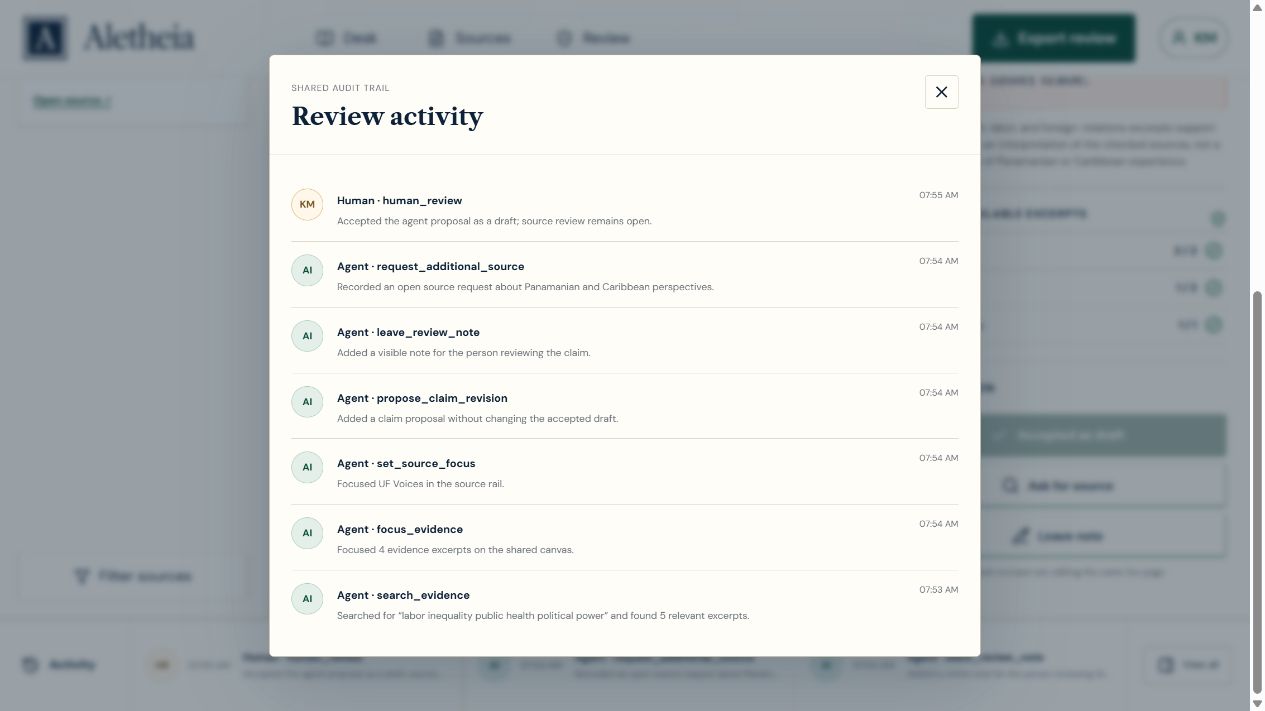
Aletheia Evidence Desk turns the open webpage into a shared research workspace for a person and an agent. The Panama Canal example brings together a working claim, five curated excerpts from three source pages at two institutions, direct links to the source material, a proposed revision, an evidence-gap request, and an activity record.
The agent can read the current workspace, list the checked sources, search the curated evidence, focus excerpts in the visible canvas, select a source, propose a revised claim, leave a review note, and request another source. Those actions stay visible to the person. The reviewer can inspect the evidence and original sources, qualify the draft, ask for more material, leave the proposal unaccepted, or accept it as a draft.
Why WebMCP fits this use case
This workflow depends on shared page context: which source is selected, which excerpts are focused, what proposal is pending, and what the reviewer has decided. A separate remote research service would not automatically share that live context. WebMCP exposes small, typed, page-native actions so the person and agent can work on the same visible state instead of moving disconnected answers between a chat and a research page.
That creates a better experience because the evidence selected by the agent appears immediately in the human interface, every displayed source can be opened at its institutional page, and the activity trail explains what happened. This cooperation between person and agent is the part that was difficult before: the agent can do bounded research work while the person can see, question, and redirect every important step.
How we built it
We built a standalone React and Vite application in JavaScript. Eight tools are registered through document.modelContext.registerTool and call the same state handlers used by the ordinary interface: get_workspace_state, list_sources, search_evidence, focus_evidence, set_source_focus, propose_claim_revision, leave_review_note, and request_additional_source. JSON schemas constrain the inputs, annotations identify read-only and untrusted content where appropriate, and automated tests cover the tool handlers and review boundary.
The application is deployed through GitHub Actions to GitHub Pages. The public repository contains the source code, assets, tests, instructions, and an MIT license. Desk, Sources, and Review are browser-addressable views, and the ordinary interface remains usable when WebMCP is unavailable.
Challenges we ran into
The main challenge was making agent actions visible without turning the product into a developer console. Working with an AI agent also requires the same kind of communication and checking that any collaboration requires. Model output can be incomplete, incorrect, or poorly timed, so the interface needed to distinguish source evidence, interpretation, and reviewer approval.
We also needed to keep the claims honest. The source set supports a limited demonstration, not a complete history of the Panama Canal. The app therefore records missing Panamanian and Caribbean perspectives instead of pretending that the current material is comprehensive.
Accomplishments we are proud of
We are proud that the finished prototype exposes eight usable WebMCP tools while keeping their effects understandable to a person. The agent proposal remains separate from the working claim, source links open the underlying institutional material, evidence gaps stay visible, and the review can be exported. We are also proud to be participating in the early stages of a more cooperative open web for people and AI.
What we learned
What we learned during this exercise is how to use AI efficiently through cooperation with human interaction. Professionally, we can use this whenever we need to research and verify our steps using AI and the information currently available on the internet. I use this process for teaching and for developing other historical presentations.
The most important lesson is that human interaction remains necessary. AI can accelerate searching, organizing, testing, and drafting, but the person must still inspect sources, recognize missing perspectives, and decide what should become part of the final work.
Prototype limits
The demonstration searches five prepared excerpts rather than the wider web. It does not automatically verify or attach a new citation. Source requests record evidence gaps without inventing evidence. Local browser storage retains the working example rather than providing a secure shared database. The guided review is explicitly labeled as scripted, and the reviewer controls are a workflow distinction rather than an authentication barrier against general browser automation.
What's next for Aletheia
We plan to continue developing Aletheia for teaching, historical presentations, and other evidence-heavy work. Future steps include user-supplied source collections, persistent projects, citation-range verification, collaborative review, accessibility testing, and support for additional research domains.
Built With
- github
- javascript
- react
- vite
- webmcp

Log in or sign up for Devpost to join the conversation.