AWS Cost Optimizer & Security Advisor
This project is an intelligent, AI-powered chatbot designed to analyze your AWS environment for cost optimization opportunities and security vulnerabilities. It provides actionable recommendations with clear, step-by-step instructions for remediation.
The application is built on a fully serverless architecture, deployed and managed automatically via a CI/CD pipeline using Terraform and Bitbucket Pipelines.
Features
AI-Powered Analysis: Leverages Amazon Bedrock (Anthropic Claude) to provide human-like, context-aware analysis and recommendations.
Comprehensive Cost Optimization: Scans your AWS resources to identify underutilized instances, old snapshots, idle resources, and opportunities to switch to more cost-effective services (e.g., gp2 to gp3).
Automated Security Scanning: Checks for common security misconfigurations based on AWS best practices and CIS benchmarks, such as open security groups, unencrypted resources, and IAM vulnerabilities.
Fully Serverless Architecture: Built with scalable, pay-per-use AWS services including Lambda, API Gateway, DynamoDB, and S3.
Automated CI/CD Deployment: The entire infrastructure and application are deployed and managed through a robust Bitbucket Pipeline using Terraform for Infrastructure as Code.
Architecture
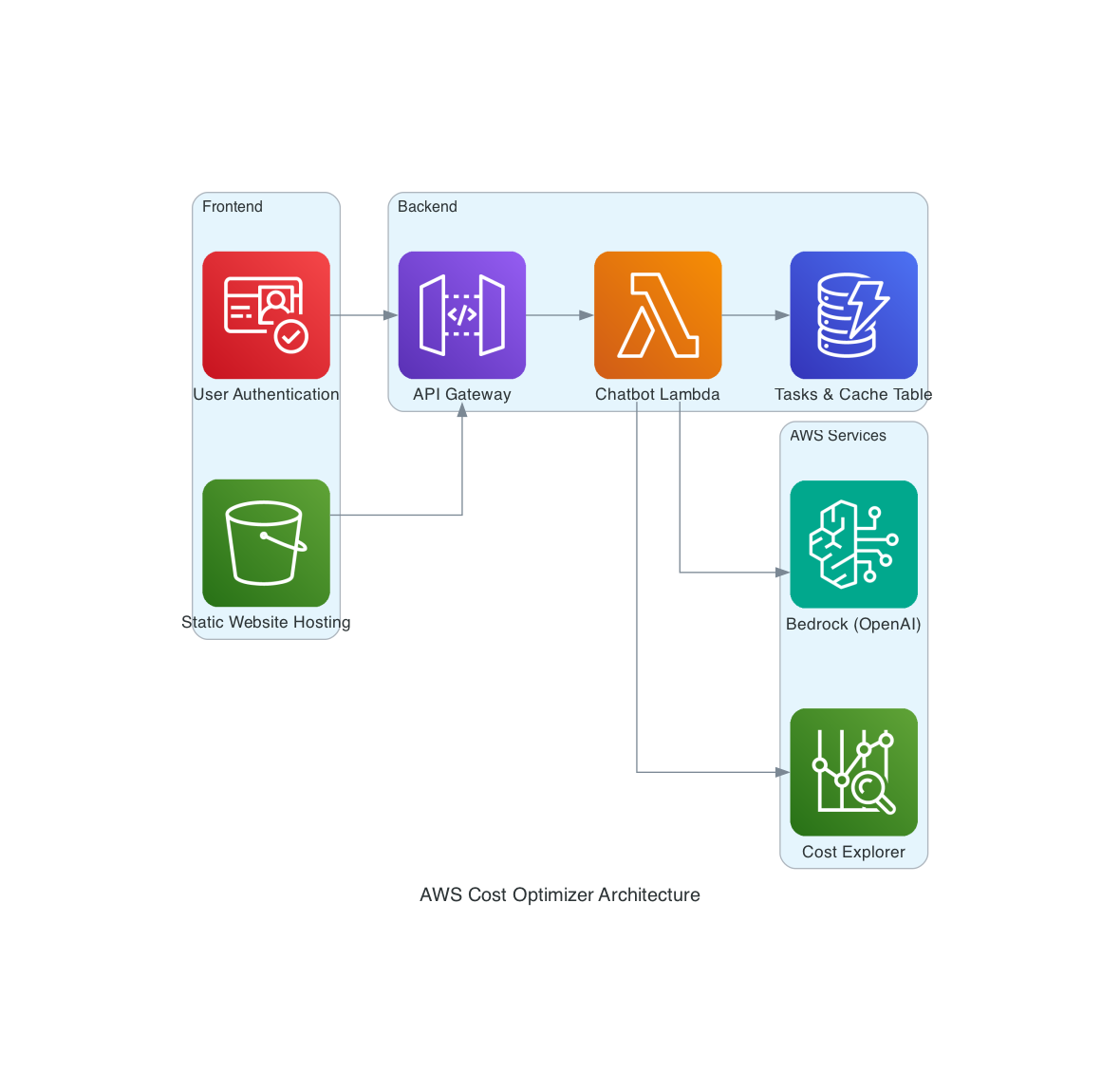
The application consists of a static frontend, a serverless backend, and a suite of AWS services, all managed by Terraform.
1.Frontend: A static web application (HTML, CSS, JavaScript) hosted in an Amazon S3 bucket, configured for public website hosting.
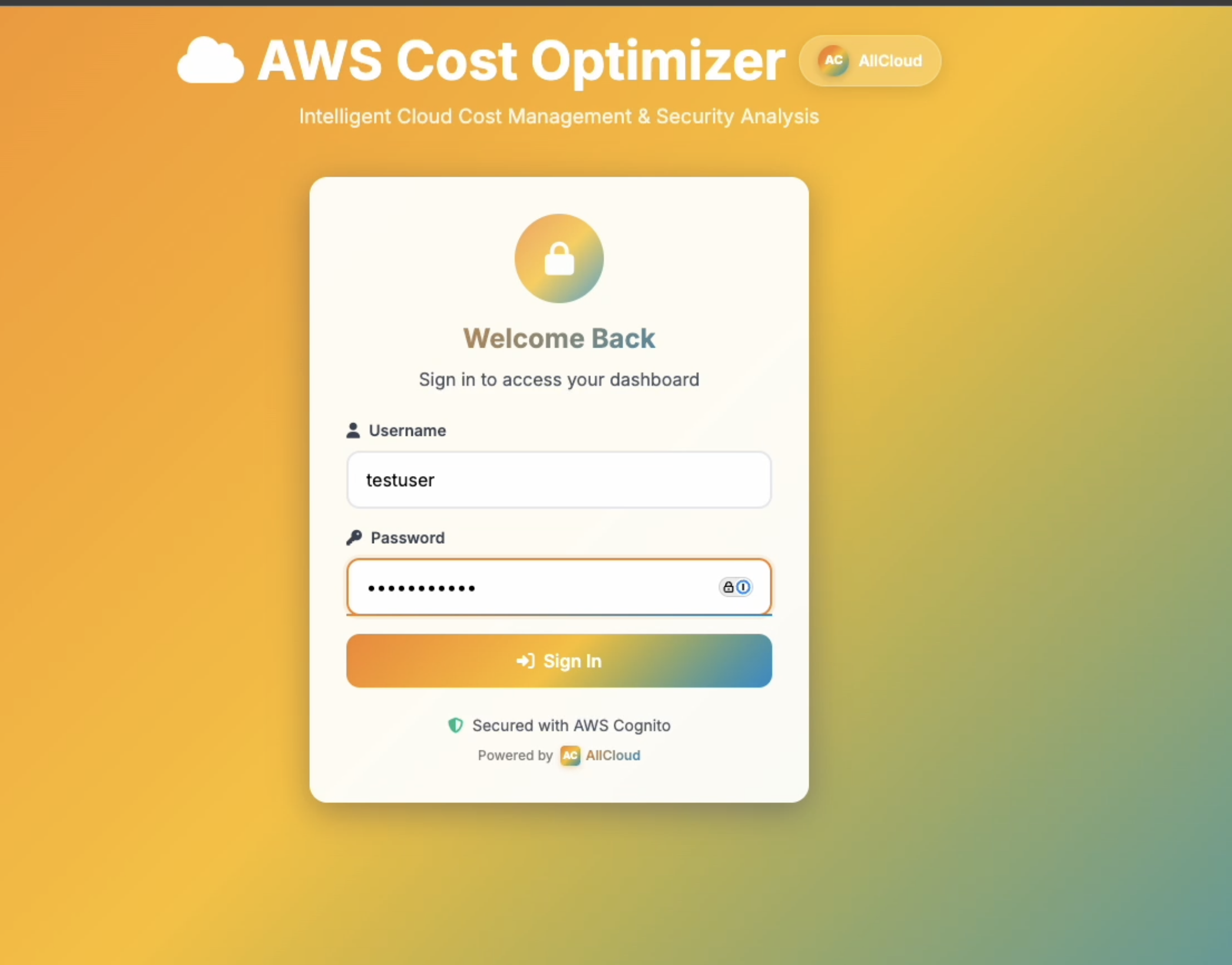
2.Authentication: User sign-up and login are handled by Amazon Cognito, which provides secure user management and authentication.
3.API Layer: An Amazon API Gateway (HTTP API) provides a secure, public endpoint for the frontend to communicate with the backend. It is protected by a Cognito authorizer.
4.Backend Logic: An AWS Lambda function (Python 3.9) contains the core application logic. It uses an asynchronous pattern:
- An initial POST request starts a long-running analysis task and immediately returns a taskId.
- The frontend then polls a GET endpoint with the taskId to retrieve the status and final result.
5.Data & State:
Amazon DynamoDB: A table is used to store the status, query, and results of each analysis task.
Terraform S3 Backend: A separate S3 bucket is used to store the Terraform state file, making the CI/CD pipeline resilient and aware of the deployed infrastructure's state.
6.AI & Analysis:
The Lambda function uses various AWS SDKs to scan your account's resources (ReadOnlyAccess).
It calls Amazon Bedrock to synthesize the collected data into actionable recommendations.
It uses AWS Cost Explorer to fetch billing data for trend analysis.
Deployment Guide (CI/CD)
The entire application is deployed automatically via Bitbucket Pipelines. This is a one-time setup.
Step 1: Prerequisites
An AWS account.
A Bitbucket repository to host the code.
Git installed on your local machine.
Step 2: Configure Bitbucket Repository Variables
This is the most critical step. The pipeline needs these variables to create and configure the AWS resources.
Navigate to your Bitbucket repository.
Go to Repository settings > Repository variables.
Add the following six variables:
| Variable Name | Description | Example Value | Secured? |
|---|---|---|---|
AWS_ACCESS_KEY_ID |
The access key for an IAM user with permissions to create resources. | AKYRURIRIRIRIRIR |
Yes |
AWS_SECRET_ACCESS_KEY |
The secret key for the IAM user. | dadasdasdadudasdadada |
Yes |
AWS_DEFAULT_REGION |
The AWS region where you want to deploy the application. | eu-west-1 |
No |
S3_BUCKET |
A globally unique name for the frontend S3 bucket. | my-company-cost-optimizer-app |
No |
LAMBDA_FUNCTION_NAME |
A name for your Lambda function. | my-company-cost-optimizer-lambda |
No |
TF_STATE_BUCKET |
A globally unique name for the S3 bucket that will store the Terraform state. | my-company-terraform-state-bucket |
No |
IMPORTANT:
- For
AWS_ACCESS_KEY_IDandAWS_SECRET_ACCESS_KEY, you must check the Secured box. - The S3 bucket names must be unique across all of AWS. If a pipeline fails with an error about a bucket already existing, choose a different name and re-run the pipeline.
Step 3: Critical Note on AWS Account Permissions
There are two external requirements that cannot be solved with the code in this repository:
1.IAM User Permissions: The IAM user whose credentials you provided in the variables must have sufficient permissions to create all the resources in the Terraform files (IAM roles, Lambda functions, S3 buckets, etc.). For simplicity, you can attach the AdministratorAccess policy, but a more secure approach is to create a custom policy with only the necessary permissions.
2.Amazon Bedrock Access: Some AWS accounts, particularly those from resellers or partners ("channel program accounts"), may have Amazon Bedrock access disabled by default via a Service Control Policy (SCP). If your pipeline fails with an error related to Bedrock access, you must contact your AWS Solution Provider or Distributor and request that they enable access to Amazon Bedrock and the Anthropic Claude models for your account.
Step 4: Trigger the Pipeline
Once the repository variables are set, simply push the code to your main branch.
git push origin main
This will automatically trigger the pipeline. You can monitor its progress in the Pipelines section of your Bitbucket repository.
💻 How to Use the Application
Find Your Website URL: After a successful pipeline run, go to the logs of the Deploy Infrastructure step. Scroll to the bottom to find the
website_urlin the Terraform outputs.Access the Website: Paste the
website_urlinto your browser.Sign Up & Log In: You will be prompted to create a new user account. This is handled by Amazon Cognito. After signing up, you will receive a verification code to your email. Once verified, you can log in.
Interact with the Chatbot: Ask questions about your AWS environment, such as:
"How can I reduce my EC2 costs?"
"Are there any security risks in my account?"
"Show me my spending trends for the last month."
🔧 Technical Details
Infrastructure as Code: The
terraform/directory contains all the infrastructure definitions.main.tfdefines the resources,variables.tfdeclares the inputs, andbackend.tfconfigures the S3 remote state.Backend Application: The
chatbot/directory contains the Python Lambda code.
1.app.py: The main handler, which manages API requests and orchestrates the analysis.
2.resource_collectors.py: A multi-threaded engine that scans your AWS account to discover resources.
3.cost_optimizer.py: Analyzes the discovered resources for cost-saving opportunities.
4.security_analyzer.py: Analyzes the discovered resources for security vulnerabilities.
- Frontend Application: The
frontend/directory contains the static website. Theconfig.jsfile is dynamically generated by the pipeline, injecting the API endpoint and Cognito details so the frontend can connect to the backend.
Built With
- amazon-web-services
- apigw
- bedrock
- cognito
- dynamobd
- lambda
- python
- s3
- terraform


Log in or sign up for Devpost to join the conversation.