
Albie
Inspiration
Engineering is hard. And sometimes, it's lonely.
The projects we love most are builds where the hardware and code ship together: a rocket with flight software, a robot with a trained policy. Those projects keep getting shorter timelines and leaner teams, so one engineer now writes the code, models the part, trains the model, and answers the Slack thread, often in the same afternoon.
The tools haven't caught up. Every XR tool we tried was built for one domain, and none let you move between them at full fidelity.
Then Meta announced its VR Glasses, shipping spring 2027 in a glasses form factor. Headsets are about to become something people wear at their desk every day. We wanted to build the thing you'd actually want to wear: one workspace for every kind of engineer, with someone in it to keep you company.
What it does
Albie is an XR productivity suite led by an AI gator who knows every corner of it. Sit down at your desk in the headset, and Albie hops up beside you, reads you your Slack digest, and unfolds your workspace. Then you just talk to him.
- Code. Your real VS Code streams into the headset, extensions and all, without a wall of monitors. Albie catches your errors as they happen and offers a fix before you ask.
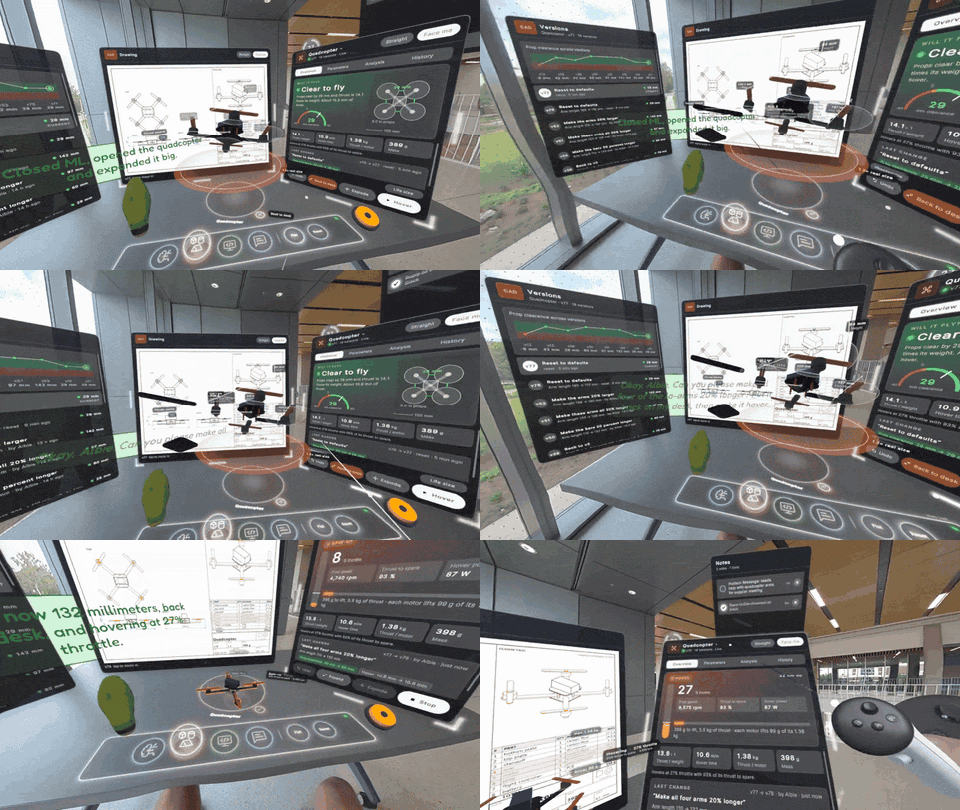
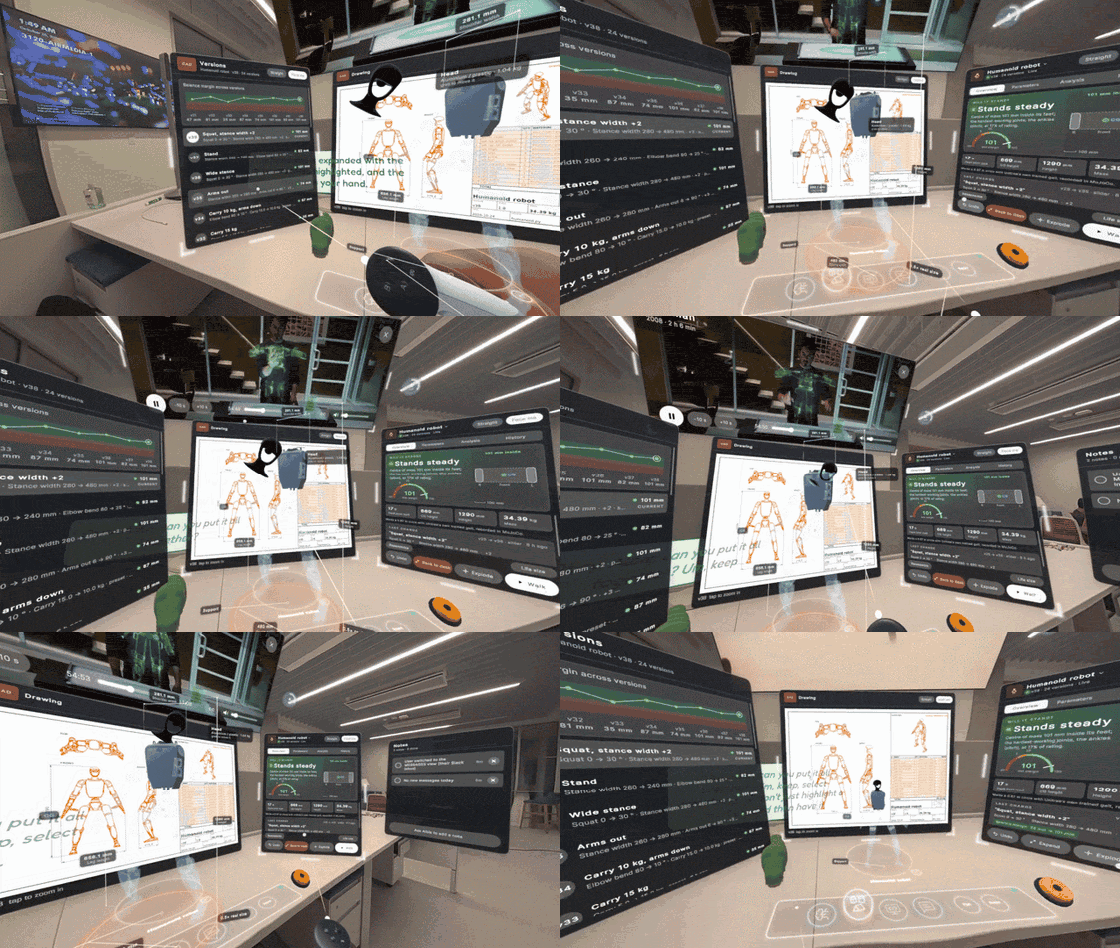
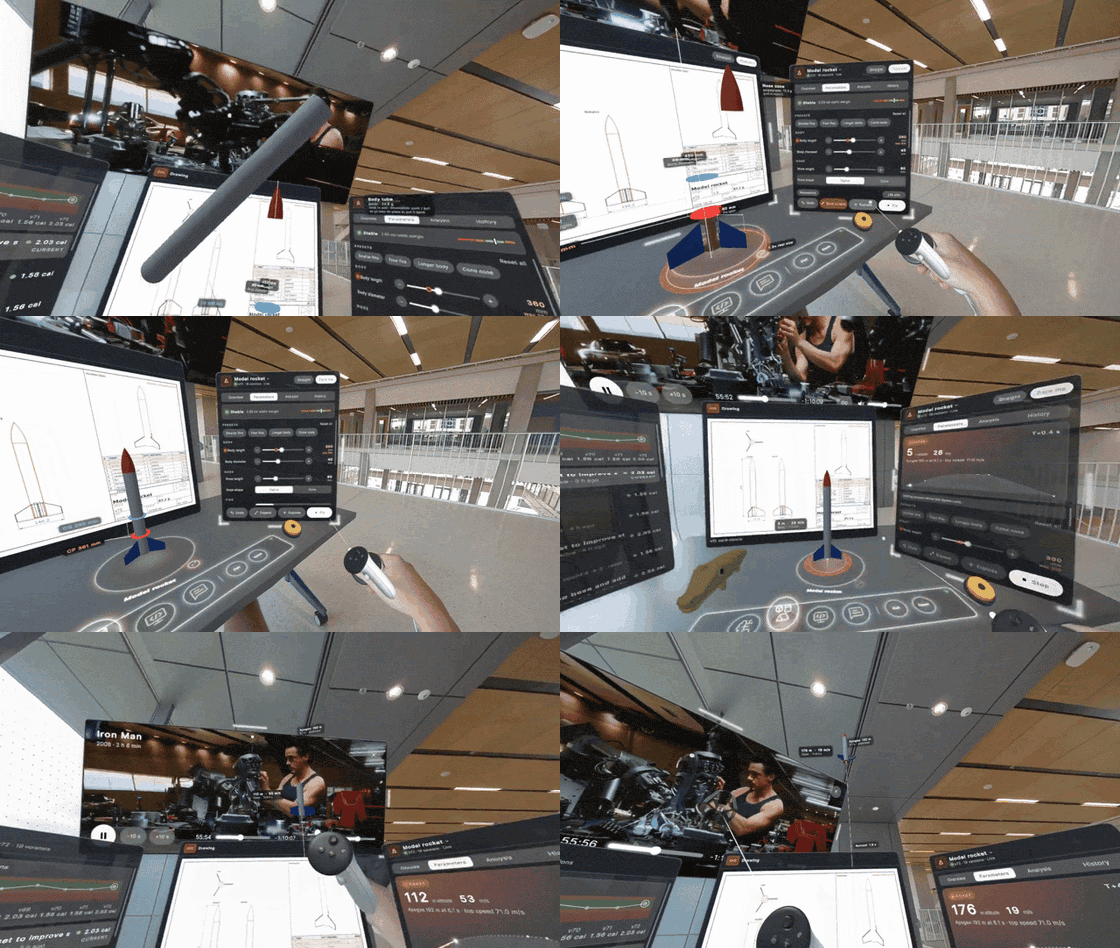
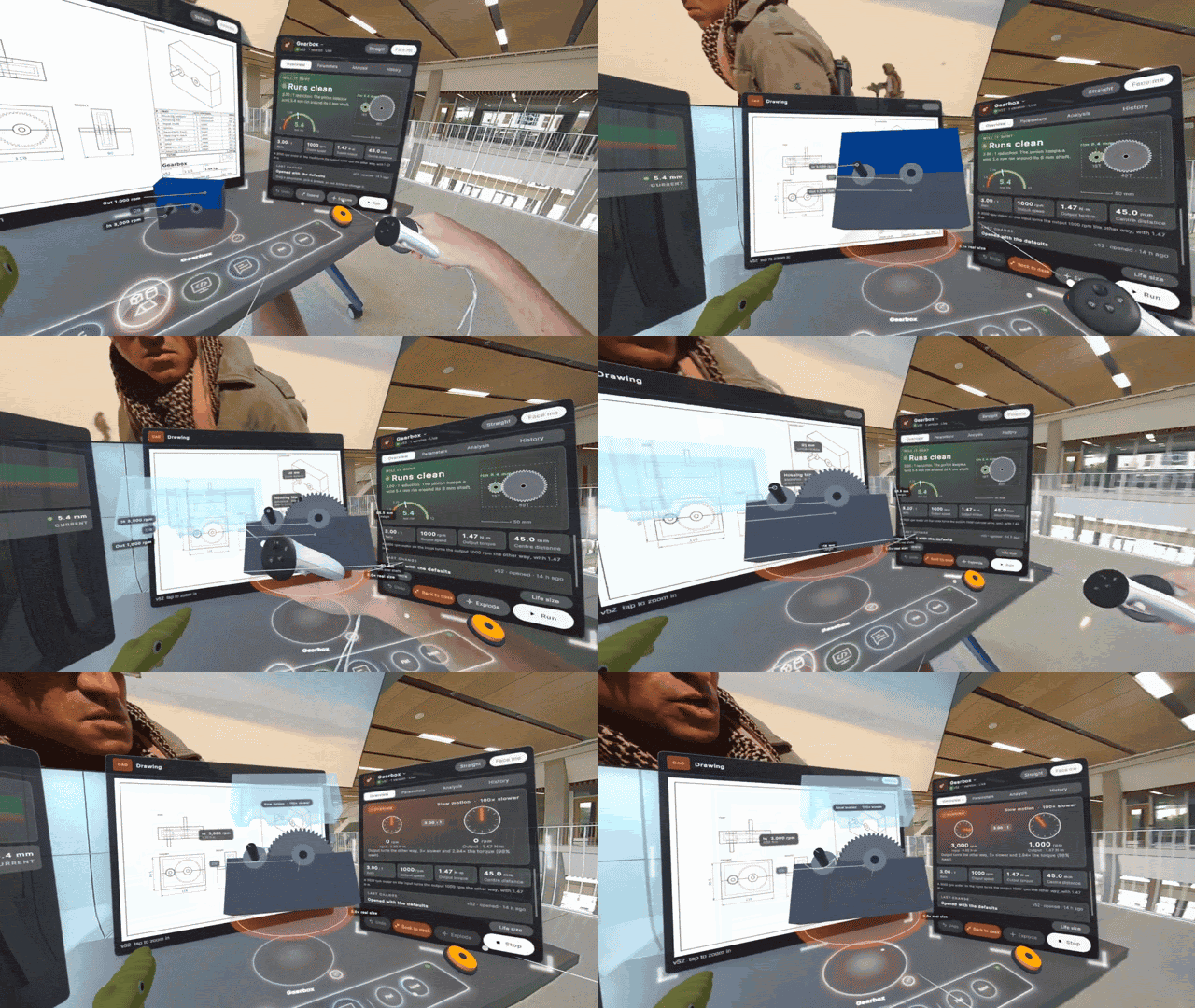
- CAD. Inspect high-quality 3D models at life size. Say "make the fins smaller," and only the fins glow while the rocket's mass and stability update live. Pull a model apart, or watch a Unitree G1 humanoid walk on its real trained gait.
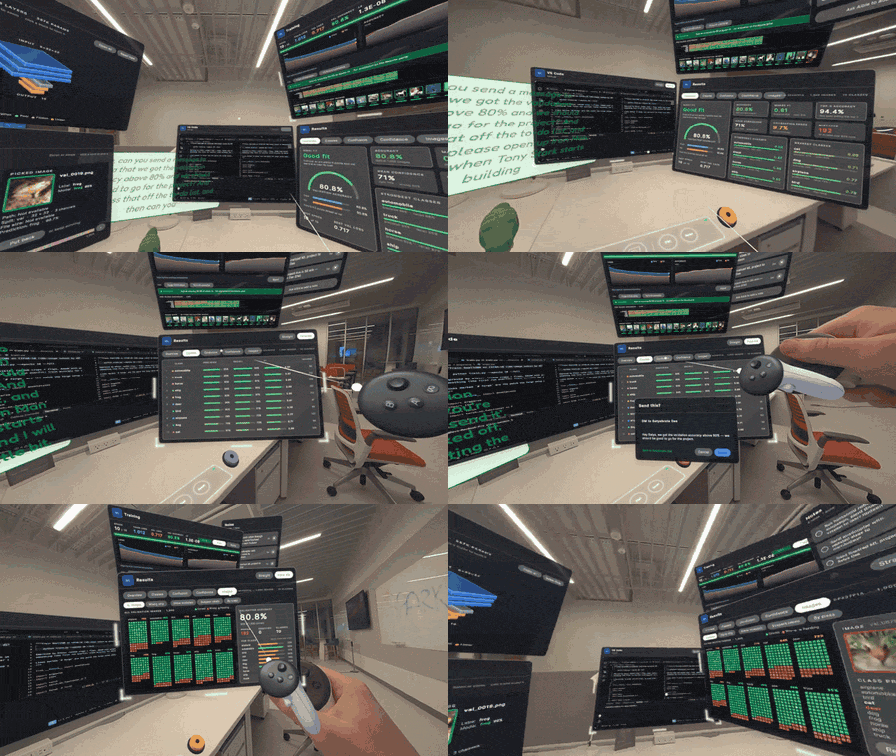
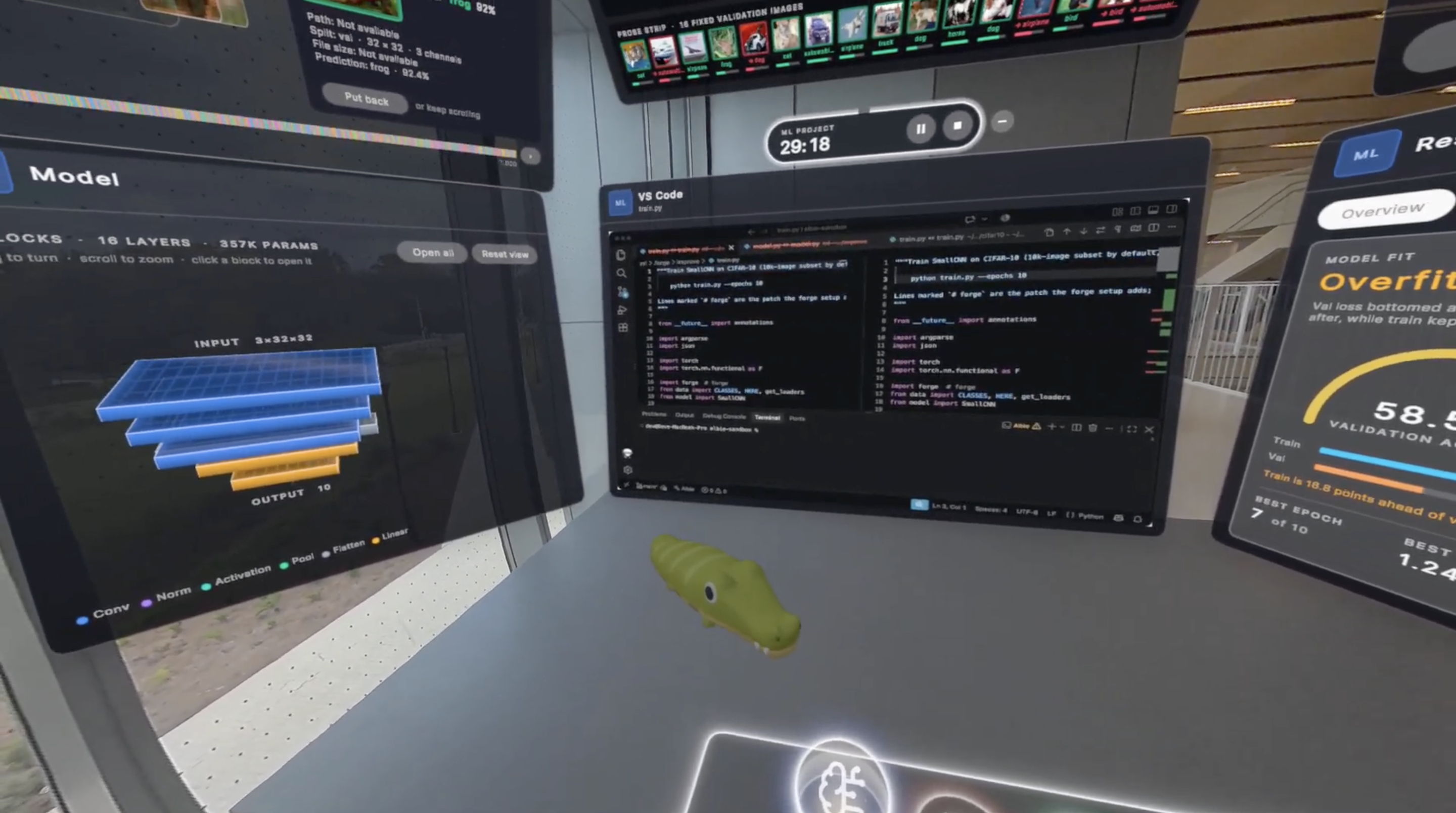
- ML. Point Albie at a repo, and he figures out what you're training, wires it up, and streams the run live around you. Say "pull up the pytorch cifar repo," and he finds it on GitHub and opens it. Ask him to improve it, and he diagnoses the run, makes a change, and retrains. By voice alone, that took a CIFAR-10 model from 60.6% to 79.0% accuracy.
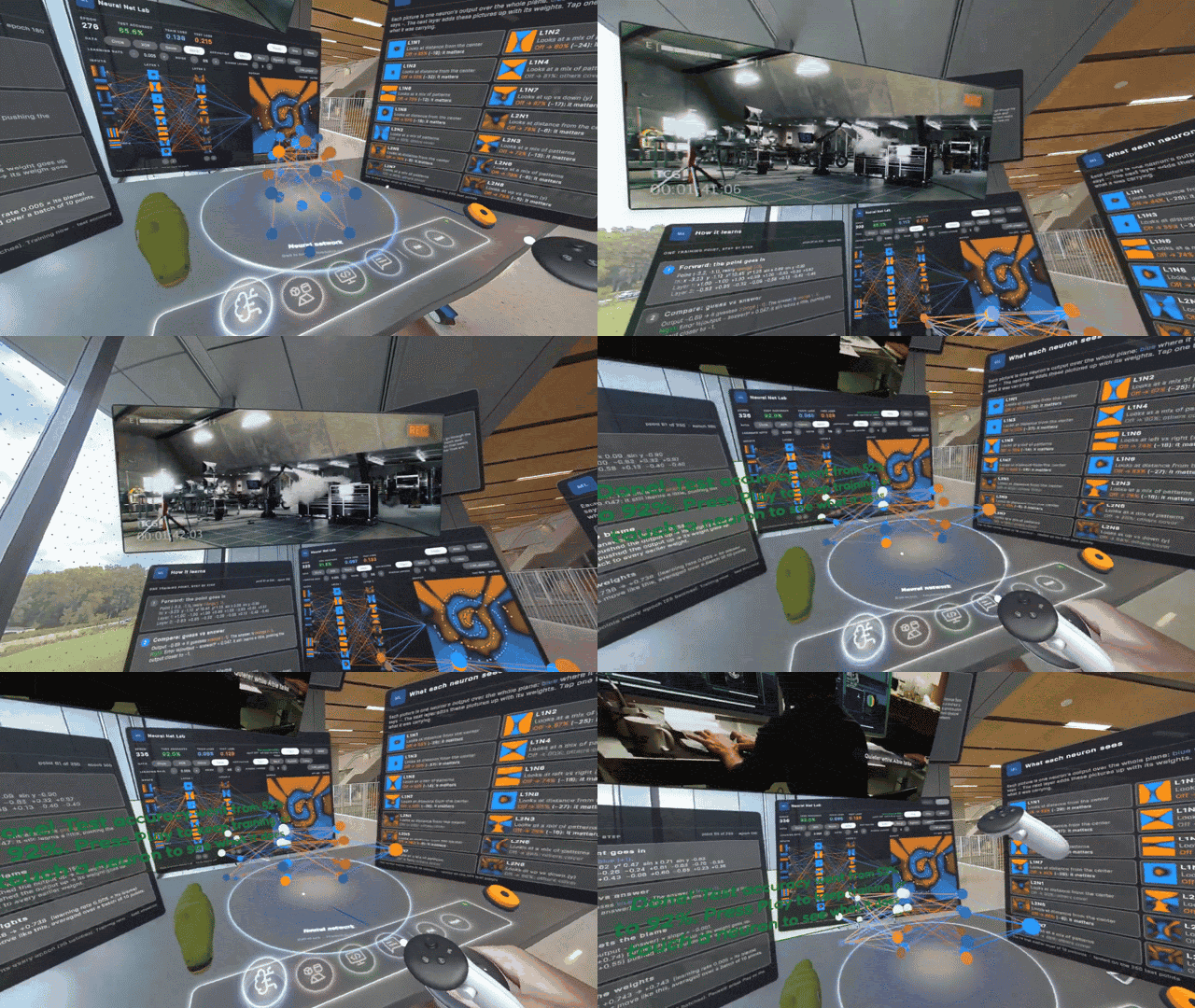
- Neural Net Lab. Poke a live network with your hands and watch the decision boundary move. When a spiral classifier got stuck at 52%, Albie fixed it: 92% in about 11 seconds, then on to nearly 100%.
- Messages. Albie reads your Slack and iMessage, drafts replies, and writes new messages, like asking a teammate for work. Nothing sends until you say so.
Meet the Crew
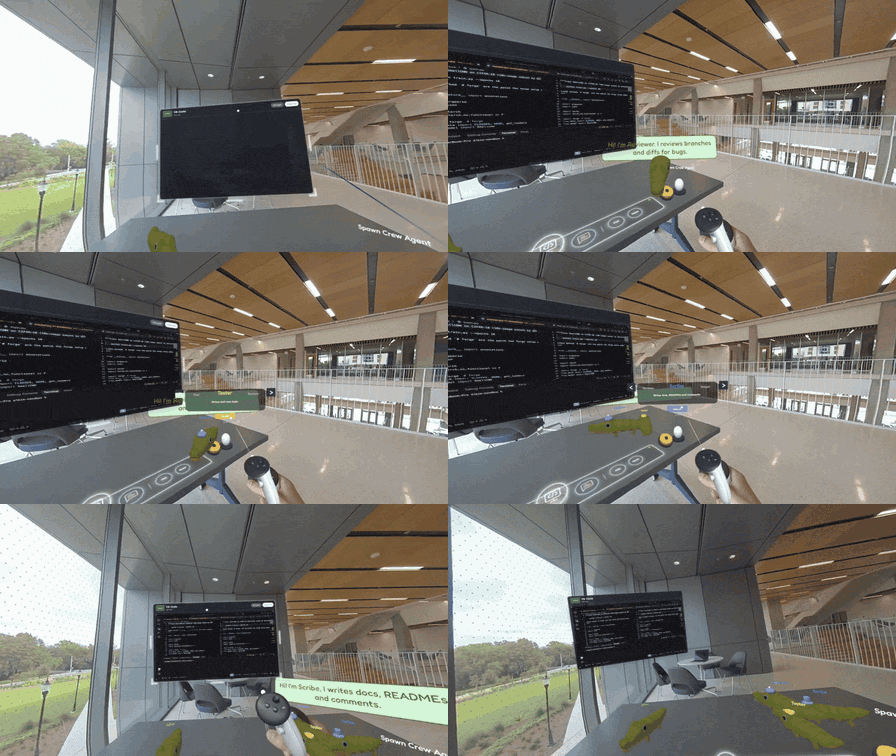
Albie doesn't work alone. He leads a crew of 9 gator specialists, each one its own AI agent:
- Scout maps the codebase, and Builder ships features.
- Fixer hunts bugs, Tester runs tests, and Reviewer checks every diff.
- Scribe writes docs, and Shipper handles git and pull requests.
- Designer tweaks CAD, and Sentinel audits security.
Say "Tester, run the tests," and that gator hatches and gets to work. Several can work at once, and their finished edits land right in VS Code for you to review.
Albie keeps the rest of your day on track, too. Ask for a focus timer before standup, or have him add to your to-do list as you talk and check things off with you. And when you need a break, he'll put a movie on the big screen above your desk, pick up where you left off, and skip to a scene when you describe it.
He'll also carry a CAD part over in his mouth and hand it to you. We are not sorry.
How we built it
The headset. Unity 6 and the Meta XR SDK 207, built for Quest 2, Quest 3, and Quest 3S (we tested on a Quest 3S), in passthrough mixed reality. MR Utility Kit finds your desk and anchors the workspace to it. Albie's model and animations come from Omabu's Quirky Series pack; we cut him a working jaw in Blender so he lip-syncs to his own voice.
The hub. One FastAPI process on your laptop, talking to the headset over a single WebSocket.
Below are our five core systems: how each works, why it was hard, and what we measured.
1. A voice-first agent: Grok talks, Claude thinks, the crew builds
- Voice: Albie talks through Grok Voice, a real-time speech-to-speech model, so he answers instantly and you can interrupt him.
- Delegation: Albie works like a lead engineer. Quick jobs, like resizing a fin or opening a file, he handles on the spot. Anything that needs deep thought, like analyzing your repo or changing code, he hands to Claude through the Claude Agent SDK. He says "on it," keeps talking with you, and reads you the answer when it's ready. The biggest jobs go one level further, to the crew.
- Tools: about 60 tools span every mode, shared by Albie and the crew. That's how one gator can edit a model, start training, and draft your Slack message in one conversation.
- The crew: each specialist is its own Claude agent working in an isolated git worktree.
Under the hood. The headset streams 16 kHz microphone audio to the hub, and the hub holds one live session with Grok's realtime API. Grok calls the fast tools itself. One tool, delegate, starts a Claude Agent SDK session in your repo, and Claude's answer comes back to Grok to speak word for word. Claude sees the same tool registry as an in-process MCP server, so both brains can drive the same CAD model and panels. Each crew gator gets its own persona and a limited tool kit: Scout and Reviewer are read-only, and Tester may only touch test files. Only Albie can hatch, assign, or dismiss a gator. When a gator finishes, its worktree changes land in your main checkout as uncommitted edits, so you review them in VS Code before anything is committed.
Why it's hard. Two models with very different speeds share one conversation. Grok answers right away, while a Claude code task can take minutes. The hub has to keep Grok talking, queue Claude's answer until Grok finishes its sentence, and keep the two from talking over each other.
2. The ML desk: open a repo, train it, improve it
- ML: TypeSafe's Jev reads your repo and answers typed questions: what kind of model, which framework, which file trains it. Every answer has a confidence score, so when Jev isn't sure, Albie asks you instead of guessing. Claude then writes a small adapter, and training streams live into the headset.
Under the hood. Opening a repo runs a pipeline:
- Pre-scan (no LLM) lists the repo's classes, functions, and training scripts.
- Jev classifies with typed choices built from that list: model type, training file, model class, data loader. It takes about 0.4 s and about $0.001 per repo. Below 0.6 confidence, Albie asks you to pick.
- Claude Opus writes an adapter and a small patch to the training script. Our checker then runs it in the repo's own Python environment. On a failure, the error goes back to Claude, for up to 3 rounds.
- You approve the patch in VS Code. Nothing in your code changes until you accept, and the original file is kept.
A script with no changes still gets live curves: the hub reads Hugging Face, Lightning, and TensorBoard logs as they are written, with our own TensorBoard decoder.
Improving the model. Ask "what can I do better?" Albie reads the last run: the train and validation gap, overfitting alerts, the weakest classes, and seconds per epoch. Claude writes a change that fits a 2-minute training budget, and the diff opens in VS Code. Say "yes," and it retrains with curves streaming live. Say "undo that," and the code and the runs go back. On CIFAR-10, Claude's change took the model from 60.6% to 79.0% (8 epochs on all 50,000 images). Claude's plan varies from run to run; another run reached 72.7%.
GitHub. Say "pull up the pytorch cifar repo." Albie finds it through the GitHub API and makes a shallow clone, then runs the same setup. Guardrails: public repos only, a size limit before and after cloning, https only, and no credential prompts.
Why it's hard. Every ML repo is shaped differently. A model that only generates text would guess, so we split the work. Jev makes the typed decisions with a confidence score, and Claude writes code only after those decisions are made. The checker proves the adapter runs before you ever see it.
3. CAD by voice, with real physics
- CAD: parts are Python scripts in build123d, rebuilt in about 400 ms per voice edit. Our viewer builds on BAAA Hacks' open-source cad-vision, reusing its model loader and outline shaders. It could only view designs, so we closed the loop: say a change, and the part regenerates in front of you.
Under the hood. Each design (rocket, quadcopter, gearbox, Unitree G1 humanoid) is a parametric build123d script on the OpenCascade kernel. A voice edit sets numbers on the script, and a warm worker process rebuilds the solid and exports a GLB. The worker runs apart from the hub, so a kernel crash or hang can't take Albie down. Part labels become glTF node names, which is how "the fins" glow on their own. Undo takes 9 ms.
The physics is real.
- Stability: our Barrowman center-of-pressure math matches RocketPy 1.13 to within 0.5 mm, and the normal-force slope to within 1%, on 4 designs. The gauge uses NASA Student Launch bands for static margin. A test measures the drawn fin against the numbers the aero math uses, which caught a real bug in our first version.
- Flight: "How high will it go?" runs RocketPy's 6-DOF simulation on a real Estes C6 thrust curve, from the pad to apogee, then the parachute descent. The headset plays the flight back in your room.
- Humanoid: the G1 is 88 mesh parts placed by Unitree's own URDF. "Will it stand?" checks balance margin and static joint loads against the URDF ratings. Walk plays a lap of Unitree's trained walking controller, recorded in MuJoCo.
4. Your real VS Code, in mixed reality
- VS Code: an extension connects the moment VS Code starts, and a screen bridge streams the window over WebRTC.
Under the hood. One command starts the bridge. It drives Chrome to pick the VS Code window by title, with no clicks, and shares it over WebRTC at up to 20 Mbps and 60 fps. A JPEG-over-WebSocket stream is the fallback. Our VS Code extension reports your errors to the hub, so Albie can offer a fix. Say "yes," and Claude gets the file, line, and error.
Why it's hard. A 1920-pixel window lands on roughly 900 headset pixels. Chrome's default bitrate smeared small text, and plain texture sampling made it shimmer. We raised the bitrate, drew the stream into a mipmapped texture with trilinear and 8x anisotropic filtering, biased it toward the sharper mip level, and set VS Code's zoom for the headset.
5. Neural Net Lab: learn by poking a live network
Under the hood. The Lab is our own C# take on the TensorFlow Playground idea, with no Playground code copied. The network trains on the headset itself at 30 epochs a second, so it needs no GPU and no training process. Three screens explain it live: a data point pulsing through the network in four steps (forward, compare, backprop, update), what each hidden neuron detects, and a timeline of the session.
Tap a neuron to switch it off and watch the accuracy change. On the circle dataset, switching off one key neuron dropped test accuracy from 99.6% to 69%. Ask Albie why, and he answers with the real numbers from the headset.
When it gets stuck. Play stops itself when accuracy stalls. Albie reads the network back (missing inputs, layers too small, a linear activation, a wild learning rate) and offers a fix we measured for that dataset. On the spiral, that took test accuracy from 52% to 92% in about 11 seconds, then on to nearly 100%.
Fresh off the frontier
Albie is built on technologies that weren't public a year ago, and the first two are in every moment of our demo.
- Grok Voice 3.0 (October 14, 2026) is how Albie talks. It's a real-time speech-to-speech model, not text-to-speech: it listens and speaks in one live session, lets you interrupt mid-sentence, and calls tools as it goes. That's what lets Albie edit a CAD part or open a file in the same breath as he answers you, then hand deeper work to Claude without going quiet. It shipped less than two weeks before this hackathon.
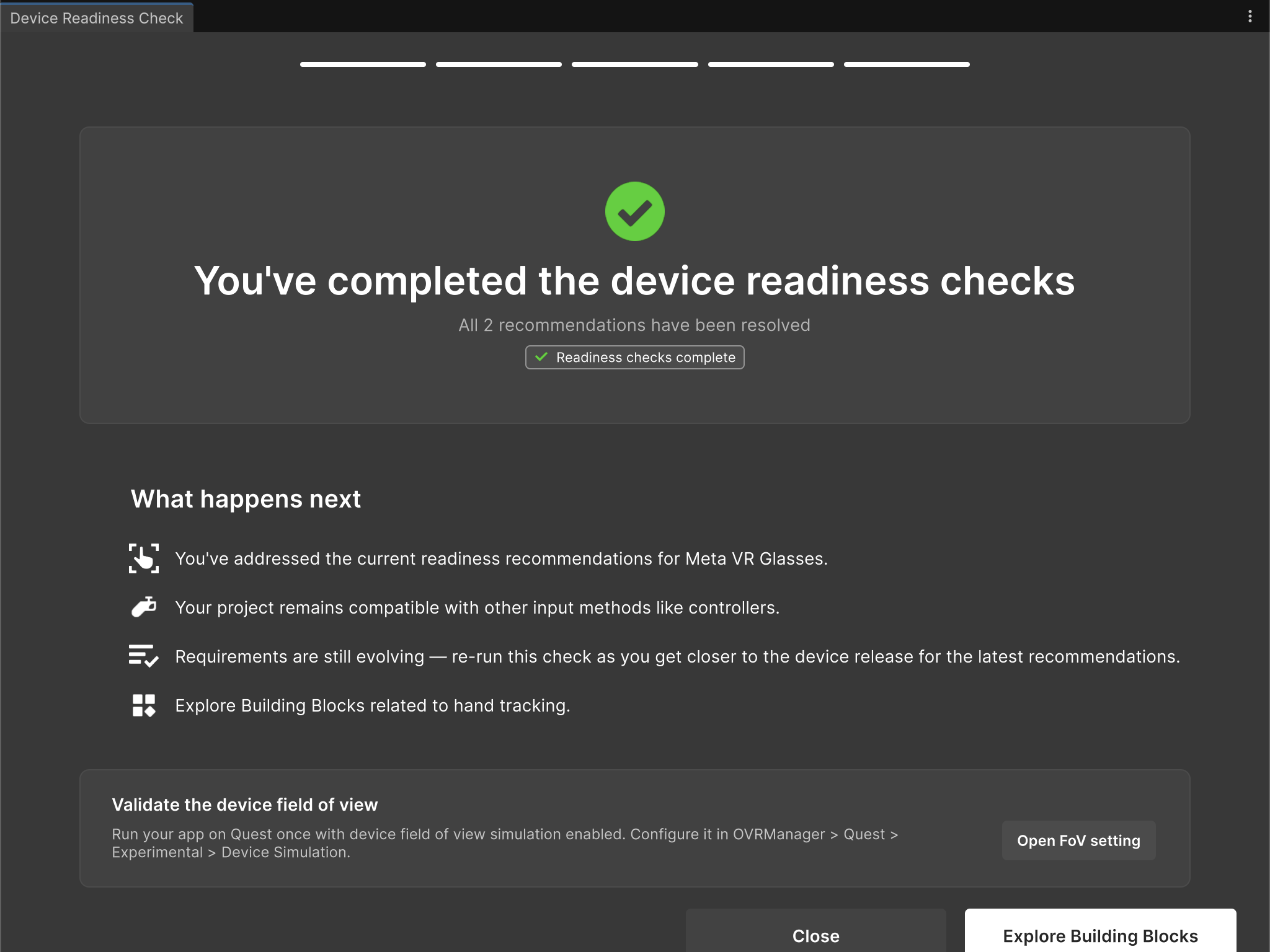
- Meta XR SDK 207 (September 2026) is the release Meta shipped alongside its VR Glasses announcement, with new tools for building toward the glasses. Every panel, ring, and gator in Albie runs on it: passthrough mixed reality, desk detection with MR Utility Kit, and hand interaction with the Interaction SDK. Albie runs on Quest 3S today, is built for Quest 2 and Quest 3 too, and it passes Meta's VR Glasses Device Readiness Check, the new 207 tool that audits a project for the glasses. When they ship next spring, Albie is ready.
- TypeSafe's Jev (September 15, 2026) works behind the scenes in ML mode. It's a new kind of model that answers typed questions with calibrated confidence instead of generating text. When you open a repo, Jev decides which panels you see, which file trains your model, and when Albie should ask you instead of guessing.
Challenges we ran into
Five engineers, one headset build. Not all of us had hardware that could run the Meta XR Simulator, and some laptops wouldn't connect to the Quest at all. Most of the team built in flat Unity, which can't show what immersion feels like, and every mode had to merge into one shared scene.
Teaching Grok when to stop talking. Grok streams its voice faster than real time, so a 40-second answer arrives in about 3 seconds. That broke interruptions: by the time you cut in, the hub thought Albie was done. We fixed it by tracking what the headset is actually still playing. Grok also went silent on turns that were only background noise, leaving Albie stuck "thinking," so the hub now closes those turns after eight seconds.
Readable code in a headset. A full VS Code window lands on roughly 900 headset pixels, so text shimmered. We tuned filtering, bitrate, and zoom until it was sharp.
Albie answering people who weren't talking to him. Look-to-talk failed: Albie sits in front of your VS Code screen, so reading your code looked like looking at him. We switched to wake-by-name plus a quick Claude check of who a sentence was meant for. But Albie is built for one person working at their own desk, and saying his name every time made him feel slow. So now you just talk, no name needed. The Claude check stays on for one job: while a movie plays, Claude Haiku decides whether a line came from you or from the film.
Asking Jev the right questions. Our first attempt asked Jev whether each panel would be useful, and it scored nearly everything as a coin flip. Jev is only as good as its question, so we rewrote every one to ask for evidence in the code, with answer options built from the repo's own classes and functions.
Crew gators stepping on each other. Parallel agents kept switching branches under each other until we gave each its own worktree.
Accomplishments that we're proud of
- One conversation, every mode. In a single voice session, Albie opens a quadcopter, flies a rocket, lengthens a shaft by 10%, then drafts and sends a Slack message asking a teammate for work.
- Real repos, not just demos. Albie opened a teammate's project cold and had it ready to train in under 2 minutes, the first time he saw it.
- 451 commits from five engineers in one weekend, merged into one build.
What we learned
- XR is its own design discipline. Text that's crisp on a monitor shimmers in a headset, and glancing at someone isn't talking to them.
- Pair fast models with smart ones. Grok for instant voice, Jev for typed decisions, Claude for deep reasoning.
- Personality is a feature. A gator on your desk makes you want to put the headset back on.
Limits
- The hub runs on a laptop, and the Quest connects to it over USB.
- Big repos can't train live on a laptop CPU. We train small models live, and every run is saved so it can be replayed.
What's next for Albie
- Meta's VR Glasses. Albie, ready for spring 2027.
- Any GitHub repo. Today Albie finds a public repo by voice, imports it, and sets it up. Next: send big training runs to a cloud GPU, so any repo trains live.
- More of the stack. Modes and specialists for firmware, circuits, and hardware testing.
Credits
- Albie and the crew: Quirky Series gator model and animations by Omabu (Omabuarts Studio), a paid, licensed Unity Asset Store pack. Its files are not in our public repo: the Unity Asset Store EULA forbids redistribution, as the Gator Hack V organizers advised. The opening jaw, mouth, and talk clips are our own work in Blender.
- CAD viewer: model loader, metadata schema, and outline shaders from cad-vision by BAAA Hacks (MIT).
- Unitree G1: robot model and walking policy from Unitree Robotics (BSD-3).
- CIFAR-10: Krizhevsky, Nair, and Hinton, University of Toronto.
- Voice: Grok Voice API (xAI).
- Reasoning and the crew: Claude Agent SDK and Claude API (Anthropic).
- Repo reading: TypeSafe Jev.
- CAD and flight: build123d (CAD kernel) and RocketPy (flight sim, MIT).
- ML data and presets: AG News (Zhang, Zhao, and LeCun), MNIST (LeCun, Cortes, and Burges), and pytorch/examples (BSD-3).
- Headset: Unity 6, Meta XR SDK (Interaction SDK, MR Utility Kit), OpenXR.
- Art and type: Blender; Fredoka and Inter fonts (SIL OFL 1.1).
- Full list of libraries, APIs, and assets: DISCLOSURE.md in the repo.
AI tools we used
- Coding assistants: Claude Code (Anthropic) and Codex (OpenAI).
- At run time: Grok Voice (xAI), the Claude Agent SDK, and the Claude API (Anthropic).
Built with
unity, c#, meta-xr-sdk, openxr, mr-utility-kit, interaction-sdk, python, fastapi, websockets, webrtc, javascript, vs-code, grok-voice, claude-agent-sdk, claude-api, typesafe-jev, build123d, rocketpy, pytorch, slack-api, blender, github-api
Team
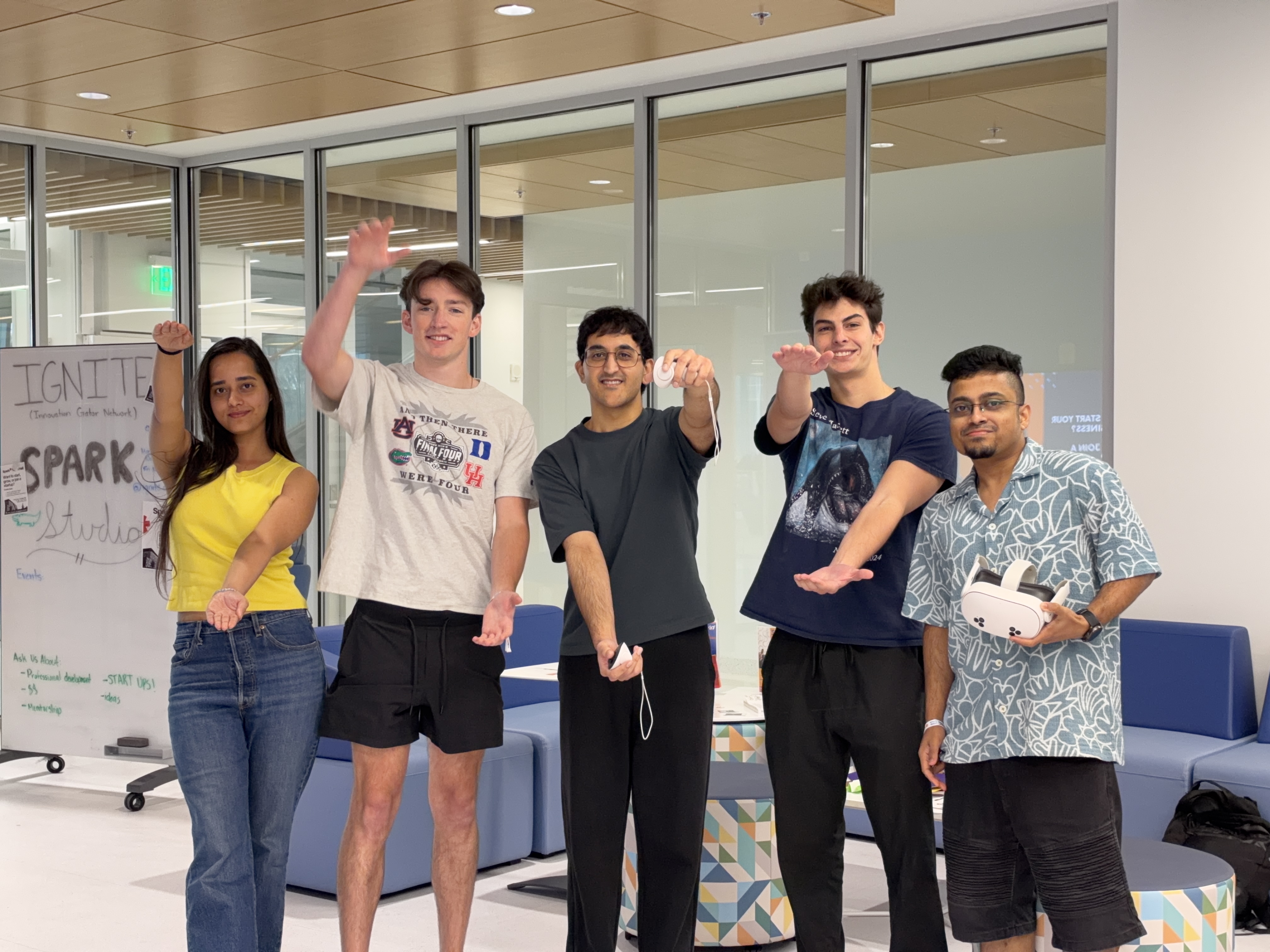
- Dev Goswami: BS Software Engineering, WGU
- Adrian Pascual: Computer Science, CISE, College of Engineering
- Satyabrata Das: Artificial Intelligence Systems, EED
- Hudson Marr: Electrical Engineering, ECE
- Nandani Rai: MS in Computer Science
Links
- Repo: https://github.com/builtbyd3v/Albie
- Demo video: https://youtu.be/28D1QIcsdzI
Tracks
- Default tracks.
- Best Open Source Project (MLH): our repo is public on GitHub under the MIT License.
Built With
- anthropic
- blender
- build123d
- c#
- claude
- claude-agent-sdk
- fastapi
- gltf
- grok-voice
- imessage
- javascript
- meta-quest-3
- meta-xr-sdk
- mr-utility-kit
- node.js
- python
- pytorch
- slack-api
- typesafe-jev
- unity
- vscode-extension
- webrtc
- websockets
- xai


Log in or sign up for Devpost to join the conversation.