-
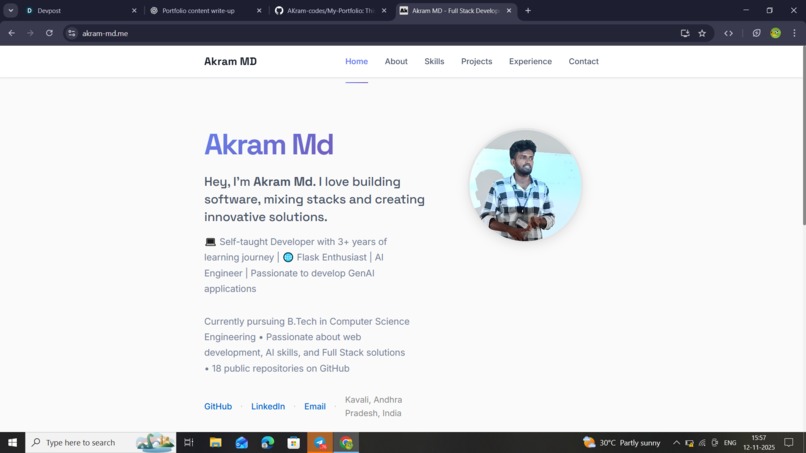
working of my portfolio

Inspiration
This portfolio draws its design from the world of command-line interfaces (CLI). Inspired by the terminal experience — minimalist, powerful, direct — I wanted to bring that same feel to my personal website. The idea: visitors get a “developer-friendly” vibe, navigating like they’re in a shell environment. It’s a blend of nostalgia, clarity and technical identity.
What it does
The site showcases who I am, what I can build, and how to contact me — but wrapped in a unique interactive UI. It presents: My technical skills, projects and background. A smooth, responsive interface built with React (as shown in the repository) GitHub A terminal-inspired aesthetic and navigation to make it feel like a developer environment. Contact links and project links that let visitors engage with my work. Hosting and build setup via modern toolchain (see “How we built it”).
How we built it
The code-base lives in the GitHub repo above.
Tech stack: React (JavaScript), HTML, CSS Build tool: Vite Project structure:
My-Portfolio/
├── public/
├── src/
│   ├── components/
│   ├── assets/
│   ├── App.jsx
│   └── main.jsx
├── .env
├── .gitignore
├── index.html
├── package.json
├── vite.config.js
└── README.md
Development process: Clone repo → npm install → npm run dev (localhost preview) Deployment: (Assuming from the file netlify.toml and vercel.json present) Hosted via Netlify or Vercel for production. The code includes those configurations for CI/CD.
Challenges we ran into
Turning the “CLI-feel” into a web UI: making sure the look & feel of a terminal (prompt, typing, commands, minimal chrome) still works with responsive design and accessibility. Managing state/navigation in React for an atypical UI (versus standard page layouts). Ensuring the build tool (Vite) and deployment settings (Netlify/Vercel) are correctly configured (seen netlify.toml & vercel.json) so the live site is smooth. Making sure the site works across screen sizes (mobile, tablet, desktop) while preserving the CLI aesthetic. Optimising performance (lightweight bundle, minimal render overhead) so the site feels instantaneous.
Accomplishments that we're proud of
Successfully converting a command-line interface motif into a working portfolio site rather than a standard template. Building the entire stack with React + Vite (modern toolchain) and structuring it cleanly (components + assets). Deploying a working live site https://akram-md.me Setting up configuration files (netlify.toml, vercel.json, vite.config.js) for modern deployment practices. Creating a codebase that you can iterate on and show off in interviews/hackathons as a polished personal project.
What we learned
Deepened my understanding of React component structure, page routing (if any), and overall front-end workflows. Learned how to integrate and optimise Vite (instead of older bundlers) for fast builds. Learned how to deploy to hosting platforms with configuration (Netlify/Vercel) and manage environment variables (.env). Understood how UI design decisions (CLI aesthetic) impact component architecture, styling (CSS) and user experience. Improved my ability to structure code maintainably: organizing components, assets, and configs clearly (as seen in the project structure).
What's next for Akram_portfolio
Add more interactive command-like features: For example, commands like help, projects, experience, contact the user can type and get results, mimicking a shell. Implement theme toggling (dark/light) or even a “retro terminal” theme (green-on-black). Expand the portfolio with live project demos, more detailed case studies (with screenshots/videos) of each major project so visitors can click through. Integrate analytics to track how users interact with the terminal UI (which commands are used most). Improve accessibility/keyboard navigation: allow tabbing, arrow keys, and command prompt usability for screen-readers. Possibly convert the code into a CLI-generator template so other developers can reuse the same style for their own portfolio (monetise or open-source). Keep pushing the repository: add tests, refactor components, improve performance.
