Inspiration
The world of large language models and retrieval-augmented generation is evolving rapidly, but leveraging their capabilities often involves tedious manual effort. I wanted a seamless way to integrate the power of AI into software development processes, from code review and sprint ticket creation to improving coding efficiency. This curiosity led to the creation of Akita AI, a tool designed to streamline coding workflows, directly accessible from the command line.
What it does
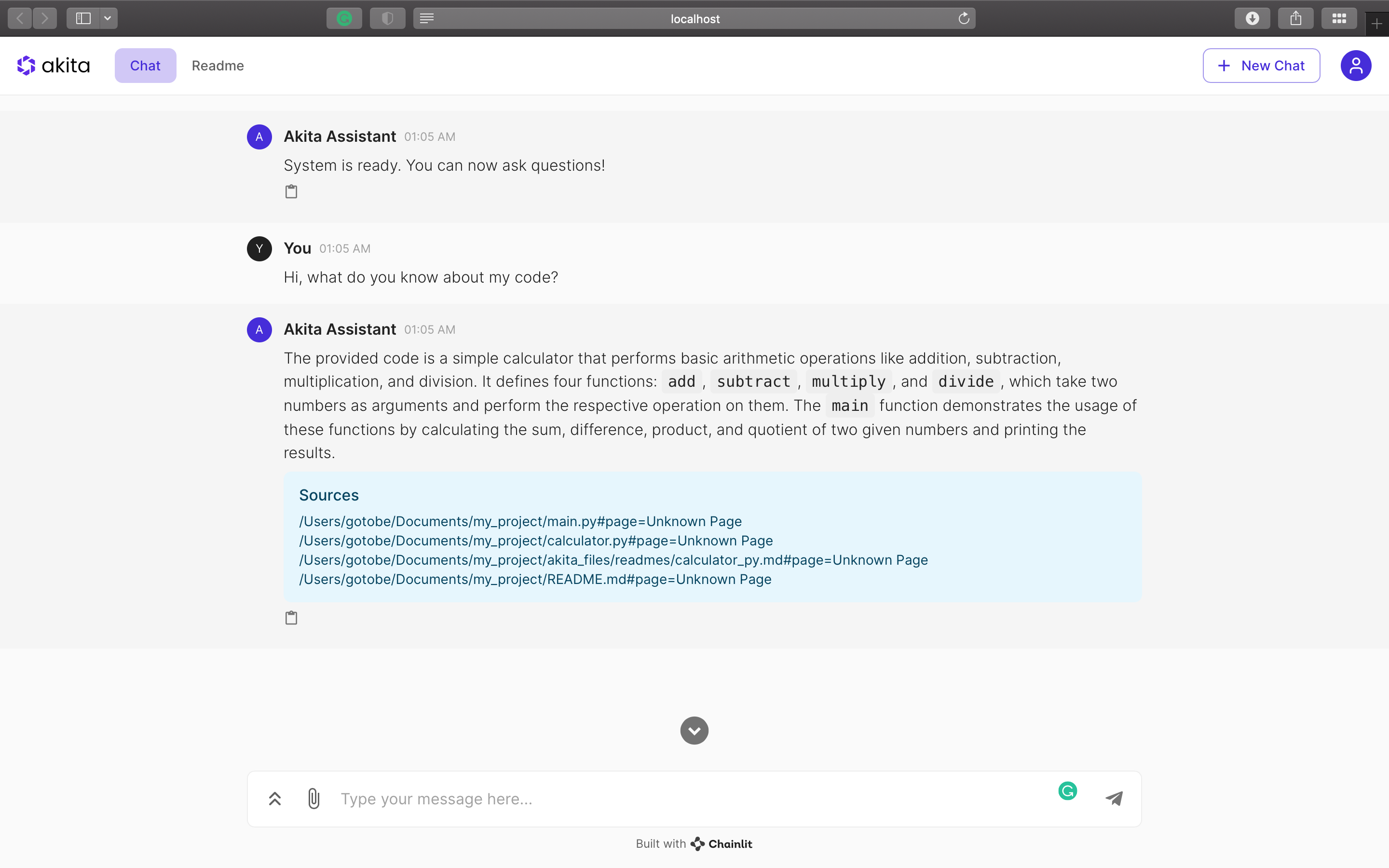
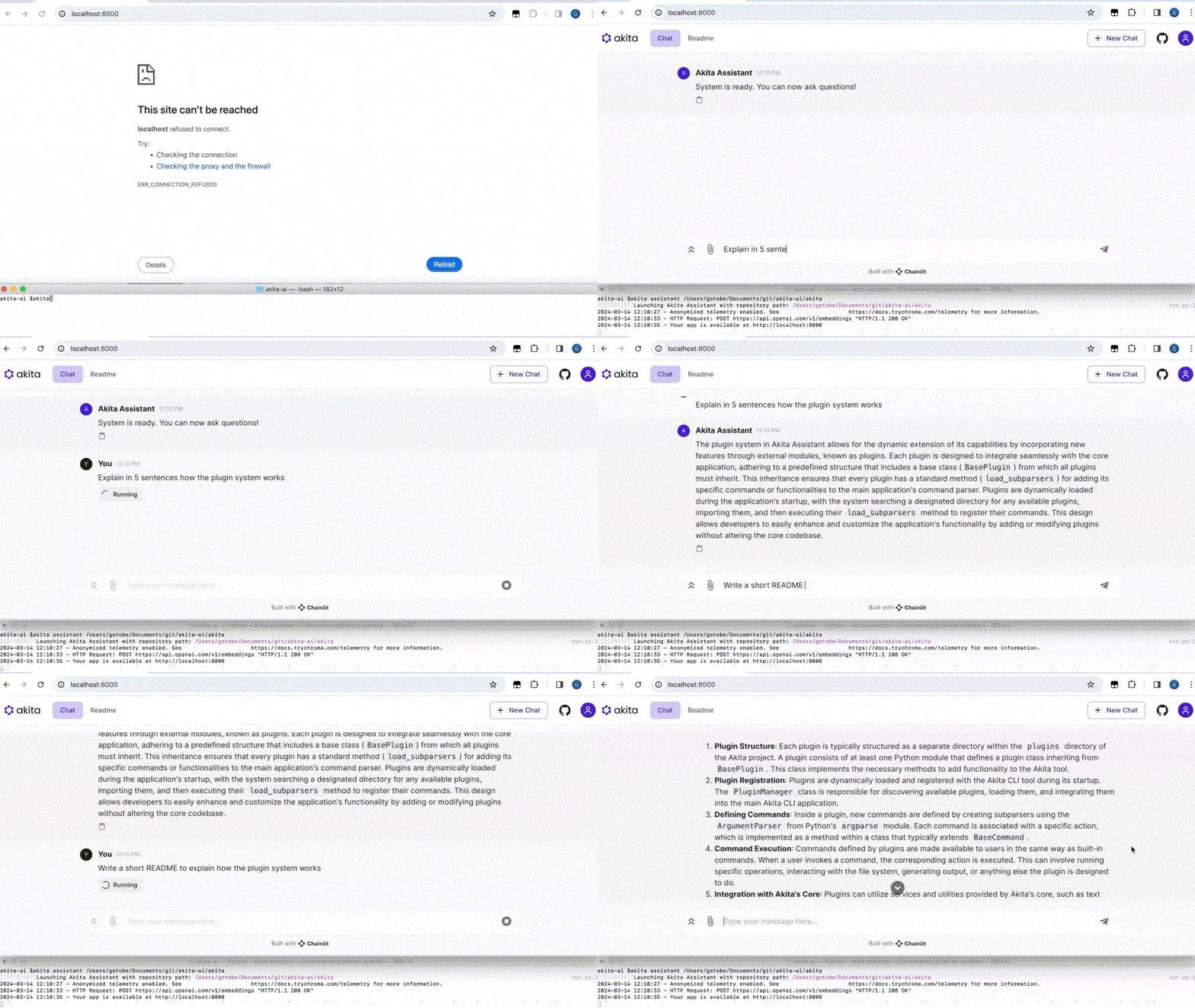
- Personal Code Assistant: Akita AI integrates directly from the terminal (or via an UI) to provide real-time insights about any codebases, functioning as a powerful developer's assistant.
- Quick Code Explainer: Instantly understand any piece of code with a single command, demystifying even the most complex logic.
- Tailored Code Reviews: Get smart, AI-powered suggestions that highlight potential improvements in any codebases.
- Quick README Creation: Generate comprehensive documentation that keeps pace with project development, saving in some cases hours of manual work.
- Flexible Plugin System: Possibility to customize and extend Akita AI to align with any development workflow using a robust plugin system. For example, you can customize it to work with Git to generate automated commit messages based on code diffs, or with Jira to generate ticket descriptions.
Personal Code Assistant
Launch a personal chatbot tailored to your codebase
$ akita assistant
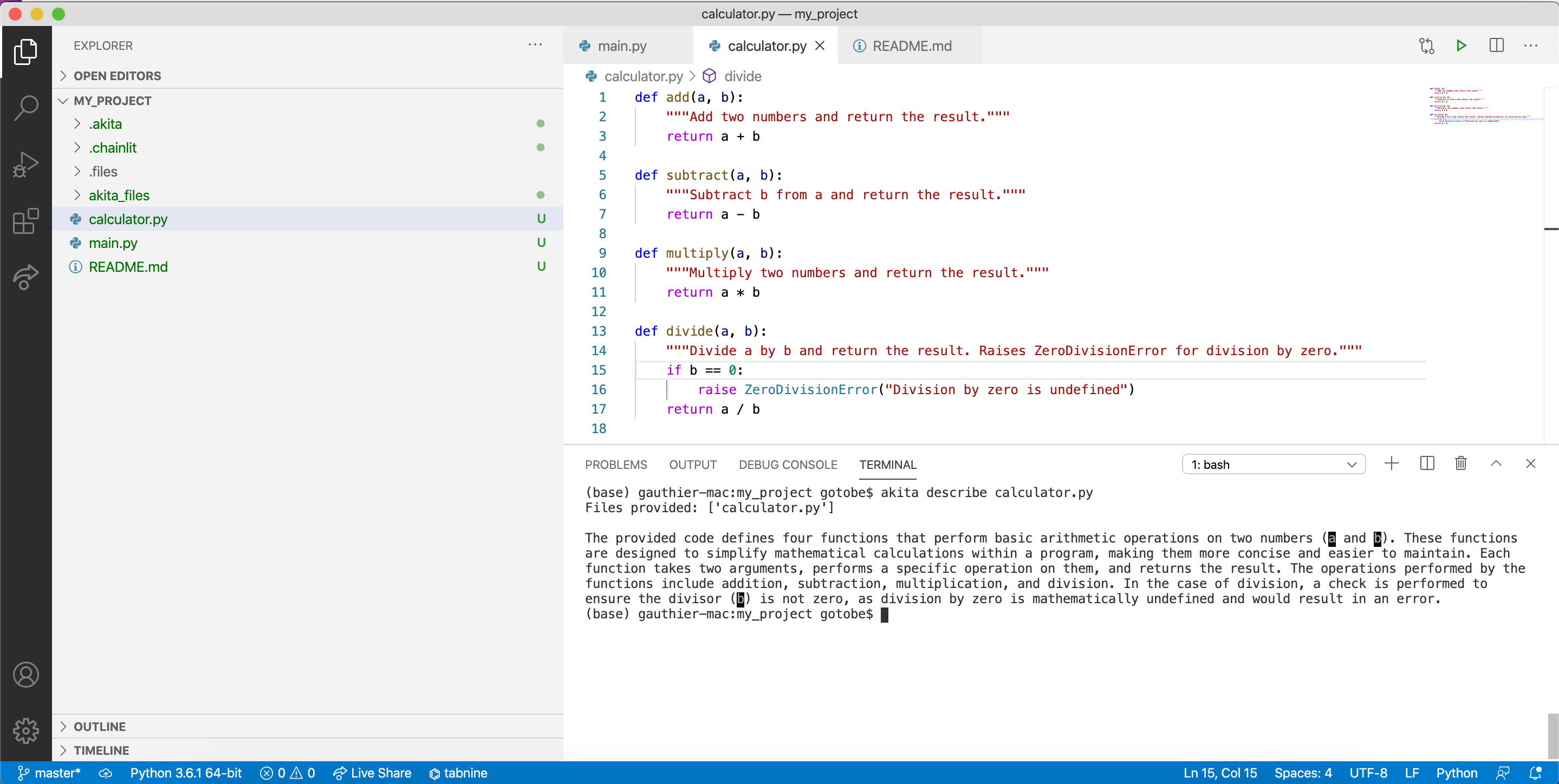
Quick Code Explainer
Understand any piece of code with a simple command, enhancing readability and maintainability.
$ akita describe <file_path>
Tailored Code Reviews
Receive targeted, AI-driven feedback on your code to identify improvements quickly.
$ akita review <file_path>
Quick README Creation
Generate engaging READMEs effortlessly, making your projects more accessible and understandable.
$ akita readme <file_path>
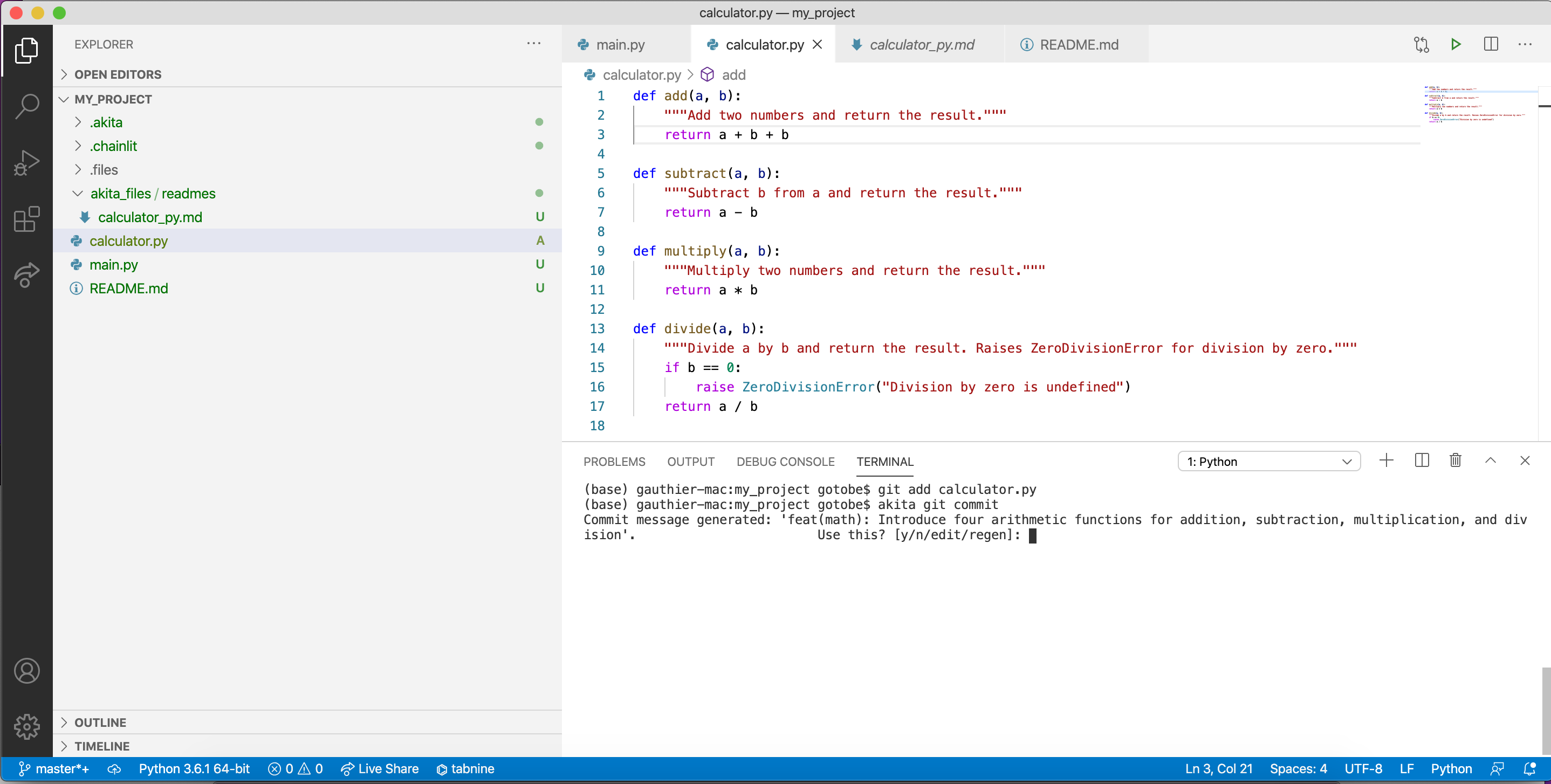
Automated Git Commit Messages
Generate optimized git commit messages for your code diffs
$ akita git commit
How we built it
Akita AI is implemented in Python, and leverages libraries like Langchain for building RAG pipelines and Chainlit for the chatbot's user interface. The system is composed of three main components:
- Akita Assistant: This is the AI core that handles natural language queries and provides insights and recommendations based on a given codebase. This can be launched from the terminal and be displayed either directly in the terminal or through an UI.
- Command Line Interface: A terminal-based interface that allows developers to interact with Akita AI directly from their coding environment, to automate manual tasks or get insights about their codebases.
- Plugin System: An extensible framework that enables developers to add custom functionalities to Akita AI, such as interacting with Git, Jira, Slack, or any other.
Challenges we ran into
Accessing local user data posed significant challenges, requiring to experiment with various solutions to establish a stable and secure way of retrieving it for optimal performance. I finally implemented a RAG pipeline that ended up providing the best results.
Accomplishments that we're proud of
- Successfully integrated complex LLM technology into a developer-friendly assistant.
- Created an intuitive plugin system that allows for customization and integration with third-party tools.
- Successfully deployed it to a public Python package.
What we learned
- The importance of creating user-friendly interfaces for complex AI systems.
- How to efficiently integrate LLMs into real-world development workflows.
- The potential of RAG pipelines in augmenting traditional coding practices.
What's next for Akita AI
- Adding support for more providers to enhance integration.
- Extending the plugin system to include popular tools like Slack, Jira for streamlined ticket creation and GitHub.
- Gathering user feedback to refine and enhance Akita AI further.

Log in or sign up for Devpost to join the conversation.