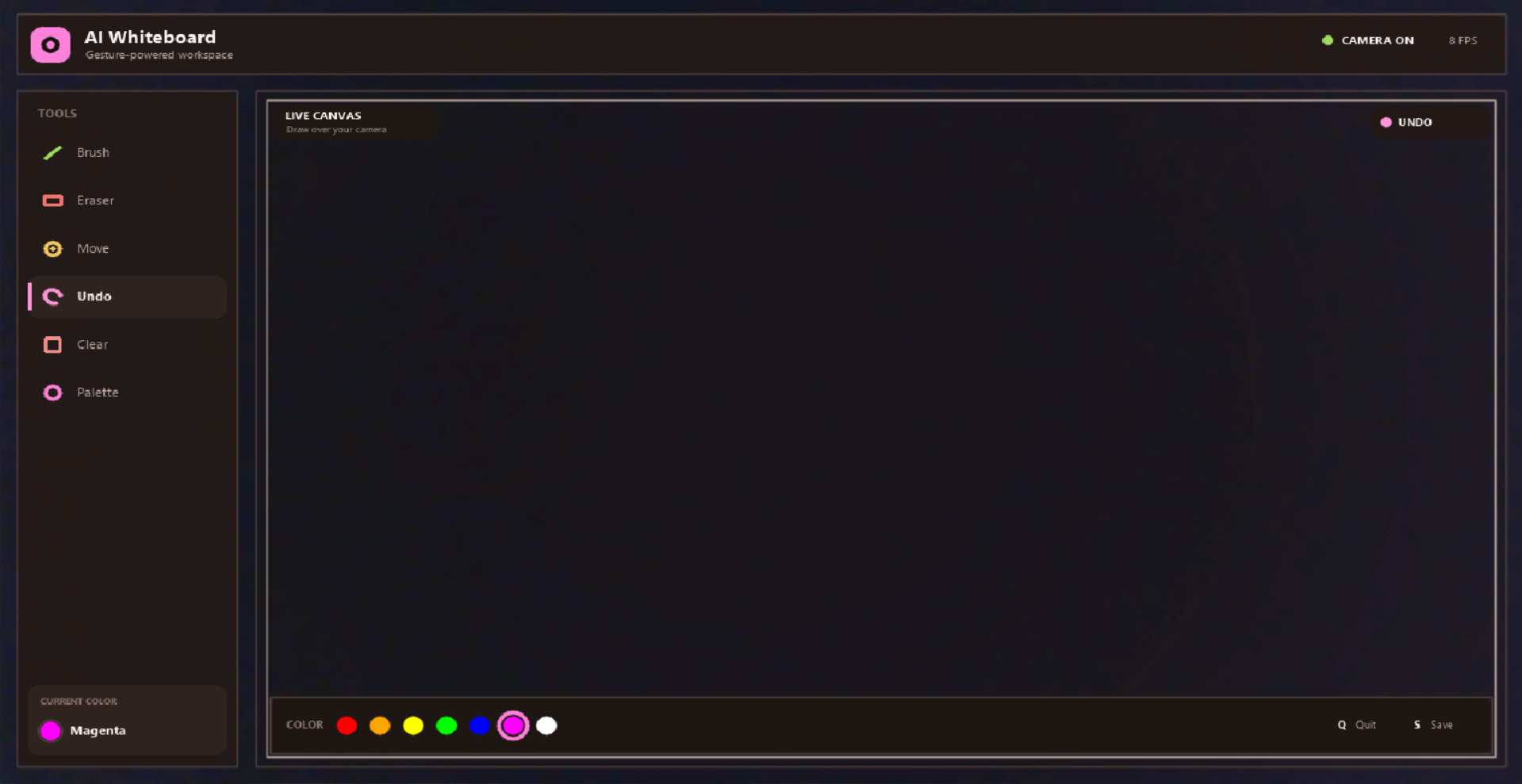
AI Virtual Whiteboard
A webcam-driven interactive drawing system that transforms natural hand gestures into digital sketching on a virtual canvas. Built with Python, OpenCV, MediaPipe, Pillow, and NumPy, this project enables touch-free drawing and annotation through real-time hand tracking.
Overview
The application captures live video from a webcam, detects hand landmarks, and interprets predefined gestures to control the drawing experience. It is designed for simple, intuitive interaction without the need for a physical pen or stylus, making it suitable for presentations, digital brainstorming, and creative demonstrations.
Features
- Real-time hand tracking and gesture recognition
- Freehand drawing with the index finger
- Erase mode using a closed-fist gesture
- Move the cursor without drawing
- Clear the entire canvas using an open-palm gesture
- Cycle color selection with a thumb-index pinch gesture
- Save the active drawing as an image file
- Lightweight, dependency-based Python implementation
Controls
| Action | Gesture / Input | Description |
|---|---|---|
| Draw | Index finger extended | Creates a stroke on the virtual canvas |
| Move | Index and middle finger extended | Hover without drawing |
| Erase | Fist gesture | Removes the most recent drawing action |
| Clear | Palm visible | Clears the entire canvas |
| Change color | Thumb and index finger pinch | Cycles through the available palette |
| Quit | q |
Exits the application |
| Save | s |
Saves the current canvas as an image |
Requirements
- Python 3.12
- Webcam access
- Windows, macOS, or Linux environment compatible with OpenCV and MediaPipe
Installation
- Clone the repository:
   git clone <repository-url>
   cd AI-Virtual-Whiteboard
- Create and activate a virtual environment:
   python -m venv .venv
   .\.venv\Scripts\activate
- Install the required dependencies:
pip install -r requirements.txt
Running the Application
python whiteboard.py
The application will open a live webcam feed and begin processing hand gestures immediately. Use the controls listed above to interact with the canvas.
Project Structure
AI-Virtual-Whiteboard/
├── whiteboard.py          # Main application logic and gesture handling
├── requirements.txt       # Project dependencies
├── test_whiteboard.py     # Functional tests for core board behavior
├── README.md              # Project overview and usage documentation
└── index.html             # Optional landing page or project presentation asset
Notes
This project uses a versioned dependency stack intentionally selected for compatibility with the current MediaPipe and OpenCV API surface. For the most consistent experience, it is recommended to run the application in the configured virtual environment and ensure the webcam is available and permitted by the operating system.
License
This project is released under the MIT License. See LICENSE for the full license text.

Log in or sign up for Devpost to join the conversation.