-
-
Hardware
-
Landing page 3
-
Landing page 1
-
Landing page 2
Inspiration
A route can look simple on a map and still be difficult for the person taking it. For disabled students and visitors, getting to a classroom may mean finding an entrance that works for them, avoiding stairs, locating a place to rest, or choosing a less overwhelming path. That information is often missing from ordinary maps.
We built Aiu2 to put disabled people’s needs at the center of campus navigation. The name comes from aiuto, the Italian word for “help,” and became Aiu2 to emphasize help built around you.
We were also inspired by what a campus community could accomplish together. Students, friends, and volunteers can notice and document the details a conventional map overlooks. Their contributions can help build a richer accessibility map - one that grows through participation and is shaped by the people who use it.
What it does
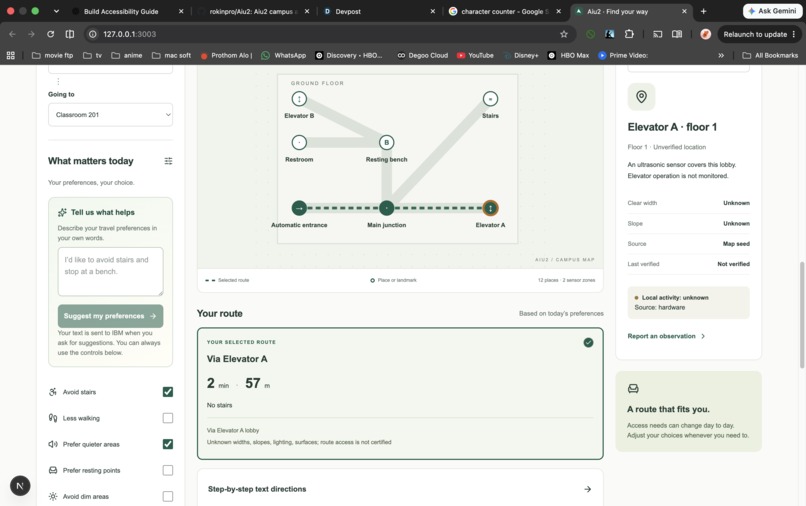
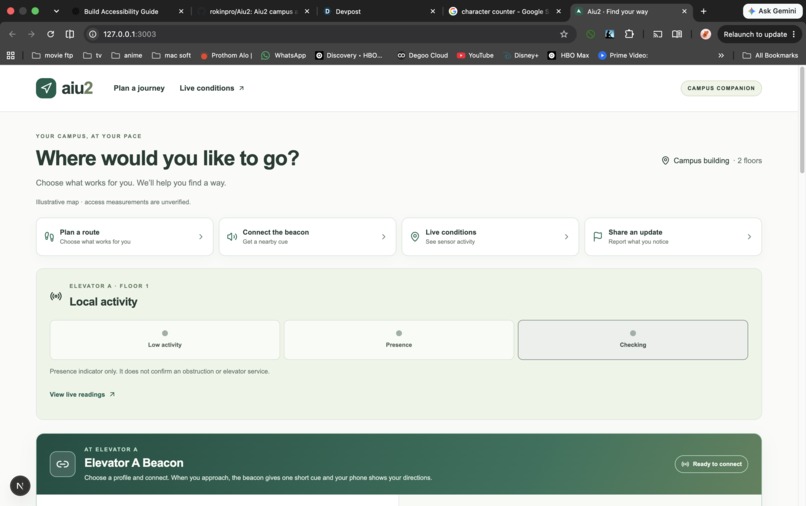
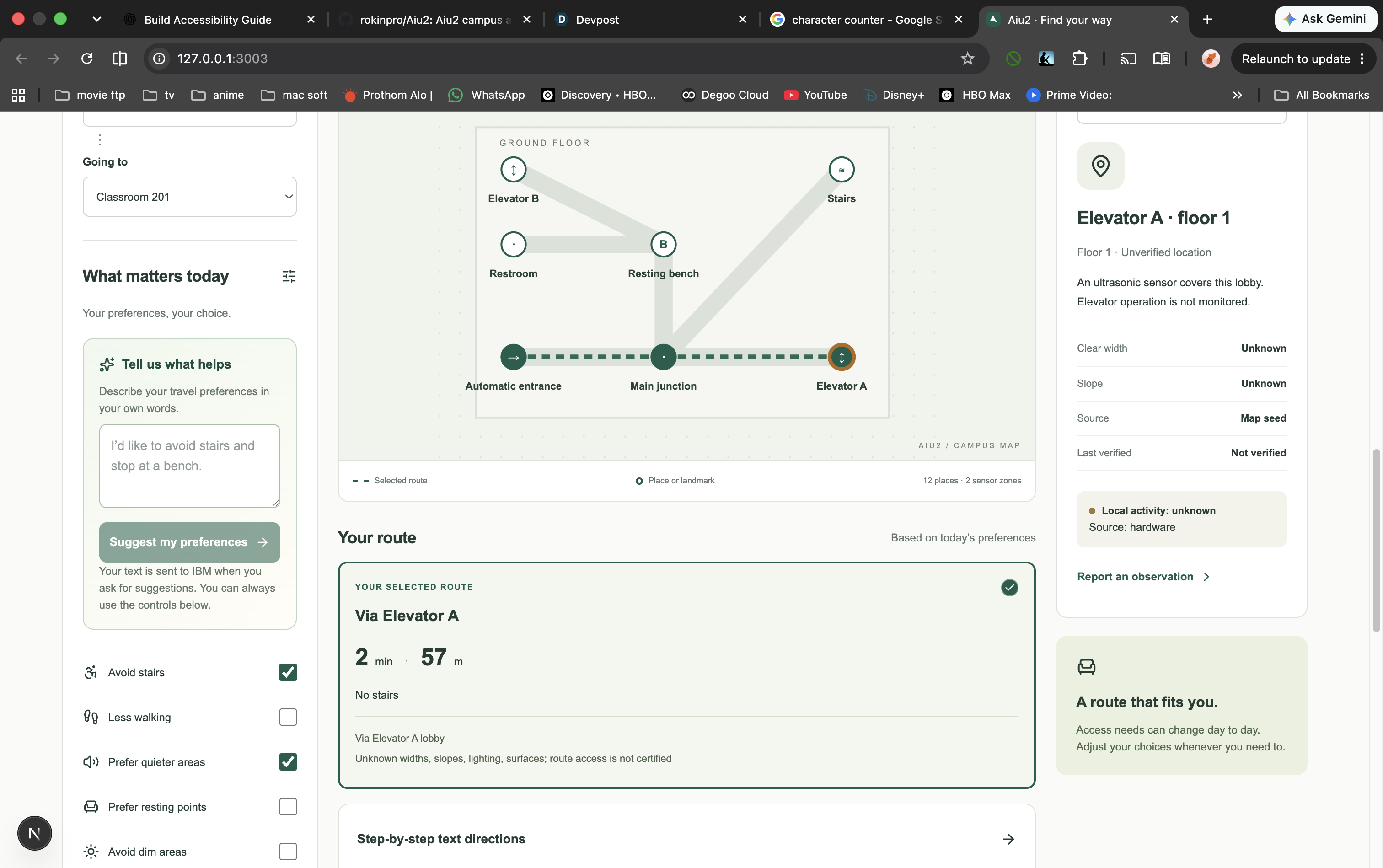
Aiu2 is a campus accessibility companion designed primarily for disabled people. Travelers choose a destination and preferences such as avoiding stairs, minimizing walking, finding a resting point, or preferring a quieter route. Aiu2 compares usable paths, explains the choices, and provides directions in text and speech.
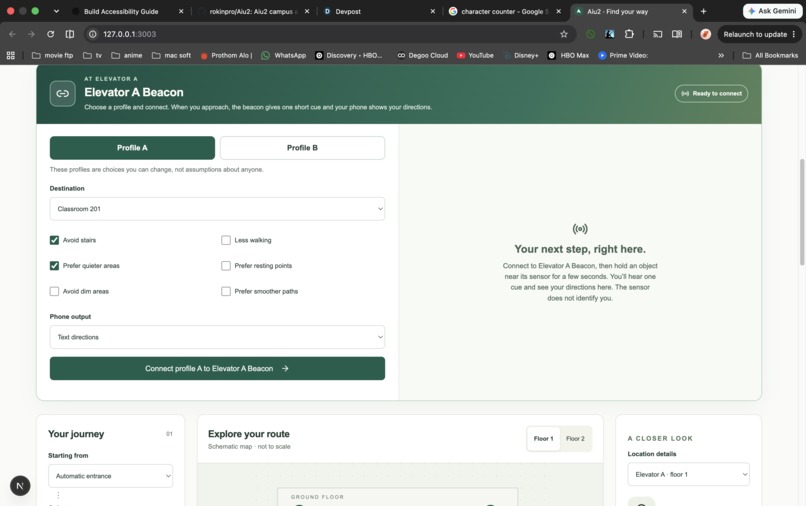
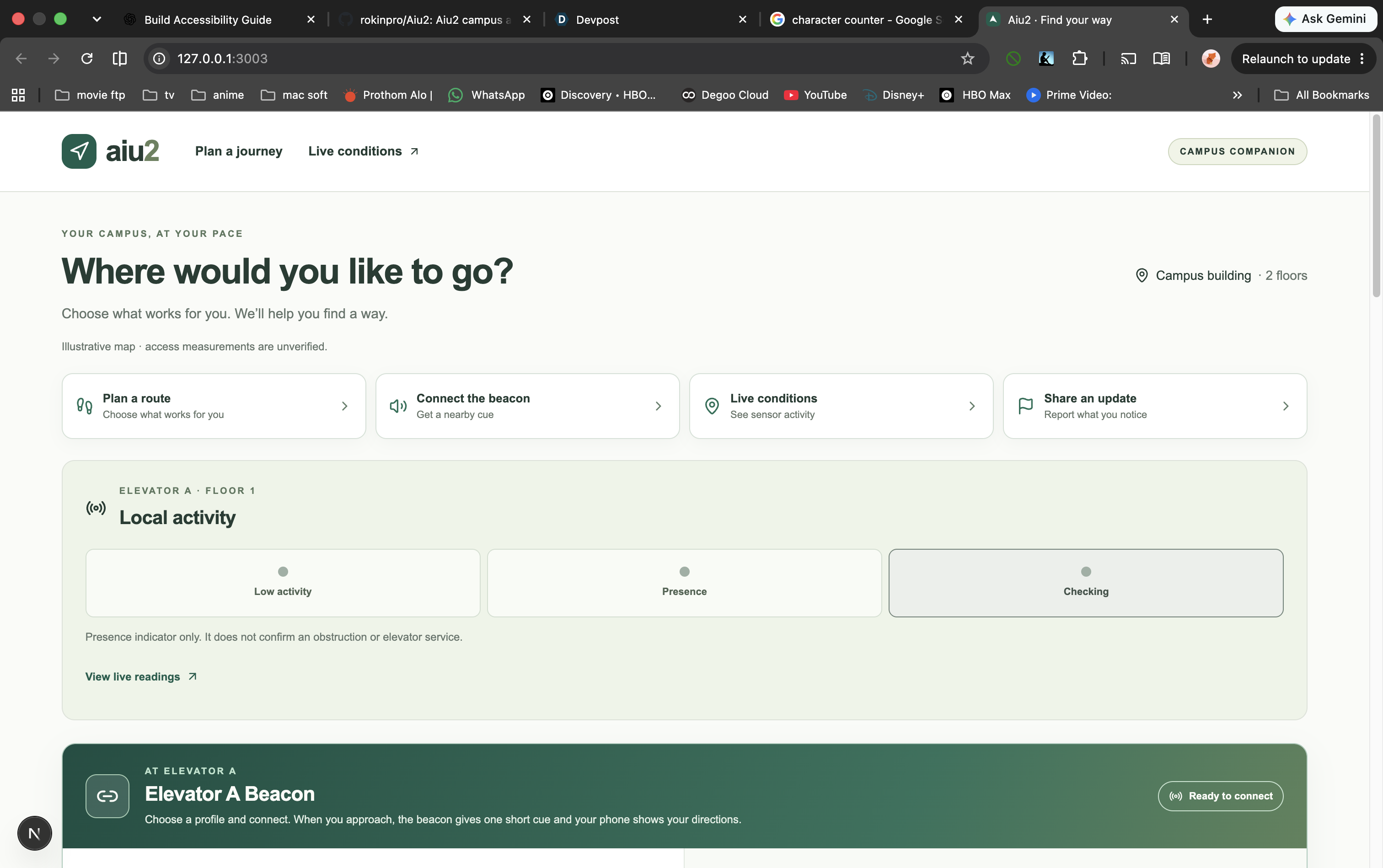
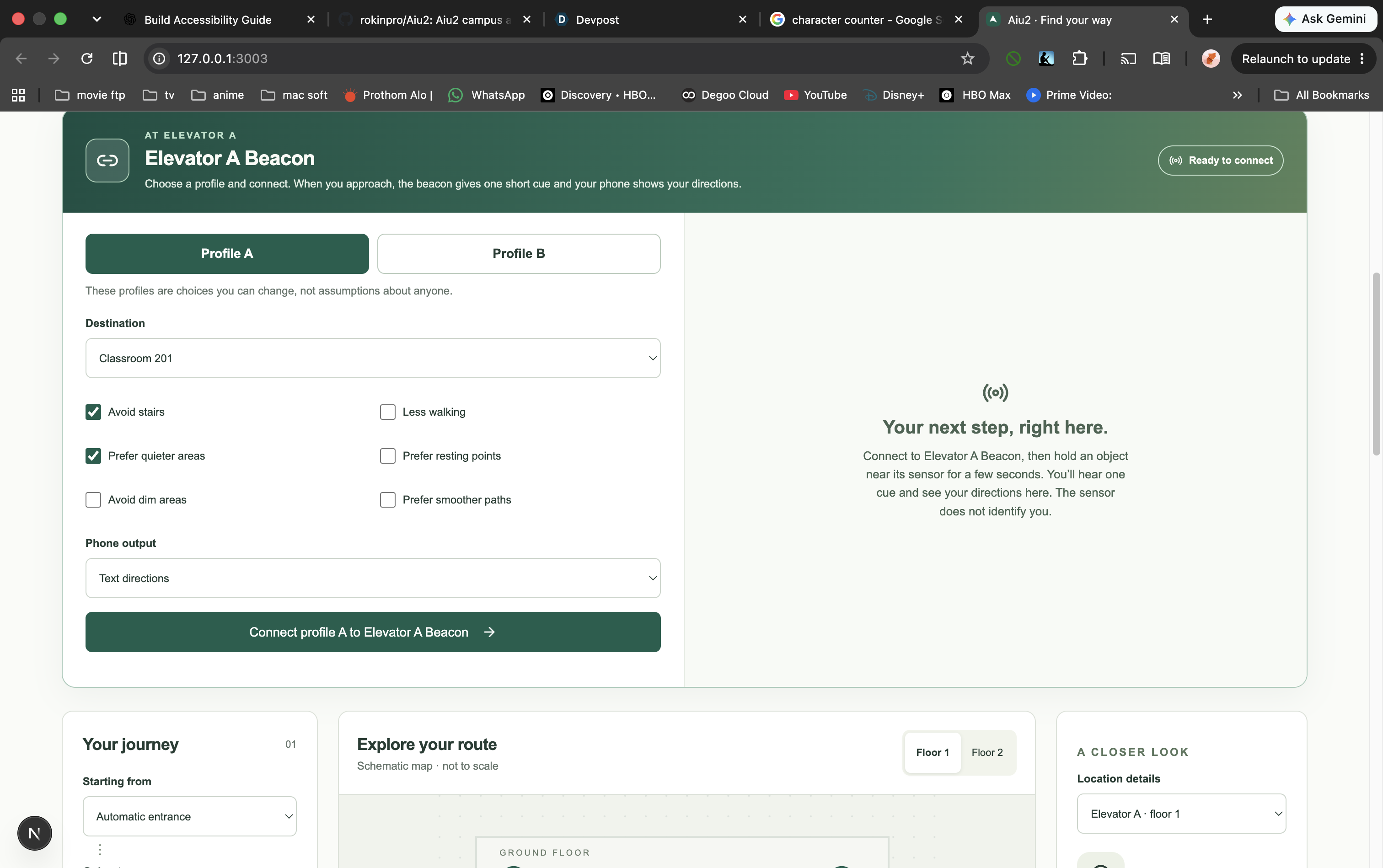
Connected wayfinding beacons contribute live local activity information. A traveler can pair their phone with a beacon for personalized guidance. On approach, the physical node gives a brief audible cue while detailed directions stay on the phone. When conditions suggest another route, the traveler decides whether to switch.
Volunteers and community members have a way to make a difference, too. They can document useful details about a location and use a photo to prepare a report about visible features such as stairs, ramps, entrances, signs, or benches. Reports are reviewed before becoming trusted map information. This turns everyday observations into a path toward better guidance for the next traveler.
How we built it
We built Aiu2 with Next.js, TypeScript, and Tailwind CSS. A connected two-floor map and deterministic route engine apply access requirements first, then compare routes using preferences such as travel time, activity, lighting, surface comfort, and places to rest.
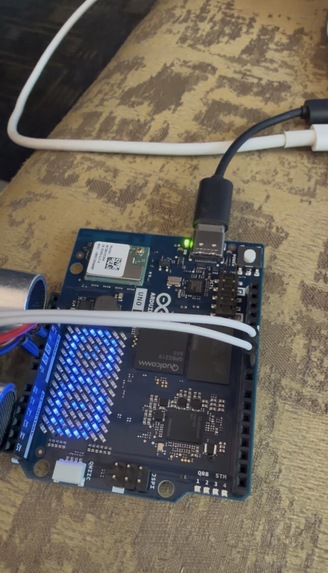
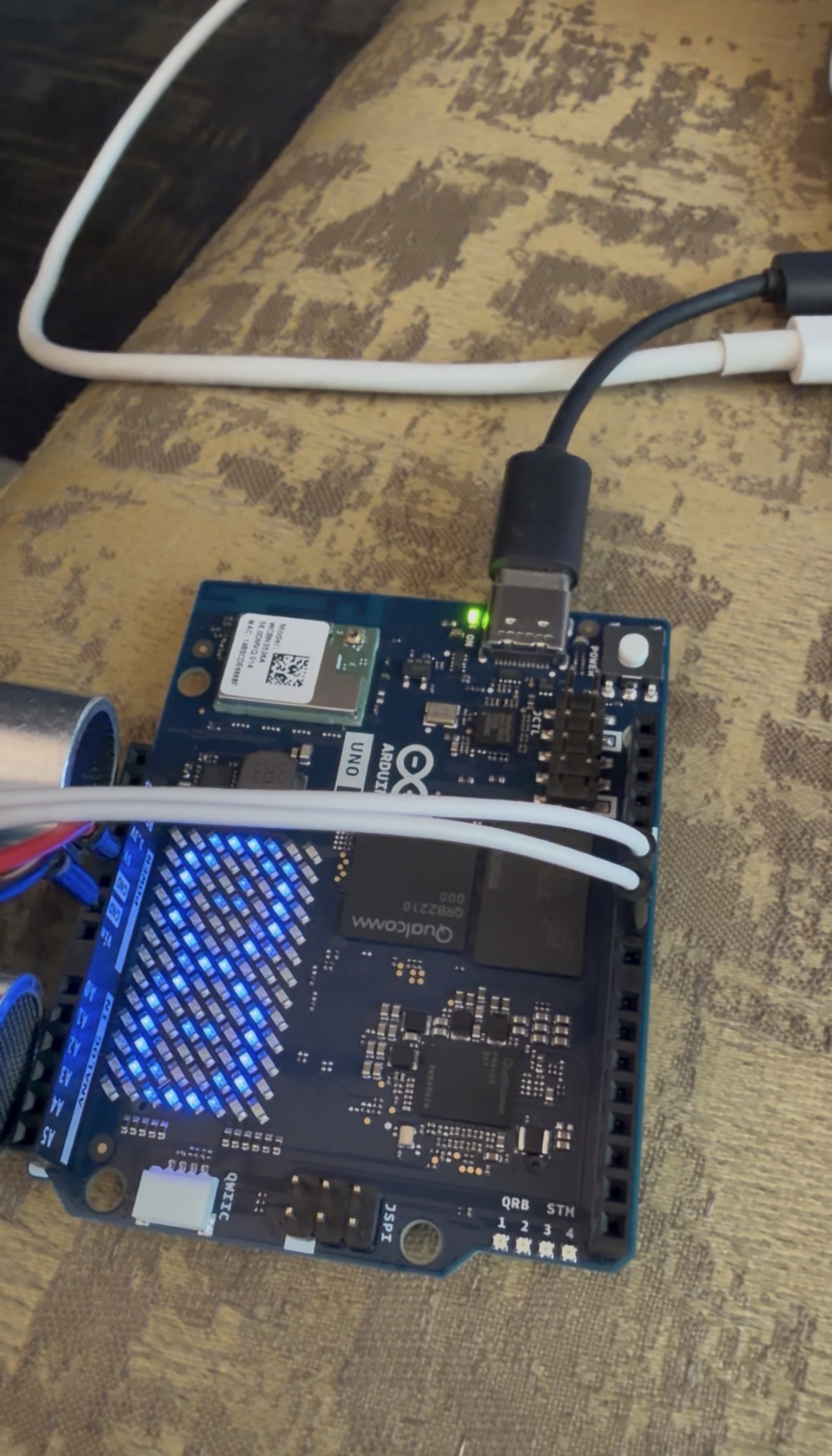
Our physical prototype combines an Arduino UNO Q, an ultrasonic sensor, and a buzzer. Readings travel through an authenticated bridge to the app. Communication also works in the other direction: a paired traveler can receive profile-specific guidance, and the controller can acknowledge its audible cue.
We selected technology for clear roles in the experience. IBM watsonx Granite helps interpret a traveler’s request into preferences they can review. ElevenLabs provides spoken route guidance. Google Gemini suggests visible features and an editable draft from a contributor’s photo. Tiger Data supports sensor-reading history as the network grows, while SQLite stores the working app’s preferences and community reports. AI helps people express and contribute information; the route engine makes the access decisions.
Challenges we ran into
The biggest challenge was making guidance personal without making assumptions. A sensor can detect presence, but it cannot know who someone is or what they need. We connected an explicitly paired phone session to the physical node so its response follows the traveler’s chosen profile.
We also had to make live information useful without treating one reading as a definitive statement about a place. And for community contributions, we needed a way to welcome volunteer input while keeping unreviewed observations separate from trusted route information.
Accomplishments that we’re proud of
- We connected the physical world to a personalized journey: a real sensor reading reaches the app and can lead to a new route offer.
- Our wayfinding node communicates both ways and can give different guidance to different paired profiles.
- Travelers can compare routes and receive guidance as text or user-controlled speech.
- We created a contribution flow that gives volunteers a practical starting point: observe a location, use a photo to help draft a report, and submit information for review.
- We gave IBM Granite, ElevenLabs, Gemini, and Tiger Data distinct roles that serve the experience rather than adding technology for its own sake.
What we learned
Accessibility is not a single setting or a universal route. Disabled people need to choose what works for them, and those choices can change from day to day.
We also learned that a better map is a community effort. Technology can organize observations and make contributing easier, but disabled travelers and campus accessibility staff should guide which details matter and how they are verified. Volunteers can help do the work of documenting those details.
What’s next for Aiu2
We want to co-design and test Aiu2 with disabled students and campus accessibility staff, validate real paths and building details, and expand the beacon network.
Our larger vision is a volunteer-powered accessibility mapping program. Students and community members could document paths, entrances, resting places, and signs throughout campus. Reviewed contributions would steadily enrich the map, while facilities teams could use reported issues to prioritize improvements. From there, Aiu2 could connect campus navigation with transit and other support resources.
We want accessibility to be something the whole campus helps build - and something disabled people can rely on when they need it.
| Technology we used | What it does in Aiu2 | Why it belongs |
|---|---|---|
| IBM watsonx / Granite | Interprets a traveler’s everyday-language request and suggests preferences for them to review. | It makes personalization easier without asking someone to translate their needs into technical settings. The traveler stays in control, and the route engine calculates the route. IBM use is also relevant to the rubric supplied in the team brief. |
| Tiger Data | Stores accepted readings as a foundation for a network of campus sensors. | Aiu2’s long-term value grows as more locations contribute live information. Tiger gives that expanding sensor history a place to live. |
| ElevenLabs | Turns route directions into speech with Play, Stop, and Replay controls. | Spoken guidance gives travelers another way to receive the same essential directions available in text. |
| Google Gemini | Helps turn a contributor photo into a draft identifying visible features, such as stairs, a ramp, signage, or a bench. | Community knowledge is vital to an accessibility map. Photo assistance makes it easier for someone to start a useful report, which they review before submitting. |
Built With
- arduino
- elevenlabs
- gemini
- granite
- ibm-watson
- next.js
- node.js
- postgresql
- python
- sqlite
- tailwind
- tigerdata
- typescript

Log in or sign up for Devpost to join the conversation.