-
-
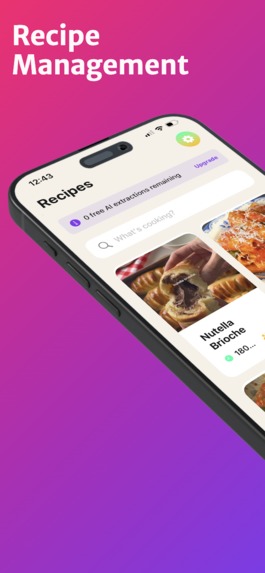
Recipe Management
-
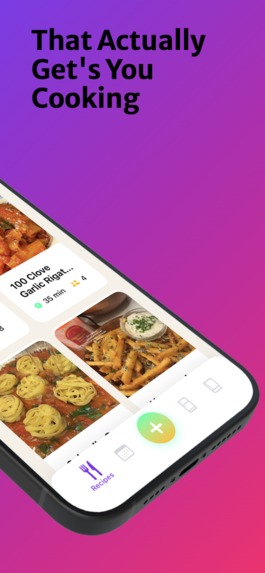
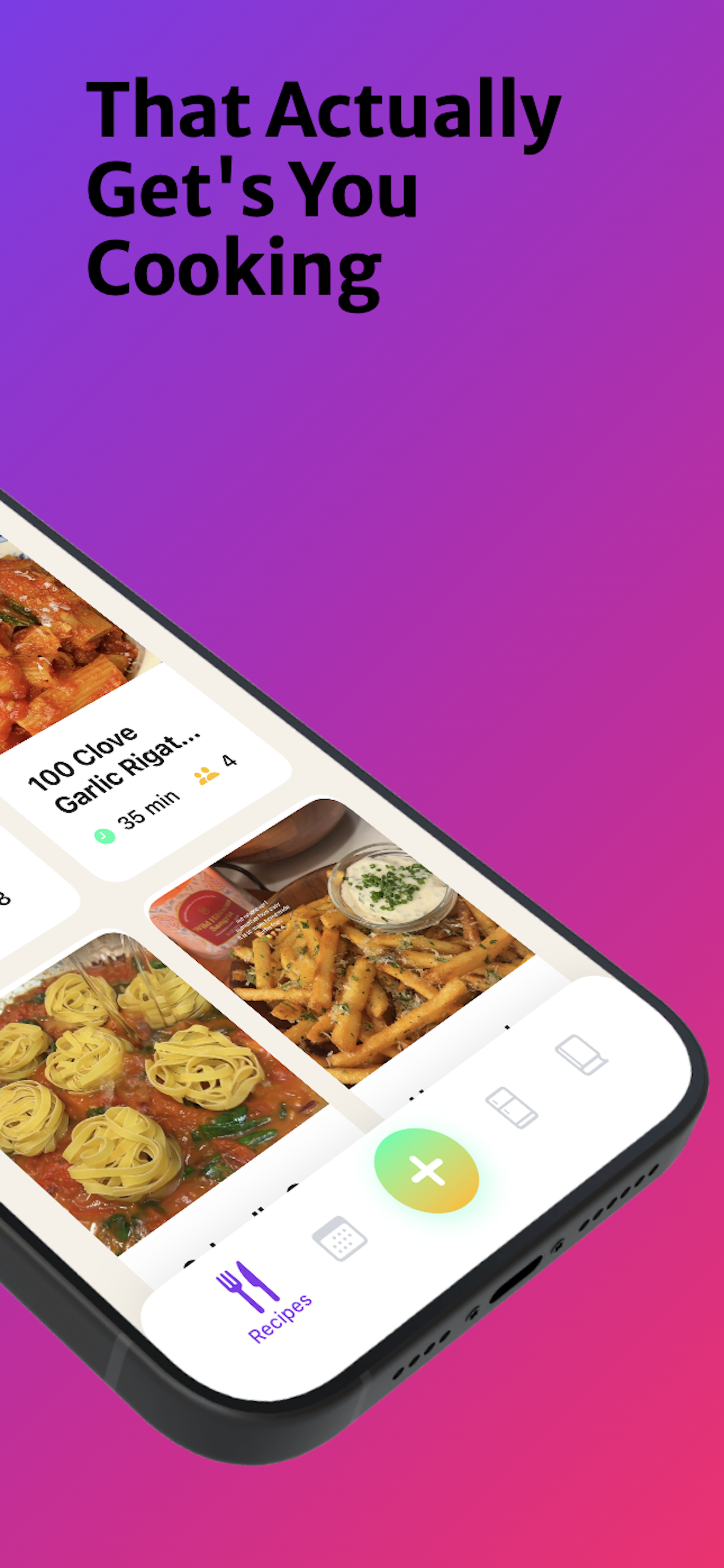
That Actually Get's You Cooking
-
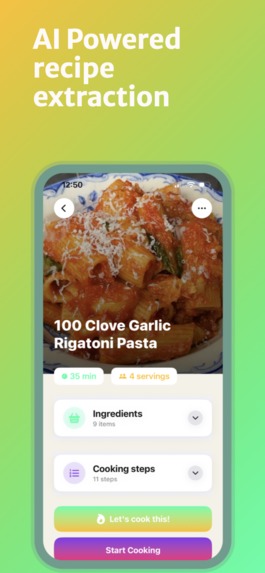
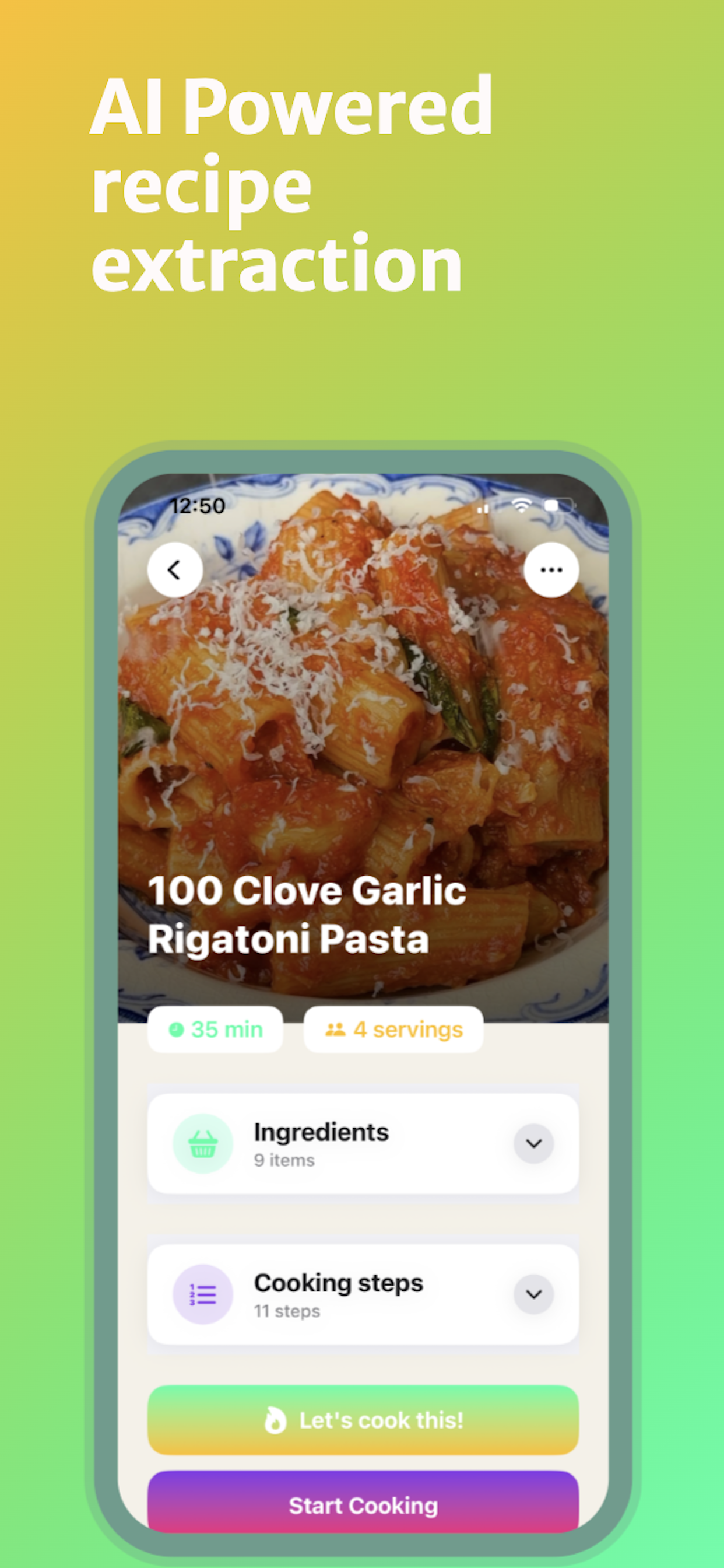
AI Powered recipe extraction
-
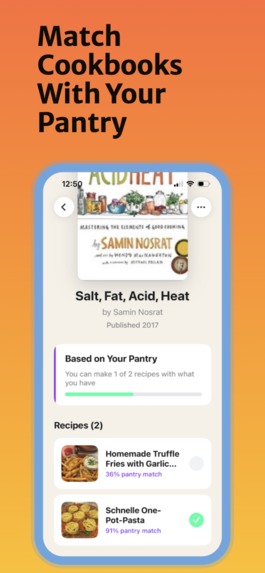
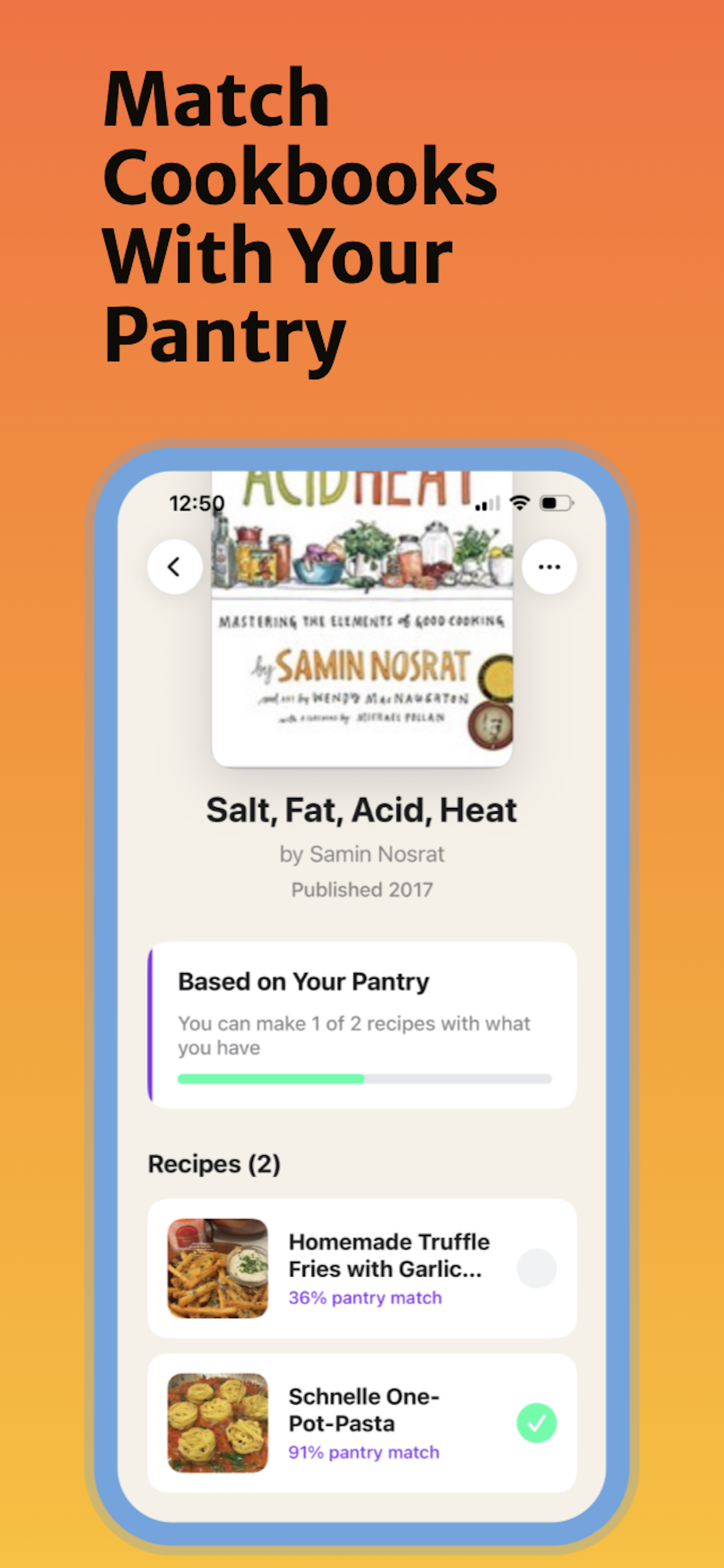
Match Cookbooks With Your Pantry
-
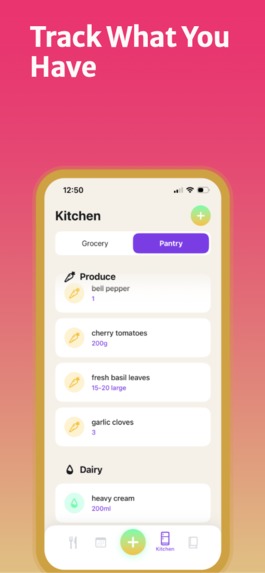
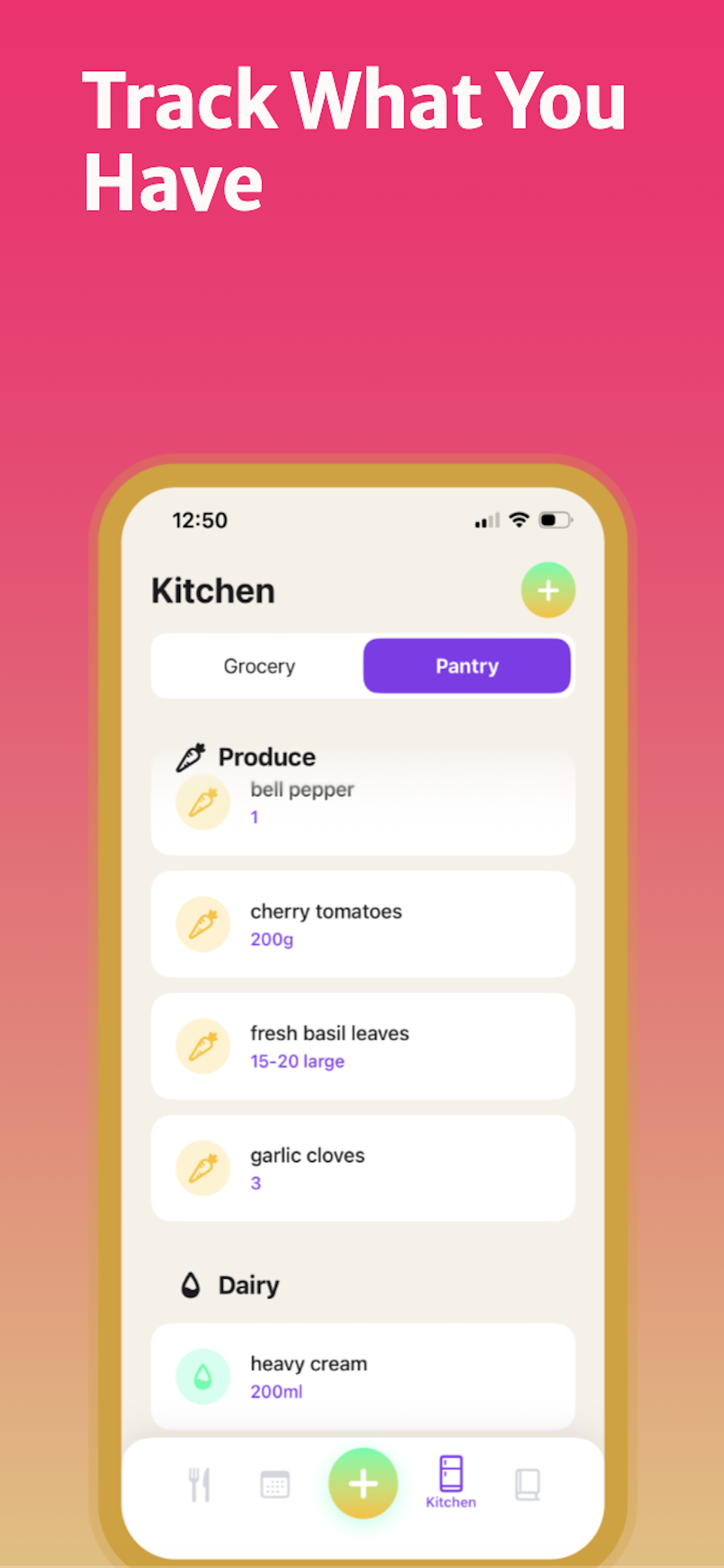
Track What You Have
-
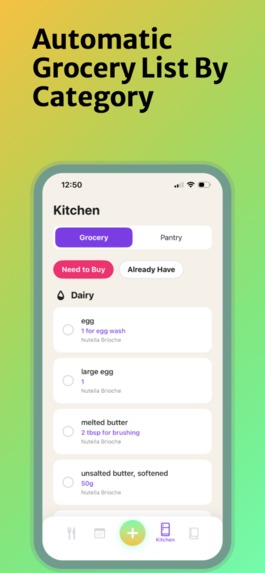
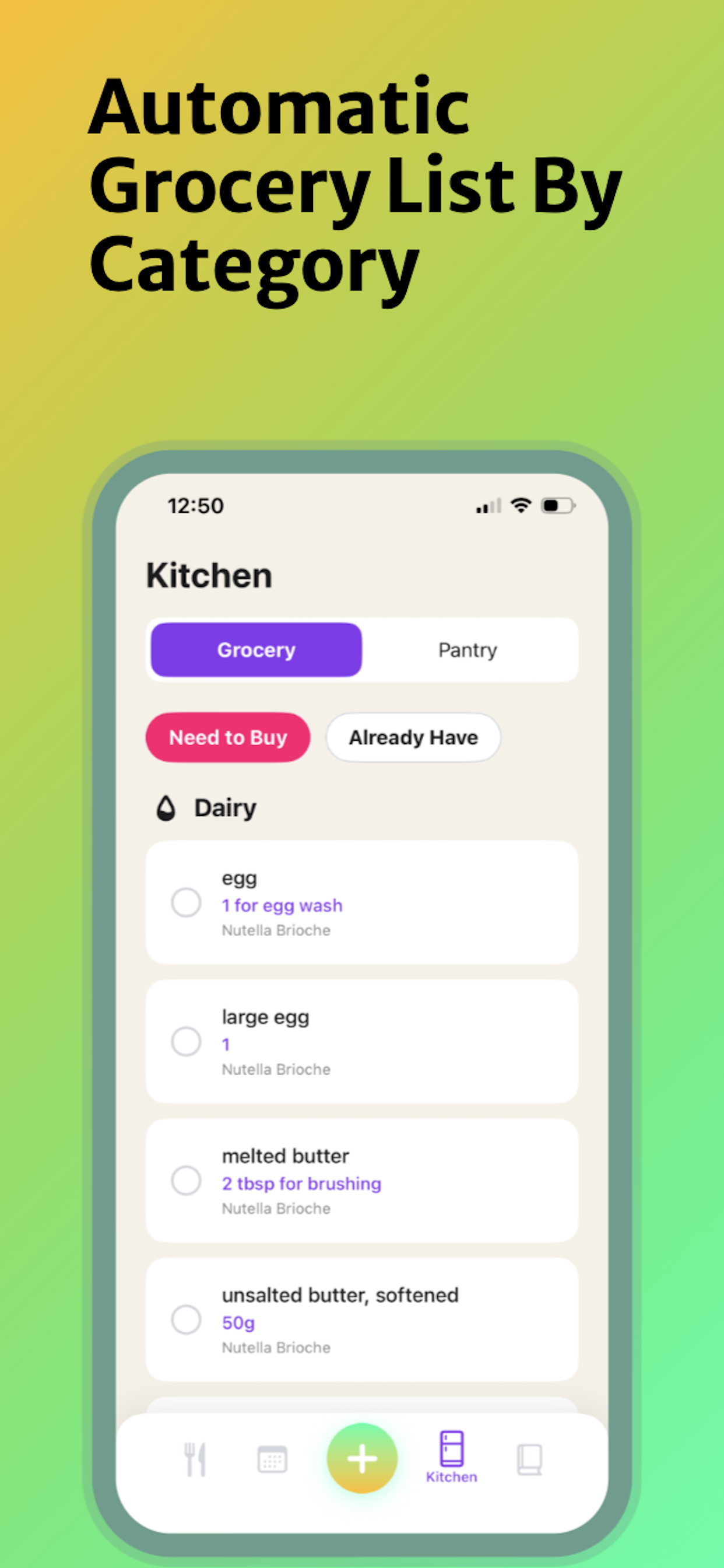
Automatic Grocery List By Category
-
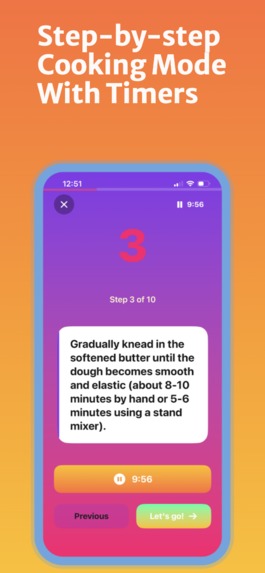
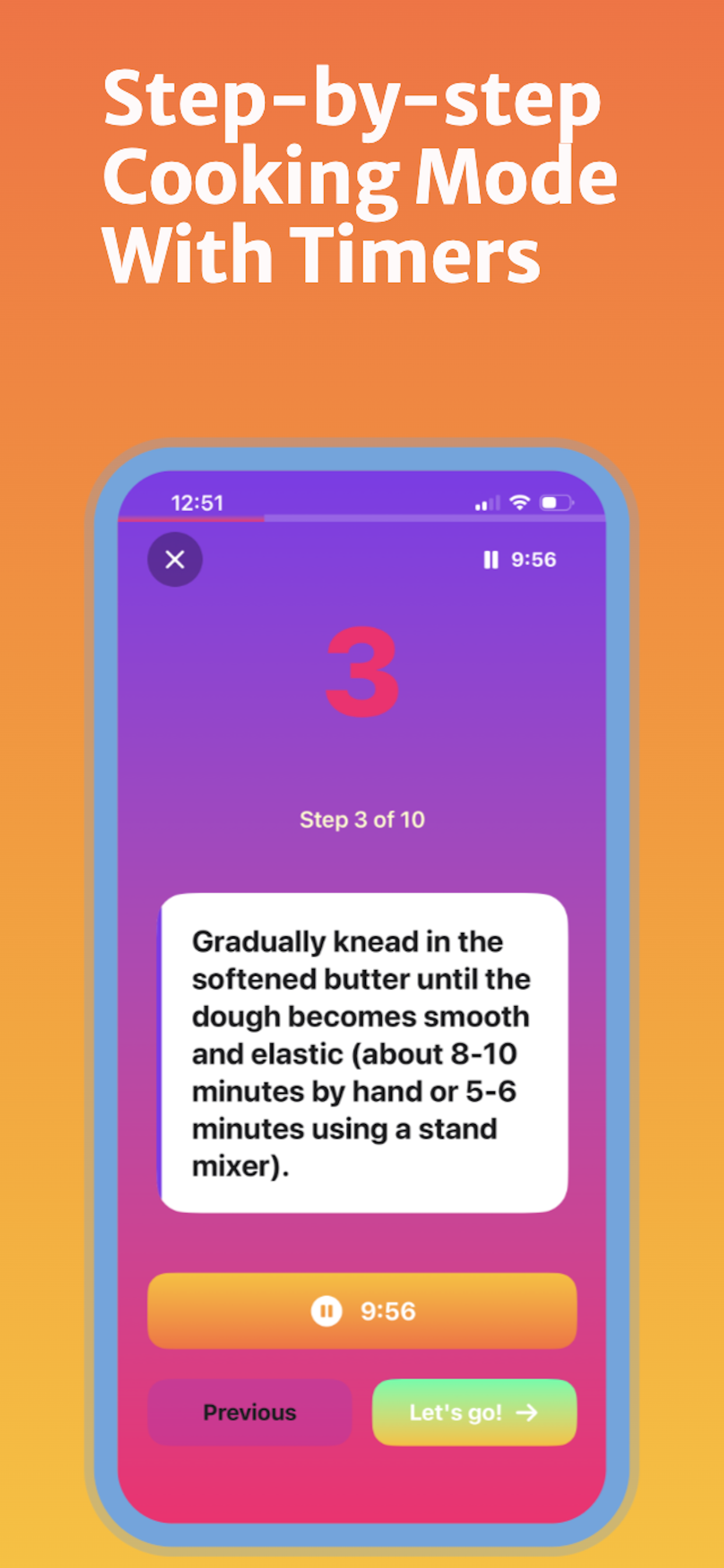
Step-by-step Cooking Mode With Timers
-
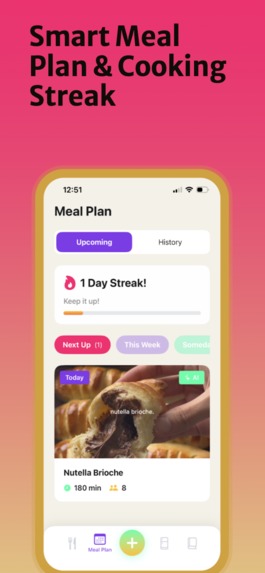
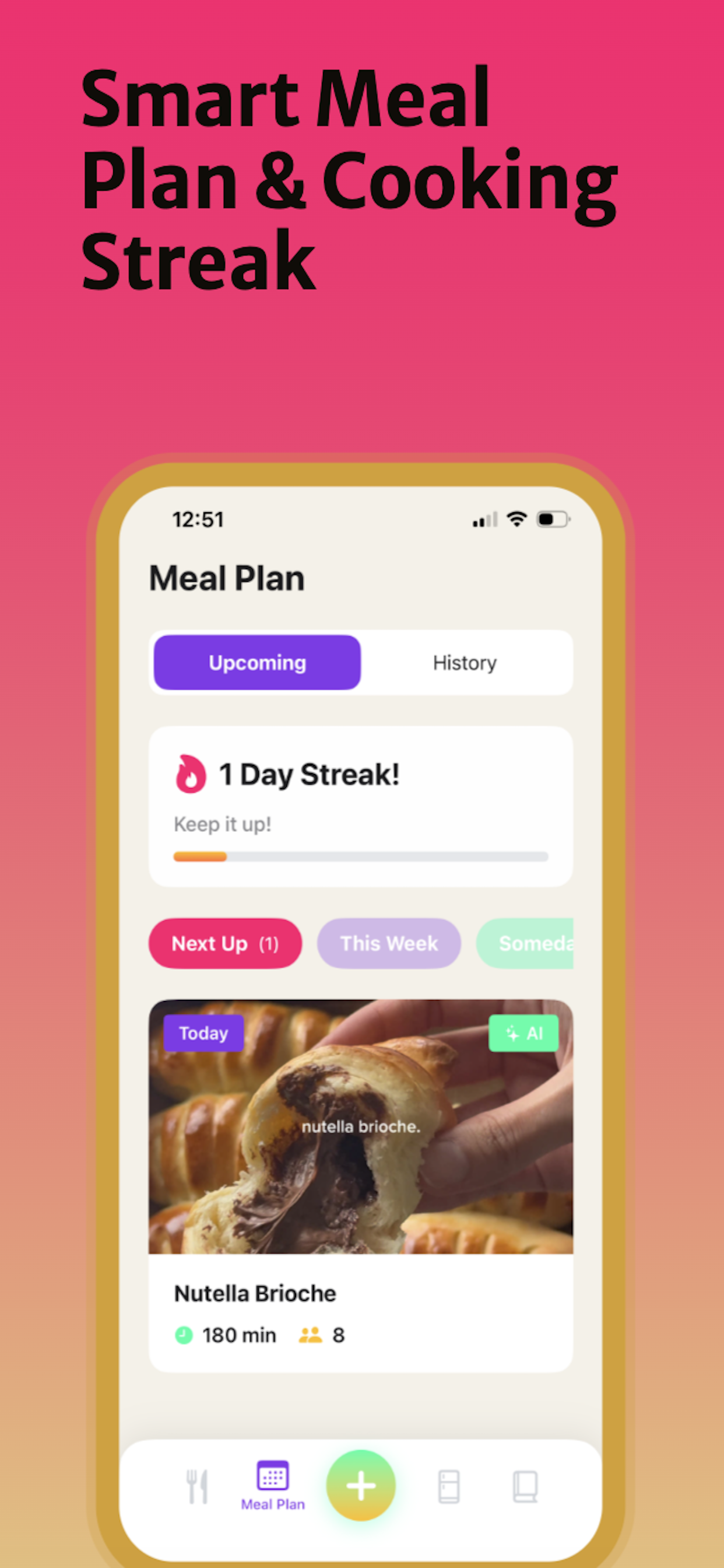
Smart Meal Plan & Cooking Streak
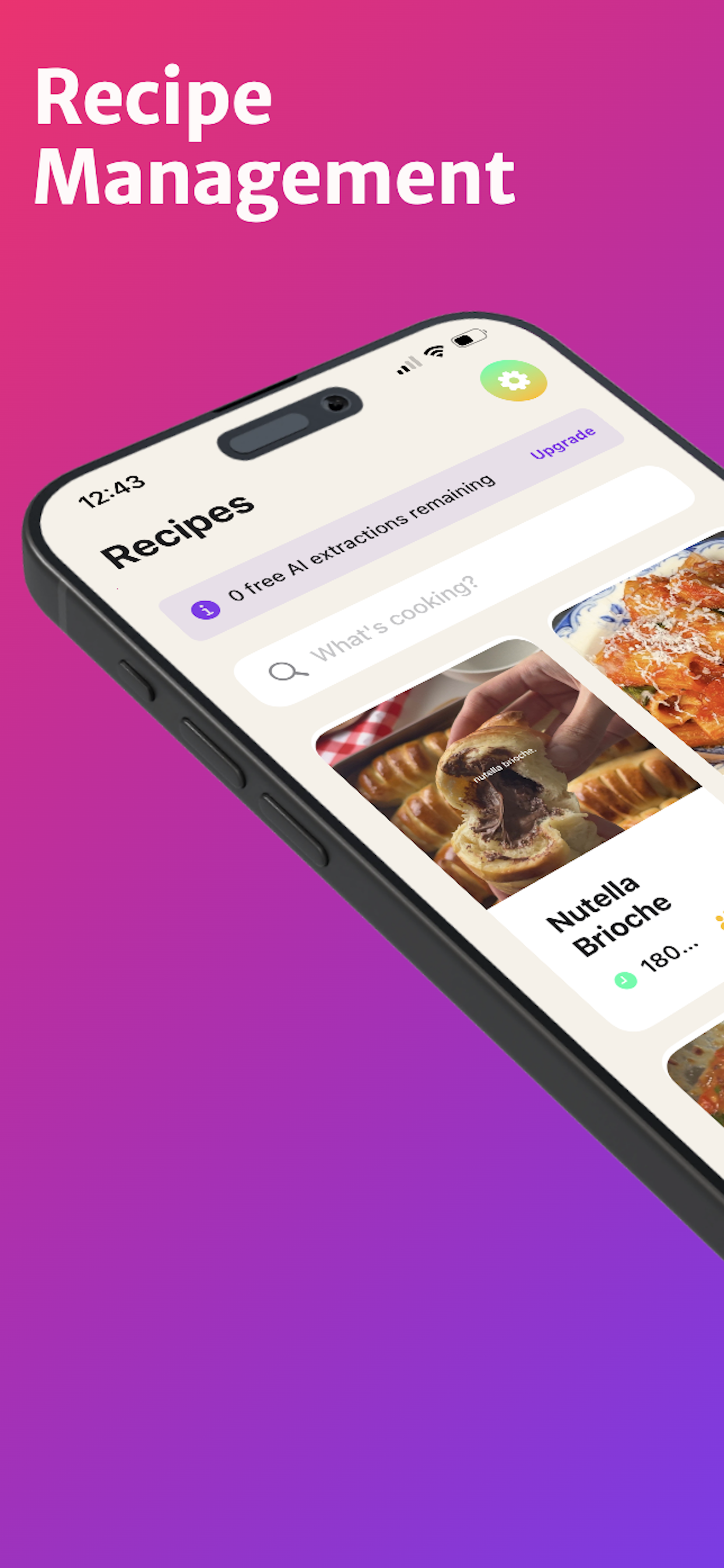
AItan Eats - From Saved Videos to Actual Cooking
Inspiration
I saw Eitan Bernath's Creator Brief and immediately recognized myself in the problem: I save recipe videos constantly, but rarely cook them. The recipes live in my TikTok saves, ingredients are scattered thoughts, and the cooking...almost never happens.
Eitan challenged creators to solve two specific problems:
- Video-to-grocery-list: Extract recipes from videos and generate shopping lists
- Cookbook + pantry matching: Match physical cookbooks with what's in your fridge
I built AItan Eats to solve both—not just because the contest asked for them, but because these are problems I actually face as someone who loves food but struggles to cook consistently.
What It Does
AItan Eats transforms saved recipe videos into meals you'll actually cook:
The Core Magic:
- AI Recipe Extraction: Share any TikTok or YouTube recipe video, and Claude AI extracts the complete recipe—ingredients, steps, timing, servings—in seconds
- Share Extension: Extract recipes without leaving TikTok/YouTube. Tap share → AItan Eats → done
- Cookbook-Pantry Matching: Tell the app what cookbooks you own and what's in your pantry, and it shows you which recipes you can make right now with ingredients you already have
- Smart Meal Planning: Organize recipes by "Next Up" (cook tonight), "This Week", or "Someday"—turning saved videos into actual cooking plans
- Automatic Grocery Lists: Recipes in your meal plan generate organized shopping lists by category
The Complete Experience:
- Step-by-step cooking mode with timers
- Cooking history with ratings and notes
- Professional image caching (images never expire or disappear)
- Freemium model: 3 free extractions + 2 cookbooks monthly, unlimited for Pro ($4.99/month or $49.99/year)
How I Built It
Tech Stack:
- Native iOS with SwiftUI and SwiftData for modern, performant architecture
- Anthropic's Claude API (Sonnet 4) for intelligent recipe extraction
- RevenueCat SDK for subscription management and trials
- Open Library API for cookbook search with cover art
Key Technical Decisions:
1. Solving the Expired Image Problem
After a few days of testing, I noticed recipe images would disappear—TikTok and YouTube URLs contain authentication tokens that expire. I built ImageCacheService to download and permanently store images locally during extraction. Images now persist indefinitely and work offline.
2. API Strategy for Cookbooks
Initially used Google Books API, then hit rate limits during testing. Migrated to Open Library API in under 20 minutes thanks to a clean abstraction layer. No API key required, no rate limits, excellent cookbook coverage.
3. Share Extension Architecture
Built a complete iOS Share Extension that shares SwiftData container with the main app via App Groups. Extract a recipe from TikTok, and it's instantly available in the app—no copy-pasting URLs.
4. Subscription Logic with RevenueCat
Implemented extraction limits (3/month free, unlimited Pro) and cookbook limits (2 free, unlimited Pro). Trial users get full Pro experience during the 7-day trial, then gracefully downgrade if they don't subscribe.
5. Design System
Created a comprehensive design system to eliminate magic numbers:
- Color palette: Vibrant gradients (Energy, Premium, Fire, Sunset)
- Spacing, radius, and dimension constants
- Typography scale with custom font extensions
- Animation presets (bouncy, smooth, standard spring)
Challenges I Ran Into
1. Expired Image URLs
Discovered that TikTok/YouTube image URLs expire after a few hours or days. Users would open recipes later to find placeholder images. Built ImageCacheService using Swift's Actor model for thread-safe file operations, downloading images during extraction and storing them permanently in the app's Documents directory.
2. Google Books API Rate Limits
Hit the daily quota during development testing. Rather than wait 24 hours, I migrated to Open Library API which has no rate limits and excellent coverage. The abstraction layer I'd built (BookResult model) meant the UI didn't need any changes.
3. SwiftData Relationship Complexity
Setting up proper many-to-one (Recipe → Cookbook) and many-to-many (Recipe ↔ Collection) relationships took several iterations. Used SwiftData's @Relationship macro with inverse relationships and ensured cascade deletes work correctly (deleting a cookbook breaks the link but doesn't delete recipes).
4. User-Friendly Error Messages
Technical errors like "NSURLErrorDomain -1009" were surfacing to users. Built error mapping functions that translate system errors into helpful messages: "Check your internet connection and try again" instead of API codes.
5. Animation Performance
Initial version over-animated everything and felt sluggish. Audited all animations, standardized on .spring(response: 0.3, dampingFraction: 0.6) for quick interactions, and limited effects to scale + opacity. Result: smooth 60fps throughout.
Accomplishments I'm Proud Of
Solved the Actual Problem
I didn't just build features—I solved both problems Eitan identified in his brief. The video extraction works flawlessly, and the cookbook-pantry matching answers a question I ask myself constantly: "What can I actually cook right now?"
Production-Quality Code
- Zero magic numbers (everything in the design system)
- Comprehensive error handling with user-friendly messages
- Clean architecture with clear separation of concerns
- Actor-based image caching for thread safety
The Cookbook-Pantry Feature
This feature addresses something I haven't seen done well: connecting physical cookbooks (which people actually own and love) with digital pantry tracking. It's not just a feature list checkmark—it solves a real pain point.
Local Image Persistence
Most apps don't handle expired image URLs well. I built a robust solution that feels premium: images load instantly from cache, work offline, and never disappear.
Complete Freemium Implementation
Not just a paywall—proper extraction limits, trial handling, restore purchases, all working seamlessly with RevenueCat. The pricing ($49.99/year) is less than one meal out, making it accessible while sustainable.
What I Learned
Technical Growth
- SwiftUI + SwiftData: Mastered relationship management, query optimization, and data modeling
- Async/await patterns: Handling complex async workflows (API calls, image downloads, persistence) cleanly
- Actor isolation: Used actors for thread-safe file system operations
- Share Extensions: Built a complete Share Extension with App Groups for data sharing
Product Insights
- Freemium is nuanced: Gating volume (extractions, cookbooks) while giving away experience (cooking mode, history, lists) creates clear upgrade motivation
- Small details matter: Local image caching is a technical detail that creates a premium feel users notice
- The pantry-cookbook connection is powerful: This feature generates the most excitement when I demo the app
Process Learnings
- Test performance in Release mode: Debug overhead created false performance problems
- Iterative refinement works: Systematic bug fixing → cleanup → polish created a clear path to quality
- Build abstractions early: The
BookResultabstraction let me swap APIs in 20 minutes
What's Next for AItan Eats
Near-Term Improvements
- Recipe Scaling: Automatically adjust ingredients for different serving sizes
- Meal Plan Calendar: Visual calendar showing what you're cooking each day
- Recipe Sharing: Export recipes as PDF or shareable links
- Smart Suggestions: "You haven't cooked in a week—here are 3 recipes from your queue"
Expanding the Platform
- Android Version: Port to Kotlin/Jetpack Compose to reach Android users
- Social Features: Follow friends, see what they're cooking, share collections
- Nutrition Tracking: Optional calorie/macro information for health-conscious users
- Shopping List Integration: Export to Instacart, Amazon Fresh, etc.
Long-Term Vision
- Voice Control: "Hey Siri, what's the next step?" during cooking
- Apple Watch Companion: Timers and step navigation on your wrist
- Pantry Expiration Tracking: Get notified when ingredients are about to expire, with recipes that use them
- Cross-Platform Sync: iOS + Android + Web with cloud backup
Potential for Creator Collaboration
The platform could enable creators like Eitan to curate branded recipe collections or integrate creator-specific content. Future versions could explore ways to bring creator expertise directly into the cooking experience.
Built for the RevenueCat Shipyard Creator Contest
AItan Eats is a complete iOS app ready for the App Store. I own the code and am committed to making this a real product that helps people cook more often.
Built With
- claudeapi
- openlibraryapi
- revenuecatsdk
- swift
- swiftdata
- swiftui

Log in or sign up for Devpost to join the conversation.