-
-
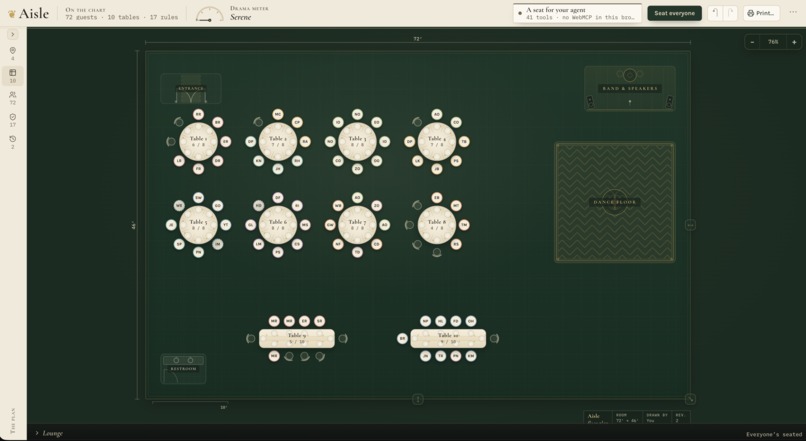
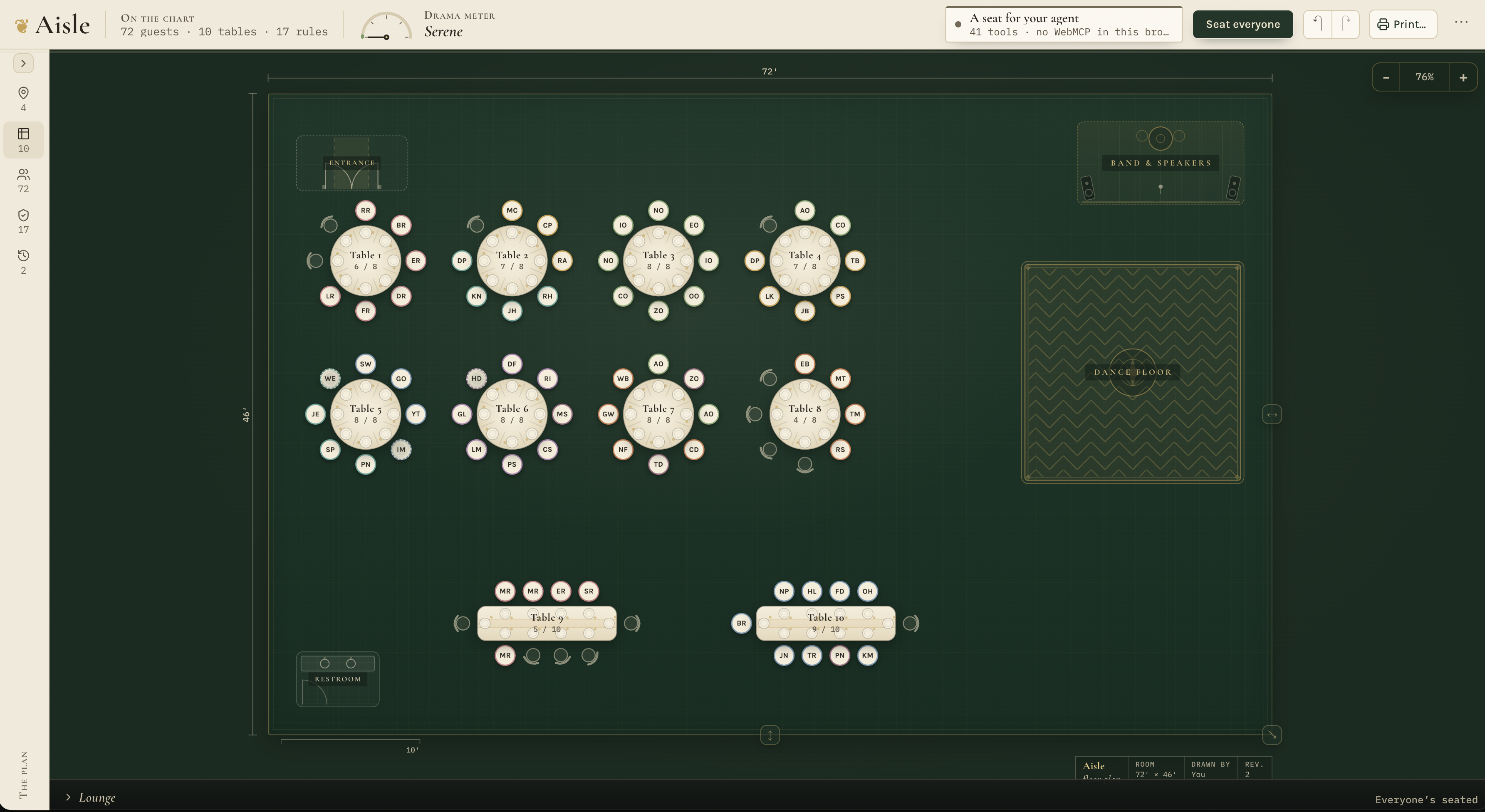
Fully seated venue
-
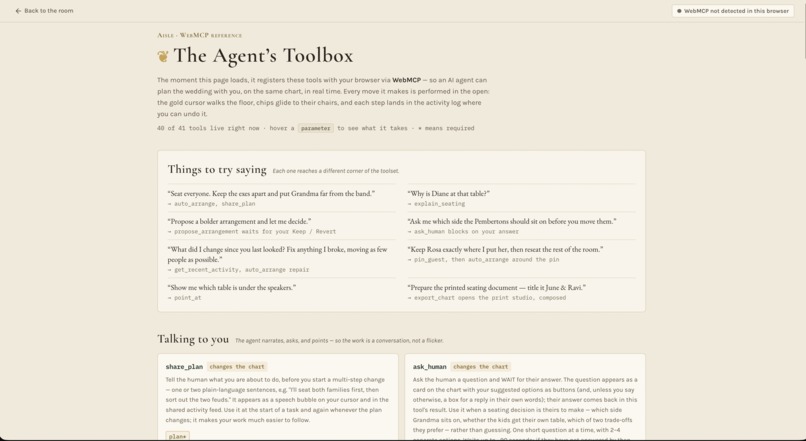
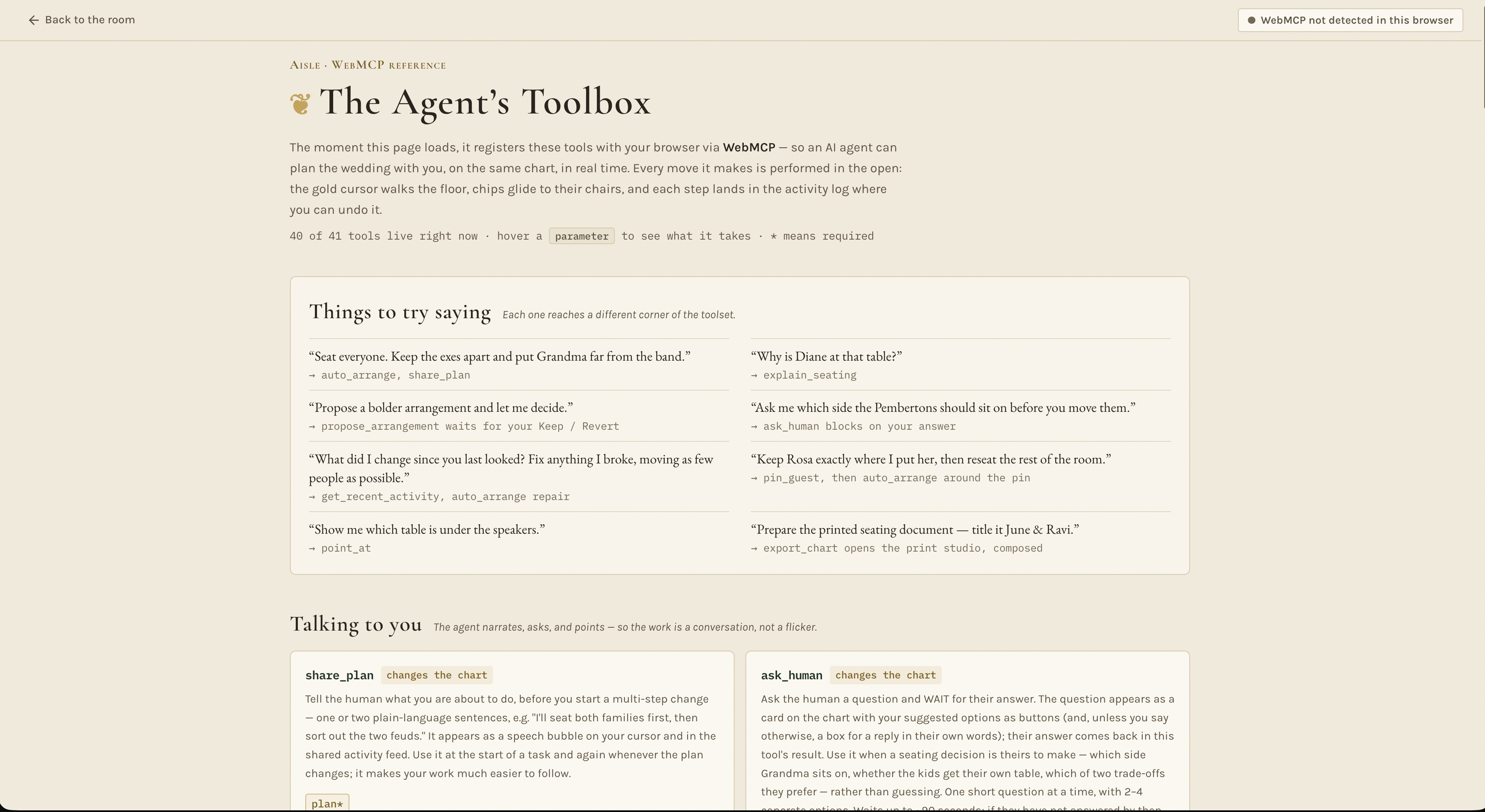
Tools page
-
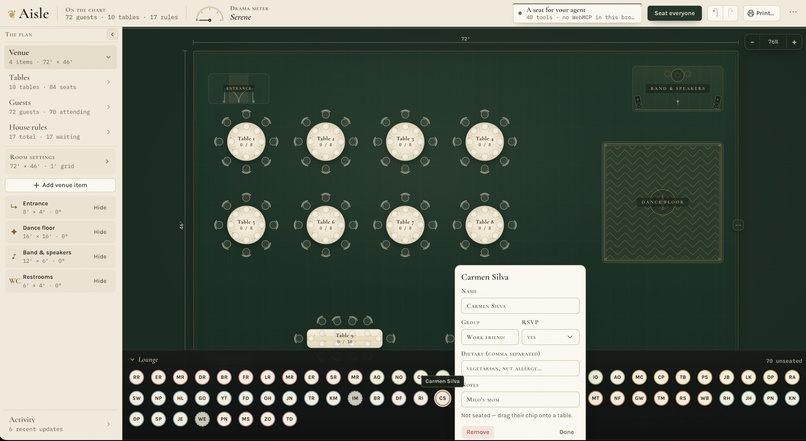
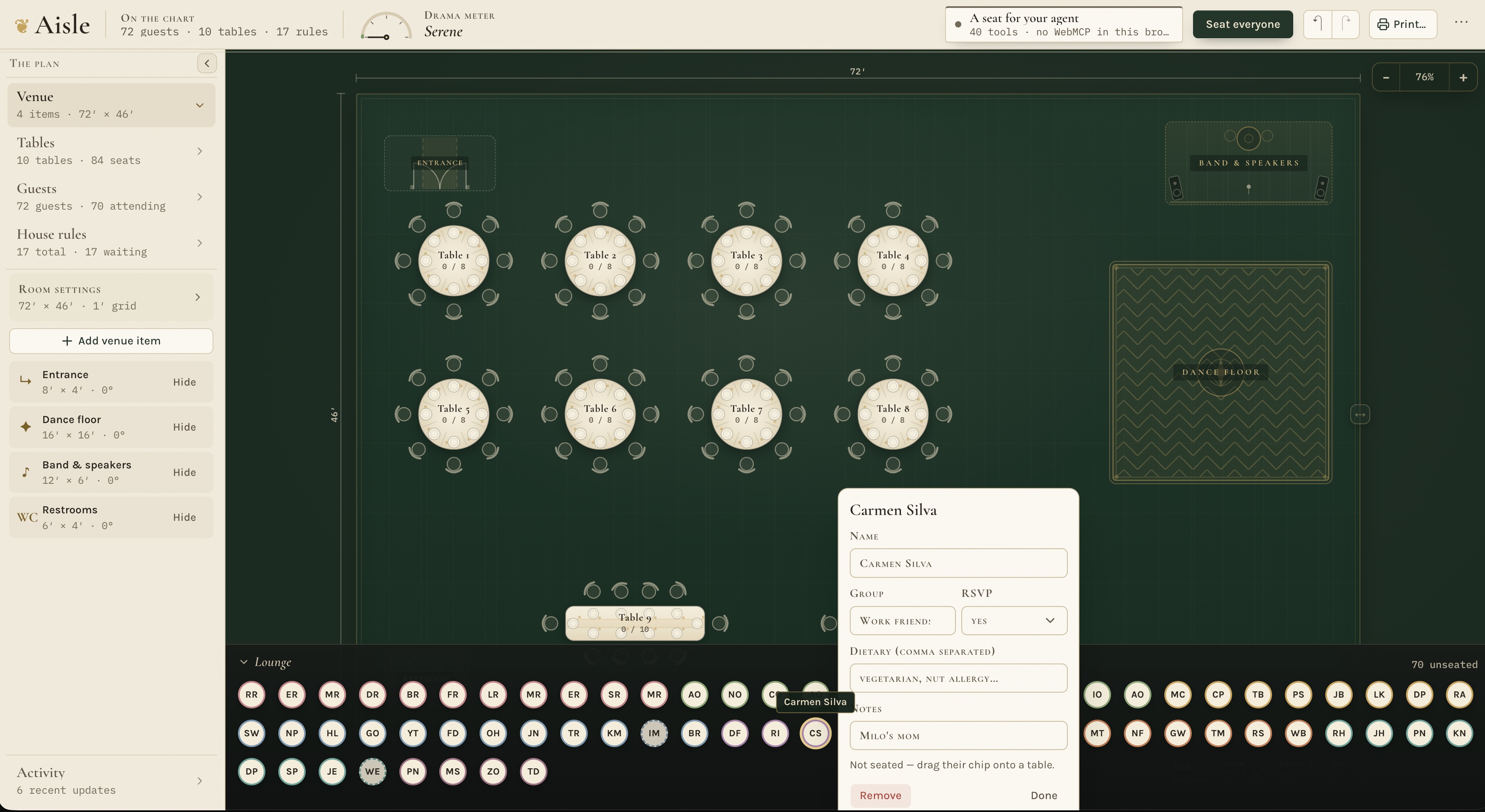
A person's information
-
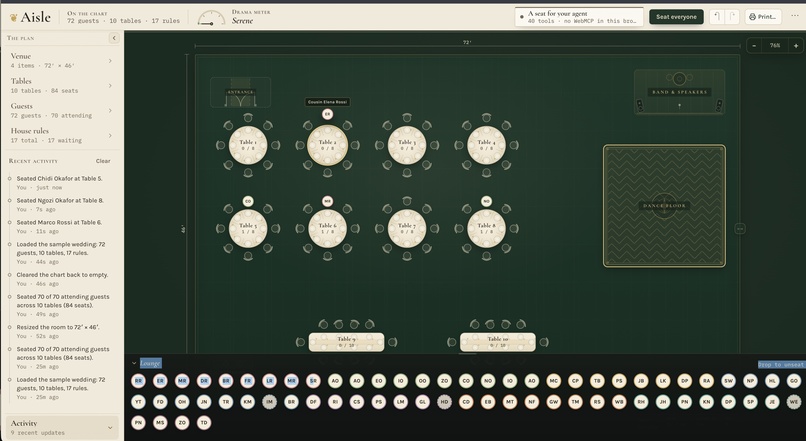
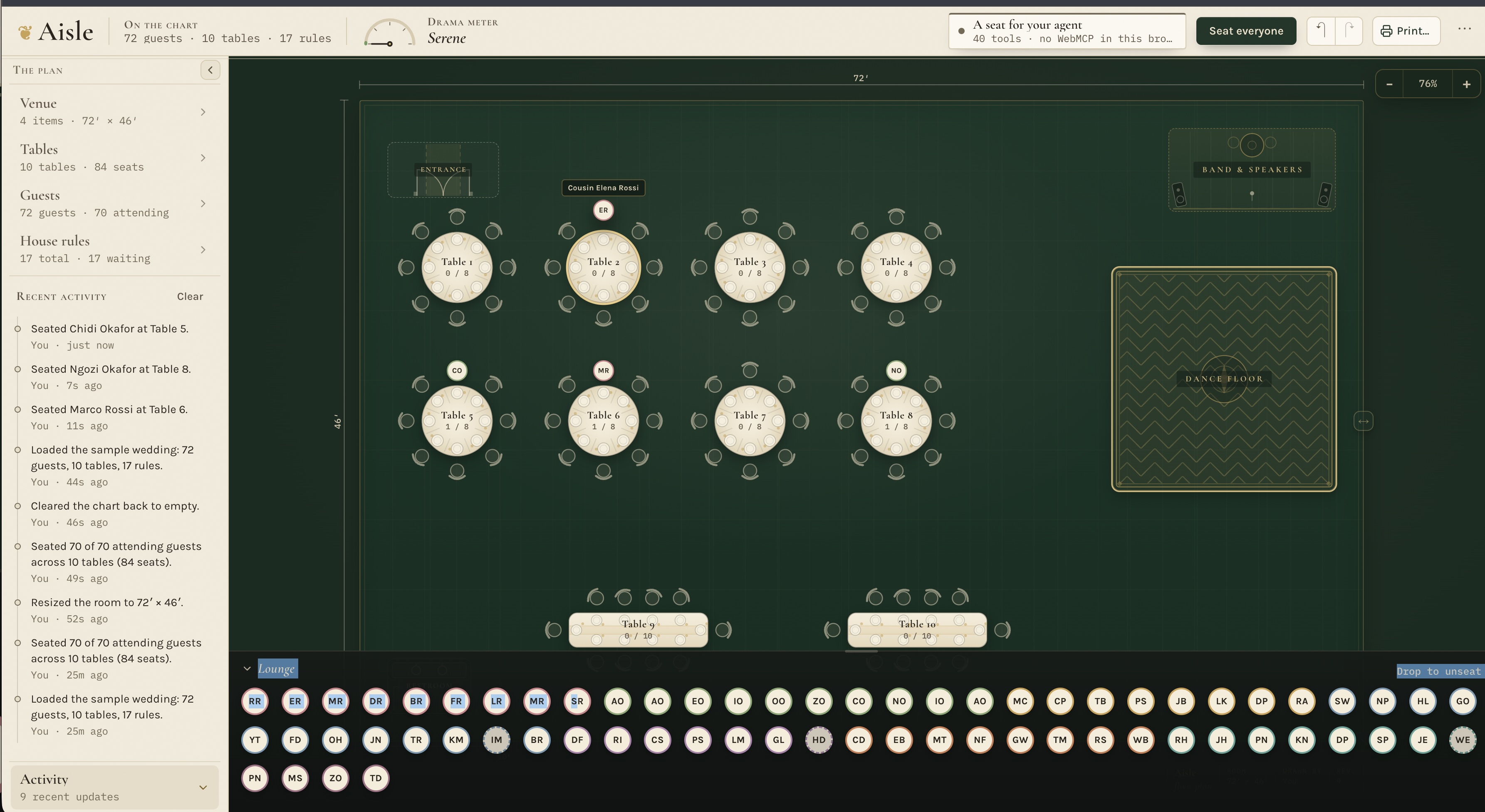
Loaded tables, unseated people
Inspiration
Wedding seating is a two-brain problem. Software is good at tracking capacity, relationships, and dozens of constraints, while people understand the family history, personalities, and compromises behind those rules.
Traditional seating tools leave all that reasoning to the couple. General AI can offer suggestions, but it usually works in a separate chat and cannot see or change the actual floor plan. Aisle was inspired by the idea that the person and the agent should work together on the same visual artifact. Making changes in real time.
What it does
Aisle is an interactive wedding seating planner built for human–AI collaboration.
People can design the venue, add or import guests, create seating rules, drag guests between tables, pin important placements, and undo any change. Through WebMCP, an AI agent can work directly with that same seating chart.
The agent can:
- Arrange an entire wedding while respecting guest relationships and venue zones
- Repair conflicts while moving as few guests as possible
- Explain why someone was assigned to a particular table
- Ask the user questions and wait for their decision
- Propose a new arrangement that the user can keep or revert
- React to manual changes instead of overwriting them
- Prepare a printable seating document
Basically every action that a human can take...
Aisle currently exposes 41 WebMCP tools. Some tools register dynamically based on the chart’s state. For example, seating tools appear once tables exist, while finalize_chart only becomes available when every attending guest is seated and no rules are broken.
How I built it
Aisle is built with React, TypeScript, Vite, Tailwind CSS, and shadcn components. It runs entirely in the browser, requires no account or backend, and stores the chart locally.
The WebMCP integration uses document.modelContext.registerTool() to expose the application’s capabilities to compatible agents. Every tool includes a description, JSON Schema, and an execution function connected to the same application actions used by the human interface.
Both people and agents therefore operate on one shared state and one undo/redo history. Agent actions are visualized on the canvas through an animated cursor, highlighted objects, speech bubbles, and a shared activity feed that is on the left sidebar.
The seating solver groups guests who must sit together, evaluates separation and venue-zone rules, and searches for a good arrangement.The agent is able to fix a problem without unnecessarily rearranging the entire wedding.
Some WebMCP calls deliberately wait for human input. When the agent proposes an arrangement or asks a question, the tool call remains open until the user responds on the page.
Codex and, when running out of usage limits, other AI tools helped me design, implement, debug, and test the project. I tested the WebMCP experience using ChatGPT’s in-app browser.
Challenges I ran into
The biggest challenge was making the collaboration feel shared rather than allowing the agent to silently rewrite the whole application. Initially, when asking to seat people, it was a bulk seating operation which moved dozens of guests at once, so I built cursor choreography, movement animations, explanations, and an activity feed to keep the agent’s work understandable. Now we can see the Agent moving each person, with the cursor moving around the screen, explaining its reasoning and actions.
Human decisions also introduced asynchronous challenges. Proposal and question tools must wait for a response while handling timeouts, undo operations, competing actions, and additional tool calls safely.
Another challenge was keeping the agent’s capabilities aligned with the application’s current state. Aisle continuously recalculates which tools should be registered as tables, guests, constraints, and violations change.
Finally, seating itself is a difficult optimization problem. We had to balance hard relationship constraints, group cohesion, venue geometry, pinned seats, and the goal of minimizing disruption during repairs.
What I learned
I learned that WebMCP is most powerful when the web page becomes a shared workspace instead of simply exposing a collection of commands.
Good agent tools need more than correct execution. They need clear descriptions, useful errors, visible feedback, reversible actions, and certain handoff points where the human still remains in control.
I also learned that dynamic tool registration can explain what the application state is naturally. The tools available to the agent can tell it what is currently possible without requiring a separate workflow system.
Testing was especially important for delayed human decisions, dynamic registration, pinned seats, solver behavior, geometry (a LOT of geometry issues), importing, and export pagination. The project now includes 122 automated tests across 14 test files.
Accomplishments that I'm proud of
I am proud that Aisle works as a complete visual seating planner even without an agent, while WebMCP turns it into a genuinely collaborative experience. The same chart can be edited by hand or through an agent, every action remains visible and undoable, and the final result becomes a practical document that could be used at a real event.
What's next for Aisle
Next, I'd like to add secure sharing between couples and planners, reusable venue templates, richer accessibility preferences, and additional optimization controls.
I also want to explore collaborative sessions where several people and an agent can work on the same chart while preserving authorship, explanations, and a complete decision history.
Additionally, Aisle can become more than just a wedding planner, and can be used for parties, dinners, restaurant seating, etc.
Built With
- codex
- motion
- react
- shadcn
- tailwind
- typescript
- vercel
- vite
- webmcp
- zustand


Log in or sign up for Devpost to join the conversation.