Inspiration
The idea for AI Slate was born out of frustration with how fragmented creative collaboration tools are today. When brainstorming or tutoring, you're constantly switching between a whiteboard, a chat window, and a voice call — your AI assistant is "blind" to what you're drawing, and you're stuck typing to explain something visual. We asked ourselves: what if the AI could actually see your whiteboard, listen to you naturally, and draw back in real-time? The launch of Google's Gemini Live API made that vision possible, so we set out to build the most intuitive multimodal canvas experience — one where talking, drawing, and thinking happen together, not in silos.
What it does
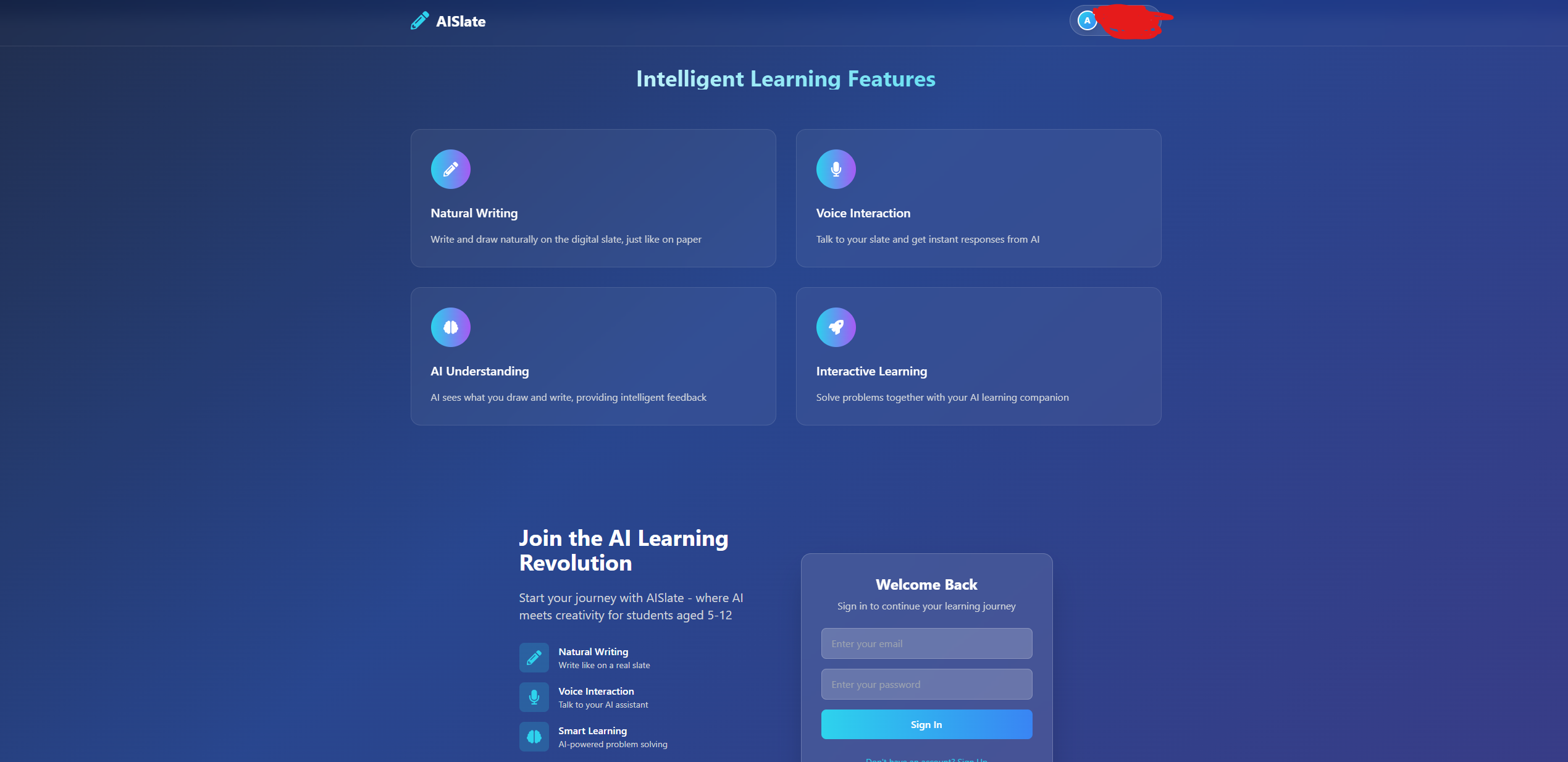
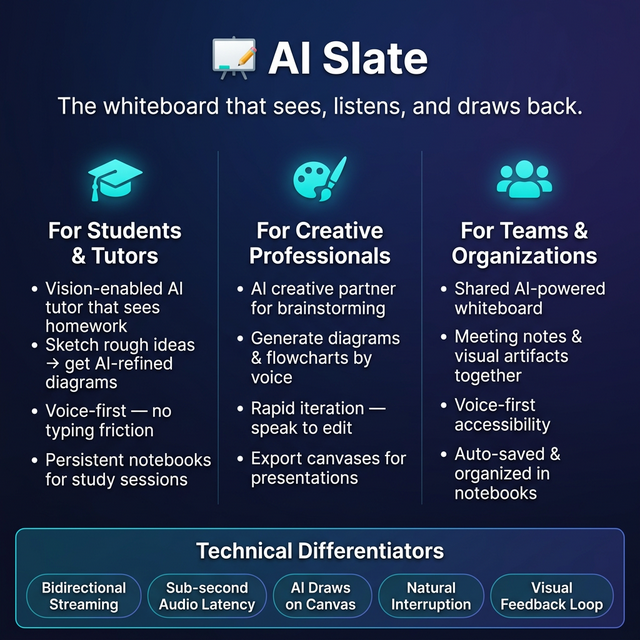
AI Slate is a next-generation digital whiteboard powered by the Gemini Live API. Users can:
- Talk naturally to an AI assistant with low-latency, bidirectional audio — just like a real conversation, with full support for interruptions.
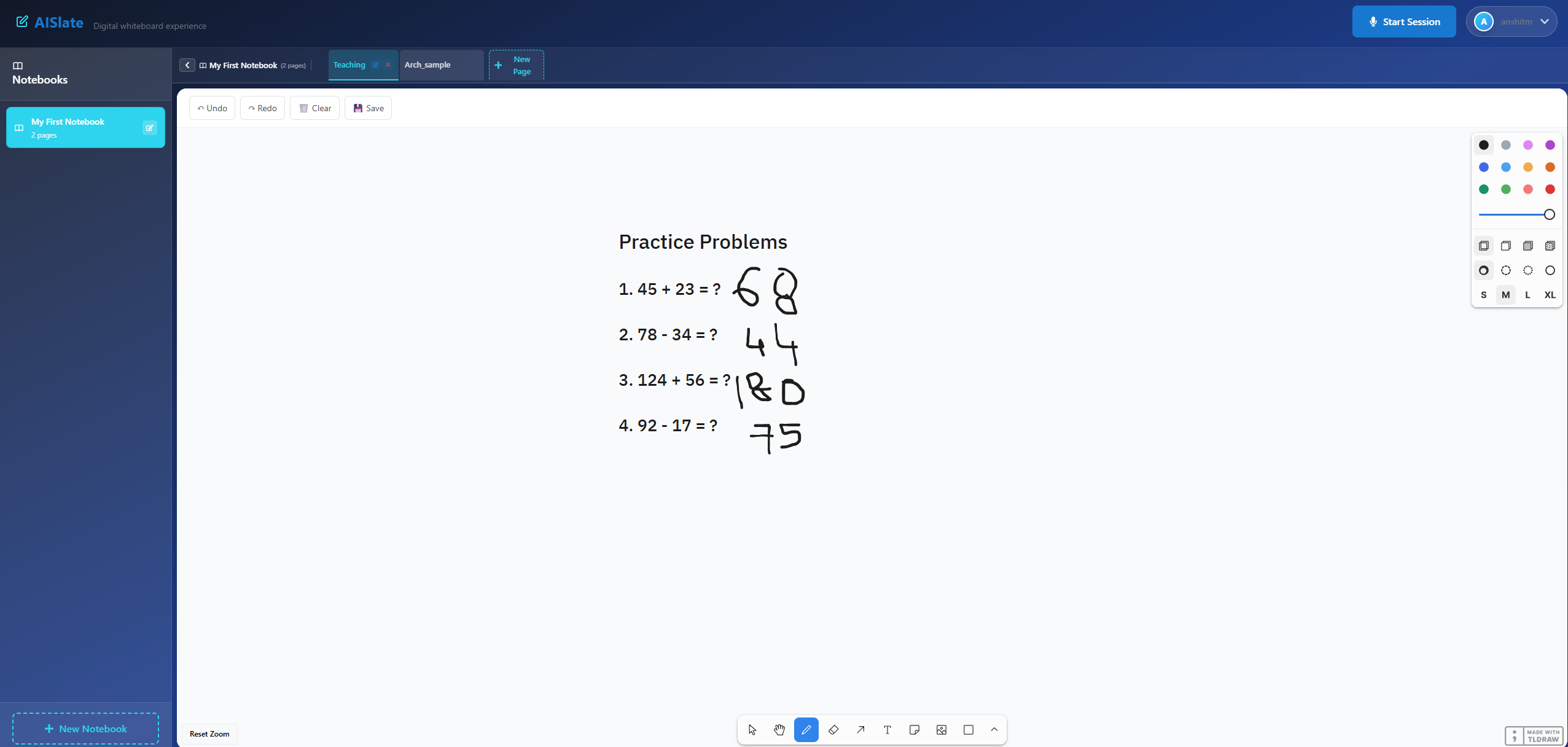
- Draw freely on an infinite canvas (powered by tldraw) while the AI "sees" the board through periodic visual snapshots.
- Ask the AI to draw back — it can create shapes, write styled text, and even generate complex SVG illustrations directly on the canvas based on voice commands.
- Organize work into multiple notebooks and pages, all auto-saved to Supabase.
Think of it as a OneNote-meets-AI-tutor experience: you sketch a rough idea, talk through it, and the AI refines it visually and verbally — all in real time.
How we built it
We built AI Slate with a modern, event-driven architecture:
- Frontend: React 19 + Vite for a fast dev experience, TailwindCSS for styling, and tldraw as the infinite canvas engine. We use html2canvas to periodically capture whiteboard snapshots and stream them to the backend.
- Backend: A FastAPI server handles WebSocket connections, acting as a real-time bridge between the user and Gemini. Audio is streamed as PCM16 at 16kHz (input) and 24kHz (output).
- AI Core: The Gemini Live API (via the google-genai SDK) powers the entire multimodal loop — it receives audio and images simultaneously, reasons over them, responds with voice, and can invoke custom function-calling tools (write_pure_text, draw_shape_with_text, draw_svg, undo_last_action) that manipulate the canvas.
- Database: Supabase (PostgreSQL with Row-Level Security) handles user authentication, session tracking, and persistent notebook/page storage with auto-saved tldraw snapshots.
- Deployment: The app is containerized and deployed on Google Cloud, with Nixpacks for reproducible builds.
The key architectural insight was treating the backend as a stateless relay: it manages WebSocket sessions and forwards audio/vision streams bidirectionally between the browser and Gemini, while tool execution results are sent back to both the AI (for context) and the client (for UI updates).
Challenges we ran into
- Real-time audio latency: Getting bidirectional PCM audio streaming to feel "live" required careful async management in Python. We had to fine-tune Voice Activity Detection (VAD) sensitivity settings to balance responsiveness with avoiding false triggers.
- Multimodal synchronization: Coordinating audio streams and canvas snapshots so Gemini receives coherent context (not stale images with current audio) was tricky. We settled on periodic snapshot intervals that balance freshness with bandwidth.
- Tool calling mid-conversation: The AI sometimes tried to "speak" about what it was drawing while simultaneously executing tool calls, creating race conditions. We solved this by handling tool responses asynchronously and letting the SDK manage turn-taking naturally.
- Canvas rendering fidelity: Converting tldraw's complex canvas state into a snapshot image that Gemini could meaningfully interpret required experimenting with html2canvas configurations to capture clean, high-contrast visuals.
Accomplishments that we're proud of
- Seamless multimodal loop: Users can speak, draw, and receive AI-generated visuals all within a single, unbroken interaction flow — no mode switching, no buttons to toggle between "chat" and "draw."
- AI drawing tools: The function-calling integration lets Gemini act as a true collaborator — it doesn't just talk about what to draw, it actually draws shapes, text, and SVGs on your canvas.
- Production-quality UX: The app feels polished — with notebook management, auto-save, authentication, and an infinite canvas — not just a hackathon demo.
- Low-latency voice: The bidirectional audio feels genuinely conversational, with natural interruption support powered by Gemini's automatic activity detection.
What we learned
- Multimodal context is a game-changer: When the AI has both audio and visual context simultaneously, the quality of interaction improves dramatically. Commands like "put a label on that circle" or "what's wrong with this diagram?" just work — because the AI can see what "that" refers to.
- Gemini Live API is incredibly powerful: The combination of real-time audio, vision understanding, and function calling in a single streaming session opens up interaction paradigms that weren't possible before.
- System prompt engineering matters: Getting the AI to prefer drawing on the whiteboard (rather than just verbally describing things) required careful prompt tuning. We learned that explicit behavioral instructions in the system prompt are essential for tool-use-heavy agents.
- WebSocket architecture at scale: Managing concurrent async tasks (client message handling + Gemini response streaming) in Python taught us a lot about asyncio patterns, graceful cancellation, and error resilience.
What's next for AI Slate
- Real-time collaboration: Adding multi-user support so teams can brainstorm on the same canvas with a shared AI assistant.
- Richer AI tools: Expanding the tool set to include chart generation, LaTeX math rendering, image generation (via Imagen), and code snippet insertion.
- Export and sharing: One-click export to PDF, PowerPoint, or shareable links for completed whiteboards.
- Mobile support: Optimizing the canvas and voice experience for tablets and phones — imagine sketching on an iPad while talking to your AI tutor.
- Classroom mode: A dedicated experience for educators where the AI adapts its teaching style based on what the student draws and says, with progress tracking and lesson plans.
- Deeper Google Cloud integration: Leveraging Vertex AI for custom fine-tuned models, Cloud Storage for media assets, and Cloud Functions for serverless tool execution.
Built With
- audioworklet
- fastapi
- gemini
- gemini-live-api
- google-genai-sdk
- html5
- javascript
- nixpacks
- postgresql
- python
- react
- realtime
- supabase
- tailwindcss
- tldraw
- vite
- web-audio-api
- websockets


Log in or sign up for Devpost to join the conversation.