-
-
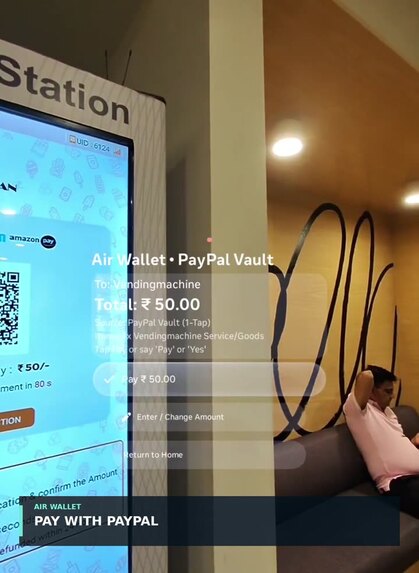
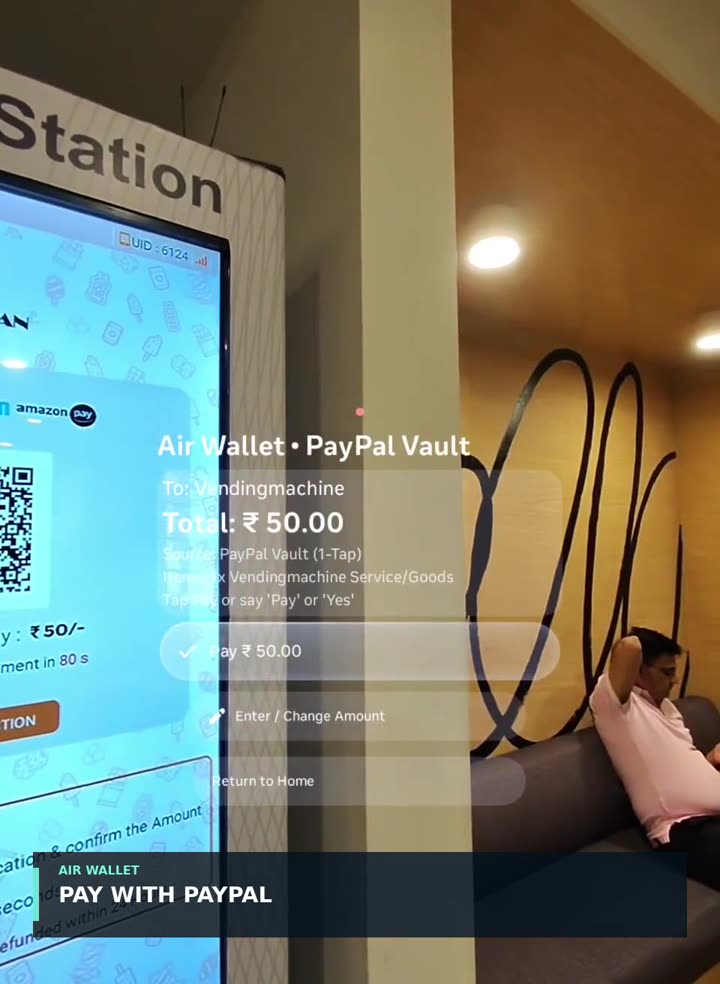
Paypal QR Payment
-
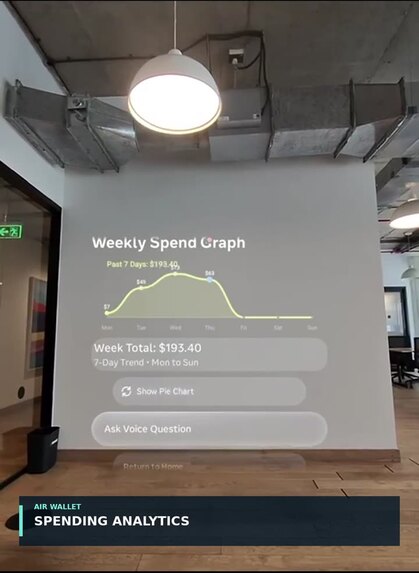
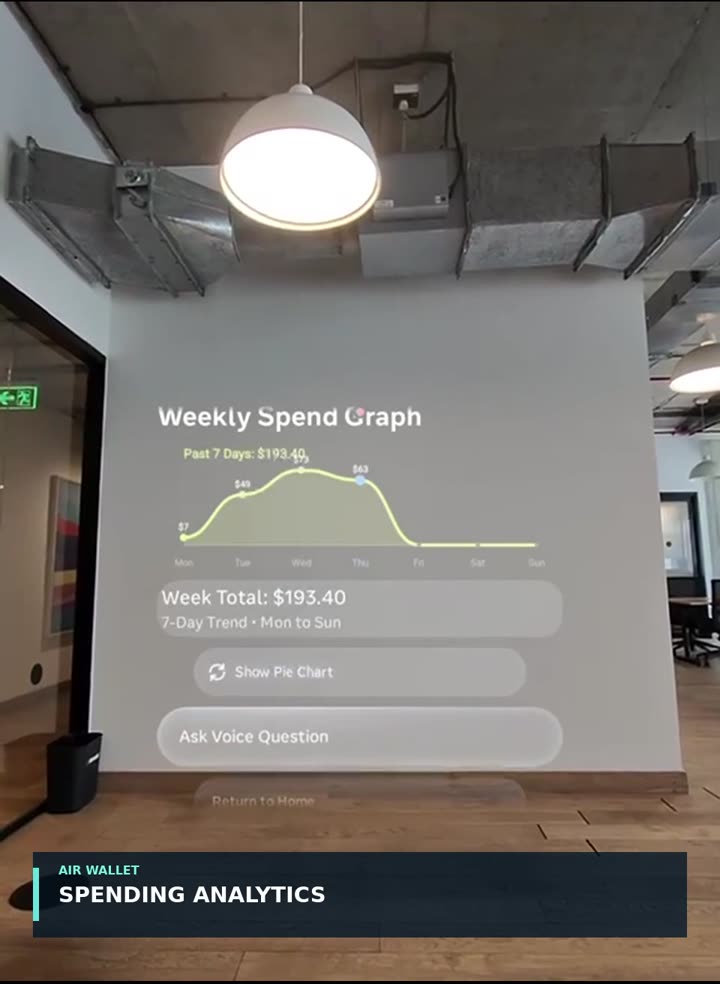
Spending Analytics
-
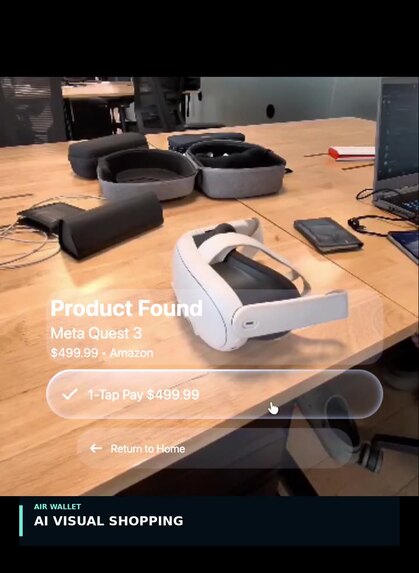
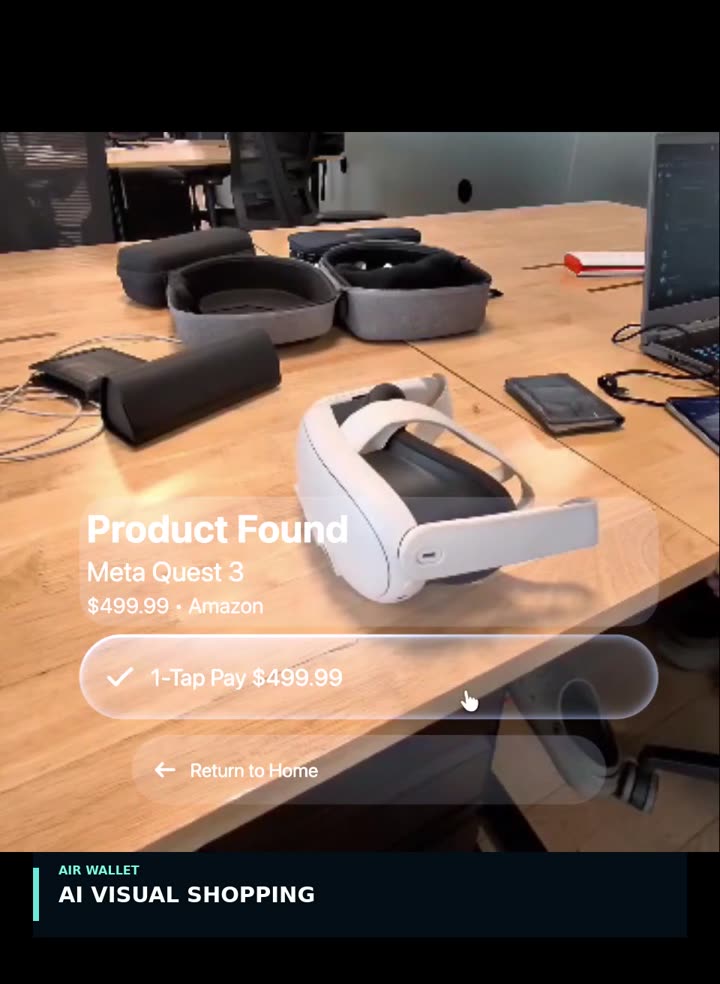
Ai Visual Shopping
-
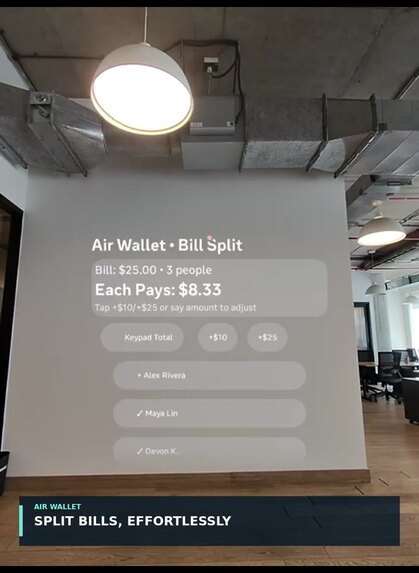
Bill Splitting
-
Home
Inspiration
We believe the next evolution of computing will move beyond phones and laptops into devices that seamlessly integrate with our everyday lives.
Smart glasses offer an entirely new way to interact with technology, but financial services and commerce are still largely designed around screens, apps and manual navigation.
We asked ourselves: What if you could interact with your money simply by looking, speaking and tapping?
That question inspired Air Wallet, an ambient AI-powered wallet that transforms Meta Ray-Ban Display glasses into a hands-free interface for payments, shopping and personal finance.
Our vision was to bring financial interactions closer to the real world, making them contextual, intuitive and effortless.
What it does
Air Wallet brings together payments, shopping and financial intelligence through six key experiences:
- Glance-to-Pay: Scan merchant QR codes through your glasses and initiate payments using PayPal.
- AI Visual Shopping: Look at a physical product and let Gemini identify it, estimate its price and help you make a purchase decision.
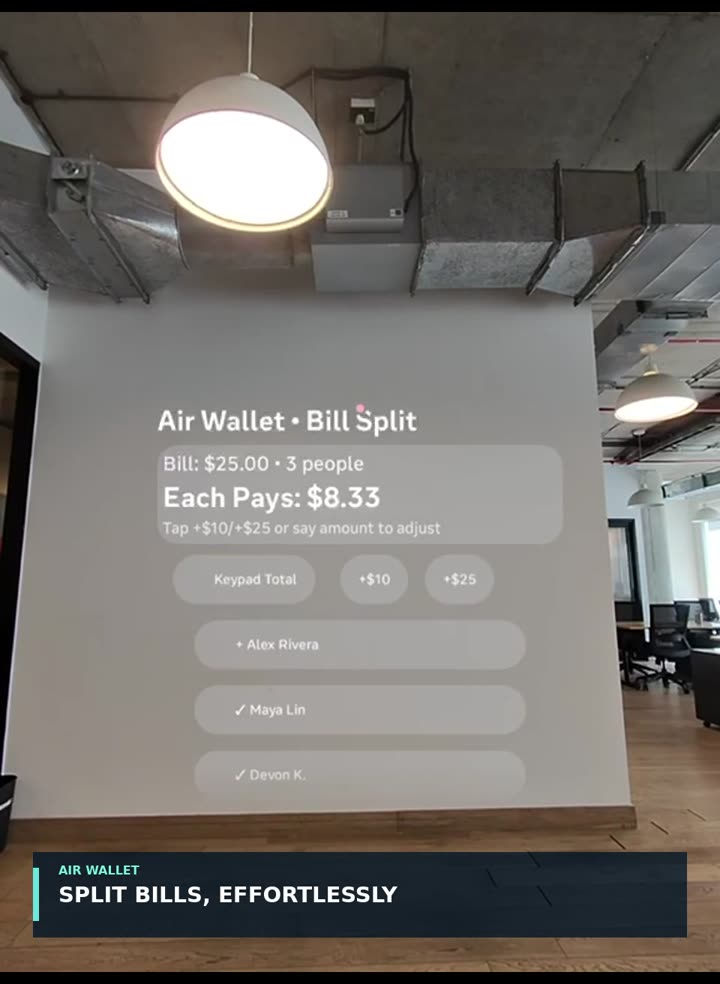
- Smart Receipt Scanning: Scan paper receipts, extract merchant details and itemised expenses, and split bills with friends through PayPal Invoicing.
- Financial Intelligence: Ask questions about your spending, budgets and expenses using an on-device AI model, with voice responses and visual insights.
- Peer-to-Peer Payments: Send money to friends and contacts using PayPal Payouts.
- Glasses-First Interface: Access transaction details, shopping information and financial insights directly on the Meta Ray-Ban Display HUD.
The idea is simple: your wallet should be available wherever you are, without needing to pull out your phone.
How we built it
We built Air Wallet as a native Android application using Kotlin and Jetpack Compose, integrated with Meta's Wearables Device Access Toolkit (DAT).
Our technology stack combines:
- Meta Wearables DAT: Enables communication with the Ray-Ban Display glasses, including camera access, display rendering and speech interactions.
- Google Gemini 2.0 Flash: Powers multimodal AI for visual product recognition and receipt understanding.
- Google ML Kit: Handles QR code and barcode detection for quick merchant identification.
- Google LiteRT: Runs financial intelligence locally on the device, analysing transaction data and answering spending-related questions.
- PayPal Developer Platform: Integrates Orders API and Vault for payments, Invoicing API for bill splitting, and Payouts API for peer-to-peer transfers.
- Android/Kotlin: Manages the application lifecycle, device connectivity, user interactions and transaction workflows.
We designed the experience around the glasses display, using compact visual cards and voice interactions to make complex financial operations accessible through a minimal interface.
Challenges we ran into
Building a financial application for smart glasses presented challenges beyond conventional mobile development.
- Limited display space: Designing interfaces that communicate important financial information without overwhelming the user's field of view.
- Wearable device integration: Working with Meta DAT to coordinate camera streaming, display rendering, device sessions and speech interactions.
- Multimodal AI: Making sense of different real-world inputs, from physical products to QR codes and paper receipts.
- On-device intelligence: Bringing useful financial insights onto the device while keeping transaction data processing private and efficient.
- Payment integration: Connecting multiple PayPal APIs and designing reliable workflows for payments, invoices and payouts.
- Interaction design: Finding the right balance between hands-free convenience and deliberate user confirmation for financial actions.
Accomplishments that we're proud of
We're proud to have brought together several technologies that are rarely experienced together in a single wearable application.
Air Wallet combines Meta's smart glasses platform, multimodal AI, on-device machine learning and multiple PayPal services to explore an entirely new interface for financial services.
Some of the highlights include QR-based payments through the glasses, visual product recognition, automated receipt itemisation, PayPal-powered bill splitting and voice-based financial insights.
Most importantly, we built the experience around an actual smart glasses device rather than treating the glasses as just an extension of a mobile application.
What we learned
This project taught us that building for smart glasses requires rethinking how people interact with technology.
A successful wearable experience isn't about putting an entire mobile application on a smaller display. It's about understanding the user's context and showing only the information that matters at that moment.
We also explored how different AI approaches can complement one another: cloud-based multimodal AI for visual understanding, on-device intelligence for private financial analysis, and structured APIs for reliable financial operations.
We learned that convenience in financial technology must always go hand in hand with security, transparency and user control.
What's next for Air Wallet
Air Wallet is our first step towards a broader vision of ambient commerce.
We envision a future where smart glasses can recognise the world around us and make relevant services available exactly when needed.
Future possibilities include contextual payments, personalised shopping recommendations, automatic expense tracking, intelligent budgeting, loyalty programmes and deeper integrations with merchants and financial services.
As smart glasses evolve, we believe Air Wallet can become a new interface between people, their money and the world around them making everyday commerce as simple as a glance.
Built With
- android
- barcode-scanning
- generative-ai
- google-gemini-2.0-flash
- google-ml-kit
- jetpack-compose
- kotlin
- litert
- meta-ray-ban-display
- meta-wearables-device-access-toolkit-(dat)
- multimodal-ai
- on-device-ai
- paypal-invoicing-api
- paypal-orders-api
- paypal-payouts-api
- paypal-vault-api
- qr-code-scanning
- rest
