-
-
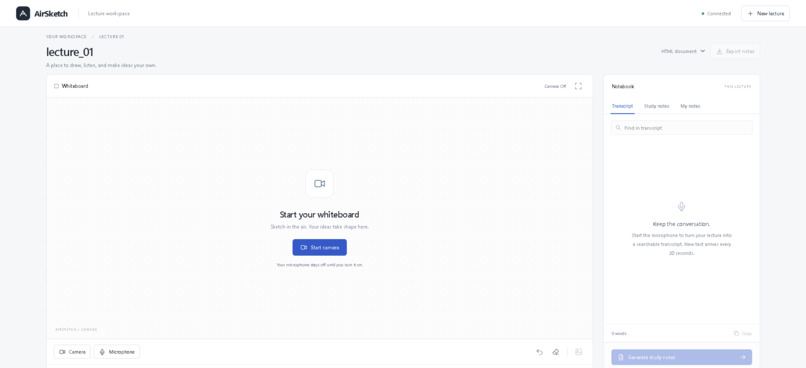
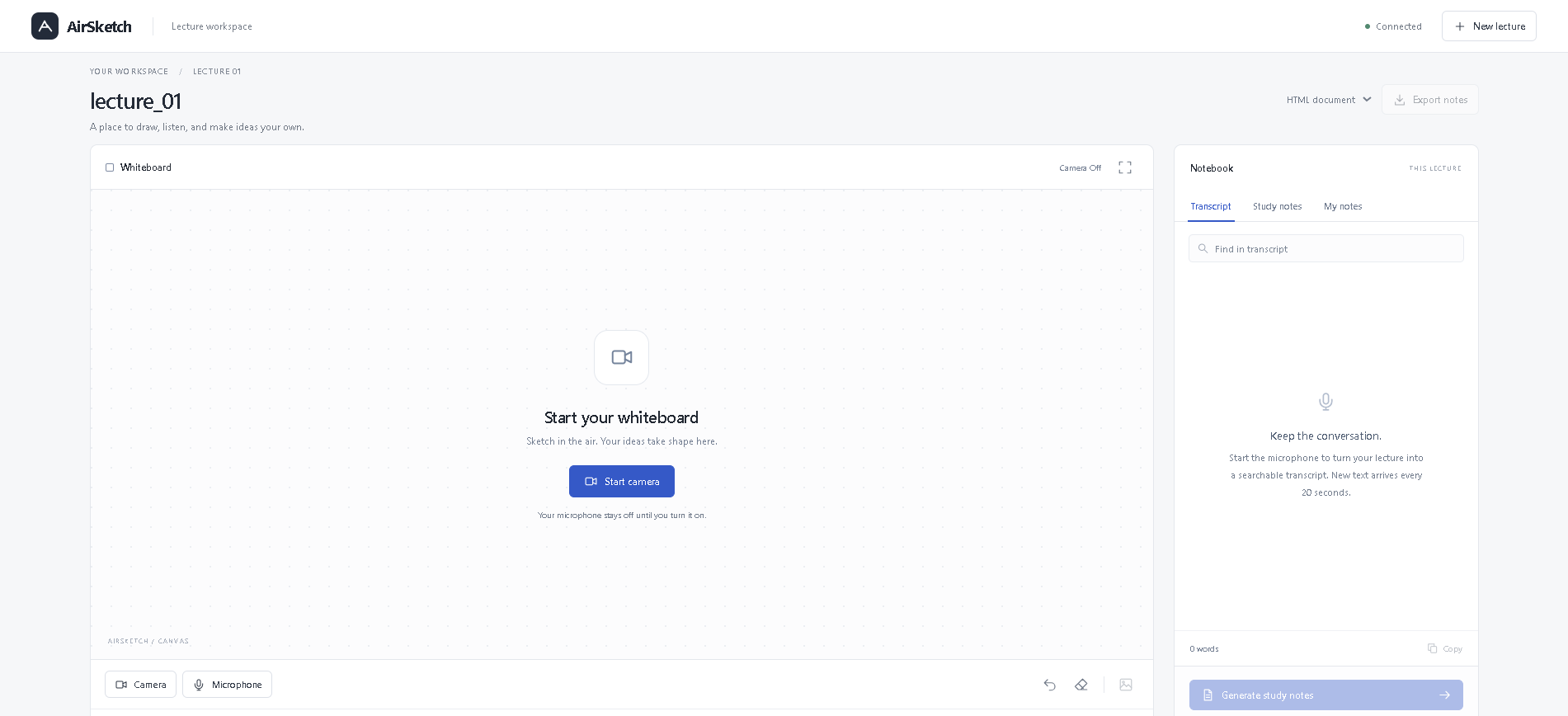
General UI for Airsketch
-
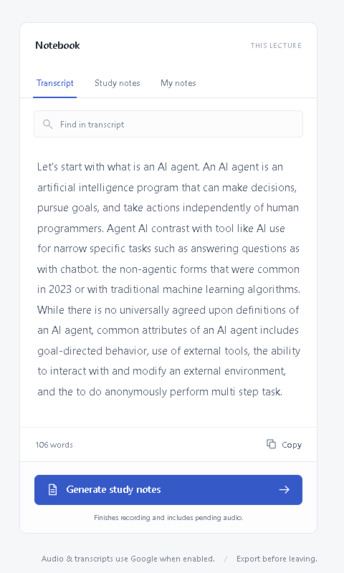
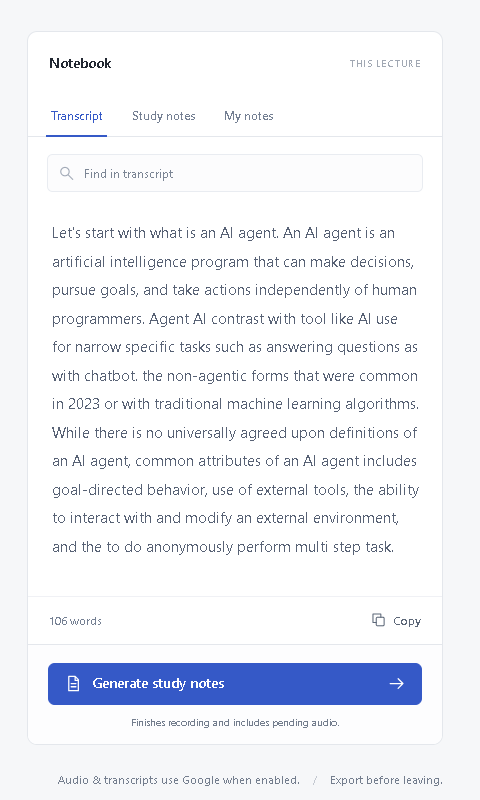
Here, in the transcript we can see audio is converted into text using Google's Speech-to-text model(chirp 3)
-
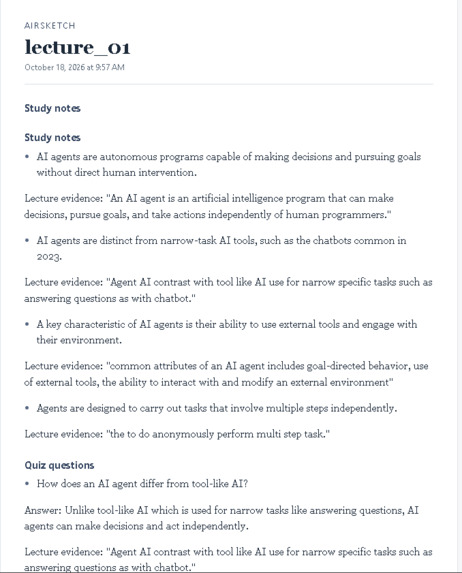
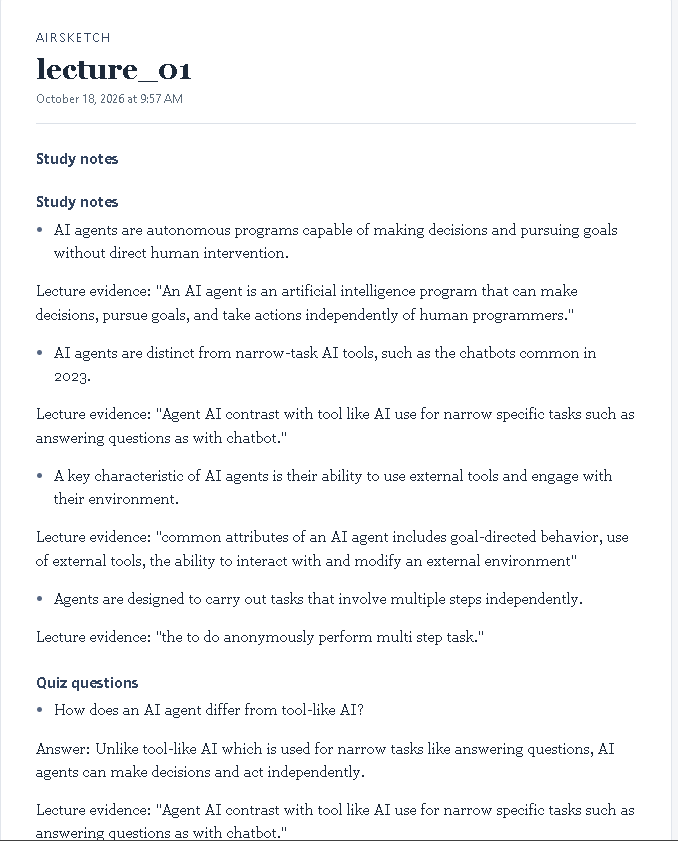
This is the compiled HTML document of study notes that we have downloaded
-
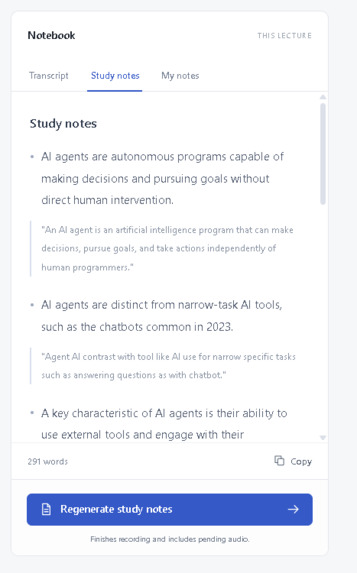
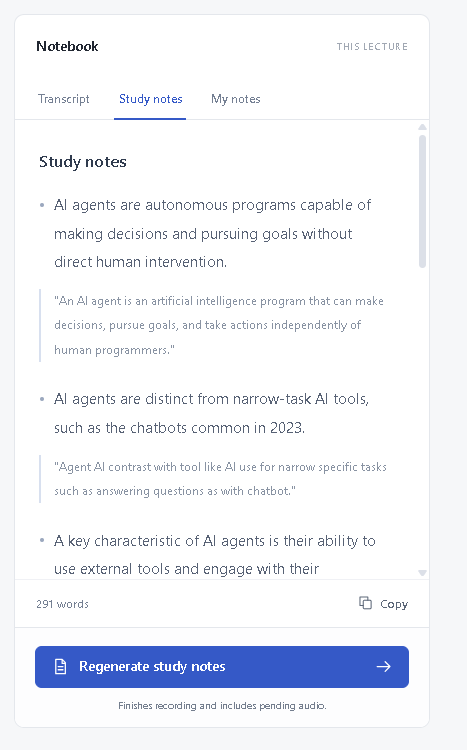
Now by clicking generate study notes, Gemini 3 Flash Preview will generate a nice detailed study notes and quiz based on transcript.
Inspiration
In a lecture, the board and the spoken explanation live in different places. The presenter writes, students listen, and the useful review material is assembled afterward by hand. I wanted one laptop to keep the drawing and the lecture together, then turn that into notes a student can review.
What it does
AirSketch is a lecture workspace on one laptop. The webcam tracks one hand so the presenter can write on the live video. The browser records the lecture. Google Speech-to-Text turns that audio into a transcript. Generate turns the transcript into study bullets and quiz questions, and Export saves a formatted notes page.
The presenter pinches a thumb and index finger together to draw, the way they would hold a pen. Two raised fingers erase, three fingers change color, and a closed fist held for 0.6 seconds clears the board. Camera and microphone are separate controls. Personal notes stay in the browser tab.
How I built it
The page is React. A Flask API on 127.0.0.1 owns the webcam, runs MediaPipe Hands, and applies gesture rules. MediaPipe supplies the 21 hand landmarks. Draw, erase, color, and clear are geometric rules on those landmarks. No custom gesture model is trained.
The webcam image never leaves the laptop. Microphone clips of about 20 seconds go to Google Cloud Speech-to-Text (Chirp 3, location us). Only the finished transcript goes to a Modal function, airsketch-notes, which calls Gemini. If Modal fails, the laptop calls Gemini directly. If that also fails, AirSketch shows a local extractive summary and says that no quiz was generated. Each Gemini bullet is checked against a quotation from the lecture.
Challenges
MediaPipe does not install on Python 3.14, so the server runs on Python 3.12. On this Windows machine the React dev server also needed the webpack host check disabled before it would start.
The first pinch rule compared the thumb and index finger to the width of the palm. That was too loose, so a pointing hand still drew. Measuring the pinch against the index finger itself fixed the stray strokes.
The camera also froze or stayed black until capture, the 10-second lease, and reconnect handling were tightened. A slow driver is now reported instead of pretending the camera is already off.
The first key sent to Modal was not an AI Studio key, so Gemini returned 401 and Generate fell back to the extractive summary. An AIza key fixed study notes and quizzes.
Some speech uploads fail mid-lecture. Those clips stay queued, recording pauses, and Retry uploads sends the same audio again. The transcript is joined by clip order, not by whichever request finishes first.
What I learned
Gesture rules have to be strict, or a relaxed hand looks like a pen. A demo also needs a local fallback, because one cloud call will fail at the worst moment. Keeping the camera on the laptop and sending only the transcript to the model makes that privacy boundary easy to explain.
AI disclosure
Cursor was used during HackGB to write and revise this application, including the React page, the Flask server, the gesture rules, and the README. The running product does not call that assistant. MediaPipe Hands detects the hand. Google Cloud Speech-to-Text transcribes the microphone clips. Gemini writes the study bullets and quiz questions, through Modal when that URL is set. AI study notes can be wrong. Matching a quotation from the lecture does not prove every conclusion.

Log in or sign up for Devpost to join the conversation.