Inspiration
Since we're all interested in music production, from the start we knew we wanted to build something related to music. We found our opportunity when investigating the hardware track and considering what we could do with the Arduino UNO Q.
We wanted to take full advantage of being hardware-enabled and go outside the bounds of App Lab Bricks, so we ended up using servo motors ot physically interact with one of our MIDI keyboards! At first we planned on reading sheet music with computer vision, but our plans took a few turns and we ended up relying on hand movements as our input instead.
What it does
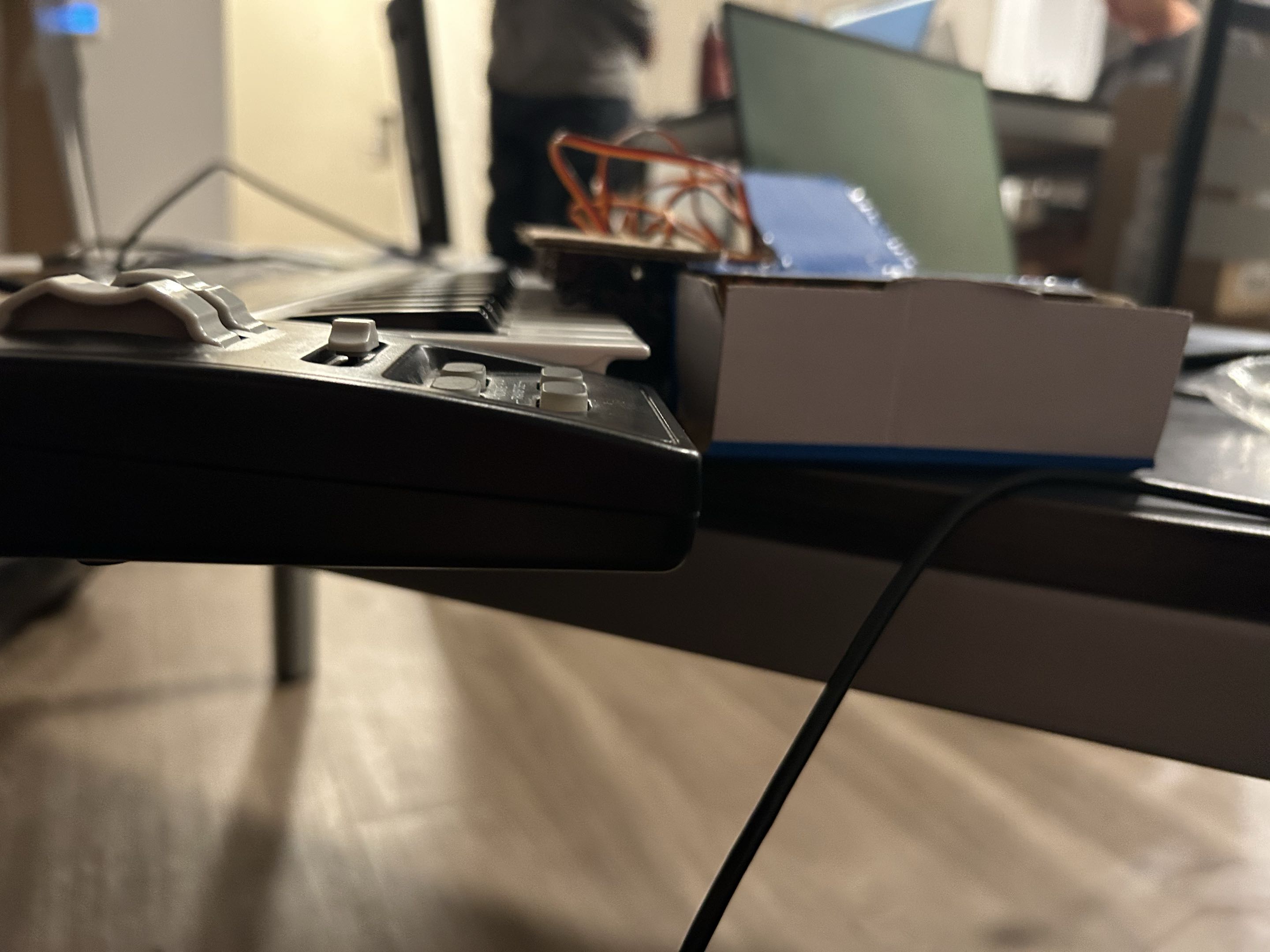
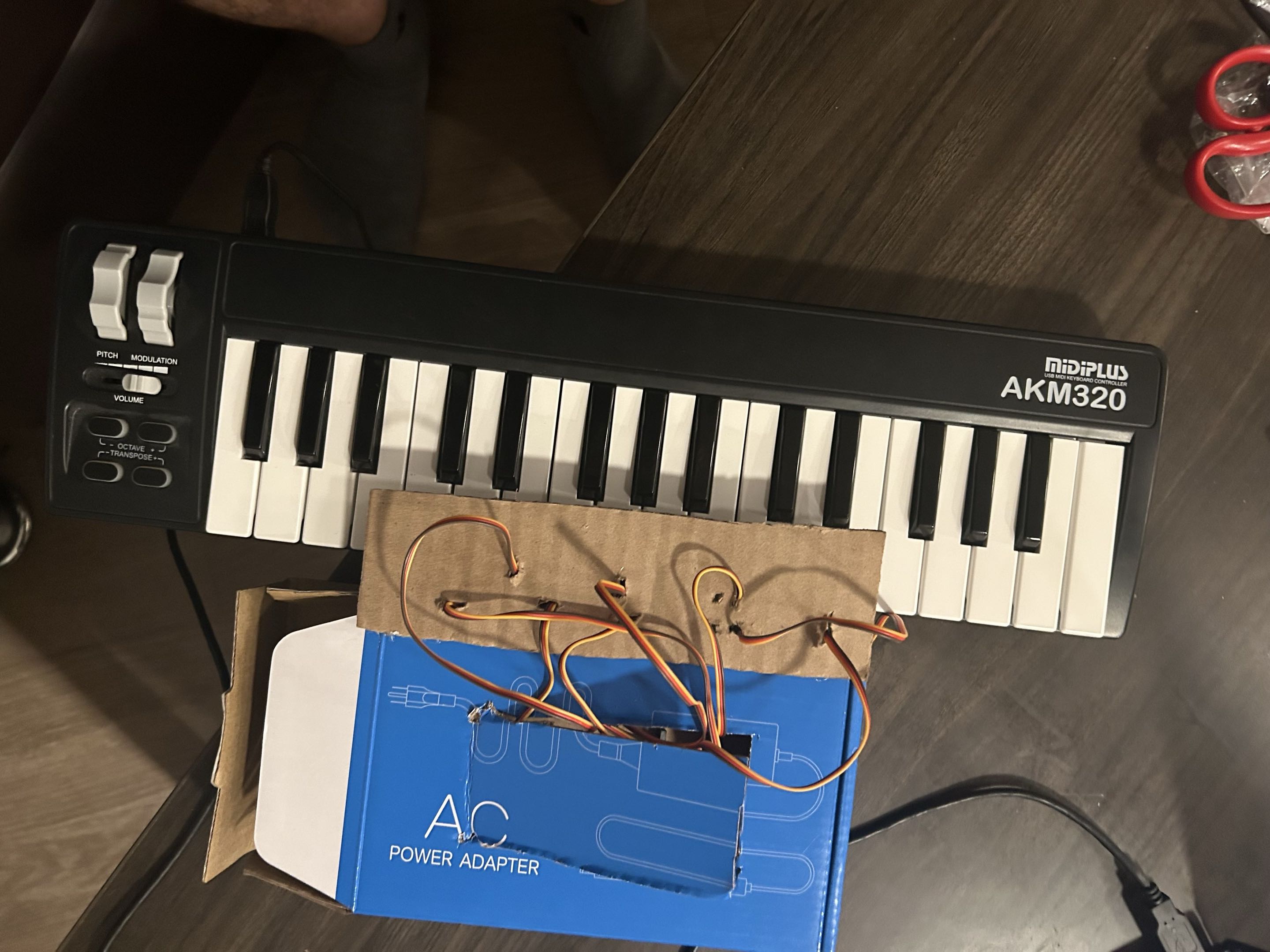
AirPiano will track your hand with a camera and map your finger movements to keypresses on an actual keyboard (see photos below).
When you move your finger in the air, the Arduino will press the corresponding piano key, letting you play music from a far.
Because we haven't gotten the chance to fully tested our integration, the project demo is more simplified and demonstrates the hardware, but the CV side is finished as well.
How we built it
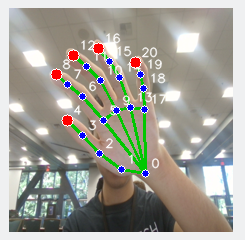
For input we found a hand tracking CV model (Google's (MediaPipe Hands)[https://github.com/google-ai-edge/mediapipe/blob/master/docs/solutions/hands.md]) and leveraged Edge Impulse to optimize the model for our Arduino. Because it wasn't a built-in brick, this took some custom Python logic based on MediaPipe code to connect the model with the rest of our sketch.
The model detects the positions of fingers in 3d space for each frame, which we used to find if someone's finger was pressed or not. We then mapped the pressed fingers to imaginary keys using Python logic.
On the hardware side, we used the webcam, Arduino UNO Q, and USB hub provided by the Qualcomm track; we also took our teammate's MIDI keyboard and constructed a box around it to house servo motors for activating each key.
As we built our project, we tried to take advantage of all the tools we had available: the Arduino's powerful Linux environment, the additional hardware we had, the app lab, and models online.
Challenges we ran into
Our first challenge was getting familiar with the tools we had available: we had to research the strengths of the Arduino UNO Q's processor, learn about the App Lab, and figure out how to take advantage of Edge impulse. Since we didn't start out with as much hardware experience, it took reading a lot of tutorials and talking with other teams.
Because our hand tracking didn't fall into object detection or categorization, we also needed to learn how to go beyond the bricks provided in the App Lab, so we ended up having to look behind the scenes and figure out how apps were loaded onto the Arduino.
We also ran into some technical issues when using the USB hub, since we couldn't connect via the wire and had to rely on a networked connection. Furthermore, because our project was so customized, we ran into a number of build and dependency issues when loading it onto the Arduino so we spent much of the time debugging those. They aren't fully resolved, but we gained a deeper understanding of how things work under the hood.
Accomplishments that we're proud of
One of our proudest moments was first getting the customized hand tracking model working in a Jupyter notebook and rendering the output over our photos. At first we had been worried about how well it would fit our use case, but the tracking ended up working well.
Our next big accomplishment was getting the servo motors running via Bridge communication between the Python code and the sketch. After that, we slowly put pieces together (physically and in software) and got our project working. Around midnight on Sunday, our most basic hardware proof of concept was working, and independently, our hand tracking model!
What we learned
This process taught us a lot about our tools, especially the Arduino. We went from a basic understanding to having a good conceptual model of the ecosystem, and how the various parts fit together to help us finish our work. Also, since we came in without much ML experience, testing and integrating the model was a learning experience.
Teamwise, we figured out new ways to progress when things weren't working and learned to adapt to new situations.
What's next for AirPiano
AirPiano definitely isn't perfect, and some of our main limitations arose out of a lack of time. In the future, we'll want to completely finish the integration and then make improvements to the experience:
- Letting you play chords. We currently only allow one note at a time because of power concerns
- Integrating a WebUI frontend to see the camera feed in real time
- Letting you play with two hands and adding more servo motors for multiple octaves


Log in or sign up for Devpost to join the conversation.