-
-
UI SCREENSHOT
⌘ AirKeys — AI Wireless Keyboard for Mac
INSPIRATION Typing on a Mac while holding an iPad? Awkward. I wanted a seamless way to use my iPad as a wireless keyboard — no cables, no separate apps, no complexity. Just open a URL and start typing.
WHAT IT DOES AirKeys turns your iPad into a fully-functional wireless keyboard for your Mac. Connect via a simple one-line setup, open a URL in Safari, and type directly onto your Mac from anywhere — same WiFi, different network, across the room, or across the world via SSH tunnel.
WHAT MAKES IT SMART
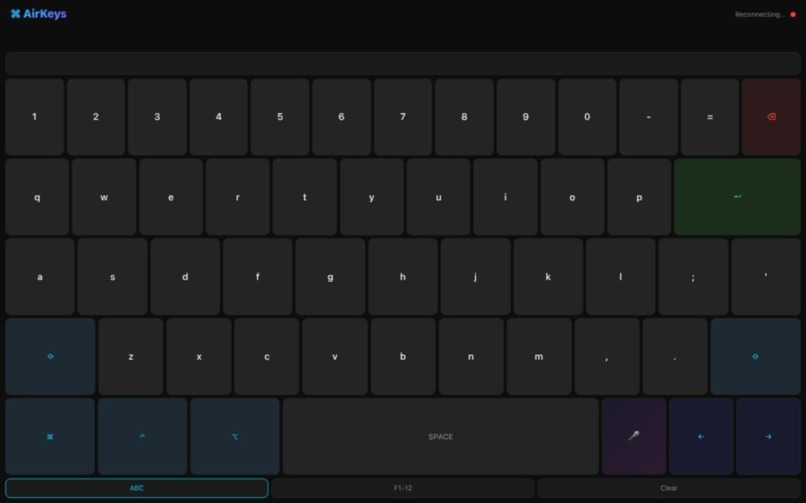
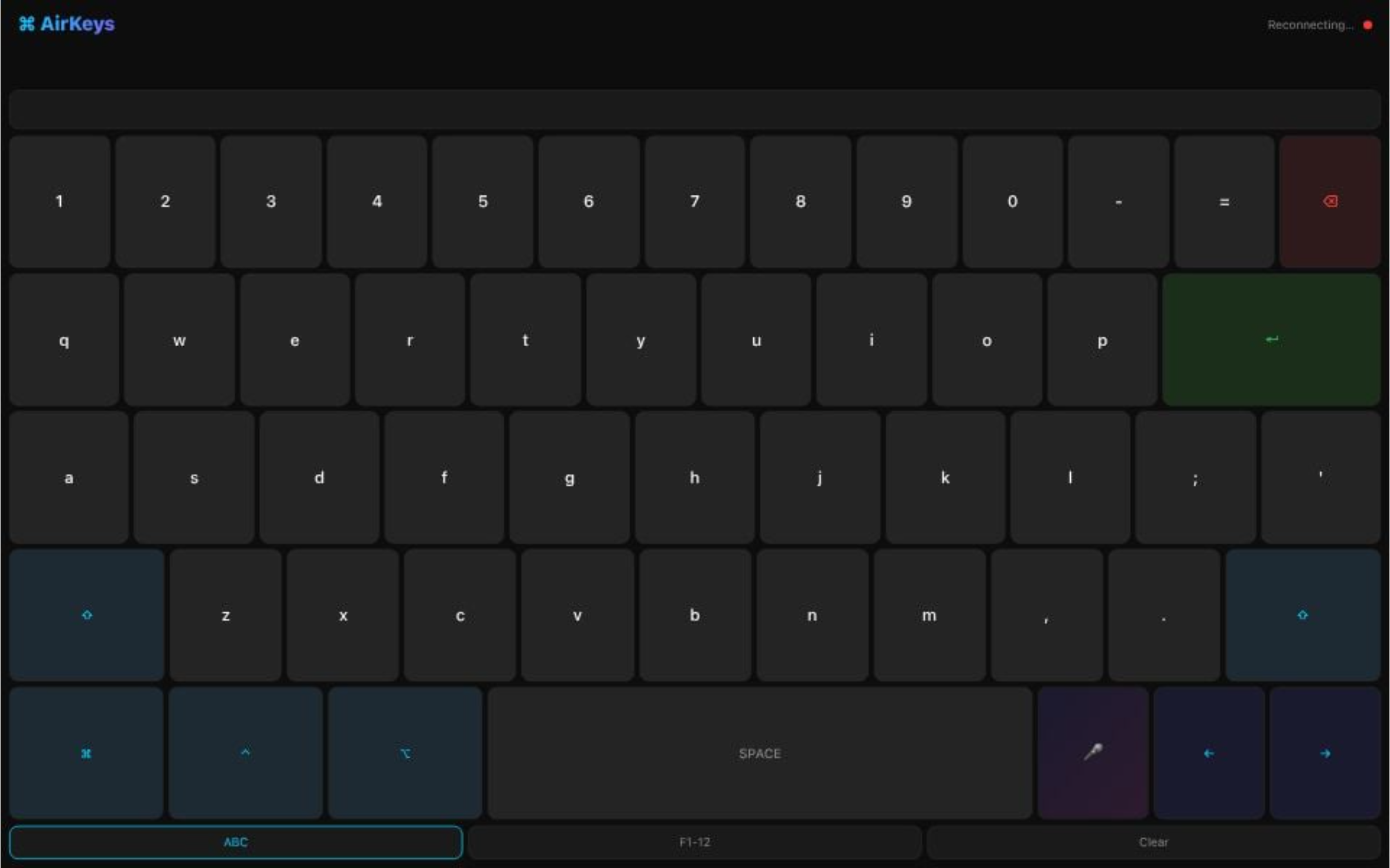
- Full QWERTY + Modifiers — Numbers, letters, shift, command, control, option, function keys (F1–F12), arrows, backspace, return
- Voice Input — Tap the 🎤 button, speak naturally (Web Speech API)
- Claude Haiku AI Suggestions — As you type, the server offers contextual text completions powered by Claude
- PWA + WebSocket — Works in any browser, auto-reconnects, zero app installation
- Single-Port Architecture — One command starts both HTTP server and WebSocket tunnel; Vercel-deployed UI preview
- Public via SSH Tunnel — localhost.run integration means judges can test without their own Mac setup
HOW I BUILT IT Frontend: Single-file HTML5 PWA (iPad-optimized, dark theme, zero dependencies) Backend: Python asyncio server with websockets on port 8766; pyautogui for keystroke injection AI Layer: Claude Haiku API for text suggestions via server (not exposed to frontend) Deployment: Vercel static hosting (UI preview); local Python server (functional backend) Tunnel: localhost.run for public access without ngrok account or paid tier
CHALLENGES
- iPad + Mac Keystroke Injection — pyautogui only works on macOS, so the keyboard HAD to be iPad-to-Mac, not the reverse
- Single-Port Design — HTTP static files + WebSocket on same port required websockets.asyncio.server with custom process_request hook
- Dynamic Tunnel URLs — localhost.run generates new URLs each session; solved with client-side auto-detection (location.protocol + location.host)
- CORS for AI Suggestions — Claude API calls needed server-side handling to avoid browser CORS blocks
- PWA Reliability — iPad Safari quirks with persistent connections; added exponential backoff reconnection logic
ACCOMPLISHMENTS ✅ Built a fully-functional wireless keyboard in ~8 hours ✅ Zero external dependencies (just asyncio, websockets, pyautogui, requests) ✅ Deployed to Vercel (UI at airkeys.vercel.app) ✅ Pushed to GitHub with complete documentation (github.com/nuriygold/airkeys) ✅ Tested end-to-end: iPad → Mac typing works flawlessly ✅ AI integration working (Claude Haiku suggestions appear in real-time)
WHAT I LEARNED
- WebSocket + Static Files on One Port — websockets.asyncio.server's process_request hook is powerful for hybrid servers
- Browser-Side Tunnel Detection — location.host is more reliable than hardcoding IPs for dynamic tunnel URLs
- pyautogui Limitations — Keystroke injection is OS-specific; architecture must account for platform constraints early
- PWA Deployment Trade-offs — Vercel handles UI great, but functional features (keystroke sending) still require local server + tunnel
WHAT'S NEXT
- Auto-Punctuation — Post-process voice input through Claude to add periods, commas, capitals automatically
- Mic Visual Feedback — Brighter active state (done: neon green #30d158)
- Custom Server Targeting — Let judges point to their own AirKeys instance (right now it connects to the tunnel URL)
- iOS Native Keyboard — Currently PWA; could build native iOS app for App Store
- Multi-Device Support — Support multiple Macs, Windows via different keystroke libraries
HOW TO TRY IT:
Option 1 — UI Preview (no setup): → Visit https://airkeys.vercel.app in your browser (shows the keyboard, red dot = no backend)
Option 2 — Full Setup (30 seconds):
- On your Mac, open Terminal and run:
bash bash launch.sh - Copy the tunnel URL from the output
- On your iPad, open that URL in Safari
- Start typing → keystrokes appear on your Mac (green dot = connected) ✅
GitHub: https://github.com/nuriygold/airkeys Tech Stack: Python · asyncio · websockets · pyautogui · Claude Haiku API · localhost.run SSH tunnel
Built With
- api
- claude
- javascript
- pwa
- pyautogui
- python
- speech
- web
- websocket


Log in or sign up for Devpost to join the conversation.