-
-
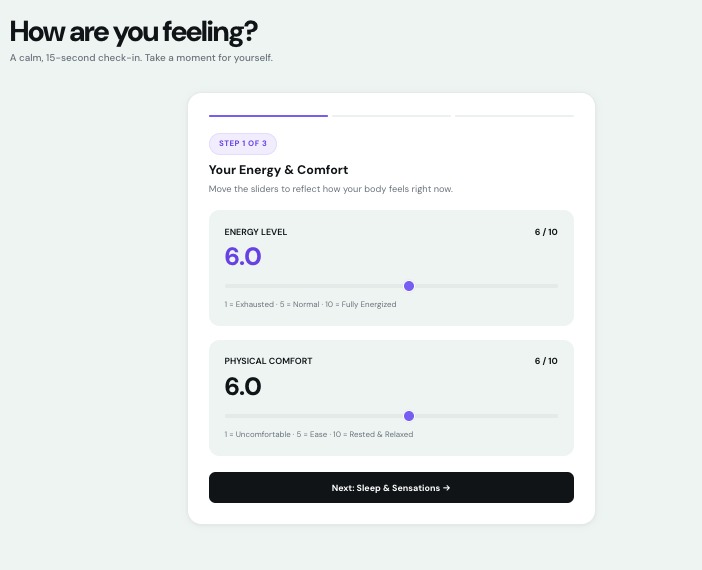
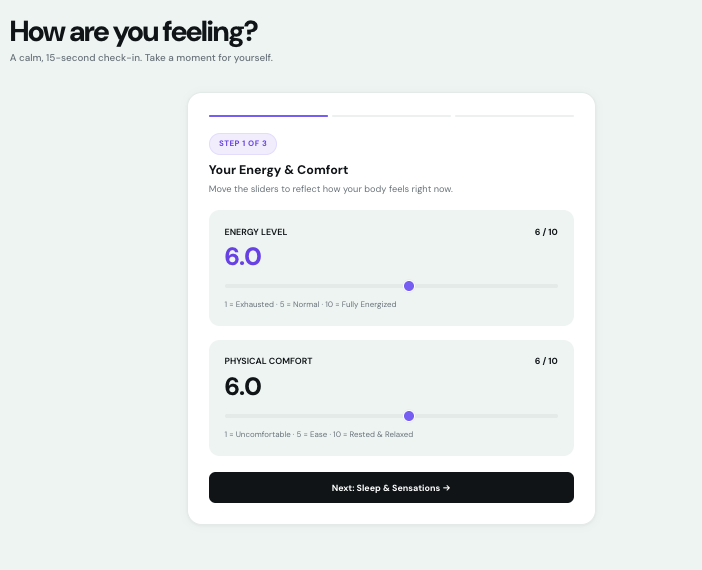
check in
-
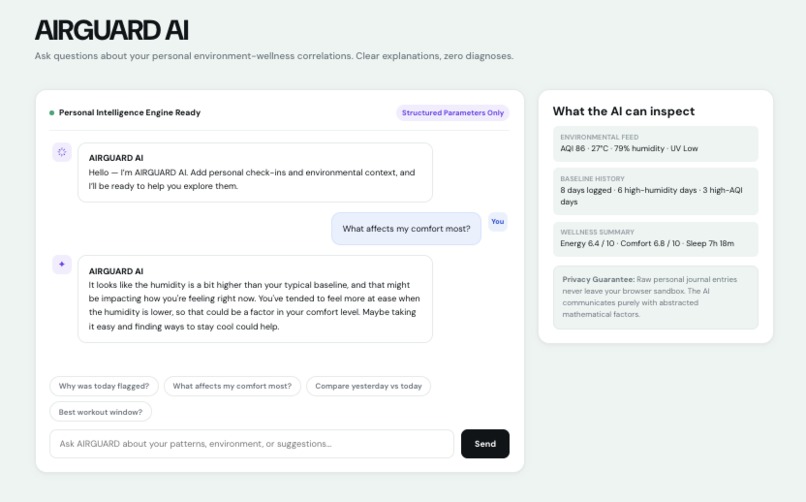
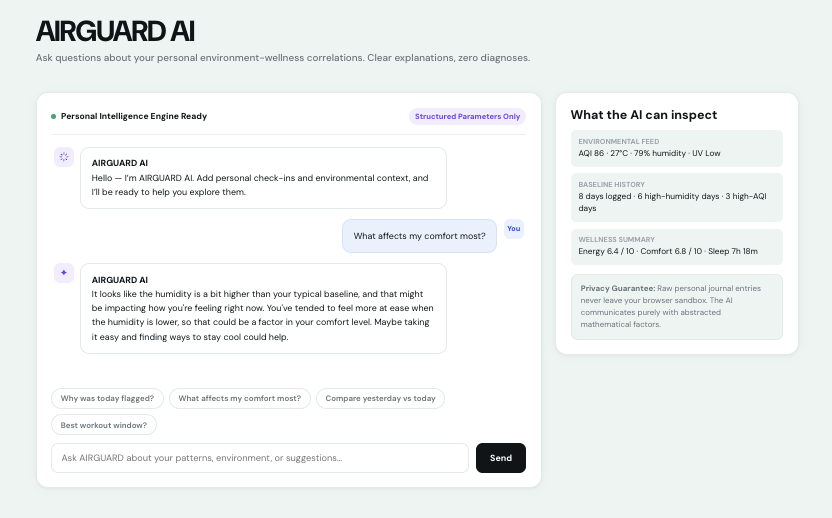
AI
-
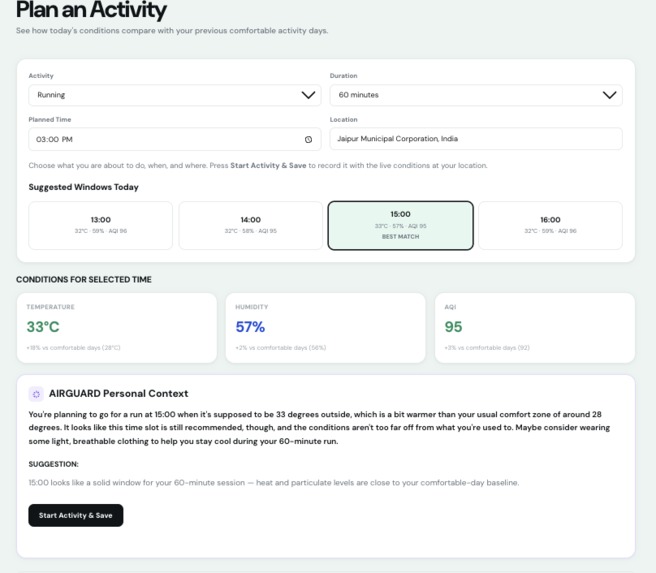
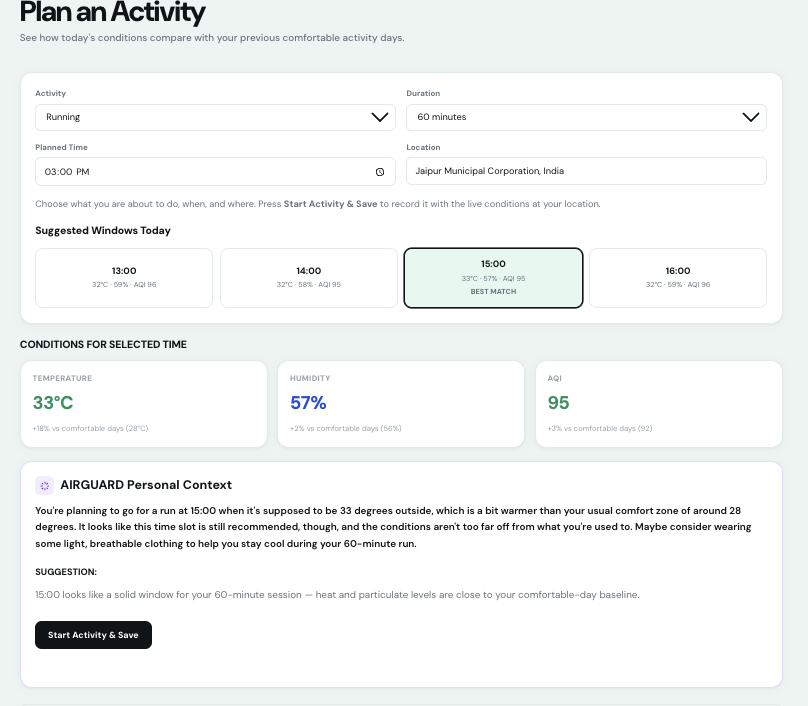
activity
-
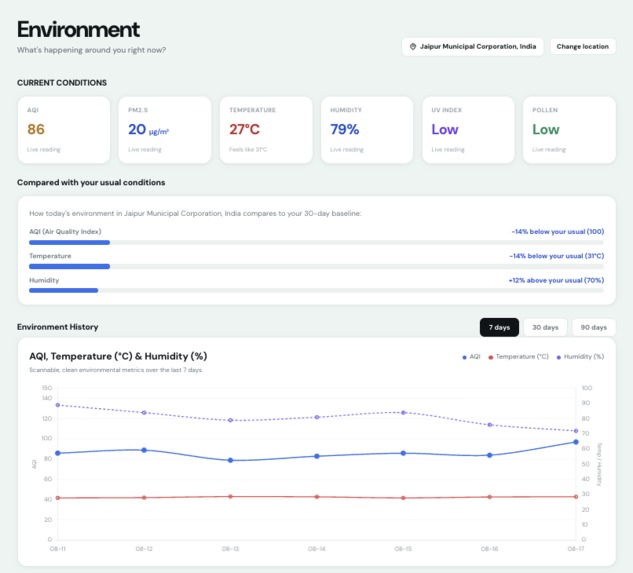
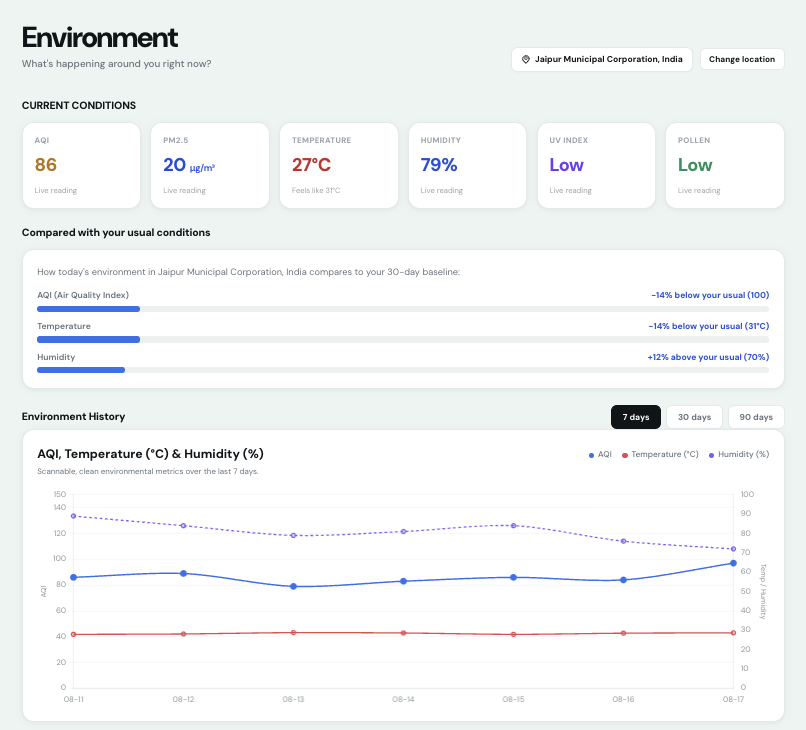
environment
-
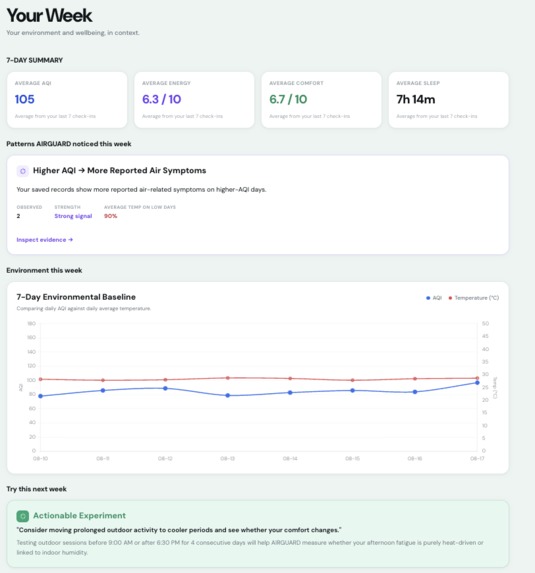
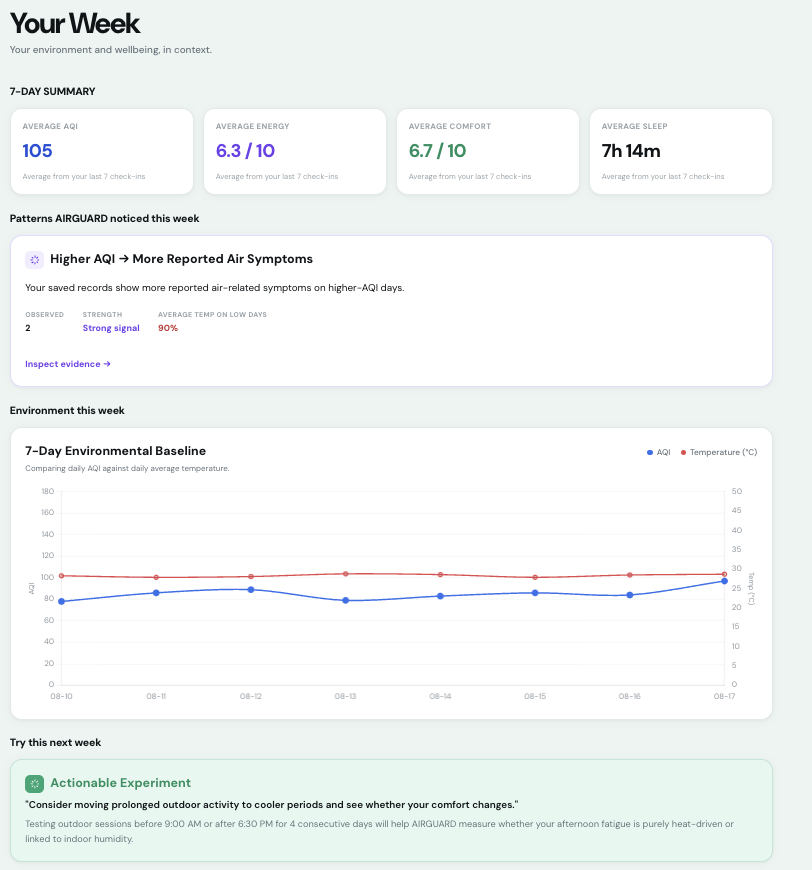
week overview
-
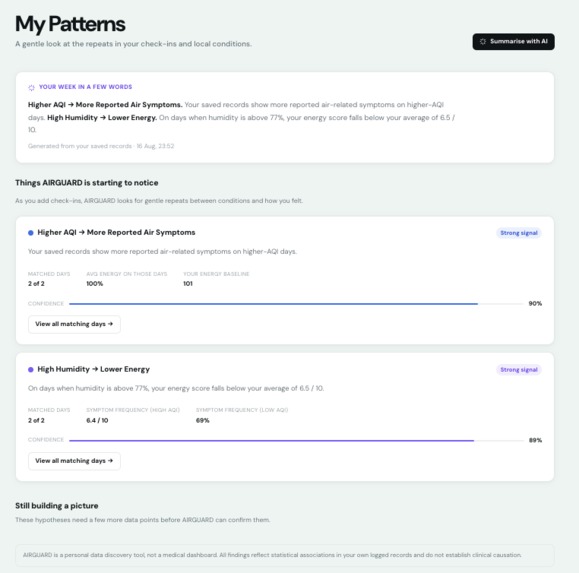
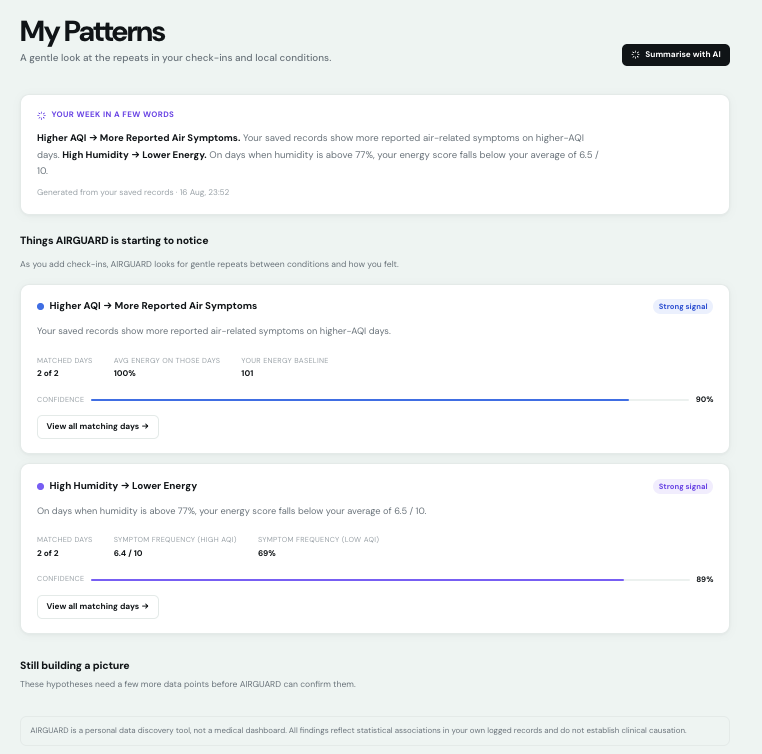
patterns
-
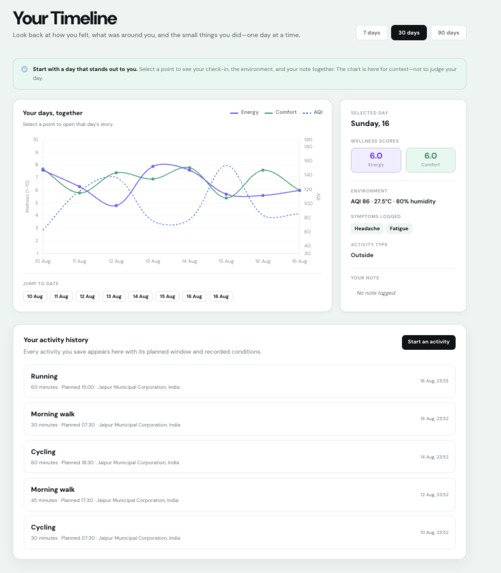
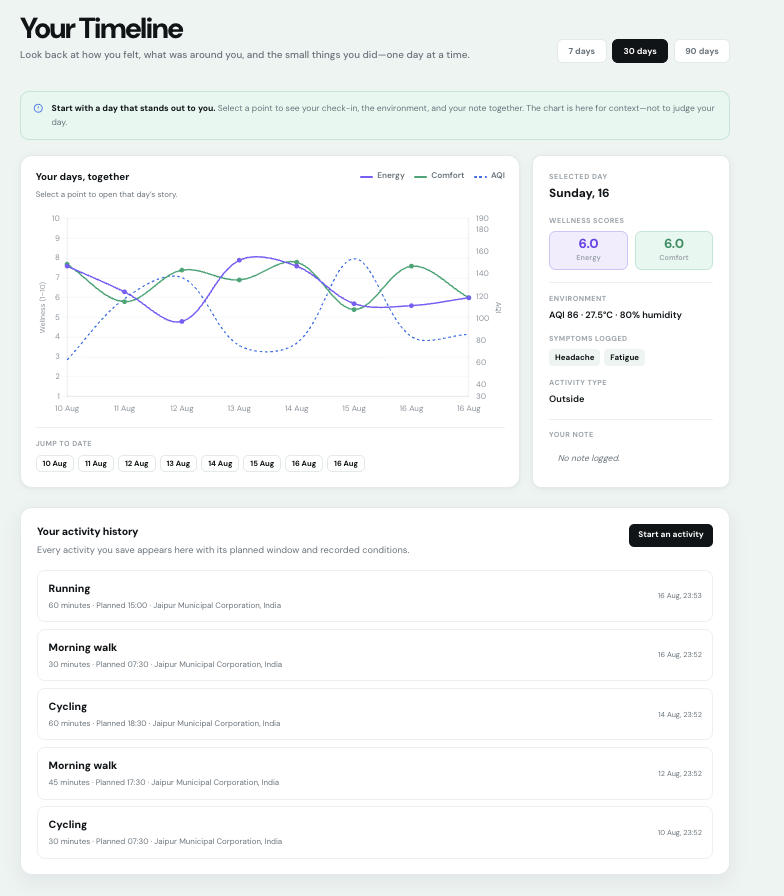
timeline
-
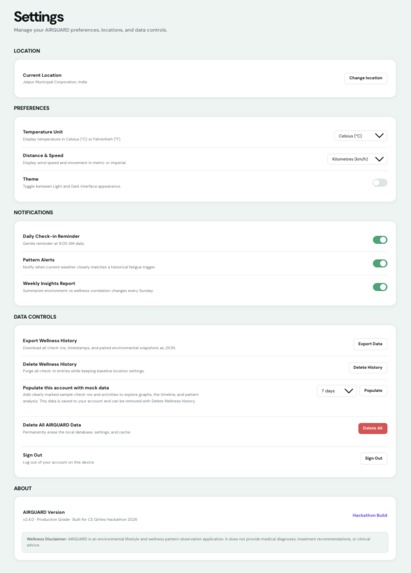
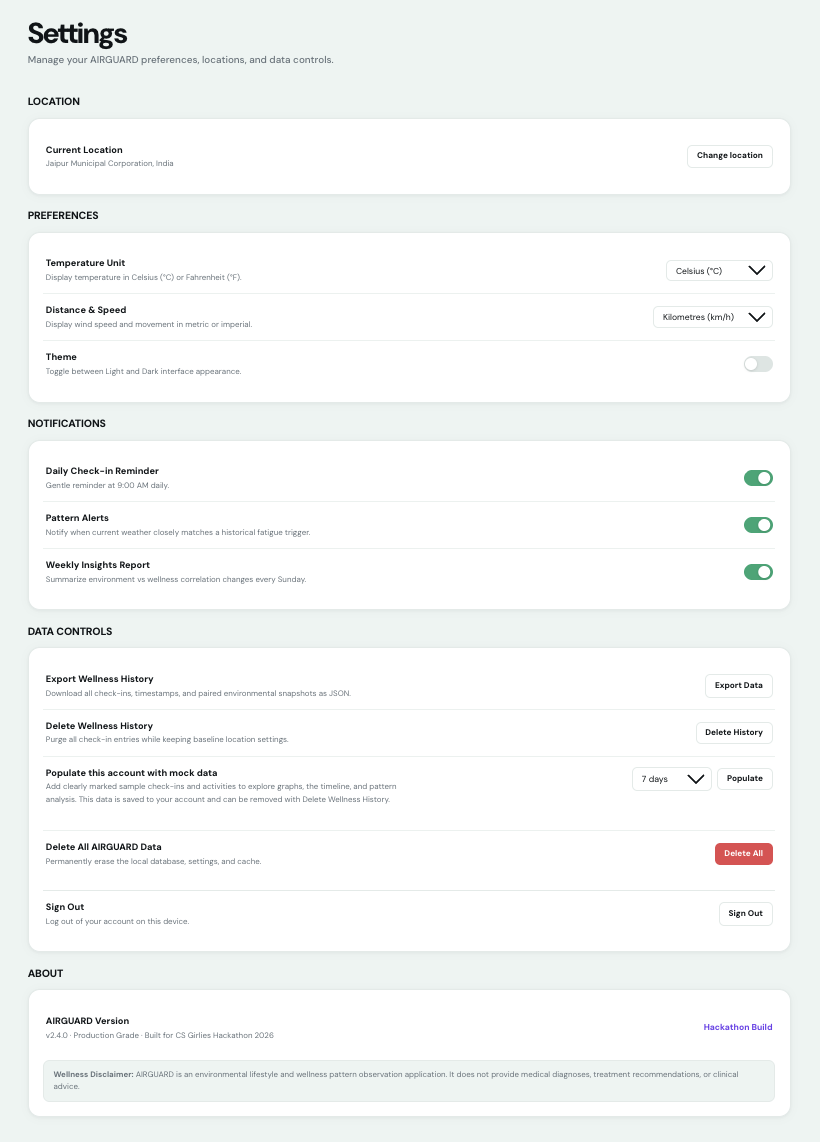
settings
-
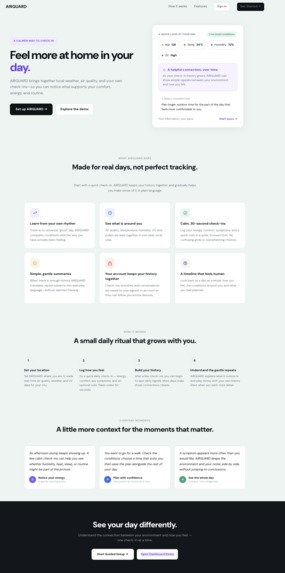
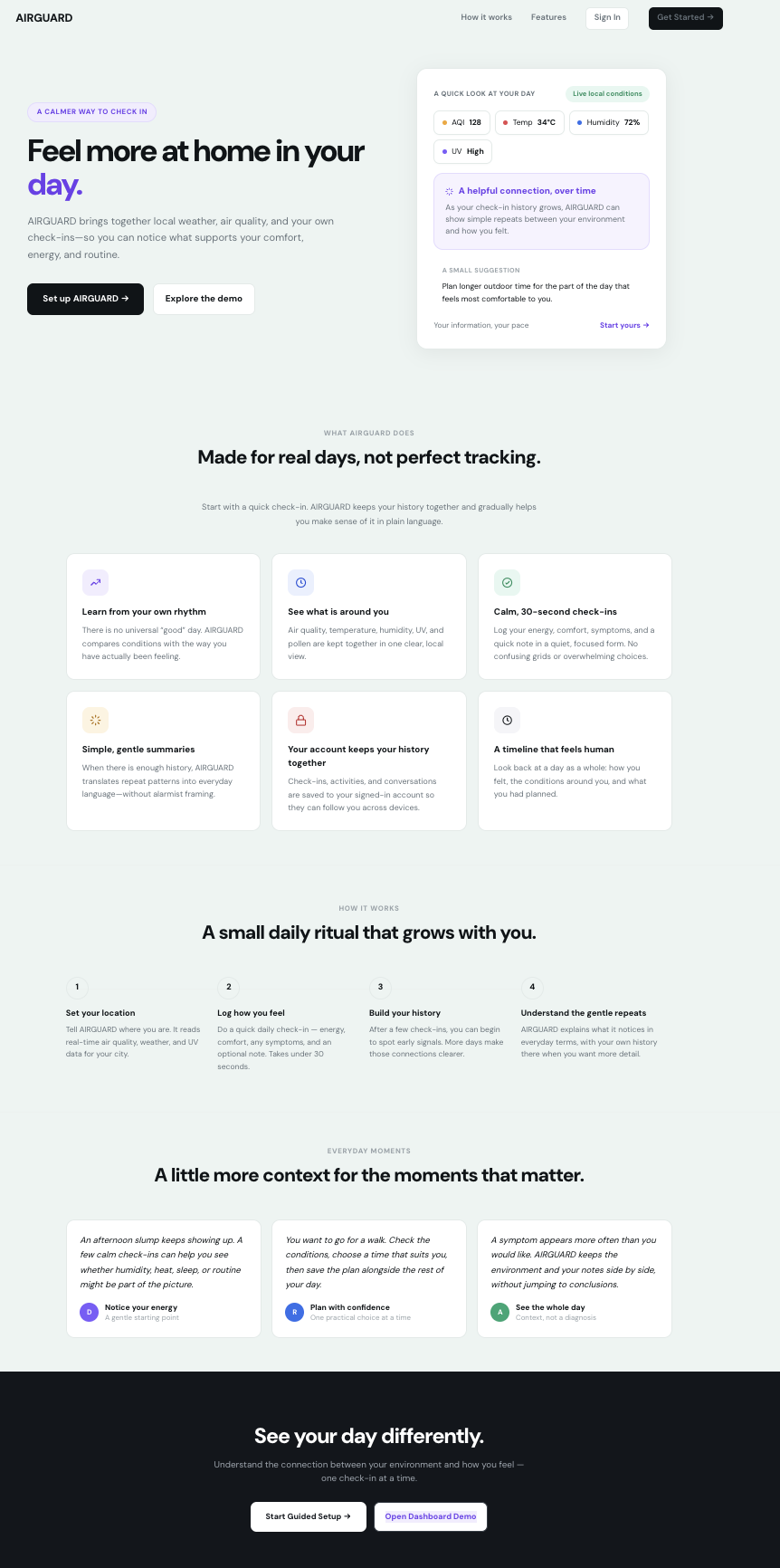
homepage
-
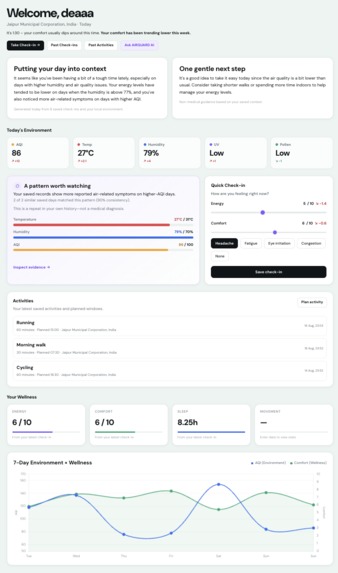
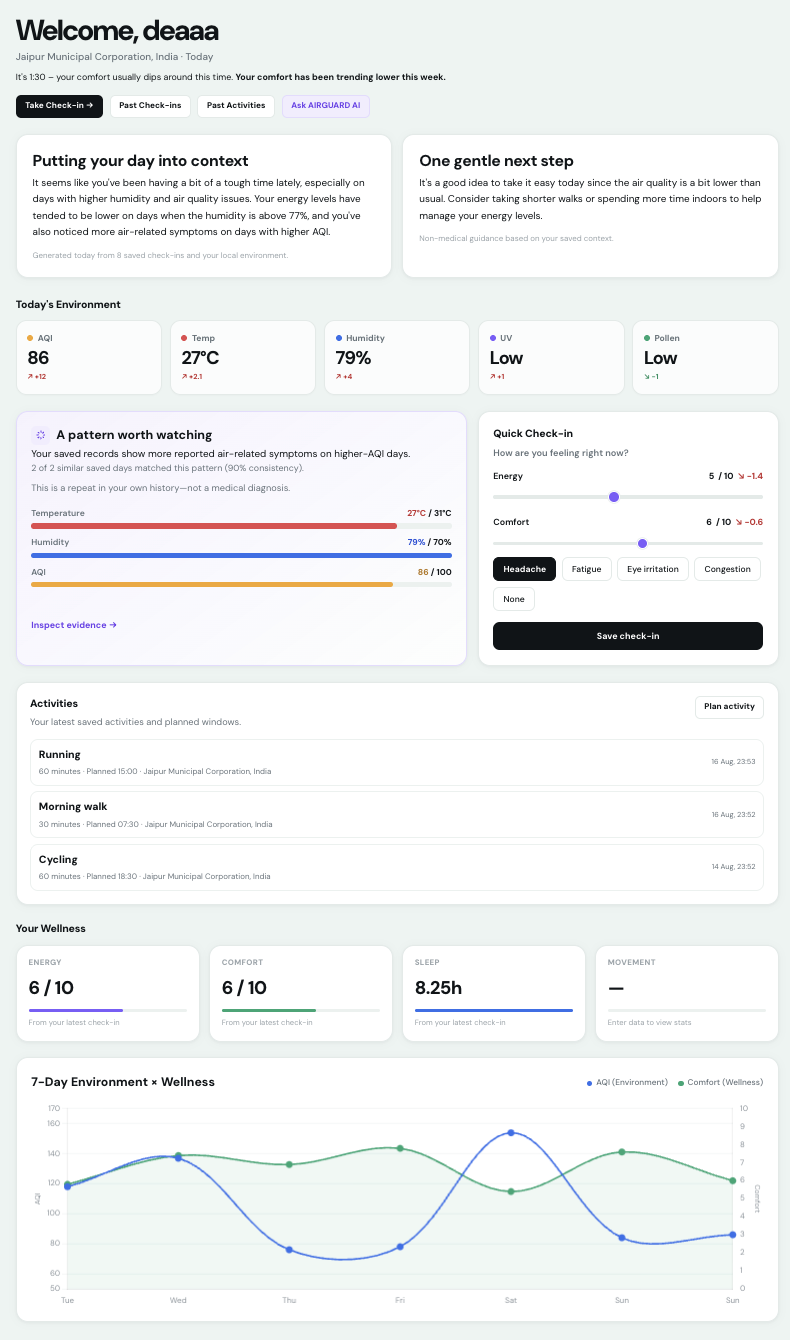
dashboard
-
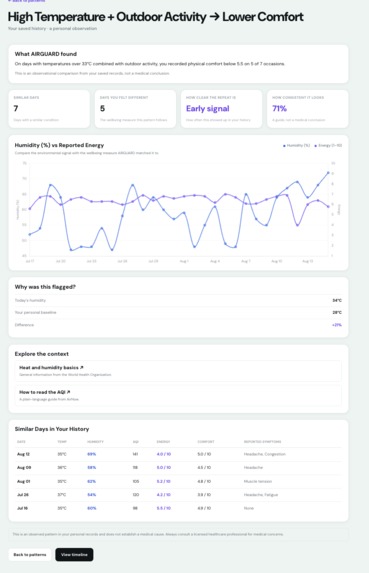
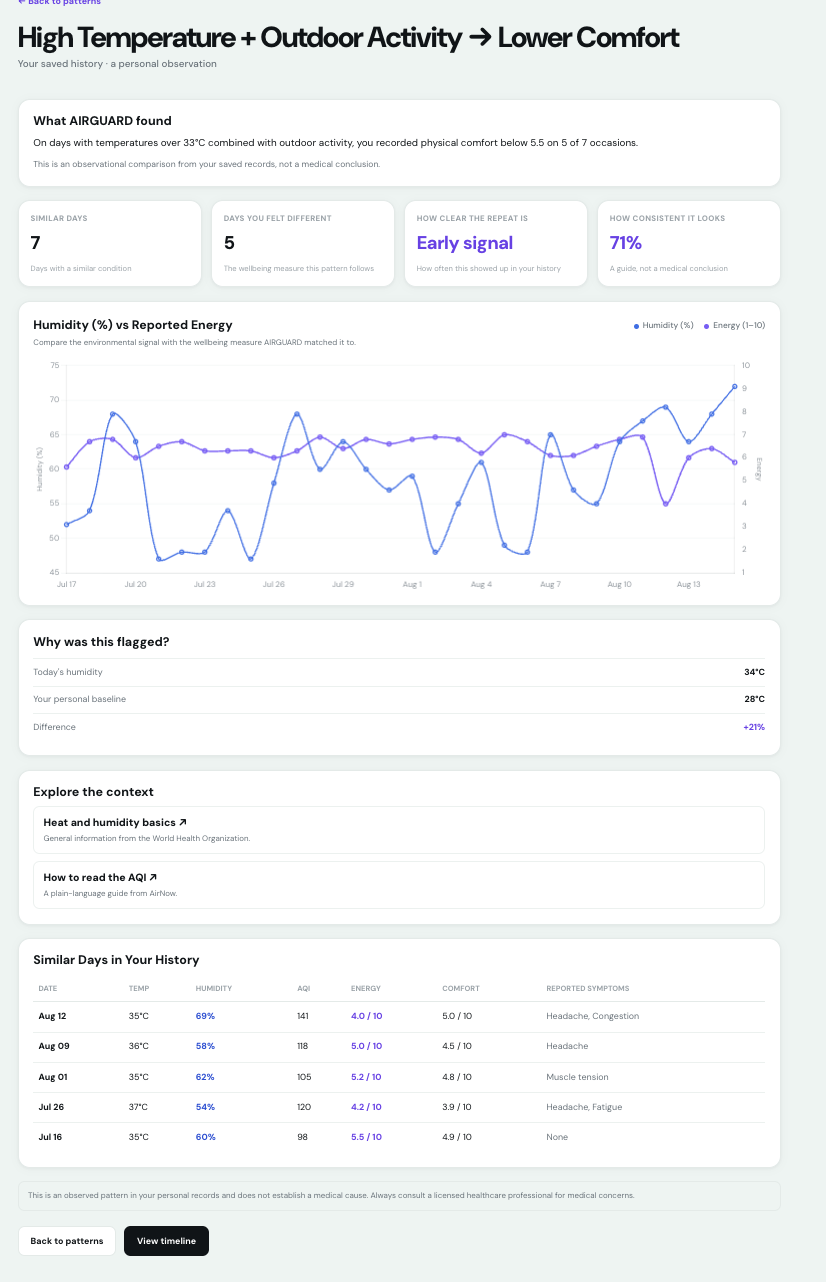
pattern expanded
-
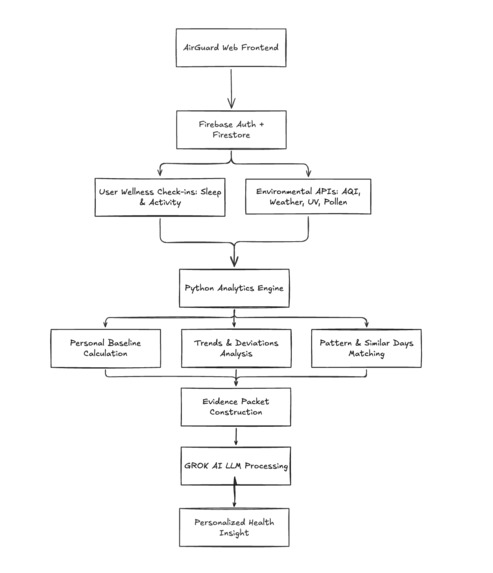
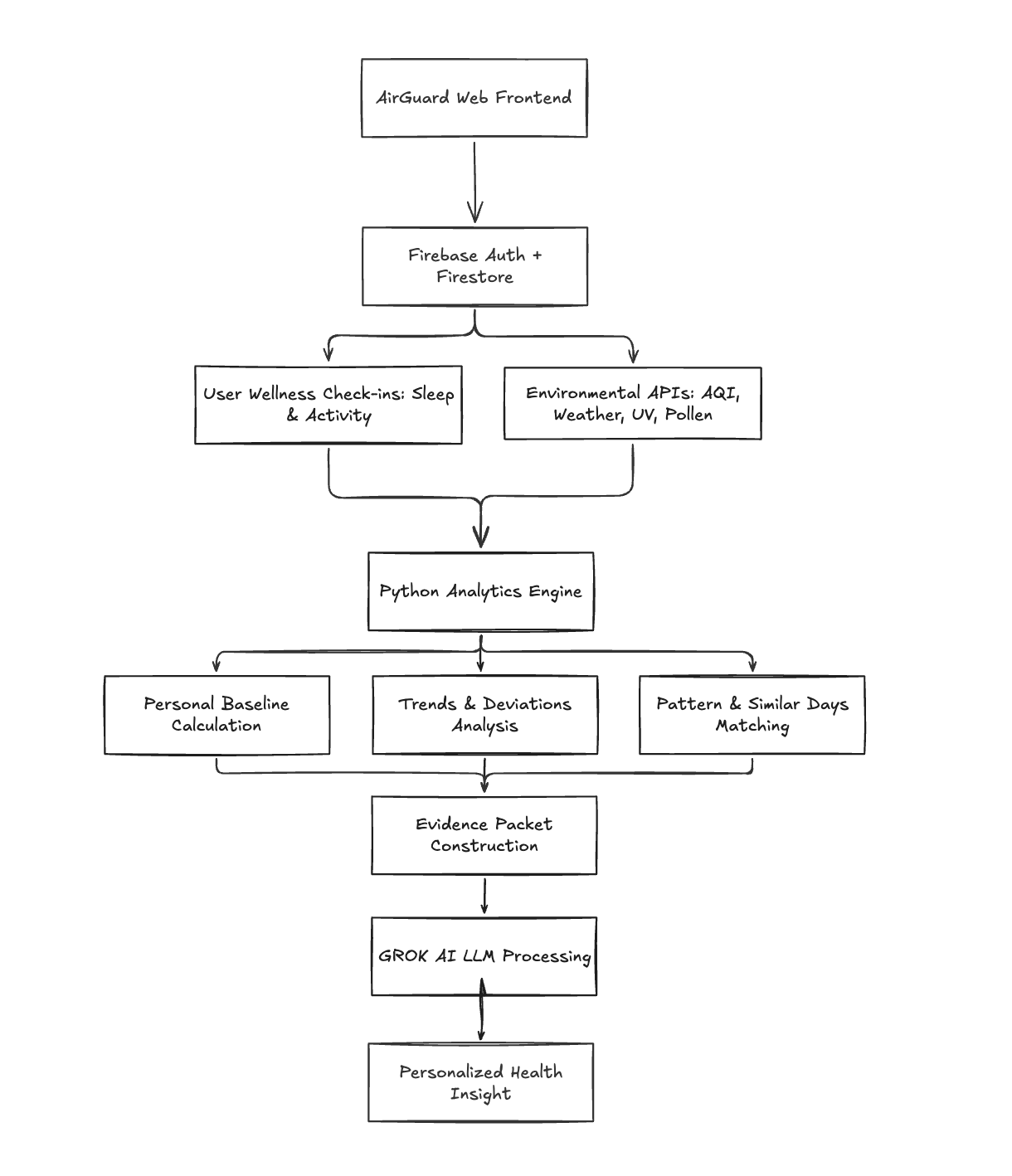
architecture diagram
Inspiration
Most of us have days where we feel inexplicably tired, foggy or irritable. It's easy to blame stress or sleep without even thinking about what's happening in the air around us. Heat, humidity and air quality can secretly influence daily energy and mood, but there aren't any existing tools or environmental data that help a person understand this connection. Weather apps have numbers, but no personal context. This is the gap AirGuard solves.
What it does
AirGuard pairs a quick daily check-in with live environmental data. It looks for patterns between the two over time. Rather than showing raw numbers or statistics, it explains findings in plain language, based on the user's historical data and not basic population averages. It also helps with forward-looking decisions, like picking a suitable time to exercise. It offers an AI chat interface for asking direct questions about your own trends.
- Check in: a quick 15 second log of energy, comfort and mood.
- Environment: live AQI, PM2.5, temperature, humidity, UV index, and pollen for the user's specified location
- Patterns: finds recurring relationships between environmental conditions and logged user data
- Timeline: a day-by-day history of the user's energy, comfort and their surroundings
- Activity planner: compares today's conditions to the user's past comfortable activity days before they head out, allowing them to set a recommended time with advice
- AirGuard AI: a smart chat interface to ask questions about user data and the environment around them
- Weekly insight: a rolled-up summary of the week's environment and wellbeing trends.
How we built it
We kept the stack simple to allow us to move fast and debug easily. We used HTML/CSS/JS on the frontend, Chart.js for visualisations, and Leaflet for interactive location picking. Firebase handles the authentication and stores user data and conversations, with Firestore security rules scoping every read and write. A lightweight Flask backend proxies the live environmental data and routing AI chat requests through Groq. It uses a local fallback in case of API failure so the app can still function gracefully. The UI/UX was designed on Figma, architecture diagrams were wireframed on Excalidraw, while the demo video was created on Canva.
Challenges we ran into
There were several challenges we ran into during the development process. We kept circling back to the UI to make it feel more intuitive and user-friendly. We kept altering the spacing, card layouts and language with multiple passes since first impressions matter a lot for a wellness product. Firebase Auth ended up being a deeper time sink too, it was a heavy task getting the sign-in state, cached user data and syncing to behave properly. On top of that, we ran into multiple security vulnerabilities, which were painstakingly resolved in a long debugging session. Some of these security issues included open CORS, a stores XSS bug in AI chat rendering and broken UI card math.
Accomplishments that we're proud of
We are genuinely proud of how well we collaborated throughout the project as a team working across different timezones. Staying in sync wasn't easy, but it didn't slow us down either. In under two days, we managed to ship a surprising amount of fully working features, from the live environmental tracking to pattern detection to an AI chat interface, which seemed daunting and ambitious at first. More than anything, we're proud of how creative the final project turned out. AirGuard connects two ideas nobody else saw the link between, which is exactly what makes it impactful.
What we learned
As a team, working across different timezones taught us how communication and well-defined ownership of features matter. We learnt how to coordinate, split tasks, simultaneously work on a repository by making individual branches and coordinating merges, and supporting each other throughout the entire development process. As for the technical side,
- UX Details (pacing, tone, plain language) are worth the repeated iteration, and are not a one-and-done pass
- Auth and shared states need deliberate handling across multi-page apps
- Never assume upstream content (such as AI output) is safe to inject
- Silent bugs shouldn't be overlooked, and should get a full code-base review
- Trusting teammates with their own piece of the project to help us more faster.
What's next for AirGuard
Looking ahead, we plan to wire up an encryption layer to secure user data. We'd also like to push the pattern detection further towards multi factor combinations, such as heat + poor sleep + high AQI, which is more likely to reflect how the environment really affects people. Beyond that, we want to take AirGuard from a working prototype to a fully deployed, proactive app which people can actually rely on day-to-day. We also plan to add richer AI chats with deeper historical context, additional data sources such as wildfire smoke alerts and extended air quality checks, native mobile integration or a PWA wrapper, and multi-location support for individuals who split time between two places.
Detailed AI Usage Summary
Google Antigravity (gemini 3.6 flash, free): scaffold the basic development of the front-end: suggest design changes, rapid prototyping, UX tweaks and improvements
Example prompt:
- Give me a full checklist of everything that we need to develop our app. What are all the necessary features that we need to implement, and how should we implement them?
- Make the experience more user friendly, if you were a user trying to improve their wellness with this website, what would you prioritise?
ChatGPT (thinking mode, free): ideation, theme analysis and expediting workflow by creating briefs
Example prompt:
- Create a detailed step-by-step brief in MD format to allow our backend developers with concise pointers and clear direction.
- Give me some useful statistics about the problems in the environment to allow both the developers and the judges to understand the weight of our project
Codex (Luna 5.6, free): full-stack implementation, database integration, auditing and UI/UX testing
Example prompt:
- Review the application from a professional UI/UX perspective and identify which pages may be confusing, overly dense, or unclear to first-time users
- Improve the pattern evidence page by presenting the primary findings first, explaining it in plain language, and provide educational sources and links.
- Implement a firebase-based mock data generator which allows users to seed artificial data between either 7 or 30 days located in the settings pane.
Claude (Sonnet, low, free): find code vulnerabilities
Example prompt:
- Could you find vulnerabilities and security threats in my codebase? Help me replace them with more secure logic.
Team Contributions:
- Dea: architected full front-end development, connected authentication through Firebase and Firestore for user data storage, finished AI implementation, ran full debug audit for vulnerabilities, created demo video and written assets.
- Shripriya: Developed UI/UX design on Figma, reviewed all front-end layouts to provide feedback, altered the UI over multiple iterations
- Electra: created AirGuard chatbot functionality, connected activities backend, set up Flask endpoints, voiced the demo video, assisted in debugging throughout the entire development process, handled Github commits and pushes.
- Nur: fully integrated environmental API, architected the pattern detector, aided in debugging and error checking, reviewed and suggested changes in UI design.
- Zahad: reviewed the entire codebase, solidified design changes, created full phase-based tasks for team development.



Log in or sign up for Devpost to join the conversation.