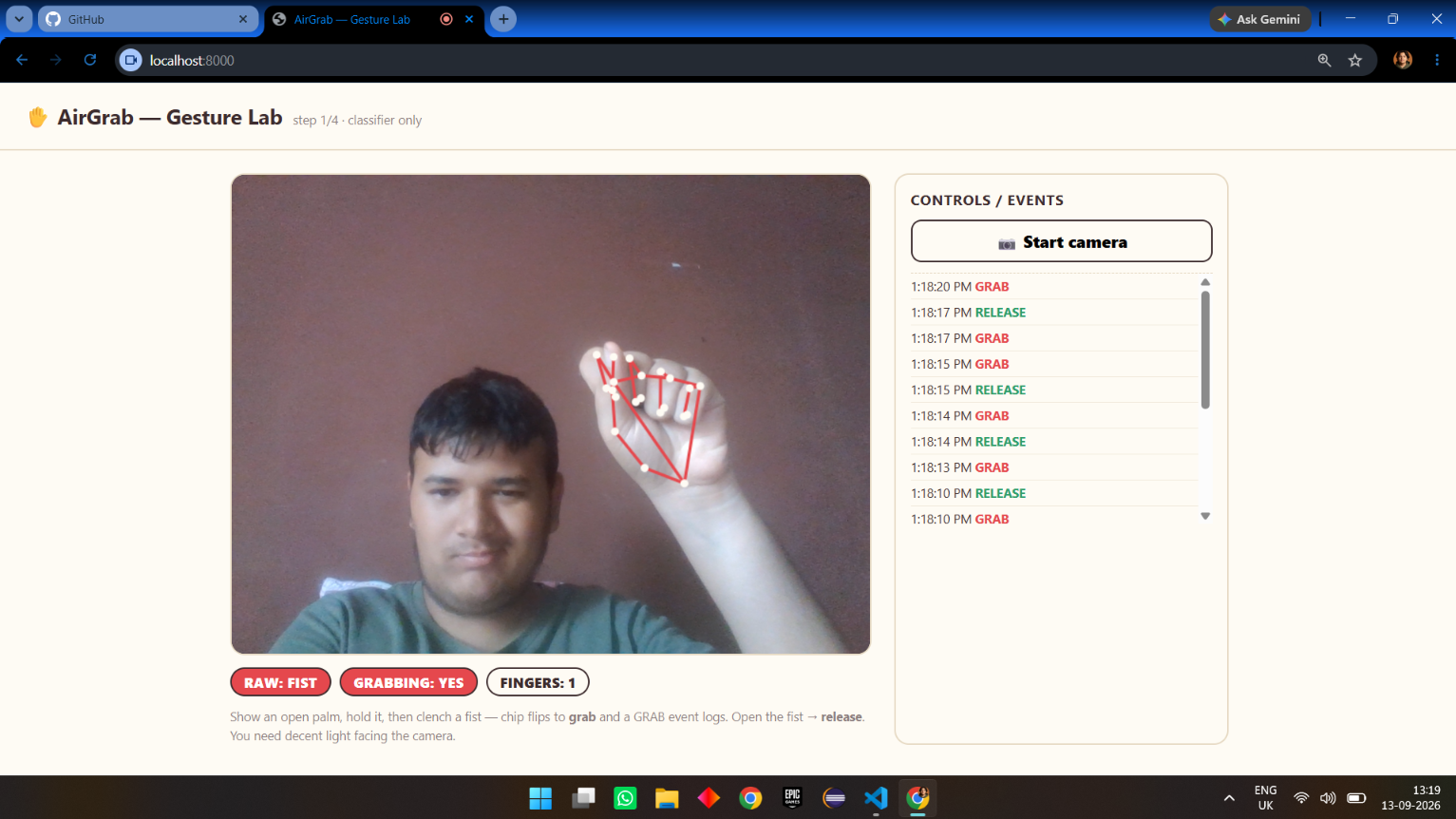
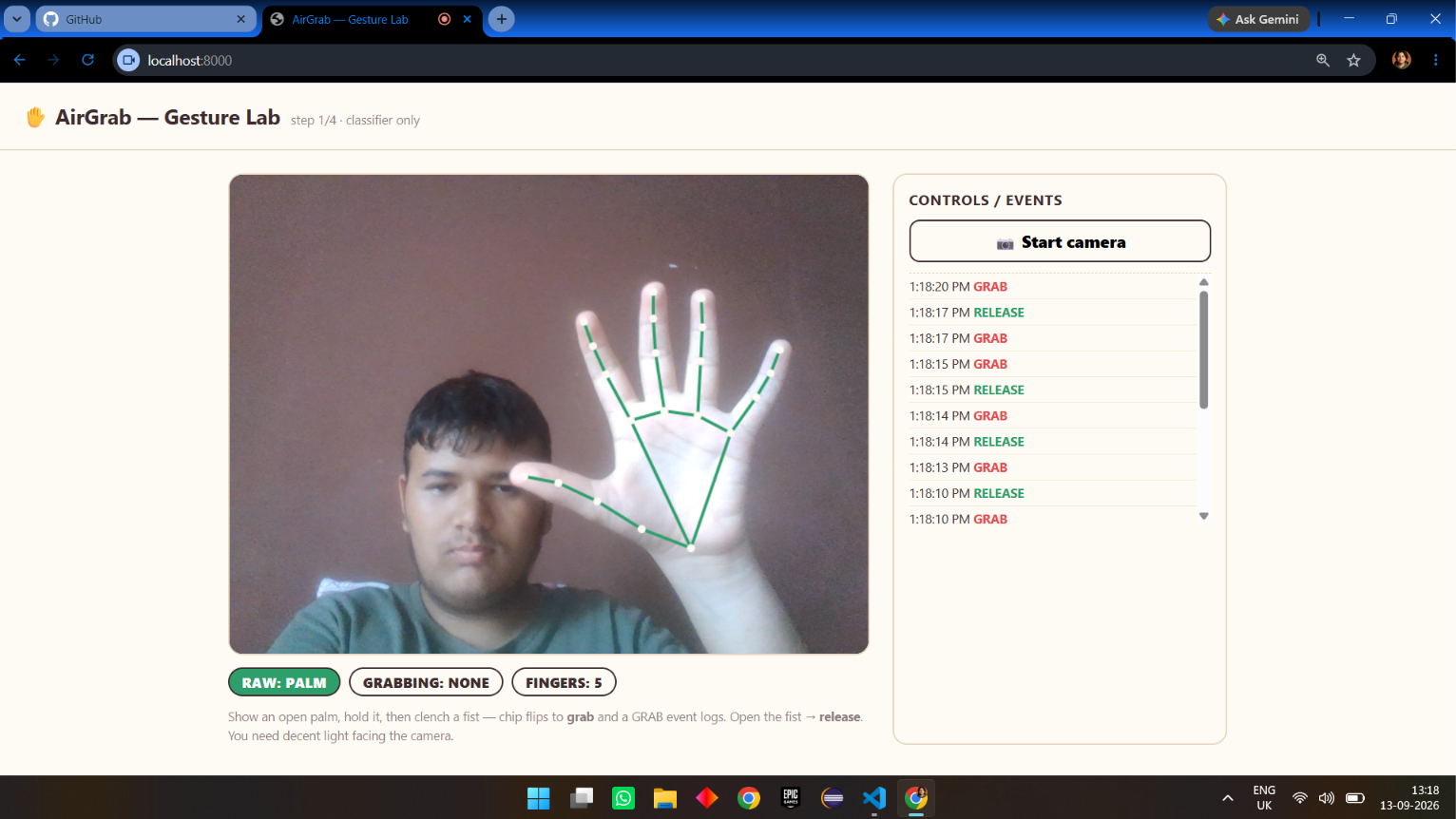
AirGrab
A browser re-implementation of Huawei's Air Gesture File Transfer ("AI teleportation"): clench a fist over a photo on your phone to GRAB it, keep the fist, then open it over your laptop's webcam to RELEASE it — the photo lands in the laptop's gallery. No Huawei, no app store, no cables, no codes to type.
Status: working end-to-end. Same-network phone → laptop transfer over an auto-room WebSocket relay (no pairing numbers), with receiver-camera drop sensing.
Live demo (phone → laptop, same WiFi)
- Deploy
server/index.jsanywhere HTTPS (Railway is 1 click — see below). - Laptop: open
https://airgrab-production.up.railway.app/receiver.html, click 🖐 Start receiver camera. - Phone: open
https://airgrab-production.up.railway.app/in a browser, click Start camera. - No codes. Both pages derive the same room from your public IP (
api.ipify.org→ sha256), so the moment the laptop's receiver is online, the phone page says "laptop receiver found on this network" and arms itself. - On the phone: open palm → the photo is appeared in the tray → clench the fist to grab it (a ghost thumbnail sticks to your hand).
- Walk to the laptop, keep the fist, then open your fist in front of its webcam → the photo drops in with an animation + save link.
Two tabs on the SAME computer always work too (BroadcastChannel, no server): quarter-frame the sender in one tab, receiver in the other.
Run locally
npm install
npm start          # relay + static host on :3001
# laptop:  http://localhost:3001/receiver.html
# "phone": http://localhost:3001/index.html   (same-PC tabs; or phone on LAN via your local IP)
Tests (no camera): npm test → 61 checks (gesture / chunk / interlock / relay).
Deploy (Railway)
- Push this repo to GitHub (requires the root
package.json). - New Project → Deploy from GitHub repo → nothing else: start command defaults to
npm start, which runsserver/index.json the assignedPORTover HTTPS. - Phone and laptop both open the same deployed URL. No tunnel, no numbers.
How transfer works (the honest story)
phone browser ─┐  both derive room = sha256(publicIP)[:6] on load
               ├─ WebSocket rooms ─► server/index.js  (dumb fan-out per room)
laptop browser ┘  JSON frames: {t:'msg', data} — photo chunk data rides as base64
- Auto-room, not pairing. Every device on the same network shares a public IP, so the hash room just lands both sides together. No QR, no code, no NAT handshake — a deliberately dumb relay replaces WebRTC/PeerJS entirely (PeerJS kept failing on real networks).
- Ordered + reliable. It's a plain WebSocket TCP connection, so chunked photo transfer never reorders or drops, unlike a flaky data channel.
- Receiver-camera release. The laptop's webcam + the same gesture classifier watch for OPEN_PALM while a transfer is held; a drop interlock (sender + receiver state machines) makes sure the photo is only sent when the fist actually opens over the laptop, within a grace window, and the sender holds until then.
- The sender also works camera-less: with no receiver camera, releasing your own fist on the phone drops immediately.
Honest scope (for judges): "same network" = same public IP — anyone on the same WiFi could theoretically join the room (fine for a demo; a QR handshake could tighten it). Gesture recognition runs on-device in the browser (MediaPipe); "AI teleportation" is real hardware + on-phone models — ours is a browser homage.
Layout
server/index.js          relay + static host (single origin, HTTPS on Railway)
index.html               sender — camera, grab/open-fist gestures, ghost, tray
receiver.html            receiver — camera drop sensing, gallery + history
src/gesture.js           classifier + state machine + overlay viewer  (+ test)
src/transfer.js          protocol (chunks/start/holding/drop/ack) + transports
src/interlock.js         sender+receiver drop-ownership state machines (+ test)
src/payload.js           photo capture + tray + preview thumbnails
src/netid.js             auto-room = public-IP hash (+ relay URL from location)
vendor/                  MediaPipe tasks-vision (local, works offline)
models/                  hand_landmarker.task (local, works offline)
test/                    unit tests: gesture / transfer / interlock / relay
How the classifier works
Pure-geometry, no training: from the 21 hand landmarks, each of the four fingers
(index→pinky) is "extended" when its fingertip is farther from the wrist than its
PIP joint is (single-curl test). PALM ≈ ≥3 fingers extended; FIST ≈ all four
curled. The state machine requires several consistent frames before committing a
state, then maps PALM→FIST to GRAB and FIST→PALM to RELEASE so tiny
trembles don't spam events.

Log in or sign up for Devpost to join the conversation.