Inspiration
With the growing need for improved accessibility and comfort, our team decided to make a program that allows a laptop to be used like an Apple Vision Pro. We wanted to help those who cannot use a mouse, or those who have physical limitations that make controlling a laptop the traditional way difficult.
What it does
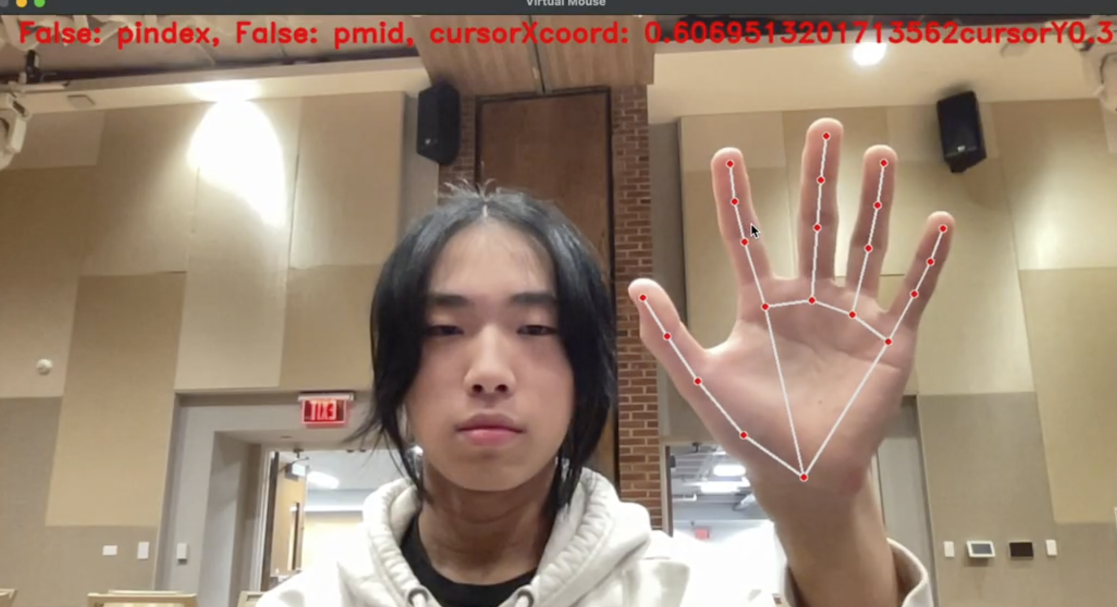
Using camera capture and hand recognition, our program allows the user to control a the cursor laptop solely with the movements of their hand. By pinching to click, using the middle finger to drag or select text, and closing your hand to switch windows, our program is both easy to use and extremely beneficial.
How we built it
- Python CV2 for camera capture
- MediaPipe for hand recognition
- Custom code for gesture recognition and computer interaction
- JavaScript for visual demo
Challenges we ran into
We had difficulty stabilizing the cursor, which we fixed by averaging values from the history and implementing a deadzone. None of the dependencies ere working in the beginning, which we solved by running everything on a virtual environment.
Accomplishments that we're proud of
We are proud of creating a working prototype and including multiple hand gestures. Our team also contains several beginners, so we are proud that we could all play a role in completing the project, combining and using our skills collaboratively.
What we learned
We learnt PyAutoGUI and about the Mediapipe library. Our beginners were also able to learn the basics of Python and foundational programming concepts. As a team, we learnt that working in parallel with each person working on a different component was the most time efficient, allowing us to finish our project in time.
What's next for AirControl
In the future, we hope to add more hand gestures and ways to control the cursor, to increase stability, make it work with multiple hands, and even to showcase it using a minigame. We want to build upon our idea of making a "shadowboxing game" using JavaScript and TouchDesigner (a visual programming software) using our base code.
The p5.js link can be used with aircontrol running in the background. It is a simple proof of concept to show that the cursor follows hand movement.
Built With
- mediapipe
- pyautogui
- python


Log in or sign up for Devpost to join the conversation.