-
-
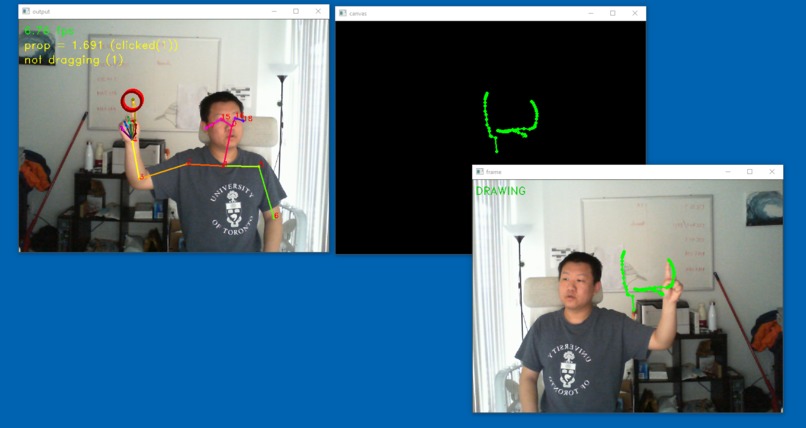
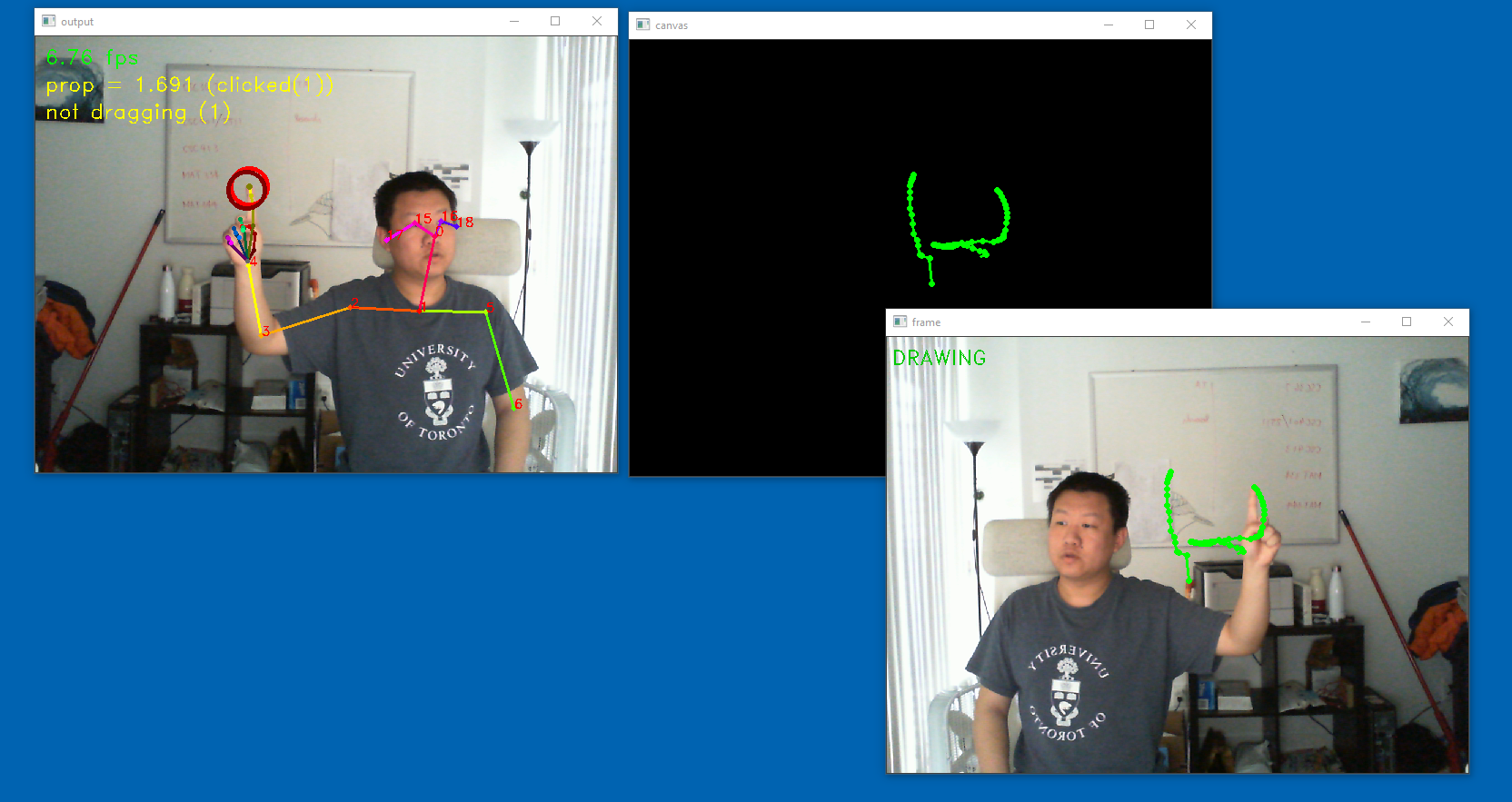
Inner-workings of AirCanvas
-
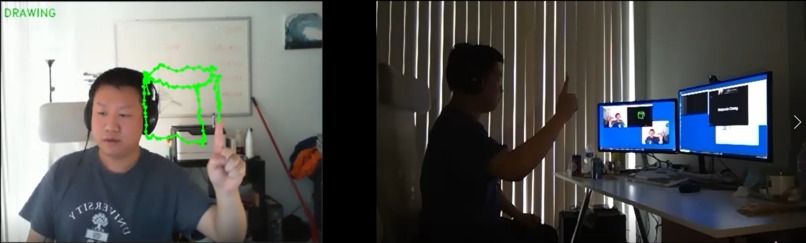
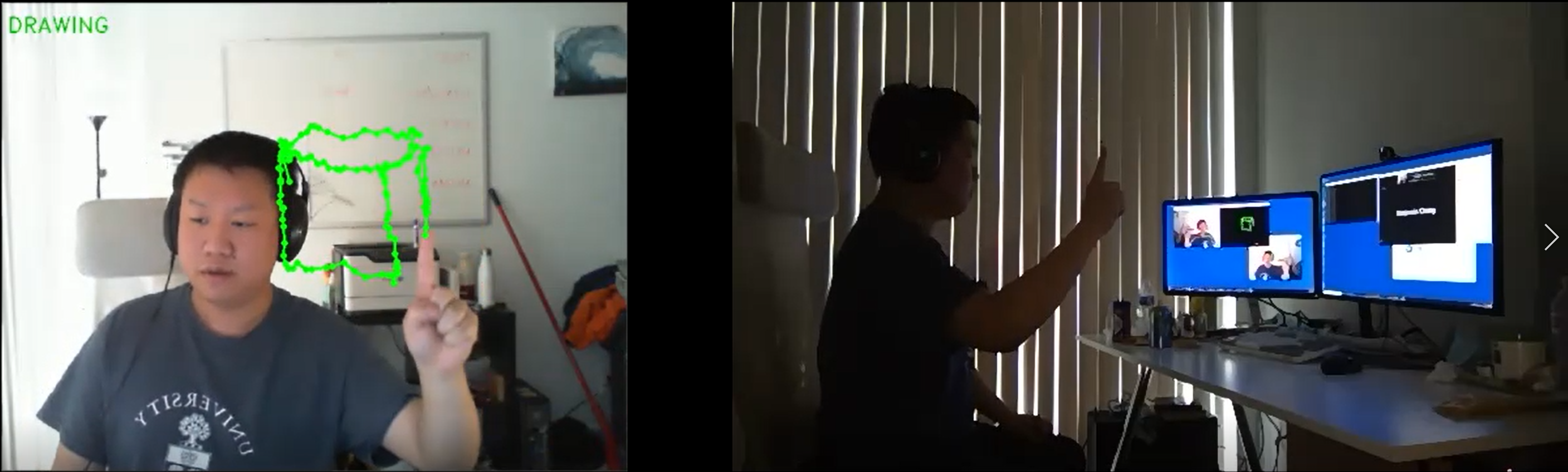
AirCanvas in action
Inspiration
Many people were left unprepared to effectively express their ideas over Zoom. As students we’ve noticed that with remote learning, instructors seem to feel very distant, teaching through either slides or drawing on a tablet, without us being able to see their face. We know body language is an important part of being a presenter, so why should Zoom limit us like this? Aside from instructional content, Zoom meetings are boring so we ought to spice it up. Introducing AirCanvas!
What it does
AirCanvas allows you to have a virtual whiteboard powered by Deep Learning and Computer Vision! Simply stick out your index finger as the pen, and let your imagination unfold in the air that is your canvas. This adds an entirely new dimension of communication that is not possible in person. You can also erase the drawings, drag the canvas around and draw with both hands simultaneously!
How we built it
We begin with OpenPose, a project by researchers at Carnegie Mellon which performs pose estimation on a video stream in real time. With it, we are able to extract information about one’s poses, including the locations of joints. With this information, we have developed our own algorithm to recognize gestures that indicate the user’s desired actions. We additionally employ motion smoothing, which we will discuss a bit later. Combining these, we can render the user’s drawings onto the webcam stream, as if the user is drawing in mid-air.
Challenges we ran into
One of the major challenges was, due to the low framerates of OpenPose, the paths generated are choppy, where the lines go back and forth. To solve this issue, we employed motion smoothing, and we can do this rather efficiently in O(1) runtime with our own data structure. This way, we get smooth lines without much performance penalty. In addition, we spent many hours testing our model and refining hyperparameters to ensure it works intuitively.
What's next for AirCanvas
We were inexperienced with this technology, and we wish we had more time to add the following features: Support for multiple people drawing with one camera simultaneously A friendlier interface for user to customize pen settings such as color, thickness etc. Tools you’d see in note taking apps, such as ruler


Log in or sign up for Devpost to join the conversation.