-
-
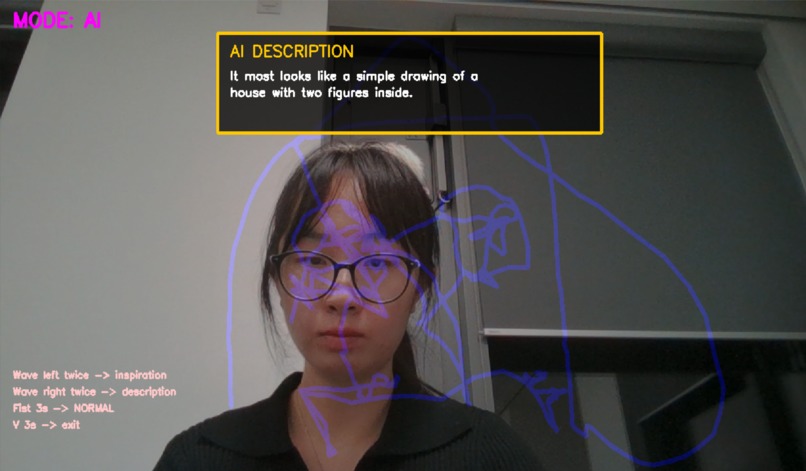
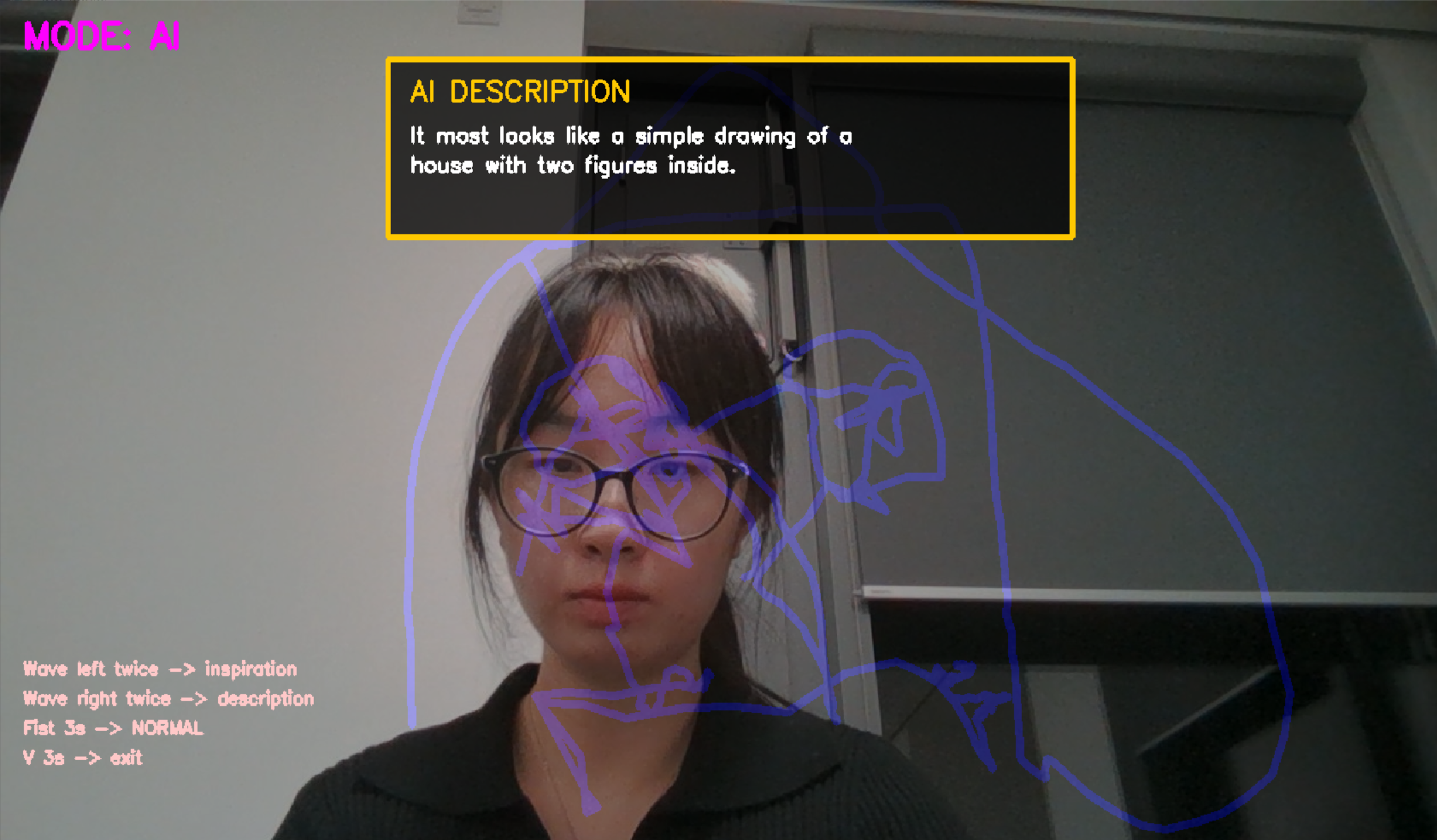
AI mode
-
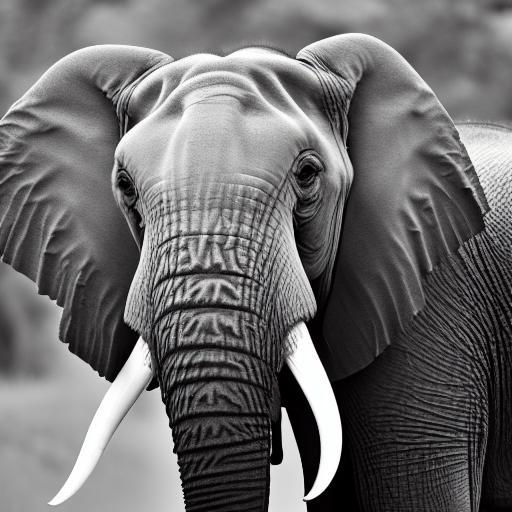
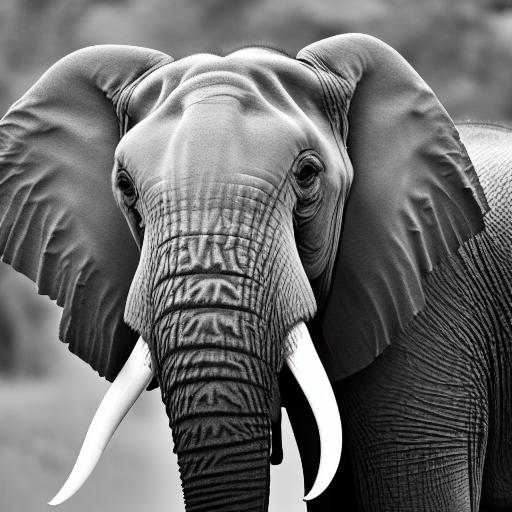
generated images from sketch
Inspiration
While working on a 2D clipart animation research project at the University of Edinburgh's Graphics Lab, I was blown away by nano-banana - currently the most powerful image generation model - which can take a clipart and a stick figure to generate that clipart in a brand-new pose. This sparked a vision: what if anyone could sketch freely in mid-air and have AI instantly understand and transform it into professional digital art?
That’s how AirCanvas AI was born. I wanted to build an intuitive, keyboard-free creative tool that blends real-time gesture interaction with cutting-edge generative AI, making digital art creation as natural as waving your hand.
What It Does
AirCanvas AI is an interactive air-drawing system powered by your webcam and hand gestures:
- Draw in mid-air using your index finger as a virtual brush
- Switch modes with a fist hold (DRAW ↔ AI)
- In AI mode:
- Wave left → Get AI-generated drawing inspiration
- Wave right → AI describes your sketch and generates a high-quality digital artwork using Stable Diffusion
- Wave left → Get AI-generated drawing inspiration
- Fully gesture-controlled - no keyboard, no mouse
- Auto-saves raw sketches and AI-generated art
It turns a 10-second doodle into a professional-grade illustration - all through the magic of hand gestures and AI.
How I Built It
I built this solo during Durhack using Python and a modular architecture:
| Component | Technology |
|---|---|
| Hand Tracking | MediaPipe Hands |
| Gesture Recognition | Custom logic (fist, finger count, swipe detection) |
| Canvas & Overlay | OpenCV + NumPy |
| AI Assistant | Google Gemini API (vision + text) |
| Image Generation | Stable Diffusion via ModelsLab API |
| File Handling | Timestamped auto-save system |
Evolution of the Project:
- v1: Keyboard controls (
s,a,d,q), clunky - v2: Full gesture-only control, more immersive
- v3: Split into DRAW and AI modes to avoid gesture conflicts
- Final: Removed Neural Style Transfer → replaced with real image generation (more impactful)
The core loop runs in main.py, with clean separation of concerns across /modules/ and /utils/.
Challenges I Ran Into
OpenCV Threading Deadlocks
When the OpenCV window had focus, it blocked the main thread, freezing gesture detection and AI triggers. Solved by careful timing, non-blocking checks, and avoiding heavy operations in the main loop.Solo Development Under Time Pressure
My teammate dropped out the morning of the hackathon. I had to replan the entire timeline, prioritize MVP, and ruthlessly cut features to deliver a polished experience.API Rate Limits
Gemini and ModelsLab APIs hit rate limits quickly during testing. I reduced gesture sensitivity, added cooldowns, and used lightweight prompts to stay under quotas.
Accomplishments That I'm Proud Of
- 100% gesture-controlled interface - no keyboard, no training needed
- Seamless AI integration: from sketch → description → professional artwork in <30s
- Robust hand tracking in varied lighting (thanks to MediaPipe)
- Auto-save pipeline with clean folder structure (
raw/+generated/) - Completed solo in <48 hours after teammate dropout
What I Learned
- Gesture UX design: Small delays and visual feedback are critical for natural interaction
- API resilience: Always assume rate limits and build fallbacks
- Modular code saves lives in hackathons
- AI prompt engineering: Shorter, focused prompts = better, faster results
- OpenCV + threading = danger zone - use
threadingwisely
What's Next for AirCanvas AI
- [ ] Local Stable Diffusion (no API, offline use)
- [ ] Voice feedback via ElevenLabs ("Great job! I see a dragon!")
- [ ] Multi-hand support (collaborative drawing)
- [ ] Undo/redo with gesture (pinch to undo)
- [ ] Animated GIF export of drawing process
- [ ] Web version using WebRTC + MediaPipe
- [ ] Clipart pose transfer (like nano-banana) — turn your sketch into animated characters
Built with passion, gestures, and a lot of coffee.
Durhack 2025 | Solo Developer


Log in or sign up for Devpost to join the conversation.