Inspiration
Traditional CAD software is incredibly powerful, but creating even a simple model often requires navigating complex toolbars, menus, shortcuts, and precise mouse movements.
We wanted to explore a more natural interface: what if creating CAD felt like physically sketching and shaping an object?
AirCAD began as an experiment in spatial computing. Our goal was to let users draw geometry in space, point at objects, pull them into 3D, and provide exact measurements only when precision was needed.
What it does
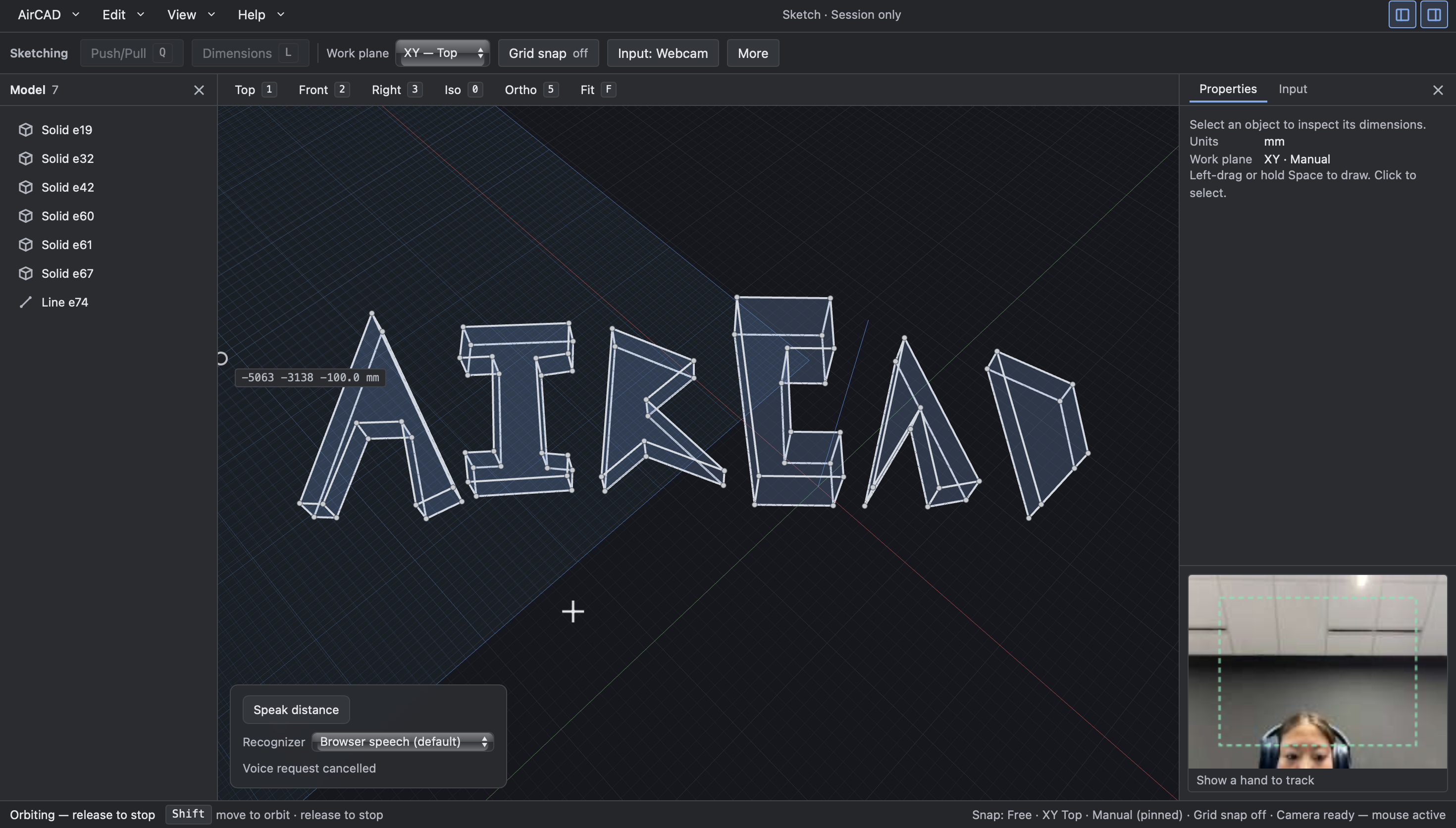
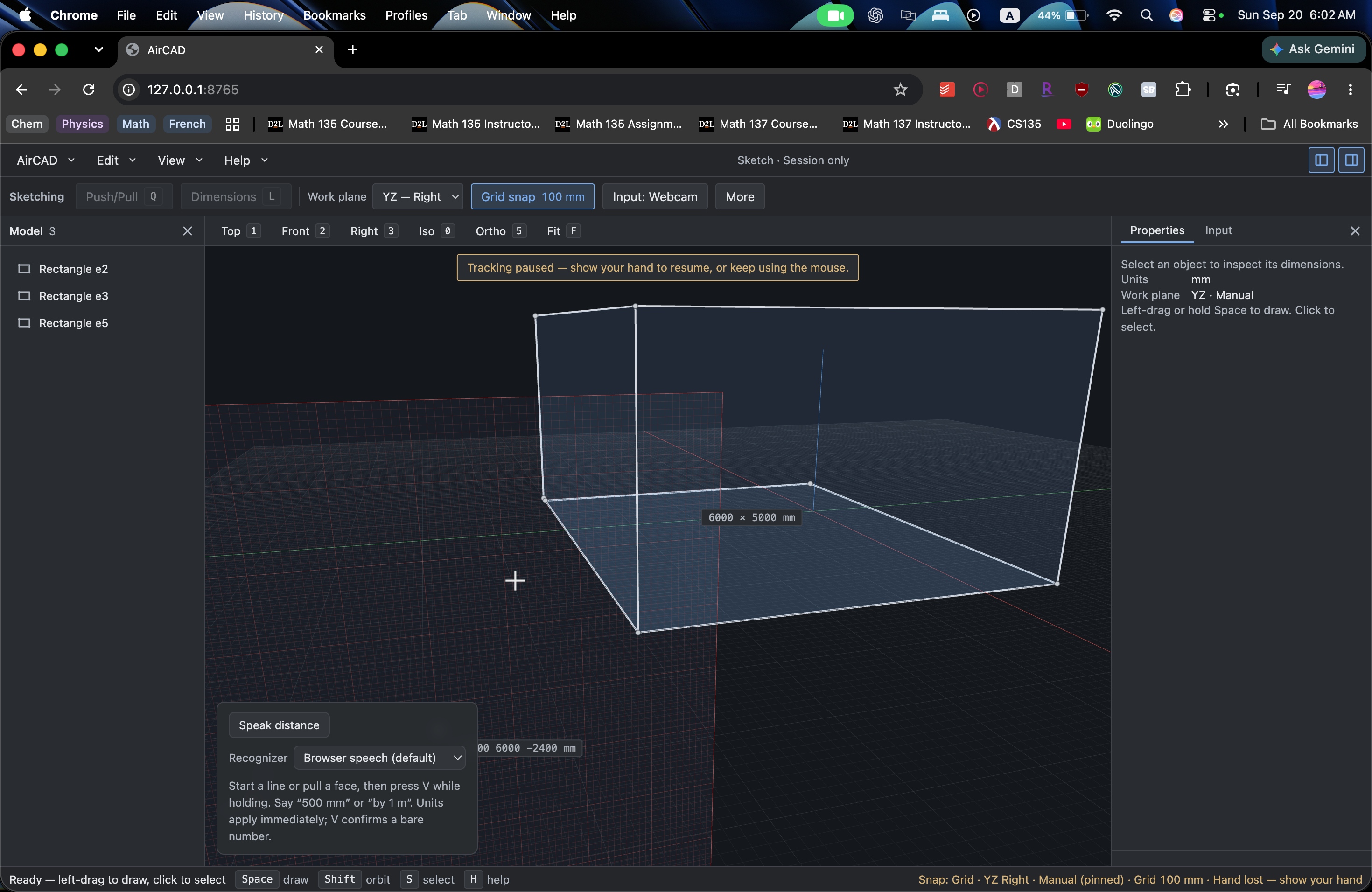
AirCAD is a browser-based spatial CAD system that turns physical movement into editable 3D geometry. Users can:
- Draw lines, rectangles, triangles, and arbitrary closed outlines
- Connect separate strokes into closed profiles
- Snap to vertices, midpoints, edges, axes, grids, and parallel geometry
- Work across XY, XZ, and YZ planes
- Automatically infer and lock the intended work plane
- Push and pull profiles into 3D solids
- Modify individual faces of existing solids
- Move, scale, dimension, undo, redo, and delete geometry
- Use webcam tracking, OAK-D depth tracking, mouse input, or a four-button ESP32 BLE pen
- Speak exact measurements such as “500 millimetres” or “one metre”
- Export the resulting model into FreeCAD
The BLE pen provides physical controls for drawing, orbiting, panning, work-plane switching, voice input, push/pull, movement, and safety commands.
How we built it
AirCAD is split into a real-time tracking layer, a browser-native CAD engine, a Three.js renderer, a voice interface, and an interoperability layer for FreeCAD. The Python backend processes webcam and OAK-D input, tracks hand landmarks and spatial coordinates, and streams events to the browser over WebSockets. The frontend maintains the CAD model locally so drawing, snapping, selection, and push/pull remain responsive.
We built our own geometry systems for:
- Stroke recognition
- Closed-loop detection
- Polygon validation
- Work-plane inference
- Geometric snapping
- Face selection
- Push/pull previews
- Transactional edits with undo and redo
The ESP32 pen uses Bluetooth HID to communicate with the browser. Its four buttons are interpreted through a state machine that supports holds, clicks, double-clicks, mode switching, and button chords. Voice input uses the Qwen3.5-Omni model through the Huawei OMNI Live workflow. The system combines visual tracking, spoken measurements, and language understanding while constraining the model’s output to safe CAD dimension commands.
We used OpenAI tools and Codex extensively for architecture, implementation, testing, debugging, and iteration. Warp helped us run and coordinate the many services and test suites involved in the project. Devin and Composio supported parallel development and tool integration, while our agent-oriented structure was influenced by the Huawei openJiuwen challenge.
Challenges we ran into
The hardest challenge was converting noisy human movement into precise CAD geometry. Camera input contains jitter, tracking loss, depth noise, and ambiguity about the user’s intended plane. We addressed this with smoothing, geometric snapping, automatic plane inference, plane locking, and shape recognition.
Working in 3D introduced another layer of complexity. A movement that looks obvious to a person can be ambiguous to a computer because the system must determine how a 2D observation maps into a 3D coordinate system.
Push/pull modeling was also more complicated than simple extrusion. Moving a cap face, side face, or concave profile requires different transformations while preserving valid geometry.
The BLE pen introduced its own interaction challenges. A small number of buttons needed to support multiple modes, click-versus-hold behavior, double-click undo, voice recording, push/pull confirmation, movement, and emergency reset gestures.
Finally, integrating tracking, geometry, depth cameras, voice, hardware input, UI, and FreeCAD export across parallel development branches required extensive testing and debugging.
Accomplishments that we're proud of
We are proud that AirCAD became a complete CAD workflow rather than just a gesture demo.
A user can sketch geometry in physical space, clean it up with CAD-style snapping, turn it into a solid, modify individual faces, specify exact dimensions by typing or speaking, navigate the model, and export it into FreeCAD.
We are especially proud of the push/pull system because it supports both creating new solids and modifying existing faces.
We also built support for arbitrary planar polygons, concave profiles, connected-line loops, OAK-D spatial tracking, voice measurements, and a programmable BLE pen.
The project includes extensive automated tests covering geometry recognition, snapping, work planes, extrusion, depth tracking, voice validation, remote input, UI behavior, and FreeCAD export.
What we learned
We learned that designing a new CAD interface is less about recognizing individual gestures and more about understanding intent.
Detecting a fingertip is relatively straightforward. Determining whether someone is trying to draw, select, complete a shape, change planes, orbit the camera, modify a face, or enter a measurement is much harder.
We also learned that natural interaction and precision do not have to compete. Spatial input is useful for expressing shape and direction, while snapping, constraints, typed dimensions, and voice provide accuracy.
Building AirCAD taught us about computational geometry, coordinate transforms, real-time computer vision, depth cameras, Bluetooth input, multimodal interaction, state machines, and designing systems around unreliable sensor data.
Most importantly, we learned that the CAD engine and the CAD interface do not need to be the same thing. By keeping the interaction layer independent, we can experiment with new ways of designing while still exporting into established CAD software.
What's next for AirCad
Our next step is to expand AirCAD into a more complete spatial modeling environment.
We want to add boolean operations, holes, pockets, duplication, rotation, richer voice commands, persistent project files, and more advanced constraint-based modeling.
We also want to support additional physical interfaces, including programmable pens, depth cameras, AR devices, and other spatial input hardware.
Our long-term goal is to make CAD software understand how people naturally create instead of forcing people to learn a rigid sequence of tools and commands.
Built With
- 3d-modeling
- accessibility
- cad
- computer-vision
- depth-camera
- freecad
- gesture-control
- hand-tracking
- human-computer-interaction
- mediapipe
- oak-d
- opencv
- python
- spatial-computing
- three-js
- typescript
- vite
- voice-control
- webcam
- websockets


Log in or sign up for Devpost to join the conversation.