




Inspiration
Voting and Rating of particular item will help all business, Teams, etc to know which posts, products or item that their collaborators likes most or are most interested on. Again providing a commenting system for each Post or published item will all also help business owners, Team collaborators to gather comments and responses to and from their clients and customers or invitees. Airvote was born to ensure all this.
What it does
Air Vote is an Online Rating and Voting System that allow Team Members to Post an Item, comment, rate and vote on that content.
It comprises of the following components and functions:
1.)Admin signup: It allow the Admin to enter just her nickname. The nickname can be anything and all her personal data like name,userid,profile photos,email etc. will be pull from Airtable user session.and Collaborator SDK to create the account. The Admin is the one who controls all the activity within the app. The Admin should be the first person to Access the app before inviting anyone to collaborate
2.)Vote System Time Settings:
Here you(Admin) can set the Time Duration for Voting. You can also enable and Disable Vote Timer.By Default, Timing are Disabled. You can enable it if you want
Anytime you disable Voting/Rating time please try to manually reload the page for the time counter updates to disappear as i forgot to grammatically reload the page on this
Timing in Enabled Mode: If Timing is set to enabled, The timing will appear on the voting item and once time expired, no Team Member will be able to rate or vote on any post until the Admin update the time again.
Timing in Disabled Mode: If Timing is set to disabled, The timing will disappear on the voting item and any Team Member can vote or rate any post any time he wants. Don't worry, You(Admin) can always change the Vote Time and Modes anytime by selecting the mode options and clicking the Update button
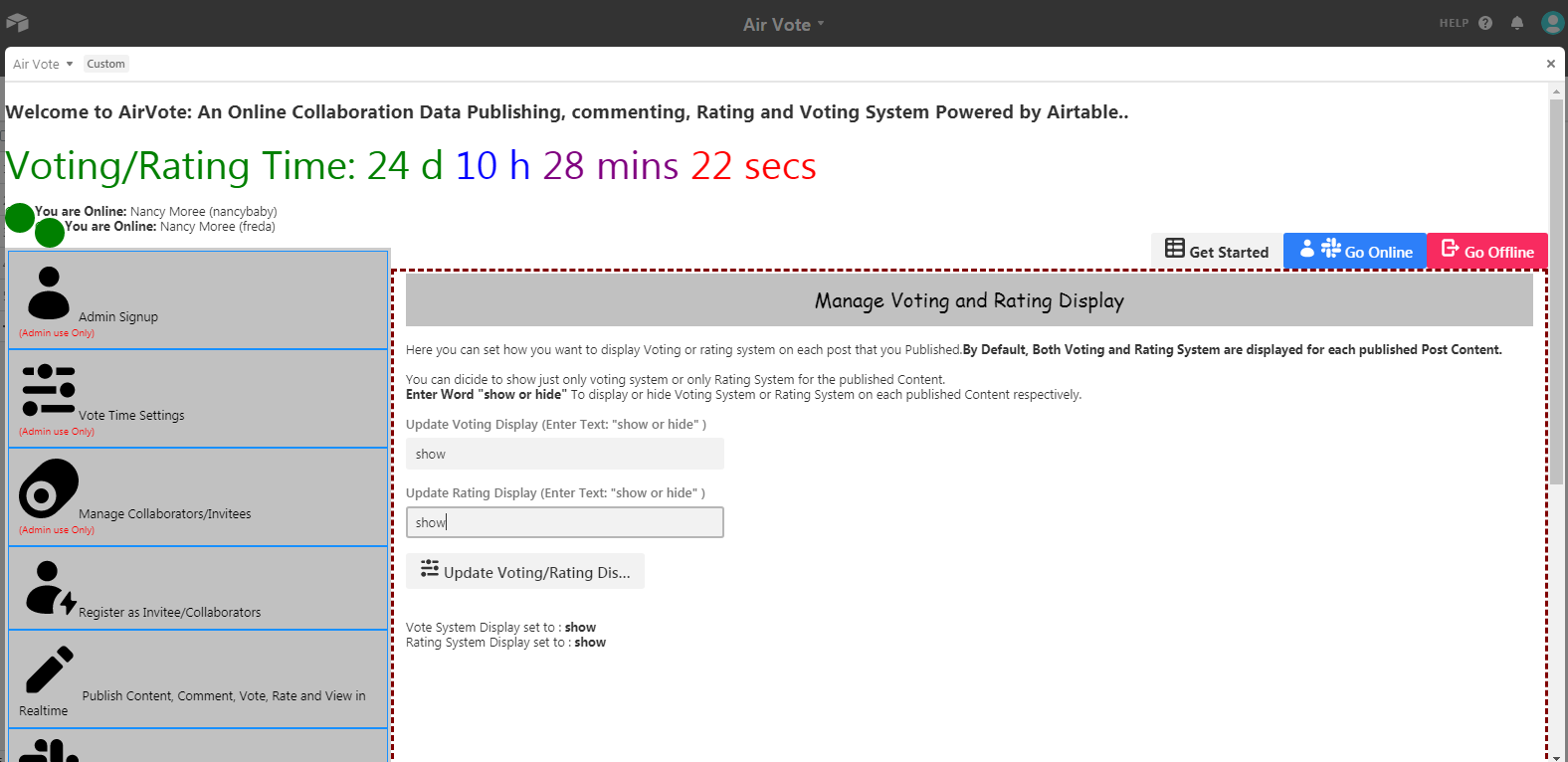
3.)Manage Voting and Rating System Display on any published post or items: Here you can set how you want to display Voting or Rating system on each post that you Published. By Default, Both Voting and Rating System are displayed for each published Post Content.
Here, you can decide to show just only voting system or only Rating System for the published Content.
Enter Word "show or hide" to display or hide Voting System or Rating System on each published Content respectively.
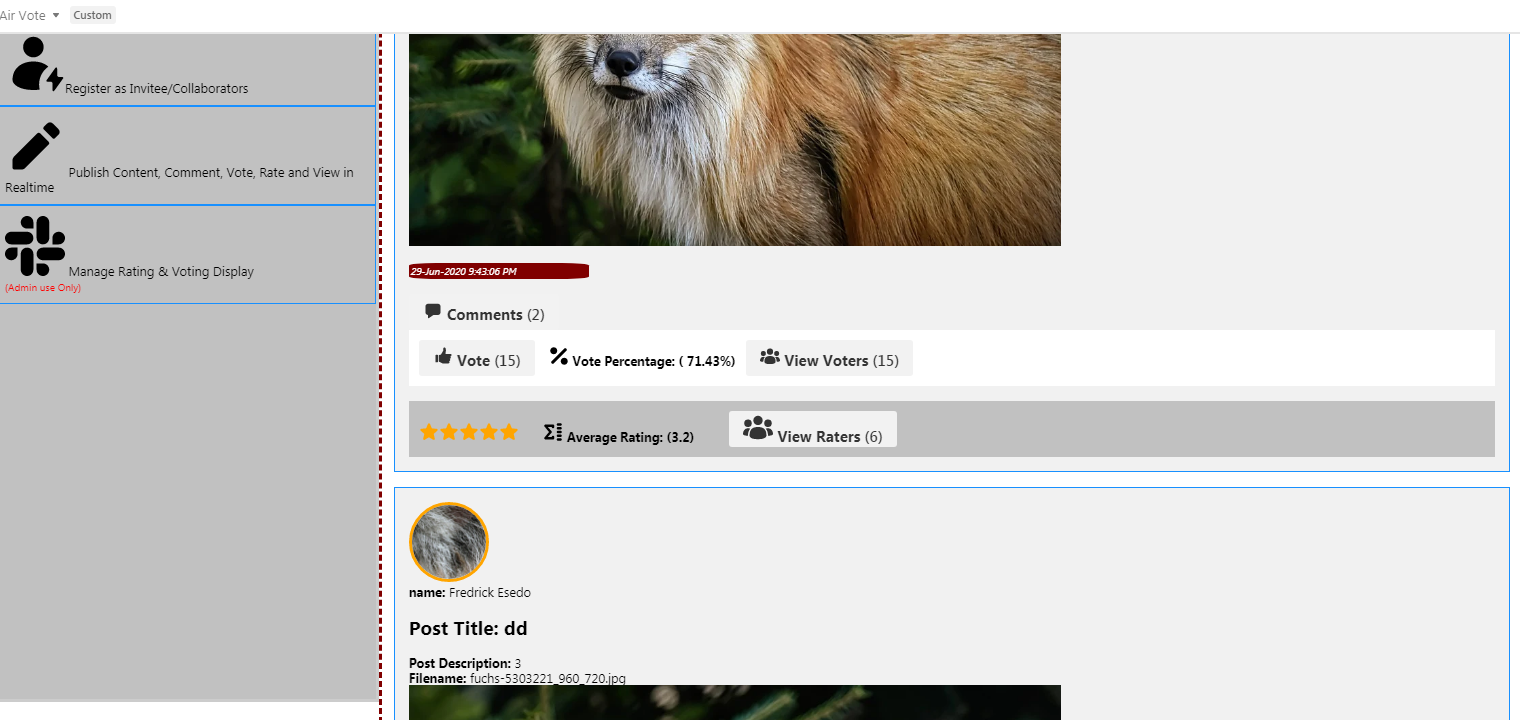
4.)Publish Contents, Comments, Vote, Rate and View System: This allows Team collaborators to publish Voting or Rating items, Products etc.
Other collaborators can now Comments, Votes and rate on the item. If Admin enable Vote/Rating timing, all collaborators can only vote within the specified time. If time elapsed or expired, no one can vote or rate any products or item again until the admin either disable timing or update the time setting again.
Disabling voting/rating timing simply means that all collaborator can coming vote or rate on product anytime they want
Total Voting, Total Star Rating, Percentage Voting is calculated and Average Star Rating for each Products or Posts were also calculated and all saved in Airtable Database.
5.)Register As Collaborators:
It allow the Invitee or Collaborators to enter just her nickname. the nickname can be anything and all her personal data like name,userid,profile photos,email etc. will be pull from Airtable user session.and Collaborator SDK to create the account. Once Registered, Invitee can click on Go Online to activate her online presence and can then start collaborating.
6.)Manage Collaborators: This allow the admin to Activate, Deactive, Ban, Unban and delete invitees account from the app
7.) Go Online: This allow all the collaborators to activate her online presence. It is compulsory that you activate your online presence before you can start doing anything in the app otherwise the app will not permit you This will enable all your team members tosee that you are online
8.) Go Offline: This allow all the collaborators to go offline. This will enable all your team members to see that you are offline
How I built it
Yeah. I started by calling users data within Airtable Users session and Collaborator SDK to get get their session userid, names, email, profile pictures etc. which was used to dynamically update their account within the app. I started importing and calling all Airtable functional SDK like input, buttons, modal Dialog, Confirmation Dialog, Select API, Icons, Airtable SDK CreateRecords, Update, Delete function etc. All data are coded to send, update and retrieve data to and from Airtable venerable Realtime Database
Challenges I ran into
Calculating the Voting Percentage and Average Star Rating for each Published item or Post takes me some time as some logics are needed to enhance effective calculation on that Grammatically
Accomplishments that I'm proud of
It wasn't easy. dealing with calculation used in building this App. Am glad is working fine
What I learned
While am new with reactjs. Airtable forces me to move from old Reactjs class coding approach to functional react hook coding approach. In the first place it was a hurdle for someone like me who is coming from jquery ,vuejs and angularjs world. Working with reactjs functional approach now seems to me to be best coding among all.
What's next for Air Vote
Adding more features, like More interfaces for editing and updating post features, Search Engine for published products and more..

Log in or sign up for Devpost to join the conversation.