-
-
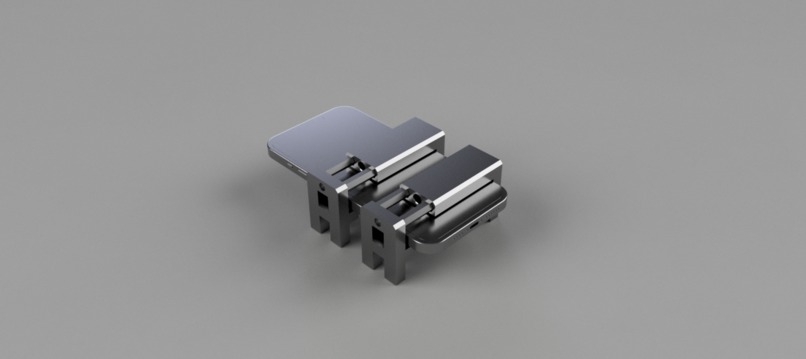
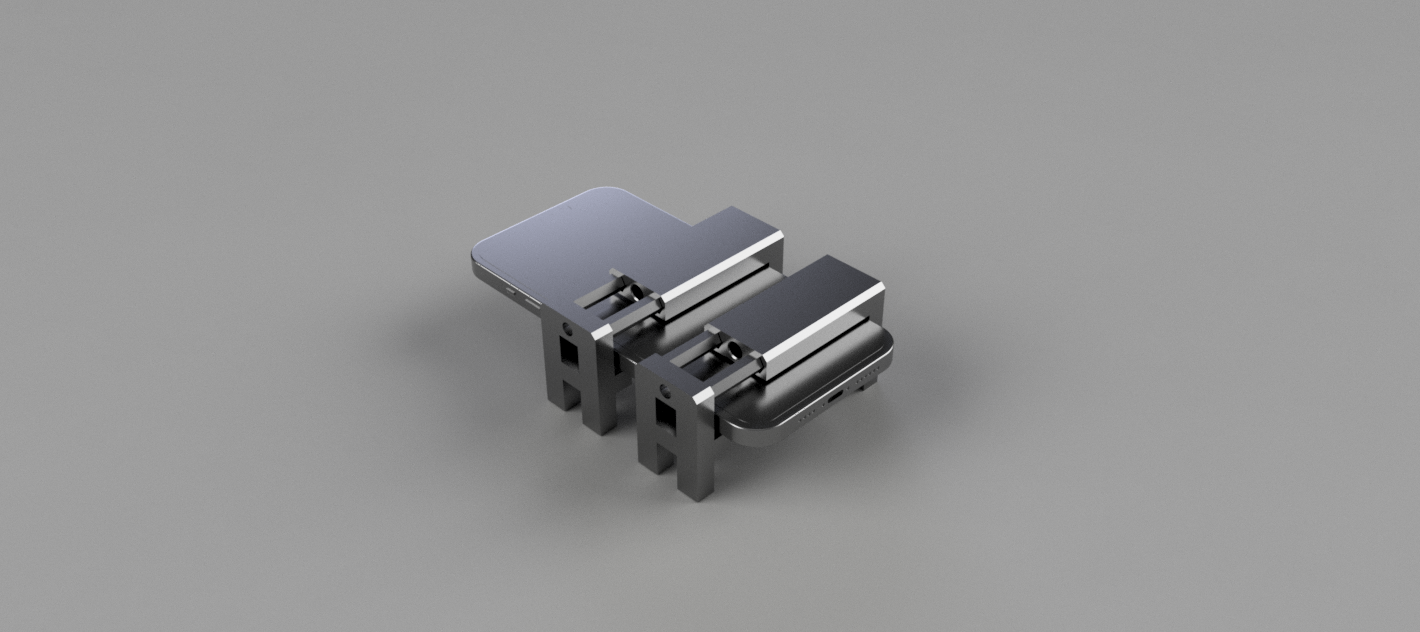
Phone with our attachments
-
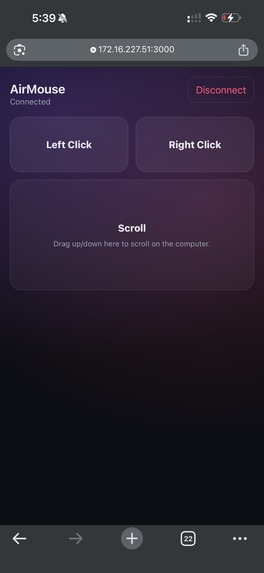
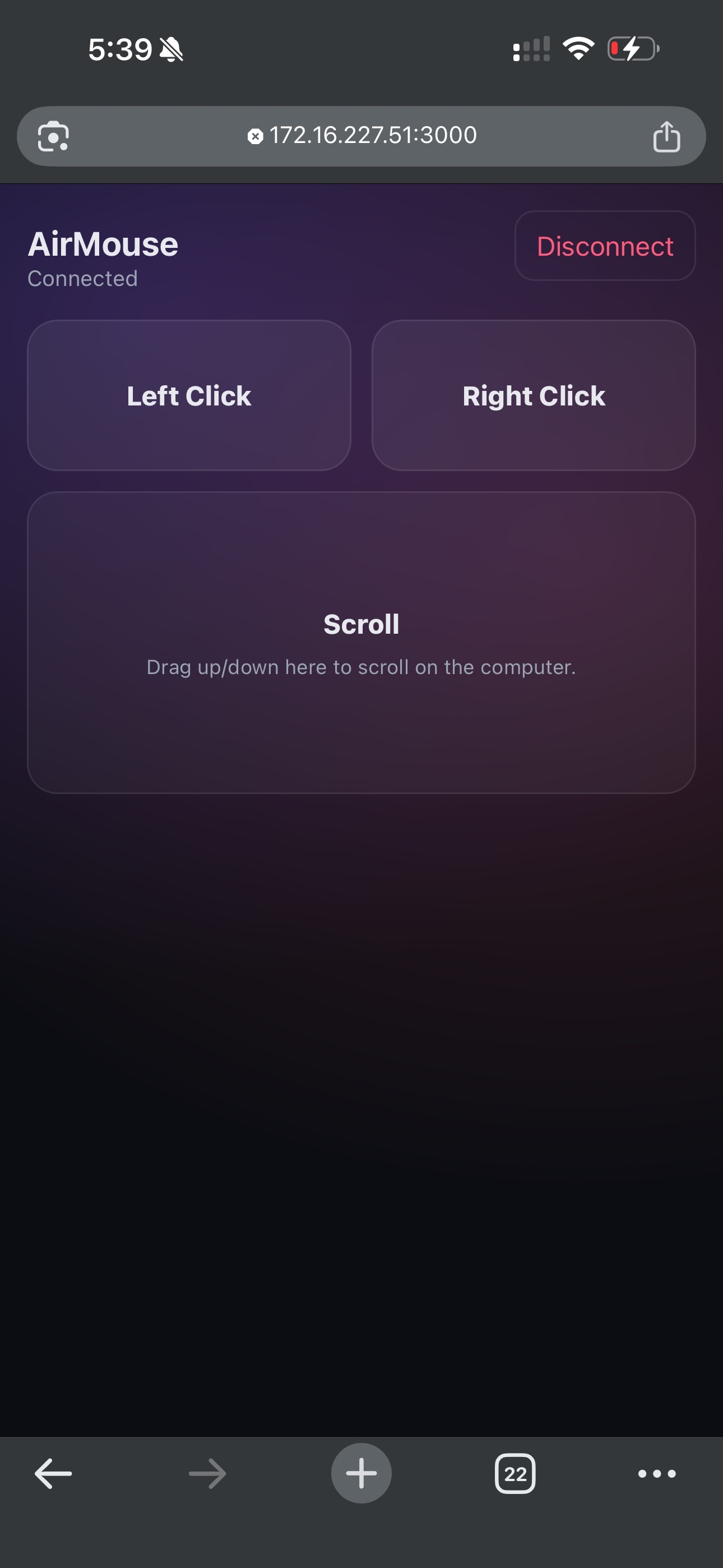
What your phone looks like once you connect.
-
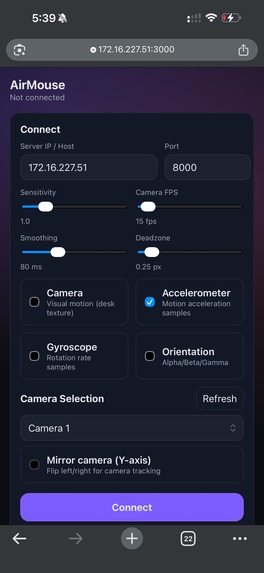
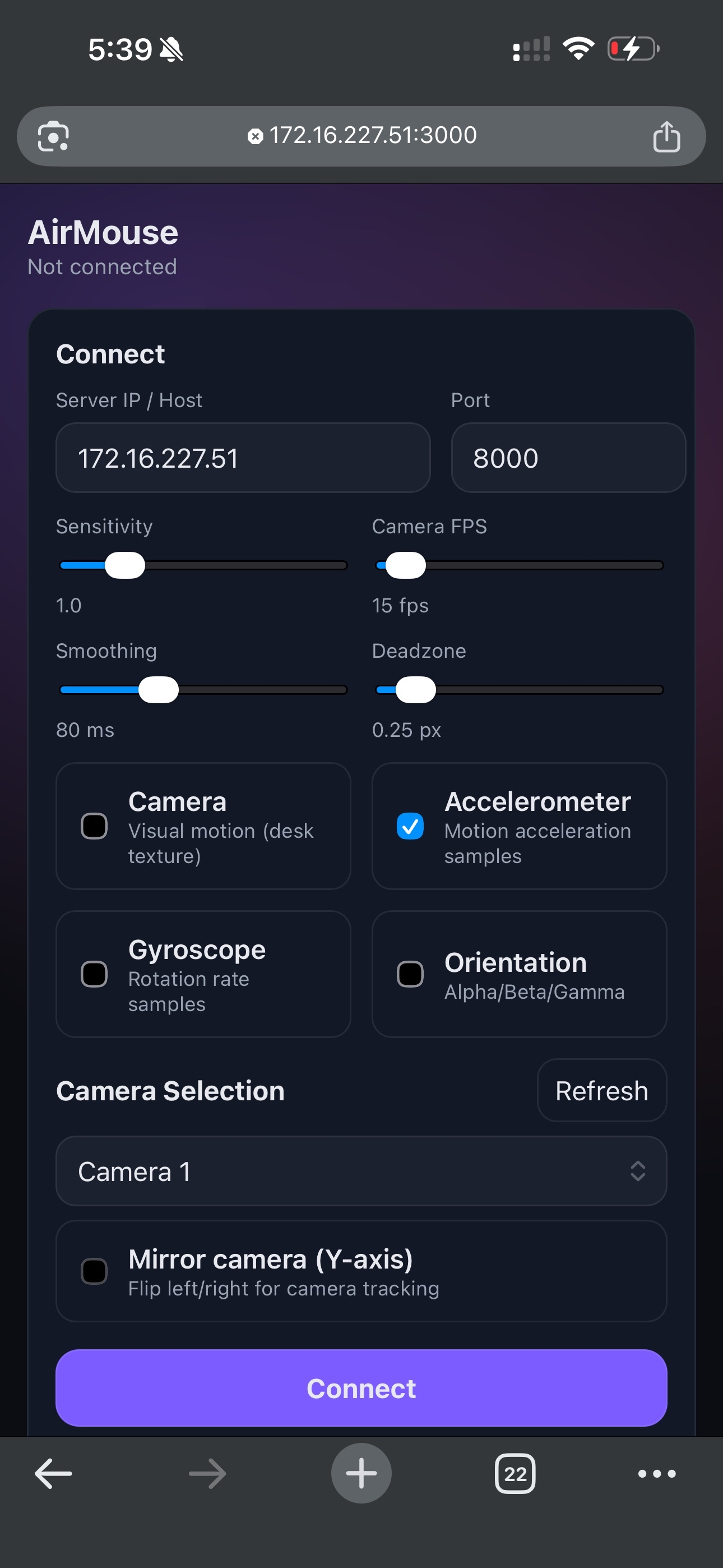
Settings page to adjust sensitivity, sensors used, and misc.
-
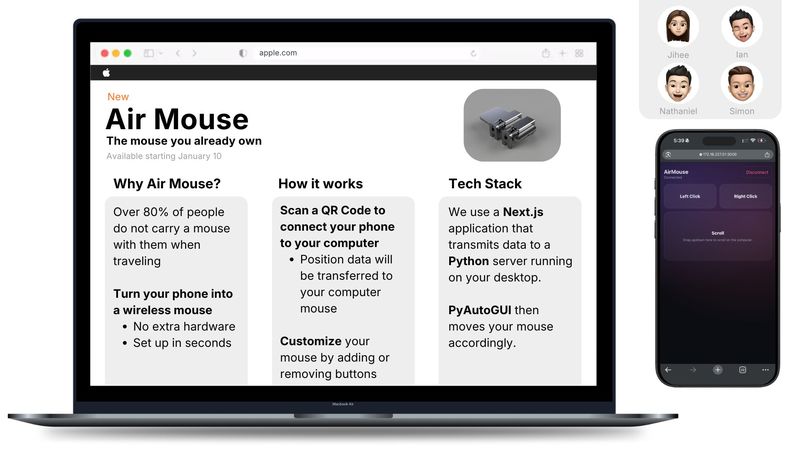
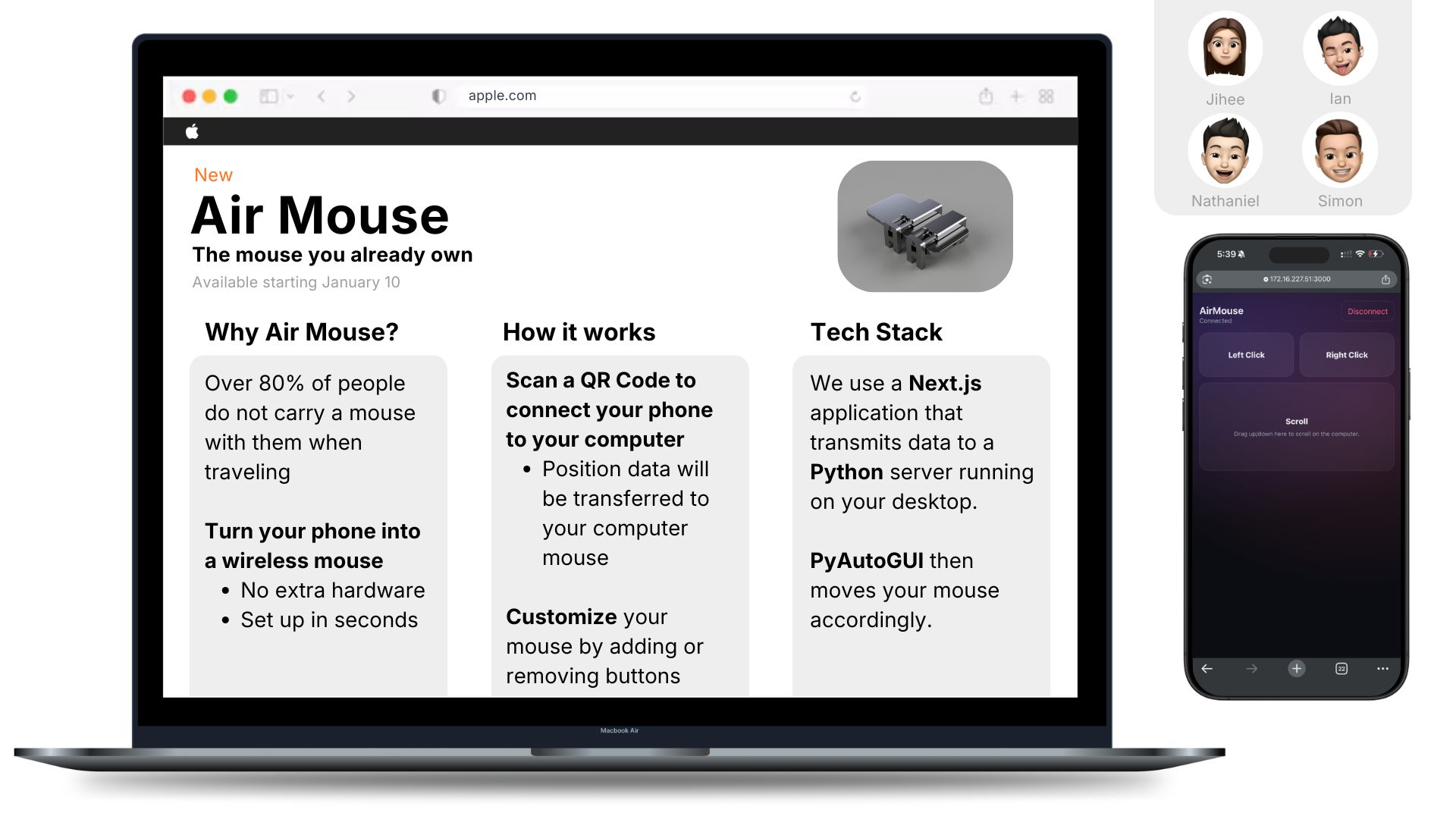
Poster presentation
Inspiration
We've all been there: You're watching a movie in bed, and the laptop is just out of reach. Or you've gone to a coffee shop, but forgot to bring a mouse. We looked at existing solutions—dedicated hardware dongles (expensive, easy to lose) or "remote mouse" apps (require app store downloads, Bluetooth pairing nightmares, and account sign-ups).
We asked: "Why isn't the supercomputer in our pocket enough?"
We wanted to build the fastest, most frictionless way to take control of a computer. No dongles. No 200MB app downloads. Just a QR code and raw speed.
What it does
Air mouse is client-server system that transforms any smartphone into a computer mouse. The Host: A high-performance python server runs on your PC, displaying a Dashboard with a QR code. The Client: You scan the code with your phone. Instantly—without installing an app—your phone loads a lightweight web interface. The Magic: As you move your phone, the PC cursor moves in real-time. Tap the phone screen to click. It works over local Wi-Fi, offering sub-millisecond latency that feels indistinguishable from a physical mouse.
How we built it
The PC receiver(Backend): We used a python wrapper for convenience and fast shipping
- Decrypts our JSON data stream and uses pyautogui to execute the mouse movements and clicks
- Uses websockets for low latency and responsiveness
The Mobile Web App (Frontend): We used Next.Js as a modern framework to build the progressive web-app
- Tap directly into the phone's gyroscope and accelerometer sensors to capture alpha (yaw) and beta (pitch) rotation data
- We pair this with the camera and OpenCV's optical flow function to detect and verify changes in the x and y coordinates.
Challenges we ran into
Camera issues: It was difficult to extract enough relevant data for the phone's camera to extract changes in its coordinates. We had to increase the sensitivity of the x and y trackers in order to solve this issue. Jitter and jumping: Our cursor sometimes would jump off screen, jitter, or bounce back to its original location after moving. We solved this by fusing the input of our camera and accelerometer sensors, verifying them against each other.
Accomplishments that we're proud of
Low latency: We were suprised by how responsive the final mouse was. It did not feel very floaty or have large amounts of input lag like we expected. Fast Connectivity: Being able to scan a QR code is a very low-friction user experience Physical Add-ons: Adding a physical phone holder was a creative way to improve our user experience and camera accuracy.
What we learned
Wireless communication: This was many of our first experience with wireless communication of our devices, and we learnt about web sockets and low-latency. Sensor Fusion is difficult but powerful: We learned that "Euler Angles" can suffer from Gimbal Lock, and mapping 3D rotation to a 2D screen requires careful calibration. Sensor fusion is also an incredibly powerful work around when using inaccurate sensors The power of PWAs: You don't always need a native app. The modern web browser is capable of suprisingly deep hardware access.
What's next for Air Mouse
Gaming Mode: creating a virtual steering wheel interface for racing games. Security: Adding a "PIN Code" handshake so random people on the Wi-Fi can't hijack your cursor. Customization: Being able to add buttons and keybinds for MOBA games and other uses
Built With
- css
- html
- next.js
- pyautogui
- python
- websockets


Log in or sign up for Devpost to join the conversation.