
Inspiration
I wanted to build a super advanced Team Chat Collaborative Application on Airtable.
okay solving Issues for your clients, Team Collaborations to share informations, files etc. in real-time will help all business and all work of life to move faster. To enhance this, Airchat was born
What it does
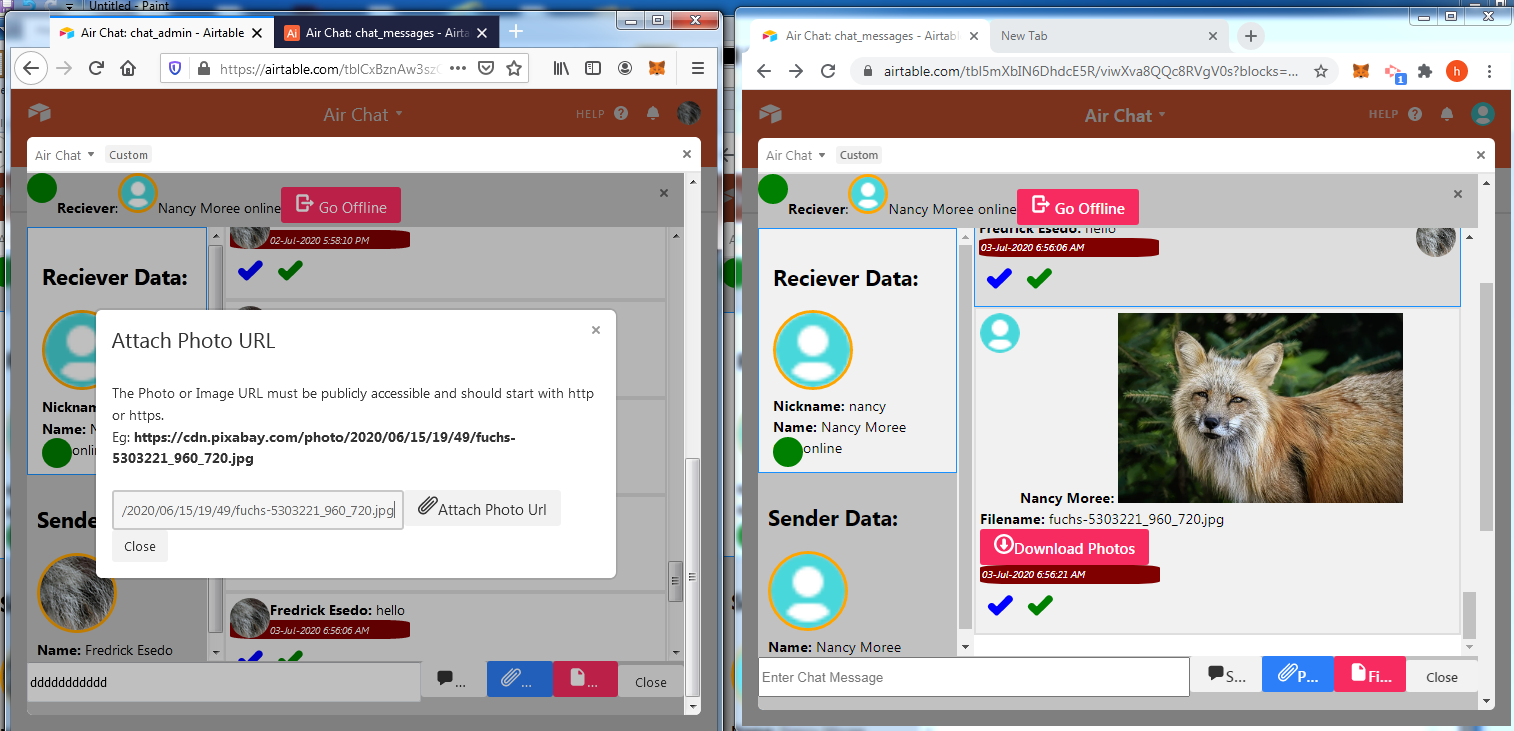
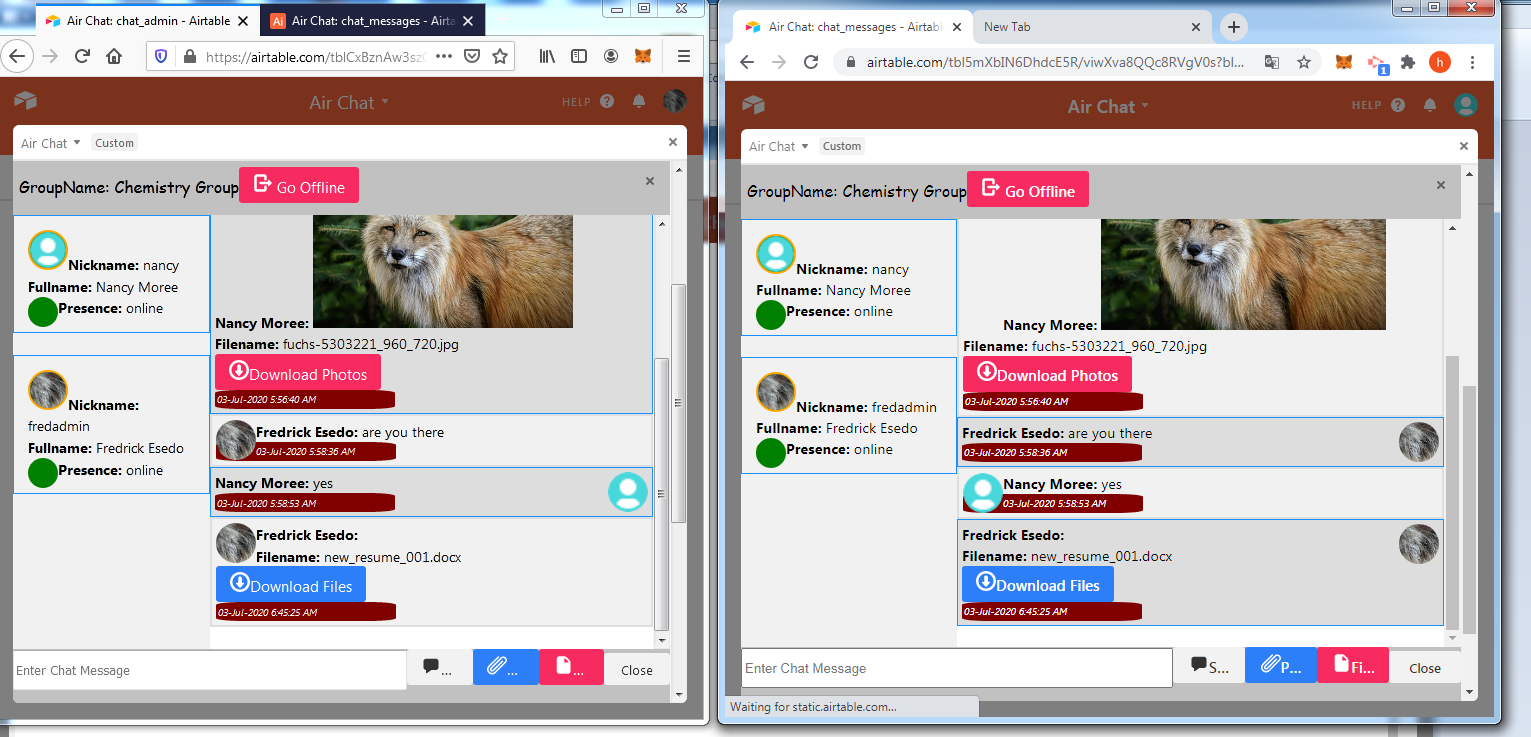
,Airchat is slack like Group Chat and one to one(Private) Chat System that allow teams to Share Text Messages, Photos, Files etc. all in Realtime all powered by Airtable Realtime SDK.
It comprises of the following components:
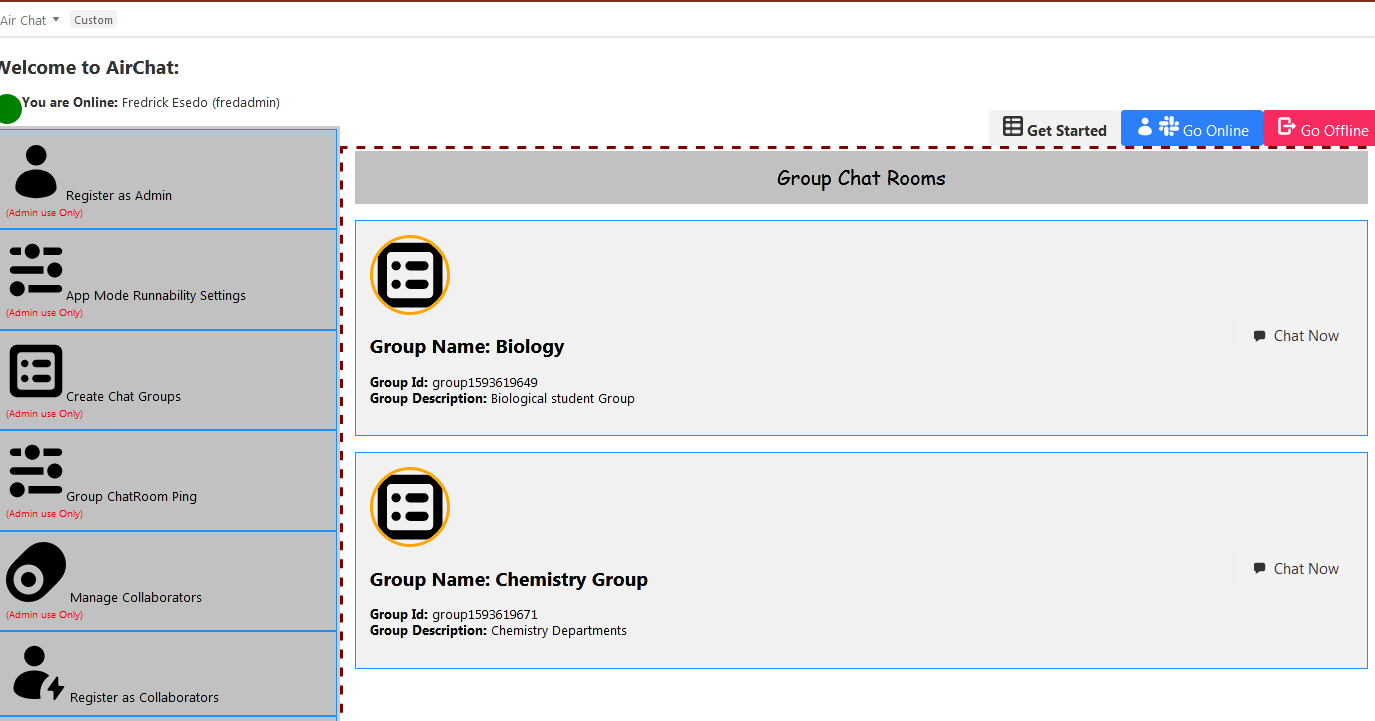
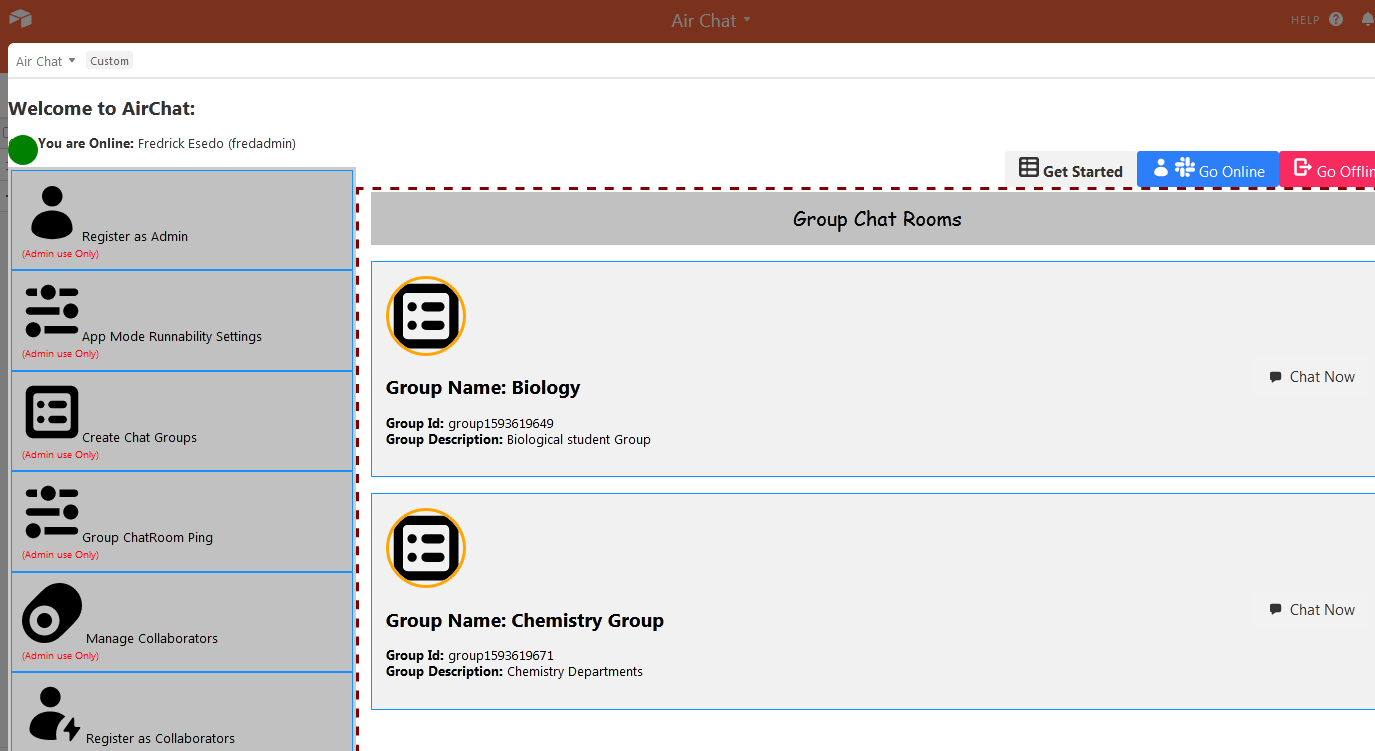
1.) GroupChat System: allow all Teams members,Invitees,businesses to create unlimited Group Chat Rooms or various departmental chatrooms where they can collaborate as teams, share informations and solve issues faster in realtime.
In various Group Chats Rooms, the teams can share, download and send
text messages, photos, files in realtime.
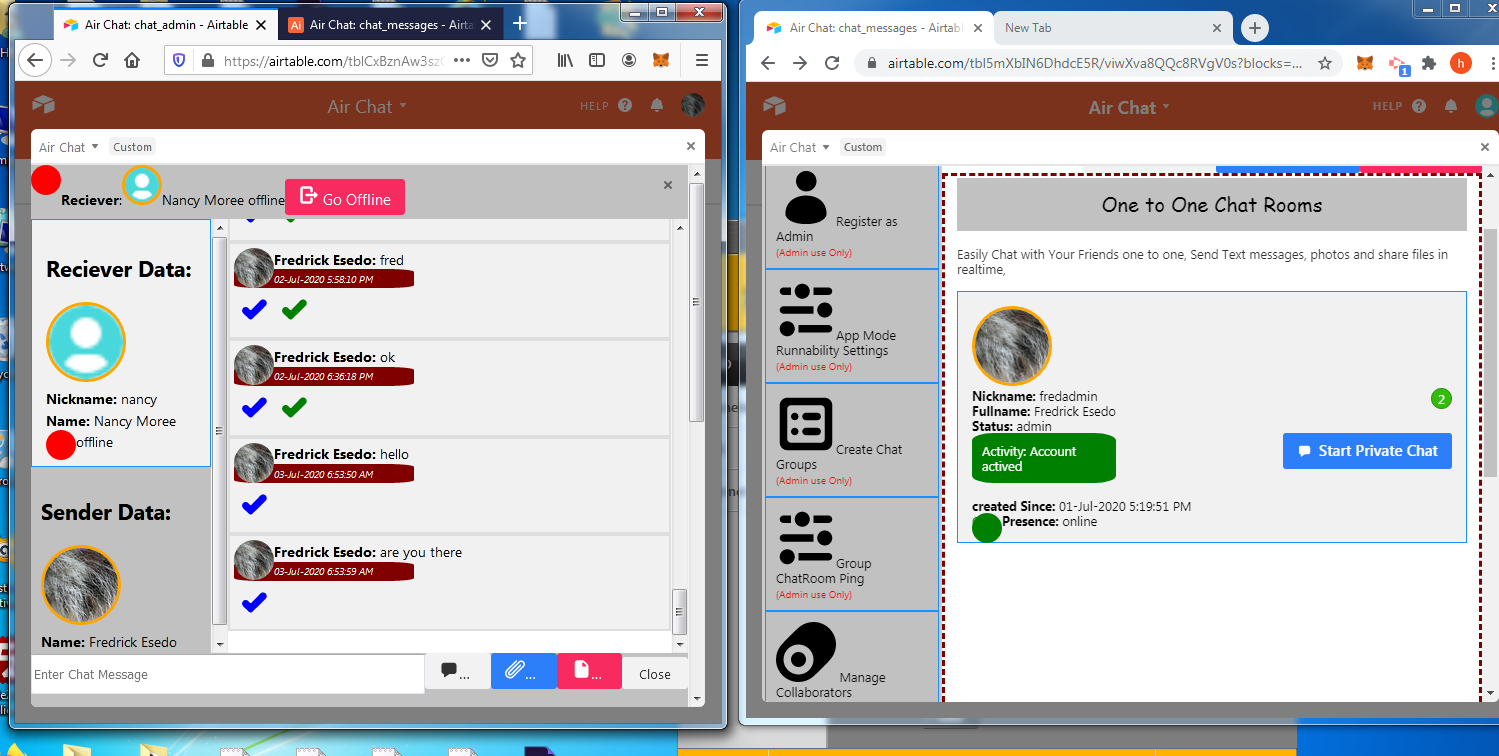
2.) One to one Chat: It allow Teams members, invitees, to collaborate with and share, download and send Text messages, Photos, files etc one to one (privately) .
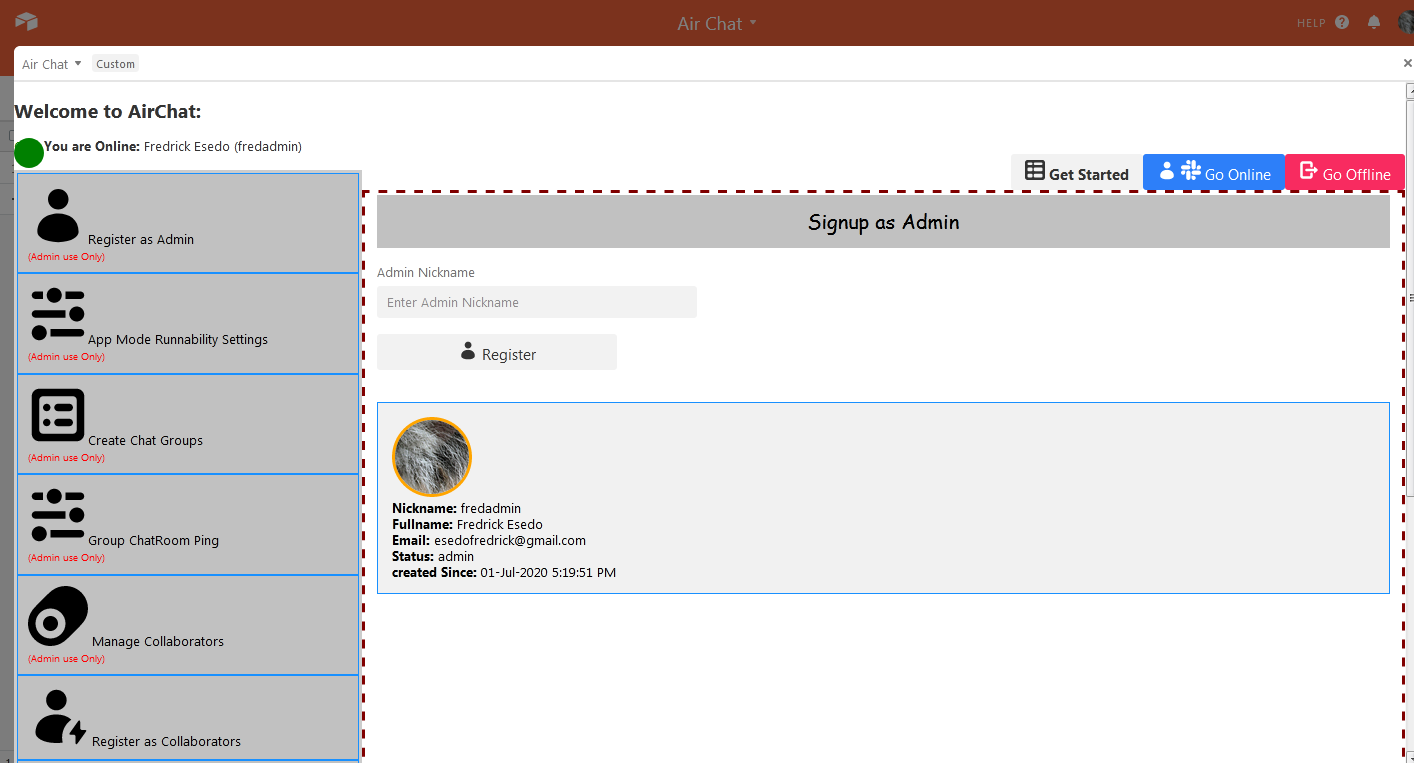
3.)Admin signup: It allow the Admin to enter just her nickname. the nickname can be anything and all her personal data like name,userid,profile photos,email etc. will be pull from Airtable user session.and Collaborator SDK to create the account. The Admin is the one who controlls all the activity within the app. The Admin should be the first person to Access the app before inviting anyone to collaborate
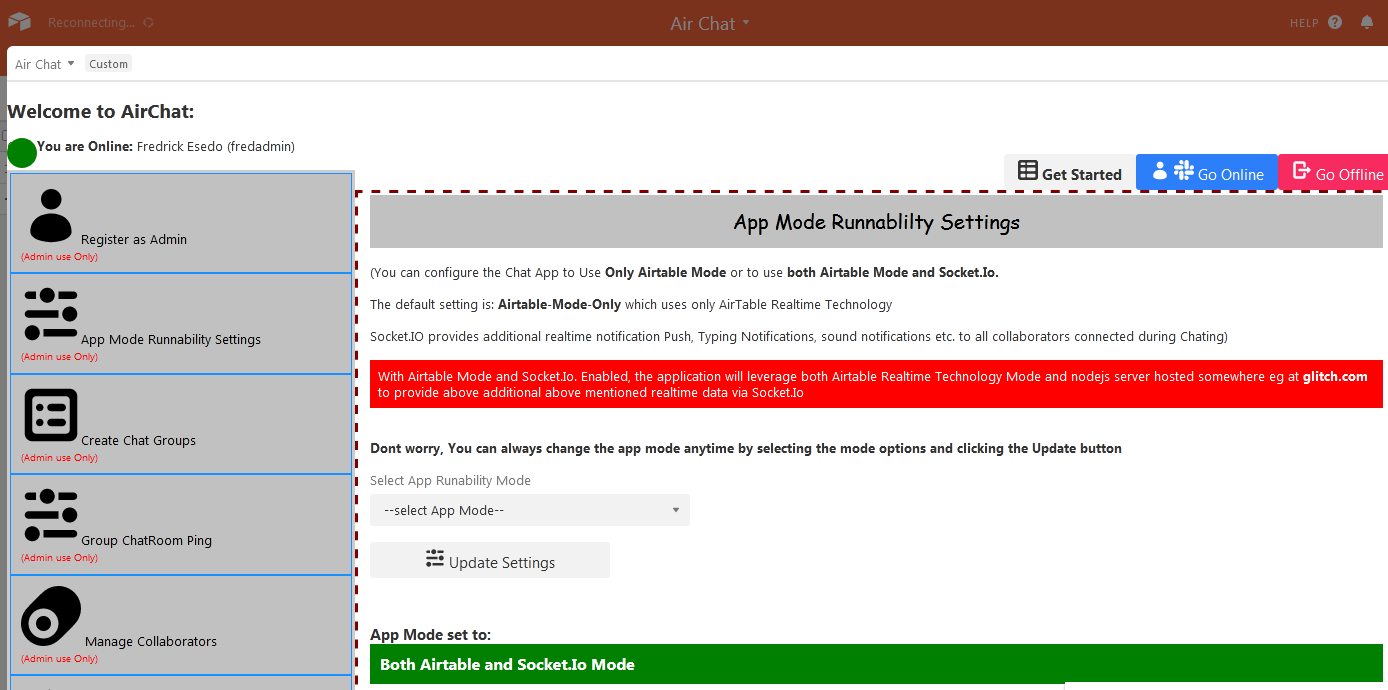
4.)App Mode Runnability:
You can configure the Chat App to Use Only Airtable Mode or to use both Airtable Mode and Socket.Io.
The default setting is: Airtable-Mode-Only which uses only AirTable Realtime Technology
Socket.IO provides additional realtime notification Push, Typing Notifications, sound notifications etc. to all collaborators connected during Chating)
With Airtable Mode and Socket.Io. Enabled, the application will leverage both Airtable Realtime Technology Mode and nodejs server hosted somewhere eg at glitch.com to provide above additional above mentioned realtime data via Socket.Io
Dont worry, You can always change the app mode anytime by selecting the mode options and clicking the Update button
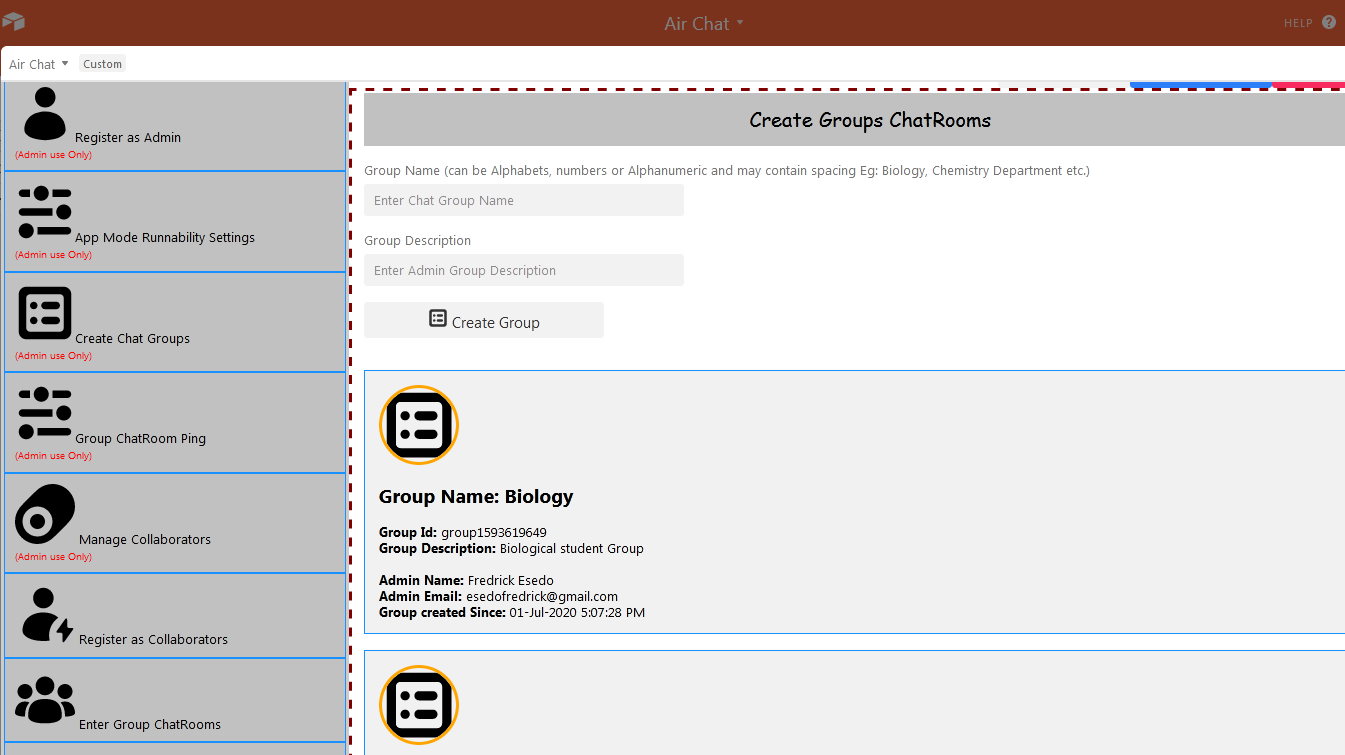
5.)Create Chat Group: Allows only the Admin to create unlimited Chat Groups. if invitee tries to create one, it will throw back warning alert.
6.)Register As Collaborators:
It allow the Invittee or Collaborators to enter just her nickname. the nickname can be anything and all her personal data like name,userid,profile photos,email etc. will be pull from Airtable user session.and Collaborator SDK to create the account. Once Registered, Invitee can click on Go Online to activate her online presence and can then start collaborating.
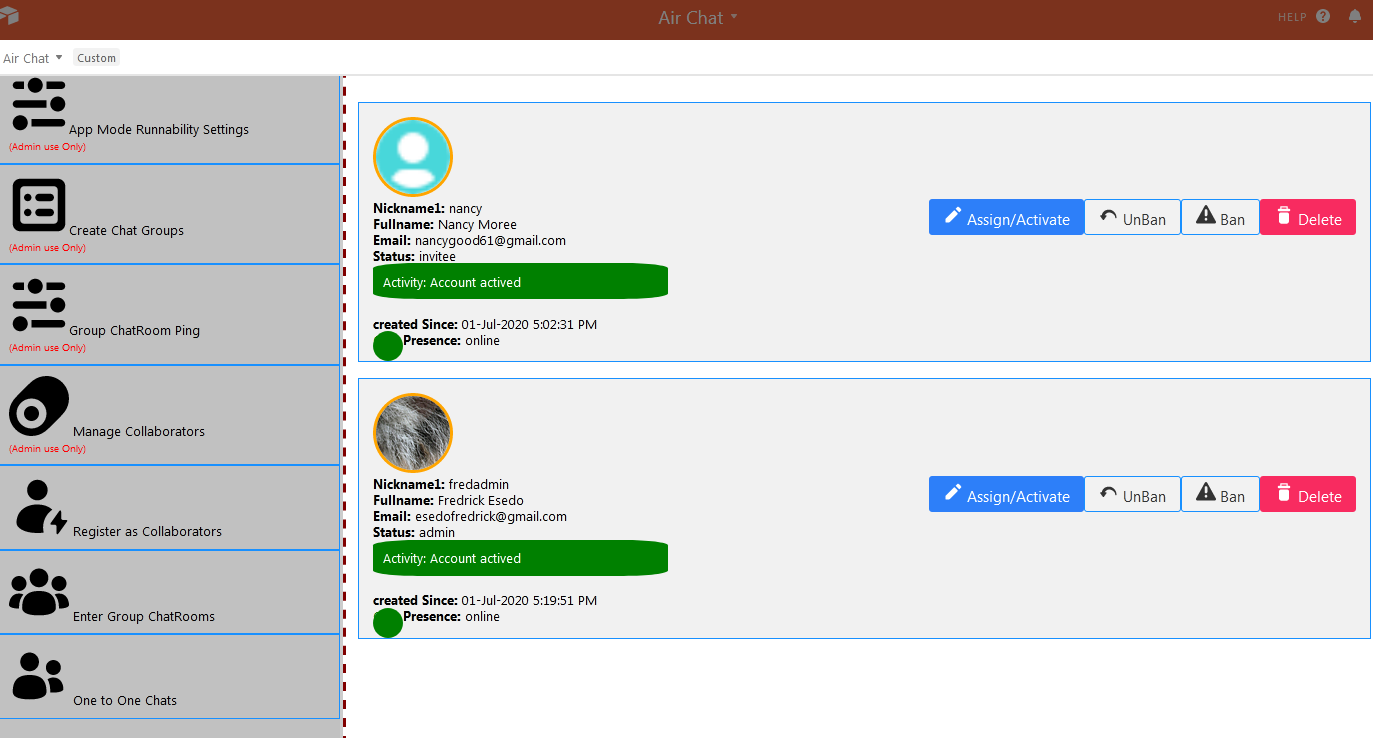
7.)Manage Collaborators: This allow the admin to Activate, Deactive, Ban, Unban and delete invitees account from the app
8.) Go Online: This allow all the collaborators to activate her online presence. It is compulsory that you activate your online presence before you can start doing anything in the app otherwise the app will not permit you This will enable all your team members to
see that you are online
8.) Go Offline: This allow all the collaborators to go offline. This will enable all your team members to see that you are offline Once you are offline, any new private messages sent to you from one to one chat(Private Chat) will trigger unread message count. This will enable you to see messages count sent to you when you are offline.
How I built it
Hmm not easy. I started by calling users data within Airtable Users session and Collaborator SDK to get get their session userid, names, email, profile pictures etc. which was used to dynamically update their account within the app. I started importing and calling all Airtable functional SDK like input, buttons, modal Dialog, Confirmation Dialog, Select API, Icons, Airtable SDK CreateRecords, Update, Delete function etc. All data are coded to send, update and retrieve data to and from Airtable venerable Realtime Database
The app operates in two 2 modes. The first mode was using Airtable Realtiime Technology only which is the default settings. The second Mode uses Both Airtable Realtiime Technology and Socket.io.. Why I also added the second optional mode is that if the collaborators wants to know when others are typing, when new messages arrived in a flash display, getting sound notification on new message arrival etc. This causes me additional coding efforts at its nodejs and socket.Io server side is hosted on glitch.com.
The app admin can always switch between the two app modes You can setup the mode that is best for you
Challenges I ran into
Implementing unread message count for offline collaborators within one to one chats(private chat) takes me time. it was just a little code but am glad it work. The scrollbottom function for the app also takes me some little time
Accomplishments that I'm proud of
What I submitted is just a start. Am working already in building a fully functional super advance realtime Team Collaborators Chat system on Airtable. Just relax and watch...
What I learned
While am new with reactjs. Airtable forces me to move from old Reactjs class coding approach to functional react hook coding approach. In the first place it was a hurdle for someone like me who is coming from jquery ,vuejs and angularjs world. Working with reactjs functional approach now seems to me to be best coding among all.
What's next for Air Chat
This applications was written in a haste coupled with power outages that we normally have. You know what, my main Airchat system is already on the way and will be ready very soon. I mean very soon. I will launch a super featured, super multi-role functional Chat app on airtable that will be powered by Airtable SDK.


Log in or sign up for Devpost to join the conversation.