Inspiration
Architectural AI tools are becoming very good at generating images, but the workflow is still surprisingly fragmented.
An architect has design intent, preferences, project history, references, sketches, and ongoing conversations with an AI assistant. Yet when that architect opens an image-generation application, most of that context disappears. The agent is forced to operate a visual interface like a human — clicking buttons, navigating galleries, and guessing what is on screen.
We wanted to explore a different model:
What if the AI already understood the architect, and the architectural web application exposed its real design capabilities directly to that agent?
That is the idea behind AIR with WebMCP.
What it does
AIR is an architectural AI design workspace for exploring, developing, and refining design ideas.
With WebMCP, AIR becomes a workspace shared by both the architect and the AI agent.
The agent can:
- read the current AIR canvas and design state structurally
- load an existing architectural design without navigating the Gallery UI
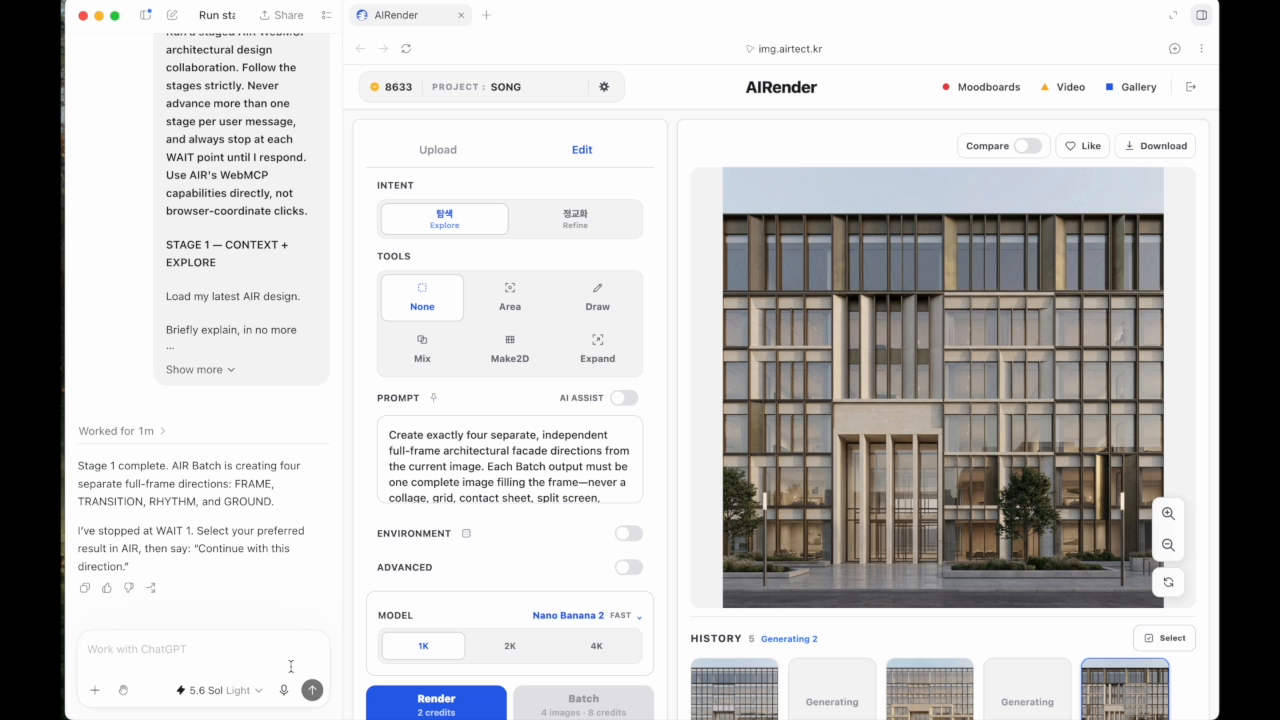
- explore multiple architectural directions using AIR's native Explore and Batch workflow
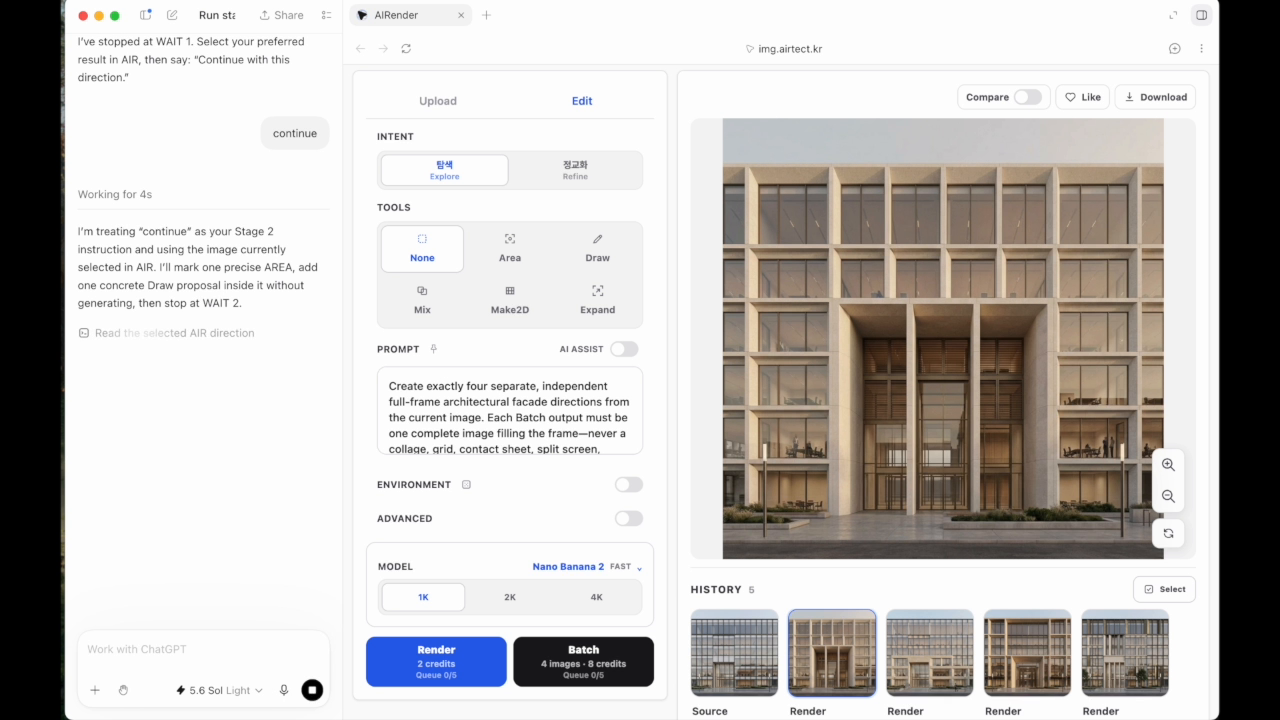
- mark an exact architectural region with AREA
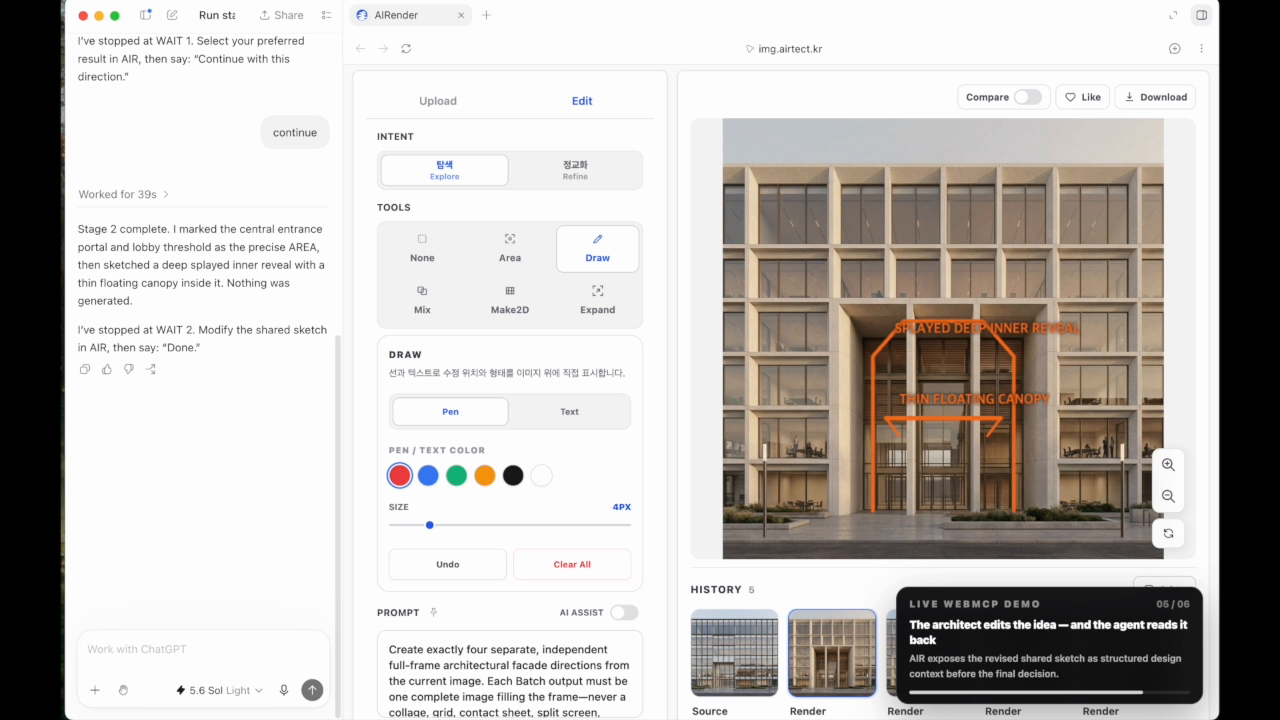
- sketch a proposal directly onto AIR's canvas with Draw
- read an architect's modifications to that sketch back as structured design context
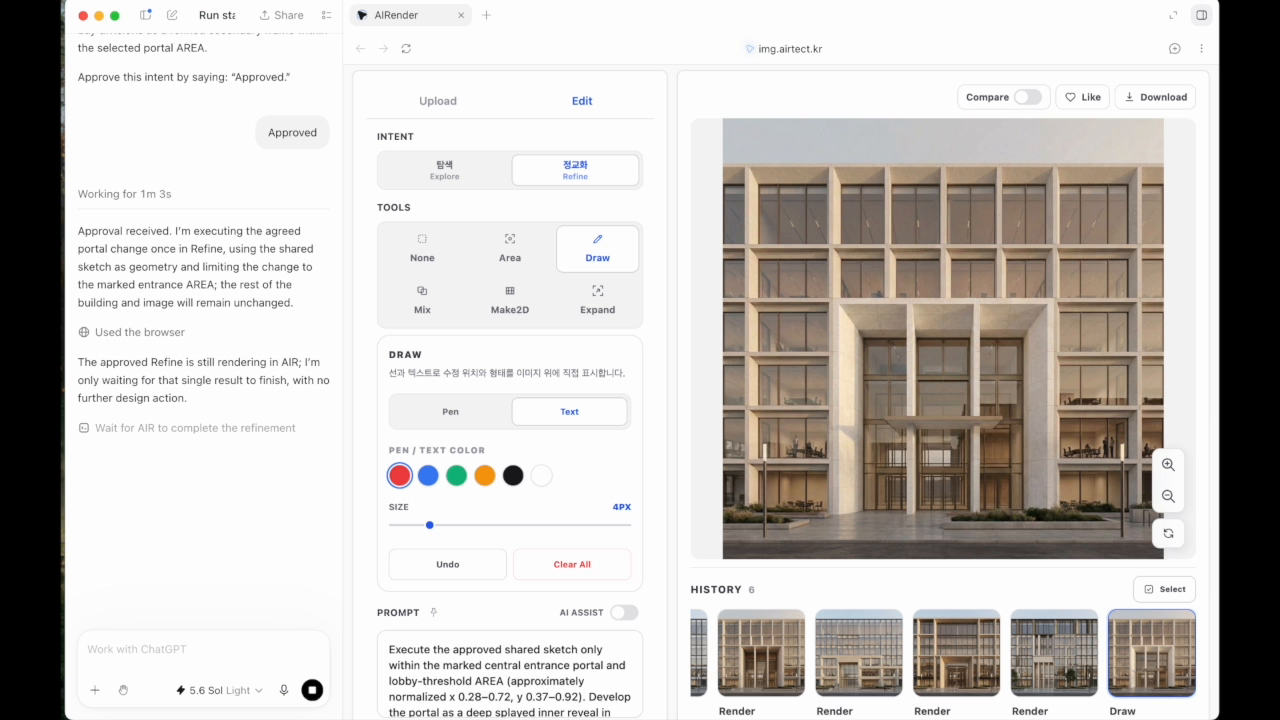
- execute an agreed design change through AIR's native generation workflow
- access higher-level workspace capabilities such as project context, moodboards, and video
The important difference is that the agent does not imitate AIR's interface.
The agent uses AIR's capabilities.
Human + agent collaboration
The goal is not full automation.
Architectural design moves repeatedly between exploration and judgment.
A typical AIR + WebMCP workflow can look like this:
- ChatGPT brings its ongoing understanding of the architect into the current AIR design.
- AIR explores several design possibilities.
- The architect chooses a direction.
- The agent identifies an exact architectural area worth developing.
- The agent sketches an idea on the shared canvas.
- The architect modifies that sketch directly.
- The agent reads the architect's change back as design context.
- Only after agreement does AIR execute the design.
This creates a design conversation on the actual artifact instead of a sequence of disconnected prompts.
Before WebMCP, an agent would need to infer screen state and reproduce human browser interactions. With WebMCP, the website exposes structured, high-level architectural actions directly.
Why WebMCP
AIR is a strong fit for WebMCP because architectural applications contain far more meaning than their visible controls expose.
A button labelled "AREA" is not the important concept. The important concept is:
"This is the exact architectural surface we are discussing."
A Draw tool is not simply a drawing widget. It can become:
a shared visual language between an architect and an agent.
WebMCP lets AIR expose these meanings directly through structured capabilities rather than browser-coordinate automation.
That makes agent interactions faster, more reliable, and — most importantly — more useful as part of an actual design process.
How we built it
AIR exposes high-level capabilities through document.modelContext.registerTool(...).
The WebMCP layer is intentionally thin. It does not recreate the product or automate the UI.
Instead, WebMCP adapters connect directly to AIR's existing application state and native workflows.
Examples include:
air_get_canvas_contextair_apply_canvas_markupair_execute_design_requestair_execute_sketch_requestair_finish_image- workspace, moodboard, context, and video capabilities
Canvas markup uses normalized image coordinates so AREA and Draw remain independent of screen size and browser layout.
Shared markup also carries structured lineage. This allows AIR to distinguish an agent-authored sketch from a sketch that the architect subsequently modified, turning the visible canvas into two-way design context.
The same principle applies throughout the integration:
If AIR already has a native capability, WebMCP exposes that capability instead of teaching the agent how to click its UI.
What was built during the WebMCP Challenge
AIR 4.0 existed before the challenge.
The work submitted here is the WebMCP extension developed after the challenge began on August 25, 2026.
During the challenge period we added the agent-native capability layer, including structured canvas context, high-level design execution, direct asset intake, shared Draw and AREA markup, human-edit readback, workspace/context capabilities, and the human-agent collaborative workflow demonstrated in the video.
The public repository contains a runnable open-source Challenge Edition focused specifically on this new WebMCP interaction model, while the live AIR application demonstrates the integration inside the full architectural product.
Accomplishments
The part we are most excited about is not that an agent can control another application.
It is that the agent and architect can now communicate through the same design artifact.
The architect can say less.
The agent can understand more.
And AIR becomes the place where that understanding becomes visible and actionable.
FAIR understands design. AIR acts on it.
What's next
The next step is to connect this interaction model with deeper architectural research and reasoning.
An agent should eventually be able to move naturally between precedent research, material and construction knowledge, project constraints, design exploration, visual markup, and final architectural decisions — while the architect remains in control of the moments that require judgment.
We see WebMCP as an important foundation for that future: a web where professional applications are designed not only for people or agents, but for both working together.
Built With
- html5
- node.js
- react
- supabase
- typescript
- vite
- webmcp


Log in or sign up for Devpost to join the conversation.