-
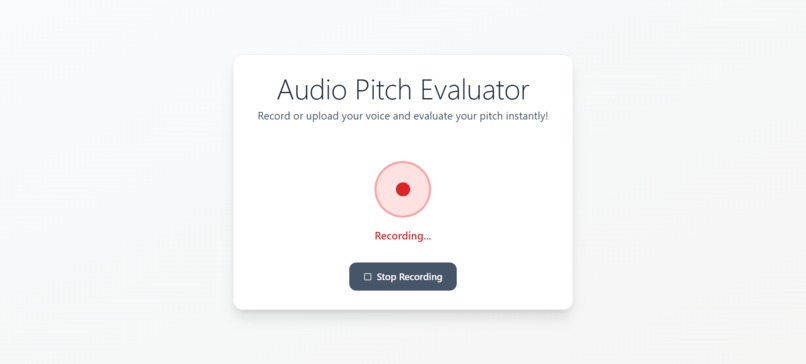
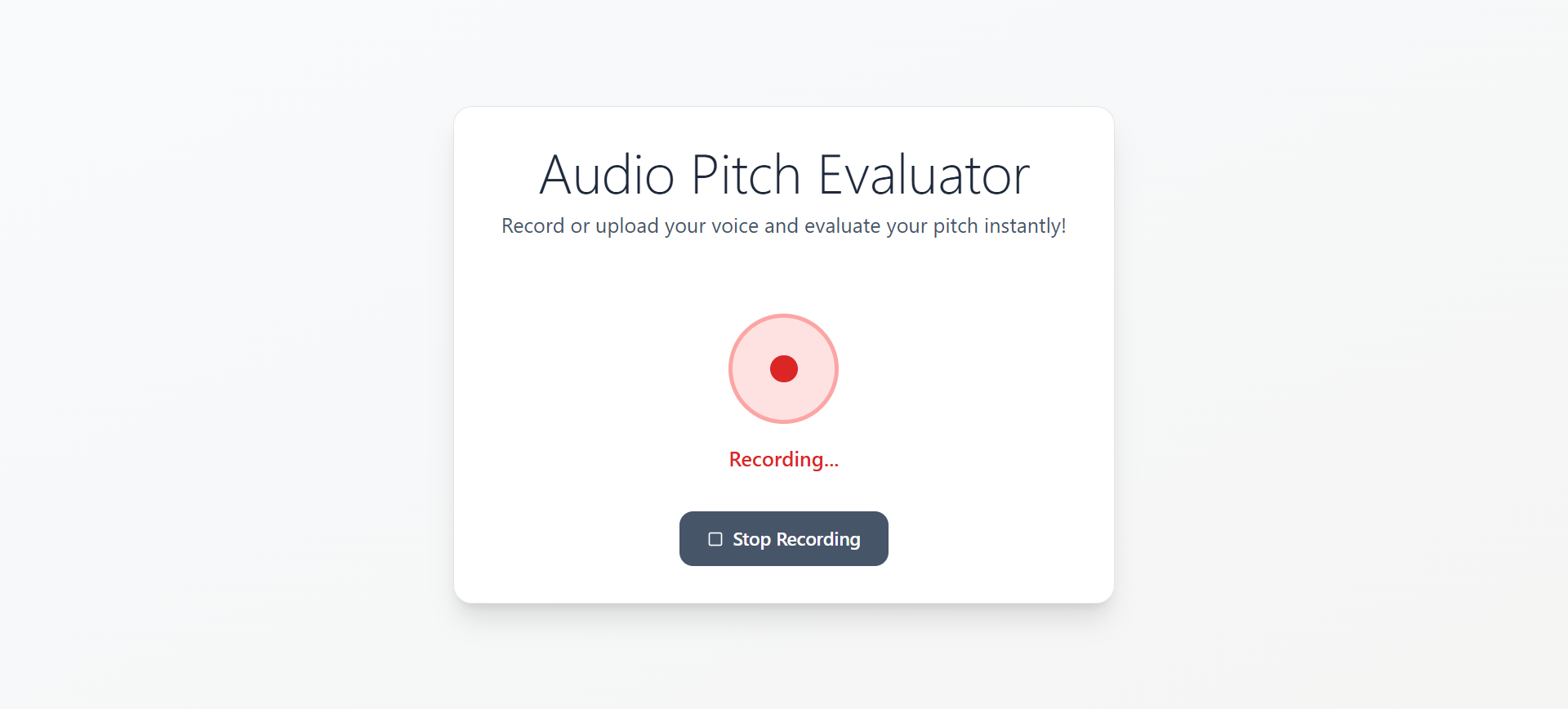
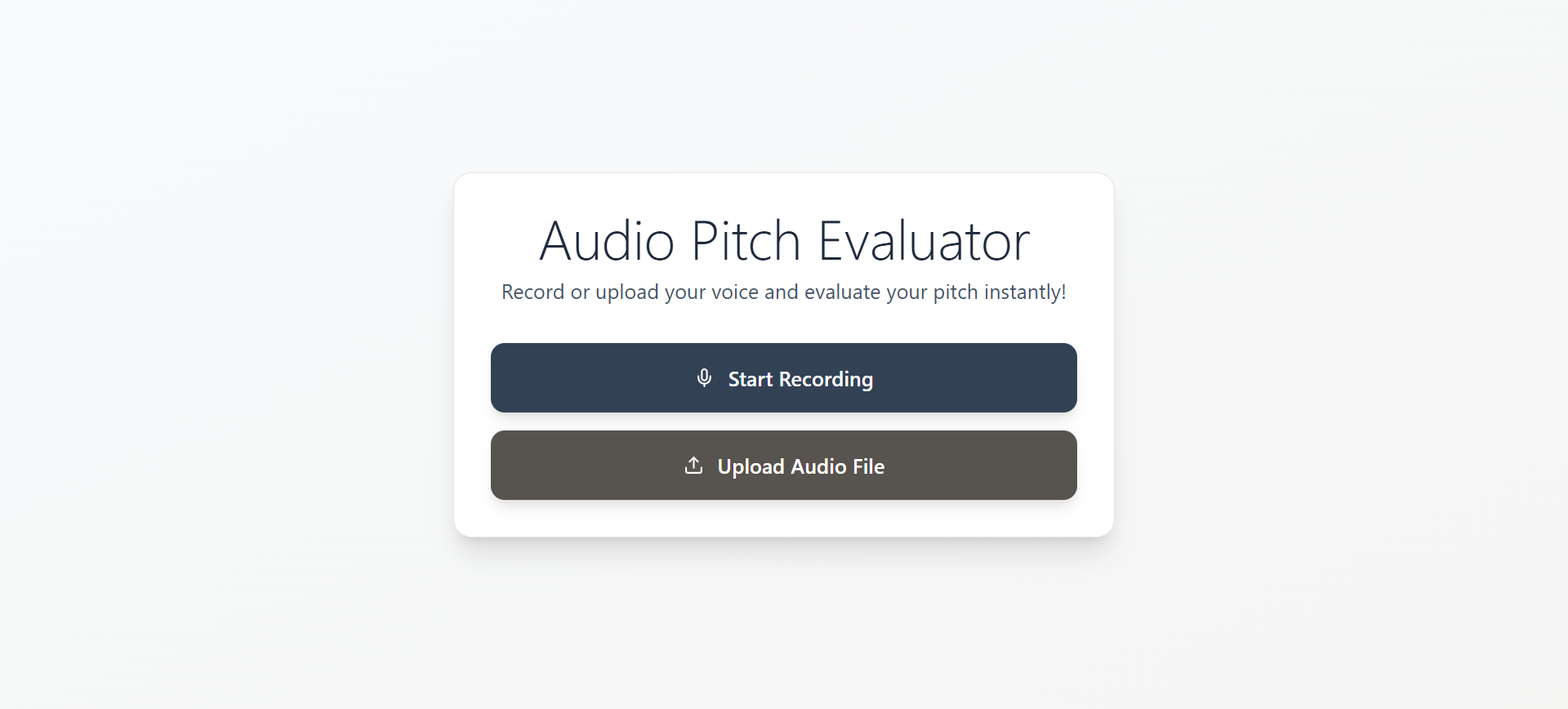
Record your audio or upload audio file
-
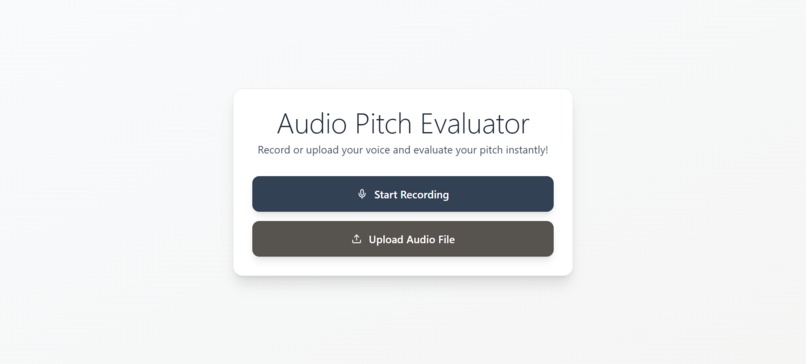
Homepage
-
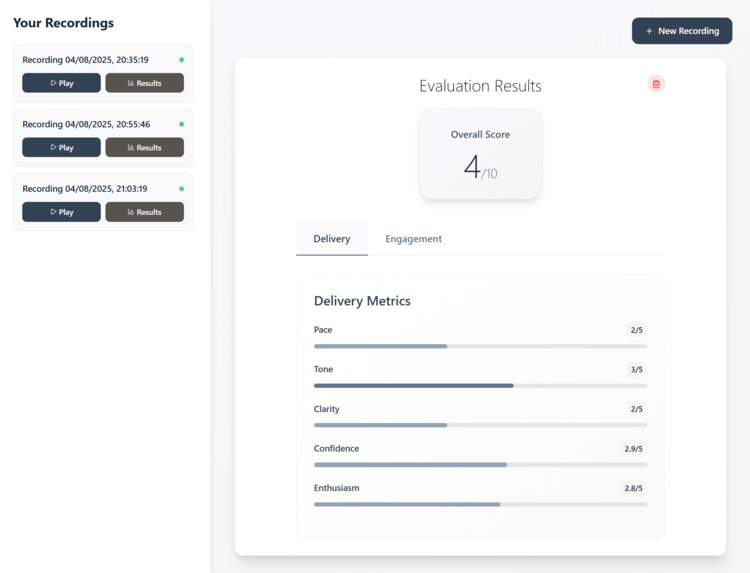
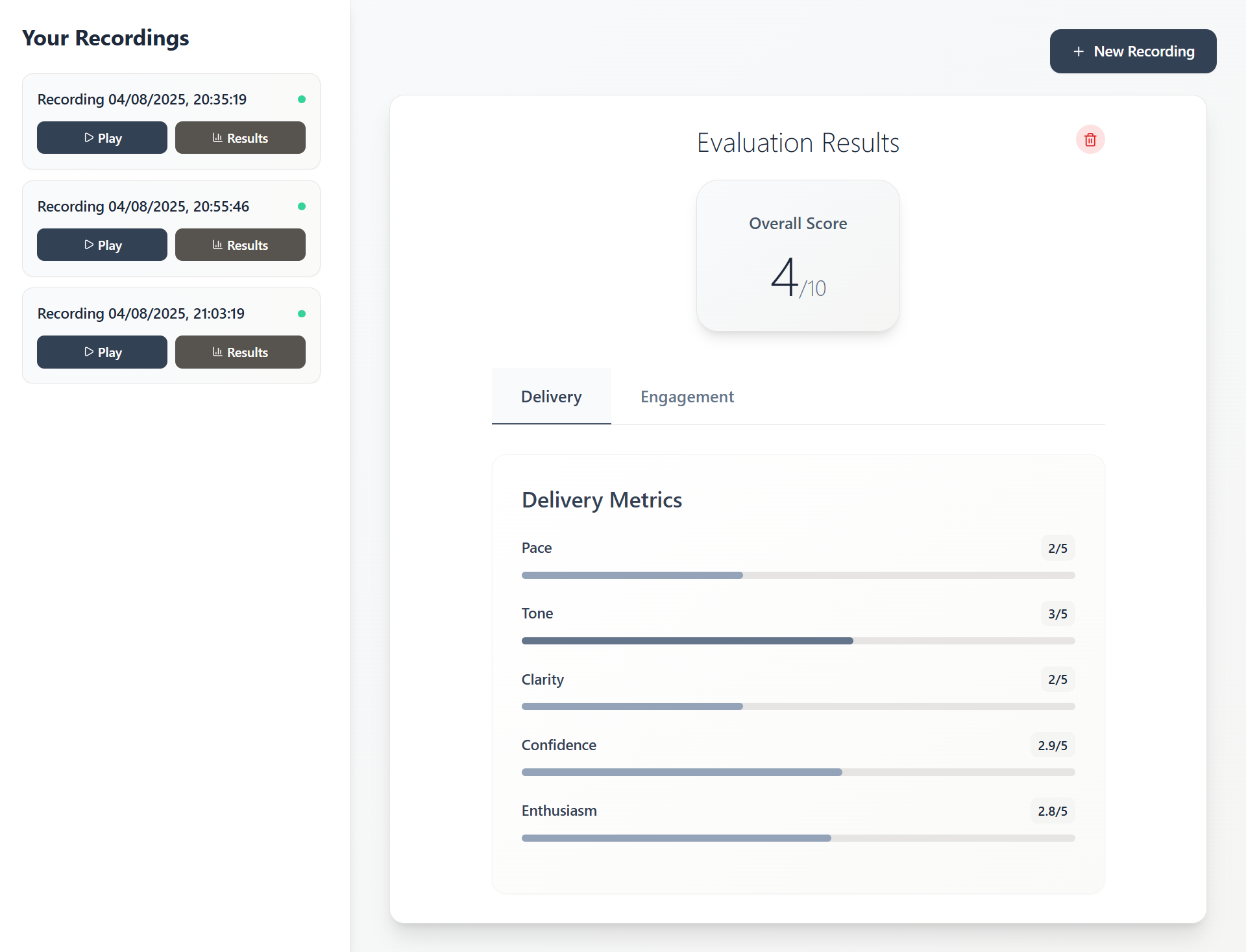
Delivery analysis with Digital Signal Processing
-
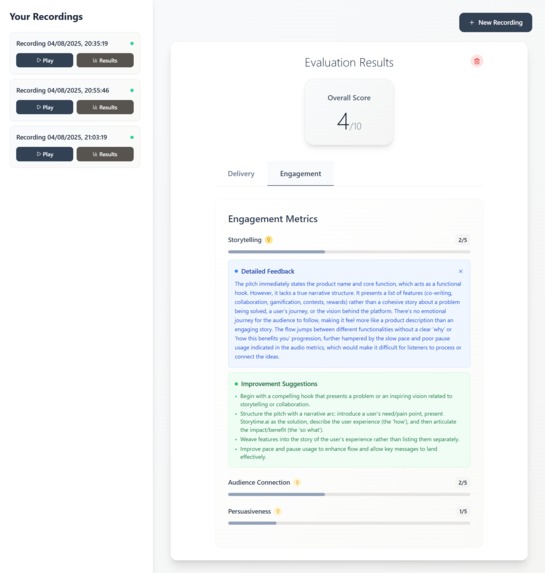
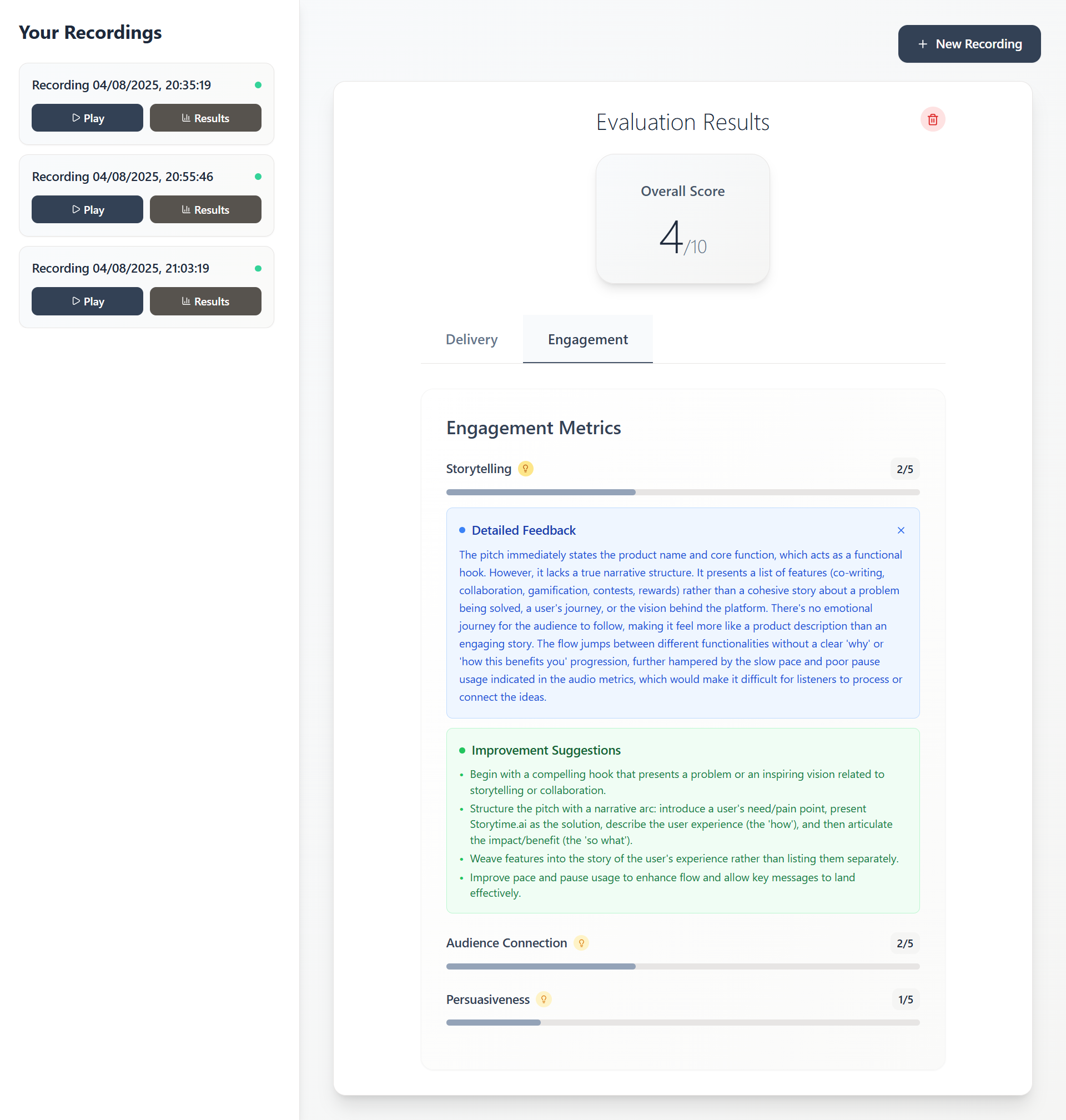
Engagement analysis with Gemini powered insights
🎤 Audio Pitch Evaluator
A modern web application that analyzes and evaluates audio pitch presentations using AI-powered speech analysis and real-time audio processing.
✨ Features
- 🎙️ Audio Recording - Browser-based recording with MediaRecorder API
- 📊 Real-time Analysis - Comprehensive audio metrics including pace, volume, clarity, and confidence
- 🤖 AI-Powered Evaluation - Uses Google Gemini AI for content analysis and feedback
- 🎯 Detailed Scoring - Evaluates delivery, engagement, storytelling, and persuasiveness
- 💾 Local Storage - Client-side storage using IndexedDB (no server uploads needed)
- 🔄 Play/Pause Controls - Interactive audio playback with toggle functionality
- 📈 Visual Dashboard - Clean interface showing all recordings and evaluation results
- 💡 Detailed Feedback - Expandable cards with specific improvement suggestions
🛠️ Tech Stack
Frontend
- React 18 with TypeScript
- Vite - Fast build tool and dev server
- Tailwind CSS - Utility-first styling
- React Router - Client-side routing
- Lucide React - Modern icon library
- IndexedDB - Browser storage for audio files
Backend
- Node.js with Express.js
- Real Audio Processing - wavefile, node-wav, FFmpeg
- Free Speech-to-Text - Hugging Face Whisper models
- AI Analysis - Google Gemini API
- CORS enabled for cross-origin requests
Audio Processing
- MediaRecorder API - Browser recording
- FFT Analysis - Frequency domain processing
- Autocorrelation - Pitch detection
- RMS Analysis - Volume/loudness calculation
- Energy Detection - Speech segment identification
🚀 Quick Start
Prerequisites
- Node.js 18+
- npm or yarn
- Modern web browser with MediaRecorder support
Installation
Clone the repository
git clone https://github.com/Rajukrsna/aiPitchEvaluator.git
cd aiPitchEvaluator
Install frontend dependencies
npm installInstall backend dependencies
cd backend
npm install
Environment Setup Create a
.envfile in thebackenddirectory:# Required API Keys HUGGINGFACE_API_KEY=your_huggingface_token GEMINI_API_KEY=your_gemini_api_key
# Server Configuration PORT=5000
5. **Get API Keys**
   - **Hugging Face**: Sign up at [huggingface.co](https://huggingface.co) → Settings → Access Tokens
   - **Google Gemini**: Get API key from [Google AI Studio](https://makersuite.google.com/app/apikey)

### Running the Application

1. **Start the backend server**
   ```bash
   cd backend
   npm start
Start the frontend (in a new terminal)
npm run devOpen your browser Navigate to
http://localhost:5173
📱 How to Use
- Record Audio - Click the record button and speak your pitch
- Upload & Analyze - Submit your recording for AI analysis
- View Results - See detailed scores for delivery and engagement metrics
- Get Feedback - Click the lightbulb icons for specific improvement suggestions
- Track Progress - All recordings are saved locally for comparison
🎯 Evaluation Metrics
Delivery Analysis
- Pace - Speaking speed and rhythm
- Tone - Voice modulation and variety
- Clarity - Speech intelligibility and pronunciation
- Confidence - Voice stability and assertiveness
- Enthusiasm - Energy and engagement level
Engagement Analysis
- Storytelling - Narrative structure and flow
- Audience Connection - Relatability and appeal
- Persuasiveness - Convincing power and impact
🏗️ Project Structure
audiopitchevaluator/
├── src/
│   ├── components/
│   │   ├── Homepage.tsx      # Recording interface
│   │   ├── Dashboard.tsx     # Results dashboard
│   │   └── EvaluationResult.tsx # Score display
│   ├── utils/
│   │   └── audioStorage.ts   # IndexedDB utilities
│   └── main.tsx             # App entry point
├── backend/
│   ├── server.js            # Express API server
│   ├── audioAnalysis.js     # Real audio processing
│   ├── freeTranscription.js # Speech-to-text
│   ├── geminiAnalysis.js    # AI content analysis
│   └── .env                 # Environment variables
└── README.md
🔧 API Endpoints
POST /api/evaluate-pitch- Submit audio for analysisGET /api/transcription-methods- Get available transcription options
🎨 UI Features
- Modern Design - Slate and stone color palette
- Responsive Layout - Works on desktop and mobile
- Interactive Elements - Hover effects and smooth transitions
- Loading States - Visual feedback during processing
- Error Handling - Graceful error messages and fallbacks
🔒 Privacy & Security
- Local Storage - Audio files stored in browser IndexedDB
- No File Uploads - Audio processed locally, only analysis sent to server
- API Key Security - Environment variables for sensitive data
- CORS Protection - Configured for secure cross-origin requests
🚀 Deployment
Frontend (Vercel/Netlify)
npm run build
# Deploy the 'dist' folder
Backend (Railway/Heroku)
cd backend
# Set environment variables in your hosting platform
# Deploy with Node.js runtime
🤝 Contributing
- Fork the repository
- Create a feature branch (
git checkout -b feature/amazing-feature) - Commit your changes (
git commit -m 'Add amazing feature') - Push to the branch (
git push origin feature/amazing-feature) - Open a Pull Request
📝 License
This project is licensed under the MIT License - see the LICENSE file for details.
🙏 Acknowledgments
- Hugging Face - Free speech-to-text models
- Google Gemini - AI-powered content analysis
- Lucide - Beautiful icon library
- Tailwind CSS - Excellent styling framework
📞 Support
If you have any questions or issues, please open an issue on GitHub or contact the maintainers.
Built with ❤️ using React, TypeScript, and AI
Built With
- css
- express.js
- gemini
- html
- huggingface
- indexeddb
- javascript
- openai
- react
- typescript
- wisper


Log in or sign up for Devpost to join the conversation.