-
-
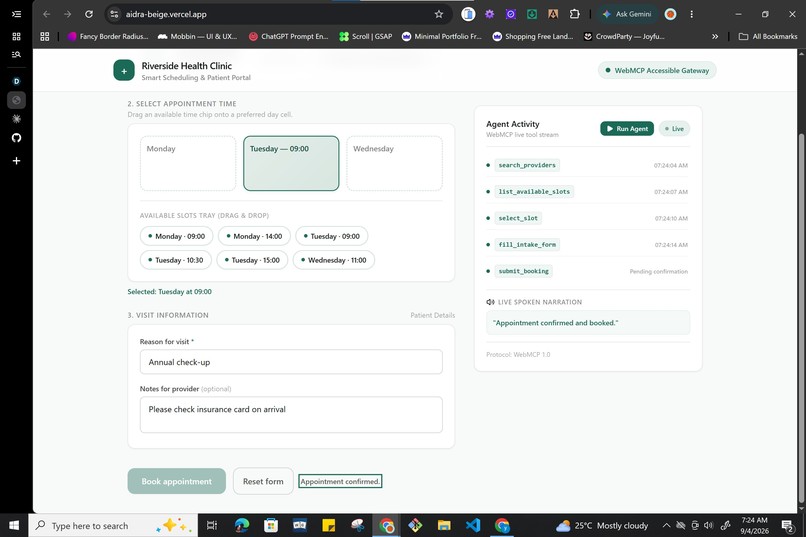
Completed schedule booking screen
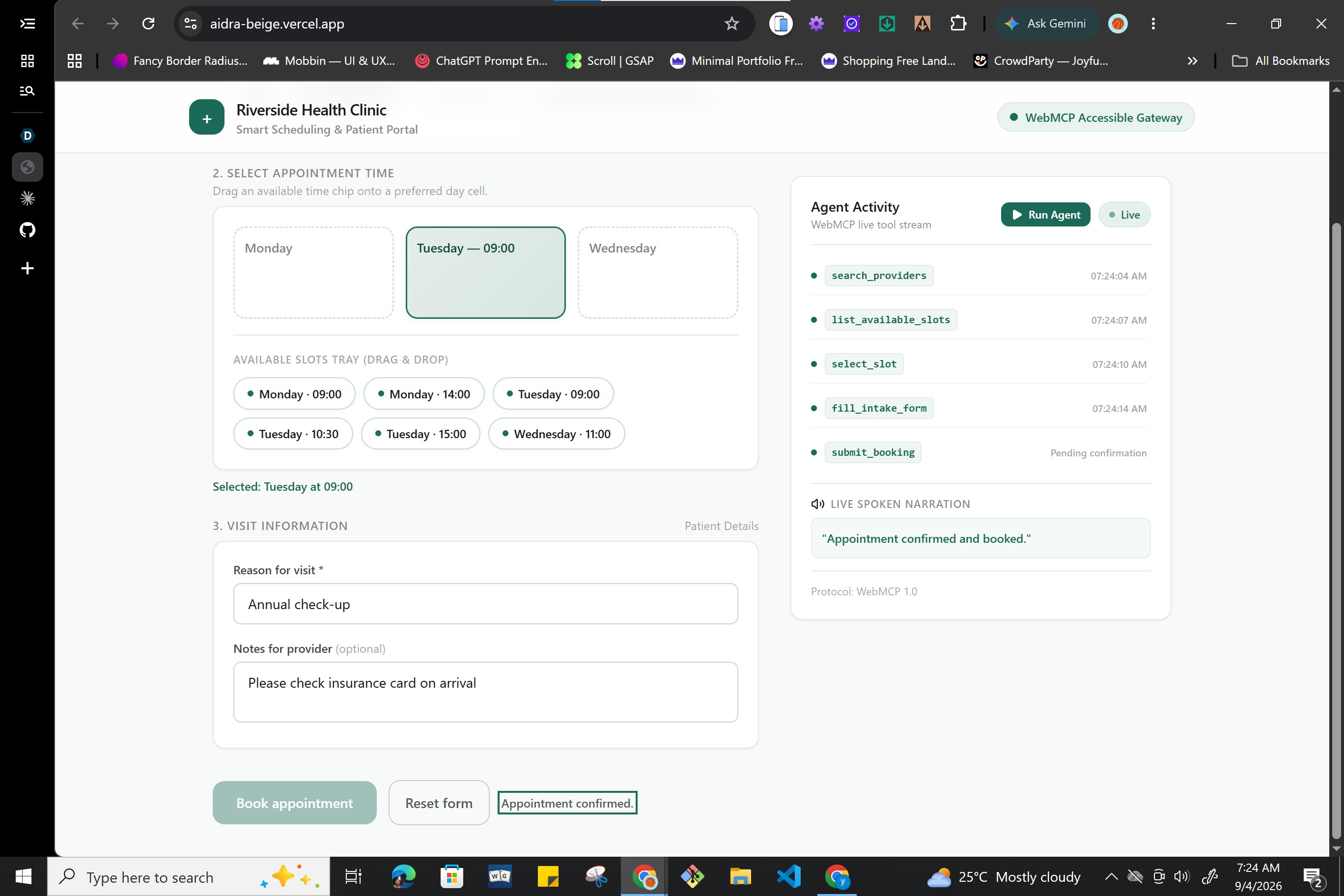
aidra
Inspiration
Every year, WebAIM publishes the Screen Reader User Survey. In every edition, the #2 most cited barrier for screen reader users is "Interactive elements such as menus, tabs, and dialogs that don't behave as expected," second only to CAPTCHA.
Compounding this, the WebAIM Million annual analysis tracked an average of 56.1 accessibility errors per home page in 2026, a 10.1% increase over the prior year. Inaccessible patterns such as drag-and-drop calendars, nested custom comboboxes, and unlabelled canvas widgets continue to create barriers for assistive technologies.
Generic computer-use agents inherit many of these same failure modes. An agent that relies on vision, DOM inspection, clicking, or coordinate-based dragging can fail just as unpredictably when a complex widget has unexposed state or requires interactions that are difficult to interpret programmatically.
I was inspired to build aidra to show how WebMCP (Web Model Context Protocol) can become an accessibility bridge. By exposing clean, typed, high-level tools directly inside the webpage, an AI agent can execute complex workflows without interacting with broken widgets. At the same time, every action can be narrated live through aria-live regions so the human remains informed and in control.
What It Does
aidra is an appointment booking portal built around one deliberately difficult interaction pattern: a drag-and-drop-only scheduling calendar with no click-to-select fallback.
A user can complete the entire booking flow manually using a mouse or keyboard. They can also hand the workflow to an agent using natural language, such as:
"Book me the earliest Tuesday morning appointment with Dr. Chen and add a note about my insurance card."
Instead of trying to drag or click the calendar, the WebMCP agent uses 7 typed in-page tools:
search_providerslist_available_slotsselect_slotfill_intake_formsubmit_bookingreschedule_bookingcancel_booking
These tools allow the agent to search providers, retrieve available slots, select an appointment, populate the intake form, and manage existing bookings without directly manipulating the inaccessible calendar widget.
Every tool call is announced through an aria-live region and mirrored visually through an Agent Activity sidebar for sighted collaborators.
Human Confirmation Is Enforced
The agent cannot finalize an appointment.
submit_booking only stages the appointment and opens an accessible confirmation dialog. The booking can only be finalized through an explicit human click on the Confirm button.
This is enforced in the application logic, not simply described as a rule for the agent. Even if an agent calls submit_booking repeatedly, it cannot bypass the confirmation step because the only code path that marks an appointment as confirmed is the human-facing confirmation action.
The agent handles the difficult interaction. The user retains authority over the action that matters.
Why WebMCP?
Without WebMCP, an AI agent has to perceive and manipulate the same interface a user does. That means guessing through pixels, DOM structure, focus states, and interaction patterns.
With WebMCP, the webpage exposes semantic capabilities directly to the agent.
Instead of asking:
"Where is the calendar and how do I drag this appointment?"
the agent can ask the page:
"What providers are available?"
"What appointment slots are available?"
"Select this slot."
The interaction becomes structured, typed, observable, and reviewable.
This is what makes WebMCP particularly interesting for accessibility. The same abstraction that makes an agent more reliable can also make its actions easier for a human to understand and trust.
How I Built It
I designed aidra with a zero-build-step architecture for fast iteration, transparency, and auditability.
- Markup and UI: Semantic HTML5, Tailwind CSS via CDN, vanilla CSS custom properties, and native browser APIs.
- State Management: A centralized reactive store synchronizes manual DOM interactions and WebMCP tool executions through the same state and rendering pipeline.
- WebMCP Registration: I registered all 7 tools using
document.modelContext.registerTool({...})with strict JSON schemas and JSDoc@typedefannotations for editor-level type checking. - WebMCP Compatibility: I built a small polyfill that detects whether
document.modelContextis available natively and falls back to a local tool registry when it is not. - Input Normalization: Tool arguments are normalized so each
execute()function receives the same input shape across different invocation environments. - Speech Pacing: I paced announcements so screen readers have time to finish communicating one action before the next tool executes.
- Live Observability: An in-page Agent Activity console streams tool invocations, parameters, and status changes so sighted collaborators can observe the agent working in real time.
The shared state architecture was particularly important. Both manual interactions and agent tool calls write through the same state layer. This means the manual and agent-assisted experiences are not separate implementations that can quietly drift apart.
Challenges I Faced
1. Modal Dismiss and ARIA Live Race Condition
Problem: Closing the confirmation modal returned focus to the general page body. This caused screen readers to begin announcing unrelated page content at the same time the booking result was being announced.
Solution: I gave the booking status region a tabindex="-1" focus anchor and moved focus there before triggering the announcement. This gives the screen reader a stable and meaningful landing point after the modal closes.
2. Form Input Cursor Jumping
Problem: The render pipeline re-synced input values from state on every state change. During manual typing, this caused the cursor to jump to the end of the field after each keystroke.
Solution: I added diff-checking guards so DOM values are only overwritten when they have actually diverged from the current state.
3. Cross-Environment WebMCP Tool Invocation
Problem: Chrome's experimental WebMCP implementation and other agent-driven environments did not always pass tool arguments in the same shape. Some contexts provided objects while others provided JSON strings.
Solution: I added an input normalization layer that parses and normalizes incoming arguments before they reach the tool execution logic. This keeps the tools consistent across environments.
What I Learned
1. WebMCP Can Be Accessibility Infrastructure
WebMCP should not only be viewed as an automation mechanism. Structured tools can provide a semantic interaction layer for web applications that would otherwise be difficult for both agents and assistive technologies to navigate reliably.
2. Co-Navigation Can Build More Trust Than Black-Box Delegation
An agent performing actions on behalf of a user should not mean that the user loses visibility into what is happening.
By combining WebMCP tools with live aria-live narration and a visual activity stream, aidra keeps the human involved throughout the workflow. The agent acts, but the user can hear and observe what it is doing.
3. Human Authority Should Be Architectural
The confirmation gate taught me that trust is stronger when it is enforced by the system rather than communicated as an instruction.
The agent can prepare the appointment, but it cannot cross the final confirmation boundary. That distinction makes the human's authority a property of the application itself.
4. Zero-Build Architecture Has Real Advantages
Using native ES Modules, vanilla DOM APIs, and JSDoc typing gave me extremely fast iteration while working with an experimental browser API. There was no build pipeline between changing the code and testing the result, which made debugging and experimentation much faster.
What's Next for aidra
- Multi-Domain Extension: Generalize the WebMCP co-navigation pattern into a browser sidecar that could support historically difficult interfaces across government portals, travel booking, insurance, and healthcare.
- In-Page Voice Interface: Integrate the Web Speech API so users can provide prompts and receive narrated feedback without leaving the page or relying on a separate agent surface.
- Complex Form Assistance: Expand the tool layer to handle custom comboboxes, multi-step forms, and other interaction patterns that are difficult for assistive technologies and computer-use agents.
- Multi-Step Verification: Explore safer ways for agents to assist users through complex verification workflows while preserving explicit human control over sensitive actions.

Log in or sign up for Devpost to join the conversation.